作者: ningbo

  • Best Lightweight Laptops for Graduate Students: Thesis Writing and Reading

    Laptop comparisons

    By

    Which lightweight laptops are good for graduate students? For a thesis built around reading, references and writing, compare the MacBook Air 13-inch M5 for a quiet macOS workflow, ASUS Zenbook S14 for useful built-in ports, LG gram Pro 16 for a larger reading surface, ThinkPad X1 Carbon Gen 14 for a carefully selected IPS configuration, Lenovo Yoga Slim 7i Ultra for light daily carrying, and ASUS Zenbook A14 when the university supports its Windows Arm environment. The right choice follows the documents and software you actually use, rather than a universal first-place model.

    Put the thesis paragraph with your supervisor’s longest comment beside the PDF you cited. Can you read the full note, check the source page and change the citation without losing the sentence you were editing? This is where a 13-inch laptop with a monitor waiting at home and a 16-inch laptop used alone in the library can lead to different purchases. A timer that only measures how quickly the document opens misses the time spent finding your place again.

    This guide concentrates on that reading-and-writing session. Students running substantial local analysis should also use our research software and memory comparison, because a text-focused purchase and a computational research purchase can lead to different configurations. Our broader graduate laptop guide provides another starting point for a mixed course load.

    Build the shortlist around a real thesis session

    Bring together a representative chapter, two PDFs, your reference library and the application used for supervisor comments. If the work normally includes interviews, add a short recording and the transcription tool. If it includes multilingual sources, use a document with the fonts, scripts and input methods you need. This is a repeatable purchasing check, not a demand to recreate an entire research project in a shop.

    Open those materials at the text size you normally read. Try a PDF beside a draft and then compare two articles. Look at footnotes and wide tables, rather than only a full-screen promotional photograph. Move the cursor between a comment, a citation and the reference list. The practical question is whether you can keep your place while moving between evidence and argument. More pixels can help, but comfortable scaling and enough physical screen area matter too.

    Keep one deliberately awkward reference in the sample chapter. Cite two works by the same author in the same year, move one citation to an earlier paragraph, then refresh the bibliography in the application the department uses. Check the letters attached to the years against the reference list and return a copy with comments intact. If the references update at home but turn into ordinary text during the laptop handoff, a faster machine will still leave you with manual corrections.

    The six machines below represent different answers to that problem. Manufacturer documents establish their hardware. Named independent reviews establish measurements only for the reviewed configurations. Our descriptions of which student may prefer each arrangement are editorial judgments. We have not conducted a new hands-on test or treated the selection as an exhaustive survey of every suitable laptop. The comparison methodology explains why a published starting weight and a measured review unit are kept separate.

    Six roles at a glance

    Laptop Reading-and-writing role Published hardware reference Main purchasing decision
    Apple MacBook Air 13-inch M5 Quiet writing in an established Mac workflow 13.6-inch IPS; 1.23kg Confirm the department’s applications and document exchange
    ASUS Zenbook S14 UX5406AA A library computer that also connects to a desk 14-inch OLED touch; listed 1.20kg Choose the actual AA processor, OS and display configuration
    LG gram Pro 16Z90U Long sessions without an external monitor 16-inch OLED; global specification 1,199g Check the larger footprint against bags and library tables
    ThinkPad X1 Carbon Gen 14 A selected IPS setup for reading away from power 14-inch IPS and OLED options; weight varies Match panel, touchpad and processor to the order
    Lenovo Yoga Slim 7i Ultra Gen 11 Carrying a 14-inch Intel workspace between buildings OLED touch; manufacturer starting weight 975g Balance low device mass with USB-C-only connections
    ASUS Zenbook A14 UX3407NA Light carrying with an approved Arm software stack 14-inch 1920×1200 OLED non-touch; listed 0.99kg Verify applications, extensions and peripheral drivers

    These are manufacturer figures, not a common set of our own measurements. The comparison does not turn a family minimum into the promised weight of an individual order.

    Apple MacBook Air 13-inch M5 — Best for quiet drafting with supported Mac software
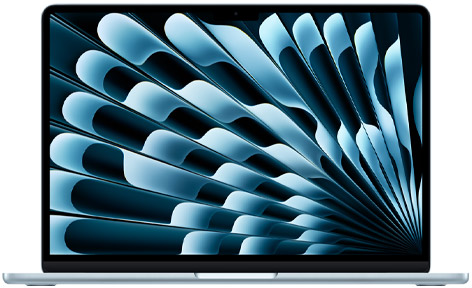
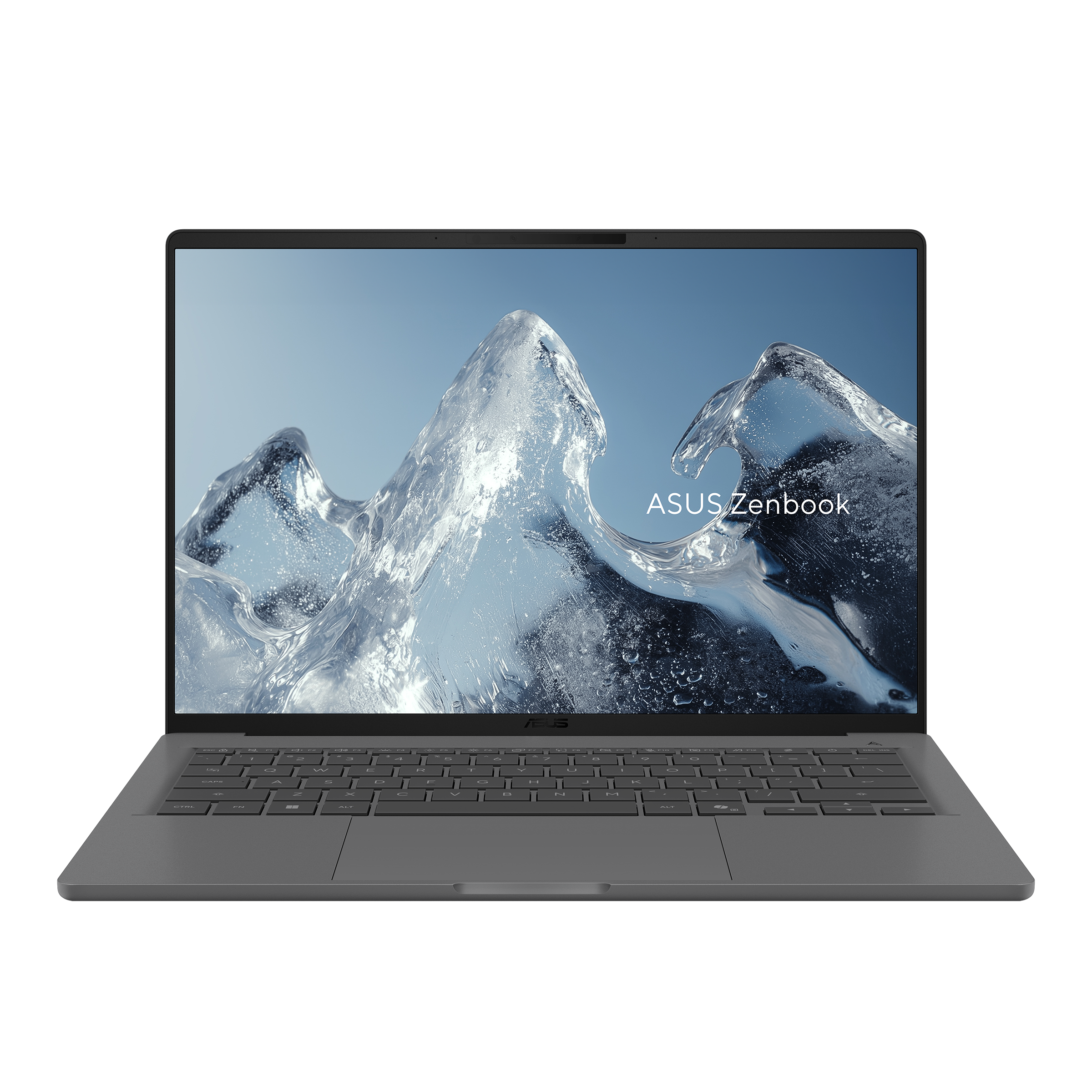
    Official Apple MacBook Air 13-inch M5 product photograph
    Product image from Apple. MacBook Air 13-inch M5 image source.

    Apple’s official specifications identify a 13.6-inch, 2560×1664 IPS display, 1.23kg device weight, MagSafe charging and two Thunderbolt 4 ports. Its fanless design is relevant to a shared reading room: cooling-fan noise is removed from the writing session. That does not make every workload silent or establish the fastest performance under sustained computation.

    The Air is worth comparing when the student already writes successfully in the Mac versions of the required applications. A historian using Word, a reference manager and digitized sources has a different requirement from an engineer dependent on a Windows-only laboratory package. Open a real commented chapter and check the department’s preferred submission format before making the operating system part of a three-year commitment.

    The smaller screen is the main practical choice. It is convenient for moving between desks, but a source and a draft may feel crowded at a comfortable font size. If the laptop is regularly connected to a monitor, that compromise can be sensible. If it is the only screen every evening, compare the larger gram before paying for upgrades that cannot increase physical workspace.

    ASUS Zenbook S14 UX5406AA — Best for moving between library and connected desk
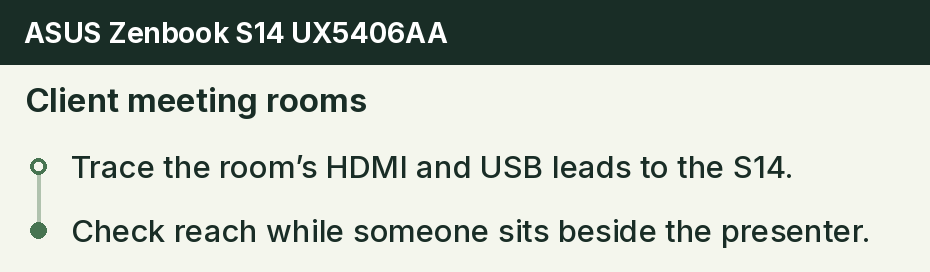
    ASUS Zenbook S14 UX5406AA. Thesis drafting and reading. Return from the library to the desk display. Check that the document keeps its reading position.
    ASUS product reference

    The ASUS AA specification lists a 14-inch OLED touchscreen, a 1.20kg weight, HDMI, USB-A, two Thunderbolt 4 connections and audio. Those connections provide a concrete reason to consider it when one computer serves a library seat, a home monitor and a departmental presentation room.

    For a literature review, the useful feature is a working arrangement that survives the move between those locations. A student can read on the built-in display during the day and use a larger monitor for chapter restructuring later. Check the actual monitor cable and resolution instead of assuming that any USB-C socket delivers the same result. An existing USB accessory can also make the built-in Type-A port useful.

    The OLED touchscreen is a preference to assess with your own pages. Touch can help navigation, but it does not automatically turn the laptop into a pen-based annotation device. Memory is fixed, so choose capacity for the whole expected ownership period. The UX5406AA identifier matters: specifications and battery findings for an older UX5406SA are not interchangeable with this generation.

    LG gram Pro 16Z90U — Best for reading and revision without a separate monitor
    LG gram Pro 16Z90U. Thesis drafting and reading. Place two article pages side by side at full width. Read the smallest footnote from your normal seat.
    LG product reference

    LG’s global 16Z90U documentation lists a 16-inch, 2880×1800 OLED display, 1,199g mass and a 357.7×251.6mm body. The larger screen provides the reason to investigate this model. Its published weight alone cannot describe whether it fits a small table or the compartment used for daily travel.

    A researcher comparing interview quotations with a coding memo may value physical room for two documents more than the smallest possible enclosure. The same can apply to long tables, detailed illustrations and a supervisor’s comments beside the chapter. Try these arrangements at realistic scaling. A larger diagonal does not guarantee a particular amount of usable text when the operating system is configured differently.

    The gram offers HDMI, USB-A and Thunderbolt connections for a destination setup. Its global document is still family information; check the selected regional SKU for memory, operating system and other options. Choose it when the built-in screen must do substantial work most days, and choose a more compact machine when a monitor already supplies that space. Neither choice needs to be presented as universally more portable.

    ThinkPad X1 Carbon Gen 14 — Best for a deliberately chosen reading configuration
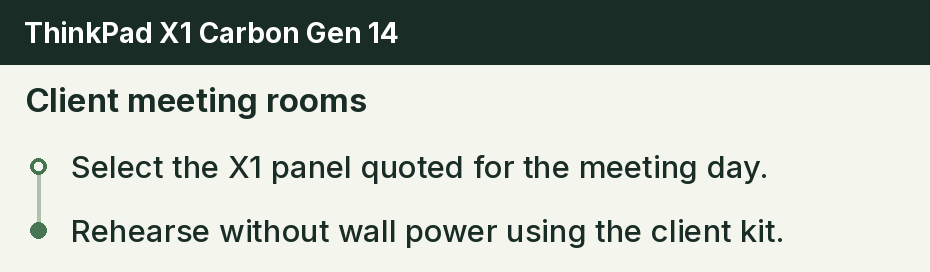
    ThinkPad X1 Carbon Gen 14. Thesis drafting and reading. Choose a panel using a difficult scanned source. Compare that build with the published sample.
    Lenovo product reference

    The X1 Carbon PSREF lists multiple panels, including low-power IPS touch and OLED options. It also documents HDMI, USB-A, three Thunderbolt 4 ports and audio. The family name therefore starts a configuration discussion rather than resolving it.

    For a day of reading between seminars, an identified independent result is useful. Notebookcheck’s IPS review reports 23h13m in its WLAN test for the Core Ultra 5 325, 32GB/512GB, 21V70075GE sample. Its measured 1,139g weight belongs to that same machine. Neither number describes every X1 order.

    This makes the IPS route worth investigating when charging opportunities are uncertain and document work dominates. A student who prefers OLED may reach a different decision within the same family. Record the panel and processor on the quote, and compare the final price with other supported machines. Do not combine the lightest advertised configuration with the longest test result into a product that was never measured.

    Lenovo Yoga Slim 7i Ultra Gen 11 — Best for carrying a 14-inch Intel workspace
    Lenovo Yoga Slim 7i Ultra. Thesis drafting and reading. Carry the draft, charger and backup drive together. Check what the light chassis saves on a full day.
    Lenovo product reference

    The Yoga’s official hardware document lists a starting weight of 975g and a 14-inch, 2880×1800 OLED touchscreen. It has three Thunderbolt 4 ports, with no built-in HDMI, USB-A or analogue headset socket in the documented layout.

    Consider it for a student who repeatedly walks between a library, teaching rooms and accommodation while needing an Intel Windows environment. Preserving a 14-inch display at low device mass is a useful proposition for that routine. It is less persuasive if an adapter is required for nearly every session or the laptop usually remains on a desk beside a monitor.

    The original Notebookcheck review measured a 978g Core Ultra 7 355, 32GB/1TB unit and reported 10h36m WLAN runtime. That browsing result is evidence about its sample, not a promise for transcription, calls or analysis. Choose it for a documented carrying-and-screen preference, while comparing the same workflow and charging plan used for the other candidates.

    ASUS Zenbook A14 UX3407NA — Best for a supported Windows Arm study routine
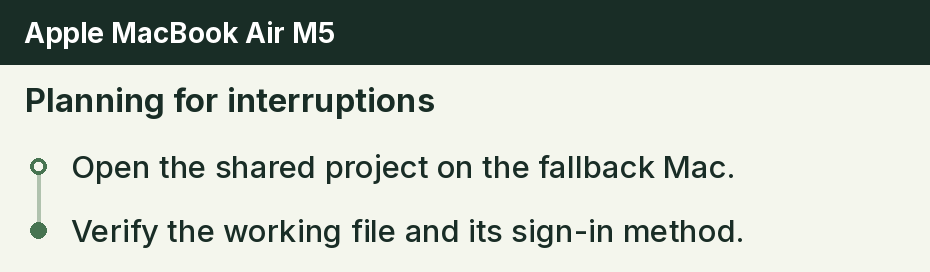
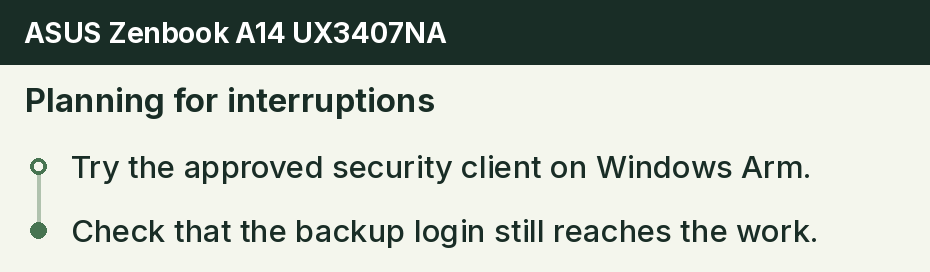
    ASUS Zenbook A14 UX3407NA. Thesis drafting and reading. Export a chapter with the required Arm add-ins. Verify its citations on the supervisor’s computer.
    ASUS product reference

    The UX3407NA column of ASUS’s specification lists Snapdragon X2 Elite, a 1920×1200 OLED non-touch display and 0.99kg mass. HDMI, USB-A, two USB4 connections and audio make it an alternative for students who want light carrying without relying entirely on USB-C accessories.

    An essay-based routine can fit this arrangement, but check the complete workflow rather than only the word processor. Microsoft’s Windows Arm guidance describes native versions of common applications and separately explains driver requirements. A course-specific extension, recording device, scanner or university security tool can be decisive even when browser reading works well.

    The screen is lower resolution than the OLED panels in several other entries, so use the same PDF-and-draft comparison before deciding. Also account for the actual charger: the NA specification lists a 100W USB-C supply, while older A14 columns describe different arrangements. A family name is not a reliable shortcut for processor generation, adapter or operating-system support.

    Keep the reading trail available when the connection disappears

    A reference library is useful only when the material needed for the next session can actually be opened. Zotero distinguishes data syncing from attachment-file syncing: seeing a title, note or tag on another computer does not by itself establish that the attached PDF has been synchronized. Before a train journey or a day in an unreliable reading room, open the required articles locally and verify the workflow without the connection you normally rely on.

    The relationship between a quotation and its source also deserves attention. Zotero’s PDF reader and note documentation explains that annotations added to notes retain links to the PDF page and citation information. For thesis work, that connection can be more useful than collecting another folder of anonymous downloads. Try moving from a note back to the original page, checking a quotation and then returning to the draft. A larger screen helps little if the underlying reading trail is difficult to follow.

    Keep a recoverable chapter and a clear arrangement for active research material before changing computers. Moving a collection involves more than copying the visible thesis file: styles, references, custom fonts, project resources and attachments can belong to the working environment. Use the storage, backup and migration guide as further reading for that transition. A modestly specified laptop with a dependable local project can serve a reading session better than a premium model whose required files are still elsewhere.

    Three thesis routines that produce different purchases

    A literature student working with historical scans may spend more time reading than generating text. Begin with a difficult scan containing small footnotes and uneven contrast. If a 13-inch-class display requires continual zooming, a 16-inch gram or a regular external monitor may improve the session more than a higher processor tier. The important test is legibility at a comfortable distance, not whether the display looks impressive while showing a photograph.

    A social-science student combining interviews, coding notes and chapter drafts needs to account for audio and local storage as well. Ask whether transcription happens locally, through an approved university service or on another machine. Match the headphones, microphone and recording device to the actual ports and drivers. Do not assume that a writing-focused laptop recommendation establishes suitability for every qualitative-analysis package. If statistical work becomes substantial, move that requirement into the software-and-memory shortlist.

    A mathematics student using LaTeX and university computing may prefer a compact machine because the heaviest calculations happen remotely. Even then, the laptop must handle an offline reading session and any locally installed tools. Make a small self-contained project that compiles successfully before travel, and confirm how to reach the university service from outside campus. Students who also attend conferences can use the flight-day laptop comparison for carrying and connection questions.

    Spend the budget where the writing session improves

    For ordinary reading and drafting, 16GB can be a reasonable starting point when the real workload fits it; 32GB deserves consideration when a student keeps analysis tools, large documents and many active materials open together. These are planning judgments, not universal memory requirements set by a university. Check a representative session on an existing computer and identify actual pressure before paying for capacity. The 16GB, 32GB and 64GB graduate-work guide separates memory needs from processor marketing.

    Storage follows the research material. A mainly text-based thesis and a collection of video interviews place different demands on a drive. Plan for active files, applications, downloaded references and recoverable copies, without counting the same cloud-only material as permanently local. A useful storage-capacity comparison can help define the order. An external drive expands storage, but it does not upgrade fixed RAM or create an independent backup by itself.

    Leave room for a comfortable working position. A modest monitor, keyboard or stand may improve hours of revision more than another processor tier. The graduate reading-and-writing accessories guide is further reading for that separate decision. The laptop still needs to work well alone when the library provides only a table and a socket.

    Battery planning and daily carrying need a complete bag

    Published browsing tests are more informative when they come from one identifiable procedure, but they remain different samples. Notebookcheck’s test-method explanation describes its WLAN approach. A reading day with many idle pauses is not the same as repeated video meetings, and maximum display brightness can reduce operating time. Avoid turning a laboratory hour figure into a guarantee for a full teaching day.

    Weigh the equipment that actually travels: laptop, charger, cable, adapter and any external drive. The lightest laptop body may not produce the lightest complete setup for a student who needs several accessories. The opposite can also be true if one existing charger supports the required devices. That question deserves an actual equipment list, rather than an assumption that all USB-C chargers are interchangeable.

    Frequently asked questions

    Is a 13-inch-class screen enough for a thesis?

    It can be, especially when a larger monitor handles long desk sessions. Test a source and a draft side by side at your normal font size. If reading becomes a cycle of zooming and moving windows, investigate a larger display or a different desk arrangement before choosing more processing power.

    Do graduate students need a touchscreen?

    A touchscreen can make scrolling and navigation convenient, but its value depends on habit. It is not proof of pen support or a good handwriting workflow. Students planning extensive handwritten annotation should verify the supported input device and try the actual software, rather than infer that capability from the word touch.

    Should I buy 32GB just to keep many papers open?

    Decide from a representative session. PDF complexity, browser activity, reference software and other applications all affect the demand. Extra memory is useful when it solves observed pressure, particularly on a fixed-memory laptop. It does not directly improve screen size, keyboard comfort or document organization.

    Is macOS acceptable for thesis writing?

    Often, but the department’s tools and submission process decide. Check the citation manager, templates, comments, specialist packages and any research hardware. A successful document exchange with a supervisor is more useful evidence than a general claim that one operating system is better for all students.

    Can a lightweight laptop support a long research stay?

    Yes, when the required applications work and the destination setup is planned. Confirm charging, access to research files and a recoverable copy of the thesis. If the laptop becomes the only workstation for weeks, the two-workspace comparison helps reassess screen and connection priorities.

    Which choice should I investigate first?

    Start with the recurring difficulty: Air for quiet supported Mac work, S14 for desk connections, gram for built-in workspace, a specified X1 IPS for its documented reading endurance, Yoga for low-mass Intel carrying, or A14 for an approved Arm routine. The best purchase is the configuration that makes your real thesis session easier to repeat.

    Further reading for your graduate working day

    If graduate study also includes seminars, office hours or assessment work, use our graduate teaching-assistant laptop guide. It adds classroom presentation connections, the feedback-file round trip and a practical rehearsal for moving between teaching rooms and the library.

    Official sources & verification

    Manufacturer documentation checked 10 November 2026. Availability, bundles and specifications vary by region and configuration.

    1. Apple specifications
      Manufacturer documentation, identified purchase offer or original review, as attributed alongside the relevant claim.
    2. ASUS specifications
      Manufacturer documentation, identified purchase offer or original review, as attributed alongside the relevant claim.
    3. LG specifications
      Manufacturer documentation, identified purchase offer or original review, as attributed alongside the relevant claim.
    4. LG specifications
      Manufacturer documentation, identified purchase offer or original review, as attributed alongside the relevant claim.
    5. Lenovo configuration
      Manufacturer documentation, identified purchase offer or original review, as attributed alongside the relevant claim.
    6. Lenovo specifications
      Manufacturer documentation, identified purchase offer or original review, as attributed alongside the relevant claim.
    7. Notebookcheck review
      Manufacturer documentation, identified purchase offer or original review, as attributed alongside the relevant claim.
    8. Lenovo configuration
      Manufacturer documentation, identified purchase offer or original review, as attributed alongside the relevant claim.
    9. Lenovo specifications
      Manufacturer documentation, identified purchase offer or original review, as attributed alongside the relevant claim.
    10. Notebookcheck review
      Manufacturer documentation, identified purchase offer or original review, as attributed alongside the relevant claim.
    11. ASUS Zenbook A14 UX3407NA image source
      Source matched to the cited hardware, software guidance or original review sample.
    12. ASUS specifications
      Manufacturer documentation, identified purchase offer or original review, as attributed alongside the relevant claim.
    13. support.microsoft.com — cited product or review source
      Manufacturer documentation, named sales offer or original review, as identified in this article.
    14. Zotero distinguishes data syncing from attachment-file syncing
      Source matched to the cited hardware, software guidance or original review sample.
    15. PDF reader and note documentation
      Source matched to the cited hardware, software guidance or original review sample.
    16. publisher’s test method
      Source matched to the cited hardware, software guidance or original review sample.

  • Best Lightweight Laptops for Business Travel and Remote Work: One Computer, Two Workspaces

    Laptop comparisons

    By

    At one desk the screen supplies both the picture and the laptop’s power. At the other, an HDMI cable hangs from the wall and the remote control occupies a USB-A socket. ASUS lists both HDMI and USB-A on the Zenbook S14 UX5406AA. That gives staff visiting the second desk a concrete reason to carry it. If neither desk supplies a monitor, look at the 16-inch LG gram Pro instead and check that its wider body fits the bag.

    Think of a typical week: two days at a home desk with a monitor and keyboard, a client visit with an unfamiliar display, then several evenings working from accommodation. The laptop is only one part of that arrangement. A purchase becomes useful when its screen, connections, charging and software make the transitions straightforward. Our business travel and remote-work guide provides the broader shortlist; this comparison concentrates on how one computer serves two workspaces.

    Describe the two desks before choosing the laptop

    Start with a simple equipment inventory. At the primary desk, record the monitor inputs, intended resolution and refresh rate, keyboard connection, webcam, headset, wired network and available charging equipment. At the destination, list what has actually been confirmed rather than what a hotel photograph appears to promise. A television with an accessible HDMI input and a business monitor with USB-C charging create different requirements.

    Separate equipment you use every day from equipment needed occasionally. Someone who presents once a month may reasonably carry a small adapter. Someone who connects to a room display four times a day has a stronger reason to choose native HDMI. The same distinction applies to a USB-A security key or wired headset. A connection that saves a few seconds once is a convenience; one that removes an interruption throughout the week can influence the laptop choice.

    Then describe the work done between the desks. Reading a proposal on a train, editing spreadsheets in accommodation and participating in a call while looking at reference material place different demands on the built-in screen. A laptop that is excellent when docked can still be awkward during those intervening hours. The dimensions and panel deserve attention even when a large monitor normally handles the work.

    Keep a separate note for access and permission. A client desk may provide a useful monitor while restricting which peripherals or network connections visitors can use. Ask what is permitted before planning around that equipment. Likewise, decide whether a charger or keyboard can remain at the destination between visits. Those answers can change the travelling kit without changing the laptop. A small written record shared with the workplace contact is often enough to make the next visit repeatable and prevent buying accessories for an arrangement that is unavailable.

    Use a common comparison record for every candidate: exact model, installed memory, screen, required outputs, charger and support arrangement. Our comparison methodology explains the distinction between published specifications, measurements from identified review samples and practical buying judgments.

    Six candidates for different desk arrangements

    Candidate Relevant workspace arrangement Documented screen or connections Decision to settle
    Apple MacBook Air 13 M5 A Mac-supported home desk and quiet temporary workspace 13.6-inch IPS display; two Thunderbolt 4 ports; MagSafe charging Required Mac applications and complete external-display connection
    ASUS Zenbook S14 UX5406AA Intel Windows work with frequent direct peripheral changes 14-inch OLED touch; HDMI, USB-A, two Thunderbolt 4 ports and audio Exact CPU, panel, Windows edition and chosen dock
    Dell Pro 14 Premium PA14250 An employer-managed desk with an approved purchase configuration Business configuration choices; connections documented in the model manual The ordered hardware, image and service package
    Lenovo ThinkPad X1 Carbon Gen 14 A business desk whose panel and management needs shape the order IPS/OLED choices; HDMI, USB-A and three Thunderbolt 4 ports Panel, processor and optional business features
    Lenovo Yoga Slim 7i Ultra Aura Edition Gen 11 Repeated carrying with an Intel OLED-touch preference 14-inch 2880×1800 OLED touch; three Thunderbolt 4 ports Adapter needs for HDMI, USB-A and wired audio
    LG gram Pro 16Z90U A temporary desk where the laptop supplies the larger viewing surface 16-inch display family and conventional peripheral connections Local panel, desk space and the complete carrying kit

    A useful dividing line in this shortlist is who controls the second desk. If it belongs to you, the Yoga’s hub can stay plugged in there. If the desk changes with each booking, the Zenbook S14’s HDMI and USB-A ports go with you. A 16-inch gram solves a different problem on days when the desk has no monitor at all.

    Apple MacBook Air 13 M5 — Best for an established Mac desk

    Apple MacBook Air 13 M5. One computer, two workspaces. Disconnect the home display during a draft. Reopen the same workspace on the laptop alone.
    Apple product reference

    The Air is a natural candidate when the applications, account access and peripherals already work well on macOS. Its 13.6-inch screen and 1.23kg published weight make it manageable between desks, while separate MagSafe charging preserves the two Thunderbolt ports for other uses. Apple’s specifications also identify support for two external displays, with the supported resolutions and refresh rates depending on the arrangement.

    Choose it for a home desk that has a confirmed Mac-compatible display path and for travel where the built-in screen handles ordinary documents. A fanless design can be attractive in shared accommodation or a quiet room. Notebookcheck’s entry-model review supplies a useful independent look at that design and its particular 16GB/512GB sample.

    Before ordering, rehearse the employer’s complete workflow, including required VPN and security components. Also confirm the external display chain: a dock with two monitor sockets needs the appropriate Mac compatibility, not merely two cables. Where macOS is already supported, the Air can simplify the daily transition without asking the user to rebuild their work environment.

    ASUS Zenbook S14 UX5406AA — Best for direct connections at changing desks

    ASUS Zenbook S14 UX5406AA. One computer, two workspaces. Move from the dock to a bare HDMI display. Track which cable or adapter must travel.
    ASUS product reference

    The S14 suits someone who frequently encounters different desk equipment. ASUS documents HDMI, USB-A, two Thunderbolt 4 ports and an audio socket alongside its 14-inch OLED touchscreen and listed 1.20kg mass. Those connections create a practical route to a conventional monitor, keyboard or headset without making every task depend on the same travel hub. The official AA specification column should be kept separate from the older SA model.

    For a remote worker using a home monitor through Thunderbolt, native HDMI can remain a separate route for a client presentation. USB-A can accommodate a familiar peripheral while the charger occupies a USB-C connection. This flexibility is useful when workspaces change more often than the software workload.

    The processor and Windows edition still need to match the order. Notebookcheck reviewed an Ultra 9 configuration; a US offer using Ultra 7 is a different purchase. Compare those identities before assigning a measurement to a retail machine. The S14’s appeal here is its connection arrangement and built-in workspace, with performance assessed for the actual configuration.

    Dell Pro 14 Premium PA14250 — Best for an approved company desk

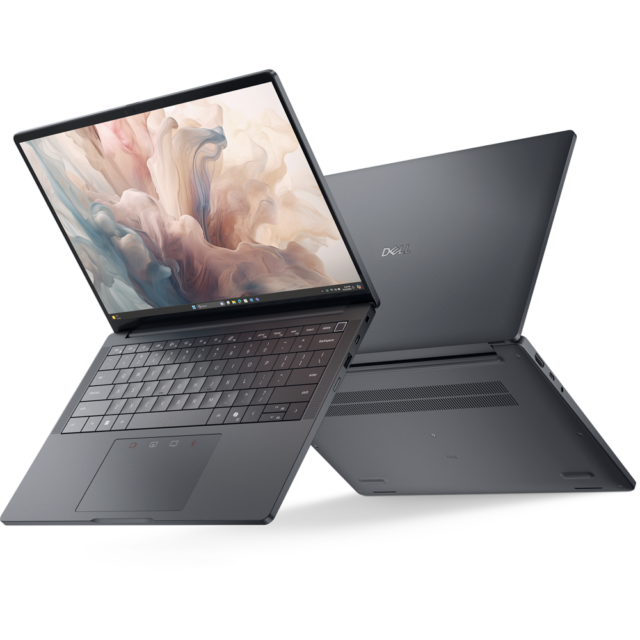
    Official Dell Pro 14 Premium PA14250 product photograph
    Product image from Dell. Dell Pro 14 Premium PA14250 (2025) image source.

    The Dell Pro is worth considering when the employer already has a defined hardware image, approved peripherals and an order process. In that situation, matching the company’s working environment can matter more than selecting a laptop solely by its minimum advertised weight. Dell’s external-port documentation identifies the connections for the PA14250; use it alongside the exact purchase configuration.

    At the primary desk, identify the approved dock and display layout. At the second desk, decide which of those functions must travel and which can stay behind. An employee who can use the same managed setup in two offices has different needs from a freelancer assembling temporary equipment independently.

    Include the service entitlement and recovery arrangement in the purchase discussion. A family name alone does not identify a particular repair method. Dell’s international-travel guidance makes destination and entitlement checks relevant for overseas assignments. The Pro is most persuasive when the full order fits an operational process that already supports the work.

    ThinkPad X1 Carbon Gen 14 — Best for specifying the whole business configuration

    ThinkPad X1 Carbon Gen 14. One computer, two workspaces. Compare the two desks’ enrollment requirements. Ask procurement to quote the matching build.
    Lenovo product reference

    The X1 Carbon gives buyers several decisions that should remain visible in the quotation. Lenovo documents low-power IPS and OLED choices, plus HDMI, USB-A and three Thunderbolt connections. Consult the Gen 14 PSREF for the actual options instead of treating every X1 as the same machine.

    This flexibility suits a worker whose home desk uses an external monitor but whose remote days rely on the built-in panel. Screen preference, expected unplugged periods and company requirements can then determine the order together. The useful question is which configuration supports the recurring week, rather than which family has the most impressive single specification.

    The independent X1 review illustrates the importance of panel identity: its identified low-power IPS unit differs from the OLED configuration discussed in a later update. Keep the quoted screen and its evidence together. For a two-desk buyer, that discipline also helps ensure that a demonstration unit and the delivered computer have the same working characteristics.

    Yoga Slim 7i Ultra Aura Edition Gen 11 — Best for repeated carrying between equipped desks

    Lenovo Yoga Slim 7i Ultra. One computer, two workspaces. Leave the desk charger in the office. Weigh only the parts needed at the other desk.
    Lenovo product reference

    The Yoga is a candidate when both destinations already provide useful equipment and the laptop spends substantial time being carried between them. Its 14IPH11 specification documents a 14-inch OLED touchscreen and three Thunderbolt 4 ports. That combination offers a built-in working surface with an Intel Windows environment and a low published starting mass.

    Its connection plan deserves the same attention as its weight. A buyer using HDMI, USB-A or wired analogue audio needs the appropriate additional connection. Include that equipment in the bag and cost calculation. A light computer can remain a good choice with an adapter, provided the complete arrangement is convenient for the user’s real routine.

    Notebookcheck’s identified review unit weighed 978g. Use that measurement for the reviewed configuration, then compare the actual charger and accessories you would carry. The Yoga fits this shortlist through a specific balance of carrying load and screen; the selection should still follow the same software, display and connection checks applied to the other candidates.

    LG gram Pro 16Z90U — Best for a larger workspace without a destination monitor

    LG gram Pro 16Z90U. One computer, two workspaces. Open the workbook beside its source notes. Check whether the second desk still needs a monitor.
    LG product reference

    The gram Pro 16 addresses a different problem: spending several evenings at an accommodation desk with no larger monitor. Its 16-inch format deserves consideration when reference material, spreadsheets or side-by-side documents occupy most working hours. Use LG’s model documentation to establish the regional panel and connections before ordering.

    A larger screen changes the work surface as well as the bag. Measure the desk depth and the space needed for a mouse, notebook and cables. Also check the bag compartment rather than inferring fit from a low weight figure. A light 16-inch computer still has a larger outline than a compact 13-inch model.

    Choose this route when the extra display area is used repeatedly. If both desks already have good monitors and the laptop mainly travels closed, a smaller model may answer the week more directly. The gram earns consideration through the work it enables on its own screen, with the final panel and carrying arrangement confirmed locally.

    Treat the display connection as a complete chain

    A useful monitor plan names every link: laptop port, cable, hub or dock, monitor input, resolution and refresh rate. Connector shape alone does not settle what the combination supports. Record the intended mode before buying an accessory, then compare the relevant documentation for the computer, intermediary and display.

    At the primary desk, convenience may justify one cable that connects the monitor and peripherals while supplying power. At a temporary desk, a direct video cable and the laptop’s own charger may be easier to troubleshoot. These arrangements can coexist. There is little benefit in transporting a large desk dock when a small, verified connection completes the work at the destination.

    Write one line for each destination. An example for the home office might read “dock to monitor, 2560 × 1440 at 60 Hz, webcam on the dock.” A client-room line might read “HDMI to projector, duplicate slides, sound on the room speakers.” During the move, check that private presenter notes stay on the laptop and that the webcam switches back to the built-in camera once the dock is gone. These two failures call for different fixes even when both displays light up.

    The M5 Air provides a useful example of why model-specific instructions matter. Apple’s external-display guide explains the supported number of displays and connection arrangements. A previous Mac generation, a different dock or an incompatible cable can change the outcome. Keep the exact computer in the setup record rather than copying a generic “MacBook” recommendation.

    For a Windows purchase, identify whether the work needs one external screen or several. Then ask the seller or IT team to confirm the complete topology. A demonstration with a similar laptop is helpful only when the relevant port, display mode and software path match the order. Our hub, dock and direct-connection guide develops these choices for a travelling kit.

    Decide what stays at each desk

    The most convenient two-workspace setup often duplicates inexpensive stationary equipment. A keyboard, mouse or power supply that stays at a dependable second desk can reduce daily packing. The decision depends on how frequently the desk is used, whether the equipment can be stored securely and whether somebody else needs it between visits.

    Make a complete cost comparison. Include the laptop configuration, necessary display connection, charger, headset, protective transport and support. If one model needs an adapter and another does not, compare the actual accessories you would buy. Avoid assigning an invented cash value to a port or assuming that the least expensive computer produces the least expensive useful setup.

    For example, a worker attending one established coworking location each week might leave a charger and keyboard there. Someone visiting several clients cannot rely on that arrangement and needs a portable connection plan. The first person can prioritize desk convenience; the second may prioritize fewer separate items in the bag.

    Our business-travel working kits cover the packing question in more detail. For days dominated by transport rather than a second desk, use the separate flight-day laptop comparison. The same computer can suit both patterns, but the accessory decision need not be identical.

    Rehearse the transition with ordinary work

    Before committing to a repeatable setup, perform a short transition rehearsal. Start at the main desk with the applications and windows normally used together. Disconnect, move to battery power, open an important local document and join a test call. Then connect the destination display and peripherals in the order you would use after arrival.

    Observe ordinary friction: text scaling, window placement, charging indication, microphone selection and whether the essential device is available without searching for another cable. These checks turn an abstract specification list into a working arrangement. They are especially useful when the same laptop serves both personal and employer-managed equipment.

    Prepare a compact fallback for the second desk. Keep an approved way to work on the built-in screen, a known charging route and access to the necessary files. The companion battery, calls and recovery guide explains how those arrangements help when the planned workspace changes.

    If the destination is mainly a meeting room, our meetings, ports and hotel-work comparison follows that narrower routine. Pick the repeated task first; let the hardware and accessories follow it.

    A worked choice: two equipped desks and one client visit

    Consider a consultant who spends Monday and Friday at a home monitor, Tuesday and Wednesday at an established client office, and Thursday visiting a second customer. Both regular desks provide a keyboard and display, but the Thursday room has only HDMI. Most local work consists of documents, browser research and calls.

    First confirm the organization’s software requirements. If they specify Intel Windows, the Mac option leaves this particular comparison. Then compare the S14’s direct HDMI route with the Yoga’s lighter carrying proposition plus an appropriate adapter. Keep the X1 in consideration if its selected business configuration and support are useful to the contract. The decision has now become a comparison of three complete arrangements, rather than three brand names.

    Next ask where equipment can stay. A charger left at the client office may simplify two commuting days, while a compact charger still travels on Thursday. Record those costs and weights separately. Finally, complete the room-display rehearsal with the exact HDMI path. If the adapter works reliably and carrying dominates the week, the lighter arrangement may appeal. If frequent room changes make direct connections more convenient, the S14 may fit better. The pattern of work supplies the deciding evidence.

    Frequently asked questions

    Is a lighter laptop always better for two workspaces?

    The benefit grows with the amount of carrying. A computer that remains at a desk for most of the week should also be judged on its built-in display, input comfort and connections. Compare the complete travelling kit, including the charger and accessories, then decide whether reducing that load addresses a recurring inconvenience.

    Should I buy a dock before choosing the computer?

    Begin with the equipment and display modes required at the desk. If an existing employer dock is compulsory, its compatibility becomes a laptop requirement. For a new personal setup, compare the laptop and dock as a combination. Obtain confirmation for the intended external displays, power delivery and peripherals instead of choosing by socket count alone.

    Is 32GB memory necessary for ordinary remote work?

    Choose capacity for the applications and files used together. A browser-and-document routine differs from local virtual machines or large creative projects. Observe the existing workload and allow for the working life of the purchase. Where memory is fixed, settle the required capacity before ordering; a larger number is useful when the work benefits from it.

    Can a larger screen replace a portable monitor?

    It can simplify the bag when the built-in display provides enough room for the work. A 16-inch computer may be convenient for recurring evening document work, while a smaller laptop plus a stationary destination monitor can suit equipped desks. Measure both the bag and the actual working surface before choosing between those arrangements.

    What should I confirm immediately before paying?

    Ask for one complete configuration: model and part number, processor, memory, storage, panel, operating system, supplied charger and service. Verify that the display and accessory plan applies to that configuration. A clear order record makes the two-workspace routine easier to reproduce when the laptop arrives.

    Official sources & verification

    Manufacturer documentation checked 10 November 2026. Availability, bundles and specifications vary by region and configuration.

    1. Apple specifications
      Manufacturer documentation, identified purchase offer or original review, as attributed alongside the relevant claim.
    2. Notebookcheck review
      Manufacturer documentation, identified purchase offer or original review, as attributed alongside the relevant claim.
    3. ASUS specifications
      Manufacturer documentation, identified purchase offer or original review, as attributed alongside the relevant claim.
    4. Notebookcheck review
      Manufacturer documentation, identified purchase offer or original review, as attributed alongside the relevant claim.
    5. Dell documentation
      Manufacturer documentation, identified purchase offer or original review, as attributed alongside the relevant claim.
    6. PA14250 manual
      Source matched to the cited hardware, software guidance or original review sample.
    7. international-travel guidance
      Source matched to the cited hardware, software guidance or original review sample.
    8. Lenovo configuration
      Manufacturer documentation, identified purchase offer or original review, as attributed alongside the relevant claim.
    9. Lenovo specifications
      Manufacturer documentation, identified purchase offer or original review, as attributed alongside the relevant claim.
    10. Notebookcheck review
      Manufacturer documentation, identified purchase offer or original review, as attributed alongside the relevant claim.
    11. Lenovo configuration
      Manufacturer documentation, identified purchase offer or original review, as attributed alongside the relevant claim.
    12. Lenovo specifications
      Manufacturer documentation, identified purchase offer or original review, as attributed alongside the relevant claim.
    13. Notebookcheck review
      Manufacturer documentation, identified purchase offer or original review, as attributed alongside the relevant claim.
    14. LG specifications
      Manufacturer documentation, identified purchase offer or original review, as attributed alongside the relevant claim.
    15. LG specifications
      Manufacturer documentation, identified purchase offer or original review, as attributed alongside the relevant claim.
    16. external-display guide
      Source matched to the cited hardware, software guidance or original review sample.
  • Best Lightweight Laptops for Business Travelers: Flight-Day Choices

    Laptop comparisons

    By

    For business travelers who spend much of a trip carrying a computer, start with the ASUS Zenbook A14 and Lenovo Yoga Slim 7i Ultra when low device mass matters, the Dell XPS 13 when limited working space matters, and an identified ThinkPad X1 Carbon IPS configuration when long browsing sessions away from charging matter. The MacBook Air and Zenbook S14 become stronger choices when a supported Mac workflow or familiar presentation connections matters more than the smallest weight figure.

    The useful answer to “Which lightweight laptops would you recommend for business travelers?” begins with the entire flight day. A computer can be light in a showroom and awkward inside the actual bag. A longer battery result can be valuable while waiting for a connection, yet irrelevant if essential software fails after arrival. Choose the platform first, then compare the computer, charger, adapters and tasks that will travel together.

    Start with the hours between desks

    Put a deliverable beside each stop on the itinerary. An approval at the gate may need one signature and a short online session. Reviewing two versions of a contract on board needs both files downloaded and enough tabletop depth to open the screen at a readable angle. If the contract can wait until the hotel, the flight computer only needs to handle the gate task. Two people on the same flight can reasonably choose different screen sizes.

    A useful planning sheet has three columns: work that must happen without a connection, work that can wait for a reliable network, and work that needs destination equipment. Put actual files and applications in those columns. A remote desktop may remove a local computing requirement but introduce a network requirement; that trade belongs in the purchase discussion.

    Next, identify how often the computer will leave its sleeve. Repeated short sessions favor an arrangement that is easy to unpack and reconnect. A machine that remains on one desk for hours may justify a larger screen or additional ports. Our main business-traveler laptop guide provides the wider shortlist; this article concentrates on the movement between workspaces.

    Six candidates and the reason to compare each

    These roles describe this selection rather than an overall ranking. Manufacturer starting weights and measured review weights are separate evidence. The table deliberately identifies which kind is being used, because they can represent different screens and configurations.

    Candidate Flight-day role Weight evidence used here Connection consideration
    Apple MacBook Air 13-inch M5 Quiet work in an established Mac environment 1,230g, reviewed entry sample Two Thunderbolt 4 ports; separate MagSafe charging
    ASUS Zenbook A14 UX3407NA Low carrying mass with direct presentation ports 990g, manufacturer specification HDMI and USB-A alongside USB4
    ASUS Zenbook S14 UX5406AA A portable Intel computer that also serves the destination desk 1,205g, reviewed sample HDMI, USB-A and Thunderbolt 4
    Dell XPS 13 DX13260 A compact enclosure for restricted table space 1,062g, reviewed Core 5 sample Ports depend on Core versus Core Ultra
    Lenovo ThinkPad X1 Carbon Gen 14 IPS Longer browsing sessions between charging opportunities 1,139g, identified IPS review sample HDMI, USB-A and Thunderbolt 4
    Lenovo Yoga Slim 7i Ultra Aura Edition Gen 11 A low-mass Intel OLED-touch arrangement 978g, reviewed Ultra 7 355 sample Three Thunderbolt 4 ports; pack necessary adapters

    Apple MacBook Air 13-inch M5 — Best for a quiet, already-supported Mac workflow

    Apple MacBook Air 13 M5. A flight day between desks. Download the gate revision and its attachments. Open both with the wireless connection off.
    Apple product reference

    The Air belongs on a travel shortlist when the necessary applications, accounts and peripherals already work on macOS. Its 13.6-inch IPS display, fanless cooling and separate MagSafe charging create an arrangement suited to quiet writing and ordinary document work. The Apple specification page documents the hardware.

    Its practical advantage is continuity: opening the same files in the same supported environment after leaving the office. An attractive weight figure should not persuade a Windows-dependent team to change platforms without checking the complete workflow. Confirm installed capacity when ordering, and compare the exact configuration rather than treating every Air as the entry review sample.

    ASUS Zenbook A14 UX3407NA — Best for low carrying mass after Windows Arm approval

    Official ASUS Zenbook A14 product photograph
    Product image from ASUS. ASUS Zenbook A14 UX3407NA image source.

    ASUS lists the NA version with Snapdragon X2 Elite, a 14-inch 1920×1200 non-touch OLED display and a 0.99kg weight. HDMI and USB-A reduce dependence on separate connections for familiar equipment. The full suffix matters because the A14 specifications cover several generations and configurations.

    For a traveler moving repeatedly between stations, gates and client rooms, that combination is worth comparing. First approve the organization’s applications and devices on Windows Arm. A working word processor does not validate a security utility or specialist driver. Settle those dependencies, then decide whether the non-touch display and actual charger suit the journey.

    ASUS Zenbook S14 UX5406AA — Best for a destination desk that still has to travel

    ASUS Zenbook S14 UX5406AA. A flight day between desks. Write down the destination display input. Reserve sockets for both the call and charging.
    ASUS product reference

    The S14 combines an Intel platform and OLED touchscreen with HDMI, USB-A and two Thunderbolt 4 connections. That makes it interesting when the flight is only the first stage of several days using a monitor and existing accessories. Check the AA column in ASUS’s specifications, rather than combining it with an earlier SA model.

    Its additional carrying mass needs a purpose. A traveler who regularly uses those connections may value the arrangement more than a smaller numerical weight saving. Settle onboard memory and the processor before ordering. The reviewed Ultra 9 configuration and a retailer’s Ultra 7 configuration remain different purchases, even when the enclosure looks the same.

    Dell XPS 13 DX13260 — Best for a small working rectangle

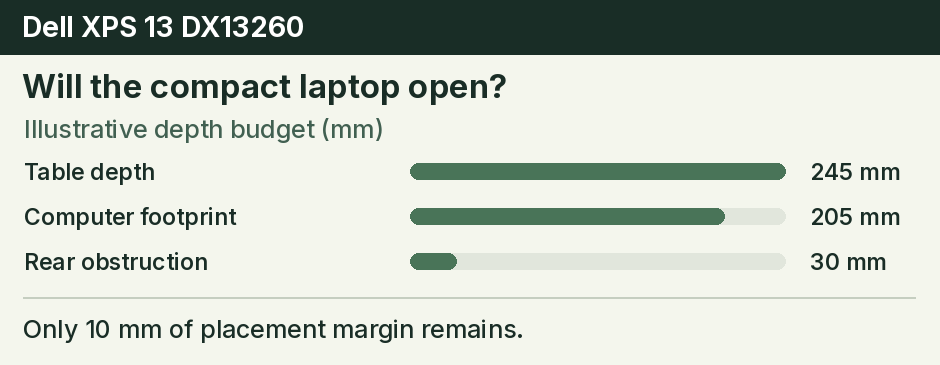
    Dell XPS 13 DX13260. Will the compact laptop open?. Illustrative depth budget. Table depth: 245 mm, Computer footprint: 205 mm, Rear obstruction: 30 mm. Only 10 mm of placement margin remains.
    Dell product reference

    The XPS addresses width and depth as much as weight. Its documented 296.9×200.66mm body gives a concrete reason to investigate it for a narrow bag compartment or crowded temporary workspace. The 13.4-inch display is the corresponding workspace decision: smaller dimensions help only if the screen remains comfortable for the work.

    Dell’s port documentation distinguishes Core and Core Ultra versions. Do not buy a Thunderbolt accessory based on the family name alone. The original Notebookcheck review used an 8GB Core 5 sample; its measurements do not establish the behavior of every higher-capacity offer.

    ThinkPad X1 Carbon Gen 14 IPS — Best for specifying endurance around the actual panel

    ThinkPad X1 Carbon Gen 14. A flight day between desks. Match the quoted panel to the endurance sample. Budget for the flight plus the connection delay.
    Lenovo product reference

    The X1 is useful when a company purchase needs a particular screen, connection set and software arrangement. Its Lenovo specification document describes a family with materially different builds.

    The named IPS review sample is relevant to long browsing sessions between sockets. It is not the same configuration as a lighter OLED model. Ask the seller to identify panel, processor and capacity on one quote. Enterprise purchasing can also require a defined service package; a familiar business name should start that discussion rather than replace it.

    Lenovo Yoga Slim 7i Ultra Aura Edition Gen 11 — Best for low-mass Intel OLED touch

    Lenovo Yoga Slim 7i Ultra. A flight day between desks. Weigh the sleeve, display adapter and power kit. Compare the load at the boarding gate.
    Lenovo product reference

    The reviewed Yoga provides a 14-inch OLED touchscreen in a measured 978g device. Its official hardware document lists three Thunderbolt 4 connections, so travel equipment must answer any HDMI, USB-A or analogue-audio requirement.

    Consider it when repeated carrying and Intel Windows are central to the trip. The original measured review supports the weight claim for its Ultra 7 355, 32GB/1TB sample. It does not establish a universal winner. Charging opportunities and the packed adapter remain part of choosing this configuration.

    Compare the bag that leaves home

    A computer-only weight can obscure the decision the traveler actually makes. Use a kitchen scale or luggage scale on the packed items you own, then compare that practical figure with any proposed replacement. Include the sleeve, charging equipment, required display adapter and essential input device. Leave clothing and unrelated items outside both versions of the comparison.

    Published review bundles give a useful illustration. The following sums use the original review’s laptop and power-supply figures. They are arithmetic, not measurements performed for this article, and cable treatment and regional plugs are not fully standardized.

    Reviewed sample Device Reviewed power supply Calculated subtotal
    Air M5 entry 1,230g 167g 1,397g
    S14 UX5406AA 1,205g Not supplied with the German review unit Not calculated
    XPS 13 Core 5 1,062g 166g 1,228g
    X1 Carbon IPS 1,139g 275g 1,414g
    Yoga 14IPH11 978g 177g 1,155g

    The X1 device is lighter than the Air device in these samples, but its reviewed power supply produces the higher subtotal. That reversal is a reminder to compare complete arrangements. A compatible shared charger may change the answer again. The Air review and S14 review identify their own hardware and supplied-equipment circumstances. The travel-kit weight guide develops the packing exercise; it is related editorial guidance, not another laboratory measurement.

    Turn a battery result into a workable schedule

    Notebookcheck’s general WLAN method targets about 150cd/m² and cycles webpages under a balanced-like profile. That provides a clearer basis than mixing unrelated maximum-runtime advertisements. It still does not reproduce continuous conferencing, an organization’s background software or the brightness required in every waiting area. Read the publisher’s test method before treating the number as a schedule.

    For orientation, its identified X1 IPS sample reached 23h13m, the Core 5 XPS sample 18h26m, the Air entry and S14 review samples 16h11m each, and the Yoga sample 10h36m. The X1 review also separates an OLED version from the IPS machine. Hardware and publication dates differ across this group.

    A practical plan therefore uses your own representative session. Open the expected files, join a normal call, use comfortable brightness and observe the decline over a meaningful work period. Repeat on another day before relying on the result. That establishes a personal planning range without pretending a single short observation predicts every hour. Our guide to reading laptop battery claims explains how advertised, reviewed and personally observed figures answer different questions.

    Three flight-day decisions that lead to different purchases

    Consider a sales representative whose computer is carried all morning but used for only short edits before arrival. If supported software and charging are straightforward, a low-mass candidate may remove the most repeated inconvenience. It would be unreasonable to pay mainly for an endurance record that this itinerary seldom uses.

    Now consider an analyst with a long connection and several hours of local spreadsheet work. The longer session changes the balance. Display comfort, capacity and measured endurance become more important than the smallest possible chassis. A larger file should be opened during the buying trial rather than inferred from a processor label.

    Finally, consider a consultant who flies once and then presents daily for a week. This purchase may resemble the S14 or an appropriate business configuration more than a minimal travel computer. The computer is carried through the airport once but connected at the destination many times. The meetings, ports and hotel-work guide examines that second half of the itinerary.

    A worked example: three work windows, one bag

    Imagine an account manager with three planned sessions: 35 minutes revising a proposal before departure, 75 minutes working on a longer document during a connection and 50 minutes preparing the next day’s discussion after arrival. That is 160 minutes, or two hours and forty minutes, of planned work. It is an illustrative itinerary, not an endurance test of any candidate.

    The first session needs fast access to one local file and a usable keyboard. The second needs a screen on which a long document remains comfortable, with enough space for the computer to open properly. The final session may need a display connection or a call. The same person therefore has three requirements that a single laptop-only weight cannot express.

    Suppose the current bag contains a computer, its charger, a sleeve, a mouse and two adapters. Put every item on the worksheet before comparing a replacement. If one proposed laptop removes a display adapter but requires a different audio connection, count both changes. If another allows an existing compatible charger to remain in use, verify that arrangement rather than adding its boxed charger automatically.

    Then mark which work can be completed offline. The proposal may already be available locally, while the later discussion material may depend on access to an organizational service. An uncharged battery and an unavailable document interrupt work for different reasons. Buying more advertised battery hours solves only one of those possibilities.

    On this itinerary, a compact XPS can be worth a trial when the long-document session must fit a restricted surface. An approved A14 or a low-mass Yoga arrangement can be worth comparing when walking and carrying dominate. An identified X1 IPS configuration becomes more relevant if the planned sessions regularly expand and charging remains uncertain. These are different conclusions from the same worksheet, depending on which inconvenience actually recurs.

    Finally, repeat the exercise for a typical return journey. Travelers often plan the outward day carefully but return with unfinished work, extra files or a different meeting schedule. A purchase should remain useful on that ordinary second half of the trip, rather than being optimized for one unusually convenient departure.

    Trial the exact configuration before relying on it

    Use the smallest table on the itinerary as a physical constraint. As a worked example, a 245 mm-deep surface and a 205 mm-deep laptop leave 40 mm before the rear hinge, a cable or the front edge uses any of it. A rear obstruction taking 30 mm leaves 10 mm of placement margin. Cut a paper footprint to the dimensions of the specific candidate and open a similarly hinged laptop in that space. Verify that the display angle lets you read the row you need while typing. This is a fit check you can perform at home with your own measurements.

    A useful buying trial uses your document and your working habits. Set the screen to a comfortable brightness, open the applications normally used together and place the computer at the distance you expect to work. Read several pages, edit a table and move between the windows that must remain visible. A display that looks impressive in isolation may still create unnecessary rearrangement for that particular file.

    Check the selected memory, storage, screen and operating-system edition against the written order. Similar product names can conceal meaningful changes. Confirm that a quotation for a Core Ultra XPS is not being assessed using the complete behavior of the reviewed Core 5 version, or that an X1’s lighter screen choice has not inherited another sample’s endurance figure.

    Use the same task sequence for both finalists. Record the inconvenience that remains after each trial and the equipment needed to remove it. This produces a personal comparison that another member of the team can understand. The aim is a computer that completes the real travel routine with a manageable bag, not a collection of unrelated specification wins.

    Buy capacity for the work that remains local

    Memory decisions are most useful when they begin with simultaneous tasks. Record the browser tabs, communication software and local files that must remain open together. Someone using a remote application has a different local requirement from someone preparing large material offline. An employer’s minimum configuration can settle part of the decision before any personal preference enters.

    Fixed memory makes an unnecessarily small order difficult to correct later, but additional capacity is not automatically useful. Compare two complete configurations and identify the work the more expensive one enables. If the answer is only that the number is larger, investigate further. A written requirement is a stronger reason to spend than a speculative future workload.

    For combined travel and working-from-accommodation routines, the battery, calls and recovery guide adds continuity planning. That is especially relevant when the laptop is the only working computer available throughout the assignment.

    Price the complete arrangement before choosing the cheaper laptop

    Obtain quotes on the same day and record memory, SSD, screen, operating-system edition and included support. A lower device quote can be accompanied by an adapter or service purchase that the other quote already covers. Conversely, a price premium for an unused feature remains a premium even if the model has a prestigious family name.

    Use transparent arithmetic. Suppose two illustrative quotes are $180 apart, and the cheaper arrangement needs $35 of additional connection equipment. The remaining upfront difference is $145. That example is not a current product offer or a claim about lifetime cost; it shows which costs belong on the same worksheet.

    The working-kit accessories guide helps identify what should be priced. A portable monitor, for example, should answer a recurring document-layout need. Buying one automatically can defeat the reason for selecting a compact flight-day system.

    A practical selection and packing rehearsal

    Start by removing candidates that cannot run a compulsory application or connect an essential device. Microsoft’s Windows Arm guidance is useful for separating application support from driver support. Apply the same seriousness to macOS and Intel Windows: compatibility is a complete-workflow question.

    Then narrow the remaining candidates using the most repeated physical inconvenience. Measure the compartment if fit is the problem. Compare the complete packed arrangement if carrying is the problem. Open your own document at the intended viewing distance if screen comfort is the problem. Those observations usually produce a shorter and more defensible shortlist than comparing every specification at once.

    Before departing, perform the routine once with the exact equipment. Open the required offline files, confirm access to the accounts you will use, connect the planned display adapter and pack the charger you actually tested. A successful rehearsal should reduce surprises without requiring the bag to contain a spare for every hypothetical event.

    Frequently asked questions

    Is a computer below one kilogram always the best travel purchase?

    No. It can be an excellent fit for repeated carrying, but the purchase still needs sufficient capacity, suitable software and a comfortable screen. Compare it with the accessories that must accompany it. A slightly heavier computer with the right built-in connection may produce a simpler complete arrangement.

    Can I use published browsing hours to plan video meetings?

    Use them as a starting reference, not a conferencing guarantee. Calls introduce a different workload, and brightness and background software also matter. Run a representative call on the selected configuration and build a planning margin from your observations. Keep review numbers attached to their named samples.

    Is a 13-inch screen better for working during travel?

    Its smaller enclosure can help in restricted space, but screen size alone does not establish comfort. Open the real document, use the text size you need and check the keyboard position. If the work requires frequent rearrangement of windows, the compact enclosure may be solving the wrong problem.

    Should the laptop and phone share one charger?

    That can simplify the bag if the charger, cable, power allocation and devices are compatible. Test the complete arrangement under the expected load. A multiport charger’s headline power may not describe what each connected device receives simultaneously. Keep a necessary proprietary cable in the comparison.

    Which candidate should a Windows-dependent company investigate first?

    Begin with its approved configurations and actual deployment requirements. Among those, compare the XPS for physical compactness, S14 for connections, X1 for a carefully specified business build and Yoga for low-mass OLED touch. A14 remains an option when the complete Windows Arm environment is supported.

    How should I compare these recommendations with other articles?

    Check whether the article identifies the exact model, separates manufacturer facts from measurements and explains the use case. Our methodology describes that distinction for this site. Related Portable Laptop Guide articles expand our editorial analysis; original manufacturer and review links carry the hardware and measurement evidence.

    Turn the shortlist into a working trip

    If the choice still turns on the heaviest day, take the item list for the week-long itinerary in Three Trips, Five Practical Setups and remove everything that stays at the destination. Weigh that shorter list with the candidate laptop. It gives the flight-day comparison a kit you could actually pack.

    Official sources & verification

    Manufacturer documentation checked 10 November 2026. Availability, bundles and specifications vary by region and configuration.

    1. Apple specifications
      Manufacturer documentation, identified purchase offer or original review, as attributed alongside the relevant claim.
    2. ASUS Zenbook A14 UX3407NA image source
      Source matched to the cited hardware, software guidance or original review sample.
    3. ASUS specifications
      Manufacturer documentation, identified purchase offer or original review, as attributed alongside the relevant claim.
    4. ASUS specifications
      Manufacturer documentation, identified purchase offer or original review, as attributed alongside the relevant claim.
    5. Dell documentation
      Manufacturer documentation, identified purchase offer or original review, as attributed alongside the relevant claim.
    6. port documentation
      Source matched to the cited hardware, software guidance or original review sample.
    7. Notebookcheck review
      Manufacturer documentation, identified purchase offer or original review, as attributed alongside the relevant claim.
    8. Lenovo configuration
      Manufacturer documentation, identified purchase offer or original review, as attributed alongside the relevant claim.
    9. Lenovo specifications
      Manufacturer documentation, identified purchase offer or original review, as attributed alongside the relevant claim.
    10. Lenovo configuration
      Manufacturer documentation, identified purchase offer or original review, as attributed alongside the relevant claim.
    11. Lenovo specifications
      Manufacturer documentation, identified purchase offer or original review, as attributed alongside the relevant claim.
    12. Notebookcheck review
      Manufacturer documentation, identified purchase offer or original review, as attributed alongside the relevant claim.
    13. Notebookcheck review
      Manufacturer documentation, identified purchase offer or original review, as attributed alongside the relevant claim.
    14. Notebookcheck review
      Manufacturer documentation, identified purchase offer or original review, as attributed alongside the relevant claim.
    15. publisher’s test method
      Source matched to the cited hardware, software guidance or original review sample.
    16. Notebookcheck review
      Manufacturer documentation, identified purchase offer or original review, as attributed alongside the relevant claim.
    17. support.microsoft.com — cited product or review source
      Manufacturer documentation, named sales offer or original review, as identified in this article.
  • Which lightweight laptops are good for graduate students? Six Choices for Thesis Writing and Serious Reading

    Laptop comparisons

    By GAC Motoring · Republished by Portable Laptop Guide

    For a graduate student whose working day is dominated by papers, notes, citations and a thesis, the most useful lightweight laptop is the one that makes those documents comfortable to work with wherever a desk is available. The Lenovo Yoga Slim 7i Ultra is a compelling choice when a 14-inch Windows workspace and exceptionally low carrying weight come first. The MacBook Air 13 M5 is a strong alternative for an established macOS workflow; the Zenbook S14 adds useful direct connections; the XPS 13 offers a smaller Windows footprint; the Framework Laptop 13 provides a different route to repair and memory expansion; and an appropriately configured ThinkPad X1 Carbon deserves consideration when time away from sockets is the overriding concern.

    Mark three passages that recur in your work: a pale scanned footnote, two columns of small type and a paragraph with a supervisor’s comment open. Those passages make a better side-by-side test than a shop’s wallpaper. Use the chair distance and text size you would keep for an hour of reading.

    Documentation checked: 9 November 2026. Specifications below describe named platforms or configurations. Independent measurements retain their review-sample identities. Prices are dated US references where a configuration was identifiable, before tax; an official buying link is not a claim that it offers the lowest price.

    Choose by the task that occupies most of your day

    Your recurring problem First model to investigate Why it belongs on the shortlist The condition that can change the recommendation
    Carrying a laptop between library, teaching room and home Lenovo Yoga Slim 7i Ultra, Gen 11 / 14IPH11 Very low chassis weight while retaining a 14-inch Intel Windows platform A heavier machine can be better if it removes essential adapters or provides needed endurance
    Quiet writing in a macOS environment Apple MacBook Air 13 M5 Fanless design and a familiar Mac workflow Required Windows software, hardware drivers or local compute can override this choice
    Moving between a monitor, projector and older peripherals ASUS Zenbook S14 UX5406AA HDMI, USB-A and Thunderbolt in the same portable chassis Its fixed memory and glossy OLED still need to suit the user
    Working at small library desks or on public transport Dell XPS 13 DX13260 Compact chassis with an explicitly identified 16GB purchasing option Core and Core Ultra versions have different expansion and memory limits
    Keeping a machine through changing research requirements Framework Laptop 13, AMD Ryzen AI 300 Series Replaceable memory and a modular connection system Added weight, setup choices and service responsibilities must be acceptable
    Writing for long periods without dependable power ThinkPad X1 Carbon Gen 14, low-power IPS configuration An identifiable IPS review sample produced a particularly strong WLAN result That result does not transfer to an OLED or otherwise different configuration

    Start with the row describing a constraint you regularly hit. A tiny library desk makes the XPS footprint relevant. A lab with a wired projector makes the S14’s ports relevant. If a present writing laptop already fits the desk, drives the room and produces the required documents, a new premium machine needs a stronger reason.

    1. Lenovo Yoga Slim 7i Ultra — Best for reducing the weight of a 14-inch Windows writing setup

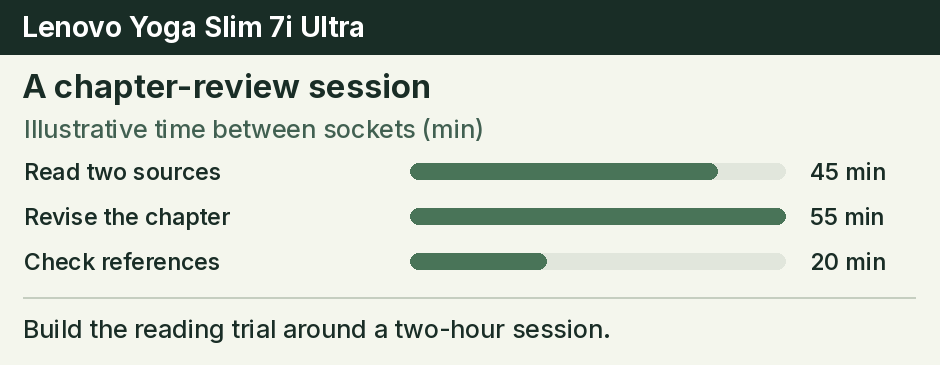
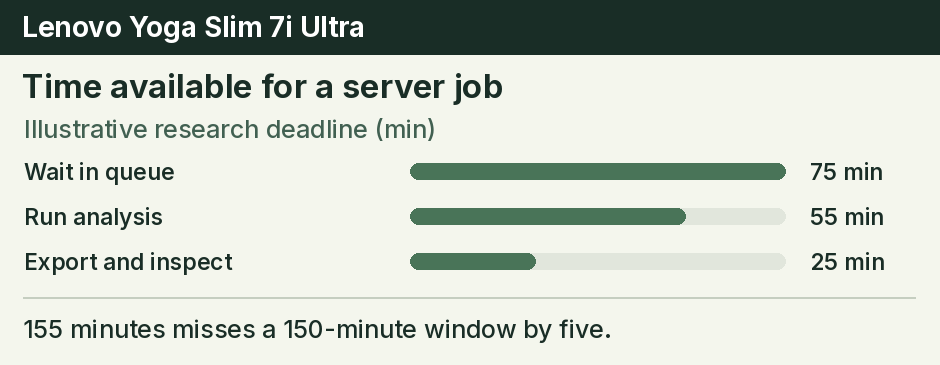
    Lenovo Yoga Slim 7i Ultra. A chapter-review session. Illustrative time between sockets. Read two sources: 45 min, Revise the chapter: 55 min, Check references: 20 min. Build the reading trial around a two-hour session.
    Lenovo product reference

    Specifications

    Item Configuration or platform detail
    Model reference Yoga Slim 7 Ultra 14IPH11; marketed as Yoga Slim 7i Ultra Aura Edition Gen 11 in the US
    Processor used for this recommendation Core Ultra 7 355; other processors are offered
    Graphics Intel Graphics on the 355; do not substitute the Arc B390 specification of X7/X9 variants
    Memory 16GB, 32GB or 64GB soldered; choose capacity before purchase
    Screen 14-inch, 2880 × 1800, 120Hz OLED touchscreen; no active-pen support
    Storage One M.2 2242 slot; Lenovo documents offerings up to 2TB
    Connection profile Three Thunderbolt 4 ports; no built-in HDMI, USB-A or 3.5mm audio socket
    Weight reference Manufacturer starting weight 975g; independently reviewed 355 configuration 978g

    Specifications: Lenovo PSREF. Sample identity and weight: Notebookcheck review.

    Official buying options

    View the Lenovo US configurator. Compare the final memory, SSD, Windows edition and included adapter before placing an order. A configurable starting offer should not be treated as the price of the reviewed 32GB machine.

    Reasons to buy

    • A 14-inch screen in a notably light chassis is useful when the laptop is carried every working day.
    • Intel Windows may fit a department’s existing software environment, subject to the actual application requirements.
    • Three high-capability USB-C connections provide flexibility with an appropriate monitor or dock.

    Reasons to consider alternatives

    • Familiar classroom and desk connections may require adapters.
    • Touch does not make this a pen-enabled note-taking tablet.
    • Fixed memory makes an underspecified purchase difficult to correct later.
    Buy it if Skip it if
    You repeatedly carry a 14-inch laptop and have already confirmed the adapters and software you need You require a direct HDMI connection, wired analog headset and USB-A accessory together, without a hub
    You can choose enough memory for your expected thesis workflow at the outset You want to expand RAM after a new research project changes your requirements

    The Yoga’s strongest case is the mundane, repeated journey: home to library, library to a teaching room, then back to a shared office. Reducing the mass of the item carried on every leg is a real benefit. It is particularly relevant if your backpack already contains books, an audio recorder or laboratory clothing. It is less persuasive if the computer mainly sits beside a permanent monitor.

    Open a two-page article next to the chapter on the Yoga’s 14-inch display. Set the reading zoom high enough for a difficult footnote and keep the chapter’s comments pane open. If you must hide the source every time you resolve a comment, try the window arrangement you would use at home before deciding that the low carrying weight settles the purchase.

    There is also a clear endurance limit to the recommendation. Notebookcheck’s Core Ultra 7 355, 32GB/1TB OLED-touch sample returned 10 hours 36 minutes in its WLAN test.2 That is a controlled review result, not a promised day of research, calls and downloads. If uninterrupted time away from power matters more than carrying mass, investigate the IPS ThinkPad later in this guide. The Yoga’s placement here follows the stated mobility priority; it does not establish an overall win.

    2. Apple MacBook Air 13 M5 — Best for quiet, document-led work in an established Mac workflow

    Apple MacBook Air M5. Serious reading and thesis writing. Edit a chapter through the Mac citation plug-in. Reopen the handoff in your supervisor’s workflow.
    Apple product reference

    Specifications

    Item 13-inch M5 platform detail
    Processor Apple M5, 10-core CPU
    Graphics 8-core or 10-core integrated GPU, depending on configuration
    Memory 16GB, with 24GB or 32GB options
    Screen 13.6-inch IPS, 2560 × 1664; no touchscreen
    Storage 512GB starting configuration; configurable capacities up to 4TB
    Connections Two Thunderbolt 4 ports, MagSafe 3, headphone socket
    Weight 1.23kg
    Cooling Fanless

    Platform: Apple technical specifications. Cooling and review configuration: Notebookcheck M5 entry review.

    Official buying options

    View the 16GB/512GB education-store configuration. The identified US education-store offer was $1,199 before tax on 9 November 2026 for the silver M5 model with 10-core CPU and 8-core GPU. Eligibility and the final purchase price should be checked in the buyer’s own market. An old launch price in a review is not necessarily today’s offer.

    Reasons to buy

    • Fanless operation removes fan noise from quiet writing sessions.
    • The 13.6-inch display offers a different balance of portability and document space from a larger laptop.
    • A separate charging connection can leave both Thunderbolt ports available when using MagSafe.

    Reasons to consider alternatives

    • Memory must be selected for the intended lifetime of the machine.
    • A macOS version of an application does not prove support for every plugin, toolbox or laboratory device.
    • Direct HDMI and USB-A require an additional connection route.
    Buy it if Skip it if
    Your writing, citation, collaboration and peripheral workflow already works on Apple silicon A mandatory application or device requires a Windows configuration that your department has not approved on this Mac
    Quiet operation is a tangible priority in the places you study You need a local NVIDIA CUDA system or user-expandable RAM

    The Air makes sense when changing operating systems would introduce unnecessary work. A functioning citation setup, a supervisor’s shared templates and an existing backup routine can matter more than a small specification advantage elsewhere. Conversely, someone currently using Windows should assess the migration as part of the purchase, including the effort needed to reproduce the complete document workflow.

    Do not treat fanless as a promise of unrestricted sustained performance. The more relevant question for a writing machine is whether your actual tasks remain responsive and whether occasional heavier work can run elsewhere. A weekly export and an all-day local analysis are different requirements.

    Notebookcheck’s entry-level M5 review used the 8-core GPU, 16GB and 512GB configuration and recorded 16 hours 11 minutes in its 150-nit WLAN test.5 That result is useful evidence for that sample; it does not make every configuration or activity a 16-hour workload. A student should still test calls, indexing and the screen brightness used in a bright reading room.

    3. ASUS Zenbook S14 — Best for a writing laptop that frequently connects to shared equipment

    ASUS Zenbook S14 UX5406AA. Serious reading and thesis writing. Move a draft onto the department’s wired screen. Connect the storage drive at the same time.
    ASUS product reference

    Specifications

    Item UX5406AA reference
    Processor Core Ultra 7 356H or Core Ultra 9 386H
    Graphics Intel Graphics
    Memory 32GB onboard, not a user RAM-upgrade path
    Screen 14-inch 2880 × 1800, 120Hz OLED touchscreen
    Storage 1TB offering; one M.2 2280 PCIe 4.0 slot
    Connections Two Thunderbolt 4, HDMI 2.1 TMDS, USB-A, combined audio socket
    Battery and stated weight 77Wh; 1.20kg

    Source: ASUS technical specifications. The older UX5406SA column is a separate configuration family.

    Official buying options

    View ASUS specifications and its buying route. Read the full model suffix on the actual offer. A listing headed only “Zenbook S14” does not resolve the differences between generations.

    Reasons to buy

    • HDMI and USB-A can simplify seminar-room and desk connections.
    • 32GB is a useful capacity to compare with other fixed-memory machines.
    • A 14-inch screen offers more physical workspace than the smallest shortlisted Windows option.

    Reasons to consider alternatives

    • It carries more chassis mass than the Yoga reference.
    • Glossy OLED should be assessed with white documents under the user’s lighting.
    • There is no later RAM expansion if 32GB becomes insufficient.
    Buy it if Skip it if
    You often attach a projector, older keyboard or USB storage device and want direct sockets Your workload already exceeds a fixed 32GB allocation
    You prefer the practical connection mix to the lowest possible laptop weight Minimum carrying mass is the deciding requirement and a small USB-C kit already works for you

    A shared equipment room is where the S14’s full-size connections can save a step. Bring the HDMI lead and USB-A receiver used for the department’s presentations. Put a real slide on the room display, advance it with the receiver and check where the presenter notes go. A direct socket is worth more to someone who repeats that session every week.

    For a thesis writer, the interesting comparison with the Yoga is not which processor number is larger. It is whether the direct connections reduce the number of loose accessories in the bag and whether the display remains comfortable for long stretches of black text on white backgrounds. We have not assigned a numerical comfort score because this requires a person, a lighting condition and a working text size.

    A sensible purchase comparison uses the same memory target and a complete checkout total. Paying more for a nominally lighter laptop may be reasonable for someone walking across campus several times daily. Paying more while also buying adapters may be less attractive for someone whose computer stays at a shared desk most of the week. The recommendation changes with the recurring task, not with the brand on the lid.

    4. Dell XPS 13 — Best for a small Windows workspace with a carefully chosen memory tier

    Dell XPS 13 DX13260. Serious reading and thesis writing. Estimate the largest chapter and PDF working set. Use the result to choose the XPS memory tier.
    Dell product reference

    Specifications

    Item Core 5 purchasing reference; differences matter
    Processor Intel Core 5 320
    Graphics Integrated Intel graphics
    Memory Choose 16GB; Core versions top out at 16GB, fixed and single-channel
    Screen 13.4-inch 2560 × 1600 touchscreen
    Storage reference 512GB SSD on the identified 16GB offer
    Connections Core versions: two USB-C 10Gbps ports; Core Ultra versions: two Thunderbolt 4 ports
    Chassis footprint 296.9 × 200.66mm
    Weight context Manufacturer starting weight 1kg; reviewed Core 5/8GB sample 1.062kg

    Sources: Dell purchasing page, memory documentation, port documentation and independent review.

    Official buying options

    View Dell’s DX13260 configurations. On 9 November 2026, the US page listed the Core 5 320, 16GB/512GB, Windows 11 Home, Storm configuration at $1,049.99 before tax. The lower headline offer described an 8GB/256GB machine, not this recommendation. This dated offer is not a guaranteed future price.

    Reasons to buy

    • The shallow chassis can help on small desks.
    • An identifiable 16GB configuration allows a more meaningful purchase comparison than a family starting price.
    • Windows may avoid a platform migration for an existing writing workflow.

    Reasons to consider alternatives

    • Core 5 memory cannot later expand beyond its 16GB ceiling.
    • USB-C connector shape does not make the Core configuration a Thunderbolt machine.
    • USB-A, HDMI and analog audio need another route.
    Buy it if Skip it if
    Your workload fits 16GB and compact depth matters more than the flexibility of a larger machine You expect substantial local data work or virtual machines requiring more memory
    You have confirmed the intended dock works with the Core version’s ports You are buying from a listing that merges Core and Core Ultra specifications

    Small footprint can be more useful than the lowest number on a luggage scale. On a shallow desk, space for a notebook in front of the keyboard may matter more than a larger screen. The cost is less physical area for documents. Test a page at the font size you can read comfortably rather than assuming its resolution solves the problem.

    For this use case, 16GB is a purchasing recommendation, not a statement that 8GB can never open a thesis. The concern is the collection of tasks around it: reference software, browser tabs, large PDFs, calls and background synchronization. Someone who already knows this collection needs more memory should move to an appropriate higher-capacity platform, rather than buy the Core 5 and hope for an upgrade.

    The review’s endurance and weight belong to its 8GB sample.11 They should not be pasted into a sales comparison as if the selected 16GB offer were tested. That separation is especially important when an attractive family price draws attention away from the actual hardware being purchased.

    5. Framework Laptop 13 — Best for a thesis machine whose memory needs may change

    Framework Laptop 13. Serious reading and thesis writing. Get a price for the next supported memory step. Compare it with replacing the thesis machine.
    Framework product reference

    Specifications

    Item AMD Ryzen AI 300 Series, 2025 platform
    Processor reference Ryzen AI 5 340 in the base prebuilt system
    Graphics Integrated AMD graphics; not an NVIDIA CUDA configuration
    Memory Two DDR5 SO-DIMM slots; replaceable memory
    Screen 13.5-inch, matte 3:2; base prebuilt 2256 × 1504, 60Hz
    Storage Replaceable NVMe SSD; base prebuilt reference 256GB
    Connections Four Expansion Card positions; capabilities depend on position and card
    Weight Stated 1.3kg
    Purchase distinction Complete prebuilt Windows system and DIY starting price describe different baskets

    Sources: Framework platform specifications and prebuilt comparison.

    Official buying options

    Compare Framework prebuilt configurations. The US base prebuilt reference was $1,049 before tax on 9 November 2026, with Ryzen AI 5 340, 16GB in two 8GB modules, 256GB and Windows 11 Home. It does not have the same storage capacity as the Dell reference. Configure the desired SSD and connection cards before comparing totals.

    Reasons to buy

    • Replaceable memory gives a different response to future requirements from buying excess fixed memory today.
    • A matte 3:2 display is a useful alternative to the glossy widescreen options.
    • Modular connections let the buyer choose a purposeful set of ports.

    Reasons to consider alternatives

    • It is heavier than the Yoga and XPS reference samples.
    • The base SSD may be small for a large local document collection plus other research files.
    • Modularity requires appropriate parts, skills or service arrangements; it does not prevent downtime.
    Buy it if Skip it if
    You value changing parts and are willing to manage that ownership approach Your priority is the lightest possible finished machine with minimal configuration decisions
    A taller matte display suits how you read and edit You require a specific service response that has not been established for your location

    The Framework deserves attention because a dissertation can outlast the original research plan. A project may acquire a new dataset or a second role involving analysis. Replaceable memory can reduce the pressure to predict every future requirement at the initial purchase. That is an ownership advantage, not proof of lower lifetime cost: parts, labor and the need for a working machine during repair still have to be considered.

    The screen shape is another substantive distinction. A taller working area can be convenient for a reference list, long draft or code alongside commentary. It does not automatically make two pages legible at once; scaling and application panels still consume space.

    Choose prebuilt if the intention is to compare complete ready-to-use Windows laptops. Choose DIY only if its assembly and component choices are deliberate. A bare starting basket should never be described as a cheaper equivalent to a complete system that already includes memory, storage and an operating system.

    6. ThinkPad X1 Carbon Gen 14 — Best for investigating an endurance-led IPS configuration

    ThinkPad X1 Carbon Gen 14. Serious reading and thesis writing. Set the reading brightness on the chosen IPS panel. Check how far your own library session gets.
    Lenovo product reference

    Specifications

    Item Configuration boundary
    Platform ThinkPad X1 Carbon Gen 14 Aura Edition
    Processor reference for endurance evidence Core Ultra 5 325
    Review memory and storage 32GB / 512GB
    Display for that result 14-inch low-power IPS touchscreen; separate OLED options exist
    Memory ownership Soldered; capacity must be selected at purchase
    Connections Three Thunderbolt 4, USB-A, HDMI, audio
    Review-sample identity 21V70075GE; 1.139kg
    Battery result boundary 23h13m WLAN at 150 nits for that sample, not a family-wide claim

    Sources: Lenovo PSREF and Notebookcheck IPS review.

    Official buying options

    View Lenovo’s US Gen 14 listing. Match the screen, processor, keyboard, operating system and service terms. The German review sample is evidence about that configuration, not a quotation for a US order.

    Reasons to buy

    • The identified IPS result is relevant evidence for a power-access problem.
    • Direct HDMI and USB-A may suit seminar and office equipment.
    • Institutional purchasing may provide an established support route, if confirmed in the actual offer.

    Reasons to consider alternatives

    • The tested IPS machine is heavier than the lightest family starting figures.
    • OLED and IPS should not share a single battery claim.
    • A premium purchase needs a concrete benefit over a less expensive acceptable alternative.
    Buy it if Skip it if
    You need a strong case for time away from power and can obtain a suitably matched IPS configuration You expect the 23h13m result from any configuration carrying the X1 Carbon name
    A written institutional support arrangement materially reduces your ownership risk You are paying a large premium without needing its connections, configuration or contracted service

    For an all-day archive visit, a reliably available socket can matter more than a processor upgrade. The ThinkPad’s IPS evidence makes it a serious candidate for that situation. It does not mean a student will finish a working day with a predictable percentage remaining. Network conditions, applications and brightness alter the load, and a review test is not a simulation of every archive or campus.

    Be careful with specification combinations. The lightest available chassis, the longest reported runtime and a preferred OLED screen may refer to different machines. Buy a coherent configuration rather than a collection of family highlights. The same standard applies to every laptop in this guide.

    There is no need to pay for an enterprise identity by itself. A student buying personally should compare the practical offer: price, warranty route, repair logistics and the accessories required. If a university supplies the machine and handles faults, that arrangement can change the decision substantially. It must be established rather than inferred from a business-product name.

    What screen specifications do not tell a thesis writer

    Display choice should start with a representative document. Use a scanned journal article, an editable draft with comments and a long reference list. A panel that looks impressive with photographs can still be inconvenient when reflections obscure pale text or when the desired scaling leaves too little room for editing controls.

    Approximate screen height from the diagonal and aspect ratio: multiply the diagonal by the short side of the ratio, then divide by the square root of the sum of the sides squared. At 14 inches and 16:10 this gives 14 × 10 ÷ √356 = 7.42 inches. At 13.5 inches and 3:2 it gives 13.5 × 2 ÷ √13 = 7.49 inches. These nominal panels differ by about 0.07 inch in height, before bezels, rounded corners and application toolbars. Compare the number of readable lines in your own document at your chosen zoom.

    Reading check What to do What a result actually establishes
    Text at normal distance Open a familiar article at your preferred scaling Whether that document is comfortable for you on that sample
    Side-by-side editing Put the draft and source next to each other with normal toolbars visible Whether the actual workspace fits, rather than whether the resolution sounds large
    Reflections Repeat under the sort of overhead lighting you normally use The effect of that room and finish, not a universal OLED-versus-IPS verdict
    Input comfort Write a paragraph, edit footnotes and use navigation keys Whether the keyboard arrangement matches your habits
    Screen sharing Share a window while keeping private notes separate Whether the practical call layout works on the built-in display

    If your notes depend on handwriting, bring one PDF with a narrow margin and write a two-line correction in the app you use. For any shortlisted touchscreen, verify the model’s supported active pen before pricing one. Check that the correction remains readable in the file your supervisor receives.

    Spend on the working setup, not the largest specification line

    Before paying for 24GB or 32GB, open your normal draft, reference library, scanned sources and call software together. Note the delay that actually costs you time. If it appears only during a remote job waiting in the university queue, additional laptop memory cannot shorten that wait. If the workload already runs smoothly on your present machine, keep the purchase budget available until a new requirement appears.

    Storage needs a similarly practical estimate. Add the local document library, current projects, applications and files required offline; then decide what belongs on institutional storage. A larger internal drive is not a backup. An external copy left in the same backpack also does not protect against losing the whole bag.

    Cost or requirement Question to settle before buying
    Memory Is the quoted capacity sufficient, and can it be changed later?
    Local storage Does the stated offer contain the capacity you intend to use?
    Desk accessories Are monitor cable, hub, keyboard and charger already owned and compatible?
    Software Does the institution supply the required license for this operating system?
    Repairs Where does a faulty machine go, and what will you use while it is away?
    Data recovery Can you restore a current working chapter without the original laptop?

    The dated US prices above are purchasing anchors, not a value league table. The Framework base includes less storage than the Dell offer, and Apple’s education price has eligibility conditions. The platforms also have different ownership characteristics. An informed comparison adjusts the actual basket rather than treating a small sticker-price difference as decisive.

    Questions graduate students often ask

    Is the lightest laptop automatically the best thesis laptop?

    No. It is most valuable when carrying is a frequent burden and the rest of the setup remains practical. A slightly heavier machine can be a better choice if its screen, direct connections or power behavior resolves a problem you encounter every day.

    Should I buy 32GB just because the memory is fixed?

    Only when the expected workload and price justify it. Fixed memory raises the consequence of buying too little, but does not make unused capacity productive. A concrete workload estimate is more useful than treating a larger number as insurance against every possible future project.

    Can these machines replace a research workstation?

    Sometimes they can handle the required local work; sometimes their useful role is writing, preparation and access to a separate system. Check the department’s exact applications, datasets and hardware before extending a reading-and-writing recommendation into a computation recommendation.

    Which one would we choose for this specific brief?

    For a student walking between locations with a 14-inch Intel Windows machine, the Yoga is an appealing first investigation. For long periods without reliable power, the IPS ThinkPad becomes more persuasive. For an established Mac workflow, the Air avoids an unnecessary platform change. For direct connections, compare the S14; for a smaller desk footprint, the XPS; for replaceable memory, the Framework. The right answer is the one whose stated advantage solves the student’s recurring problem at an acceptable complete cost.

    For another examination of the actual reading workspace, see Portable Laptop Guide’s thesis and PDF workflow guide. Use it alongside the exact configuration documents rather than as a substitute for a department’s software requirements.

    Sources

    Manufacturer documentation establishes specifications and configuration limits; the linked reviews identify measured samples. Recommendations, purchasing rules and the display-geometry calculation are editorial analysis. Reading comfort and keyboard preference have not been assigned invented numerical scores.

    1. Lenovo Yoga Slim 7 Ultra 14IPH11 PSREF — official configuration, ports and display documentation, revised 28 October 2026.
    2. Notebookcheck: Yoga Slim 7 Ultra 14IPH11 review — identifiable Core Ultra 7 355 review sample and WLAN result.
    3. Lenovo US Yoga Slim 7i Ultra configurator — official buying route; configuration-dependent pricing.
    4. Apple MacBook Air technical specifications — M5 platform specifications.
    5. Notebookcheck: MacBook Air 13 M5 entry review — 8-core GPU, 16GB/512GB test configuration.
    6. Apple US education-store configuration — named 13-inch, 16GB/512GB buying route; eligibility applies.
    7. ASUS Zenbook S14 technical specifications — distinguish UX5406AA from UX5406SA.
    8. Dell US XPS 13 DX13260 configurations — dated 16GB/512GB offer, checked 9 November 2026.
    9. Dell DX13260 memory documentation — fixed memory and separate Core/Core Ultra limits.
    10. Dell DX13260 external-port documentation — separate Core and Core Ultra connection capabilities.
    11. Notebookcheck: XPS 13 Wildcat Lake review — Core 5 review-sample evidence; not a test of the quoted 16GB offer.
    12. Framework Laptop 13 AMD Ryzen AI 300 platform specifications — screen, modular design and generation identity.
    13. Framework US prebuilt comparison — dated base system, memory, storage and price reference.
    14. ThinkPad X1 Carbon Gen 14 PSREF — configuration and connection documentation, revised 23 October 2026.
    15. Notebookcheck: ThinkPad X1 Carbon Gen 14 IPS review — named 21V70075GE sample and battery-test conditions.
    16. Lenovo US ThinkPad X1 Carbon Gen 14 listing — official regional purchase route.
  • Which lightweight laptops are good for graduate students? Choose Around Lab Software and the Research Lifecycle

    Laptop comparisons

    By GAC Motoring · Republished by Portable Laptop Guide

    Ask the research group what changes between the first literature review and the first instrument booking. A lightweight Windows laptop can handle the writing phase and still be the wrong purchase for a later methods course. For instance, the SOLIDWORKS requirements cited below include the operating-system edition and certified graphics. A quote for 32GB of memory and an Intel processor answers neither question.

    The first purchase question is therefore not “Which chip is fastest?” It is “What must still work after the project acquires a new instrument, a larger dataset or another collaborator?” A light machine that fails that requirement is a poor research purchase even if its general office performance is excellent.

    This guide follows a project from initial methods work through data collection, analysis, collaboration and handover. It compares different laptop roles instead of producing another overall ranking. Official documentation checked: 9 November 2026. Software requirements refer to the named release where one is given; institutional requirements can be stricter.

    Start with a research contract, not a processor shortlist

    Before looking at models, create a short written record with the supervisor, lab manager or departmental IT team. It need not be a procurement document. Its purpose is to separate requirements from preferences while there is still time to choose differently.

    Record this Useful level of detail Why it changes the purchase
    Mandatory software Exact application, release, toolbox and plugin Support for the main application may omit an essential extension
    Experimental equipment Device model, connection and driver version A working USB connector does not establish a supported driver
    Local tasks Representative data size and acceptable completion time Small demonstrations do not describe the full analysis
    Remote resources Account, access method, allocation and availability A theoretical university cluster is not the same as usable access
    Operating system Required edition and supported release Home, Pro, macOS and Linux are not interchangeable requirements
    Data rules Approved storage and whether remote processing is permitted A technically convenient workflow may not be authorized for the dataset
    Ownership Personal, departmental or grant-funded asset Repair, upgrades and disposal may require approval
    Recovery Backup destination and temporary working machine A deadline can arrive while the purchased laptop is being repaired

    Keep preferences on a separate line: lower mass, a preferred keyboard, a glossy or matte finish, a particular color. Preferences still matter, but they should be compared only after the non-negotiable requirements are satisfied. This avoids paying for a very light computer and discovering later that a laboratory workflow requires another one.

    The software boundary: three distinctions that change the answer

    1. Application launch is weaker evidence than a completed research workflow

    A successful installation proves that installation succeeded. A program opening proves it can open in that environment. Neither establishes that a specialized toolbox, license connector, hardware interface or exported result works correctly.

    For a practical acceptance check, use a small but representative project. Import the same file type, call the actual plugin, run a representative operation and export the output expected by a collaborator. If a device is involved, include a short acquisition and verify that the file contains what you expected. Have a known-good result available for comparison where the method permits it.

    This standard should apply to every platform. It would be unfair to demand evidence for an Arm machine while assuming an Intel laptop supports every scientific device, or to presume that a familiar Mac application includes all Windows features. Manufacturer specifications establish hardware facts; the software publisher and the actual workflow settle the relevant compatibility question.

    2. Windows on Arm is neither universally incompatible nor universally interchangeable

    Microsoft explains that some applications can run through emulation, while device drivers must have the appropriate Arm support or be supplied through supported Windows facilities.1 That is a useful dividing line: emulating a desktop application does not automatically provide a driver for a specialist instrument.

    MathWorks provides a concrete example of why broad advice ages badly. Its MATLAB R2026b Windows requirements explicitly include Qualcomm Snapdragon X-series processors, with MATLAB running through Prism emulation, while noting capability limitations.2 Calling all Windows-on-Arm machines incapable of MATLAB would therefore be inaccurate. Calling that statement proof that every MATLAB-based lab workflow is supported would also be inaccurate.

    Check the specific release and capabilities. An established lab may be pinned to an earlier release, depend on a particular support package, or use equipment whose vendor supplies a narrower platform matrix. A student with browser-based work and a verified application set may have no such obstacle. The decision is about the workflow, not a blanket verdict on the architecture.

    3. The operating-system edition and GPU can be requirements in their own right

    SOLIDWORKS lists an x86_64 processor, 16GB memory with 32GB recommended, and certified graphics cards and drivers in its requirements. It also states that Windows Home editions are unsupported.3 Consequently, buying an Intel ultraportable with 32GB and Windows Home does not by itself produce an appropriate SOLIDWORKS purchase. The graphics configuration, operating system and supported workflow still need to be resolved.

    Similarly, NVIDIA’s CUDA installation guide requires a CUDA-capable GPU and a supported software environment.4 The presence of an NPU, or the word “AI” in a laptop’s name, does not establish a local NVIDIA CUDA platform. None of the integrated-graphics configurations discussed here should be purchased as a local CUDA workstation.

    Requirement Evidence that is sufficient to continue evaluating Shortcut to avoid
    MATLAB on Windows Arm The named release supports the processor, and required capabilities and interfaces are checked “MATLAB runs” interpreted as support for every toolbox and device
    MATLAB on Mac Required release and products are available on the chosen macOS version Assuming the Mac product has every Windows capability
    SOLIDWORKS Supported OS edition, processor, graphics and actual model workflow are established Treating “Windows laptop” as a complete specification
    NVIDIA CUDA locally Compatible NVIDIA hardware and the required toolchain Substituting integrated graphics or NPU performance numbers
    Instrument acquisition Vendor-supported driver plus a successful representative device workflow Inferring driver compatibility from the shape of the socket

    MathWorks’ Mac requirements are another useful boundary: MATLAB supports Apple silicon, but GPU acceleration with Parallel Computing Toolbox is unavailable on macOS, and products including Data Acquisition Toolbox and GPU Coder are listed as unavailable there.5 A Mac can be excellent for many research tasks while still being the wrong machine for one of those specific requirements.

    Decide where computation will run before buying its mobile companion

    The lightest useful laptop may be a machine that prepares work and presents results while a server performs the intensive computation. That arrangement is strongest when the remote resource is confirmed, accessible and appropriate for the data. It is weak when it rests on an assumption that someone will provide access later.

    Research stage A mobile laptop may do this locally A remote or lab system may do this instead Question to resolve
    Methods development Edit code, inspect a small sample, prepare configuration files Test full-scale runs or specialist software Can the local sample expose the errors that matter?
    Collection Record notes, verify files, manage approved transfers Operate an instrument with its supported acquisition PC Does the instrument actually need to connect to the personal laptop?
    Analysis Explore subsets and prepare figures Process larger datasets, run CUDA workloads or long jobs Is remote capacity allocated when the project needs it?
    Writing Draft, cite, annotate and join meetings Store shared materials or serve collaborative tools What must remain usable when the connection drops?
    Handover Package scripts, document versions and verify restored files Retain institutional datasets and compute environments Who owns the account and files after graduation?

    This division changes what deserves money. If the large dataset never needs to reside on the laptop, an expensive internal SSD upgrade may contribute less than a reliable desk setup and a good recovery plan. If fieldwork creates files without dependable connectivity, the same SSD upgrade may become essential.

    Before relying on remote work, perform a realistic access session from the place you expect to study. Sign in using the actual authentication process, open a representative project and transfer a permitted test file. Check what happens when the session disconnects. Confirm whether a job continues independently, whether it can be reattached, and how results are retrieved. These are questions for the actual service; they cannot be answered from a laptop specification sheet.

    For a queued analysis job, test leaving campus mid-run. Submit a small permitted job, save its job identifier, disconnect, then sign in again and retrieve its output. Record which part keeps running on the server and which part was attached to the interactive session. If the job survives but the plot was saved only to a temporary directory, configure a durable output location before relying on the laptop for a trip.

    Also establish an offline role. It may include approved local papers, a current chapter, small test data and notes on work to submit later. The objective is not to make every task work without a network. It is to prevent a brief connection failure from making the whole computer useless for the available study period.

    Four hardware routes, with a fifth conditional option

    The following products illustrate materially different ways to meet the requirements. They are not substitutes for a department’s approved hardware list, and the table does not imply equal performance or equal purchase cost.

    Route Concrete candidate Relevant specification boundary Research role that makes sense What it does not establish
    Very light Intel Windows Lenovo Yoga Slim 7i Ultra Gen 11 / 14IPH11 16/32/64GB fixed memory; one M.2 2242 SSD; three Thunderbolt 4; from 975g Verified Windows work carried frequently, with larger computation elsewhere if necessary Certified workstation graphics or support for every instrument
    Direct connections and an IPS option ThinkPad X1 Carbon Gen 14 Fixed memory; USB-A, HDMI, audio and Thunderbolt; screen-specific configurations A supported departmental setup with shared displays or peripherals A universal service guarantee or one battery result for every model
    Replaceable memory and documented Linux choices Framework Laptop 13 AMD Ryzen AI 300 Two SO-DIMM slots; configurable Expansion Cards; approximately 1.3kg Changing local memory requirements and a deliberately selected OS environment Compatibility with every distribution or effortless self-repair
    macOS front end to the research environment MacBook Air 13 M5 16/24/32GB options; integrated Apple GPU; fanless; 1.23kg Approved Mac applications, coding and writing, with supported remote compute NVIDIA CUDA locally or every Windows/MATLAB capability
    Verified Windows Arm workflow ASUS Zenbook A14 UX3407NA X2 Elite X2E88100; 32GB; 14-inch non-touch OLED; stated 990g Supported apps and drivers where low mass is valuable Blanket compatibility based on emulation alone

    Hardware documentation: Lenovo Yoga, ThinkPad, Framework, Apple and ASUS.

    When the Yoga’s low mass is the right benefit

    Lenovo Yoga Slim 7i Ultra. Research project lifecycle. Weigh the trip kit used for data collection. Check the model can ingest a sample at the field site.
    Lenovo product reference

    The Yoga is most persuasive after compatibility has been established and the laptop’s role is clear. For a researcher carrying the machine across campus while using an institutional workstation for demanding jobs, reducing the everyday load has a practical purpose. Its optional higher memory capacities may also fit a known local workload, although capacity must be selected at purchase.6

    The important purchase boundary is the transition from a mobile client to a local workhorse. A project that acquires sustained compute, specialist graphics or direct device requirements may move beyond what this recommendation covers. That is not a fault unique to the Yoga: the same change can make any integrated-graphics ultraportable inappropriate.

    Make the cable plan explicit. Three Thunderbolt connections can work well with a planned USB-C desk, but a field kit with USB-A equipment and HDMI projection requires the appropriate adapters. Photograph or list the equipment already owned. A purchase is easier to review when “it should connect” has been replaced with named cables and a representative successful connection.

    When Framework’s replaceable memory is more important than shaving grams

    Framework Laptop 13 official product image
    Official product image: Framework. This comparison uses the AMD Ryzen AI 300 Series Laptop 13 generation. Manufacturer source

    A changing methods project is one situation where a memory-upgrade path deserves weight in the decision. It gives the owner an option if local requirements increase, rather than forcing that uncertainty into an expensive fixed-memory purchase today. Framework documents compatible memory separately from its general marketing page; the exact generation matters.11

    Linux needs the same precision. For the Ryzen AI 300 model, Framework’s current matrix names Fedora 43 and Ubuntu 25.10 as officially supported choices, with a minimum kernel of 6.11 and a recommended 6.15 or newer.12 That does not establish that a department’s older frozen distribution, VPN or specialist package works unchanged. The laptop support matrix and the research software support matrix must overlap.

    Repairability is also an option, not a response-time promise. Framework publishes a battery replacement procedure.13 That provides a concrete ownership route; it does not tell a student how soon parts will arrive in a particular country or whether their institution permits personal repair of a grant-funded asset. Establish those points before treating modularity as protection against deadline disruption.

    When the Air or A14 can be a sensible mobile research client

    Apple MacBook Air M5. Research project lifecycle. Recover a remote lab session from the Mac. Open the result locally under your research account.
    Apple product reference

    The Air can be a good research companion when the required Mac applications are available and intensive computation has a confirmed home elsewhere. Its quiet design and conventional document workflow can be useful for interviews, writing and coding. The software exclusions described earlier must remain visible in the purchase decision; a remote arrangement should be established rather than used to excuse a missing local requirement.

    The A14 is a separate proposition: Windows on Arm in a very light chassis, with the UX3407NA specification separated from older QA/RA models and the NA-CG variant.10 It belongs on a shortlist when the full application and driver set is supported. It should not be rejected because of outdated general claims, nor selected solely because office applications work. For an instrument-heavy project, a vendor’s Arm64 driver statement is more consequential than a generic battery-life slogan.

    We have not produced a battery league table for these five routes. It would not answer whether the required software can run, and it risks borrowing measurements from a different generation or configuration. Once the platforms pass the research requirements, configuration-specific endurance evidence can help choose among the remaining options.

    Size memory for the working process, not just the downloaded file

    A file on disk is not a reliable statement of the RAM required to analyze it. A computation can create intermediate representations and copies; other applications need room at the same time. The useful evidence is a representative workflow observed on a known machine, not the size of one compressed download.

    Consider an illustrative calculation, not a benchmark: ten million rows, twenty numeric columns and eight bytes per value require 1.6 billion bytes, about 1.49GiB, for the raw numeric values alone. Five simultaneous arrays of that size would account for about 7.45GiB before metadata, software and the operating system. Real methods may use fewer copies, more copies, different data types or out-of-core processing. The example explains why file size and peak memory are different questions; it does not prove that a particular project needs a specific RAM tier.

    Memory decision Evidence to collect Reasonable response
    Considering 16GB Peak use during the current representative workload, including normal background tasks Evaluate it when local work is modest and heavier tasks have an established alternative
    Considering 24GB or 32GB Whether larger local work is already planned or repeatedly runs into pressure Pay for a defined requirement or useful margin, rather than a label
    Considering more than 32GB Measured or well-estimated peak demand and whether the workload belongs on a server Compare a suitable high-capacity system with remote or lab access
    Unsure how the project will develop Cost of buying extra fixed memory versus a supported upgrade path Treat upgradeability as an ownership option, with its own parts and labor costs

    For more on choosing a memory tier for actual research tasks, see Portable Laptop Guide’s 16GB, 32GB and 64GB graduate-work comparison. Keep the selected application release and project size attached to any capacity recommendation.

    Compare the complete funded setup

    Price matters, but a cheap incomplete configuration is not necessarily an inexpensive working research system. Compare the machine with the required operating system, memory, storage, connections and support. If a university already supplies a dock and monitor, count that existing infrastructure rather than buying a second set without need.

    Two current reference points illustrate the problem. Framework’s US prebuilt base was $1,049 before tax on 9 November 2026, with Ryzen AI 5 340, 16GB in two 8GB modules, 256GB and Windows 11 Home.14 Apple’s identified US education offer for the 13-inch M5, 10-core CPU/8-core GPU, 16GB/512GB silver machine was $1,199 before tax, subject to eligibility.15 The prices describe different storage, operating systems, ownership approaches and purchasing conditions. They are not a result showing which brand provides more research performance per dollar.

    For a Windows application requiring a supported Pro edition or other configuration, add that requirement to the quote. Do not assume a free upgrade, a transferable campus license or a service entitlement. Ask the institution what is included and what remains the student’s responsibility.

    Quote line What should be written down Common omission
    Computer Full model and configuration identifier Comparing a family starting price with a configured offer
    OS and software Edition, application licenses and institutional entitlement Assuming Home and Pro satisfy the same requirements
    Connections Actual dock, cables and device adapters Treating every USB-C port as equivalent
    Protection and repair Written warranty scope and repair route Inferring an international or rapid service promise from the brand
    Data and storage Required local capacity and approved backup destination Confusing synchronization with an independent recovery plan
    Temporary access Loan machine or lab-seat arrangement if available Assuming a replacement will be provided

    The same approach helps when choosing between personal and departmental ownership. A machine bought with a grant may belong to the institution after the student leaves. Ask before paying for upgrades, performing repairs or relying on keeping the hardware after graduation. These are procurement questions to resolve locally, not policies that can be inferred from a manufacturer’s product page.

    Use the return period as an acceptance window

    Confirm the seller’s actual return terms before purchase; the schedule below is a suggested validation order, not a promise about anyone’s policy. Run these checks early enough to act on a problem.

    Stage Representative check Pass condition to record
    Set up Install supported updates and institution-approved tools Required sign-in and management processes complete
    Reproduce Open a real small project with its extensions Expected import, operation and export work
    Connect Use the actual device, dock, display and headset Required functions work, including after reconnecting
    Work normally Combine writing, browser, data task and a call Responsiveness and memory behavior meet your own workload target
    Travel Repeat the working session away from the main desk Needed files and connections remain accessible
    Recover Restore a permitted test project to a separate location Files open and the workflow can be reconstructed

    Avoid making acceptance a synthetic contest. The objective is not the highest benchmark number; it is evidence that the bought configuration can perform the research role. A machine that completes a small benchmark but fails the instrument driver is unsuitable. A modest machine that reliably handles writing and remote access may be entirely appropriate when the demanding work has a supported destination.

    Finally, record what passed: OS build, application release, driver versions and significant settings. When something changes later, that record helps distinguish a hardware limitation from a software update or service change. It also makes advice to the next student more useful than simply recommending the same brand.

    At graduation, the laptop is only one part of what must survive

    A research project’s useful output includes data, scripts, analysis decisions and the ability to reproduce a result. Keep the handover plan proportionate to institutional requirements. Establish which files must remain with the university, which accounts expire and which software entitlements stop when student status ends.

    A working backup should be demonstrated by recovery, not assumed from a reassuring icon. Restore a small permitted project and open it without depending on the original working folder. For code, retain environment information and instructions sufficient for the authorized next user to understand the intended process. For instrument data, preserve the agreed original files and method metadata rather than only a final chart.

    Give the handover a recipient and a date. Before graduation, ask another authorized lab member to regenerate one figure from the retained project on their own account. Pick a figure with both a calculation and a legend so the exercise catches missing inputs as well as missing fonts or plotting packages. If it succeeds only while the departing student is signed in, identify the dependency while the department can still transfer or replace it.

    A practical recommendation for three common graduate situations

    If most local work is reading, coding preparation and access to a confirmed server, select among the light platforms after the actual applications and access tools pass. The Yoga’s carrying advantage can be worthwhile for an Intel Windows workflow. The Air fits an approved Mac environment. The A14 is a legitimate conditional option when its Arm software and driver requirements are satisfied.

    If the laptop connects directly to research equipment, begin with the equipment vendor’s supported environment, then select a compatible configuration. The X1 Carbon’s direct ports can simplify a kit, but neither a ThinkPad name nor an Intel processor replaces checking the exact driver and application. Specialized workloads may justify an approved workstation outside this lightweight shortlist.

    If local memory needs are likely to grow and the ownership arrangement allows upgrades, the Framework’s replaceable memory is a substantive alternative to buying fixed capacity in advance. Check the exact OS and component support, final configured cost and repair logistics. The advantage is the option to change parts; it is not a guarantee that change will always be cheaper or faster.

    The last hardware decision can wait until the research boundary is written down. For a student who collects every measurement on the supervisor’s instrument PC, the travel laptop may only need to read the exported files and prepare a report. A student inheriting that instrument next term should ask for the driver and acquisition requirements now. The difference belongs in the purchase request alongside memory, storage and weight.

    Sources

    Official software documents establish support boundaries, not application-performance benchmarks. Manufacturer pages establish the listed hardware configuration. Workload examples, quote worksheets, acceptance checks and the memory calculation are editorial planning tools; they are not measurements of the laptops.

    1. Microsoft: Windows Arm-based PCs FAQ — application and driver compatibility boundaries.
    2. MathWorks: MATLAB R2026b Windows requirements — Snapdragon X-series support through Prism, with capability limitations.
    3. SOLIDWORKS system requirements — processor, memory, graphics and unsupported Windows Home editions.
    4. NVIDIA CUDA installation guide for Windows — required GPU and supported software environment.
    5. MathWorks: MATLAB R2026b Mac requirements — Apple-silicon support and unavailable products or capabilities.
    6. Lenovo Yoga Slim 7 Ultra 14IPH11 PSREF — fixed memory, storage format, connections and weight reference.
    7. ThinkPad X1 Carbon Gen 14 PSREF — configuration-specific platform and connections.
    8. Framework Laptop 13 AMD Ryzen AI 300 specifications — generation, memory slots and modular hardware.
    9. Apple MacBook Air specifications — M5 memory, display and expansion configuration.
    10. ASUS Zenbook A14 UX3407 specifications — use the UX3407NA column, not QA, RA or NA-CG specifications.
    11. Framework memory compatibility documentation — supported DRAM for the Ryzen AI 300 generation.
    12. Framework Linux compatibility matrix — named distribution and kernel support for this generation.
    13. Framework battery replacement guide — published service procedure, not a service-speed guarantee.
    14. Framework US prebuilt comparison — dated base configuration and price reference.
    15. Apple US education-store M5 configuration — dated named offer; education eligibility applies.
  • Which lightweight laptops are good for graduate students? 10 Picks for Research, Writing and Campus Life

    Laptop comparisons

    By GAC Motoring · Republished by Portable Laptop Guide

    The Lenovo Yoga Slim 7i Ultra, MacBook Air 13-inch M5 and ASUS Zenbook S14 are strong starting points for different graduate-school routines. The Yoga suits frequent carrying with Intel Windows; the Air suits a confirmed Mac software environment; the S14 suits students who repeatedly connect classroom displays and wired equipment. Framework, Surface and the other options below address different priorities, including upgrades, document layout and purchase cost.

    Read the methods section of the assignment you will actually submit. A literature review may require a large PDF open next to a citation manager all afternoon. An analysis course may need a particular package, a dataset and a queue on a lab server. A lighter laptop can be the right research computer if you can finish the work within the lab’s timetable. Find the point at which the department expects you to continue locally before spending the upgrade budget.

    This source-based buying guide combines manufacturer specifications, measurements from named original reviews and identified US purchasing configurations. The Best for labels express editorial recommendations for particular study routines, rather than measured category wins. The selection considers software fit, carrying needs, screen and connections, capacity, upgrade options and purchase cost.

    The main recommendations serve writing, reading, coursework, moderate local analysis and access to university computing. Research that depends on local CUDA acceleration, certified workstation graphics or sustained high-performance computation may require a mobile workstation or desktop-based research setup instead.

    Specifications, original review evidence and identified US purchasing references checked on 9 November 2026. Prices below refer to named configurations before tax. Review measurements remain attached to their tested units.

    The best choices at a glance

    Laptop Editorial use case Published chassis weight The main decision
    Lenovo Yoga Slim 7i Ultra Gen 11 A premium Intel Windows laptop carried between several buildings From 975g; reviewed unit 978g Very low carrying mass versus USB-C-only connectivity
    Apple MacBook Air 13-inch M5 Writing, reading and research in an established Mac environment 1.23kg Software fit and the memory selected at purchase
    ASUS Zenbook S14 UX5406AA Teaching, presentations and connected Windows coursework 1.20kg Native HDMI and USB-A versus lighter alternatives
    Dell XPS 13 DX13260 A compact Intel Windows purchase with a lower priced 16GB route From 1kg Core 5 and Core Ultra configurations have different limits
    Framework Laptop 13, AMD Ryzen AI 300 A long programme where repair and later upgrades matter 1.3kg Replaceable parts versus a thinner, lighter sealed design
    ASUS Zenbook A14 UX3407NA Light campus carrying with native ports and an approved Arm setup 990g Required applications and device drivers
    Microsoft Surface Laptop 13-inch, 2nd Edition A taller touchscreen workspace for papers and documents 1.23kg Windows Arm support; touch does not include pen input
    LG gram Pro 16Z90U A larger built-in workspace without a conventional large-laptop weight Global OLED specification: 1.199kg Identified US manufacturer model: out of stock; check regional offers
    Lenovo ThinkPad X1 Carbon Gen 14 An endurance-oriented configuration or a useful departmental purchase From 977g; reviewed IPS-touch unit 1.139kg The exact panel, processor and support package
    ASUS Vivobook S14 S5406SA Several wired accessories connected at the same time 1.30kg The quoted memory, panel and available seller configuration

    Manufacturer starting weights and measured review weights describe different things. In particular, the X1 Carbon’s lowest family weight cannot be combined with the endurance of its heavier IPS-touch review unit. Chargers, protection and peripherals are additional to every chassis figure here.

    Start with the work your department actually requires

    Try a deadline calculation with a real lab exercise. Suppose a paper is due at 17:00 and you can submit a job at 14:30. A 75-minute queue, 55-minute run and 25 minutes to export and inspect the graph put the usable figure at 17:05. A faster personal laptop changes that outcome only if the same data, license and software can run locally. If they stay on the server, ask about reserved compute time or an earlier checkpoint. This is a better question for the lab manager than asking for a processor brand.

    Before comparing brands, obtain the required applications and release numbers, any essential toolboxes or extensions, and the laboratory devices that must connect. Include the university’s remote-access and security tools. The name of a degree does not establish those requirements.

    Three distinctions make the shortlist easier to use:

    • Reading and writing: prioritise a comfortable document layout, keyboard, usable unplugged time and enough memory for the applications normally open together.
    • Local analysis: size memory and storage around representative data and projects. A faster processor cannot compensate for an unsupported package or insufficient memory.
    • Workstation or server research: establish where the heavy computation will run. If it stays on university equipment, choose the laptop around access, editing and presenting the results. If it must run locally, the necessary GPU or software certification may take the purchase beyond this shortlist.

    The ten choices cover Intel, AMD, Apple silicon and Snapdragon platforms, plus different screen sizes and upgrade approaches. They are a selective comparison rather than a complete market survey. Older models still offered through an identified channel can be useful alternatives; their inclusion is not a claim that they are the newest generation.

    Original-review measurements are included for the Yoga, Air, S14, XPS and X1. Framework, A14, Surface, gram and Vivobook are considered here for their documented features and purchasing options; no comparative speed or battery advantage is assigned to those five. This distinction keeps an attractive specification separate from an observed test result.

    1. Lenovo Yoga Slim 7i Ultra Gen 11: Best for very light Intel Windows carrying

    Lenovo Yoga Slim 7i Ultra. Time available for a server job. Illustrative research deadline. Wait in queue: 75 min, Run analysis: 55 min, Export and inspect: 25 min. 155 minutes misses a 150-minute window by five.
    Lenovo product reference

    Key facts: 14-inch 2880 × 1800, 120Hz OLED touchscreen; 75Wh battery; three Thunderbolt 4 ports; 16GB, 32GB or 64GB soldered memory options. Lenovo specifications

    Advantages: A very light chassis with a 14-inch work surface and an Intel Windows platform.

    Trade-offs: No native HDMI, USB-A or headphone socket; the touchscreen does not support an active pen.

    The Yoga earns its place when the laptop is picked up repeatedly through the week. It retains a usable screen for a paper, code editor or slide deck while reducing the computer’s contribution to the bag. That is a concrete advantage for a student moving between home, seminars and shared research space.

    Notebookcheck’s Core Ultra 7 355, 32GB/1TB review unit weighed 978g. It recorded 10h36m in the publication’s Wi-Fi browsing test. Those results support the carrying argument while showing why the Yoga should not automatically lead an endurance-based choice. The same review’s Windows Pro installation also does not establish the OS edition of a separate retail offer. Original review

    For this model, 32GB is a configuration worth comparing if substantial local multitasking is expected. The memory cannot be expanded later. Also distinguish processor options: the Ultra 7 355 uses Intel Graphics; higher-tier Arc B390 specifications belong to other configurations. Its strongest case is low carrying mass within a suitable Windows setup, with the required peripherals and OS edition accounted for.

    2. Apple MacBook Air 13-inch M5: Best for a confirmed Mac research workflow

    Apple MacBook Air M5. Graduate research and campus life. Run a supervisor’s sample in the Mac environment. Check its output before adding storage or memory.
    Apple product reference

    Key facts: 13.6-inch IPS display; 1.23kg; 16GB base memory, configurable to 24GB or 32GB; two Thunderbolt 4 ports, MagSafe charging and a headphone socket. Apple specifications

    Advantages: Fanless cooling suits quiet work; MagSafe leaves both Thunderbolt ports available while charging.

    Trade-offs: No touchscreen, HDMI or USB-A; memory capacity must be chosen at purchase.

    The Air is a sensible first comparison for a student whose required software already works on macOS. Its appeal comes from an established working environment and a compact, quiet design, rather than a promise that every graduate discipline should use a Mac. Apple’s fanless construction is a physical feature; it does not establish the best speed for every sustained research task. Apple design information

    Notebookcheck’s entry M5 sample had an eight-core GPU, 16GB memory and 512GB storage. It weighed 1,230g and achieved 16h11m in the 150-nit Wi-Fi test. A more expensive 32GB configuration is a separate purchase, not the machine measured by that result. Original review

    MATLAB is one example of the necessary software check. MathWorks supports current Apple-silicon Macs, but its Mac requirements exclude some products and GPU capabilities. A successful base MATLAB installation therefore does not settle the suitability of a laboratory workflow. Choose the Air when your applications, extensions and research files already have a supported Mac route. MathWorks Mac requirements

    3. ASUS Zenbook S14 UX5406AA: Best for teaching and classroom connections

    ASUS Zenbook S14 UX5406AA. Graduate research and campus life. Move from a seminar display to a lab projector. Use the real cables while leaving room for power.
    ASUS product reference

    Key facts: 14-inch 2880 × 1800, 120Hz OLED touchscreen; 32GB onboard memory; 77Wh; two Thunderbolt 4 ports, HDMI, USB-A and audio; listed 1.20kg. ASUS specifications

    Advantages: Common presentation and accessory connections are built in; 32GB provides a useful capacity reference for multitasking.

    Trade-offs: More chassis weight than the Yoga; the AA generation’s Intel Graphics should not be confused with a different processor’s flagship GPU.

    A teaching assistant who moves between lecture rooms has a clear reason to favour the S14. Connecting an HDMI display and a USB-A receiver is a routine task rather than a rare exception. Native ports reduce the number of separate pieces needed to perform it.

    That benefit can also matter at a shared desk, where an older peripheral remains in use. The port establishes a connection option; the device still needs a compatible driver. For specialised acquisition equipment, use the department’s actual operating sequence during the purchase check.

    Notebookcheck measured 1,205g and 16h11m of Wi-Fi browsing at 150 nits for an Ultra 9 386H, 32GB/1TB sample. Its processor differs from the Ultra 7 356H also offered in this family. The measured S14 was 227g heavier than the reviewed Yoga, a straightforward carrying difference to weigh against the direct connections. Original review
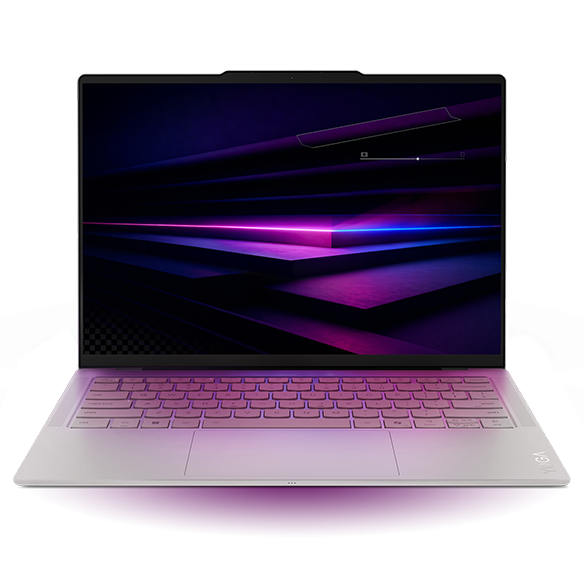
    Choose the S14 when those connections are used repeatedly. Check the UX5406AA suffix on the offer; earlier SA models share the family name but use different hardware.

    4. Dell XPS 13 DX13260: Best for a compact Intel Windows purchase

    Dell XPS 13 DX13260. Graduate research and campus life. Fit the XPS onto the smallest library desk. Choose the memory tier using the course workload.
    Dell product reference

    Key facts: 13.4-inch 2560 × 1600 touchscreen; 296.9 × 200.66mm footprint; 52Wh; Core 5 or Core Ultra configurations; manufacturer starting weight 1kg. Dell configurations

    Advantages: A compact enclosure; an identified 16GB/512GB Core 5 purchase route costs less than the higher-capacity Ultra offer checked here.

    Trade-offs: No HDMI, USB-A or headphone socket; memory and port specifications change with the processor route.

    For a student doing document work, browser research and remote computing, the lower priced Core 5 configuration deserves consideration before a premium upgrade. The official US page listed $1,049.99 for Core 5 320, 16GB/512GB and Windows Home at this check. It is a specific offer, rather than a claim that the XPS is the cheapest suitable laptop available.

    The configuration distinction matters. Core 5 has non-upgradeable memory documented up to 16GB and two USB-C 10Gbps ports. Core Ultra configurations use a different memory arrangement and provide Thunderbolt 4. Buying the cheaper processor therefore changes more than a benchmark result. Dell memory documentation · Port documentation

    The original Core 5 review measured 1,062g and 18h26m of Wi-Fi browsing, but its sample had 8GB/512GB. Those figures are not measurements of the recommended 16GB offer. Choose the XPS for its compactness and a suitable quoted configuration; compare the Ultra route if the project needs more memory. Original review

    5. Framework Laptop 13 AMD Ryzen AI 300: Best for repair and future upgrades

    Framework Laptop 13. Graduate research and campus life. Find the exact Framework replacement part. Check delivery against the next teaching deadline.
    Framework product reference

    Key facts: 13.5-inch, 3:2 matte display; manufacturer weight 1.3kg; 61Wh; replaceable storage and two DDR5 SO-DIMM slots; four selectable Expansion Cards. This is the 2025 Ryzen AI 300 model, distinct from Laptop 13 Pro. Framework specifications

    Advantages: Memory and storage can be changed after purchase; configurable physical connections and documented repair routes.

    Trade-offs: Heavier than the sub-1kg choices; a DIY starting price excludes components that a finished laptop needs.

    Framework serves a different ownership strategy. A research project may grow beyond its first dataset, or the student may want to replace a worn component rather than buy a complete computer. Accessible memory and storage make those changes a practical option. Framework validates memory configurations up to 96GB for this platform; that ceiling is an option, not a suggested purchase for every student. Supported memory

    The pre-built starting configuration checked here was $1,049, with Ryzen AI 5 340, 16GB memory, 256GB storage and Windows Home. It includes a power adapter and Expansion Cards. Compare a larger storage configuration if local research files will outgrow 256GB. Pre-built comparison

    A Linux project also benefits from checking the model-specific support matrix rather than assuming that any distribution will work equally well. Match the university’s software requirements to a supported installation. That documented upgrade and repair flexibility is the reason to consider Framework for a long programme. Linux support

    6. ASUS Zenbook A14 UX3407NA: Best for light carrying with familiar ports on Arm

    ASUS Zenbook A14 UX3407NA. Graduate research and campus life. Use the lab’s Arm account for a complete exercise. Inspect the exported result on an approved PC.
    ASUS product reference

    Key facts: Snapdragon X2 Elite; 14-inch 1920 × 1200, 60Hz non-touch OLED; 70Wh; 990g listed weight; two USB4 ports, HDMI, USB-A and audio. ASUS specifications

    Advantages: Low manufacturer-listed mass while retaining common sockets.

    Trade-offs: Windows Arm compatibility requires application and driver checks; this NA display is neither touch nor high refresh rate.

    Based on its listed configuration, the A14 is worth comparing with an Intel ultralight when the student uses a supported software set. Its combination of low listed weight and native connections is the attraction. A student who regularly connects an HDMI display or USB-A accessory has a concrete reason to investigate it beside the Yoga.

    Avoid reducing the decision to a few grams. The A14’s 990g is an official specification, while the Yoga’s 978g figure is a measured sample. More importantly, the machines use different processor architectures. Those differences should be settled by the required software and devices before a weight preference decides the purchase.
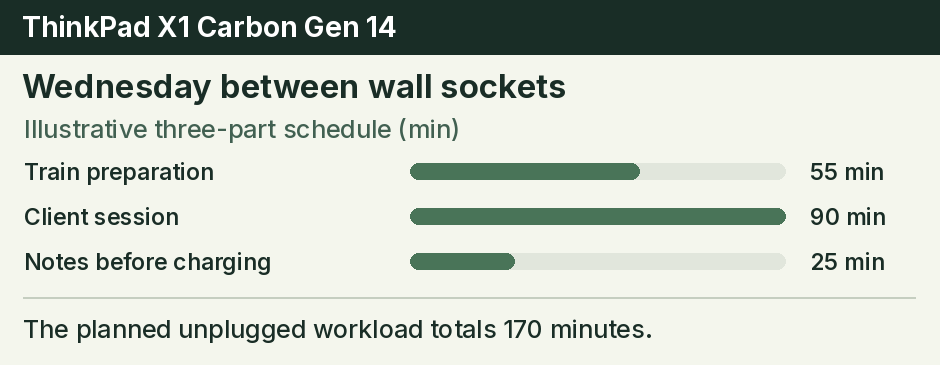
    Microsoft explains that many x86/x64 applications can run through emulation, but connected hardware needs appropriate drivers. Current MATLAB Windows requirements include Snapdragon X-series devices through Prism, with capability limitations. Neither statement guarantees a particular instrument or add-on. Microsoft Arm guidance · MATLAB Windows requirements

    Choose the A14 when that complete environment works and the native ports are useful. The model suffix matters: do not borrow specifications from the QA, RA or other A14 columns.

    7. Surface Laptop 13-inch, 2nd Edition: Best for reading on a compact 3:2 touchscreen

    Official Microsoft Surface Laptop 13-inch 2nd Edition product image in Violet
    Official manufacturer image: Microsoft’s consumer 2nd Edition configuration page.

    Key facts: Snapdragon X2 Plus; 13-inch 1920 × 1280, 3:2 touchscreen; listed 1.23kg; USB-C, USB-A and audio. The consumer 16GB/512GB reference uses UFS storage and Windows Home. Microsoft configuration and specifications

    Advantages: A taller display shape for document layouts; touch and common accessory connections in a compact body.

    Trade-offs: No Surface Pen or Slim Pen support; do not assume Thunderbolt or NVMe storage from the Surface family name.

    Screen shape is a reasonable reason to choose a laptop. A 3:2 panel can suit a student who spends hours moving between a paper and a writing window. Try that arrangement at a comfortable text size: diagonal size alone does not show how much material the layout will display.

    The current consumer 2nd Edition is the model discussed here. First Edition and business versions have different specifications or options. Microsoft’s consumer page listed $1,299.99 for 16GB/512GB and $1,499.99 for 24GB/512GB, with a 45W USB-C wall charger included. Select memory around the actual application set; it is not a promised later RAM upgrade.

    As with the A14, this is a Windows Arm purchase. The published screen format makes it worth trying with the documents you normally read, once the research workflow is supported. If handwritten equations or PDF pen annotation are central, compare a genuinely pen-capable convertible or tablet instead of assuming that a touchscreen supplies that function.

    8. LG gram Pro 16Z90U: Best for more built-in workspace, subject to local availability

    LG gram Pro 16Z90U. Graduate research and campus life. Try two research windows on the 16-inch gram. Ask for a local quote for that precise generation.
    LG product reference

    US purchasing status, 9 November 2026: The specific 16Z90U-K.AUB6U1 manufacturer listing was out of stock. It is not an available US purchase offer in this comparison; regional stock and quotations need separate confirmation. Identified US listing

    Key facts: Global 16Z90U OLED specification: 16-inch 2880 × 1800 display; 1.199kg; 77Wh; two Thunderbolt 4 ports, two USB-A ports, HDMI and audio. Regional configurations differ. LG global specifications

    Advantages: A much larger work surface at a low published chassis weight for its size; useful built-in connections.

    Trade-offs: A larger bag and desk footprint; a high priced or unavailable local configuration can remove the reason to buy it.

    The gram deserves attention when the laptop is the student’s main screen. Comparing a wide results table, reading a figure alongside its explanation or editing two documents can make a larger panel useful throughout the day. At the same 16:10 shape, a 16-inch display has approximately 31% more rectangular area than a 14-inch one: (16 ÷ 14)² − 1. This is a geometry calculation, not a promise of 31% more readable content at every resolution and scaling setting.

    The physical dimensions still matter. LG lists 357.7 × 251.6mm for this global model, so check the bag and normal study desk rather than treating its low weight as a compactness measurement.

    Treat the gram as a regional configuration to investigate when a 16-inch workspace matters. Compare an available local quotation with the complete cost of a smaller laptop and a monitor at the desk.

    9. ThinkPad X1 Carbon Gen 14: Best for long reading sessions with a specified IPS configuration

    ThinkPad X1 Carbon Gen 14. Graduate research and campus life. Read a scanned paper on the specified IPS panel. Match that screen to the review sample you cite.
    Lenovo product reference

    Key facts: 14-inch IPS or OLED options; 58Wh; soldered memory options up to 64GB; three Thunderbolt 4 ports, HDMI, USB-A and audio. Lenovo specifications

    Advantages: Strong identified IPS-sample endurance; native connections useful for teaching and shared equipment.

    Trade-offs: Display choice changes the weight and battery comparison; institutional value depends on the actual quote and services.

    The reason to investigate this X1 is specific. Notebookcheck’s 21V70075GE, with Core Ultra 5 325, 32GB/512GB and a low-power IPS touchscreen, weighed 1,139g and recorded 23h13m of Wi-Fi browsing at 150 nits. That is compelling evidence for long document sessions in this configuration. It is not the weight or runtime of every X1 Carbon. Original IPS review

    A departmental purchasing arrangement can strengthen its case if it includes support the student will use. Compare the precise repair handling, OS installation and any replacement-device arrangement described in the offer. A business product name alone does not include those services.

    For a personal purchase, compare the cost against the S14, XPS and other suitable Windows models. The measured IPS result supports investigating that configuration; it does not establish a battery champion across all ten retail choices. Any premium should also be supported by the actual purchasing package.

    10. ASUS Vivobook S14 S5406SA: Best for a desk with several wired accessories

    Official ASUS Vivobook S14 S5406 family product image
    Official manufacturer family image: ASUS Vivobook S14 purchasing channels.

    Key facts: Published S5406SA family specifications include a 14-inch 1920 × 1200, 60Hz non-touch OLED; 1.30kg; 75Wh; two Thunderbolt 4 ports, two USB-A ports, HDMI and audio. Separately, the S5406SA-SB76 purchasing listing identifies Core Ultra 7 256V, 16GB memory and Windows Home; it does not establish the complete screen and storage configuration. ASUS family technical table · Named model and channel

    Advantages: Several familiar connections can remain attached without immediately consuming a hub.

    Trade-offs: The 256V configuration’s 16GB memory cannot be expanded; the family name covers different generations and panels.

    This Vivobook is relevant when the computer routinely sits among wired accessories. A receiver, storage device and display can create a different connection requirement from an otherwise similar student using only Wi-Fi. Its second USB-A port is a concrete difference from the Zenbook S14.

    Keep the configuration precise. ASUS’s SA technical table lists 1TB M.2 storage and distinguishes its panel from broader family marketing. Check the seller’s complete SB76 specification before ordering, including the display and storage. The current manufacturer channel page identified a seller, but did not provide a fresh price suitable for a value ranking.

    The family specification makes this a connection-focused option to investigate, subject to the complete seller configuration. If the research workload is likely to exceed 16GB, compare a supported 32GB alternative before purchase rather than counting on a later memory upgrade.

    Published Battery Test Results: What Different Review Samples Show

    These original Notebookcheck results are useful reference points for reading-oriented use. Each row identifies the tested configuration so its runtime can be considered alongside the actual weight, panel and memory. Models are listed alphabetically.

    Reviewed configuration Measured chassis weight Published Wi-Fi result Important limit
    Apple MacBook Air 13 M5, eight-core GPU, 16GB/512GB 1,230g 16h11m 150-nit test; larger-capacity offers are separate
    ASUS Zenbook S14 AA, Ultra 9 386H, 32GB/1TB, OLED touch 1,205g 16h11m 150-nit test; other processors remain unmeasured here
    Dell XPS 13 DX13260, Core 5 320, 8GB/512GB 1,062g 18h26m The tested 8GB unit is not the proposed 16GB purchase
    Lenovo ThinkPad X1 Carbon Gen 14, Ultra 5 325, 32GB/512GB, IPS touch 1,139g 23h13m 150-nit test; do not substitute the OLED model’s weight
    Lenovo Yoga Slim 7i Ultra, Ultra 7 355, 32GB/1TB, OLED touch 978g 10h36m The result belongs to the named review sample

    Sources: Yoga, Air, S14, XPS, X1; Notebookcheck’s testing method. These figures provide reference points rather than a controlled head-to-head comparison. Display settings, brightness, processors and other configuration differences can affect the results. The Yoga and XPS battery subsections do not restate every screen setting needed to establish a matched comparison here.

    Browsing is also different from running a simulation, acquiring data or spending an afternoon in video calls. Use the results to identify plausible candidates, then check a normal study session at comfortable brightness during the applicable return period. Battery capacity in watt-hours is not a substitute for that workload evidence.

    Selected US Price References

    This selection contains five purchasing references covering four laptop models, not a complete price comparison of all ten. Apple’s standard and education rows refer to the same Silver MDH74LL/A M5 configuration. Prices were checked on 9 November 2026, before tax; Apple’s current product-offer data were used instead of earlier launch prices.

    Purchasing reference Identified configuration Observed price What to compare
    Dell XPS 13 Core 5 320, 16GB/512GB, Windows Home $1,049.99 A compact Intel route with a fixed 16GB ceiling
    Framework 13 pre-built Ryzen AI 5 340, 16GB/256GB, Windows Home From $1,049 Less starting storage; later upgrades are possible
    MacBook Air 13 M5, Silver Ten-core CPU/eight-core GPU, 16GB/512GB $1,299 Confirm macOS suitability before comparing price
    Apple Education Store The same 16GB/512GB M5 reference $1,199 Education eligibility applies; check the current order
    Surface Laptop 13, 2nd Edition Snapdragon X2 Plus, 16GB/512GB UFS, Windows Home $1,299.99 Different platform and storage implementation

    These are configuration references, not a market-wide price ranking. Framework’s base storage is smaller, and Surface’s UFS should not be relabelled as another machine’s NVMe SSD. The exact Yoga, S14, A14, X1 and Vivobook configurations need current quotes; older promotions are not carried forward as today’s offers.

    For a student with a lower spending limit, use the same software and capacity requirements to compare available previous-generation or refurbished machines, checking condition and support. A premium ultralight is justified by a benefit the student will use, such as lower carrying mass, a preferred screen or a suitable service arrangement. It is not a prerequisite for graduate-level writing.

    How much memory and storage should you choose?

    16GB/512GB is a useful starting point for general graduate-study shopping, rather than a universal degree requirement. It gives the comparison a sensible basis for writing, browser research, meetings and modest local work. A student working mainly through remote systems may not need to pay for a much larger configuration.

    Investigate 32GB for heavier multitasking or local analysis, using a representative project to judge the need. Virtual machines, larger datasets and several research applications can change the answer. MathWorks currently recommends 16GB for MATLAB; SOLIDWORKS recommends 32GB for its own requirements. Neither statement defines every graduate student’s needs. MATLAB requirements · SOLIDWORKS requirements

    For fixed-memory machines, capacity should be settled before ordering. Framework’s accessible SO-DIMMs provide a different route, but the future parts and work still have a cost. Storage capacity should likewise reflect the files that must remain local, with a separate backup arrangement for research material.

    Software checks that can change the recommendation

    Research requirement What the current official guidance establishes Purchasing consequence
    Windows software on Snapdragon Many x86/x64 apps can run through emulation; hardware needs suitable drivers Test the application, add-ons and connected equipment together
    MATLAB on Windows Arm Current requirements include Snapdragon X-series through Prism, with limitations Verify the required release and toolboxes instead of rejecting or approving Arm wholesale
    MATLAB on a Mac Apple-silicon support exists, but some products and GPU features are unavailable Confirm the complete research task, including hardware interfaces
    SOLIDWORKS desktop use Its requirements specify x86-64, supported OS versions and certified graphics; Windows Home is unsupported An Intel consumer ultralight is not automatically a supported engineering purchase
    Local CUDA computation NVIDIA specifies a CUDA-capable GPU and a supported software stack The integrated graphics and NPUs in this shortlist do not replace the required NVIDIA hardware

    Sources: Microsoft, MathWorks Windows, MathWorks Mac, SOLIDWORKS, NVIDIA CUDA installation requirements.

    A practical approval task is to open a representative project, run its normal analysis, use any connected device and export a result another group member can read. For remote research, add the university login, file-transfer route and a workable plan for unavailable network access. That provides better evidence than checking only whether an application launches.

    What belongs in a campus bag?

    An approved Intel Windows project leaves the Yoga Slim and Zenbook S14 in contention. Carry the Yoga for its low chassis weight if your bag already holds the right connections. Move the S14 up if its direct ports let you leave a hub behind. A student on a fixed budget should also compare the quoted 16 GB XPS with the software and memory their project actually uses.

    For a supported Mac workflow, the Air M5 is a strong general-purpose starting point. For a long programme where repair and capacity changes are likely to matter, Framework offers a different ownership advantage. The A14 and Surface are worthwhile Arm choices after the required software and devices have a working route.

    The X1’s identified IPS configuration merits an endurance-focused enquiry, while the gram addresses a larger-screen requirement and the Vivobook a more connected desk. The final choice should follow the actual project, available configuration and complete cost. None of those decisions is improved by automatically buying the fastest processor or the lightest advertised family variant.

    Frequently asked questions

    Is an ultralight laptop powerful enough for graduate school?

    For writing, reading, presentations and many modest research tasks, it can be. Local simulations, substantial 3D work and GPU research require a separate assessment. Confirm whether those tasks will run on the laptop or on university equipment before choosing the hardware.

    Is the lightest laptop the best choice for graduate school?

    Low weight helps when the computer is carried frequently, but screen layout, unplugged working time and required accessories also matter. A larger panel can improve a desk-heavy routine, while native ports can simplify classroom use. First establish software fit and the complete purchase cost, then compare the carrying arrangement that will actually be used.

    Should I reject Windows Arm if my course uses MATLAB?

    No blanket answer is appropriate. Current MathWorks Windows requirements include Snapdragon X-series support through Prism, with limitations. Check the version, toolboxes and laboratory interfaces actually required. MathWorks Windows requirements

    Does a touchscreen mean I can handwrite notes with a pen?

    No. The Yoga and the Surface 13-inch 2nd Edition discussed here do not support the active pens a buyer might assume from their names. For a handwriting-led routine, choose a device with documented pen support and a suitable physical writing position.

    Should I spend more on 32GB or a faster processor?

    Start with the limitation of a representative project. If memory is the constraint, a faster processor does not remove it. If the project runs remotely, neither upgrade may be the best use of the budget. Compare fixed-memory configurations carefully because several cannot be expanded later.

    What should I test after delivery?

    Reproduce the normal workflow: read and annotate using the intended method, edit a document, run the research task, connect the usual accessories and resume after sleep. Check a session on battery at a comfortable brightness. Keep a separate, working backup of important research files.

    Sources

    Manufacturer documents support specifications and purchasing references. Original reviews support only the measurements attributed to their samples. The role recommendations, configuration advice and screen-area calculation are editorial analysis. Manufacturer references identify the model family. The order code determines the actual hardware.

  • Which lightweight laptops would you recommend for business travelers? A Five-Day Guide to Carry Weight and Charging Access

    Laptop comparisons

    By GAC Motoring · Republished by Portable Laptop Guide

    The Lenovo Yoga Slim 7i Ultra is a persuasive choice when an Intel Windows machine must be carried repeatedly and charging is predictable. When the itinerary includes long gaps between sockets, the tested IPS version of the ThinkPad X1 Carbon Gen 14 has stronger endurance evidence. Dell XPS 13, ASUS Zenbook S14 and MacBook Air 13 M5 offer other combinations of workspace, connections and operating system. The decision changes when you count the whole working kit and the longest interval before a dependable recharge.

    A five-day trip does not require five days of battery life. A two-hour transfer can be more demanding than a whole hotel workday if the transfer is your only opportunity to finish a presentation and your charger is inaccessible. Conversely, a traveler who changes locations repeatedly but plugs in at each stop may benefit more from a lighter computer than from the highest published battery result.

    This guide uses an itinerary, identifiable review samples and explicit mass calculations to separate those cases. It is not a prediction of performance on a real flight or a score for physical durability. Manufacturer specifications and original independent tests were checked on 9 November 2026. The schedule and accessory examples below are illustrative planning tools, not reported field experiments.

    Start with the longest working interval, not the length of the trip

    Write down when power is both available and usable. A socket that exists in the room but cannot be reached from the meeting table does not help during the session. Neither does an airline connection whose operation, permitted use or available power you have not established. Treat uncertain charging as an opportunity rather than a requirement on which the work depends.

    For planning purposes, split the week into powered work, battery work and inactive carrying. The first changes cooling and workspace priorities. The second needs a credible runtime margin. The third makes complete kit mass more important. These are different quantities and should not be combined into a decorative overall score.

    Illustrative day Work pattern to record Buying question the day reveals
    Monday: outbound journey and office arrival A work session before a confirmed desk recharge; repeated carrying between transport and office Is low kit mass worth more than keeping conventional connections built in?
    Tuesday: several customer visits Short sessions, a shared display and uncertain desk access between meetings Can the machine work without borrowing an adapter or relying on a mid-day recharge?
    Wednesday: longer rail or air transfer One sustained offline work block with unknown socket availability Which documented sample offers enough evidence to justify a closer trial?
    Thursday: hotel work followed by a call Long powered session, external screen if available, conferencing Will the workspace and connections be comfortable, rather than merely light?
    Friday: check-out, final meeting and return Charger packed away early, work needed before the next confirmed socket Can the final work interval be completed while keeping a practical reserve?

    In a five-day diary, the decisive interval can cross two rows. A Tuesday evening call, an overnight stay with a charger in checked luggage, and a Wednesday morning briefing may share a single battery charge. Mark the next moment when you can plug in the working laptop, then add up the active work on both sides of midnight. Keep closed-lid transit as its own observation if the computer travels asleep.

    What the independent evidence actually describes

    The following figures are from the named Notebookcheck review units. They share a WLAN browsing test category, but are not a single simultaneous test of matched retail configurations. Processor, panel, memory, operating system, firmware and test date vary. A result from light browsing is not a measured Teams, Zoom, CAD or flight-use result.

    Identifiable review sample Sample memory / storage and panel Measured laptop mass Published WLAN runtime Important boundary
    Lenovo Yoga Slim 7 Ultra 14IPH11, Core Ultra 7 355 32GB / 1TB; 14-inch 2.8K OLED touch 978g 10h 36m Not an X7/X9 graphics configuration; do not assume a different retail variant reproduces the result
    ThinkPad X1 Carbon Gen 14, 21V70075GE, Core Ultra 5 325 32GB / 512GB; 14-inch IPS touch 1,139g 23h 13m The cited IPS result is at 150 nits; it is not the result of the lighter OLED model
    Dell XPS 13 DX13260, Core 5 320 8GB / 512GB; 13.4-inch QHD+ touch LCD 1,062g 18h 26m Fixed 8GB test memory limits multitasking; not the Core Ultra version’s runtime
    ASUS Zenbook S14 2026, Core Ultra 9 386H 32GB / 1TB; 14-inch OLED touch 1,205g 16h 11m The review identifies a 150-nit WLAN test; power profile and heavy-load use matter
    Apple MacBook Air 13 M5, 8-core GPU 16GB / 512GB; 13.6-inch IPS 1,230g 16h 11m The review identifies a 150-nit WLAN test; macOS and GPU/storage variants remain separate

    Sources: original reviews of Yoga, X1 Carbon, XPS, S14 and Air.

    Notebookcheck describes the brightness control used in its general methodology. Where the particular review’s visible battery section does not establish every setting, this guide does not silently fill in the missing condition. Identical display refresh rates, versions of Windows or background activity are not established by putting the results in one table. Review methodology.

    The defensible reading is narrower than “the ThinkPad lasts twice as long at work.” The IPS ThinkPad is the strongest lead for further evaluation of light-work endurance among these measured samples. The Yoga offers the lowest measured machine mass in this group. The table does not tell us which one provides more hours of your own presentation editing, cloud sync and video calls.

    The carry-weight calculation changes when accessories change

    Official Lenovo Yoga Slim 7i Ultra product image
    Image: Lenovo. The family’s advertised 975g starting weight and the review sample’s 978g measurement are separate references. Manufacturer source

    Use this accounting identity:

    Working kit mass = laptop + charger + power cable + required adapters + peripherals + protective case.

    Add only things that you will actually carry. If two choices use the same mouse, headset and bag, those common items cancel when comparing their difference. If one requires a presentation hub while the other connects directly, the unequal accessories do not cancel. A spare charger left permanently at the office is not part of the carried kit.

    The next table subtracts the measured Yoga mass from each other measured laptop mass. These are author calculations using the review figures above. They represent a break-even allowance for the net extra accessories carried with the Yoga, assuming the rest of the kits are equal. They are not measurements of chargers or hubs.

    Compared with the measured 978g Yoga sample Other measured machine mass Bare-machine difference Interpretation before weighing accessories
    XPS 13 Core 5 sample 1,062g 84g A relatively small net accessory difference can reverse the kit order
    X1 Carbon IPS sample 1,139g 161g The Yoga stays lighter if its net additional carried items remain below 161g
    Zenbook S14 sample 1,205g 227g Direct HDMI/USB-A/audio can remove some accessories, but the actual net saving must be weighed
    MacBook Air 13 M5 sample 1,230g 252g Include both platforms’ required adapters and the chosen charging leads

    For example, if one machine weighs 161g more and the alternative requires 100g of net additional equipment, the complete-kit difference becomes 61g. That is arithmetic for an explicitly hypothetical accessory difference, not a claimed weight for a real hub. If the net additional equipment is 200g, the order reverses by 39g. The practical next step is to put the actual items on a scale.

    Do not add a 100g adapter every time the laptop is taken out of the bag. Mass is what you carry at one time, not a cumulative “five-day weight.” Repeated handling affects how useful a lower mass feels, but multiplying grams by days is not a physical measurement of strain. Avoiding that shortcut keeps the comparison useful.

    Monday and Tuesday: when low mass earns its place

    The Yoga Slim 7i Ultra is easiest to justify for a traveler whose work stays in an approved Intel Windows environment, who changes location frequently, and who can recharge at predictable stops. Its low machine mass remains a real advantage even though the rest of the kit must be counted. A 14-inch screen also gives it a different workspace proposition from a small 13-inch design.

    That recommendation has clear limits. The Yoga carries three Thunderbolt 4 ports rather than integrated HDMI, USB-A or an analog headset jack. A traveler who routinely presents to conventional displays should pack a verified conversion path. The machine’s measured WLAN result is the shortest of the five samples in this table, so it should not lead the recommendation for an uncharged day simply because its mass leads the table.

    The Zenbook S14 offers a different trade: carrying more machine in return for HDMI, USB-A and wired audio. If those connections let you remove a travel hub from the bag, the bare-machine difference overstates its carrying penalty. If you already carry a dock for other reasons, the port advantage may save setup time rather than mass. Both can be valid reasons; they should be described separately.

    The Dell XPS 13’s strongest distinction in this stage is its compact footprint. A small base may fit a crowded customer desk more easily. Its Core 5 and Core Ultra configurations have different port capabilities, however, and the 8GB review unit is not the right default for an application-heavy business session. Confirm the memory and processor-specific port page before comparing a quote with the review.

    Wednesday: when the longest gap between sockets takes priority

    ThinkPad X1 Carbon Gen 14. Wednesday between wall sockets. Illustrative three-part schedule. Train preparation: 55 min, Client session: 90 min, Notes before charging: 25 min. The planned unplugged workload totals 170 minutes.
    Lenovo product reference

    For a long period of light document or browser work, the X1 Carbon’s IPS result warrants serious attention. The measured unit is 161g heavier than the Yoga unit, but the independent evidence gives it a substantially larger browsing-runtime reference. A traveler who is more concerned about finishing a document before the next socket than about that mass difference has a rational reason to choose it first.

    The panel is part of that conclusion. The original review also discusses a lighter OLED configuration with shorter endurance. Buying OLED while expecting the IPS measurement combines advantages that belong to different machines. Request the exact display specification and product code on the order, not merely the series name and processor generation.

    A large difference between review results also does not remove the need for a margin. Video conferencing, local processing, bright surroundings, external USB devices and background tasks can change power use. There is no defensible universal percentage to subtract that converts all five WLAN numbers into “real work hours.” Instead, rehearse the longest intended session on the retail machine with the same practical brightness, network connection and applications you will need.

    If the actual session fails, the solution can be a different panel, a different computer, a planned recharge or a revised workload. A higher-wattage charger in the bag is not a solution during a period when there is no usable socket. Likewise, a battery pack should be included only after checking laptop compatibility and the carrier’s current transport rules. This article assigns no universal airline allowance or charger output requirement.

    Thursday: a powered hotel session changes the priorities again

    ASUS Zenbook S14 UX5406AA. The daily bag through a five-day trip. Start Thursday’s S14 session with the hotel display. Count the plugs left after power and storage.
    ASUS product reference

    At a reliable desk socket, buying solely for the longest battery chart is less useful. Screen comfort, cooling behavior and the arrangement of the keyboard, mouse and external display become more important. The S14’s conventional ports are particularly practical if a hotel or borrowed screen accepts HDMI. The Yoga can work in the same setting with the correct adapter, but the adapter needs space and cable clearance.

    The MacBook Air M5 has a concrete acoustic distinction because it is fanless. That matters in quiet rooms or for someone sensitive to fan noise. It does not turn the machine into a fan-cooled workstation for unlimited sustained computation. Choose it when macOS, the employer’s software and the required external devices are a fit; do not select it merely because a battery number matches the S14’s to the minute.

    For an evening video call, test the camera framing, headset routing and background load on the actual machine. A laptop may be comfortable for typing while its webcam sits too low for the call position. A stand may solve the latter but add a keyboard, mouse and more bag space. The complete-kit model helps identify that cost honestly rather than pretending the laptop alone determines ergonomics.

    Hotel tables also vary in depth. There is no measured universal claim here that a particular model fits every tray or desk. Use the documented chassis dimensions to compare with a workspace you know, leaving room for the screen to open and for cables to exit. The usable footprint is larger than a closed laptop’s rectangular base.

    Friday: design the final work interval around a reserve

    The return day often exposes a weak packing plan. The charger is already packed, the previous night’s sync is still active, and a final meeting runs longer than expected. A buyer should decide in advance which tasks must be possible before the next dependable recharge and which can wait.

    A reserve is a workflow choice rather than a benchmark. One traveler may need enough margin to finish and send a signed document; another may need a prolonged call plus time to regain network access afterward. Specify that requirement as part of your own test. Do not use the battery icon’s changing estimate as a substitute for timing the complete sequence once.

    Give Friday’s margin a clock time. Suppose you leave a powered desk at 13:10, edit for 40 minutes on the platform and run a 50-minute meeting after boarding. If a 20-minute late arrival would also require working, your rehearsal needs 110 minutes of active use before the next outlet. If you usually read a printed pack during the delay, test 90 minutes of active work plus the actual 20-minute idle state. Record the charge at both checkpoints instead of treating a delay as an automatic 20 minutes of video calls.

    Save a local copy of essential presentation files in the organization’s approved location and check that it opens before departure. Local access reduces dependence on an unpredictable connection, but it does not authorize bypassing confidentiality or access rules. Similarly, test that the sign-in and authentication process you need can be completed in the places you expect to work.

    When the final session matters more than a small difference in bag mass, prioritize the configuration that passes that session with headroom. When charging access is predictable and the laptop is carried all day, the lighter kit may be the more comfortable answer. The itinerary, rather than a brand hierarchy, determines which constraint gets priority.

    Decide with constraints, not an invented weighted score

    Your non-negotiable constraint Start the evaluation here What could reverse that initial choice
    Low mass plus Intel Windows, with predictable recharging Yoga Slim 7i Ultra and its actual adapter kit Required accessories erase its useful mass advantage, or the real session needs longer endurance
    Maximum published light-work endurance among these specific samples X1 Carbon Gen 14 IPS configuration corresponding closely to the cited unit A different panel is ordered, price is unsuitable, or the buyer’s application workload fails the trial
    Direct HDMI, USB-A and analog audio S14 or X1 Carbon; A14 only after Arm approval Existing USB-C infrastructure makes those direct connections unnecessary
    macOS workflow and silent cooling MacBook Air 13 M5 Required Windows software, drivers or sustained heavy work make another platform necessary
    Compact working base with known accessories XPS 13 DX13260, exact CPU/memory variant Fixed memory or two-port layout does not support the complete session
    User-configurable ports and replaceable components Framework Laptop 13 AMD AI 300 Lowest mass, immediate travel repairs or a particular service contract is more important

    This is a bounded editorial selection, not an exhaustive search of every regional notebook or an assertion that five measured units represent every relevant product. Models without an identifiable matching test can still be suitable. The Zenbook A14, for example, has a competitive low-weight direct-port specification, but the model-label conflict in the available X2 review prevents its inclusion in this battery ledger.

    Framework’s replaceable parts create a different ownership proposition, not a battery award. Neither serviceability nor a business product name establishes a particular failure rate. A fleet buyer should compare the support service actually quoted in the deployment country and the process for recovering work while the device is unavailable.

    What to record before the purchase window closes

    Record Why it matters Avoid this shortcut
    Exact CPU, panel, memory, SSD and operating system Binds the order to the evidence being considered Assuming one review describes an entire family
    Complete kit mass on one scale Captures unequal adapters, charging leads and cases Quoting only the advertised minimum laptop weight
    Longest intended battery session with the actual applications Tests the gap between your workload and light browsing Applying an arbitrary “real-world” correction factor
    Simultaneous power, display and peripheral arrangement Reveals blocked ports and unsuitable adapters Counting sockets without checking their functions
    Total checkout basket and written support terms Includes the operational cost of the working setup Ranking launch prices or incomplete DIY configurations

    A small amount of careful documentation is more useful than extra decimal places in an untested score. Keep the order specification and your test notes together. If a later driver update or accessory change alters the setup, the notes show what worked before.

    For an expanded packing perspective, Portable Laptop Guide’s business-travel accessory and working-kit guide complements this mass calculation. Its laptop battery guide for business travel covers the related endurance question. These are further editorial guides; the original review links above remain the source of the sample measurements used here.

    Frequently asked questions

    Should I buy a bigger battery or a lighter chassis?

    Compare actual sample evidence rather than battery capacity alone. The 58Wh IPS ThinkPad sample outlasted the 75Wh OLED Yoga sample in the cited WLAN tests. That does not isolate a causal effect of capacity or panel, because the systems differ in several ways. It does show why watt-hours cannot replace runtime evidence.

    Can I calculate how many extra working hours the heavier laptop buys?

    You can subtract the published test results within that test category, but translating the difference into your work would require additional measurements. The article therefore uses exact mass differences for kit planning and leaves work-session endurance to a configuration-specific trial.

    Is the Yoga still a reasonable first choice?

    Yes, when the binding requirement is a very light Intel Windows setup and the charging plan is dependable. It should move behind the tested IPS ThinkPad when the strongest available browsing-endurance evidence is the deciding requirement. That change is the expected result of choosing for different constraints.

    Does a long trip require the highest benchmark result?

    No. The longest required interval between dependable recharges is more informative than the trip’s calendar length. A five-day trip with a working desk socket every afternoon may place less pressure on battery life than one long day of uncharged work.

    Sources

  • Best lightweight laptops for business travel and remote work: Six Picks for Moving Between a Desk and a Carry-On

    Laptop comparisons

    By GAC Motoring · Republished by Portable Laptop Guide

    Choose the desk connection before choosing the laptop. A worker using one power-delivering USB-C monitor has different needs from someone running two displays, a wired headset and several older accessories. For a planned USB-C workspace, the Lenovo Yoga Slim 7i Ultra offers a particularly light Intel Windows route. The ASUS Zenbook S14 is more convenient for mixed direct connections, while the MacBook Air 13-inch M5 provides a documented two-external-display option for a supported macOS workflow. The ThinkPad X1 Carbon, Dell XPS 13 and Framework Laptop 13 offer alternatives for unplugged time, a tight footprint and later upgrades.

    Sketch the connections at both ends of the trip. A home monitor may carry video, power and the keyboard through one cable. A client’s room might offer an HDMI lead and a USB-A presentation receiver, with a wall socket across the table. The second desk is where a machine that looked simple at home can need an extra adapter.

    Documentation checked: 9 November 2026. Hardware facts below come from the named manufacturers. Battery figures identify third-party review samples separately. Suggested configurations and buying decisions are editorial judgments. A port specification describes an available connection; it does not certify an untested combination of laptop, dock, cable, monitor and software.

    Start with the workspace you actually use

    Your recurring work situation First option to examine Why it belongs on the shortlist The condition that could change the answer
    A USB-C desk at home and frequent carrying Lenovo Yoga Slim 7i Ultra Gen 11 Very low starting chassis weight, with three Thunderbolt 4 ports You also need native HDMI, USB-A or an analog headset connection
    Home office plus unfamiliar client rooms ASUS Zenbook S14 UX5406AA HDMI, USB-A, audio and Thunderbolt are built in Your bag-weight target is more demanding than approximately 1.2kg
    macOS work and a quiet desk MacBook Air 13-inch M5 Fanless design, MagSafe and documented external-display support A required application or management policy needs Windows
    Long stretches away from a socket ThinkPad X1 Carbon Gen 14, especially an appropriate IPS configuration A specific IPS review sample demonstrated long WLAN endurance The retail machine has a different display or processor
    A small work surface and mostly light Windows tasks Dell XPS 13 DX13260 Compact chassis and a lower-priced 16GB configuration Your workload needs more than the Core 5 version’s fixed memory limit
    A machine maintained and upgraded over several years Framework Laptop 13 AMD Ryzen AI 300 Series Replaceable memory and storage with documented repair routes Your priority is the lightest possible complete travel kit

    The shortlist deliberately includes different ownership models, operating systems and port arrangements. It is not an exhaustive survey of every regional notebook. Gaming-first systems, large mobile workstations and computers whose essential configuration could not be identified are outside this comparison. A specialist GPU requirement can override every recommendation here.

    1. Lenovo Yoga Slim 7i Ultra Gen 11 — Best for a light Intel laptop with a planned USB-C desk

    Lenovo Yoga Slim 7i Ultra. Desk to carry-on. Lay out the usual desk connections by task. Pack the smallest set that restores them away.
    Lenovo product reference

    Specifications

    Item Documented specification or configuration boundary
    Model identity Yoga Slim 7 Ultra 14IPH11; marketed as Yoga Slim 7i Ultra Aura Edition Gen 11 in the US
    Processor and graphics Core Ultra Series 3 options; the Ultra 7 355 uses Intel Graphics, while specified X7/X9 options use Arc B390
    Memory 16GB, 32GB or 64GB soldered; choose capacity at purchase
    Screen 14-inch 2880 × 1800 OLED touchscreen, up to 120Hz
    Storage One M.2 2242 slot; Lenovo lists offerings up to 2TB
    Weight and battery From 975g; 75Wh battery
    Connections Three Thunderbolt 4 ports; no built-in HDMI, USB-A or 3.5mm audio socket
    Official buying option Lenovo US configuration page

    Specification source: Lenovo PSREF. Availability of combinations is market dependent. 1

    Reasons to buy / reasons to consider alternatives

    Reasons to buy Reasons to consider alternatives
    Low starting weight reduces the computer portion of a frequently carried kit A hub, adapter or USB-C headset may be essential rather than optional
    Three Thunderbolt ports provide several physical connection points Memory cannot be expanded after purchase
    Intel Windows can preserve an existing x86 Windows environment The cited OLED sample was not the endurance leader in this comparison

    Buy it if / Skip it if

    Buy it if Skip it if
    You already have a verified USB-C or Thunderbolt desk and need to carry the laptop often Your regular destination expects a direct HDMI cable and you do not want to carry an adapter
    A 14-inch screen is preferable to the smaller XPS display Your workday depends on long, unpredictable periods without access to power

    The Yoga’s strongest argument begins at the bag, rather than a benchmark chart. For a consultant who writes reports at a docked desk and carries the computer to meetings, a low chassis weight is useful every time the journey happens. It does not require a claim that this is the fastest or best-value notebook in the group.

    For a client demonstration, put an HDMI projector, a USB-A clicker and the charger on a sketch of the Yoga’s three Thunderbolt 4 ports. Label the adapter or hub that supplies each missing socket. Now unplug the single device you plan to leave at home. If that also removes the clicker or the projector connection, put it on the travel inventory.

    The battery evidence also keeps the recommendation conditional. Notebookcheck’s Core Ultra 7 355, 32GB, 1TB OLED review unit weighed 978g and completed its WLAN test in 10 hours 36 minutes. That result belongs to that sample and procedure; it is neither a forecast of a day filled with calls nor a result for every Yoga configuration. 3 If reliable access to a desk charger is part of your routine, the weight trade-off can make sense. If charging opportunities are uncertain, examine the ThinkPad evidence before deciding.

    2. ASUS Zenbook S14 UX5406AA — Best for a desk-and-travel kit with fewer port adapters

    ASUS Zenbook S14 UX5406AA. Desk to carry-on. Close the lid and unplug the meeting setup. Count the adapters that have to follow the laptop.
    ASUS product reference

    Specifications

    Item Documented UX5406AA specification
    Processor and graphics Listed Ultra 7 356H or Ultra 9 386H; Intel Graphics
    Memory and storage 32GB onboard; 1TB SSD with one M.2 2280 PCIe 4.0 slot
    Screen 14-inch 2880 × 1800 OLED touchscreen, 120Hz
    Weight and battery 1.20kg; 77Wh
    Connections Two Thunderbolt 4, HDMI 2.1 TMDS, USB-A and 3.5mm combo audio
    Official buying option ASUS specifications and regional buying route

    Reasons to buy / reasons to consider alternatives

    Reasons to buy Reasons to consider alternatives
    Direct HDMI, USB-A and audio can simplify destination connections More chassis weight than the Yoga’s published starting figure
    32GB gives a clear capacity reference for a substantial multitasking configuration Onboard memory fixes the capacity for the ownership period
    A 14-inch display supports laptop-only work between desk sessions OLED finish and reflections deserve a personal check in the intended room

    Buy it if / Skip it if

    Buy it if Skip it if
    You frequently connect to different meeting-room displays and familiar older accessories Your essential requirement is a sub-kilogram Intel laptop
    You prefer to plug in an analog headset without another device in the chain Your application requires a discrete GPU with a specific certification

    The S14 is an especially useful comparison when the travel kit has become a collection of small adapters. Its direct connections can replace some of those separate items. That does not automatically make the complete S14 kit lighter; weigh the actual alternatives. It does make the connection route shorter and easier to explain when another person is helping set up a room.

    At home the S14 can still use a dock. The difference emerges when you take the train to an office that supplies an HDMI cable and a USB-A receiver. Both have sockets on the laptop, so the desk dock can stay plugged into your monitor at home. Check the projector’s required display mode before promising a client that a particular slide or embedded clip will work.

    Independent evidence provides an additional comparison point without establishing universal performance. Notebookcheck’s Ultra 9 386H, 32GB, 1TB sample weighed 1,205g and ran for 16 hours 11 minutes in its 150-nit WLAN test. 5 That is evidence for the reviewed configuration, not proof of 16 hours of video meetings or a prediction for the older SA model. Its role here is a balanced desk-and-travel configuration, with carrying weight as the main compromise against the Yoga.

    3. Apple MacBook Air 13-inch M5 — Best for a fanless macOS desk that travels

    MacBook Air M5 family, official Apple image
    Official MacBook Air M5 family image: Apple. The photograph may show more than one size; the specifications below describe the 13-inch model. Manufacturer source
    Specifications

    Item Documented 13-inch M5 specification
    Platform Apple M5, macOS; fanless design
    Memory and storage 16GB standard, configurable to 24GB or 32GB; 512GB base storage
    Screen and weight 13.6-inch 2560 × 1664 IPS; 1.23kg
    Connections Two Thunderbolt 4, MagSafe 3 and headphone socket
    Display support Up to two external displays plus the built-in screen, within Apple’s specified resolution and refresh-rate limits
    Official buying option Apple’s identified 16GB/512GB configuration

    Sources: Apple’s specifications and M5 introduction. 6

    Reasons to buy / reasons to consider alternatives

    Reasons to buy Reasons to consider alternatives
    Fanless operation removes fan noise from the computer Required Windows software or corporate support rules may exclude it
    MagSafe can handle charging without taking a Thunderbolt socket No direct HDMI or USB-A connection
    Apple documents a useful two-external-display arrangement Memory choice is permanent; sustained workload suitability still needs evaluation

    Buy it if / Skip it if

    Buy it if Skip it if
    Your applications and organization support macOS and you value a quiet workstation An essential peripheral or application has no supported macOS route
    You want the same machine for a desk display and light travel work Your paid workload repeatedly requires long, sustained processing that warrants an actively cooled workstation

    The M5 Air’s fanless design removes fan noise from a quiet call or recording. It cannot tell you how the microphone will handle the room, a desk vibration or a keyboard. Make a short call from the desk you actually use and listen from the receiving end before paying for a separate audio device.

    The display specification matters because older MacBook Air advice may no longer describe the M5. Apple states that the M5 model supports two external displays alongside its own screen. 9 That still leaves a purchasing task: verify the dock’s actual Mac support, the intended display modes and the cables. A dock listing two video sockets does not by itself prove it can provide the independent desktops you want.

    For battery context, Notebookcheck’s entry M5 review used an 8-core-GPU, 16GB, 512GB configuration and recorded 16 hours 11 minutes in its 150-nit WLAN test. 10 This does not establish the runtime of a different GPU or capacity option during a full working day. Buy the memory your workload needs rather than treating a low base price as permission to ignore the next several years of use.

    4. Lenovo ThinkPad X1 Carbon Gen 14 — Best for a travel schedule with substantial unplugged work

    ThinkPad X1 Carbon Gen 14. Longest unplugged assignment. Example day with no charging. Morning train: 50 min, Client review: 75 min, Return train: 45 min. Plan around 170 minutes across the three sessions.
    Lenovo product reference

    Specifications

    Item Documented family scope
    Platform Intel Core Ultra Series 3 options
    Memory and storage Soldered memory configurations; one M.2 2280 SSD slot
    Display 14-inch IPS and OLED options; identify the actual panel before comparing runtime
    Connections Three Thunderbolt 4, HDMI, USB-A and 3.5mm audio
    Weight reference Published starting weights vary with configuration; do not substitute these for the reviewed IPS unit’s 1,139g
    Official buying option Lenovo US identified configuration page

    Family specifications: Lenovo PSREF. 11

    Reasons to buy / reasons to consider alternatives

    Reasons to buy Reasons to consider alternatives
    The cited IPS sample has strong independently measured WLAN endurance A different panel can materially change the comparison
    Direct ports can suit both a desk and unfamiliar rooms Warranty response and international coverage require an actual service quote
    It offers another Windows option when endurance matters more than minimum chassis weight Soldered memory still needs a forward-looking capacity decision

    Buy it if / Skip it if

    Buy it if Skip it if
    You can identify an IPS configuration close to the review sample and regularly work without sockets You assume the lightest OLED version will reproduce the IPS battery result
    Your organization supports this exact model and offers a useful service arrangement A lower-priced machine already meets your connectivity and endurance requirements

    The important buying unit is an X1 Carbon configuration, not the family name. Notebookcheck’s model 21V70075GE combined a Core Ultra 5 325, 32GB, 512GB and an IPS screen. It weighed 1,139g and achieved 23 hours 13 minutes in the review’s 150-nit WLAN test. 13 Combining that runtime with a lighter OLED sample would create a computer that was never tested.

    The X1’s long browsing result belongs to the IPS review unit in the table below. If your employer quotes an OLED unit, ask for the panel and exact order code before using that result in a travel plan. A buyer who stays at a powered desk most days has less reason to pay extra for those unplugged hours.

    Its direct ports also reduce dependence on a single dock when moving between locations. Nevertheless, do not pay an enterprise premium simply because the badge sounds reassuring. Obtain the written coverage for your country of purchase and destinations, including service method and exclusions. A product family cannot promise a repair response by itself.

    5. Dell XPS 13 DX13260 — Best for a compact Windows workspace with carefully chosen memory

    Dell XPS 13 DX13260. Desk to carry-on. Load the largest project before choosing memory. Record headroom before ordering the compact kit.
    Dell product reference

    Specifications

    Item Documented distinction
    Chassis and screen 296.9 × 200.66mm footprint; 13.4-inch 2560 × 1600 touchscreen
    Core 5 version Two 10Gbps USB-C ports with display and charging support; fixed memory up to 16GB
    Core Ultra version Two Thunderbolt 4 ports; different available memory configurations
    Direct legacy connectors No HDMI, USB-A or analog headset socket
    Identified US offer Core 5 320, 16GB, 512GB, Windows 11 Home, Storm: $1,049.99 on the checked Dell page
    Official buying option Dell US configuration list

    Port and memory distinctions are documented in Dell’s support manual, not inferred from the USB-C connector’s shape. 15

    Reasons to buy / reasons to consider alternatives

    Reasons to buy Reasons to consider alternatives
    A small footprint helps on a crowded desk or narrow table The smaller built-in display is a compromise when a monitor is unavailable
    The identified 16GB offer is a concrete price reference Core 5 memory cannot later grow beyond its documented limit
    A compact machine can be effective with an established display setup Two USB-C sockets require deliberate connection planning

    Buy it if / Skip it if

    Buy it if Skip it if
    Light office work fits 16GB and a small machine matters more than a large built-in display You expect local VMs, containers or datasets to outgrow 16GB
    Your peripheral arrangement works with the exact Core or Core Ultra port specification You are buying the Core model assuming the Thunderbolt label applies to it

    The lower-priced Core 5 XPS deserves attention precisely because it is not the same purchasing proposition as a high-memory Core Ultra model. For a worker whose largest tasks remain in browser applications and ordinary documents, the 16GB configuration can leave more budget for a good display and the necessary connection hardware. This is a workload-specific value argument, not a benchmark equivalence claim.

    Its main risk is buying for the desk and forgetting the journey. A small screen may be easy to pack but less comfortable for comparing two complex documents when traveling without a monitor. Try the actual application layout at a realistic scaling setting. A high pixel count alone cannot tell you whether text and controls will feel large enough.

    The $1,049.99 quotation is a US configuration reference checked on 9 November, before tax, rather than a worldwide lowest-price claim. Other listed XPS offers differ in memory, storage, processor and color. Their headline prices do not establish the cost of a like-for-like upgrade.

    6. Framework Laptop 13 AMD Ryzen AI 300 Series — Best for an upgradeable desk-and-travel machine

    Framework Laptop 13. Desk to carry-on. Trace the memory and storage upgrade paths. Get prices and turnaround for the parts you need.
    Framework product reference

    Specifications

    Item Documented configuration boundary
    Platform AMD Ryzen AI 300 Series, released in 2025
    Memory Two DDR5 SO-DIMM sockets; manufacturer-validated configurations up to 96GB
    Screen and weight 13.5-inch 3:2 matte display; approximately 1.3kg
    Port arrangement Four Expansion Card positions; capabilities depend on position and card
    Storage Replaceable M.2 NVMe SSD
    Identified US base prebuilt Ryzen AI 5 340, 16GB as 2 × 8GB, 256GB, Windows 11 Home: from $1,049
    Official buying options Framework specifications and prebuilt comparison

    Reasons to buy / reasons to consider alternatives

    Reasons to buy Reasons to consider alternatives
    Memory can be expanded instead of fixing every future requirement at purchase Heavier than the lightest candidates
    Ports can be selected for a particular workspace Cards have different capabilities and occupy a finite number of positions
    Published upgrade and repair documentation supports an ownership plan Available parts and practical turnaround still depend on location and circumstances

    Buy it if / Skip it if

    Buy it if Skip it if
    You expect changing memory or storage needs and can manage upgrades responsibly You need the simplest centrally managed corporate procurement option already approved by your employer
    You prefer documented component replacement to an entirely fixed configuration Minimum carrying weight is the decisive requirement

    Framework changes the timing of a buying decision. With fixed-memory machines, an uncertain future workload can force a costly capacity choice today. A replaceable-memory system allows a different plan: buy sufficient capacity for current work, monitor the requirement and upgrade if it grows. That option is valuable only when the owner has the time, authority and skills to use it, or a suitable service provider.

    The modular connections also suit a desk that changes over time. Plan the exact card placement using the manufacturer’s compatibility guidance; do not assume four physical positions mean four identical high-speed interfaces. A power connection, display and several accessories can still require a dock.

    Compare complete machines when budgeting. The $1,049 base prebuilt has 16GB and 256GB, whereas Dell’s quoted $1,049.99 configuration has 512GB. Framework’s lower DIY headline is not the price of an equivalent ready-to-work Windows laptop. 18 Add the selected storage, memory, software, power supply and cards before deciding which buying route is economical.

    One screen, two screens or a dock: define the acceptance test

    A desk purchase should name the intended arrangement, rather than simply request “USB-C compatibility.” For one display, write down the monitor model, resolution and refresh rate, its power delivery if used, and the remaining accessories. For two displays, add whether each needs an independent desktop, whether the laptop screen stays active, and the exact dock or direct-cable topology.

    For example, write “left screen: source document; right screen: editable report; laptop: call controls.” Drag a different window to each external screen. Two displays showing the report together count as one duplicated workspace for this job. Buy the dock only if the exact host, operating system and dock support the layout you intend.

    The Yoga’s PSREF documents up to three external monitors alongside its native display, with limits attached to particular high-resolution modes. 1 That is a platform capability, not an endorsement of every three-output hub. The M5 Air documentation separately establishes two external displays plus its built-in screen. 6 Those two statements should not be translated into identical dock shopping lists: use the dock maker’s supported-host and operating-system information for the proposed arrangement.

    Dell illustrates a different trap. Its Core 5 and Core Ultra versions both use USB-C-shaped sockets, but the manual identifies different interface specifications. 15 A buyer moving an existing Thunderbolt dock between computers should verify the dock’s fallback behavior with the Core model rather than assume that the plugs settle compatibility.

    Desk acceptance test A useful pass condition A result that requires investigation
    Attach all intended displays Each operates independently at the required mode Mirroring, a reduced mode or a missing display
    Connect charger, display and peripherals together Every required device functions and the laptop receives appropriate power A port plan that works only when another essential device is unplugged
    Sleep, wake and reconnect Displays and audio return to the intended arrangement Repeated manual recovery that disrupts the normal routine
    Leave the desk and return The travel setup and desk setup both work with the packed cables A required cable exists only at home
    Use a normal sustained desk task The power arrangement remains suitable during the actual workload A low-power monitor or hub fails to provide the intended charging behavior

    Try the reconnect twice. First leave the lid open with speaker notes on its display. Then leave the desk, return, and present the same slide. A projector that gets the right picture but shows the private notes after wake-up leaves a specific fault to resolve before the trip.

    Compare the whole connection route

    Destination equipment Built-in-first approach Dock-first approach Check before purchase
    HDMI monitor, USB-A receiver, wired headset S14 or X1 Carbon can connect those categories directly Yoga, XPS or Air need appropriate connection hardware for some items Exact display mode, headset interface and simultaneous charging
    A single USB-C monitor that also supplies power Several candidates can form a compact arrangement A separate dock may be unnecessary The monitor’s delivered power and the supplied cable’s supported functions
    Two home displays plus laptop screen Identify the laptop’s documented display limits Choose a dock explicitly supporting the intended operating system and modes Independent screens, resolution, refresh rate and reconnect behavior
    A laptop-only hotel desk Built-in screen and keyboard become the whole workstation Home docking capability provides no additional screen space there Comfortable scaling, reflections and the position of the power socket

    USB-C appearance does not settle these questions. Microsoft documents that charging, alternate display modes and cable support can cause different connection failures. 19 Treat the complete chain as the unit to verify. A more expensive dock cannot add every missing function to every laptop.

    Battery evidence, price and a practical buying decision

    Reviewed configuration Reported WLAN result What the result can support What it cannot establish
    Yoga 14IPH11, Ultra 7 355, 32GB/1TB, OLED 10h36m A reference for that light OLED review unit A full day of conferencing or the runtime of an X7/X9 configuration
    S14 UX5406AA, Ultra 9 386H, 32GB/1TB 16h11m at 150 nits A reference for the identified AA sample Equivalent results from the older SA model
    Air 13 M5, 8-core GPU, 16GB/512GB 16h11m at 150 nits A reference for that entry configuration Identical runtime during demanding creative work
    X1 Carbon 21V70075GE, Ultra 5 325, 32GB/512GB, IPS 23h13m at 150 nits A reason to investigate that IPS configuration The same endurance from a lighter OLED model

    Sources: the four identified Notebookcheck reviews. 310 Their common WLAN label improves context, but separate review units and execution dates do not create a simultaneous controlled comparison. No missing result is replaced with an advertised maximum. These are not estimates of your working day.

    For price, request a complete quote with the same required memory, storage, operating system, display and warranty scope. Include the dock or adapter that the job actually needs. Keep tax and regional eligibility consistent. A laptop costing less by itself can become the more expensive working arrangement after an avoidable peripheral replacement.

    For a USB-C-equipped desk and frequent travel, start with the Yoga and verify the kit. For mixed destination connections, start with the S14. For a supported macOS workflow, the Air is a strong alternative. For substantial unplugged work, inspect an identified IPS X1 Carbon. The compact XPS and upgradeable Framework become the better answers when footprint or future maintenance matters more than a universal headline specification.

    For the connection decision, see Portable Laptop Guide’s comparison of USB-C hubs, docks and direct connections. Use that comparison to decide whether the desk needs a full dock, a compact adapter or a direct monitor cable before buying extra hardware.

    Sources

    1. Lenovo Yoga Slim 7 Ultra 14IPH11 PSREF — configuration, ports, weight and display documentation.
    2. Lenovo US Yoga Slim 7i Ultra configuration route.
    3. Notebookcheck Yoga 14IPH11 review — identified review sample, not manufacturer runtime.
    4. ASUS Zenbook S14 technical specifications — distinguish AA and SA columns.
    5. Notebookcheck Zenbook S14 2026 review.
    6. Apple MacBook Air specifications.
    7. Apple 13-inch M5, 16GB/512GB buying configuration — purchasing route, without an asserted current price.
    8. Apple introduces MacBook Air with M5 — design and platform context; launch prices are not current offers here.
    9. Apple external-display support by MacBook Air generation.
    10. Notebookcheck MacBook Air 13 M5 entry review.
    11. Lenovo ThinkPad X1 Carbon Gen 14 PSREF.
    12. Lenovo US X1 Carbon configuration route.
    13. Notebookcheck X1 Carbon Gen 14 IPS review.
    14. Dell US XPS 13 DX13260 configuration list — identified offer checked 9 November 2026, before tax.
    15. Dell XPS 13 DX13260 external ports.
    16. Dell XPS 13 DX13260 memory.
    17. Framework Laptop 13 AMD Ryzen AI 300 specifications.
    18. Framework US AMD prebuilt comparison — base configuration and quoted starting price checked 9 November 2026.
    19. Microsoft: fix USB-C problems in Windows.
  • Best lightweight laptops for business travel and remote work: Choose for Continuity, Recovery and Long-Term Ownership

    Laptop comparisons

    By GAC Motoring · Republished by Portable Laptop Guide

    A broken laptop creates two clocks. One measures how long a repair takes; the other stops when you can reopen the current job on another computer. Framework’s replaceable components address part of the first problem. They cannot recover a file left only on the drive. For an employee with a configured loaner, the decisive purchase detail may instead be how soon IT can return access to the approved account and its files.

    Look at the next task somebody else depends on. If a client needs a signed file by noon, the first purchase question is where that file and its signing credentials will be when the laptop is away for repair. If the job is writing offline until Friday, a spare charger and an accessible local copy may buy more working time than an expensive service upgrade. The six machines below solve different parts of those two problems.

    Documentation checked 9 November 2026. The machine profiles use manufacturer configuration and service documents. Battery observations come from the named reviewer’s specific unit. The worked schedules below use example times that you can replace with the results of your own recovery rehearsal.

    Decide how much interruption your work can tolerate

    The first distinction is between a personal preference and a requirement that stops the job. A slightly heavier bag may be inconvenient. An unsupported security agent, a missing recovery credential or a notebook that cannot open the client’s application can prevent the work entirely.

    Requirement Evidence to request before choosing How it changes the shortlist
    Employer-managed access Exact operating system, processor architecture and approved-device policy Can exclude a personally preferred Mac, Arm Windows system or unsupported Linux installation
    Independent work without a dependable connection Locally available project files, application licensing and an offline task trial Makes storage capacity and preparation more important than cloud-only assumptions
    Several years of changing workloads Current working memory, expected growth and upgrade documentation Gives the Framework’s replaceable memory a practical role
    Work during long gaps between charging opportunities Identified review configuration and task-specific trial Makes a documented IPS X1 Carbon configuration worth examining
    Frequent use of unfamiliar desks Actual display, headset, input-device and network connections Gives direct HDMI, USB-A and audio a concrete advantage where those are used
    A short acceptable repair interruption Written service entitlement and a usable replacement-computer plan May favor an approved employer-supplied machine over any consumer specification advantage

    Do this before comparing processors. A faster computer that cannot satisfy a required access policy is not a viable substitute for one that can. Equally, do not reject an entire platform because an old application once caused trouble: confirm the current version and its documented requirements.

    Six ownership profiles, with a different reason to choose each

    Candidate What it can contribute to continuity What the hardware does not prove
    Framework Laptop 13 AMD Ryzen AI 300 Series Replaceable memory, storage and published component guidance Immediate access to a particular spare part in every destination
    ThinkPad X1 Carbon Gen 14 Direct ports and strong battery evidence for an identified IPS sample A universal runtime or a guaranteed repair response without the purchased entitlement
    ASUS Zenbook S14 UX5406AA Several common peripheral connections without a separate hub That an attached dock or local network will never fail
    MacBook Air 13-inch M5 Fanless macOS platform with a documented backup route Compatibility with an organization that requires Windows software
    Lenovo Yoga Slim 7i Ultra Gen 11 Low starting weight with an Intel Windows environment The longest unplugged working day or an adapter-free kit
    ASUS Zenbook A14 UX3407NA Lightweight Arm Windows alternative with several direct connections Support for every VPN, device driver or application through emulation

    The Framework here is the 2025 AMD Ryzen AI 300 model, not the separate Laptop 13 Pro. The S14 is the AA generation. The A14 is the X2 Elite NA specification, not a mixture of older QA/RA features. Precise identifiers are essential because repair parts, drivers, displays and port capabilities can change within a familiar product name. 135

    Interruption one: the workload grows after purchase

    Framework Laptop 13. Time to a working loaner. Example sequential recovery. Enroll the loaner: 35 min, Restore the project: 25 min, Check the client file: 15 min. Allow 75 minutes after the replacement arrives.
    Framework product reference

    An independent consultant might start with browser tools and later add local development containers. A researcher might receive larger datasets. A designer might begin editing higher-resolution assets. The buying question is whether the workload is already known or likely to change substantially.

    The Framework Laptop 13 provides a distinct option because its AMD Ryzen AI 300 version uses two DDR5 SO-DIMM sockets, with validated memory configurations up to 96GB. Its storage is replaceable, and Framework publishes setup and repair guidance. 1 That does not require buying the maximum today. It allows the owner to separate a current requirement from a future upgrade, subject to compatibility, cost and permission to modify the machine.

    In contrast, the Yoga’s memory is soldered, and the S14 AA’s 32GB is onboard. The Air’s memory capacity is chosen when ordered. 25 Those designs can still be sensible. A known workload with enough capacity may provide a simpler ownership plan than managing upgrades. The mistake is treating spare storage space as a remedy for insufficient working memory, or assuming a memory upgrade will be possible because the SSD is replaceable.
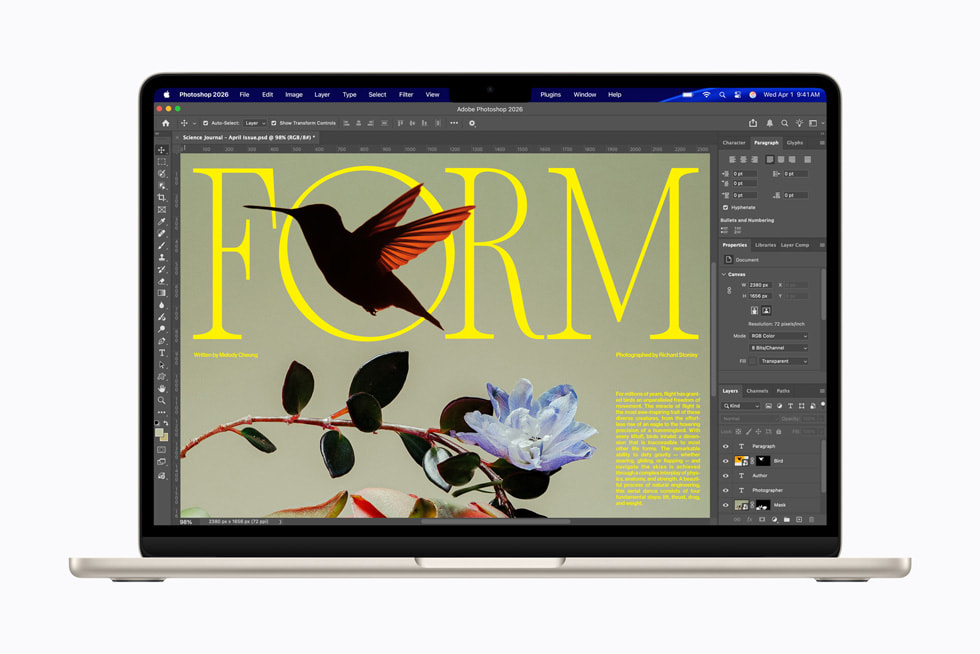
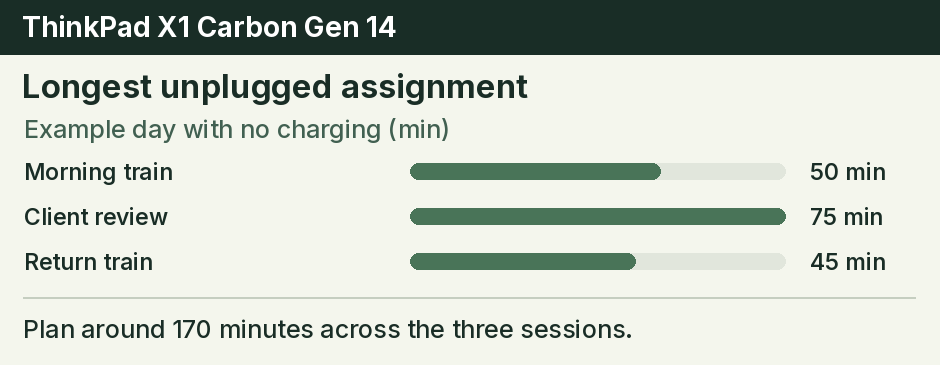
    Workload evidence Sensible response Response that needs stronger justification
    Normal documents and calls fit comfortably in the current machine Choose sufficient capacity for the measured routine Paying for maximum memory solely because it appears more professional
    Memory pressure repeatedly interrupts current work Obtain a configuration with more usable memory, or plan a supported upgrade Buying the smallest fixed-memory configuration and hoping storage compensates
    New local tools are planned but requirements remain uncertain Examine an upgradeable model or a machine with confirmed headroom Assuming the platform’s AI branding establishes suitability
    The employer provides a remote workstation Verify the connection client and local meeting workload Buying a powerful local GPU that the actual workflow will not use

    The Framework is a strong candidate when future changes and owner maintenance are part of the plan. It is less compelling when the owner wants no involvement in repairs, or the employer supports only a fixed approved-device list. Upgradeability creates an option; it does not remove the need for a service strategy.
    Interruption two: the accessory arrangement is incomplete

    ASUS Zenbook S14 UX5406AA. Planning for interruptions. Leave the dock at home for the rehearsal. List the devices that can still connect directly.
    ASUS product reference

    Imagine arriving at a temporary desk with an HDMI display, USB-A keyboard receiver and an analog headset. The S14 AA has connections for all three categories, alongside two Thunderbolt 4 sockets. The X1 Carbon Gen 14 similarly provides HDMI, USB-A and audio. 3 That is a tangible operational advantage when those are the devices being used.

    The Yoga, with three Thunderbolt 4 ports, takes a different approach. Its direct connection inventory excludes HDMI, USB-A and analog audio. 5 A tested adapter or compact hub can make the arrangement entirely workable, particularly if the journey is known in advance. The relevant concern is what happens if that one accessory is forgotten, misplaced or incompatible with the room.

    Do not turn this into an unsupported failure-rate argument. There is no evidence here that one brand’s ports fail less often. The comparison concerns dependency: how many separate items are necessary before work can start, and whether an alternative connection remains available.

    Travel task A practical primary route A sensible fallback to evaluate
    Present a slide deck Known display connection with the intended adapter, if required A permitted export format or a second available display route
    Join a confidential call Supported headset and the correct application input/output selection A second approved audio device
    Use a local wired connection Employer-approved Ethernet adapter, where required A permitted alternative network route
    Work at a desk supplying USB-C power Verified monitor/dock and suitable cable The laptop’s compatible charger

    Microsoft’s USB-C guidance distinguishes cable, charging and display-mode compatibility. 8 A connector that fits may still be the wrong cable for a particular display function. Keep the cable supplied or specified for the connection, rather than replacing it with any cable that happens to charge a phone.

    The S14 is therefore an appealing continuity choice for a worker whose destinations use mixed equipment. The Yoga can be the better carrying choice when the accessory plan is stable and verified. Neither conclusion requires claiming one machine is universally better.

    Interruption three: the network becomes unavailable

    A fast Wi-Fi specification cannot make an unavailable internet connection usable. A remote desktop, browser service and online-only project folder can all become inaccessible at the same time, regardless of the laptop’s processor.

    Prepare an offline working set: the documents, source material, references and installed tools required for a defined period. In OneDrive, Microsoft distinguishes online-only files from items explicitly kept on the device. Files marked “Always keep on this device” are downloaded for offline use. 9 Treat that setting as part of preparation, then test the important files without a connection.

    Storage planning follows from this. A light notebook with a small SSD may be sufficient for browser-led work but less convenient when travel requires locally storing several projects. The working set should also leave space for application updates, temporary files and the ordinary changes that occur during a trip. There is no universal percentage that makes every disk adequate; estimate the actual material and allow practical headroom.

    Offline trial What to do What a successful result tells you
    Project documents Open representative files after disconnecting The necessary files are local and readable
    Specialist application Launch the licensed program and a normal project The tested workflow can begin without the usual connection
    References and media Open the required materials, not just their folder names They are present rather than placeholders
    Deliverable export Produce the format the client expects You can complete that part of the job before reconnecting

    The Dell XPS 13 Core 5 320/16GB/512GB offer and Framework’s Ryzen AI 5 340/16GB/256GB base prebuilt illustrate why similar prices can hide different storage decisions. Their checked US prices are $1,049.99 and $1,049 respectively, but those are not identical configurations. 10 The Framework supports a later storage change; that still involves buying and installing a suitable drive. Compare the capacity needed today before treating either headline as the better value.

    Remote computing remains a valid way to separate a light client from a powerful workstation. It becomes a weaker plan when every important task requires an unavailable connection. Choose which tasks can continue locally, and confirm that the organization’s policies permit those files to be stored on the laptop.

    Interruption four: a long unplugged period replaces the normal desk day

    The X1 Carbon’s strongest evidence in this context concerns a particular IPS review configuration. Notebookcheck’s 21V70075GE, with Core Ultra 5 325, 32GB, 512GB and an IPS display, ran for 23 hours 13 minutes in its 150-nit WLAN test and weighed 1,139g. 12 That gives a buyer a specific configuration to investigate.

    The Yoga review offers a contrasting trade-off: a 978g Core Ultra 7 355, 32GB, 1TB OLED sample achieved 10 hours 36 minutes in the cited WLAN test. 13 Neither result estimates a full day of video calls, tethering, large downloads or local processing. The evidence supports a difference in those reviewed samples, rather than an endurance hierarchy covering every machine sold under either name.

    This matters for continuity because the typical desk can hide a weak match. A laptop may stay charged every normal day, then face one long sequence of travel and appointments. Buying only for the normal day can leave that exceptional but important day poorly served.

    Your work pattern More useful priority Candidate worth examining
    Several opportunities to recharge, frequent carrying Low mass and a known power arrangement Yoga Slim 7i Ultra
    Uncertain access to sockets for a substantial work period Identified endurance-oriented configuration IPS X1 Carbon close to the reviewed specification
    Mostly fixed desk, occasional short journeys Adequate runtime plus peripheral convenience S14 or another correctly configured supported platform

    A purchasing trial should reproduce your own sequence: the required applications, usual brightness, call duration and connection type. Record how much reserve remains at the point when charging would next be possible. That is more useful than multiplying a browsing result by an arbitrary percentage and labeling it a realistic working-day estimate.

    Interruption five: a replacement machine is needed

    Put a clock on the loaner promise. In an illustrative schedule a loaner arrives at 11:50, enrollment takes 35 minutes, the local work folder takes another 25 minutes to restore and opening and checking the client file takes 15. If the steps must run in sequence, the file is ready at 13:05. A 13:00 delivery is already late even though the machine arrived before noon. Replace each estimate with a time from your own rehearsal. If sign-in requires a second factor held on the missing laptop, resolve that dependency with IT before counting any minutes at all.

    Apple MacBook Air M5. Planning for interruptions. Open the shared project on the fallback Mac. Verify the working file and its sign-in method.
    Apple product reference

    Repairability and recoverability answer different questions. Repairability concerns the route back to a functioning computer. Recoverability concerns access to files, credentials, settings and applications, including when the original computer is absent.

    Framework’s component documentation is useful to an owner planning replacement of a supported part. 7 It does not guarantee that a part will be locally available during a trip. Similarly, an enterprise laptop may be offered with several service choices. The actual service document, not the family reputation, determines what has been purchased.

    For a Mac-based worker, Apple’s Time Machine documentation provides a concrete local backup route. Apple describes backing up to external storage and restoring from a backup. 14 A backup disk kept in the same lost bag is a separate practical vulnerability; the broader plan should account for the risks and policies of the work involved.

    For Windows devices using BitLocker, the recovery key needs its own plan. Microsoft’s recovery guidance explains the supported places a key may have been saved and the consequences of not finding it. 15 The useful buying step is to confirm who controls recovery access—yourself or the organization—and how to obtain it when the main laptop is unavailable. Do not create insecure copies merely to make them convenient.

    Item to recover Question to resolve in advance Why a new laptop alone is insufficient
    Current work Is there an up-to-date, usable backup permitted by policy? Replacement hardware does not recreate missing files
    Device encryption access Who can provide the required recovery credentials? A disk may remain inaccessible without them
    Business applications Can licenses and installers be transferred or reissued? Purchasing hardware does not establish software entitlement
    Managed access Can IT enroll and authorize the replacement? A personally bought substitute may not be permitted to connect
    Peripheral setup Are essential settings and connection requirements documented? Recreating the desk can take additional work

    The Air is an attractive choice when macOS is supported and its fanless, portable design matches the job. 2 The ThinkPad can be attractive when it is already part of an organization’s approved fleet and the offered support fits the travel pattern. Framework can be attractive when owner maintenance is feasible. These are three different continuity plans, not a reliability league table.

    Windows on Arm: check the entire access chain

    ASUS Zenbook A14 UX3407NA. Planning for interruptions. Try the approved security client on Windows Arm. Check that the backup login still reaches the work.
    ASUS product reference

    The Zenbook A14 UX3407NA provides a different lightweight route: ASUS identifies an X2 Elite X2E88100 configuration, 32GB memory, a 14-inch 1920 × 1200 non-touch OLED screen and a 990g weight. 6 The distinction that matters for business continuity is Arm Windows rather than Intel or AMD x86 Windows.

    Microsoft explains that many Windows applications can run through emulation, while device drivers need appropriate Arm support or built-in support. 16 A web application opening successfully therefore does not establish that an organization’s VPN, endpoint software, printer, specialist peripheral or remote-access arrangement is ready.

    Apply the same compatibility standard to every platform. A Mac also needs supported business applications and peripherals. An x86 Windows machine still needs the correct OS edition, drivers and management approval. The A14 should be neither rejected through outdated assumptions nor recommended through a vague claim that all Windows software works.

    The practical route is a current, written compatibility check followed by a representative trial. If the supported stack passes, it belongs on the shortlist. If one essential component has no supported route, choose another platform even if the A14 would otherwise suit the carrying requirement.

    Budget for the complete arrangement, including the fallback

    The fair price is the cost of a configuration that can do the required work. Add memory and storage choices, a necessary OS edition, charging hardware, adapters, a permitted backup route and the service entitlement you actually intend to buy. Do not add unrelated extras just to make one competitor appear expensive.

    Cost component What to enter in a buying worksheet Comparison rule
    Laptop Exact model, configuration and seller quote Use the same date and market
    Mandatory connections Only adapters, cables or dock needed for your job Count what must be bought rather than what is already usable
    Software and management Required licenses, edition or enrollment costs Separate existing entitlements from new spending
    Backup and recovery The chosen permitted storage or service arrangement Compare a usable plan, not a token accessory
    Repair or replacement provision Written coverage and any available loaner arrangement Do not assume every service label promises the same outcome

    An illustrative calculation helps clarify priorities. Suppose a configuration upgrade costs $200, while one avoidable interruption would cost your business $100 per working hour. The upgrade would equal two hours of that hypothetical interruption cost. This arithmetic does not prove the upgrade prevents the event, or that the hours apply to your work. It shows why a cheap purchase and an economical ownership plan can differ.

    A self-maintained Framework may reduce the need to buy maximum memory immediately. A direct-port S14 may avoid a required hub. A configured IPS ThinkPad may suit an unusually long unplugged schedule. A Yoga may reduce the burden of frequent carrying. An Air may match an established macOS environment. The worthwhile saving depends on which problem is actually present.

    A focused decision before the return period ends

    Trial Keep the machine when… Reconsider when…
    Normal workday Required software, meetings and peripherals behave as expected An essential function depends on an unsupported workaround
    Travel setup The packed accessories connect at the intended destination A necessary item was omitted from the cost or weight calculation
    Offline task Required files and licensed tools are available Important folders contain only online placeholders
    Unplugged session There is sufficient reserve for your realistic charging gap The workload exhausts the practical reserve
    Recovery review Backup, credential and replacement routes are understood The whole plan assumes the original computer will always be accessible

    Choose the machine with the strongest fit to those checks, rather than a generalized claim that one brand is safest. For a worker maintaining equipment over time, Framework has a clear structural advantage in memory replacement. For mixed destination desks, S14’s direct connections are useful. For frequent carrying within a stable USB-C setup, the Yoga’s weight proposition is persuasive. For a long unplugged routine, the specifically documented IPS X1 Carbon deserves close attention. For a supported macOS workflow, the Air remains a practical fanless alternative.

    For a deeper platform decision, see Portable Laptop Guide’s comparison of Windows x86, Arm, macOS and remote-work performance. Settle the supported work environment first; then compare the hardware needed to keep that environment available.

    Sources

    1. Framework Laptop 13 AMD Ryzen AI 300 specifications — the 2025 model, with generation-specific expansion and memory documentation.
    2. Apple MacBook Air M5 specifications and Apple’s M5 introduction — platform, design and memory choices.
    3. ASUS Zenbook S14 specifications — use the UX5406AA column.
    4. ThinkPad X1 Carbon Gen 14 PSREF.
    5. Yoga Slim 7 Ultra 14IPH11 PSREF.
    6. ASUS Zenbook A14 specifications — use the UX3407NA column, not NA-CG or older generations.
    7. Framework Laptop 13 downloads and guides and AMD Ryzen AI 300 setup guide.
    8. Microsoft USB-C troubleshooting.
    9. Microsoft OneDrive Files On-Demand and offline availability.
    10. Dell US XPS 13 DX13260 offers — Core 5 320/16GB/512GB/Home/Storm quotation checked 9 November 2026, before tax.
    11. Framework US AMD prebuilt comparison — base configuration and price checked 9 November 2026.
    12. Notebookcheck X1 Carbon Gen 14 IPS review.
    13. Notebookcheck Yoga Slim 7 Ultra 14IPH11 review.
    14. Apple: back up a Mac with Time Machine.
    15. Microsoft: find a BitLocker recovery key.
    16. Microsoft Windows Arm-based PCs FAQ.
  • Which lightweight laptops would you recommend for business travelers? 7 Picks for Client Meetings and Unfamiliar Conference Rooms

    Laptop comparisons

    By GAC Motoring · Republished by Portable Laptop Guide

    For business travelers who present in different offices, the ASUS Zenbook S14 UX5406AA and Lenovo ThinkPad X1 Carbon Gen 14 deserve the first comparison because they combine a light chassis with HDMI, USB-A and wired audio. The Lenovo Yoga Slim 7i Ultra is a stronger fit when low carrying weight matters more and the traveler already has a verified USB-C presentation kit. MacBook Air, Zenbook A14, Framework Laptop 13 and Dell XPS 13 address different operating-system, serviceability and space requirements. The useful question is which machine can join your meeting with the fewest unsupported assumptions.

    Ask the room contact for three details: where the display cable emerges, where the presenter stands and how the far end hears a question. A client may supply an HDMI lead at the left edge of the table and a USB conference camera tied to the right. Native ports can save an adapter yet still leave a short lead stretched across the presenter’s notes. Sketch those cable runs before choosing from the seven machines below.

    This guide compares seven identifiable product families through that meeting-room problem. Product specifications come from manufacturer documentation; the limited battery evidence is attributed to the original review samples. Recommendations are editorial judgments about the documented connections and the stated use case. Documentation was checked on 9 November 2026. Prices, delivery dates and support entitlements should be confirmed on the final country-specific order.

    The shortlist at a glance

    The sequence groups different solutions rather than assigning an overall performance rank. “Best fit” is conditional on the need in the same row.

    Laptop Best fit in this selection Connection advantage Main condition before ordering
    Lenovo Yoga Slim 7i Ultra, Gen 11 / 14IPH11 Minimum carrying weight with an Intel Windows environment and a prepared adapter kit Three Thunderbolt 4 ports No integrated HDMI, USB-A or 3.5mm audio
    ASUS Zenbook S14 UX5406AA Changing meeting rooms with conventional presentation equipment HDMI, USB-A, audio and two Thunderbolt 4 ports Check the AA configuration; older SA specifications differ
    Lenovo ThinkPad X1 Carbon Gen 14 Presenters who also need documented IPS-sample endurance HDMI, USB-A, audio and three Thunderbolt 4 ports IPS and OLED configurations have materially different weight and runtime evidence
    Apple MacBook Air 13-inch M5 A macOS-approved travel workflow with quiet operation MagSafe charging leaves both Thunderbolt ports available HDMI and USB-A require additional hardware
    ASUS Zenbook A14 UX3407NA Very light Windows travel after an Arm compatibility check HDMI, USB-A, audio and two USB4 ports Validate required applications, security software and device drivers
    Framework Laptop 13, AMD Ryzen AI 300 Owners who want to select ports and replace components Four configurable Expansion Card bays Card selection and bay positions determine the available connections
    Dell XPS 13 DX13260 A compact Windows machine used with a known presentation adapter Small footprint; Core Ultra variants provide Thunderbolt 4 Core and Core Ultra versions do not have the same ports or memory limits

    How to read the product cards

    Each specifications table describes the named family or variant, rather than combining the cheapest CPU with another configuration’s display or weight. An advertised starting weight is labeled as such. The purchase links open manufacturers’ own selection or product pages; they are not claims that a particular offer is the cheapest available.

    The practical pass/fail checks are simple: approved software, enough usable ports while charging, the correct video path, and a workable backup for the presentation. Screen quality and processor speed matter after those requirements are satisfied. A fast machine that cannot run the organization’s endpoint agent or connect to the room is an unsuitable business purchase.

    1. Lenovo Yoga Slim 7i Ultra — best for a prepared, low-weight presentation kit

    Lenovo Yoga Slim 7i Ultra. Client meeting rooms. Pack the Yoga’s working display adapter with it. Rebuild the audience view without borrowing a hub.
    Lenovo product reference

    Specifications

    Item Documented reference
    Platform Intel Core Ultra Series 3; choose the exact processor
    Graphics Core Ultra 7 355 uses Intel Graphics; X7/X9 options use Arc B390
    Memory / storage 16GB, 32GB or 64GB soldered memory; one M.2 2242 SSD slot
    Screen 14-inch 2880 × 1800 OLED touchscreen, 120Hz; no active-pen support
    Weight / battery Starting at 975g; 75Wh
    Connections Three Thunderbolt 4; no HDMI, USB-A or 3.5mm audio

    Reasons to buy / reasons to consider alternatives

    Reasons to buy Reasons to consider alternatives
    A documented sub-kilogram starting point with a 14-inch screen Standard HDMI leads and USB-A receivers need adapters
    Three Thunderbolt ports provide options when one is used for power A wired analog headset also needs an adapter or USB audio interface
    Intel Windows platform avoids the separate Windows-on-Arm driver question The OLED review sample is not the endurance leader in the evidence set

    Buy it if / skip it if

    Buy it if Skip it if
    You carry the machine between several sites and already own a tested HDMI/USB-A hub You want to arrive at arbitrary rooms without taking a conversion accessory
    Your organization approves the selected Windows configuration A full travel day must be completed with no dependable charging opportunity

    The Yoga’s advantage is concrete: a large-enough presentation workspace at low bare-laptop mass. Three Thunderbolt ports also give it more simultaneous connection choices than a two-port design. That does not make every hub arrangement sensible. If an HDMI adapter is next to a large USB receiver and the power lead, check that the physical plugs fit without blocking each other.

    For a consultant who keeps one verified adapter in the bag, the lack of built-in legacy connections can be an acceptable exchange. For someone who borrows accessories at every stop, it creates avoidable dependencies. Neither user should infer graphics performance from the series name: the Core Ultra 7 355 configuration is not the Arc B390 version.

    Notebookcheck’s 978g Core Ultra 7 355 review sample achieved 10 hours 36 minutes in its WLAN test. That is useful evidence for that sample, not a promise for video calls or a different processor. Select this machine because its weight and your working connection chain match, rather than because an opening position implies universal superiority. Original review.

    2. ASUS Zenbook S14 UX5406AA — best for direct connections in changing rooms

    ASUS Zenbook S14 UX5406AA. Client meeting rooms. Trace the room’s HDMI and USB leads to the S14. Check reach while someone sits beside the presenter.
    ASUS product reference

    Specifications

    Item UX5406AA reference
    CPU / graphics Core Ultra 7 356H or Ultra 9 386H; Intel Graphics
    Memory / storage 32GB onboard; 1TB SSD listed; one M.2 2280 PCIe 4.0 slot
    Screen 14-inch 2880 × 1800 OLED touch, 120Hz
    Weight / battery 1.20kg; 77Wh
    Connections Two Thunderbolt 4, HDMI, USB-A and 3.5mm audio

    Reasons to buy / reasons to consider alternatives

    Reasons to buy Reasons to consider alternatives
    Connects conventional display, receiver and headset without a multiport hub Heavier than the Yoga’s stated starting configuration
    Leaves Thunderbolt available when the display uses HDMI Memory is fixed after purchase
    A practical mix for a presentation followed by a desk session A high-resolution glossy touch panel will not suit every lighting environment

    Buy it if / skip it if

    Buy it if Skip it if
    HDMI screens and USB-A meeting accessories are routine Every gram matters and your whole workflow is already USB-C
    You want one machine for client visits and subsequent spreadsheet work Your workload needs a discrete GPU or RAM upgrades later

    The S14 is the more straightforward recommendation when the room’s connection standard is unknown but conventional. A display cable, presentation receiver and wired headset have their own physical connections. The meaningful benefit is fewer conversions, not a guarantee against faulty room equipment.

    Compare the AA version carefully with the older SA column on ASUS’s combined specification page. Processor, graphics and other details can change across those columns. The Ultra 9 386H does not become an Arc B390 machine merely because both belong to the same processor generation.

    The original 2026 review tested an Ultra 9 386H configuration and reported 16 hours 11 minutes in the WLAN test. It also identified higher noise at full CPU performance. A connection-friendly machine can still require a quieter power profile during a call; the review should not be summarized as an unconditional premium-performance win. Original review.

    3. Lenovo ThinkPad X1 Carbon Gen 14 — best for connecting directly and prioritizing IPS-sample endurance

    ThinkPad X1 Carbon Gen 14. Client meeting rooms. Select the X1 panel quoted for the meeting day. Rehearse without wall power using the client kit.
    Lenovo product reference

    Specifications

    Item Configuration boundary
    CPU / graphics Intel Core Ultra Series 3; graphics depend on processor
    Memory / storage Soldered memory options; one M.2 2280 SSD slot
    Screen 14-inch IPS touch or OLED options; choose before comparing runtime
    Weight / battery Advertised starting weights depend on chassis; 58Wh
    Connections Three Thunderbolt 4, HDMI, USB-A and 3.5mm audio

    Official buying options

    Lenovo product selection · PSREF.

    Reasons to buy / reasons to consider alternatives

    Reasons to buy Reasons to consider alternatives
    Direct connections cover common presentation and headset equipment Family starting weight does not describe the IPS test sample
    Strong published endurance evidence for one identifiable IPS configuration A high quote requires justification against alternatives and actual service terms
    Three Thunderbolt ports offer additional docking flexibility OLED runtime cannot be represented by the IPS result

    Buy it if / skip it if

    Buy it if Skip it if
    You give presentations between long periods without a socket You expect the lightest OLED version to reproduce the IPS result
    Your procurement team can specify panel, operating system and support together You are paying for business support without a written entitlement you can use

    The most useful comparison here is between two configurations inside the family. Notebookcheck’s 21V70075GE, with Core Ultra 5 325, 32GB, 512GB and IPS touch display, weighed 1,139g and lasted 23 hours 13 minutes in its 150-nit WLAN test. The review’s separate OLED discussion shows why the lightest version and the longest runtime must not be merged into one imaginary machine.

    For client work, that IPS configuration provides a persuasive combination of direct connections and light-web endurance. The evidence supports putting it ahead of the Yoga when outlet access is the deciding concern. It does not establish the same advantage during constant conferencing, nor prove that every country offers that exact SKU.

    Business branding should also trigger questions, not assumptions. Put the required operating-system edition, repair location, response conditions and accidental-damage coverage on the quote. A service advertised elsewhere is not automatically included. Original IPS and OLED review.

    4. Apple MacBook Air 13-inch M5 — best for an approved macOS presentation workflow

    Apple MacBook Air M5. Client meeting rooms. Play the embedded clip on the actual Mac deck. Confirm the audience sees the slide and hears audio.
    Apple product reference

    Specifications

    Item 13-inch M5 reference
    CPU / graphics M5, 10-core CPU; 8-core or 10-core GPU configurations
    Memory / storage 16GB base, configurable to 24GB or 32GB; 512GB base storage
    Screen 13.6-inch 2560 × 1664 IPS, non-touch
    Weight / cooling 1.23kg; fanless
    Connections Two Thunderbolt 4, MagSafe and 3.5mm audio; no HDMI or USB-A

    Reasons to buy / reasons to consider alternatives

    Reasons to buy Reasons to consider alternatives
    Fanless cooling avoids laptop-fan noise during a quiet call The employer must approve macOS and its application workflow
    MagSafe can leave both Thunderbolt ports available Presentation receivers and HDMI screens require conversion hardware
    Wired audio connection is retained Memory and storage should be chosen for the ownership period

    Buy it if / skip it if

    Buy it if Skip it if
    Your documents, conferencing client and endpoint software work on the chosen macOS version A required Windows-only tool or managed image is mandatory
    You prefer a quiet machine and have checked an HDMI adapter You need extended heavy computation from a fan-cooled workstation

    The Air’s practical distinction is the relationship between charging and accessories. A MagSafe lead does not consume either Thunderbolt port. That can make a display-plus-accessory arrangement simpler than its raw two-port count suggests. It still needs an HDMI conversion path at a conventional projector.

    Before an external presentation, open the actual deck with its fonts, embedded media and presenter view on the intended software. Cross-platform file compatibility is an organizational question, not something established by the ability to open the filename. The same applies to signatures, VPN access and controlled document repositories.

    The original 16GB/512GB, 8-core-GPU review sample achieved 16 hours 11 minutes in its 150-nit WLAN test. Its fanless construction is a clear acoustic advantage, but should not be used to imply unlimited sustained performance. Original review.

    5. ASUS Zenbook A14 UX3407NA — best for low weight and direct ports after an Arm check

    ASUS Zenbook A14 UX3407NA. Client meeting rooms. Visit a wired room using the managed Arm account. Keep the result with the approved accessory list.
    ASUS product reference

    Specifications

    Item UX3407NA reference
    Platform Snapdragon X2 Elite X2E88100; Windows on Arm
    Memory / display 32GB in the standard NA column; 14-inch 1920 × 1200 OLED, 60Hz, non-touch
    Weight / battery 990g; 70Wh
    Connections Two USB4, HDMI, USB-A and 3.5mm audio
    Variant warning NA-CG, QA and RA columns do not share all these specifications

    Reasons to buy / reasons to consider alternatives

    Reasons to buy Reasons to consider alternatives
    Low stated weight without deleting HDMI and USB-A Driver-dependent accessories require explicit Arm64 support
    Useful wired-audio option for calls App emulation does not establish compatibility for every endpoint agent
    A genuinely different answer to the low-weight connection problem A matching, unambiguous battery result is not included in this comparison

    Buy it if / skip it if

    Buy it if Skip it if
    Your IT team has approved the complete Arm workflow and accessories Approval is based only on the fact that a familiar application launches
    You want direct legacy ports in a light machine A required driver, plug-in or corporate security product is unsupported

    The A14 prevents a misleading conclusion that a near-kilogram laptop must require a hub for everything. Its direct-port mix makes it a serious competitor to the Yoga for a presenter. The difference that must be resolved is platform compatibility rather than a vague preference for one processor brand.

    Microsoft distinguishes ordinary application emulation from device-driver compatibility. A USB-A socket can physically accept a security key, conference camera or specialist receiver without proving the driver stack works. Ask the software or hardware vendor about the exact product and Windows release; then verify the complete meeting setup.

    This guide leaves the A14 out of the measured-runtime comparison because the available X2 review’s model label does not cleanly match the manufacturer’s UX3407NA identifier. The absence is an evidence limit, not a poor endurance result. Microsoft’s Windows on Arm FAQ.

    6. Framework Laptop 13 AMD Ryzen AI 300 — best for choosing the connection layout

    Framework Laptop 13. Client meeting rooms. Put the required Framework card on the cable side. Check that the adjacent plug still fits.
    Framework product reference

    Specifications

    Item AMD Ryzen AI 300 reference
    Form / weight 13.5-inch 3:2 display; 1.3kg manufacturer reference
    Connections Four selectable Expansion Cards plus 3.5mm audio
    Port placement Rear two bays support USB4; front two support USB 3.2, with display and power functions documented by Framework
    Ownership distinction Replaceable memory and SSD; separately selectable cards
    Purchase boundary Prebuilt and DIY packages contain different components

    Reasons to buy / reasons to consider alternatives

    Reasons to buy Reasons to consider alternatives
    Select HDMI, USB-A and USB-C connections for the actual itinerary Configurable does not mean every desired port fits simultaneously
    Replace a damaged or obsolete card rather than living with one fixed layout Heavier than the sub-kilogram alternatives
    Ownership choices suit a technically involved buyer DIY headline cost is not a complete ready-to-use Windows price

    Buy it if / skip it if

    Buy it if Skip it if
    You want control over both connection layout and future component replacement You want the smallest possible travel kit with no configuration work
    You can maintain the machine or have someone who can You assume consumer repairability includes a particular on-site service commitment

    Framework changes the purchasing question from “which ports did the designer keep?” to “which four cards should this trip use?” A sensible presentation arrangement might prioritize HDMI, USB-A and USB-C for power. A wired-network requirement can change that mix again. Draw the complete layout before buying cards, including the connection used for charging.

    The rear-versus-front distinction matters if a dock or fast accessory requires USB4. A USB-C shape in a card bay is not sufficient to establish the same capabilities in every position. Keep a photograph of the preferred layout with the travel packing list to avoid leaving an essential card in another bag.

    Repairability is a useful ownership characteristic, but it is not a measured failure rate or a promise of same-day parts availability abroad. Travelers who value self-maintenance should also decide where they can obtain replacements and whether the employer permits user repair.

    7. Dell XPS 13 DX13260 — best for a small workstation with a verified adapter

    Dell XPS 13 DX13260. Can the meeting cable reach?. Illustrative cable length and routing. Available cable: 80 cm, Across the table: 55 cm, Turn to the laptop port: 30 cm. Route length is 85 cm, leaving a 5 cm shortfall.
    Dell product reference

    Specifications

    Item DX13260 boundary
    Screen / footprint 13.4-inch 2560 × 1600 touch; 296.9 × 200.66mm footprint
    Core configuration Core 5 320; two USB-C 10Gbps ports; fixed memory up to 16GB
    Core Ultra configuration Different processor/memory options; two Thunderbolt 4 ports
    Connections missing HDMI, USB-A and 3.5mm audio
    Battery 52Wh

    Reasons to buy / reasons to consider alternatives

    Reasons to buy Reasons to consider alternatives
    Compact footprint helps on a narrow meeting table Two connections make simultaneous power and peripherals worth planning
    Different configurations serve different budget and memory needs The cheaper Core version does not inherit Core Ultra Thunderbolt support
    Identifiable Core 5 battery evidence exists Its tested 8GB configuration is not a recommendation for demanding multitasking

    Buy it if / skip it if

    Buy it if Skip it if
    You have a compact adapter that has passed your presentation rehearsal Your requirements depend on many direct connections
    You have checked both port capabilities and fixed-memory capacity You expect to add RAM after purchase

    Dell’s useful distinction is workspace size. The chassis can fit where a wider computer leaves less room for documents or a mouse. That benefit is independent of whether a traveler should buy Core or Core Ultra.

    Be particularly careful with inexpensive listings. The Notebookcheck test used Core 5 320, 8GB and 512GB and recorded 18 hours 26 minutes in the WLAN test. That result cannot validate the performance of a heavier workload, and should not be presented as the runtime of the Core Ultra configuration. Choose the memory capacity for the actual meeting application, browser session and business software running together.

    A hub with pass-through charging may help a two-port machine, but verify its display output and delivered power together. Buying a connector count is not equivalent to buying a working end-to-end setup. Original review.

    Count the connections that remain while the meeting is running

    The following is an editorial port-occupancy calculation, not a hardware test. The assumed simultaneous task uses the laptop charger, an HDMI display, a USB-A presentation receiver and a wired analog headset. Each conversion uses a separate single-function adapter; a suitable multiport hub can change the result.

    Laptop Connections occupied in that assumed setup What remains or must change
    Yoga Slim 7i Ultra Three Thunderbolt ports used for power, HDMI adapter and USB-A adapter Analog audio needs another path, so replace one adapter with a suitable hub or use supported USB/Bluetooth audio
    Zenbook S14 AA One Thunderbolt for power; built-in HDMI, USB-A and audio One Thunderbolt remains
    X1 Carbon Gen 14 One Thunderbolt for power; built-in HDMI, USB-A and audio Two Thunderbolt remain
    MacBook Air M5 MagSafe, one Thunderbolt HDMI adapter, one Thunderbolt USB-A adapter, built-in audio Both Thunderbolt ports are occupied; another data device requires a hub or a different arrangement
    Zenbook A14 NA One USB4 for power; built-in HDMI, USB-A and audio One USB4 remains
    Framework 13 AI 300 USB-C power card, HDMI card and USB-A card; built-in audio One of four bays remains; place USB4-dependent devices in a supported rear bay
    XPS 13 DX13260 Both USB-C-shaped ports occupied by power and HDMI conversion Receiver and analog audio require a different arrangement, normally a suitable multiport/audio solution

    This explains why three Thunderbolt connectors are helpful without making them equivalent to three full sets of legacy connections. It also shows why counting the Air’s MagSafe separately matters. Change the assumption to a USB-C monitor that supplies sufficient power and has compatible downstream ports, and the preferred arrangement can change again.

    Build the meeting setup before comparing checkout totals

    Requirement Direct-port route Adapter route Evidence to check
    HDMI room display S14, X1 Carbon, A14; selected Framework card Yoga, Air, XPS via a suitable video adapter Supported output resolution, refresh rate and actual presentation software
    USB-A receiver or camera S14, X1 Carbon, A14; selected Framework card USB-C conversion or multiport hub Driver support, especially on Arm
    Wired analog headset Direct audio on S14, X1 Carbon, Air, A14, Framework USB audio or another compatible conversion on Yoga/XPS Microphone and output routing inside the call application
    Power at the same time Dedicated MagSafe on Air, or a suitable charging port Compatible pass-through power if the hub is used Laptop power requirement, charger output and hub limits
    Wired network External solution or selected Framework Ethernet card Supported USB Ethernet device or dock Required driver and corporate network approval

    Intel documents Thunderbolt 4 as a defined connectivity standard, while Microsoft’s troubleshooting guidance makes clear that a working video path depends on the computer, adapter, cable and display. The table identifies the path to check; it does not certify an arbitrary combination. Intel connectivity explanation · Microsoft USB-C troubleshooting.

    Evaluate the final basket rather than ranking incomparable headline prices. Include the selected memory, operating system, presentation adapter, suitable power supply and any required support contract. Existing equipment can change the result: a Yoga owner who already has a validated kit faces a different incremental cost from a first-time buyer assembling everything from scratch.

    A bounded US price check

    These manufacturer-page observations were checked on 9 November 2026, before sales tax. They are selected purchasable configurations, not matched performance tiers or a market-wide value ranking. The cost of required adapters, Windows edition changes and support belongs in the final comparison.

    Official reference Identified configuration Price observed Purchase interpretation
    Dell XPS 13 Core 5 320, 16GB, 512GB, Windows 11 Home, QHD+ touch $1,049.99 Does not inherit the Core Ultra version’s Thunderbolt ports
    Framework prebuilt Ryzen AI 5 340, 16GB (2 × 8GB), 256GB, Windows 11 Home From $1,049 Half the listed Dell/Apple storage; confirm selected cards and final basket
    Apple retail Silver 13-inch M5, 10-core CPU/8-core GPU, 16GB, 512GB, MDH74LL/A $1,299 A macOS option; availability must be confirmed at checkout

    A quote of the same memory and SSD capacity still does not equalize operating system, screen, repair provisions or sustained performance. No current numerical price is assigned to the other four choices because a similarly identified offer was not established for this table. Missing prices should narrow a value claim rather than be filled with a launch price or an unrelated retailer listing.

    The rehearsal that can change the recommendation

    Open a slide containing an edge-to-edge rectangle, a subtitle and a page number. Ask the person in the farthest chair to read the subtitle and identify all four corners. A 16:9 slide scaled to fit the full width of a 1024 × 768 projector uses 1024 × 576 pixels for the slide, leaving 192 vertical pixels unused, or 96 above and below when centered. If the corners disappear, check for a fill or zoom setting before rebuilding the deck. Then switch to the actual audience view and make sure your private speaker notes stay on the laptop.

    Run the real meeting sequence during the return window: connect power, attach the room display, join a call, select the correct camera and microphone, start screen sharing, then disconnect and reconnect the display. Try presenter view and a locally saved copy of the slides. This is a proposed buyer check, not a claim that every machine in this guide has passed it.

    A small laptop can look ideal until a hub hangs over the edge of a narrow table or a cable blocks the neighboring connector. Likewise, a direct HDMI port is helpful but does not prove the room’s chosen display input is correct. These are reasons to rehearse the chain rather than to award unsupported reliability scores to brands.

    If an employer requires an untested driver, reject the configuration provisionally even if its weight or display is attractive. Once software and connections pass, compare comfort, battery evidence, full kit mass and the written purchase terms.

    Questions business presenters ask

    Is the lightest laptop automatically the best travel choice?

    No. The relevant mass includes the accessories needed to do the job. The Yoga’s low starting weight is valuable with a compact verified kit; an S14 or A14 may simplify a routine HDMI-and-USB-A setup. Weigh both complete kits before deciding whether the difference matters to you.

    Does Thunderbolt 4 remove the need for a compatibility check?

    It provides a more defined starting point, but the particular dock, screen, cable and laptop still determine the working result. Check the display arrangement you need, not only the badge on the socket.

    Which would this guide choose for an unknown client room?

    For an approved Intel Windows workflow, start with the S14 and X1 Carbon. Choose the Yoga when carrying weight and a prepared adapter kit take priority. The A14 is a strong direct-port alternative after Arm approval. Choose the Air when macOS is the required or approved environment; consider Framework for configurable ownership and XPS for its compact working footprint.

    For a separate comparison focused on packing rather than room connections, see Portable Laptop Guide’s one-bag business-travel laptop guide.

    Sources

    Manufacturer product documents linked in the cards establish specifications; original Notebookcheck reviews establish only the identified sample measurements. Each model illustration links to its product reference. No universal star score or unverified “best deal” is assigned.