The Lenovo Yoga Slim 7i Ultra is a persuasive choice when an Intel Windows machine must be carried repeatedly and charging is predictable. When the itinerary includes long gaps between sockets, the tested IPS version of the ThinkPad X1 Carbon Gen 14 has stronger endurance evidence. Dell XPS 13, ASUS Zenbook S14 and MacBook Air 13 M5 offer other combinations of workspace, connections and operating system. The decision changes when you count the whole working kit and the longest interval before a dependable recharge.
A five-day trip does not require five days of battery life. A two-hour transfer can be more demanding than a whole hotel workday if the transfer is your only opportunity to finish a presentation and your charger is inaccessible. Conversely, a traveler who changes locations repeatedly but plugs in at each stop may benefit more from a lighter computer than from the highest published battery result.
This guide uses an itinerary, identifiable review samples and explicit mass calculations to separate those cases. It is not a prediction of performance on a real flight or a score for physical durability. Manufacturer specifications and original independent tests were checked on 9 November 2026. The schedule and accessory examples below are illustrative planning tools, not reported field experiments.
Start with the longest working interval, not the length of the trip
Write down when power is both available and usable. A socket that exists in the room but cannot be reached from the meeting table does not help during the session. Neither does an airline connection whose operation, permitted use or available power you have not established. Treat uncertain charging as an opportunity rather than a requirement on which the work depends.
For planning purposes, split the week into powered work, battery work and inactive carrying. The first changes cooling and workspace priorities. The second needs a credible runtime margin. The third makes complete kit mass more important. These are different quantities and should not be combined into a decorative overall score.
| Illustrative day | Work pattern to record | Buying question the day reveals |
|---|---|---|
| Monday: outbound journey and office arrival | A work session before a confirmed desk recharge; repeated carrying between transport and office | Is low kit mass worth more than keeping conventional connections built in? |
| Tuesday: several customer visits | Short sessions, a shared display and uncertain desk access between meetings | Can the machine work without borrowing an adapter or relying on a mid-day recharge? |
| Wednesday: longer rail or air transfer | One sustained offline work block with unknown socket availability | Which documented sample offers enough evidence to justify a closer trial? |
| Thursday: hotel work followed by a call | Long powered session, external screen if available, conferencing | Will the workspace and connections be comfortable, rather than merely light? |
| Friday: check-out, final meeting and return | Charger packed away early, work needed before the next confirmed socket | Can the final work interval be completed while keeping a practical reserve? |
Nothing in that schedule specifies how many hours a particular laptop will last. Instead it reveals the two or three sessions that the buyer should reproduce with the actual software during the return window. The right machine is the one that meets those sessions with a comfortable margin and an acceptable carrying load.
What the independent evidence actually describes
The following figures are from the named Notebookcheck review units. They share a WLAN browsing test category, but are not a single simultaneous test of matched retail configurations. Processor, panel, memory, operating system, firmware and test date vary. A result from light browsing is not a measured Teams, Zoom, CAD or flight-use result.
| Identifiable review sample | Sample memory / storage and panel | Measured laptop mass | Published WLAN runtime | Important boundary |
|---|---|---|---|---|
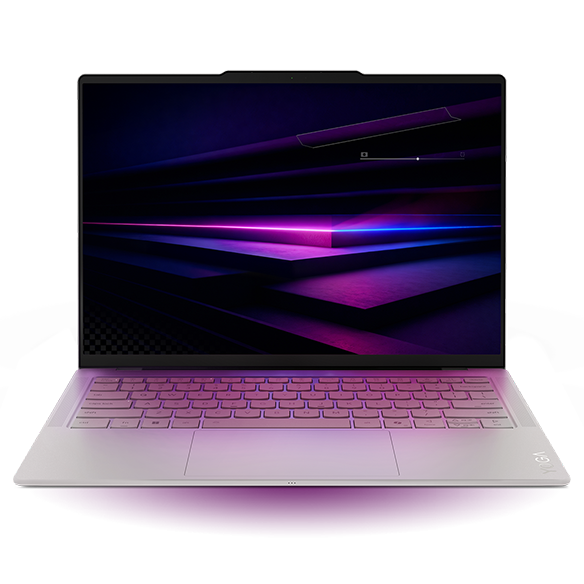
| Lenovo Yoga Slim 7 Ultra 14IPH11, Core Ultra 7 355 | 32GB / 1TB; 14-inch 2.8K OLED touch | 978g | 10h 36m | Not an X7/X9 graphics configuration; do not assume a different retail variant reproduces the result |
| ThinkPad X1 Carbon Gen 14, 21V70075GE, Core Ultra 5 325 | 32GB / 512GB; 14-inch IPS touch | 1,139g | 23h 13m | The cited IPS result is at 150 nits; it is not the result of the lighter OLED model |
| Dell XPS 13 DX13260, Core 5 320 | 8GB / 512GB; 13.4-inch QHD+ touch LCD | 1,062g | 18h 26m | Fixed 8GB test memory limits multitasking; not the Core Ultra version's runtime |
| ASUS Zenbook S14 2026, Core Ultra 9 386H | 32GB / 1TB; 14-inch OLED touch | 1,205g | 16h 11m | The review identifies a 150-nit WLAN test; power profile and heavy-load use matter |
| Apple MacBook Air 13 M5, 8-core GPU | 16GB / 512GB; 13.6-inch IPS | 1,230g | 16h 11m | The review identifies a 150-nit WLAN test; macOS and GPU/storage variants remain separate |
Sources: original reviews of Yoga, X1 Carbon, XPS, S14 and Air.
Notebookcheck describes the brightness control used in its general methodology. Where the particular review’s visible battery section does not establish every setting, this guide does not silently fill in the missing condition. Identical display refresh rates, versions of Windows or background activity are not established by putting the results in one table. Review methodology.
The defensible reading is narrower than “the ThinkPad lasts twice as long at work.” The IPS ThinkPad is the strongest lead for further evaluation of light-work endurance among these measured samples. The Yoga offers the lowest measured machine mass in this group. The table does not tell us which one provides more hours of your own presentation editing, cloud sync and video calls.
The carry-weight calculation changes when accessories change
Use this accounting identity:
Working kit mass = laptop + charger + power cable + required adapters + peripherals + protective case.
Add only things that you will actually carry. If two choices use the same mouse, headset and bag, those common items cancel when comparing their difference. If one requires a presentation hub while the other connects directly, the unequal accessories do not cancel. A spare charger left permanently at the office is not part of the carried kit.
The next table subtracts the measured Yoga mass from each other measured laptop mass. These are author calculations using the review figures above. They represent a break-even allowance for the net extra accessories carried with the Yoga, assuming the rest of the kits are equal. They are not measurements of chargers or hubs.
| Compared with the measured 978g Yoga sample | Other measured machine mass | Bare-machine difference | Interpretation before weighing accessories |
|---|---|---|---|
| XPS 13 Core 5 sample | 1,062g | 84g | A relatively small net accessory difference can reverse the kit order |
| X1 Carbon IPS sample | 1,139g | 161g | The Yoga stays lighter if its net additional carried items remain below 161g |
| Zenbook S14 sample | 1,205g | 227g | Direct HDMI/USB-A/audio can remove some accessories, but the actual net saving must be weighed |
| MacBook Air 13 M5 sample | 1,230g | 252g | Include both platforms' required adapters and the chosen charging leads |
For example, if one machine weighs 161g more and the alternative requires 100g of net additional equipment, the complete-kit difference becomes 61g. That is arithmetic for an explicitly hypothetical accessory difference, not a claimed weight for a real hub. If the net additional equipment is 200g, the order reverses by 39g. The practical next step is to put the actual items on a scale.
Do not add a 100g adapter every time the laptop is taken out of the bag. Mass is what you carry at one time, not a cumulative “five-day weight.” Repeated handling affects how useful a lower mass feels, but multiplying grams by days is not a physical measurement of strain. Avoiding that shortcut keeps the comparison useful.
Monday and Tuesday: when low mass earns its place
The Yoga Slim 7i Ultra is easiest to justify for a traveler whose work stays in an approved Intel Windows environment, who changes location frequently, and who can recharge at predictable stops. Its low machine mass remains a real advantage even though the rest of the kit must be counted. A 14-inch screen also gives it a different workspace proposition from a small 13-inch design.
That recommendation has clear limits. The Yoga carries three Thunderbolt 4 ports rather than integrated HDMI, USB-A or an analog headset jack. A traveler who routinely presents to conventional displays should pack a verified conversion path. The machine’s measured WLAN result is the shortest of the five samples in this table, so it should not lead the recommendation for an uncharged day simply because its mass leads the table.
The Zenbook S14 offers a different trade: carrying more machine in return for HDMI, USB-A and wired audio. If those connections let you remove a travel hub from the bag, the bare-machine difference overstates its carrying penalty. If you already carry a dock for other reasons, the port advantage may save setup time rather than mass. Both can be valid reasons; they should be described separately.
The Dell XPS 13’s strongest distinction in this stage is its compact footprint. A small base may fit a crowded customer desk more easily. Its Core 5 and Core Ultra configurations have different port capabilities, however, and the 8GB review unit is not the right default for an application-heavy business session. Confirm the memory and processor-specific port page before comparing a quote with the review.
Wednesday: when the longest gap between sockets takes priority
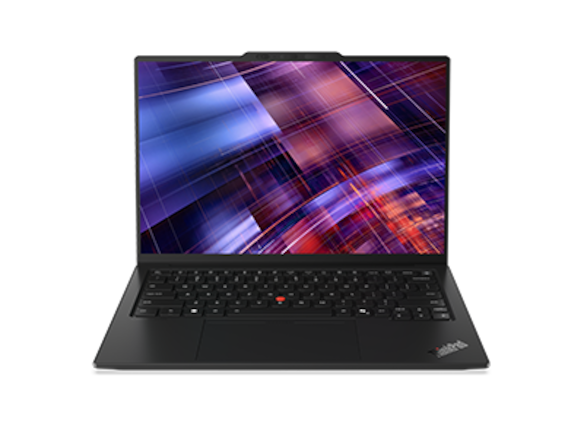
For a long period of light document or browser work, the X1 Carbon’s IPS result warrants serious attention. The measured unit is 161g heavier than the Yoga unit, but the independent evidence gives it a substantially larger browsing-runtime reference. A traveler who is more concerned about finishing a document before the next socket than about that mass difference has a rational reason to choose it first.
The panel is part of that conclusion. The original review also discusses a lighter OLED configuration with shorter endurance. Buying OLED while expecting the IPS measurement combines advantages that belong to different machines. Request the exact display specification and product code on the order, not merely the series name and processor generation.
A large difference between review results also does not remove the need for a margin. Video conferencing, local processing, bright surroundings, external USB devices and background tasks can change power use. There is no defensible universal percentage to subtract that converts all five WLAN numbers into “real work hours.” Instead, rehearse the longest intended session on the retail machine with the same practical brightness, network connection and applications you will need.
If the actual session fails, the solution can be a different panel, a different computer, a planned recharge or a revised workload. A higher-wattage charger in the bag is not a solution during a period when there is no usable socket. Likewise, a battery pack should be included only after checking laptop compatibility and the carrier’s current transport rules. This article assigns no universal airline allowance or charger output requirement.
Thursday: a powered hotel session changes the priorities again
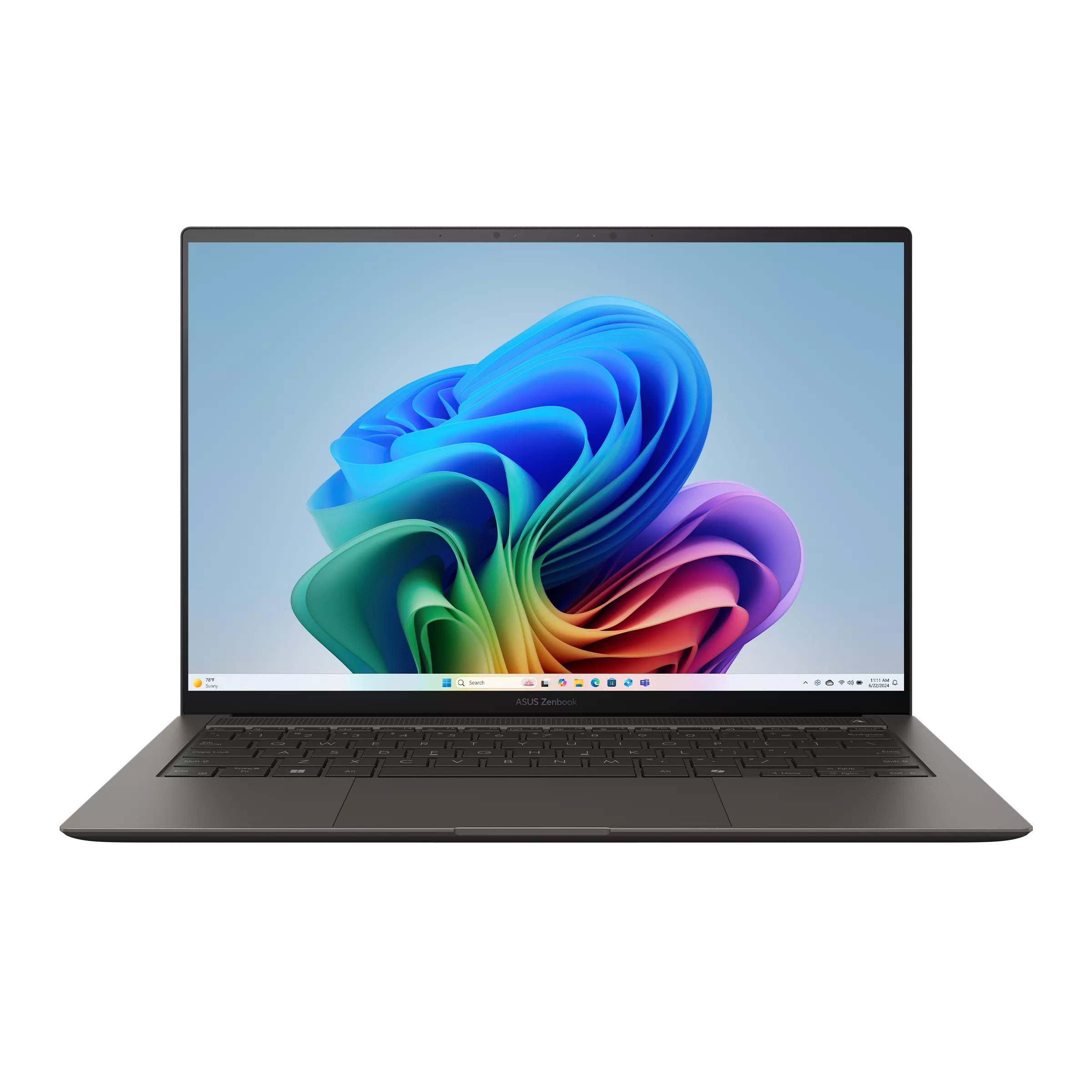
At a reliable desk socket, buying solely for the longest battery chart is less useful. Screen comfort, cooling behavior and the arrangement of the keyboard, mouse and external display become more important. The S14’s conventional ports are particularly practical if a hotel or borrowed screen accepts HDMI. The Yoga can work in the same setting with the correct adapter, but the adapter needs space and cable clearance.
The MacBook Air M5 has a concrete acoustic distinction because it is fanless. That matters in quiet rooms or for someone sensitive to fan noise. It does not turn the machine into a fan-cooled workstation for unlimited sustained computation. Choose it when macOS, the employer’s software and the required external devices are a fit; do not select it merely because a battery number matches the S14’s to the minute.
For an evening video call, test the camera framing, headset routing and background load on the actual machine. A laptop may be comfortable for typing while its webcam sits too low for the call position. A stand may solve the latter but add a keyboard, mouse and more bag space. The complete-kit model helps identify that cost honestly rather than pretending the laptop alone determines ergonomics.
Hotel tables also vary in depth. There is no measured universal claim here that a particular model fits every tray or desk. Use the documented chassis dimensions to compare with a workspace you know, leaving room for the screen to open and for cables to exit. The usable footprint is larger than a closed laptop’s rectangular base.
Friday: design the final work interval around a reserve
The return day often exposes a weak packing plan. The charger is already packed, the previous night’s sync is still active, and a final meeting runs longer than expected. A buyer should decide in advance which tasks must be possible before the next dependable recharge and which can wait.
A reserve is a workflow choice rather than a benchmark. One traveler may need enough margin to finish and send a signed document; another may need a prolonged call plus time to regain network access afterward. Specify that requirement as part of your own test. Do not use the battery icon’s changing estimate as a substitute for timing the complete sequence once.
Save a local copy of essential presentation files in the organization’s approved location and check that it opens before departure. Local access reduces dependence on an unpredictable connection, but it does not authorize bypassing confidentiality or access rules. Similarly, test that the sign-in and authentication process you need can be completed in the places you expect to work.
When the final session matters more than a small difference in bag mass, prioritize the configuration that passes that session with headroom. When charging access is predictable and the laptop is carried all day, the lighter kit may be the more comfortable answer. The itinerary, rather than a brand hierarchy, determines which constraint gets priority.
Decide with constraints, not an invented weighted score
| Your non-negotiable constraint | Start the evaluation here | What could reverse that initial choice |
|---|---|---|
| Low mass plus Intel Windows, with predictable recharging | Yoga Slim 7i Ultra and its actual adapter kit | Required accessories erase its useful mass advantage, or the real session needs longer endurance |
| Maximum published light-work endurance among these specific samples | X1 Carbon Gen 14 IPS configuration corresponding closely to the cited unit | A different panel is ordered, price is unsuitable, or the buyer's application workload fails the trial |
| Direct HDMI, USB-A and analog audio | S14 or X1 Carbon; A14 only after Arm approval | Existing USB-C infrastructure makes those direct connections unnecessary |
| macOS workflow and silent cooling | MacBook Air 13 M5 | Required Windows software, drivers or sustained heavy work make another platform necessary |
| Compact working base with known accessories | XPS 13 DX13260, exact CPU/memory variant | Fixed memory or two-port layout does not support the complete session |
| User-configurable ports and replaceable components | Framework Laptop 13 AMD AI 300 | Lowest mass, immediate travel repairs or a particular service contract is more important |
This is a bounded editorial selection, not an exhaustive search of every regional notebook or an assertion that five measured units represent every relevant product. Models without an identifiable matching test can still be suitable. The Zenbook A14, for example, has a competitive low-weight direct-port specification, but the model-label conflict in the available X2 review prevents its inclusion in this battery ledger.
Framework’s replaceable parts create a different ownership proposition, not a battery award. Neither serviceability nor a business product name establishes a particular failure rate. A fleet buyer should compare the support service actually quoted in the deployment country and the process for recovering work while the device is unavailable.
What to record before the purchase window closes
| Record | Why it matters | Avoid this shortcut |
|---|---|---|
| Exact CPU, panel, memory, SSD and operating system | Binds the order to the evidence being considered | Assuming one review describes an entire family |
| Complete kit mass on one scale | Captures unequal adapters, charging leads and cases | Quoting only the advertised minimum laptop weight |
| Longest intended battery session with the actual applications | Tests the gap between your workload and light browsing | Applying an arbitrary “real-world” correction factor |
| Simultaneous power, display and peripheral arrangement | Reveals blocked ports and unsuitable adapters | Counting sockets without checking their functions |
| Total checkout basket and written support terms | Includes the operational cost of the working setup | Ranking launch prices or incomplete DIY configurations |
A small amount of careful documentation is more useful than extra decimal places in an untested score. Keep the order specification and your test notes together. If a later driver update or accessory change alters the setup, the notes show what worked before.
For an expanded packing perspective, Portable Laptop Guide’s business-travel accessory and working-kit guide complements this mass calculation. Its laptop battery guide for business travel covers the related endurance question. These are further editorial guides; the original review links above remain the source of the sample measurements used here.
Frequently asked questions
Should I buy a bigger battery or a lighter chassis?
Compare actual sample evidence rather than battery capacity alone. The 58Wh IPS ThinkPad sample outlasted the 75Wh OLED Yoga sample in the cited WLAN tests. That does not isolate a causal effect of capacity or panel, because the systems differ in several ways. It does show why watt-hours cannot replace runtime evidence.
Can I calculate how many extra working hours the heavier laptop buys?
You can subtract the published test results within that test category, but translating the difference into your work would require additional measurements. The article therefore uses exact mass differences for kit planning and leaves work-session endurance to a configuration-specific trial.
Is the Yoga still a reasonable first choice?
Yes, when the binding requirement is a very light Intel Windows setup and the charging plan is dependable. It should move behind the tested IPS ThinkPad when the strongest available browsing-endurance evidence is the deciding requirement. That change is the expected result of choosing for different constraints.
Does a long trip require the highest benchmark result?
No. The longest required interval between dependable recharges is more informative than the trip’s calendar length. A five-day trip with a working desk socket every afternoon may place less pressure on battery life than one long day of uncharged work.
Sources
- Lenovo Yoga: 14IPH11 PSREF, updated 28 October 2026; original Notebookcheck review. Product photograph from Lenovo’s official product resources.
- ThinkPad: X1 Carbon Gen 14 PSREF, updated 23 October 2026; original Notebookcheck review, including separate panel discussion. Product photograph from Lenovo’s official product resources.
- Dell: XPS 13 DX13260 official selection page; external-port manual; original Core 5 review.
- ASUS: S14 specifications, select UX5406AA; original S14 2026 review; A14 specifications, distinguish UX3407NA. S14 photograph from ASUS’s official product resources.
- Apple: MacBook Air M5 specifications; original 13-inch entry-model review.
- Framework: Laptop 13 AMD Ryzen AI 300 specifications and package comparison.
- Method and platform: Notebookcheck testing methods, Windows on Arm FAQ, Microsoft USB-C troubleshooting.