A useful graduate laptop should remain compatible with the research process as the project changes. That can mean an Intel Windows ultraportable such as the Lenovo Yoga Slim 7i Ultra for a verified mobile workflow, a ThinkPad X1 Carbon for a suitable IPS and connection configuration, a Framework Laptop 13 when replaceable memory or a documented Linux route matters, or a MacBook Air M5 when macOS is approved and demanding computation happens elsewhere. An Arm-based Windows laptop can also be appropriate, but only when the applications, drivers and institutional tools needed for the actual project are supported.
The first purchase question is therefore not “Which chip is fastest?” It is “What must still work after the project acquires a new instrument, a larger dataset or another collaborator?” A light machine that fails that requirement is a poor research purchase even if its general office performance is excellent.
This guide follows a project from initial methods work through data collection, analysis, collaboration and handover. It compares different laptop roles instead of producing another overall ranking. Official documentation checked: 9 November 2026. Software requirements refer to the named release where one is given; institutional requirements can be stricter.
Start with a research contract, not a processor shortlist
Before looking at models, create a short written record with the supervisor, lab manager or departmental IT team. It need not be a procurement document. Its purpose is to separate requirements from preferences while there is still time to choose differently.
| Record this | Useful level of detail | Why it changes the purchase |
|---|---|---|
| Mandatory software | Exact application, release, toolbox and plugin | Support for the main application may omit an essential extension |
| Experimental equipment | Device model, connection and driver version | A working USB connector does not establish a supported driver |
| Local tasks | Representative data size and acceptable completion time | Small demonstrations do not describe the full analysis |
| Remote resources | Account, access method, allocation and availability | A theoretical university cluster is not the same as usable access |
| Operating system | Required edition and supported release | Home, Pro, macOS and Linux are not interchangeable requirements |
| Data rules | Approved storage and whether remote processing is permitted | A technically convenient workflow may not be authorized for the dataset |
| Ownership | Personal, departmental or grant-funded asset | Repair, upgrades and disposal may require approval |
| Recovery | Backup destination and temporary working machine | A deadline can arrive while the purchased laptop is being repaired |
Keep preferences on a separate line: lower mass, a preferred keyboard, a glossy or matte finish, a particular color. Preferences still matter, but they should be compared only after the non-negotiable requirements are satisfied. This avoids paying for a very light computer and discovering later that a laboratory workflow requires another one.
The software boundary: three distinctions that change the answer
1. Application launch is weaker evidence than a completed research workflow
A successful installation proves that installation succeeded. A program opening proves it can open in that environment. Neither establishes that a specialized toolbox, license connector, hardware interface or exported result works correctly.
For a practical acceptance check, use a small but representative project. Import the same file type, call the actual plugin, run a representative operation and export the output expected by a collaborator. If a device is involved, include a short acquisition and verify that the file contains what you expected. Have a known-good result available for comparison where the method permits it.
This standard should apply to every platform. It would be unfair to demand evidence for an Arm machine while assuming an Intel laptop supports every scientific device, or to presume that a familiar Mac application includes all Windows features. Manufacturer specifications establish hardware facts; the software publisher and the actual workflow settle the relevant compatibility question.
2. Windows on Arm is neither universally incompatible nor universally interchangeable
Microsoft explains that some applications can run through emulation, while device drivers must have the appropriate Arm support or be supplied through supported Windows facilities.1 That is a useful dividing line: emulating a desktop application does not automatically provide a driver for a specialist instrument.
MathWorks provides a concrete example of why broad advice ages badly. Its MATLAB R2026b Windows requirements explicitly include Qualcomm Snapdragon X-series processors, with MATLAB running through Prism emulation, while noting capability limitations.2 Calling all Windows-on-Arm machines incapable of MATLAB would therefore be inaccurate. Calling that statement proof that every MATLAB-based lab workflow is supported would also be inaccurate.
Check the specific release and capabilities. An established lab may be pinned to an earlier release, depend on a particular support package, or use equipment whose vendor supplies a narrower platform matrix. A student with browser-based work and a verified application set may have no such obstacle. The decision is about the workflow, not a blanket verdict on the architecture.
3. The operating-system edition and GPU can be requirements in their own right
SOLIDWORKS lists an x86_64 processor, 16GB memory with 32GB recommended, and certified graphics cards and drivers in its requirements. It also states that Windows Home editions are unsupported.3 Consequently, buying an Intel ultraportable with 32GB and Windows Home does not by itself produce an appropriate SOLIDWORKS purchase. The graphics configuration, operating system and supported workflow still need to be resolved.
Similarly, NVIDIA's CUDA installation guide requires a CUDA-capable GPU and a supported software environment.4 The presence of an NPU, or the word “AI” in a laptop's name, does not establish a local NVIDIA CUDA platform. None of the integrated-graphics configurations discussed here should be purchased as a local CUDA workstation.
| Requirement | Evidence that is sufficient to continue evaluating | Shortcut to avoid |
|---|---|---|
| MATLAB on Windows Arm | The named release supports the processor, and required capabilities and interfaces are checked | “MATLAB runs” interpreted as support for every toolbox and device |
| MATLAB on Mac | Required release and products are available on the chosen macOS version | Assuming the Mac product has every Windows capability |
| SOLIDWORKS | Supported OS edition, processor, graphics and actual model workflow are established | Treating “Windows laptop” as a complete specification |
| NVIDIA CUDA locally | Compatible NVIDIA hardware and the required toolchain | Substituting integrated graphics or NPU performance numbers |
| Instrument acquisition | Vendor-supported driver plus a successful representative device workflow | Inferring driver compatibility from the shape of the socket |
MathWorks' Mac requirements are another useful boundary: MATLAB supports Apple silicon, but GPU acceleration with Parallel Computing Toolbox is unavailable on macOS, and products including Data Acquisition Toolbox and GPU Coder are listed as unavailable there.5 A Mac can be excellent for many research tasks while still being the wrong machine for one of those specific requirements.
Decide where computation will run before buying its mobile companion
The lightest useful laptop may be a machine that prepares work and presents results while a server performs the intensive computation. That arrangement is strongest when the remote resource is confirmed, accessible and appropriate for the data. It is weak when it rests on an assumption that someone will provide access later.
| Research stage | A mobile laptop may do this locally | A remote or lab system may do this instead | Question to resolve |
|---|---|---|---|
| Methods development | Edit code, inspect a small sample, prepare configuration files | Test full-scale runs or specialist software | Can the local sample expose the errors that matter? |
| Collection | Record notes, verify files, manage approved transfers | Operate an instrument with its supported acquisition PC | Does the instrument actually need to connect to the personal laptop? |
| Analysis | Explore subsets and prepare figures | Process larger datasets, run CUDA workloads or long jobs | Is remote capacity allocated when the project needs it? |
| Writing | Draft, cite, annotate and join meetings | Store shared materials or serve collaborative tools | What must remain usable when the connection drops? |
| Handover | Package scripts, document versions and verify restored files | Retain institutional datasets and compute environments | Who owns the account and files after graduation? |
This division changes what deserves money. If the large dataset never needs to reside on the laptop, an expensive internal SSD upgrade may contribute less than a reliable desk setup and a good recovery plan. If fieldwork creates files without dependable connectivity, the same SSD upgrade may become essential.
Before relying on remote work, perform a realistic access session from the place you expect to study. Sign in using the actual authentication process, open a representative project and transfer a permitted test file. Check what happens when the session disconnects. Confirm whether a job continues independently, whether it can be reattached, and how results are retrieved. These are questions for the actual service; they cannot be answered from a laptop specification sheet.
Also establish an offline role. It may include approved local papers, a current chapter, small test data and notes on work to submit later. The objective is not to make every task work without a network. It is to prevent a brief connection failure from making the whole computer useless for the available study period.
Four hardware routes, with a fifth conditional option
The following products illustrate materially different ways to meet the requirements. They are not substitutes for a department's approved hardware list, and the table does not imply equal performance or equal purchase cost.
| Route | Concrete candidate | Relevant specification boundary | Research role that makes sense | What it does not establish |
|---|---|---|---|---|
| Very light Intel Windows | Lenovo Yoga Slim 7i Ultra Gen 11 / 14IPH11 | 16/32/64GB fixed memory; one M.2 2242 SSD; three Thunderbolt 4; from 975g | Verified Windows work carried frequently, with larger computation elsewhere if necessary | Certified workstation graphics or support for every instrument |
| Direct connections and an IPS option | ThinkPad X1 Carbon Gen 14 | Fixed memory; USB-A, HDMI, audio and Thunderbolt; screen-specific configurations | A supported departmental setup with shared displays or peripherals | A universal service guarantee or one battery result for every model |
| Replaceable memory and documented Linux choices | Framework Laptop 13 AMD Ryzen AI 300 | Two SO-DIMM slots; configurable Expansion Cards; approximately 1.3kg | Changing local memory requirements and a deliberately selected OS environment | Compatibility with every distribution or effortless self-repair |
| macOS front end to the research environment | MacBook Air 13 M5 | 16/24/32GB options; integrated Apple GPU; fanless; 1.23kg | Approved Mac applications, coding and writing, with supported remote compute | NVIDIA CUDA locally or every Windows/MATLAB capability |
| Verified Windows Arm workflow | ASUS Zenbook A14 UX3407NA | X2 Elite X2E88100; 32GB; 14-inch non-touch OLED; stated 990g | Supported apps and drivers where low mass is valuable | Blanket compatibility based on emulation alone |
Hardware documentation: Lenovo Yoga, ThinkPad, Framework, Apple and ASUS.
When the Yoga's low mass is the right benefit
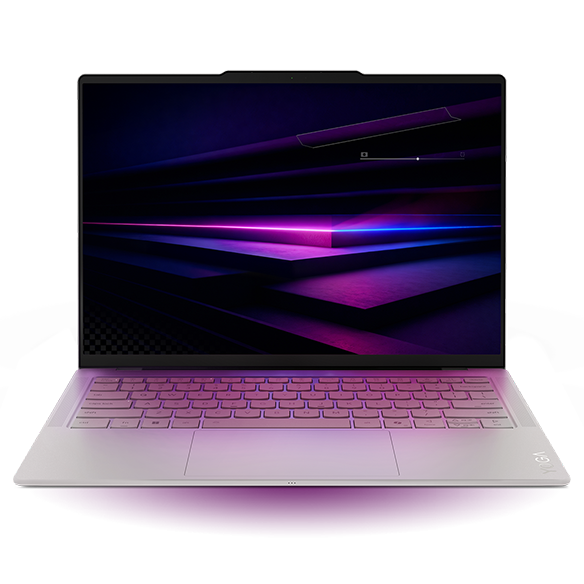
The Yoga is most persuasive after compatibility has been established and the laptop's role is clear. For a researcher carrying the machine across campus while using an institutional workstation for demanding jobs, reducing the everyday load has a practical purpose. Its optional higher memory capacities may also fit a known local workload, although capacity must be selected at purchase.6
The important purchase boundary is the transition from a mobile client to a local workhorse. A project that acquires sustained compute, specialist graphics or direct device requirements may move beyond what this recommendation covers. That is not a fault unique to the Yoga: the same change can make any integrated-graphics ultraportable inappropriate.
Make the cable plan explicit. Three Thunderbolt connections can work well with a planned USB-C desk, but a field kit with USB-A equipment and HDMI projection requires the appropriate adapters. Photograph or list the equipment already owned. A purchase is easier to review when “it should connect” has been replaced with named cables and a representative successful connection.
When Framework's replaceable memory is more important than shaving grams
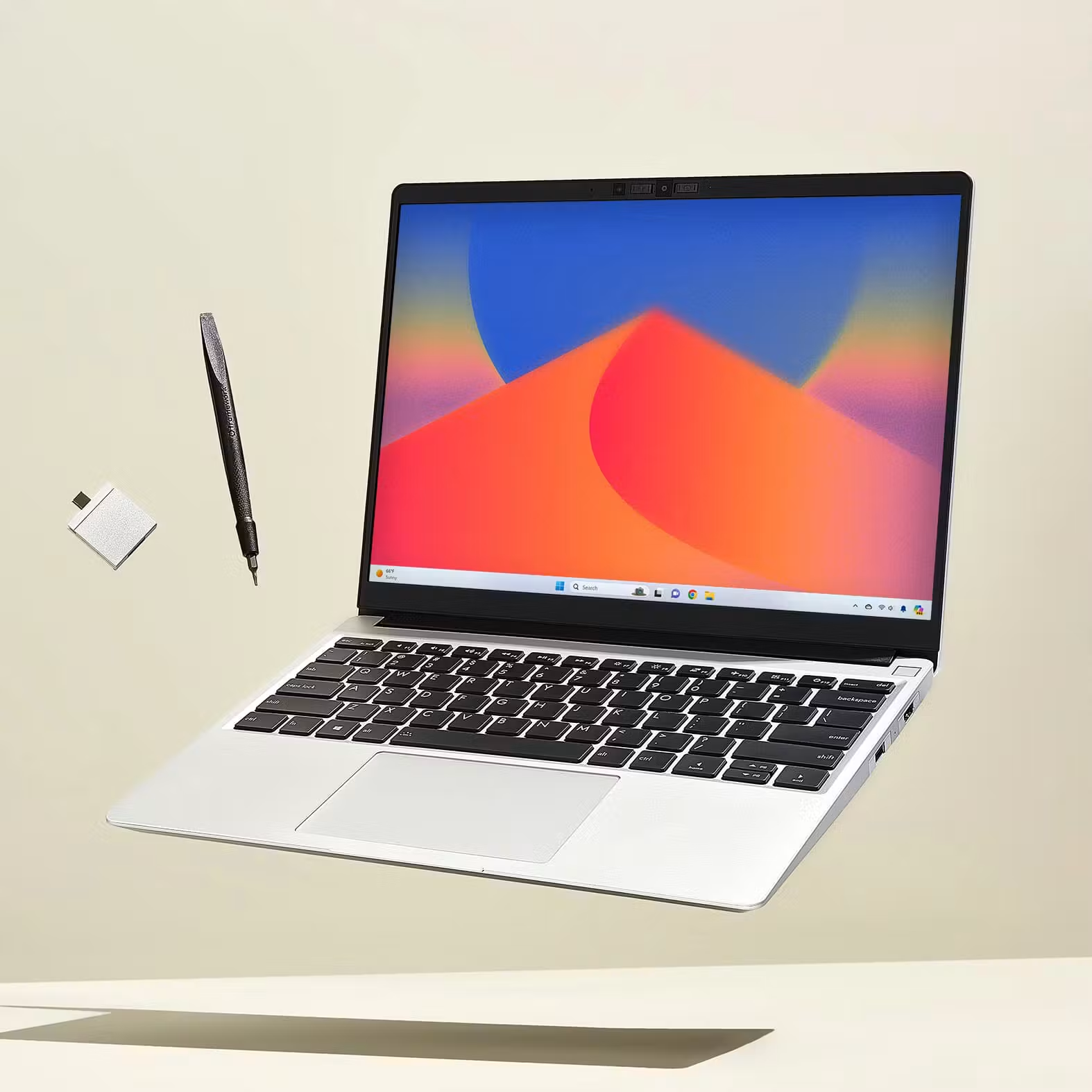
A changing methods project is one situation where a memory-upgrade path deserves weight in the decision. It gives the owner an option if local requirements increase, rather than forcing that uncertainty into an expensive fixed-memory purchase today. Framework documents compatible memory separately from its general marketing page; the exact generation matters.11
Linux needs the same precision. For the Ryzen AI 300 model, Framework's current matrix names Fedora 43 and Ubuntu 25.10 as officially supported choices, with a minimum kernel of 6.11 and a recommended 6.15 or newer.12 That does not establish that a department's older frozen distribution, VPN or specialist package works unchanged. The laptop support matrix and the research software support matrix must overlap.
Repairability is also an option, not a response-time promise. Framework publishes a battery replacement procedure.13 That provides a concrete ownership route; it does not tell a student how soon parts will arrive in a particular country or whether their institution permits personal repair of a grant-funded asset. Establish those points before treating modularity as protection against deadline disruption.
When the Air or A14 can be a sensible mobile research client
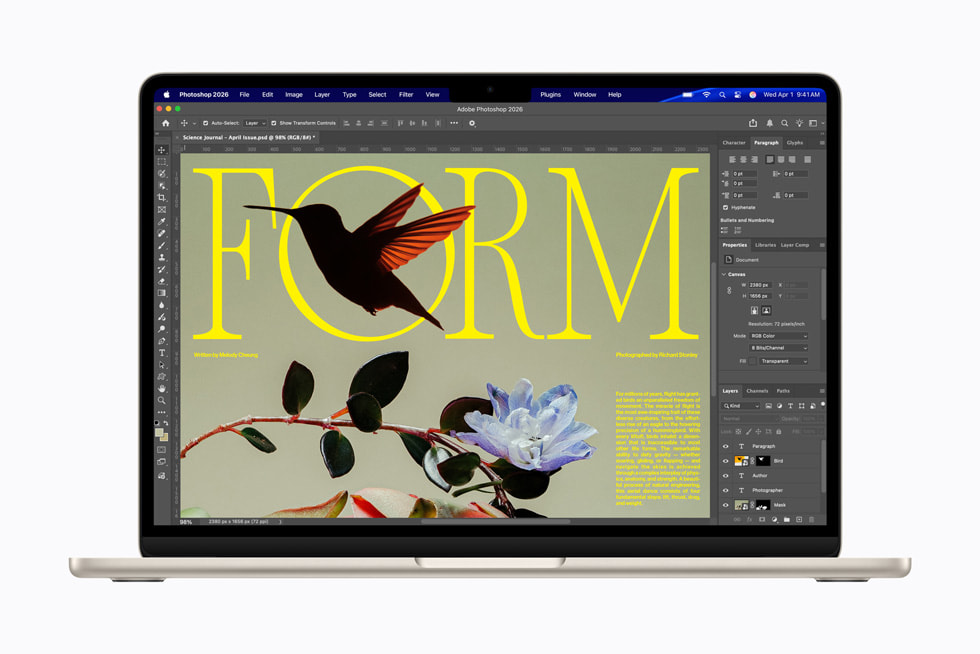
The Air can be a good research companion when the required Mac applications are available and intensive computation has a confirmed home elsewhere. Its quiet design and conventional document workflow can be useful for interviews, writing and coding. The software exclusions described earlier must remain visible in the purchase decision; a remote arrangement should be established rather than used to excuse a missing local requirement.
The A14 is a separate proposition: Windows on Arm in a very light chassis, with the UX3407NA specification separated from older QA/RA models and the NA-CG variant.10 It belongs on a shortlist when the full application and driver set is supported. It should not be rejected because of outdated general claims, nor selected solely because office applications work. For an instrument-heavy project, a vendor's Arm64 driver statement is more consequential than a generic battery-life slogan.
We have not produced a battery league table for these five routes. It would not answer whether the required software can run, and it risks borrowing measurements from a different generation or configuration. Once the platforms pass the research requirements, configuration-specific endurance evidence can help choose among the remaining options.
Size memory for the working process, not just the downloaded file
A file on disk is not a reliable statement of the RAM required to analyze it. A computation can create intermediate representations and copies; other applications need room at the same time. The useful evidence is a representative workflow observed on a known machine, not the size of one compressed download.
Consider an illustrative calculation, not a benchmark: ten million rows, twenty numeric columns and eight bytes per value require 1.6 billion bytes, about 1.49GiB, for the raw numeric values alone. Five simultaneous arrays of that size would account for about 7.45GiB before metadata, software and the operating system. Real methods may use fewer copies, more copies, different data types or out-of-core processing. The example explains why file size and peak memory are different questions; it does not prove that a particular project needs a specific RAM tier.
| Memory decision | Evidence to collect | Reasonable response |
|---|---|---|
| Considering 16GB | Peak use during the current representative workload, including normal background tasks | Evaluate it when local work is modest and heavier tasks have an established alternative |
| Considering 24GB or 32GB | Whether larger local work is already planned or repeatedly runs into pressure | Pay for a defined requirement or useful margin, rather than a label |
| Considering more than 32GB | Measured or well-estimated peak demand and whether the workload belongs on a server | Compare a suitable high-capacity system with remote or lab access |
| Unsure how the project will develop | Cost of buying extra fixed memory versus a supported upgrade path | Treat upgradeability as an ownership option, with its own parts and labor costs |
For more on choosing a memory tier for actual research tasks, see Portable Laptop Guide's 16GB, 32GB and 64GB graduate-work comparison. Keep the selected application release and project size attached to any capacity recommendation.
Compare the complete funded setup
Price matters, but a cheap incomplete configuration is not necessarily an inexpensive working research system. Compare the machine with the required operating system, memory, storage, connections and support. If a university already supplies a dock and monitor, count that existing infrastructure rather than buying a second set without need.
Two current reference points illustrate the problem. Framework's US prebuilt base was $1,049 before tax on 9 November 2026, with Ryzen AI 5 340, 16GB in two 8GB modules, 256GB and Windows 11 Home.14 Apple's identified US education offer for the 13-inch M5, 10-core CPU/8-core GPU, 16GB/512GB silver machine was $1,199 before tax, subject to eligibility.15 The prices describe different storage, operating systems, ownership approaches and purchasing conditions. They are not a result showing which brand provides more research performance per dollar.
For a Windows application requiring a supported Pro edition or other configuration, add that requirement to the quote. Do not assume a free upgrade, a transferable campus license or a service entitlement. Ask the institution what is included and what remains the student's responsibility.
| Quote line | What should be written down | Common omission |
|---|---|---|
| Computer | Full model and configuration identifier | Comparing a family starting price with a configured offer |
| OS and software | Edition, application licenses and institutional entitlement | Assuming Home and Pro satisfy the same requirements |
| Connections | Actual dock, cables and device adapters | Treating every USB-C port as equivalent |
| Protection and repair | Written warranty scope and repair route | Inferring an international or rapid service promise from the brand |
| Data and storage | Required local capacity and approved backup destination | Confusing synchronization with an independent recovery plan |
| Temporary access | Loan machine or lab-seat arrangement if available | Assuming a replacement will be provided |
The same approach helps when choosing between personal and departmental ownership. A machine bought with a grant may belong to the institution after the student leaves. Ask before paying for upgrades, performing repairs or relying on keeping the hardware after graduation. These are procurement questions to resolve locally, not policies that can be inferred from a manufacturer's product page.
Use the return period as an acceptance window
Confirm the seller's actual return terms before purchase; the schedule below is a suggested validation order, not a promise about anyone's policy. Run these checks early enough to act on a problem.
| Stage | Representative check | Pass condition to record |
|---|---|---|
| Set up | Install supported updates and institution-approved tools | Required sign-in and management processes complete |
| Reproduce | Open a real small project with its extensions | Expected import, operation and export work |
| Connect | Use the actual device, dock, display and headset | Required functions work, including after reconnecting |
| Work normally | Combine writing, browser, data task and a call | Responsiveness and memory behavior meet your own workload target |
| Travel | Repeat the working session away from the main desk | Needed files and connections remain accessible |
| Recover | Restore a permitted test project to a separate location | Files open and the workflow can be reconstructed |
Avoid making acceptance a synthetic contest. The objective is not the highest benchmark number; it is evidence that the bought configuration can perform the research role. A machine that completes a small benchmark but fails the instrument driver is unsuitable. A modest machine that reliably handles writing and remote access may be entirely appropriate when the demanding work has a supported destination.
Finally, record what passed: OS build, application release, driver versions and significant settings. When something changes later, that record helps distinguish a hardware limitation from a software update or service change. It also makes advice to the next student more useful than simply recommending the same brand.
At graduation, the laptop is only one part of what must survive
A research project's useful output includes data, scripts, analysis decisions and the ability to reproduce a result. Keep the handover plan proportionate to institutional requirements. Establish which files must remain with the university, which accounts expire and which software entitlements stop when student status ends.
A working backup should be demonstrated by recovery, not assumed from a reassuring icon. Restore a small permitted project and open it without depending on the original working folder. For code, retain environment information and instructions sufficient for the authorized next user to understand the intended process. For instrument data, preserve the agreed original files and method metadata rather than only a final chart.
These steps do not favor a manufacturer. They are reasons to resist spending the entire budget on hardware while leaving no workable recovery route. A more expensive laptop cannot reconstruct files that were never retained, or preserve access to an account that was never transferred appropriately.
A practical recommendation for three common graduate situations
If most local work is reading, coding preparation and access to a confirmed server, select among the light platforms after the actual applications and access tools pass. The Yoga's carrying advantage can be worthwhile for an Intel Windows workflow. The Air fits an approved Mac environment. The A14 is a legitimate conditional option when its Arm software and driver requirements are satisfied.
If the laptop connects directly to research equipment, begin with the equipment vendor's supported environment, then select a compatible configuration. The X1 Carbon's direct ports can simplify a kit, but neither a ThinkPad name nor an Intel processor replaces checking the exact driver and application. Specialized workloads may justify an approved workstation outside this lightweight shortlist.
If local memory needs are likely to grow and the ownership arrangement allows upgrades, the Framework's replaceable memory is a substantive alternative to buying fixed capacity in advance. Check the exact OS and component support, final configured cost and repair logistics. The advantage is the option to change parts; it is not a guarantee that change will always be cheaper or faster.
The best graduate laptop is the one whose role remains clear when the project becomes more demanding. Decide what must happen locally, what can happen elsewhere and who is responsible when something fails. Then pay for the lightness, screen, connections and capacity that improve that defined role.
Sources
Official software documents establish support boundaries, not application-performance benchmarks. Manufacturer pages establish the listed hardware configuration. Workload examples, quote worksheets, acceptance checks and the memory calculation are editorial planning tools; they are not measurements of the laptops.
- Microsoft: Windows Arm-based PCs FAQ — application and driver compatibility boundaries.
- MathWorks: MATLAB R2026b Windows requirements — Snapdragon X-series support through Prism, with capability limitations.
- SOLIDWORKS system requirements — processor, memory, graphics and unsupported Windows Home editions.
- NVIDIA CUDA installation guide for Windows — required GPU and supported software environment.
- MathWorks: MATLAB R2026b Mac requirements — Apple-silicon support and unavailable products or capabilities.
- Lenovo Yoga Slim 7 Ultra 14IPH11 PSREF — fixed memory, storage format, connections and weight reference.
- ThinkPad X1 Carbon Gen 14 PSREF — configuration-specific platform and connections.
- Framework Laptop 13 AMD Ryzen AI 300 specifications — generation, memory slots and modular hardware.
- Apple MacBook Air specifications — M5 memory, display and expansion configuration.
- ASUS Zenbook A14 UX3407 specifications — use the UX3407NA column, not QA, RA or NA-CG specifications.
- Framework memory compatibility documentation — supported DRAM for the Ryzen AI 300 generation.
- Framework Linux compatibility matrix — named distribution and kernel support for this generation.
- Framework battery replacement guide — published service procedure, not a service-speed guarantee.
- Framework US prebuilt comparison — dated base configuration and price reference.
- Apple US education-store M5 configuration — dated named offer; education eligibility applies.