For a graduate student whose working day is dominated by papers, notes, citations and a thesis, the most useful lightweight laptop is the one that makes those documents comfortable to work with wherever a desk is available. The Lenovo Yoga Slim 7i Ultra is a compelling choice when a 14-inch Windows workspace and exceptionally low carrying weight come first. The MacBook Air 13 M5 is a strong alternative for an established macOS workflow; the Zenbook S14 adds useful direct connections; the XPS 13 offers a smaller Windows footprint; the Framework Laptop 13 provides a different route to repair and memory expansion; and an appropriately configured ThinkPad X1 Carbon deserves consideration when time away from sockets is the overriding concern.
Those are six different reasons to buy, rather than positions in a universal performance ranking. A student editing a dissertation does not automatically benefit from the same machine as a student running local simulations. This guide concentrates on reading and writing, with explicit limits where a recommendation stops being appropriate.
Documentation checked: 9 November 2026. Specifications below describe named platforms or configurations. Independent measurements retain their review-sample identities. Prices are dated US references where a configuration was identifiable, before tax; an official buying link is not a claim that it offers the lowest price.
Choose by the task that occupies most of your day
| Your recurring problem | First model to investigate | Why it belongs on the shortlist | The condition that can change the recommendation |
|---|---|---|---|
| Carrying a laptop between library, teaching room and home | Lenovo Yoga Slim 7i Ultra, Gen 11 / 14IPH11 | Very low chassis weight while retaining a 14-inch Intel Windows platform | A heavier machine can be better if it removes essential adapters or provides needed endurance |
| Quiet writing in a macOS environment | Apple MacBook Air 13 M5 | Fanless design and a familiar Mac workflow | Required Windows software, hardware drivers or local compute can override this choice |
| Moving between a monitor, projector and older peripherals | ASUS Zenbook S14 UX5406AA | HDMI, USB-A and Thunderbolt in the same portable chassis | Its fixed memory and glossy OLED still need to suit the user |
| Working at small library desks or on public transport | Dell XPS 13 DX13260 | Compact chassis with an explicitly identified 16GB purchasing option | Core and Core Ultra versions have different expansion and memory limits |
| Keeping a machine through changing research requirements | Framework Laptop 13, AMD Ryzen AI 300 Series | Replaceable memory and a modular connection system | Added weight, setup choices and service responsibilities must be acceptable |
| Writing for long periods without dependable power | ThinkPad X1 Carbon Gen 14, low-power IPS configuration | An identifiable IPS review sample produced a particularly strong WLAN result | That result does not transfer to an OLED or otherwise different configuration |
The shortlist is an editorial selection of contrasting approaches, not a census of every laptop sold worldwide. Availability, keyboard layout, institutional support and regional pricing can make another model equally suitable. The aim is to identify the trade-off before a purchase, rather than to make six machines appear interchangeable.
1. Lenovo Yoga Slim 7i Ultra — Best for reducing the weight of a 14-inch Windows writing setup
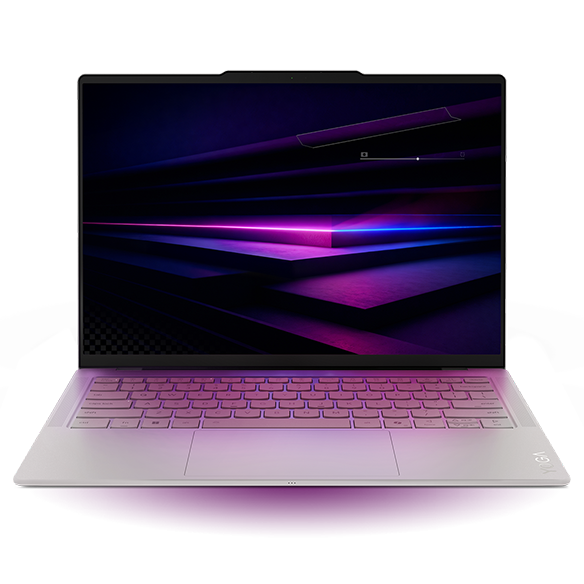
Specifications
| Item | Configuration or platform detail |
|---|---|
| Model reference | Yoga Slim 7 Ultra 14IPH11; marketed as Yoga Slim 7i Ultra Aura Edition Gen 11 in the US |
| Processor used for this recommendation | Core Ultra 7 355; other processors are offered |
| Graphics | Intel Graphics on the 355; do not substitute the Arc B390 specification of X7/X9 variants |
| Memory | 16GB, 32GB or 64GB soldered; choose capacity before purchase |
| Screen | 14-inch, 2880 × 1800, 120Hz OLED touchscreen; no active-pen support |
| Storage | One M.2 2242 slot; Lenovo documents offerings up to 2TB |
| Connection profile | Three Thunderbolt 4 ports; no built-in HDMI, USB-A or 3.5mm audio socket |
| Weight reference | Manufacturer starting weight 975g; independently reviewed 355 configuration 978g |
Specifications: Lenovo PSREF. Sample identity and weight: Notebookcheck review.
Reasons to buy
- A 14-inch screen in a notably light chassis is useful when the laptop is carried every working day.
- Intel Windows may fit a department's existing software environment, subject to the actual application requirements.
- Three high-capability USB-C connections provide flexibility with an appropriate monitor or dock.
Reasons to consider alternatives
- Familiar classroom and desk connections may require adapters.
- Touch does not make this a pen-enabled note-taking tablet.
- Fixed memory makes an underspecified purchase difficult to correct later.
| Buy it if | Skip it if |
|---|---|
| You repeatedly carry a 14-inch laptop and have already confirmed the adapters and software you need | You require a direct HDMI connection, wired analog headset and USB-A accessory together, without a hub |
| You can choose enough memory for your expected thesis workflow at the outset | You want to expand RAM after a new research project changes your requirements |
The Yoga's strongest case is the mundane, repeated journey: home to library, library to a teaching room, then back to a shared office. Reducing the mass of the item carried on every leg is a real benefit. It is particularly relevant if your backpack already contains books, an audio recorder or laboratory clothing. It is less persuasive if the computer mainly sits beside a permanent monitor.
For writing, evaluate the complete arrangement. Can your reference document remain readable beside the chapter you are editing? Can you work at your preferred scaling without repeatedly hiding panels? A high pixel count does not decide either question, because application layout and text size determine usable space. Bring a representative PDF rather than choosing from a colorful demonstration video.
There is also a clear endurance limit to the recommendation. Notebookcheck's Core Ultra 7 355, 32GB/1TB OLED-touch sample returned 10 hours 36 minutes in its WLAN test.2 That is a controlled review result, not a promised day of research, calls and downloads. If uninterrupted time away from power matters more than carrying mass, investigate the IPS ThinkPad later in this guide. The Yoga's placement here follows the stated mobility priority; it does not establish an overall win.
2. Apple MacBook Air 13 M5 — Best for quiet, document-led work in an established Mac workflow
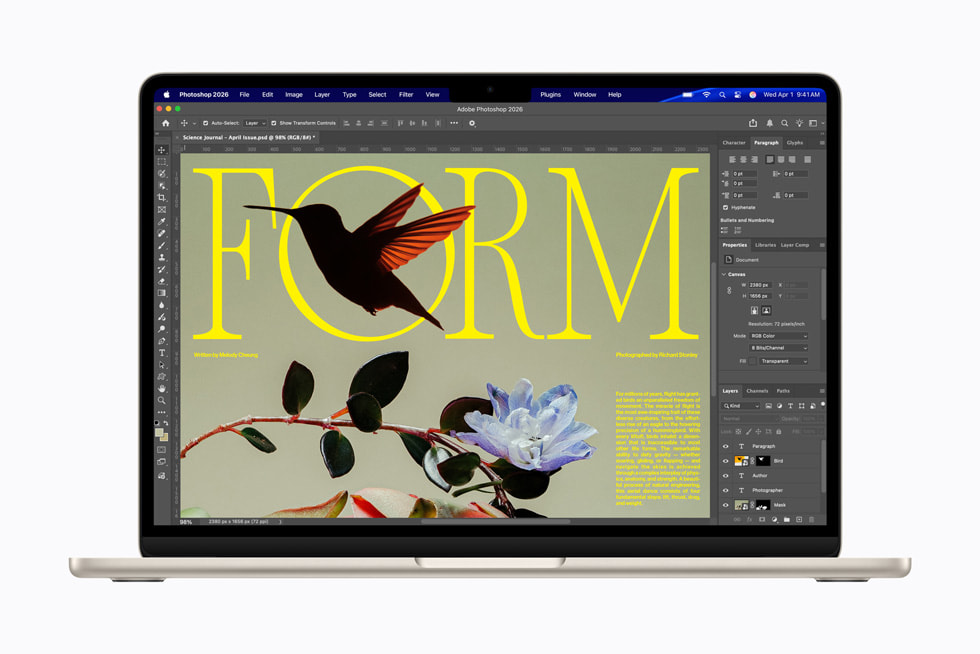
Specifications
| Item | 13-inch M5 platform detail |
|---|---|
| Processor | Apple M5, 10-core CPU |
| Graphics | 8-core or 10-core integrated GPU, depending on configuration |
| Memory | 16GB, with 24GB or 32GB options |
| Screen | 13.6-inch IPS, 2560 × 1664; no touchscreen |
| Storage | 512GB starting configuration; configurable capacities up to 4TB |
| Connections | Two Thunderbolt 4 ports, MagSafe 3, headphone socket |
| Weight | 1.23kg |
| Cooling | Fanless |
Platform: Apple technical specifications. Cooling and review configuration: Notebookcheck M5 entry review.
Reasons to buy
- Fanless operation removes fan noise from quiet writing sessions.
- The 13.6-inch display offers a different balance of portability and document space from a larger laptop.
- A separate charging connection can leave both Thunderbolt ports available when using MagSafe.
Reasons to consider alternatives
- Memory must be selected for the intended lifetime of the machine.
- A macOS version of an application does not prove support for every plugin, toolbox or laboratory device.
- Direct HDMI and USB-A require an additional connection route.
| Buy it if | Skip it if |
|---|---|
| Your writing, citation, collaboration and peripheral workflow already works on Apple silicon | A mandatory application or device requires a Windows configuration that your department has not approved on this Mac |
| Quiet operation is a tangible priority in the places you study | You need a local NVIDIA CUDA system or user-expandable RAM |
The Air makes sense when changing operating systems would introduce unnecessary work. A functioning citation setup, a supervisor's shared templates and an existing backup routine can matter more than a small specification advantage elsewhere. Conversely, someone currently using Windows should assess the migration as part of the purchase, including the effort needed to reproduce the complete document workflow.
Do not treat fanless as a promise of unrestricted sustained performance. The more relevant question for a writing machine is whether your actual tasks remain responsive and whether occasional heavier work can run elsewhere. A weekly export and an all-day local analysis are different requirements.
Notebookcheck's entry-level M5 review used the 8-core GPU, 16GB and 512GB configuration and recorded 16 hours 11 minutes in its 150-nit WLAN test.5 That result is useful evidence for that sample; it does not make every configuration or activity a 16-hour workload. A student should still test calls, indexing and the screen brightness used in a bright reading room.
3. ASUS Zenbook S14 — Best for a writing laptop that frequently connects to shared equipment
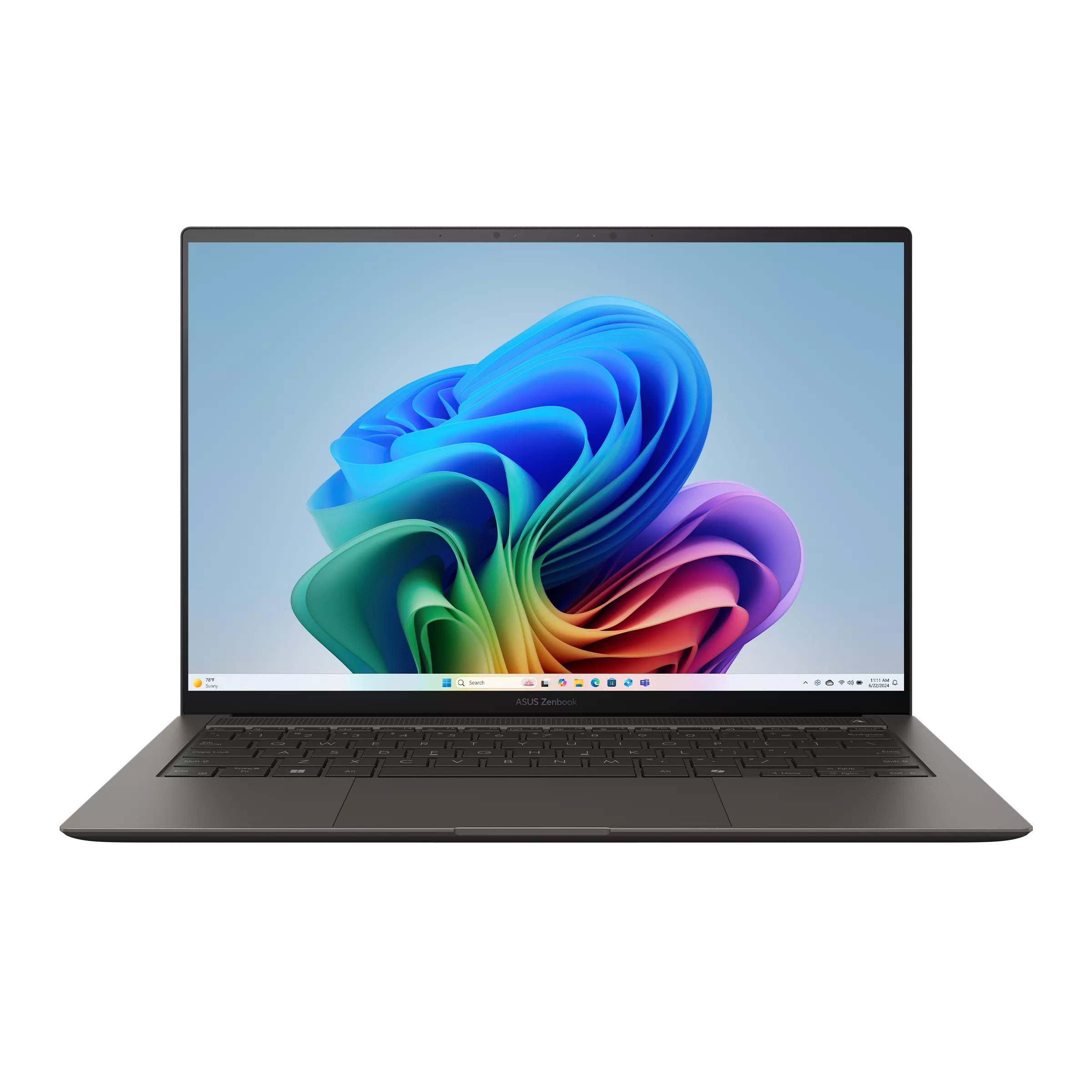
Specifications
| Item | UX5406AA reference |
|---|---|
| Processor | Core Ultra 7 356H or Core Ultra 9 386H |
| Graphics | Intel Graphics |
| Memory | 32GB onboard, not a user RAM-upgrade path |
| Screen | 14-inch 2880 × 1800, 120Hz OLED touchscreen |
| Storage | 1TB offering; one M.2 2280 PCIe 4.0 slot |
| Connections | Two Thunderbolt 4, HDMI 2.1 TMDS, USB-A, combined audio socket |
| Battery and stated weight | 77Wh; 1.20kg |
Source: ASUS technical specifications. The older UX5406SA column is a separate configuration family.
Reasons to buy
- HDMI and USB-A can simplify seminar-room and desk connections.
- 32GB is a useful capacity to compare with other fixed-memory machines.
- A 14-inch screen offers more physical workspace than the smallest shortlisted Windows option.
Reasons to consider alternatives
- It carries more chassis mass than the Yoga reference.
- Glossy OLED should be assessed with white documents under the user's lighting.
- There is no later RAM expansion if 32GB becomes insufficient.
| Buy it if | Skip it if |
|---|---|
| You often attach a projector, older keyboard or USB storage device and want direct sockets | Your workload already exceeds a fixed 32GB allocation |
| You prefer the practical connection mix to the lowest possible laptop weight | Minimum carrying mass is the deciding requirement and a small USB-C kit already works for you |
The S14's appeal is avoiding small interruptions. A presentation, office hour or library booking can begin more smoothly when the required cable fits directly. However, a socket is not a complete compatibility guarantee: projector resolution, cable quality and the device on the other end still matter. Try the combination that will actually be used.
For a thesis writer, the interesting comparison with the Yoga is not which processor number is larger. It is whether the direct connections reduce the number of loose accessories in the bag and whether the display remains comfortable for long stretches of black text on white backgrounds. We have not assigned a numerical comfort score because this requires a person, a lighting condition and a working text size.
A sensible purchase comparison uses the same memory target and a complete checkout total. Paying more for a nominally lighter laptop may be reasonable for someone walking across campus several times daily. Paying more while also buying adapters may be less attractive for someone whose computer stays at a shared desk most of the week. The recommendation changes with the recurring task, not with the brand on the lid.
4. Dell XPS 13 — Best for a small Windows workspace with a carefully chosen memory tier
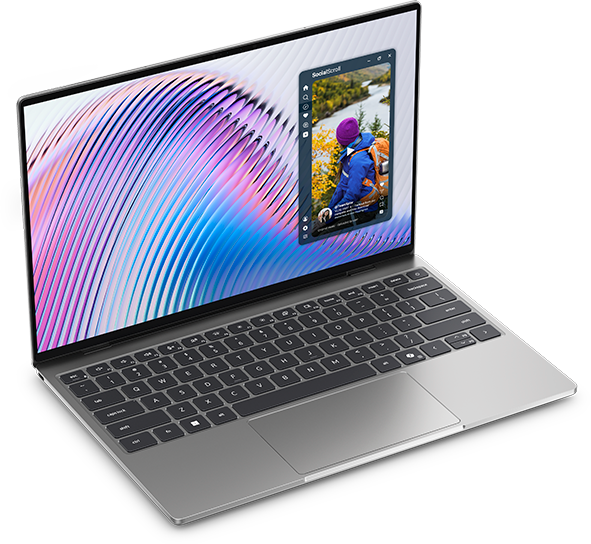
Specifications
| Item | Core 5 purchasing reference; differences matter |
|---|---|
| Processor | Intel Core 5 320 |
| Graphics | Integrated Intel graphics |
| Memory | Choose 16GB; Core versions top out at 16GB, fixed and single-channel |
| Screen | 13.4-inch 2560 × 1600 touchscreen |
| Storage reference | 512GB SSD on the identified 16GB offer |
| Connections | Core versions: two USB-C 10Gbps ports; Core Ultra versions: two Thunderbolt 4 ports |
| Chassis footprint | 296.9 × 200.66mm |
| Weight context | Manufacturer starting weight 1kg; reviewed Core 5/8GB sample 1.062kg |
Sources: Dell purchasing page, memory documentation, port documentation and independent review.
Reasons to buy
- The shallow chassis can help on small desks.
- An identifiable 16GB configuration allows a more meaningful purchase comparison than a family starting price.
- Windows may avoid a platform migration for an existing writing workflow.
Reasons to consider alternatives
- Core 5 memory cannot later expand beyond its 16GB ceiling.
- USB-C connector shape does not make the Core configuration a Thunderbolt machine.
- USB-A, HDMI and analog audio need another route.
| Buy it if | Skip it if |
|---|---|
| Your workload fits 16GB and compact depth matters more than the flexibility of a larger machine | You expect substantial local data work or virtual machines requiring more memory |
| You have confirmed the intended dock works with the Core version's ports | You are buying from a listing that merges Core and Core Ultra specifications |
Small footprint can be more useful than the lowest number on a luggage scale. On a shallow desk, space for a notebook in front of the keyboard may matter more than a larger screen. The cost is less physical area for documents. Test a page at the font size you can read comfortably rather than assuming its resolution solves the problem.
For this use case, 16GB is a purchasing recommendation, not a statement that 8GB can never open a thesis. The concern is the collection of tasks around it: reference software, browser tabs, large PDFs, calls and background synchronization. Someone who already knows this collection needs more memory should move to an appropriate higher-capacity platform, rather than buy the Core 5 and hope for an upgrade.
The review's endurance and weight belong to its 8GB sample.11 They should not be pasted into a sales comparison as if the selected 16GB offer were tested. That separation is especially important when an attractive family price draws attention away from the actual hardware being purchased.
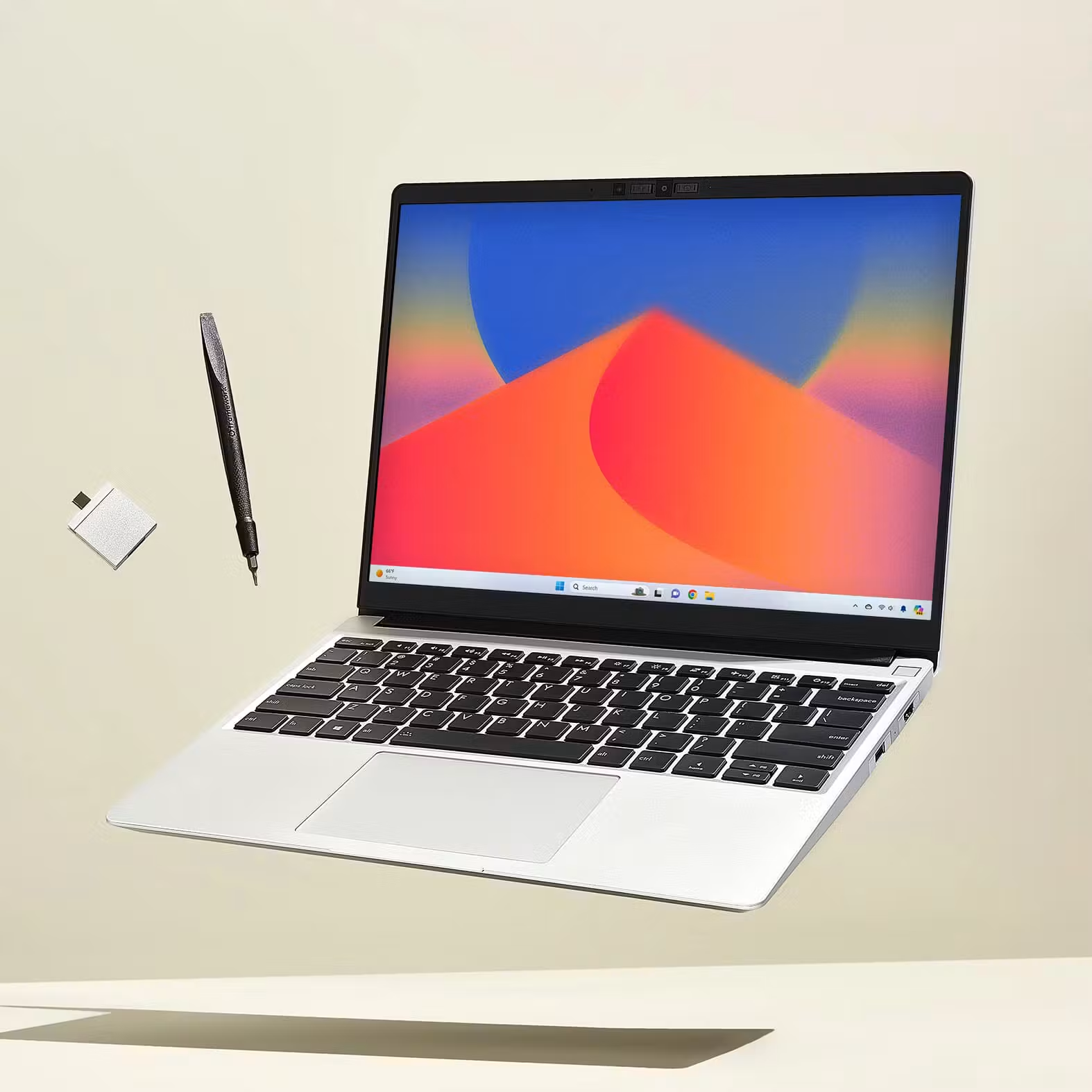
5. Framework Laptop 13 — Best for a thesis machine whose memory needs may change
Specifications
| Item | AMD Ryzen AI 300 Series, 2025 platform |
|---|---|
| Processor reference | Ryzen AI 5 340 in the base prebuilt system |
| Graphics | Integrated AMD graphics; not an NVIDIA CUDA configuration |
| Memory | Two DDR5 SO-DIMM slots; replaceable memory |
| Screen | 13.5-inch, matte 3:2; base prebuilt 2256 × 1504, 60Hz |
| Storage | Replaceable NVMe SSD; base prebuilt reference 256GB |
| Connections | Four Expansion Card positions; capabilities depend on position and card |
| Weight | Stated 1.3kg |
| Purchase distinction | Complete prebuilt Windows system and DIY starting price describe different baskets |
Sources: Framework platform specifications and prebuilt comparison.
Reasons to buy
- Replaceable memory gives a different response to future requirements from buying excess fixed memory today.
- A matte 3:2 display is a useful alternative to the glossy widescreen options.
- Modular connections let the buyer choose a purposeful set of ports.
Reasons to consider alternatives
- It is heavier than the Yoga and XPS reference samples.
- The base SSD may be small for a large local document collection plus other research files.
- Modularity requires appropriate parts, skills or service arrangements; it does not prevent downtime.
| Buy it if | Skip it if |
|---|---|
| You value changing parts and are willing to manage that ownership approach | Your priority is the lightest possible finished machine with minimal configuration decisions |
| A taller matte display suits how you read and edit | You require a specific service response that has not been established for your location |
The Framework deserves attention because a dissertation can outlast the original research plan. A project may acquire a new dataset or a second role involving analysis. Replaceable memory can reduce the pressure to predict every future requirement at the initial purchase. That is an ownership advantage, not proof of lower lifetime cost: parts, labor and the need for a working machine during repair still have to be considered.
The screen shape is another substantive distinction. A taller working area can be convenient for a reference list, long draft or code alongside commentary. It does not automatically make two pages legible at once; scaling and application panels still consume space.
Choose prebuilt if the intention is to compare complete ready-to-use Windows laptops. Choose DIY only if its assembly and component choices are deliberate. A bare starting basket should never be described as a cheaper equivalent to a complete system that already includes memory, storage and an operating system.
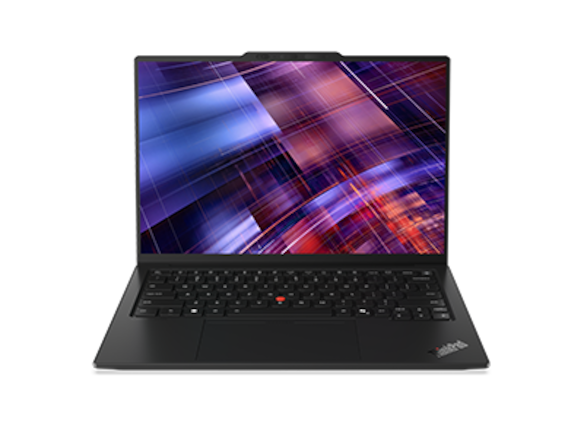
6. ThinkPad X1 Carbon Gen 14 — Best for investigating an endurance-led IPS configuration
Specifications
| Item | Configuration boundary |
|---|---|
| Platform | ThinkPad X1 Carbon Gen 14 Aura Edition |
| Processor reference for endurance evidence | Core Ultra 5 325 |
| Review memory and storage | 32GB / 512GB |
| Display for that result | 14-inch low-power IPS touchscreen; separate OLED options exist |
| Memory ownership | Soldered; capacity must be selected at purchase |
| Connections | Three Thunderbolt 4, USB-A, HDMI, audio |
| Review-sample identity | 21V70075GE; 1.139kg |
| Battery result boundary | 23h13m WLAN at 150 nits for that sample, not a family-wide claim |
Sources: Lenovo PSREF and Notebookcheck IPS review.
Reasons to buy
- The identified IPS result is relevant evidence for a power-access problem.
- Direct HDMI and USB-A may suit seminar and office equipment.
- Institutional purchasing may provide an established support route, if confirmed in the actual offer.
Reasons to consider alternatives
- The tested IPS machine is heavier than the lightest family starting figures.
- OLED and IPS should not share a single battery claim.
- A premium purchase needs a concrete benefit over a less expensive acceptable alternative.
| Buy it if | Skip it if |
|---|---|
| You need a strong case for time away from power and can obtain a suitably matched IPS configuration | You expect the 23h13m result from any configuration carrying the X1 Carbon name |
| A written institutional support arrangement materially reduces your ownership risk | You are paying a large premium without needing its connections, configuration or contracted service |
For an all-day archive visit, a reliably available socket can matter more than a processor upgrade. The ThinkPad's IPS evidence makes it a serious candidate for that situation. It does not mean a student will finish a working day with a predictable percentage remaining. Network conditions, applications and brightness alter the load, and a review test is not a simulation of every archive or campus.
Be careful with specification combinations. The lightest available chassis, the longest reported runtime and a preferred OLED screen may refer to different machines. Buy a coherent configuration rather than a collection of family highlights. The same standard applies to every laptop in this guide.
There is no need to pay for an enterprise identity by itself. A student buying personally should compare the practical offer: price, warranty route, repair logistics and the accessories required. If a university supplies the machine and handles faults, that arrangement can change the decision substantially. It must be established rather than inferred from a business-product name.
What screen specifications do not tell a thesis writer
Display choice should start with a representative document. Use a scanned journal article, an editable draft with comments and a long reference list. A panel that looks impressive with photographs can still be inconvenient when reflections obscure pale text or when the desired scaling leaves too little room for editing controls.
For perspective, a rectangular 14-inch 16:10 display has an approximate physical height of 7.42 inches; a 13.5-inch 3:2 display is about 7.49 inches high. These are geometric calculations from nominal diagonal and aspect ratio, ignoring bezels and rounded corners. They illustrate why a smaller diagonal can still provide comparable vertical document space. They do not measure legibility, color accuracy or perceived comfort.
| Reading check | What to do | What a result actually establishes |
|---|---|---|
| Text at normal distance | Open a familiar article at your preferred scaling | Whether that document is comfortable for you on that sample |
| Side-by-side editing | Put the draft and source next to each other with normal toolbars visible | Whether the actual workspace fits, rather than whether the resolution sounds large |
| Reflections | Repeat under the sort of overhead lighting you normally use | The effect of that room and finish, not a universal OLED-versus-IPS verdict |
| Input comfort | Write a paragraph, edit footnotes and use navigation keys | Whether the keyboard arrangement matches your habits |
| Screen sharing | Share a window while keeping private notes separate | Whether the practical call layout works on the built-in display |
Screen resolution is also separate from active-pen capability. Neither a touchscreen nor a “Yoga” name establishes that a laptop replaces a handwriting tablet. Students who annotate by pen should verify the supported pen, application and working position as a separate requirement.
Spend on the working setup, not the largest specification line
For a predominantly document-based workflow, 16GB is a reasonable starting point to evaluate, while 24GB or 32GB can provide room for a larger simultaneous workload. This is an editorial buying rule, not a universal academic requirement. An existing 8GB machine can remain adequate for a limited writing workload; replacement should solve a demonstrated problem. This predominantly premium shortlist also does not establish that less expensive new or refurbished machines are unsuitable. Inspect the memory use of your existing workload if possible, and account for the research tasks likely to arrive next year.
Storage needs a similarly practical estimate. Add the local document library, current projects, applications and files required offline; then decide what belongs on institutional storage. A larger internal drive is not a backup. An external copy left in the same backpack also does not protect against losing the whole bag.
| Cost or requirement | Question to settle before buying |
|---|---|
| Memory | Is the quoted capacity sufficient, and can it be changed later? |
| Local storage | Does the stated offer contain the capacity you intend to use? |
| Desk accessories | Are monitor cable, hub, keyboard and charger already owned and compatible? |
| Software | Does the institution supply the required license for this operating system? |
| Repairs | Where does a faulty machine go, and what will you use while it is away? |
| Data recovery | Can you restore a current working chapter without the original laptop? |
The dated US prices above are purchasing anchors, not a value league table. The Framework base includes less storage than the Dell offer, and Apple's education price has eligibility conditions. The platforms also have different ownership characteristics. An informed comparison adjusts the actual basket rather than treating a small sticker-price difference as decisive.
Questions graduate students often ask
Is the lightest laptop automatically the best thesis laptop?
No. It is most valuable when carrying is a frequent burden and the rest of the setup remains practical. A slightly heavier machine can be a better choice if its screen, direct connections or power behavior resolves a problem you encounter every day.
Should I buy 32GB just because the memory is fixed?
Only when the expected workload and price justify it. Fixed memory raises the consequence of buying too little, but does not make unused capacity productive. A concrete workload estimate is more useful than treating a larger number as insurance against every possible future project.
Can these machines replace a research workstation?
Sometimes they can handle the required local work; sometimes their useful role is writing, preparation and access to a separate system. Check the department's exact applications, datasets and hardware before extending a reading-and-writing recommendation into a computation recommendation.
Which one would we choose for this specific brief?
For a student walking between locations with a 14-inch Intel Windows machine, the Yoga is an appealing first investigation. For long periods without reliable power, the IPS ThinkPad becomes more persuasive. For an established Mac workflow, the Air avoids an unnecessary platform change. For direct connections, compare the S14; for a smaller desk footprint, the XPS; for replaceable memory, the Framework. The right answer is the one whose stated advantage solves the student's recurring problem at an acceptable complete cost.
For another examination of the actual reading workspace, see Portable Laptop Guide's thesis and PDF workflow guide. Use it alongside the exact configuration documents rather than as a substitute for a department's software requirements.
Sources
Manufacturer documentation establishes specifications and configuration limits; the linked reviews identify measured samples. Recommendations, purchasing rules and the display-geometry calculation are editorial analysis. Reading comfort and keyboard preference have not been assigned invented numerical scores.
- Lenovo Yoga Slim 7 Ultra 14IPH11 PSREF — official configuration, ports and display documentation, revised 28 October 2026.
- Notebookcheck: Yoga Slim 7 Ultra 14IPH11 review — identifiable Core Ultra 7 355 review sample and WLAN result.
- Lenovo US Yoga Slim 7i Ultra configurator — official buying route; configuration-dependent pricing.
- Apple MacBook Air technical specifications — M5 platform specifications.
- Notebookcheck: MacBook Air 13 M5 entry review — 8-core GPU, 16GB/512GB test configuration.
- Apple US education-store configuration — named 13-inch, 16GB/512GB buying route; eligibility applies.
- ASUS Zenbook S14 technical specifications — distinguish UX5406AA from UX5406SA.
- Dell US XPS 13 DX13260 configurations — dated 16GB/512GB offer, checked 9 November 2026.
- Dell DX13260 memory documentation — fixed memory and separate Core/Core Ultra limits.
- Dell DX13260 external-port documentation — separate Core and Core Ultra connection capabilities.
- Notebookcheck: XPS 13 Wildcat Lake review — Core 5 review-sample evidence; not a test of the quoted 16GB offer.
- Framework Laptop 13 AMD Ryzen AI 300 platform specifications — screen, modular design and generation identity.
- Framework US prebuilt comparison — dated base system, memory, storage and price reference.
- ThinkPad X1 Carbon Gen 14 PSREF — configuration and connection documentation, revised 23 October 2026.
- Notebookcheck: ThinkPad X1 Carbon Gen 14 IPS review — named 21V70075GE sample and battery-test conditions.
- Lenovo US ThinkPad X1 Carbon Gen 14 listing — official regional purchase route.