A graduate project moves through several environments: analysis at a laboratory desk, discussion in a seminar, teaching in another building and a presentation at a conference. The useful travel laptop is the one that keeps that project working through each move. A familiar filename is only the beginning; the data, packages, instrument connections and presentation output must arrive with it.
Start by identifying what the laptop does locally and what remains on university equipment. Then compare the five premium options below. The Lenovo Yoga Slim 7i Ultra Gen 11 is the first portable Intel Windows platform to consider when the approved workflow fits its connections. MacBook Air M5 makes sense in an established Mac research group; Zenbook S14 favours repeated teaching-room connections; ThinkPad X1 Carbon needs a justified institutional package; Surface Laptop 8th Edition suits a confirmed Windows Arm environment and a preference for its document screen.
None requires a graduate student to spend around $2,000. Existing equipment or a less expensive 16GB/512GB computer may cover writing, reading and remote analysis. This premium shortlist is for students who can identify a practical benefit beyond meeting those basic needs.
The best choices for different graduate routines
| Best for | Recommended laptop | What earns the recommendation | What can change it |
|---|---|---|---|
| A portable Intel Windows project workspace | Lenovo Yoga Slim 7i Ultra Gen 11 | Low measured mass with a 14-inch OLED touchscreen | Approval of the software environment and required connections |
| Research trips in a supported Mac environment | Apple MacBook Air 13-inch M5 | Fanless operation, MagSafe and a compact 13.6-inch screen | Required Windows software or instrument drivers |
| Teaching and conference presentations | ASUS Zenbook S14 UX5406AA | Native HDMI and USB-A, plus two Thunderbolt 4 ports | A strict preference for minimum laptop mass |
| A justified university purchasing package | ThinkPad X1 Carbon Gen 14 | Screen choice, direct connections and configuration-specific endurance evidence | The actual institutional quote and support terms |
| Reading-heavy Windows work with an approved Arm setup | Surface Laptop 13.8-inch, 8th Edition | A taller 3:2 touchscreen and published input-device evidence | Application, driver or pen requirements |
Treat these as different routes through an academic working week. The first card addresses a portable Intel Windows setup; it does not rank every research workload. Manufacturer documentation establishes the hardware, original reviews describe their tested samples, and the procurement examples identify dated offers.
Lenovo Yoga Slim 7i Ultra: Best for a portable Intel Windows project workspace
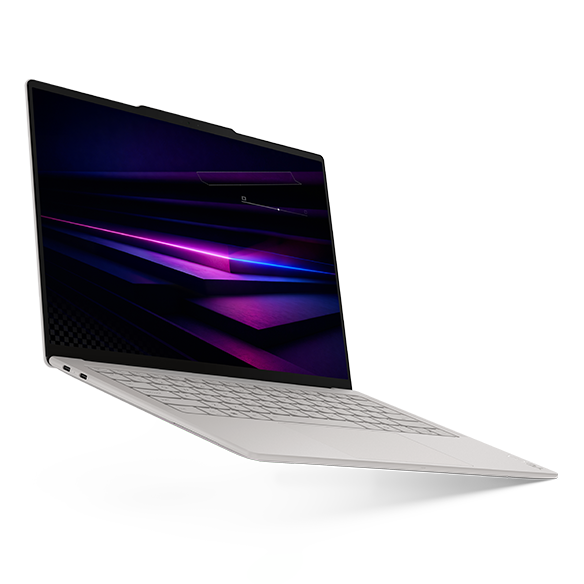
Key specifications: 14-inch 2880 × 1800, 120Hz OLED touch; 75Wh battery; three Thunderbolt 4 ports; manufacturer starting weight 975g. The purchase reference is Core Ultra 7 355, 32GB/1TB and Windows 11 Home. Lenovo specifications
Advantages
- The reviewed 978g configuration retains the 14-inch OLED touchscreen.
- Three Thunderbolt connections offer flexibility at a suitably equipped shared desk.
Trade-offs
- HDMI, USB-A and a 3.5mm audio socket require additional equipment.
- The touchscreen does not support an active pen. Lenovo specifications
The Yoga is particularly convincing when the university desk already has a compatible USB-C display or dock. In that arrangement, the student carries the light integrated-keyboard computer between rooms and connects the larger workspace at the destination. The advantage comes from repeatedly lifting less hardware while retaining a useful screen for slides, code and references.
The recommendation has measurable support: Notebookcheck recorded 978g for a Core Ultra 7 355/32GB/1TB sample. Its 10h36m Wi-Fi result also provides a useful limit to the story; low mass does not establish exceptional endurance. The reviewed computer used Windows Pro, whereas the priced US offer uses Home. Notebookcheck review
For a teaching assistant who encounters HDMI projectors and USB-A presentation receivers several times a week, the Zenbook can be more convenient. A required adapter is manageable, but it should be chosen and tested before leaving campus. Choose the Yoga when an approved Windows project can move between compatible desks with little extra equipment. Choose the Zenbook when direct connections make the teaching and laboratory handoffs simpler.
MacBook Air 13-inch M5: Best for a research group already working on macOS
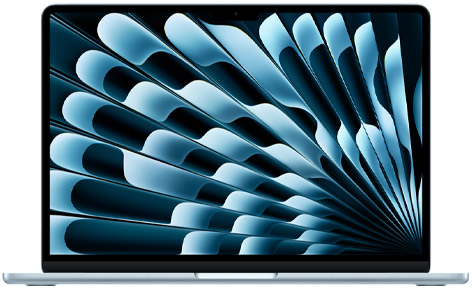
Key specifications: 13.6-inch IPS display; fanless cooling; 1.23kg official weight; two Thunderbolt 4 ports, MagSafe charging and a headphone socket. The identified purchase reference has an M5 with a ten-core CPU and ten-core GPU, 32GB memory and 1TB storage. Apple specifications
Advantages
- Fanless cooling removes cooling-fan noise from quiet reading and recording spaces.
- MagSafe allows charging without occupying either Thunderbolt port.
Trade-offs
- No native HDMI or USB-A, and no touchscreen.
- Fixed memory and storage make the original configuration decision important. Apple specifications, Notebookcheck review
The Air makes the strongest case when the research group can positively confirm its software environment on macOS. That includes more than a familiar word processor: statistical packages, compilers, collaboration tools and peripherals should all be considered. MathWorks supplies native Apple-silicon MATLAB support, but particular releases and dependencies still require checking. MathWorks support
Its original-review evidence is competitive. Notebookcheck measured 1,230g and 16h11m of Wi-Fi browsing for the entry M5 configuration with an eight-core GPU, 16GB memory and 512GB storage. Those results belong to that unit, rather than the larger-capacity ten-core-GPU purchase reference. Notebookcheck review
A student who already develops and presents successfully on a Mac has a practical reason to keep that workflow for a conference. Switching platforms immediately before travel introduces work that a small weight saving may never repay. Conversely, a required Windows-only instrument interface can decide the purchase before chassis design becomes relevant. Choose the Air for a working research environment and its fanless design; choose an Intel Windows option when the laboratory requires that platform.
ASUS Zenbook S14 UX5406AA: Best for moving between classrooms and conference rooms
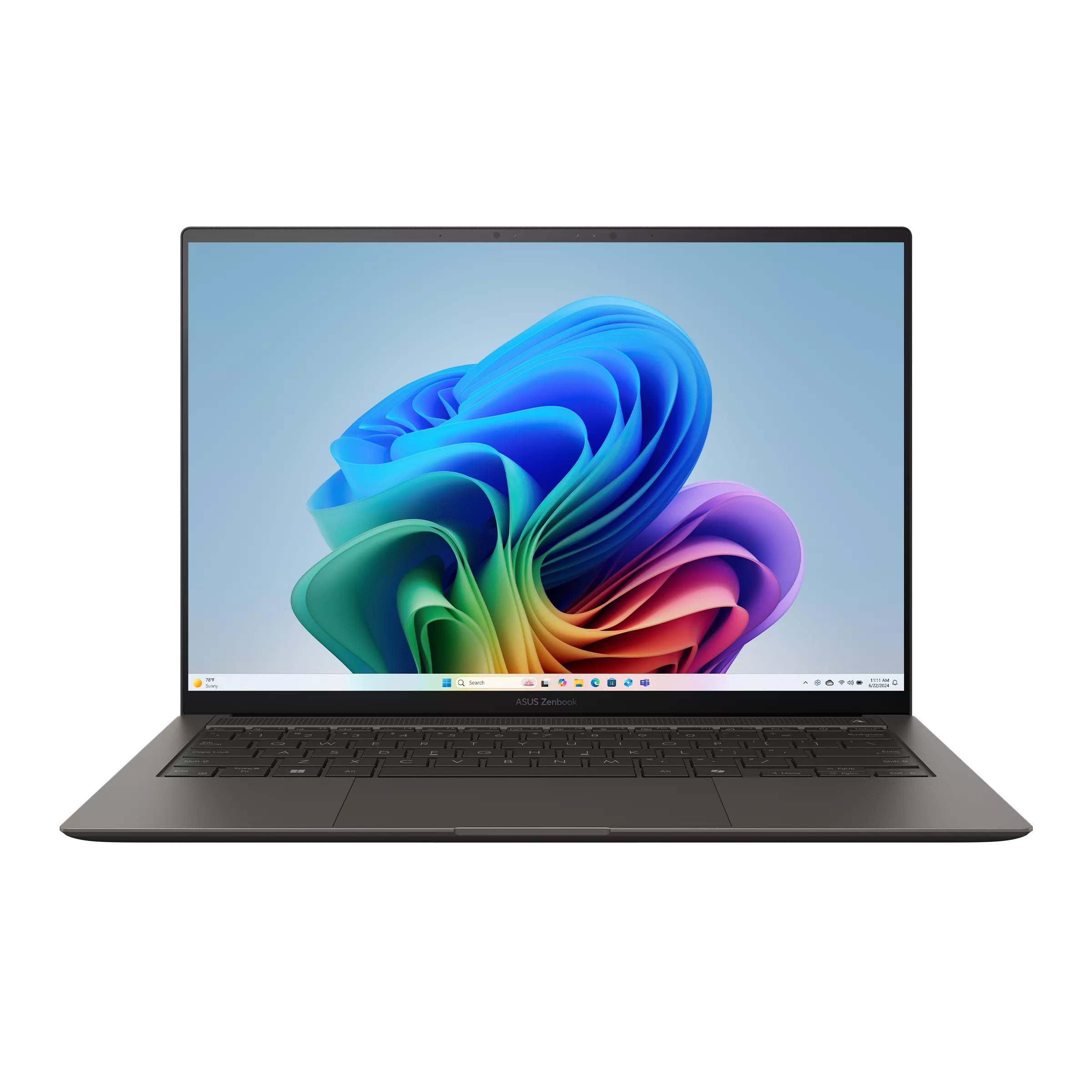
Key specifications: 14-inch OLED touchscreen; 1.20kg listed weight; two Thunderbolt 4 ports, HDMI, USB-A and an audio socket. The identified US offer, UX5406AA-XS79T, uses Core Ultra 7 356H, 32GB/1TB and Windows 11 Pro. ASUS specifications, Best Buy configuration
Advantages
- Built-in presentation and peripheral connections simplify repeated room changes.
- The checked 32GB/1TB Windows Pro offer is competitively priced within this group.
Trade-offs
- It carries more laptop mass than the reviewed Yoga.
- Graphics performance depends on the actual processor, rather than the Core Ultra family name.
For a student teaching on Monday and presenting a paper on Friday, direct connectivity can be the most useful premium feature. The Zenbook has the ports to attach common classroom equipment without first finding a separate hub. Its appeal continues at a shared laboratory desk where a wired headset or older peripheral remains part of the routine.
The model suffix matters. UX5406AA is the generation compared here; the older SA shares a similar name but different processor and battery specifications. Notebookcheck reviewed an AA with a Core Ultra 9 386H, measured 1,205g and reported 16h11m of Wi-Fi browsing at 150 nits. That is evidence for this generation, with a different processor from the priced 356H offer. Notebookcheck review
The Yoga's reviewed mass is 227g lower than that S14 sample. The question is whether carrying less computer or connecting directly saves more effort across the week. At the checked offers, the Yoga costs only $50 more. Select the Zenbook for frequent connections and its specific price; select the Yoga when the lighter daily load matters more.
ThinkPad X1 Carbon Gen 14: Best when the university can justify the exact package
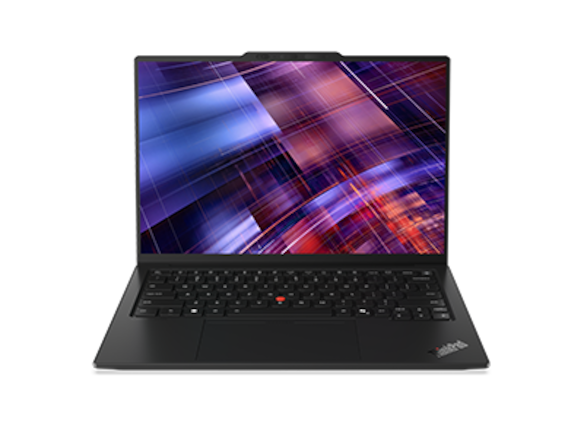
Key specifications: 14-inch IPS or OLED configurations; three Thunderbolt 4 ports, HDMI, USB-A and an audio socket. The selected 21V7006GUS offer is Core Ultra 7 365 vPro, 32GB/1TB, Windows Pro and an IPS touchscreen. Lenovo specifications, Lenovo configuration
Advantages
- Native connections suit teaching, visiting research offices and shared equipment.
- Published low-power IPS results give endurance-oriented buyers a concrete configuration to investigate.
Trade-offs
- The selected public price requires a stronger purchasing case than memory and storage alone.
- The lightest family figure does not identify the weight of the priced IPS model.
The X1 needs a configuration-first decision. Lenovo's starting figures of 977g or 998g depend on touchpad arrangement and do not describe every screen option. Notebookcheck's Core Ultra 5 325/32GB/512GB IPS-touch sample, 21V70075GE, weighed 1,139g. Its separate OLED sample weighed 989g and was non-touch. Lenovo specifications, Notebookcheck review, Notebookcheck review
The IPS sample's 23h13m Wi-Fi result at 150 nits is the standout endurance evidence in this five-model comparison. It supports investigating that screen and processor combination for long reading days, while leaving the quoted Core Ultra 7 unit unmeasured here. Notebookcheck review
A departmental package can add value when the written quote connects this exact configuration to support the student will use. That could be an approved system image, defined repair handling or access to a replacement device. The purchasing section below explains the evidence needed to justify the selected $3,579 offer. Choose the X1 for a documented package and a suitable configuration; the retail model name does not establish those services.
Surface Laptop 13.8-inch, 8th Edition: Best for a taller document workspace
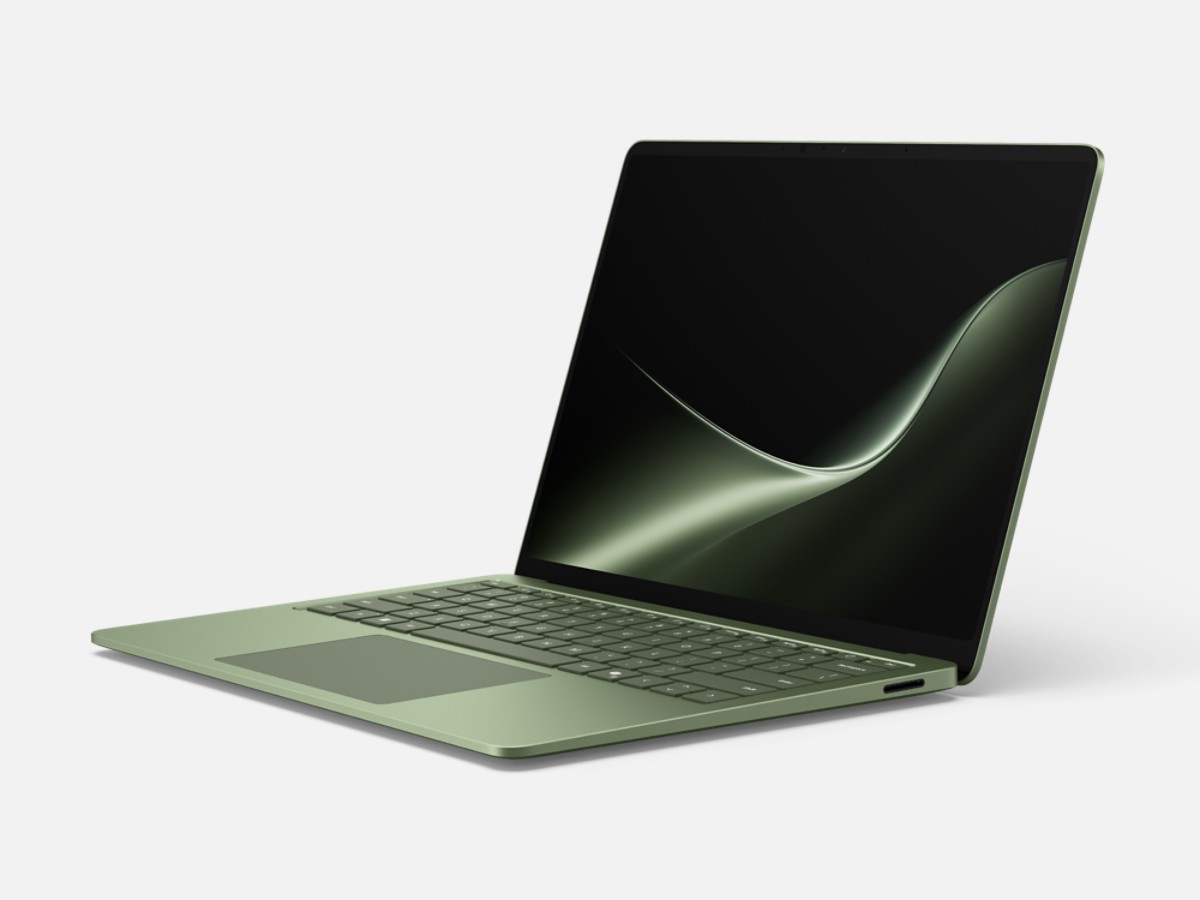
Key specifications: 13.8-inch 2304 × 1536, 120Hz, 3:2 touchscreen; approximately 1.36kg in Microsoft's Store specification; two USB4 ports, USB-A, audio and Surface Connect. The price reference uses Snapdragon X2 Elite, 32GB/1TB and Windows Home. Microsoft Store
Advantages
- The taller screen format gives more vertical space at the same screen width.
- USB-A and a headphone socket are built in alongside USB4.
Trade-offs
- Windows Arm needs confirmation for the complete software and driver environment.
- The screen accepts finger touch but does not support Surface Pen input. Microsoft Store
The Surface is worth trying with a paper, a reference manager and a normal writing window open together. Screen shape affects working layout, and a student who prefers additional vertical space can reasonably favour it over a lighter 16:10 computer. Its higher listed weight is the price of that particular package, rather than a reason to exclude it automatically.
RTINGS reviewed a 13.8-inch X2 Plus/16GB/512GB version, reporting more than 12 hours of web browsing and positive keyboard and haptic-touchpad observations. Those findings support a reading-and-meetings role; they do not measure the priced X2 Elite/32GB/1TB configuration. RTINGS review
For this Surface, divide approval into three checks rather than asking whether Windows software generally runs on Arm.
| Check | Evidence to obtain before ordering | Academic consequence |
|---|---|---|
| Application and project | Run the required release, add-ons and a representative project | The main program opening does not prove that the research task completes |
| Device driver | Confirm support for each required peripheral's exact driver | An application can work while its connected device remains unavailable |
| Laboratory interface | Complete the actual transfer, acquisition or control workflow with the instrument | A USB connector establishes a physical connection, not a working research session |
MATLAB R2026b lists Snapdragon X-series support through Prism emulation. MathWorks' linked guidance describes unsupported capabilities, including third-party hardware interfaces. The laboratory should therefore test its own toolbox and instrument chain, even when an ordinary MATLAB calculation succeeds. MATLAB Windows requirements, MathWorks Arm support guidance
Choose the Surface when its document layout and input devices suit the work and Arm compatibility is established. Choose an Intel machine for a required x86 driver environment, or a pen-capable device if handwriting is central to the research routine.
Keep the research project working at each handoff
Use a small acceptance check for each move in the weekly routine. The table describes tasks to try with the intended equipment; it is not a claim that this publication performed those tests. Save the working environment alongside the project instructions so a collaborator can reproduce the same steps.
| Academic handoff | Carry or arrange | A useful acceptance check | What this should decide |
|---|---|---|---|
| Laboratory to campus desk | Approved project copy, package versions and access route to central data | Reopen the project and regenerate one familiar output | The supported platform and necessary local capacity |
| Campus desk to teaching room | Slide files, presentation connection and any receiver | Display slides, notes and audio in the intended arrangement | Native ports versus a confirmed adapter setup |
| University to conference | Permitted offline material, presentation copy and network-access plan | Open the travel copy without campus connectivity, then reconnect to required services | Offline preparation and the host's actual display connection |
| Trip back to the research group | Updated scripts, figures and an identifiable project version | Reproduce the revised result on the supported university setup | Reliable file handoff and documentation of environment changes |
A student who edits code locally but runs analysis on a departmental server can make a different purchase from one who collects data through a laboratory interface. Write that division of work down before choosing a processor platform. The most useful comparison is whether the complete academic task survives the move.
Buy a documented university package
Consider a concrete purchasing example. The checked Lenovo Yoga 83QKCTO1WWUS1, Core Ultra 7 355, 32GB/1TB and Windows Home, was $2,049.99. The ThinkPad X1 21V7006GUS, Core Ultra 7 365 vPro, 32GB/1TB, Windows Pro and IPS touch, was $3,579 through Lenovo. These US offers were checked on 8 November 2026, before tax: the X1 costs $1,529.01 more. This is a difference between identified offers, with different hardware and operating systems, rather than a price for an assumed support bundle. Yoga configuration, ThinkPad configuration
Ask the university purchaser to explain what earns that additional spend. The alternatives matter: the checked Zenbook S14 UX5406AA-XS79T supplies 32GB/1TB and Windows Pro at $1,999.99, so Windows Pro by itself does not justify the X1 premium. ASUS purchase reference
| Purchasing question | Written evidence to request | What could justify additional cost |
|---|---|---|
| Approved software | Exact supported configuration, system image and named applications | The university undertakes to support the environment used by the project |
| Instrument connections | Required driver, interface and accessory list for the ordered model | The package includes a confirmed way to operate the actual equipment |
| Operating-system edition | Edition required by the university and included on the quotation | The supplied installation meets the project and management requirements |
| Management features | Confirmation that campus IT uses and supports the quoted vPro configuration | An actual managed deployment benefits from that capability |
| Service continuity | Warranty scope, response arrangements, repair location and loaner eligibility | A defined service reduces a specific research interruption |
None of those benefits is assumed to accompany the retail X1 offer. Compare the final institutional quote with purchasing another suitable computer through an approved route. Ask when a replacement could arrive, whether a loaner is guaranteed or merely available, and whether support applies away from campus. A written response is more useful than an undifferentiated business-laptop premium.
Try the academic work before committing
Confirm the presentation route
Ask the host whether the room provides HDMI, USB-C or a separate presentation computer. Rehearse with the exact adapter, receiver and slide file you will carry. Keep a PDF copy available offline when appropriate. A laptop's port specification answers the physical connection question; checking the actual presentation answers the working one.
Establish where computation happens
A laptop used to reach a university server has different needs from one running the full dataset locally. Try the busiest normal session before selecting memory. Sixteen gigabytes and 512GB can cover lighter work; a larger local working set may justify more. The graduate-program and budget guide at Portable Laptop Guide develops that capacity decision; the checks here focus on preserving the working project while moving between locations.
For a MATLAB project, open the laboratory's release and model, invoke its required toolboxes and regenerate a known figure. For an R project, restore the specified package environment, run the analysis script and check its output. For Python, create the approved environment, import the required libraries and run a representative notebook or script. These are deployment checks to perform, not blanket compatibility claims about every package on any of the five laptops. Record any compiler, external library or accelerator dependency that the project actually uses.
Check the operating-system edition and dependencies
For a statistical application, include any licensed modules, import/export steps and the university licensing route in the rehearsal. For CAD, open a representative assembly, perform a normal edit and inspect the exported drawing. SOLIDWORKS requirements cover x86-64 hardware, graphics support and operating systems, and exclude Windows Home. An Intel processor or an operating-system upgrade alone cannot establish that an ultraportable fits the project. SOLIDWORKS requirements
Try the screen with real research material
Open a dense paper and your own slide deck at comfortable scaling. Check reflections in representative lighting and the way the display looks while scrolling. OLED contrast, IPS preference and the Surface's taller shape are distinct purchasing reasons. A higher resolution only helps when the resulting layout remains readable.
Arrange recovery before departure
Separate the original data from the travel copy, follow university policy and confirm that required files are available without a network connection. Ask who handles a repair away from campus and whether a loaner is available. Those are terms to verify, rather than benefits implied by a premium product name.
Three conference setups that lead to different choices
A two-day paper presentation with a USB-C hotel desk. The student mainly reads, rehearses and makes small revisions. Yoga is the low-weight Windows starting point; Air is compelling when the project already works on macOS. Carry the confirmed presentation connection and a recoverable copy of the slides. Buying a heavier computer solely for an occasional connector may be unnecessary when the complete setup is already reliable.
A teaching week followed by a workshop. The student uses classroom projectors, a USB-A receiver and a wired headset repeatedly. Zenbook S14 offers a coherent direct-connection arrangement. An appropriately quoted X1 is also relevant. Here, fewer separate parts can be worth additional computer weight, particularly when the same connections are needed every day.
A reading-intensive visit with occasional remote analysis. A student who prefers the Surface's taller layout can choose it after confirming the VPN, remote tools and required drivers on Arm. If unplugged runtime dominates, investigate the actual low-power IPS X1 configuration supported by the original review. Neither choice needs to be the lightest machine to be the most suitable travel companion.
When conference travel becomes a regular part of research, this business-travel laptop comparison adds another perspective on carrying a complete kit, choosing presentation connections and checking the software environment before departure.
Rehearse the complete presentation before travelling
Put the laptop, charger, adapter and presentation receiver on a desk and deliver the talk using that equipment. Connect to an external display, open presenter view and check that the audience sees the intended slide while your notes stay on your own screen. Advance through the full deck with the receiver. This turns an abstract ports comparison into a working setup you can repeat at the venue.
Next, disconnect from the network and open the travel copy. Check figures, equations, fonts and embedded video, including audio through the connection you expect to use. Confirm that linked material is available locally when permitted, then export a PDF for situations where the venue provides its own computer. A separate copy on university-approved storage makes that handoff easier without requiring a second laptop.
Finish by returning to a normal research session: open the reference manager, edit a figure and reconnect to the university service used for analysis. Note which steps needed an adapter, an account prompt or a network connection. Those observations help decide whether the Yoga's lighter body, the Zenbook's native ports or an established Mac environment offers the most useful advantage for the next trip.
For a packing comparison alongside that rehearsal, the one-bag business-travel laptop guide examines the laptop, charger, cables and accessories as one working kit. Use the equipment needed for your own conference routine when comparing the carrying burden.
Frequently asked questions
Does graduate school justify buying a $2,000 laptop?
Only when its capabilities benefit the work or the university requires a particular configuration. Existing equipment or a lower-cost 16GB/512GB model can be adequate for documents, meetings and remote computing. Reserve budget for necessary software, storage and a comfortable desk setup.
What should decide between two laptops that both run the project?
Compare the handoffs that occur most often: a classroom connection, a long reading session or a supported return to laboratory equipment. The Yoga can simplify carrying an approved Intel Windows workspace; the ASUS simplifies direct connections. An established Mac environment or a documented departmental package can be more useful than either advantage.
Should a student trust a manufacturer's maximum battery claim?
Use it as a description of the manufacturer's stated test. Original reviews provide another view, with their own configurations and procedures. During the return period, check your normal research session at your usual brightness; do not plan a critical presentation around an advertised maximum.
Where should a longer shortlist begin?
The graduate-student comparison at Portable Laptop Guide expands the capacity and software decision. The graduate-program and budget guide helps connect those choices to a specific course. Its business-travel portability comparison adds ten candidates, while our lightweight business-laptop guide covers other working scenarios. Use the wider list when one of these five does not fit your requirements.
Sources
- Manufacturer documentation and photographs: Lenovo Yoga specifications, Yoga product page, Apple Air specifications, ASUS S14 specifications, ThinkPad X1 specifications, ThinkPad product page, Microsoft Surface Store.
- Named US purchase references: Yoga 83QKCTO1WWUS1, Air Z1L8000KL, S14 UX5406AA-XS79T, Lenovo X1 21V7006GUS offer, Surface 13.8-inch configuration selector.
- Original reviews: Notebookcheck Yoga, Notebookcheck Air, Notebookcheck S14, Notebookcheck X1 IPS, X1 OLED comparison, RTINGS Surface 8th Edition.
- Software requirements: MATLAB Windows requirements, MathWorks Arm guidance, MATLAB Mac requirements, SOLIDWORKS requirements.