Which lightweight laptops are good for graduate students? Start with the software and the location of the computation. ASUS Zenbook S14, Dell Pro 14 Premium, ThinkPad X1 Carbon Gen 14 and Lenovo Yoga Slim 7i Ultra offer different Intel Windows arrangements; MacBook Air M5 suits a verified Apple-silicon workflow; ASUS Zenbook A14 is worth considering when the complete Windows Arm toolchain is supported. Choose memory from representative research tasks, then compare portability, screen and connections within the compatible group.
A sociology project using SPSS, a physics project using MATLAB and a computer-science project connecting to a university GPU server can all be described as graduate research. Their laptop requirements still differ. The first question is not which processor has the most impressive name. It is which parts of the project must run locally, which platform those parts support, and what happens when the student works away from the campus network.
The discussion below uses official software documentation for compatibility, manufacturer documents for hardware and named independent reviews for sample measurements. Recommendations are editorial judgments, not newly measured application benchmarks. Our graduate laptop overview covers the wider purchase, while the companion thesis-writing and reading comparison concentrates on a document-led workload.
Audit the project before choosing the laptop
Write down the exact application, version, extensions and connection method for each regular task. A list saying Python, statistics and CAD is too broad. Record whether a Python project uses a compiled package, whether statistics work depends on a particular licensed module, and whether a simulation requires a specific operating system or graphics API. Ask the supervisor or course team which setup they can actually support.
Then mark the execution location. A notebook edited in a browser can run on a university server, while a similar-looking notebook can execute entirely on the laptop. The screen may look almost identical. Its CPU, memory and GPU demands will not be. A student should understand that distinction before spending a portability budget on hardware that the project never uses, or buying a small machine that cannot complete an essential offline task.
Finally, preserve one representative project as a purchasing check. It should contain the package environment, a permitted sample dataset, an analysis step and the expected output. A successful installation is only the beginning: run the transformation, save a result and reopen it. The 16GB, 32GB and 64GB graduate-work guide is useful further reading once this workload is defined.
Keep a short record of what a successful check looks like. Include the command or menu action, the expected output and the point at which the session is busiest. If the project will be demonstrated on another machine, use the same permitted sample and procedure. That makes the comparison easier to explain to a supervisor and prevents a quick application launch from being mistaken for a complete research-workflow test.
Platform support is specific to products and versions
| Research component | Current primary-source finding | Consequence for a purchase |
|---|---|---|
| IBM SPSS client products on Windows Arm | IBM's architecture guidance does not establish Windows Arm support; it separately describes Apple-silicon support for macOS Statistics | Do not treat all Arm systems as equivalent or rely on a Windows emulator as a support promise |
| MATLAB R2026b on Windows | MathWorks lists Snapdragon X and states that Windows Arm operation uses Prism; some capabilities are unsupported | Check the exact toolbox, hardware integration and release |
| MATLAB R2026b on Mac | MathWorks documents Apple-silicon operation and platform-specific product exclusions | Verify required products and acceleration, not only the MATLAB application name |
| RStudio Desktop | Posit lists platform-specific installers and requires R to be installed separately | Check the IDE, R build and project packages together |
| Python/pandas analysis | pandas documents in-memory operations and intermediate copies | Dataset size on disk is an incomplete memory estimate |
| University browser research service | Access and available resources depend on the institution and account | Establish entitlement, quotas and off-campus access before buying around it |
The software information here was reviewed on 10 November 2026. Recheck the release used by the department when ordering; a supported platform is not a guarantee that every extension or laboratory peripheral is supported.
SPSS and MATLAB demonstrate why a generic Arm rule fails
IBM's SPSS architecture guidance distinguishes desktop architectures and includes a specific Apple-silicon exception for macOS Statistics. That is a reason to verify the selected SPSS product and release, rather than assume that a Snapdragon Windows laptop and an M-series Mac have the same support status. A research plan built around an unsupported local installation is a poor basis for saving a little carrying weight.
MATLAB now needs a different description. The R2026b Windows requirements include Qualcomm Snapdragon X processors and say that MATLAB runs through Prism on Windows Arm, with some unsupported capabilities. The Mac requirements describe Apple-silicon support and list products unavailable on macOS. The correct question is therefore whether the actual course or laboratory toolchain works on that platform. A demonstration of a simple script cannot validate every toolbox, compiler integration or attached instrument.
This matters even for an Intel purchase. Check the installed Windows edition, available licence and the department's deployment procedure. A machine can meet a software minimum while leaving little practical headroom for simultaneous work. Conversely, an expensive laptop can add no useful capability when the licensed application runs on a university workstation. Compatibility creates the eligible set; the research workflow decides what is worth paying for within it.
Estimate working memory from the operation, not the download
Consider an explicitly simplified calculation: one million rows containing thirty double-precision numeric values require 240,000,000 bytes for those values alone, because each value occupies eight bytes. This is arithmetic, not a prediction of a particular program's actual allocation. Column metadata, text, indexes, intermediate objects, the application and the operating system add other demands. A transformation that temporarily holds an input and an output can increase the peak further.
pandas' own scaling guide discusses intermediate copies, reading fewer columns, efficient data types and workloads that can be processed in chunks. Those approaches can change the purchase discussion, but they are not a guarantee that every analysis can be divided into small pieces. Some operations require relationships across the full dataset. Reducing the data intelligently and increasing available memory answer related but different problems.
Our planning starting point is 16GB for a verified light local workload, 32GB for a student who regularly combines analysis with substantial multitasking, and a separate investigation of 64GB or remote resources when representative jobs already exceed that envelope. These are editorial planning bands, not universal software requirements. Observe a real project, including its busiest step, and keep enough capacity for the rest of the session. A fixed-memory laptop makes that decision difficult to reverse later.
Six hardware arrangements to compare
| Candidate | Hardware reason to investigate | Configuration issue to settle |
|---|---|---|
| ASUS Zenbook S14 UX5406AA | Intel Windows, 14-inch OLED and direct HDMI/USB-A | Fixed memory; exact processor and OS |
| Dell Pro 14 Premium PA14250 | A department-managed Intel setup and conventional ports | Panel-specific mass, support and approved configuration |
| ThinkPad X1 Carbon Gen 14 | IPS/OLED options and documented business configurations | Match display, processor, memory and price |
| Lenovo Yoga Slim 7i Ultra Gen 11 | Low-mass Intel computer with a 14-inch touchscreen | USB-C-only ports and soldered memory |
| Apple MacBook Air 13-inch M5 | A supported Mac toolchain in a fanless portable body | Required products, memory and sustained workload |
| ASUS Zenbook A14 UX3407NA | Light Windows Arm computer with useful direct connections | Full application, package and driver support |
ASUS Zenbook S14 UX5406AA — Best for an Intel research setup with direct connections
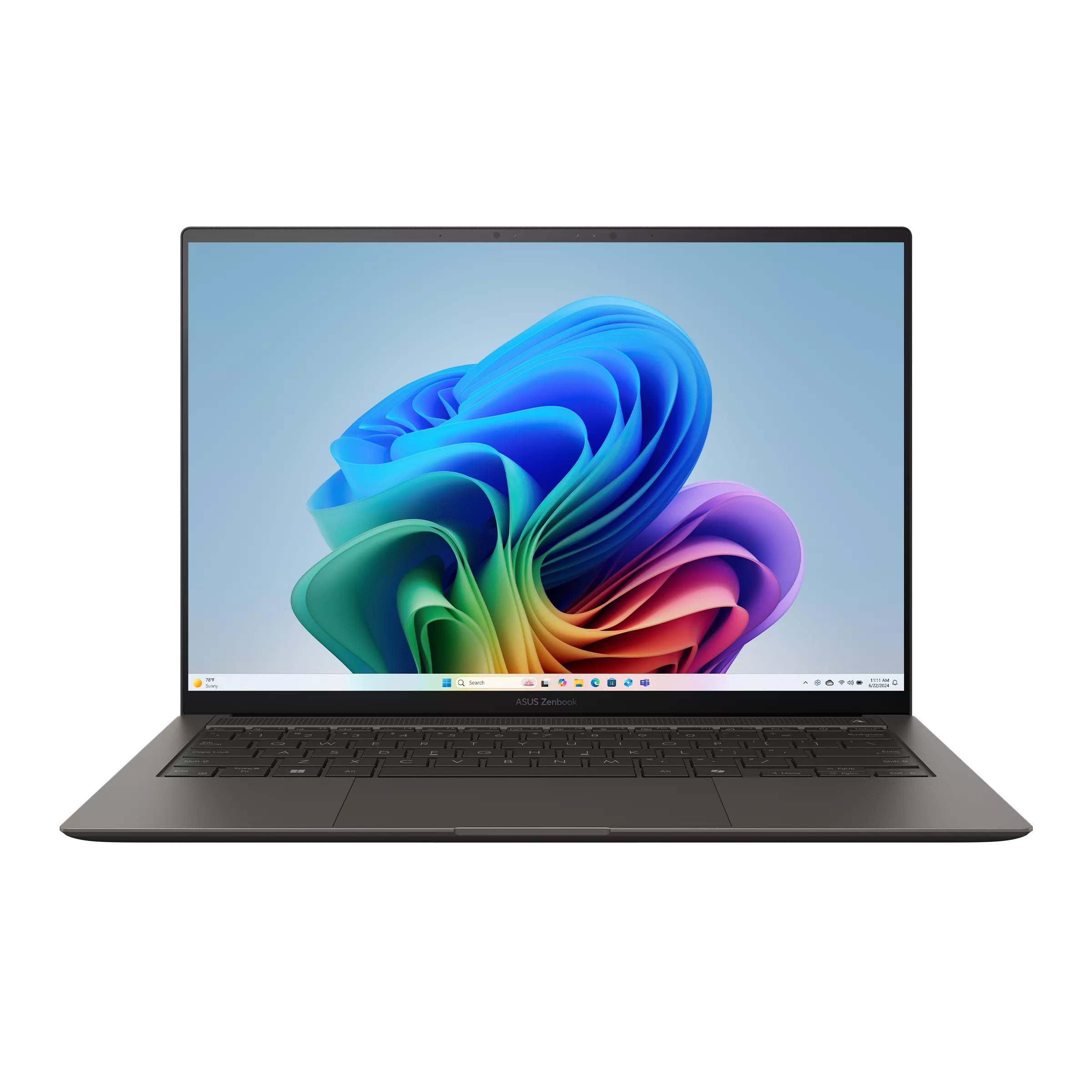
ASUS's official AA specification lists a 14-inch OLED touchscreen, 1.20kg mass, two Thunderbolt 4 ports, USB-A, HDMI and audio. This makes the S14 a candidate for a student who works locally in a supported Intel environment and repeatedly connects to a monitor or an established accessory arrangement.
Picture an economics project with a data editor, analysis window and chapter open together. The useful purchase is the configuration that maintains that session without exceeding the available resources. A processor family label alone does not establish its performance on the student's scripts. The 32GB onboard capacity documented for the AA family is fixed, so it belongs on the purchasing decision rather than a future-upgrade list.
Keep the retail offer separate from a reviewed sample. Notebookcheck's AA review concerns an identified Ultra 9 machine, while an Ultra 7 offer can be a different order. Choose the S14 when platform and connections fit; select a different class of system when a required local GPU workload exceeds what this arrangement provides.
Dell Pro 14 Premium PA14250 — Best for continuity with a supported departmental configuration
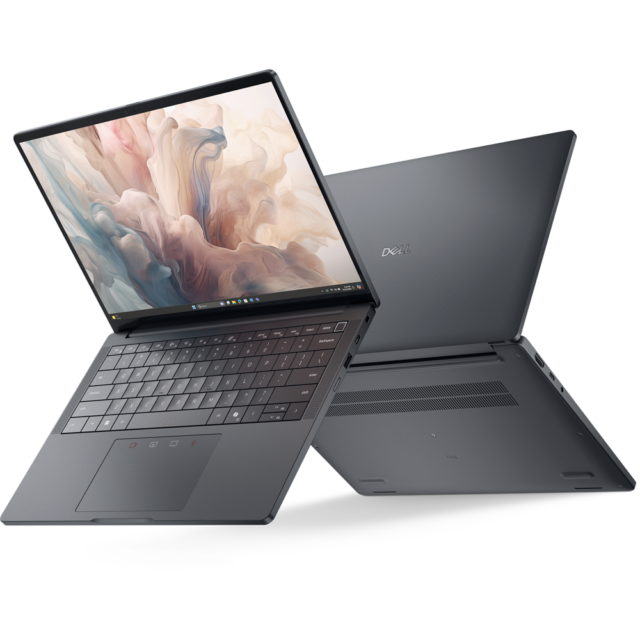
Dell's connection manual documents two Thunderbolt 4 ports, USB-A, HDMI and a headset connection. Its weight table separates panel choices, including a 1.141kg minimum for the battery-saving FHD+ arrangement and 1.219kg for OLED.
This is worth investigating when a research group already deploys a defined Dell configuration, installs the required applications and offers a known support route. Those arrangements can matter during a deadline. They must still be confirmed: a business-family name does not prove that a student receives the same service, management features or software access as departmental staff.
For a personally funded purchase, compare what the actual order contributes. A different panel or memory capacity can change both the experience and the price. The Pro is not automatically a better research computer than a consumer-family Intel laptop. Its strongest case is continuity with a useful, documented institutional setup.
ThinkPad X1 Carbon Gen 14 — Best for choosing a research configuration deliberately
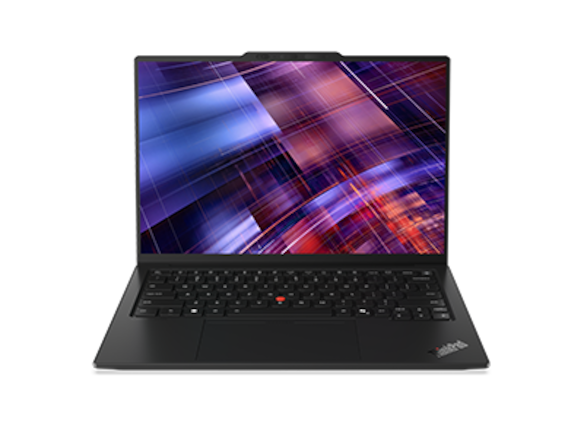
The X1 Carbon PSREF documents IPS and OLED choices, Intel processor options, HDMI, USB-A and three Thunderbolt 4 ports. Its flexibility is useful only when the selected order is clear. Display, memory, processor and service details should appear together on the quote.
A policy researcher who reads on campus and analyses locally at home may prefer an IPS configuration and an external monitor. Another student may place greater value on OLED. Neither should inherit a battery result measured on a different panel. The original IPS review identifies its own 21V70075GE sample; it is not a measurement of every possible X1.
Use the X1 to compare a well-defined configuration, not to assume a universal research advantage. A different Intel machine may meet the same software requirement at a more suitable cost. For computation that is already moved to a university server, invest according to the local editing and display work rather than an unused processor upgrade.
Lenovo Yoga Slim 7i Ultra Gen 11 — Best for a light Intel machine between research locations
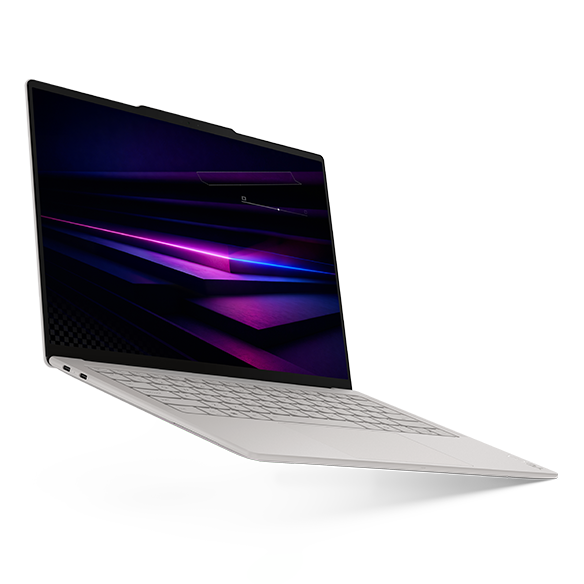
Lenovo's 14IPH11 specification lists a 975g starting weight, 14-inch OLED touchscreen and three Thunderbolt 4 connections. Its memory is soldered. These are hardware facts supporting a carrying-focused choice, rather than proof that the machine is fastest for a named research application.
The Yoga can suit a student who needs a supported Intel Windows stack but carries the computer through several buildings most days. Before selecting it, connect the actual monitor, recording device or laboratory accessory through the intended arrangement. An adapter can solve a connector problem without solving an unsupported driver or an application-platform problem.
Notebookcheck's reviewed unit used Core Ultra 7 355, 32GB and a 1TB SSD. Those identifiers are useful when checking evidence. Compare the same real project on any shortlisted machine where a demonstration is available, and avoid treating a general laptop review as a benchmark of your analysis. Low weight is valuable when the local workload fits.
Apple MacBook Air 13-inch M5 — Best for a verified Apple-silicon research toolchain
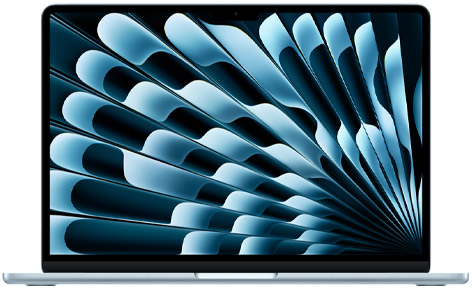
The MacBook Air specification lists a 13.6-inch IPS display, 1.23kg mass and configurable memory and storage. Its fanless body is useful for quiet work. That design does not establish superior sustained performance for every analysis, and the compact display may encourage use of an external monitor for a multi-pane research environment.
A Mac can be a sensible choice for supported R, Python and other Apple-silicon applications. Posit's current RStudio download documentation lists a universal macOS installer and separately requires an installation of R. The entire package environment still matters: verify the project's compiled dependencies, external tools and any required research device.
Check local acceleration requirements before ordering. A requirement for a particular GPU software stack is more specific than wanting a powerful computer. MathWorks, for example, documents platform-specific acceleration and product limits. If the demanding work runs remotely, an Air may serve well as the interface; if it must run locally in an unsupported environment, choose a compatible system instead.
ASUS Zenbook A14 UX3407NA — Best for a validated Windows Arm research environment
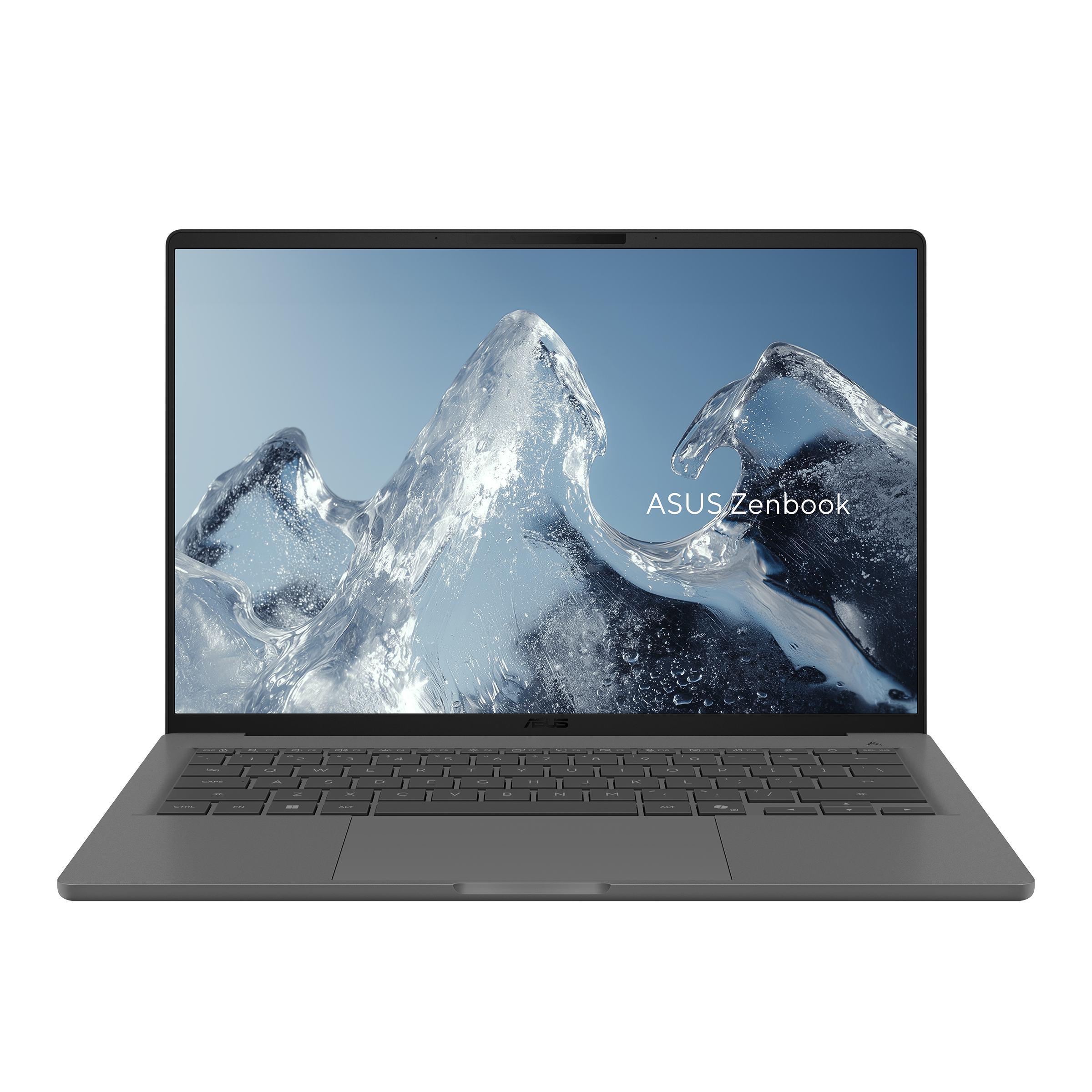
ASUS's NA specification identifies Snapdragon X2 Elite, a 14-inch 1920×1200 OLED non-touch display and 0.99kg listed mass. USB-A, HDMI, audio and two USB4 ports provide useful direct connections. Its low weight is an option within a supported workflow, not a reason to skip the software audit.
A computer-science student editing code and connecting to approved remote resources may have a different compatibility outcome from a student requiring a locally installed SPSS client. The latest MATLAB documentation also shows why a blanket claim that all research software rejects Arm would be wrong. Check the required version and functions, then test the representative project.
Microsoft's Arm FAQ treats driver support separately from application emulation. Include the university VPN, security tools, scanner and laboratory interface in that check. Choose an Intel alternative if an essential dependency remains unsupported, and investigate the A14 when the complete environment has been validated.
Three research projects and three resource decisions
For a survey-based social-science project, begin with the actual data import, recoding and analysis steps. A file that opens successfully may still produce a larger working set during a merge or model fit. Keep the writing application and reference manager active if that reflects the normal session. Use the observed peak and the licensed software's requirements to decide whether 16GB is sufficient or whether 32GB provides useful room. Do not assume every small survey needs a workstation.
For an engineering project, ask which functions run locally and which tools communicate with hardware. A supported numerical application does not prove compatibility with every compiler, acquisition device or specialized product. If a model requires a particular GPU or substantial local memory, a lightweight integrated-graphics shortlist may be the wrong category. A portable computer plus an approved lab workstation can be a coherent arrangement when access is dependable; it becomes a problem if the student must complete the same work offline.
For a data-science project, build a small reproducible environment before comparing processors. Record package versions, use a permitted sample and run the preprocessing pipeline as well as the final model. A pipeline that copies several tables can make capacity important before the algorithm becomes computationally difficult. If the real task trains large models remotely, check the local responsibilities: editing, visualizing samples, preparing submissions and reviewing output. Buying a local GPU is justified by the work it will actually perform.
A university server changes the laptop's role
Stanford's Sherlock OnDemand documentation provides a concrete example of browser-based access to research computing, including Jupyter and RStudio sessions. It requires the appropriate university identity and authentication; resources and job scheduling remain part of that service. This illustrates a workflow, not an entitlement available to every graduate student or evidence that every institution supplies identical tools.
Ask your own group which resources are available, whether accounts and allocations are already approved, and how work continues when a job waits or connectivity fails. Keep lightweight local checks possible where practical. For students who research while travelling, the two-workspace laptop guide and battery, calls and recovery comparison address that mobile arrangement from different angles.
Storage and reproducibility belong in the same plan
Separate active research files, software environments, original data and reproducible outputs. More SSD space can be useful for several environments or local working copies, but it does not replace RAM during an in-memory operation. A fast external drive can expand the file arrangement while adding another item to carry and connect. Our internal, external and cloud storage guide develops that decision without treating every form of storage as interchangeable.
Keep an environment record and verify that a project can be restored to the location where it will run. Recovery should include scripts, dependencies and permitted data access, not only a final figure. Before replacing a laptop, use the backup and migration guide to plan the transfer. A successful installation on the old machine is not evidence that the new processor architecture or operating-system release will reproduce it unchanged.
Frequently asked questions
Is 32GB mandatory for every graduate student?
No. It is a useful planning option when the representative workload benefits from the capacity. Some writing and modest analysis sessions fit 16GB; other projects need more than 32GB or should run on different resources. The important evidence is the real working set and required applications, not the student's degree title.
Does a larger SSD make a memory-heavy analysis fit?
It adds file capacity, but it does not turn storage into equivalent RAM. Virtual memory can affect how a system behaves under pressure, yet it cannot promise the same responsiveness or completion time. Investigate the operation, the available memory and whether the workload can be reorganized before buying solely on SSD size.
Can I choose a Snapdragon laptop for MATLAB?
The current R2026b Windows documentation lists Snapdragon X through Prism, with limitations. Confirm the required release, toolboxes and connected hardware, and run a representative project. That finding does not establish support for every other research application, and it should not be generalized into a promise about SPSS on Windows Arm.
Is a dedicated GPU necessary for research?
Only when the intended local workload benefits from a supported GPU arrangement. Many document, statistical and remote-development tasks have a different bottleneck. Check the software's acceleration requirements and the research location before accepting additional cost, heat and carrying mass for hardware that may be unused.
How should I compare two compatible lightweight laptops?
Compare the actual memory, processor, screen, connections, service and delivered quote, then assess your representative project. Keep independent tests attached to their sample configurations. Our methodology explains that separation; the model name alone does not establish either value or application performance.
Further reading for your graduate working day
For a research project built around R or Python, continue with our reproducible research laptop comparison. It turns the software and capacity inventory into a concrete environment-restoration check, including compiled dependencies, document exports and the division between local work and university computing.
Official sources & verification
Manufacturer documentation checked 10 November 2026. Availability, bundles and specifications vary by region and configuration.
- IBM's SPSS architecture guidance
Source matched to the cited hardware, software guidance or original review sample. - MathWorks support
Manufacturer documentation, identified purchase offer or original review, as attributed alongside the relevant claim. - MathWorks support
Manufacturer documentation, identified purchase offer or original review, as attributed alongside the relevant claim. - pandas — Scaling to large datasets
In-memory analysis may need intermediate copies; document provides load-less-data and memory-efficiency strategies. - ASUS specifications
Manufacturer documentation, identified purchase offer or original review, as attributed alongside the relevant claim. - Notebookcheck review
Manufacturer documentation, identified purchase offer or original review, as attributed alongside the relevant claim. - Dell documentation
Manufacturer documentation, identified purchase offer or original review, as attributed alongside the relevant claim. - PA14250 manual
Source matched to the cited hardware, software guidance or original review sample. - Dell documentation
Manufacturer documentation, identified purchase offer or original review, as attributed alongside the relevant claim. - Lenovo configuration
Manufacturer documentation, identified purchase offer or original review, as attributed alongside the relevant claim. - Lenovo specifications
Manufacturer documentation, identified purchase offer or original review, as attributed alongside the relevant claim. - Notebookcheck review
Manufacturer documentation, identified purchase offer or original review, as attributed alongside the relevant claim. - Lenovo configuration
Manufacturer documentation, identified purchase offer or original review, as attributed alongside the relevant claim. - Lenovo specifications
Manufacturer documentation, identified purchase offer or original review, as attributed alongside the relevant claim. - Notebookcheck review
Manufacturer documentation, identified purchase offer or original review, as attributed alongside the relevant claim. - Apple specifications
Manufacturer documentation, identified purchase offer or original review, as attributed alongside the relevant claim. - Posit's current RStudio download documentation
Source matched to the cited hardware, software guidance or original review sample. - ASUS Zenbook A14 UX3407NA image source
Source matched to the cited hardware, software guidance or original review sample. - ASUS specifications
Manufacturer documentation, identified purchase offer or original review, as attributed alongside the relevant claim. - support.microsoft.com — cited product or review source
Manufacturer documentation, named sales offer or original review, as identified in this article. - Stanford's Sherlock OnDemand documentation
Source matched to the cited hardware, software guidance or original review sample.