The laptop that feels effortless on a trip is the one that removes a burden you actually notice: weight during a long walk, a cramped screen while editing a proposal, an adapter missing before a presentation, or an empty battery between meetings. Different machines solve different parts of that problem.
Our first portability pick is the Lenovo Yoga Slim 7i Ultra Aura Edition, 14-inch Gen 11, for travelers who want an Intel Windows laptop with a 14-inch OLED touchscreen. The strongest evidence is a real review sample: Notebookcheck measured 978g with the touchscreen intact. It is the lightest touchscreen sample in the published measurement table below. Its measured laptop and power supply together total 1,155g.
That gives the recommendation a firmer basis than comparing advertised minima. The choice changes if native HDMI, a smaller chassis or longer unplugged working matters more: X1 Carbon, Zenbook A14, XPS 13 and the other candidates below each have a clear role.
Quick choices for the way you travel
| Your main requirement | Start with | The deciding evidence |
|---|---|---|
| A very light 14-inch Intel OLED touchscreen | Lenovo Yoga Slim 7i Ultra | 978g measured review sample; 14-inch OLED touch |
| Long unplugged work with company management options | ThinkPad X1 Carbon Gen 14, low-power IPS configuration | 23h 13min Wi-Fi result for a named IPS-touch sample; different OLED results |
| Sub-1kg-class carrying with native HDMI and USB-A | Zenbook A14 UX3407NA | Manufacturer-listed 990g with both connections; requires an approved ARM workflow |
| A compact chassis and an entry configuration below $1,000 | XPS 13 DX13260 | 296.9 × 200.66mm footprint; verified $999.99 16GB/512GB offer |
| A larger screen without carrying a separate monitor | LG gram Pro 16Z90U | 16-inch panel and a global specification of 1.199kg |
| A familiar, fanless macOS workflow | MacBook Air 13-inch M5 | Fanless design, MagSafe and a 1.23kg official specification |
This US buying shortlist combines official model documentation, dated configuration offers and original third-party reviews. The product sequence is a reading order, with the lead choice explained above; measured results and role recommendations are shown separately. We prioritize compatible software, carrying weight, useful screen area and required connections before price. Japan-market ultralights such as the FMV Zero sit outside the buying scope, so this is not a worldwide minimum-weight record list.
Lenovo Yoga Slim 7i Ultra: Best for a measured sub-1kg OLED-touch setup
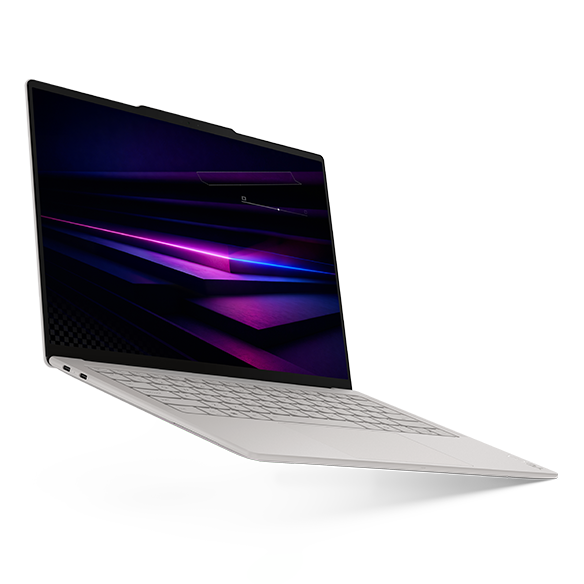
Hardware: 14-inch 2880 × 1800 120Hz OLED touch; 75Wh; three Thunderbolt 4 ports; manufacturer starting weight 975g. The body is 312.6 × 213.8 × 13.9mm, or 216.2mm deep including the camera bump. Lenovo specifications.
The Yoga's main achievement is keeping a useful touchscreen work surface in a genuinely light tested machine. Notebookcheck's Core Ultra 7 355/32GB/1TB sample weighed 978g and returned 10h 36min in its Wi-Fi test. The review unit ran Windows 11 Pro; the quoted US Home configuration below is a separate offer. Original review.
For a traveler moving between a backpack, a train and a USB-C-equipped desk, that is a persuasive combination. The case for choosing it is low measured mass with the desired screen, rather than a claim to lead every battery or performance test.
The practical sacrifice is the absence of HDMI, USB-A and a headphone socket. Count the adapter you need for client equipment. The cited X1 OLED review sample is close in mass but non-touch; the A14 retains more native ports on a different processor platform. Choose through those differences, rather than a few grams.
Lenovo ThinkPad X1 Carbon Gen 14: Best for enterprise-managed travel
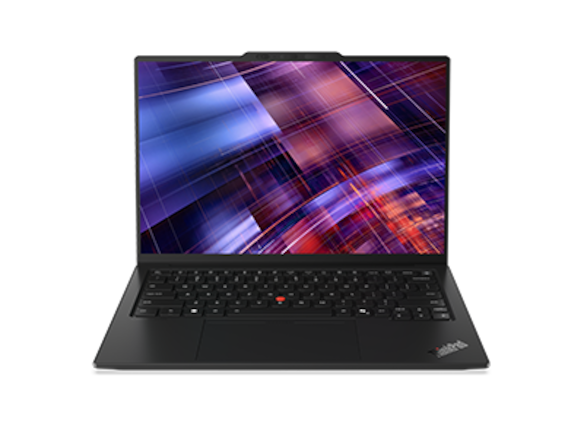
Hardware: 14-inch IPS/OLED choices; 58Wh; three Thunderbolt 4 ports, HDMI, USB-A and a headset socket. Family minima are 977g or 998g by touchpad type; screen and other options affect the purchased machine. Lenovo specifications.
The X1 is a strong alternative when the laptop must fit a company deployment, optional cellular connection or familiar presentation equipment. Eligible configurations offer vPro Enterprise and WWAN, while the native ports can simplify unfamiliar meeting-room setups.
Its screen choice changes the carrying decision materially. Notebookcheck measured a low-power IPS-touch/Core Ultra 5 sample at 1,139g and 23h 13min of Wi-Fi use. Its separate OLED sample was 989g, non-touch, and lasted approximately 13.5 hours at 150 nits and 60Hz. IPS review · Original OLED comparison.
The 989g result therefore cannot demonstrate the weight of an OLED-touch configuration. Nor should the IPS runtime be attached to the family minimum. For a day dominated by unplugged work, the named IPS sample is particularly relevant; for low carrying mass, examine the actual OLED configuration and whether touch is required.
ASUS Zenbook A14 UX3407NA: Best for sub-1kg-class carrying with native HDMI
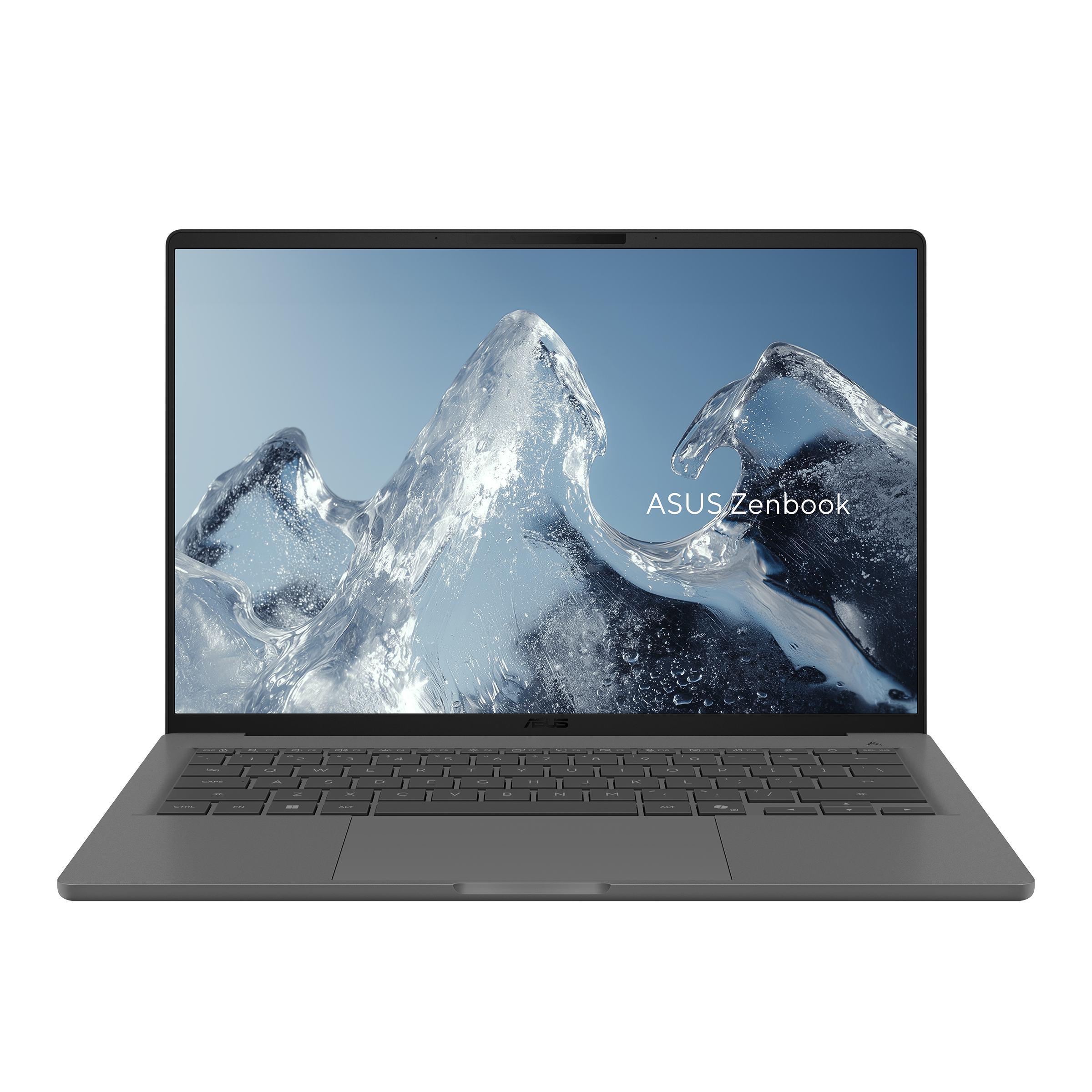
Hardware: Snapdragon X2 Elite; listed 990g; 70Wh; two USB4 ports, HDMI, USB-A and a headset socket. The US NA specifications include a 14-inch 1920 × 1200 60Hz non-touch OLED option. ASUS specifications · 2026 model announcement.
The A14 is a particularly useful comparison for travelers who would otherwise put a USB-C hub in their bag. Its native presentation connections are built in at approximately the same carrying class as the Yoga and X1's light OLED configuration.
Digital Trends used an identified UX3407NA-QD226WS with X2 Elite, 16GB/512GB and FHD OLED as a work laptop for around two weeks. Its review found comfortable input devices and responsive everyday work, while noting the 60Hz display and visible reflections in difficult lighting. Original review.
The decisive check is the complete Windows-on-Arm workflow: applications, VPN, security agents and peripheral drivers. If those are approved and touch is unimportant, the A14 can be the more convenient purchase. It should not be penalized over a 15g difference between advertised figures, nor credited with another A14 generation's screen or runtime.
Dell XPS 13 DX13260: Best for compact bag dimensions
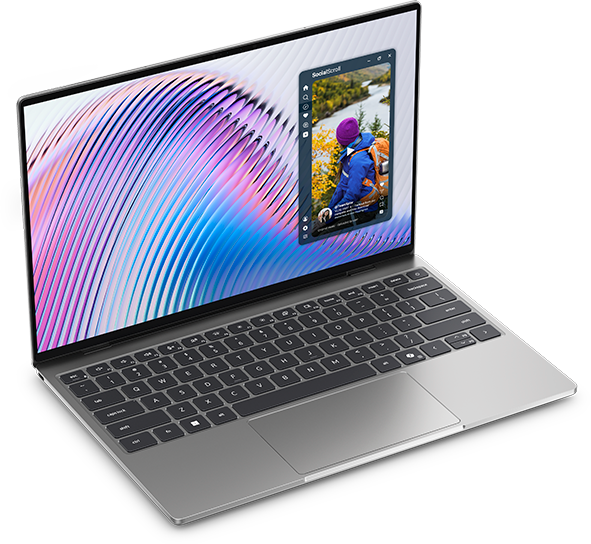
Hardware: 13.4-inch 2560 × 1600 touch LCD; 52Wh; 296.9 × 200.66 × 12.7mm; manufacturer starting weight 1kg. Core Ultra configurations provide Thunderbolt 4; the Core 5 version uses USB-C 3.2 10Gbps. Dell configuration page.
The XPS is the packing-size choice. It is narrower and shallower than the Yoga, which can matter more than a small nominal weight difference in a tight sleeve or crowded bag. Its smaller screen is the corresponding trade-off for longer document sessions.
There is now useful independent evidence for this exact chassis generation. Notebookcheck tested a Core 5 320/8GB/512GB sample, measured 1,062g and recorded 18h 26min of Wi-Fi use. Those are results for that entry sample, not the 16GB or Core Ultra offers. The 8GB configuration also falls below our recommended starting memory for this guide. Original review.
For an individual purchase, the verified 16GB/512GB and 32GB/1TB offers give two distinct price comparisons below. Choose the Core Ultra route if Thunderbolt is part of the equipment plan; the model name alone does not settle the port capability.
ASUS Zenbook S 14 UX5406AA: Best for Intel OLED with built-in presentation ports
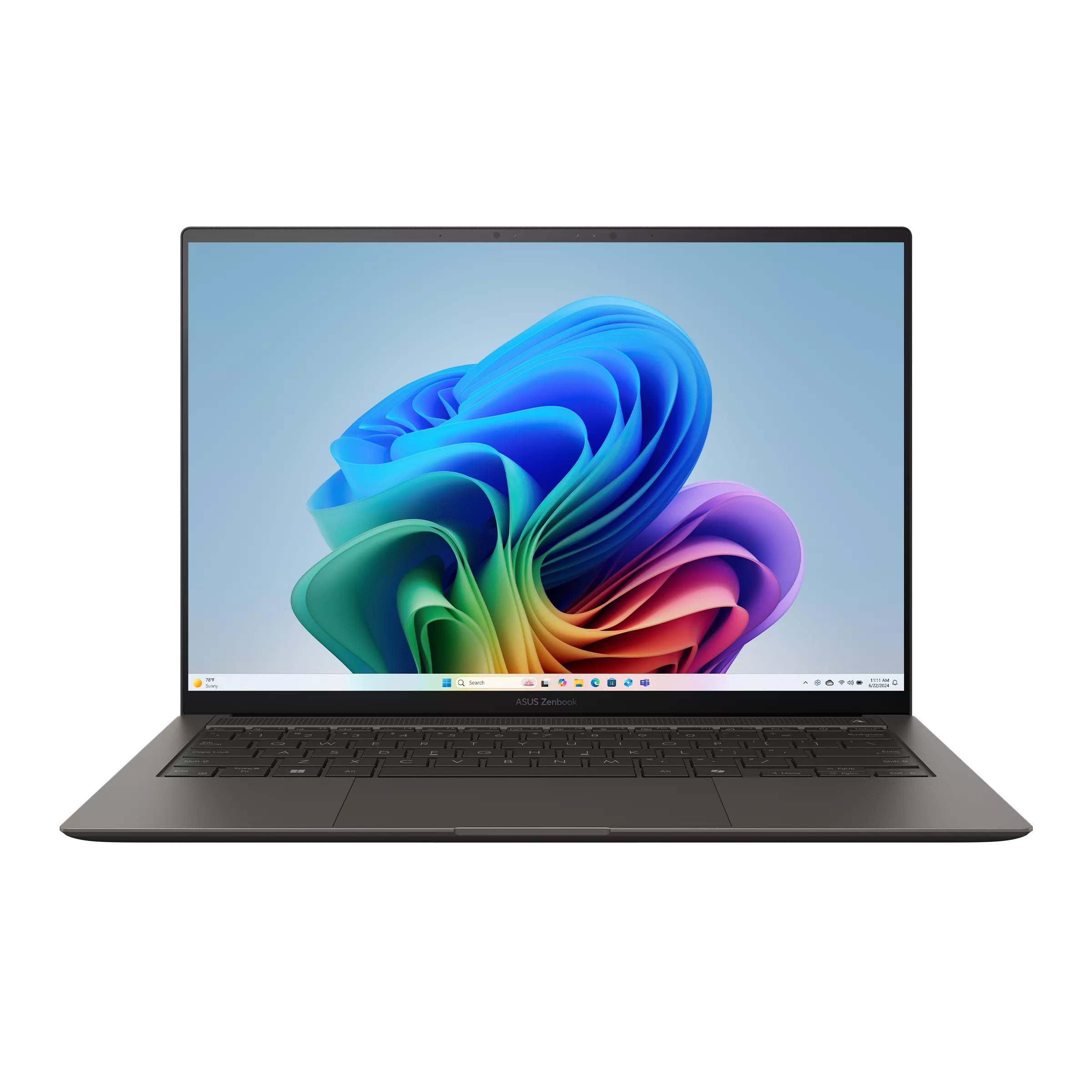
Hardware: 14-inch 2880 × 1800 120Hz OLED; listed 1.20kg; 77Wh; two Thunderbolt 4 ports, HDMI, USB-A and a headset socket. The AA generation uses Intel Core Ultra Series 3; it should not inherit the older SA model's battery or tests. ASUS AA specifications.
The S 14 is the straightforward alternative when you want an Intel OLED laptop and expect to connect to HDMI displays frequently. Accepting the 1.2kg class can be a sensible exchange for having the right connection already available.
Notebookcheck's current AA review used Core Ultra 9 386H, 32GB/1TB and a 2.8K 120Hz OLED touchscreen. The sample weighed 1,205g and achieved 16h 11min in the 150-nit Wi-Fi test. The reviewer also identified higher fan noise under heavy load, so the processor option should follow the actual workload. Original AA review.
This is stronger evidence than inferring endurance from its 77Wh capacity. It still describes that reviewed configuration, rather than every regional AA SKU. Compare the local processor, screen and included adapter before choosing it over the lighter group.
LG gram Pro 16Z90U: Best for a physically larger built-in screen
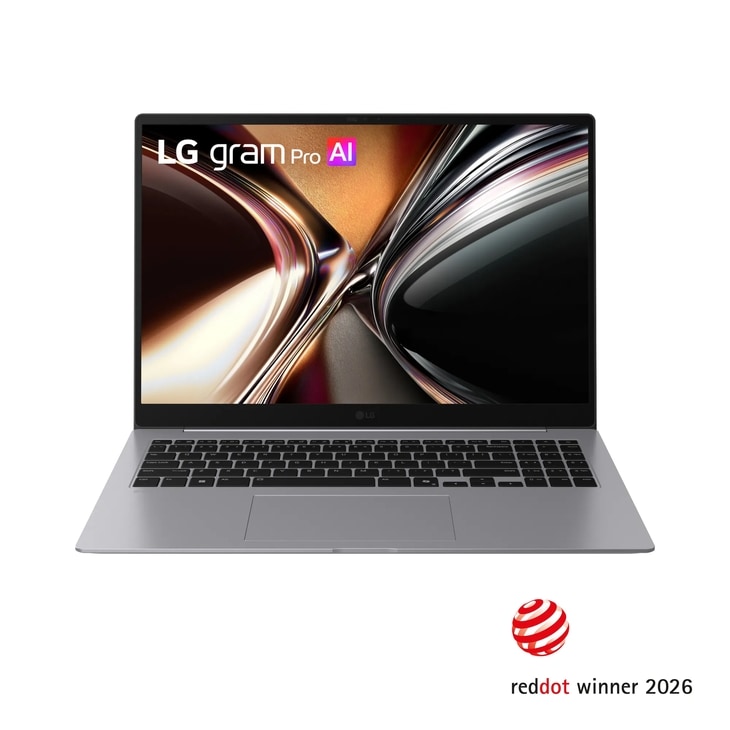
Hardware: The global 16Z90U specification lists 1.199kg, a 16-inch 2.8K OLED panel, 77Wh, a numeric keypad, two Thunderbolt 4 ports, two USB-A ports and HDMI. Its footprint is 357.7 × 251.6mm. Global specifications · US model 16Z90U-K.AUB6U1.
The gram answers a different question: how much built-in screen can you carry at roughly 1.2kg? For hotel work with documents or spreadsheets, the physical area can be valuable. Check scaling and the actual panel, rather than assuming that a larger diagonal guarantees better viewing comfort.
Techgoondu's first-hand 2026 review used a 16-inch Intel OLED unit and described its useful connections, while finding the shallow keyboard less comfortable for extended typing. The reviewer did not run a battery-drain test. Original review.
The larger chassis also needs a larger sleeve and work surface. Consider whether it can replace a portable monitor in your own routine; that possibility can change the total equipment you carry. Local US and global configurations should remain distinct when ordering.
Apple MacBook Air 13-inch M5: Best for a fanless macOS workflow
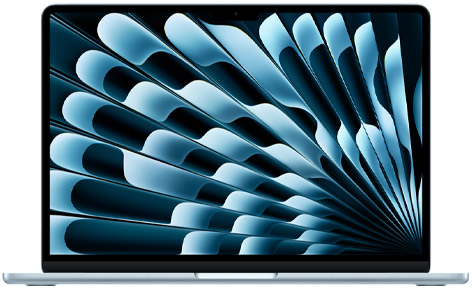
Hardware: 1.23kg; 304.1 × 215 × 11.3mm; 13.6-inch IPS non-touch display; 53.8Wh; two Thunderbolt 4 ports, MagSafe and a headphone socket. Apple specifications.
The Air is an especially coherent travel purchase when the work already fits macOS. Fanless operation avoids cooling-fan noise, and MagSafe can leave both Thunderbolt ports available while charging.
Notebookcheck tested the M5 version with an eight-core GPU and 16GB/512GB, reporting 16h 11min of Wi-Fi use at 150 nits. The $1,999 offer in this guide has a ten-core GPU and 32GB/1TB; it is not the tested configuration. Original review.
At 1.23kg, it carries more laptop mass than the sub-1kg class but has a thinner body than the Yoga. For an established Mac user, retaining the familiar applications and access workflow may be more useful than chasing a lower weight. Choose Windows when a required tool or company policy calls for it, and count any HDMI adapter needed for client presentations.
Dell Pro 14 Premium PA14250: Best for an existing Dell business fleet
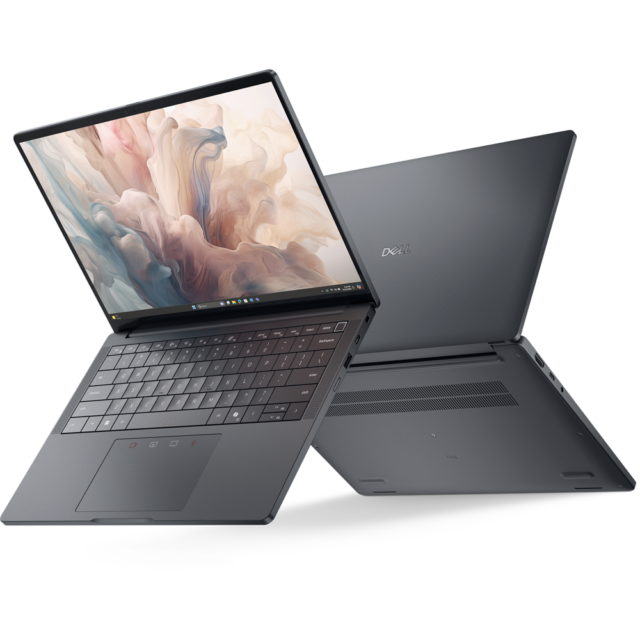
Hardware: Two Thunderbolt 4 ports, HDMI, USB-A and a headset socket. Dell's manual lists panel-specific minima from 1.141kg to 1.291kg; the 1.141kg figure belongs to battery-saving FHD+, not every FHD configuration. Panel and weight table.
The PA14250 is a 2025 business generation that remains relevant where an approved deployment and support arrangement already exists. That purchasing context can matter more than the smallest consumer-laptop weight.
Notebookcheck tested an Ultra 7 268V/32GB/1TB OLED-touch configuration with a 60Wh battery. It weighed 1,261g and produced 15h 09min in the reported Wi-Fi test. That sample is distinct from the 266V/FHD offer listed below. Original review.
For procurement, use the detailed order sheet. Dell's offer summary and detailed panel fields are not entirely consistent, so obtain confirmation of the screen and corresponding weight. The native connections and commercial service are the practical reasons to shortlist it; the family minimum should not be used as the weight of the quoted machine.
HP EliteBook Ultra G1i: Best for an HP-managed OLED configuration
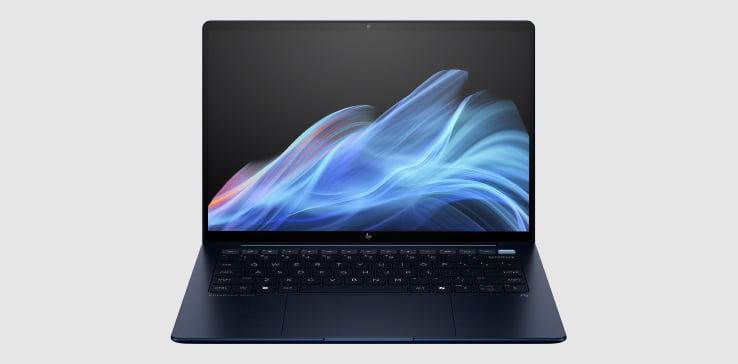
Hardware: Intel G1i; 14-inch 2.8K OLED; 64Wh; three Thunderbolt 4 ports, USB-A and a headset socket; no native HDMI. HP lists starting weights of 1.195kg without touch and 1.215kg with touch. Official product brief · Model specifications.
The EliteBook is useful when the employer wants HP's business configuration and the user prefers an OLED display. Its 9MP infrared camera is a documented feature, rather than proof of superior video calls.
Notebookcheck's B66THAT sample used Ultra 7 258V, 32GB/1TB and a 2.8K 120Hz OLED touchscreen. The reviewer measured 1.18kg and 12h 02min of Wi-Fi use at 150 nits. The measured mass is reported separately from HP's family minima; it does not replace the manufacturer's figures for another ordered SKU. Original review.
Compared with the X1 and Dell Pro, it trades native HDMI for a different USB-C arrangement. Confirm the company's image, security requirements and service before choosing it. For an independent buyer whose leading requirement is a sub-1kg carrying target, the lighter group is the better starting point.
HP OmniBook 5 14-he000: Best for the quoted sub-$900 office setup
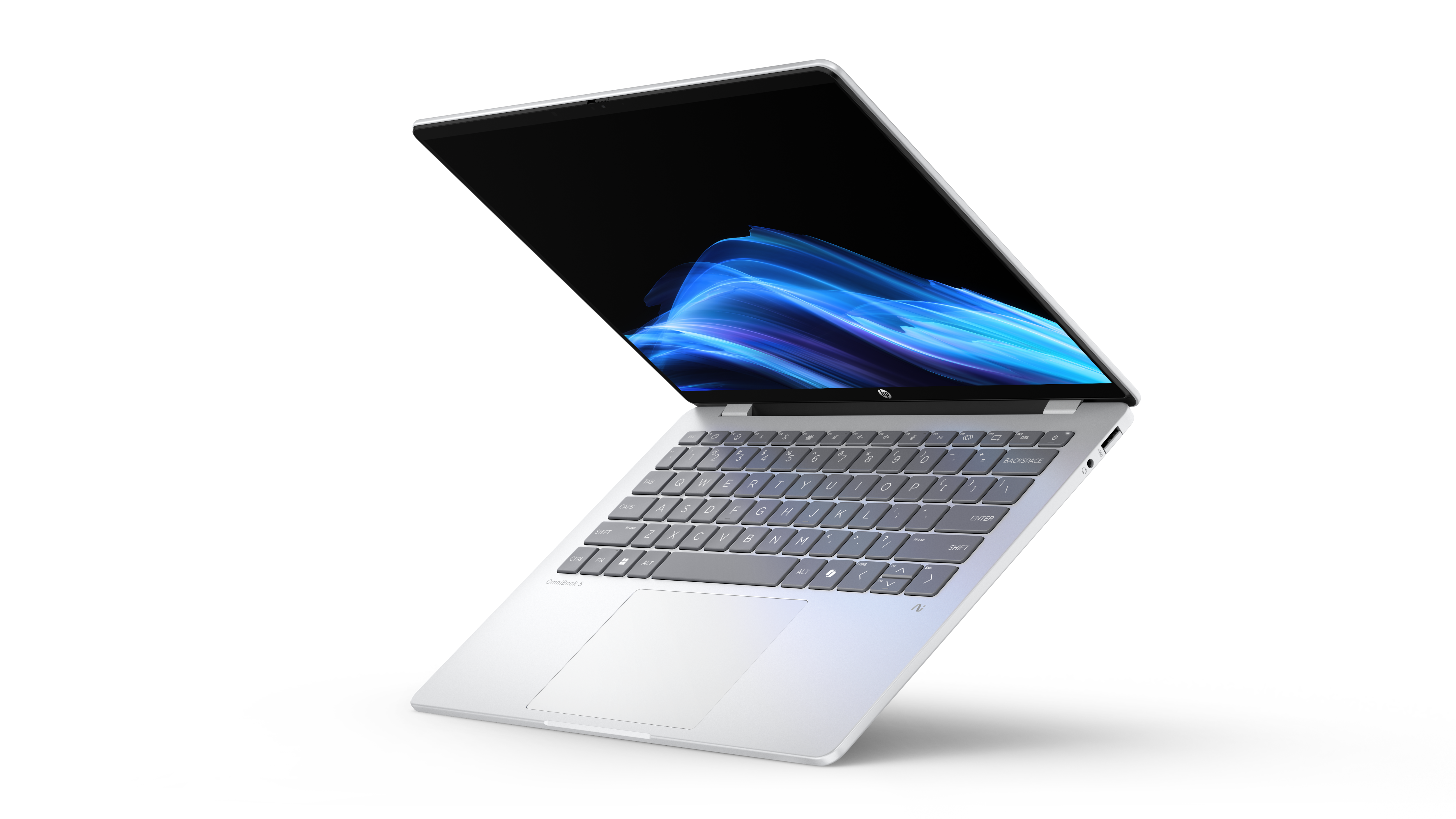
Hardware and offer: B81P1AV_1 CTO, Snapdragon X Plus X1P-42-100, 16GB/512GB, Home and a 1920 × 1200 OLED touchscreen. The official page lists 2.84lb, approximately 1.29kg, a 59Wh battery and a promotional $849.99 price. Exact HP configuration.
The OmniBook is a specific lower-spending option for an approved browser and office workflow. The price comparison below shows what it saves against one identified 16GB/512GB XPS, without treating every OmniBook as a bargain.
Independent testing supports the family, but it needs careful configuration matching. Notebookcheck's X1P-42-100 sample had 16GB/1TB, Windows Pro and a listed 60Wh battery. It weighed 1,292g and returned 16h 56min in its Wi-Fi test. That runtime is not assigned to the quoted touch/Home CTO. Original review.
Its two USB-C ports are 10Gbps rather than Thunderbolt 4; USB-A and a headset socket are included, and HDMI needs an adapter. Verify the ARM applications and required peripherals before treating the lower price as the right purchase.
Published measurements that change the comparison
The following values come from original Notebookcheck reviews, not manufacturer minimum weights. Each row keeps the measured unit's screen and configuration attached to the result. The publication's Wi-Fi tests are more useful than mixing vendor video-playback claims, but processor, refresh rate, software and sample differences remain relevant. Results are not a common retail-SKU test.
| Reviewed sample | Screen and configuration identified by the source | Measured laptop mass | Reported Wi-Fi browsing |
|---|---|---|---|
| Yoga 14IPH11 | Ultra 7 355; 32GB/1TB; Pro; 14-inch OLED touch | 978g | 10h 36min |
| X1 Carbon OLED supplement | Ultra 7 355; OLED non-touch; RAM/SSD not fully specified in the supplement | 989g | About 13.5h; 150 nits, 60Hz |
| X1 Carbon 21V70075GE | Ultra 5 325; 32GB/512GB; Pro; low-power IPS touch | 1,139g | 23h 13min; 150 nits |
| XPS 13 DX13260 | Core 5 320; 8GB/512GB; Home; 13.4-inch IPS touch | 1,062g | 18h 26min |
| S 14 UX5406AA | Ultra 9 386H; 32GB/1TB; 2.8K OLED touch | 1,205g | 16h 11min; 150 nits |
| MacBook Air 13 M5 | Eight-core GPU; 16GB/512GB; IPS non-touch | 1,230g | 16h 11min; 150 nits |
| Dell Pro PA14250 | Ultra 7 268V; 32GB/1TB; OLED touch; 60Wh | 1,261g | 15h 09min |
| EliteBook Ultra G1i B66THAT | Ultra 7 258V; 32GB/1TB; OLED touch; 64Wh | 1,180g | 12h 02min; 150 nits |
| OmniBook 5 14 sample | X1P-42-100; 16GB/1TB; Pro; 60Wh; FHD OLED; touch status not established here | 1,292g | 16h 56min |
Three conclusions follow directly. The Yoga provides particularly low measured mass with touch retained. The X1 IPS sample provides substantially longer documented unplugged use at higher mass. The S 14 and business OLED samples show why a bigger battery or a lighter family minimum cannot stand in for a configuration-specific result.
A14's identified Digital Trends work-use review and LG's first-hand review are linked in their product sections. Their observations are not inserted into this laboratory-results table as if they used the same procedure. In particular, LG's cited review did not measure a full discharge.
What actually goes in the bag?
Laptop and power supply are only the starting point
The Yoga review reports a 978g laptop and 177g power supply: 1,155g combined. The XPS review reports 1,062g and 166g: 1,228g combined. These are arithmetic totals of those review components; the power-supply entries do not establish an identical cable bundle, and a required hub or receiver still belongs on your own list.
Native HDMI is valuable when you repeatedly meet unfamiliar displays. It may remove a separate adapter for an A14, S 14 or X1 user. A Yoga owner using USB-C monitors may need no display adapter at all. Choose the equipment plan before deciding which setup carries less burden.
Packing space is a separate physical advantage
Using the published external dimensions, the XPS occupies an approximate rectangular footprint of 596cm², against 676cm² for the Yoga including its camera bump. The Air is approximately 654cm² and the gram 16 approximately 900cm². These are rounded width-times-depth calculations, not internal bag-volume measurements.
That makes the XPS the more compact packing choice in this four-model comparison. The Yoga offers a larger built-in screen at a lower manufacturer starting mass, while the gram prioritizes physical workspace. A long document session and a small messenger bag can legitimately lead to different purchases.
Price snapshots for configurations you can identify
The following official US displayed offers were checked on November 8, 2026, in USD before tax. They are dated purchase references, not promised future prices. A review sample and an offer below are connected only where their configuration fields actually match.
16GB / 512GB office configurations
| Official offer | Displayed price | CPU / OS | Relevant difference |
|---|---|---|---|
| HP B81P1AV_1 CTO | $849.99 promotional | Snapdragon X Plus X1P-42-100 / Home | 14-inch OLED touch; ARM workflow; one-year hardware warranty |
| XPS DX13260, Storm | $999.99 | Core 5 320 / Home | 13.4-inch LCD touch; USB-C 10Gbps, not the Core Ultra Thunderbolt configuration |
The HP saves $150 between these two offers. Match the applications and required equipment before choosing the cheaper route; equal RAM and storage do not make different architectures equivalent.
32GB / 1TB personal-purchase configurations
| Official offer | Displayed price | CPU / OS | Relevant difference |
|---|---|---|---|
| XPS DX13260, Sky | $1,799.99 | Core Ultra 7 355 / Home | 13.4-inch LCD touch; two Thunderbolt 4 ports |
| Air 13 M5, Silver | $1,999 | M5 ten-core CPU / ten-core GPU / macOS | 13.6-inch IPS; fanless design |
| Yoga 83QKCTO1WWUS1 | $2,049.99 | Core Ultra 7 355 / Home | 14-inch OLED touch; three Thunderbolt 4 ports |
The $250 Yoga premium over the cited XPS is a screen-and-equipment decision at the same CPU name and RAM/storage capacities. Pay it when the larger OLED touchscreen benefits the work; retain the saving when the smaller LCD machine fits better. The Air is a different software-platform choice at the same capacities.
Enterprise configurations
| Official offer | Displayed price | Identified configuration | Service and comparison context |
|---|---|---|---|
| X1 Carbon 21V7006GUS | $3,579 | Ultra 7 365 vPro; 32GB/1TB Opal; Pro; low-power 1920 × 1200 IPS touch | This is an IPS offer, not the 989g OLED sample; confirm service term |
| Dell PA14250 fixed offer | $2,819.95 | Ultra 7 266V; 16GB/512GB; Pro; 60Wh | Listed with 36-month ProSupport; obtain written panel confirmation |
These enterprise offers are not matched in memory, processor or service, so their price gap is not a value ranking. Exact dated US quotes for A14 NA, S 14 AA, EliteBook G1i and gram 16Z90U are not established in this guide; their family starting prices are not substituted.
Choose the trade-off that fits the trip
For frequent carrying with a 14-inch OLED touchscreen, start with the Yoga's documented 978g sample and the current consumer configuration. It gives this preference a real measured example, with clear limits in native connections and endurance.
For long periods away from an outlet, investigate the X1's actual low-power IPS configuration. Its 23h 13min review result is more relevant than combining the lightest OLED mass with the longest IPS runtime.
For repeated HDMI presentations, compare A14, S 14 and an approved enterprise machine. The A14's processor platform requires a software check; the Intel alternatives carry different mass, price and service arrangements.
For small-bag travel, the XPS offers the smaller footprint. For hotel-based document work, the gram's larger screen may be worth its physical size. For an established Mac workflow, the Air can remove more friction than a change of platform made only to save weight.
Frequently asked questions
Is the lightest laptop always the most portable purchase?
No. Add the required charger, cables and adapters, and check whether the screen is sufficient without another display. Bare-laptop mass is a useful fact; the practical decision also depends on the complete setup.
Should I prioritize OLED touch or longer battery life?
Choose the feature that changes your work. Touch can help with shared documents and navigation, while long unplugged sessions favor evidence for the precise processor and panel. The Yoga and X1 sample results show why both preferences deserve a separate comparison.
What memory should a business traveler buy?
For the office workflows considered here, begin by checking 16GB/512GB configurations. Consider 32GB for heavier multitasking or analytical tools. Several models have soldered or integrated memory, so choose the required capacity before purchase. The XPS 8GB review sample is evidence about a configuration, not our recommended starting purchase.
Can one USB-C charger simplify the bag?
Yes, when the adapter's USB Power Delivery output and cable meet the chosen laptop's requirements. Confirm simultaneous-use output if other devices share it. Lenovo lists 45–65W USB-PD charging for the Yoga; Apple specifies 70W or higher USB-PD for fast charging the Air. A USB-C connector alone does not establish the charging behavior.
Sources and image credits
Manufacturer links document model options and named sales offers. Original reviews document the samples and observations attributed to them. Each photograph links to the manufacturer's page that supplied it; the Yoga image is served from Lenovo's product CDN and corresponds to Gen 11.
- Lenovo: Yoga specifications, Yoga 83QKCTO1WWUS1 product and image page, X1 specifications, X1 21V7006GUS offer.
- ASUS: A14 NA specifications, 2026 A14 announcement, S 14 AA specifications.
- Dell: XPS DX13260 configurations, XPS image release, PA14250 offers, panel-specific weights, Dell Pro image release.
- HP: EliteBook G1i brief, G1i detailed specifications, G1i product imagery, OmniBook CTO offer, OmniBook image release.
- Apple and LG: Air M5 specifications, Air 32GB/1TB offer, gram global specifications, gram identified US configuration.
- Original tests: Yoga, X1 IPS, X1 OLED supplement, XPS DX13260, S 14 AA, Air M5, Dell Pro, EliteBook G1i, OmniBook 5.
- Original use reviews: A14 NA, Digital Trends, gram Pro, Techgoondu.
- Platform and regional context: Microsoft Windows on Arm guidance, FMV Zero regional specifications.