Which lightweight laptops are good for graduate students working in R and Python? Start with the Lenovo Yoga Slim 7i Ultra Gen 11 for a low-mass Intel Windows setup, MacBook Air 13-inch M5 for a supported Apple-silicon research environment, and ASUS Zenbook S14 UX5406AA when direct HDMI and USB-A connections simplify university work. The ThinkPad X1 Carbon Gen 14 Aura Edition deserves consideration when departmental support determines the purchase. A Surface Laptop for Business, 13-inch, 2nd Edition can suit a verified Windows Arm workflow with substantial work performed remotely.
The deciding question is whether a new computer can reproduce the project, including its environment, inputs and outputs. An interpreter opening successfully is only the first step. A thesis can also depend on compiled packages, document tools, an instrument driver or access to a university server. This comparison uses manufacturer documentation and software-maintainer guidance. The worked examples are planning exercises, rather than measured laptop performance results.
Five lightweight laptops and the research role for each
The configurations below are procurement targets, not current price quotes. Match the processor, memory, storage, operating system and generation on the final order; a platform specification does not establish that every combination is sold in every country. The useful comparison is the role each arrangement can perform after the research environment has passed its acceptance checks.
| Laptop and exact platform | Configuration to investigate | Best research fit in this shortlist | Decision to resolve first |
|---|---|---|---|
| Lenovo Yoga Slim 7i Ultra Gen 11, 14IPH11 | Core Ultra 7 355; 32GB; 1TB; Windows 11 | Frequent campus carrying with a verified Intel Windows project | Required adapters and institutional software approval |
| MacBook Air 13-inch M5 | M5; 32GB unified memory; 1TB; macOS | Apple-silicon packages supported by the research group | Compiled dependencies and any Windows-only application |
| ASUS Zenbook S14 UX5406AA | Core Ultra 7 356H; 32GB; 1TB; Windows 11 | Intel Windows analysis shared between desks and teaching rooms | Exact panel, OS edition and department support |
| ThinkPad X1 Carbon Gen 14 Aura Edition | Core Ultra 7 365 vPro; 32GB; 1TB; Windows 11 Pro | A university-managed Intel Windows environment | Approved order code, screen and support arrangement |
| Surface Laptop for Business 13-inch, 2nd Edition, Snapdragon | Snapdragon X2 Plus; 24GB; 1TB SSD; Windows 11 Pro | Approved Windows Arm client with remote analysis available | Native package builds, drivers and actual remote access |
The table is intentionally conditional. It does not award a universal winner to the computer with the highest memory figure or the newest processor label. A successful purchase leaves the student with a working, recoverable research project. Our broader graduate-student laptop guide covers additional study situations beyond computational research.
Write a research acceptance brief before choosing the chassis
Ask a supervisor or research technician for a small representative project. Include the source scripts, a permitted sample dataset, the dependency record, one expected table and one expected figure. Choose an example that crosses the difficult boundary: a package with native code, a geographic transformation, a reference database connection or a laboratory export format. A demonstration limited to opening a notebook cannot test those dependencies.
Write down where each stage is supposed to run. Data collection might happen on an instrument workstation, cleaning locally, estimation on a university cluster and manuscript rendering back on the laptop. Record the operating system and permissions required at each stage. This keeps a genuinely useful remote service separate from the vague promise that something could be moved to the cloud later.
Give each essential task an owner and a pass condition. For example, the student owns recreating the local environment, the laboratory owns the instrument export, and the computing service owns server access. Agree which outputs must match exactly and where an explained numerical tolerance is appropriate. This becomes a purchase acceptance brief rather than an artificial product score.
Lenovo Yoga Slim 7i Ultra — Best for a low-mass Intel Windows research setup
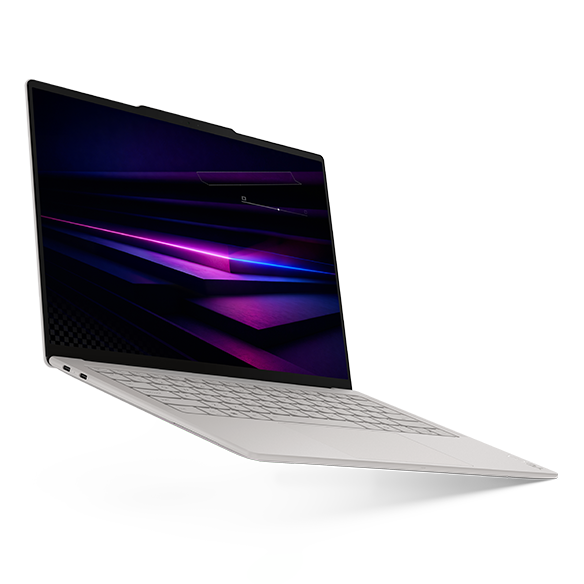
The 14IPH11 platform combines a published starting weight of 975g with Intel processors, soldered memory and three Thunderbolt 4 ports. The comparison here targets Core Ultra 7 355, 32GB and 1TB; it does not treat 32GB as the platform maximum. Lenovo’s current reference also identifies other memory offerings. Starting weight describes the device and can vary with the actual configuration. Lenovo PSREF specifications.
Its strongest role is a student carrying an already validated Windows environment between the library, a supervisor meeting and home. Make the purchase conditional on the representative project running correctly, then add the actual power supply and any necessary display or USB-A adapter to the bag. The small published device mass does not remove those accessories.
Choose another candidate if the research group’s support arrangement or required local workload points elsewhere. In particular, an attractive chassis is not evidence that a specialized package, license service or instrument connection has been approved. Ask for that evidence before comparing optional screen and finish choices.
MacBook Air 13-inch M5 — Best for a supported Apple-silicon project
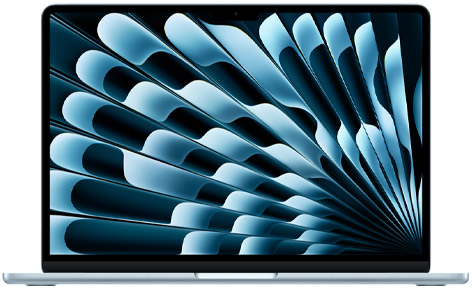
Apple lists configurable 32GB unified memory and 1TB storage for the 13-inch M5, a 1.23kg device weight, two Thunderbolt 4 ports and separate MagSafe charging. This article uses that 13-inch configuration, not the larger model. Apple technical specifications.
The Air becomes a convincing research choice when the group already maintains a successful Apple-silicon installation and can reproduce it for the student. Ask a colleague to restore the environment from its recorded inputs, run the representative analysis and render the final document. Existing familiarity can reduce setup friction, but it should be demonstrated through the project rather than inferred from a shared brand.
Check every non-Python component too. A script may call a command-line utility, a commercial statistics program or a vendor library. Put those calls in the acceptance brief. If a required Windows application is available only through an approved remote service, test that service from the places where the student will actually study.
ASUS Zenbook S14 UX5406AA — Best for analysis moving between connected workspaces
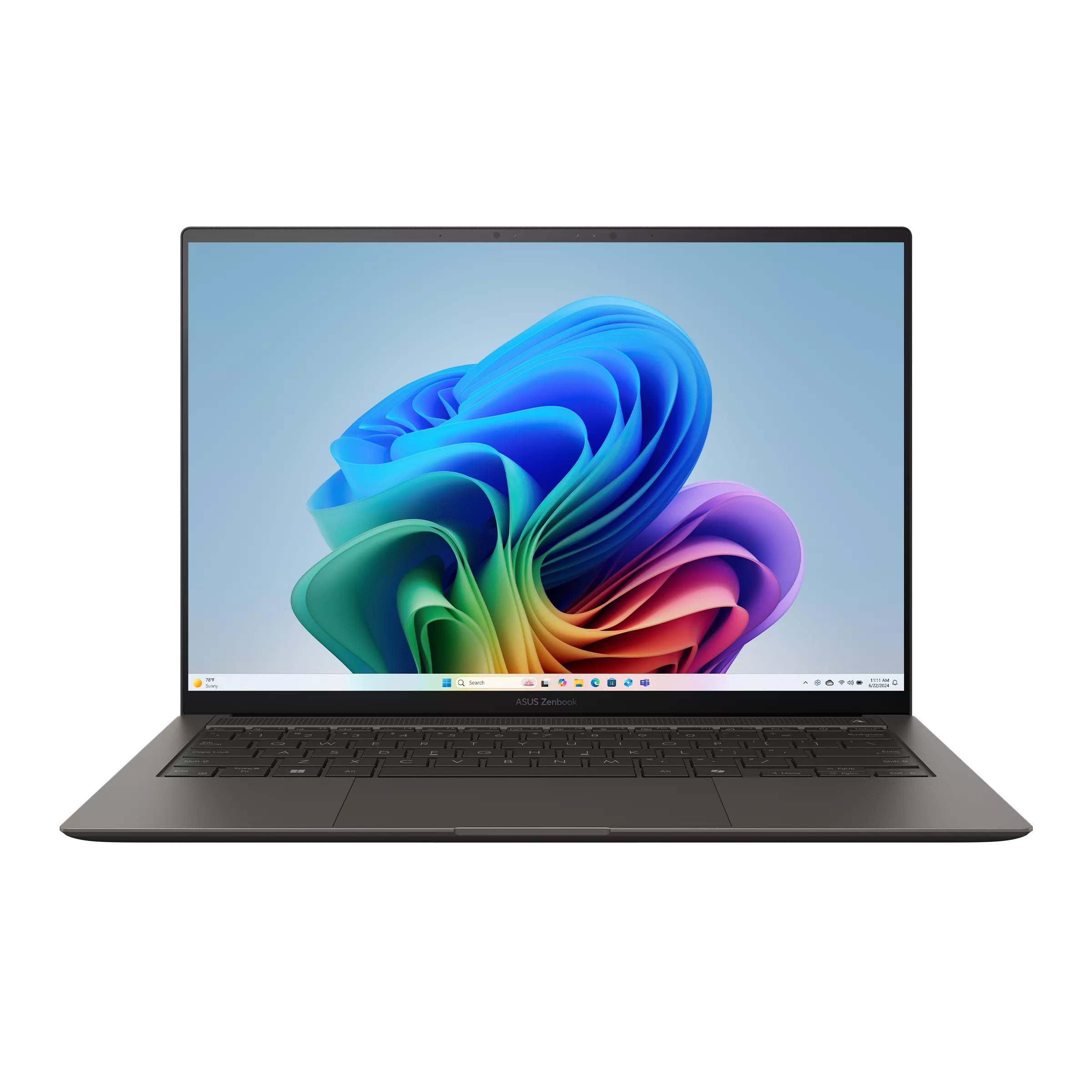
The selected AA platform offers Core Ultra 7 356H, 32GB onboard memory and 1TB storage. ASUS lists HDMI, USB-A and two Thunderbolt 4 connections, with a published device weight of 1.20kg. Use the AA column of the manufacturer page rather than importing a processor or battery figure from UX5406SA. ASUS model-specific technical specifications.
This connection arrangement is worth considering when a student alternates between an analysis desk, a shared display and seminars using USB-A equipment. It can make the physical plan simpler, although it cannot certify a particular dock, monitor or instrument. Test those items as a chain with power connected.
Compare the final offer against the Yoga using the same research project and accessory list. Select the ASUS because its actual setup fits the work, rather than expecting its processor name to establish a measured advantage. For teaching-heavy schedules, use the separate graduate teaching-assistant laptop comparison.
ThinkPad X1 Carbon Gen 14 — Best when university support defines the configuration
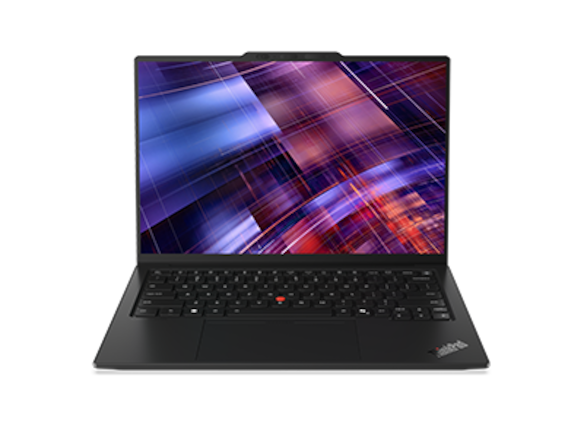
Lenovo’s Gen 14 reference lists the Core Ultra 7 365 vPro platform considered here and a port layout including HDMI, USB-A and Thunderbolt 4. The 32GB, 1TB Windows 11 Pro arrangement is a configuration to request through the institution; screen, wireless options and services must be tied to its actual order code. ThinkPad X1 Carbon Gen 14 PSREF.
Its practical attraction is the possibility of using an institution’s approved computer and support process. That possibility needs confirmation: being a ThinkPad does not automatically make a personal purchase eligible for university management or on-site repair. Ask who installs the required software, who handles a failed machine and whether a loan computer can use the same project environment.
If that support is available, evaluate the complete arrangement alongside consumer alternatives. A student approaching an important deadline may reasonably prioritize a documented recovery route over a smaller device-only weight. The choice remains specific to the university rather than a universal reliability ranking.
Surface Laptop 13-inch, 2nd Edition — Best for a verified Windows Arm and remote-compute arrangement
The business model uses a six-core Snapdragon X2 Plus and offers 16GB or 24GB memory. Microsoft distinguishes 256GB or 512GB UFS storage from the removable 1TB SSD option. Our target is 24GB with the 1TB SSD, Windows 11 Pro and the 13-inch 3:2 screen. Microsoft lists a 1.23kg device weight. Microsoft’s exact second-edition business specifications.
It is a candidate for a student whose analysis already runs on an approved server and whose local packages have passed their checks. Do not classify it simply as an Intel Windows computer in a smaller case. Native software, emulated applications and drivers are separate compatibility questions.
In particular, Microsoft says drivers on Arm devices require native Arm64 support; ordinary application emulation does not settle that issue. Windows on Arm compatibility FAQ. A required instrument driver can therefore decide the purchase even if the editor, browser and basic Python example all work. Obtain an explicit answer for the real equipment.
Compiled dependencies can decide the platform before memory does
A research environment is more than the language name. List packages that compile C, C++ or Fortran code, plus external libraries and utilities they expect. A colleague’s successful installation is useful evidence only when the operating system, processor architecture, package versions and installation route match the proposed computer closely enough to reproduce.
CRAN currently describes the Arm64 version of Rtools45 as experimental, notes that some packages do not work, and explains that native Windows Arm package compilation needs its toolchain. Rtools is relevant when compiling packages from source; installing compatible CRAN binary packages does not require it. Match the compiler toolchain to the R version used by the project. This does not establish that every R project fails on Arm; it identifies a dependency question that must be answered for the actual project. CRAN Rtools45 guidance.
Prepare three outcomes for each critical dependency: confirmed native installation, an approved alternative execution route, or unresolved. Treat an unresolved essential package as a reason to delay that platform decision. Conversely, do not reject a platform solely because an unrelated package has a problem. The aim is to establish the student’s complete chain of work, not repeat a general argument about processor architectures.
Restore the R project instead of collecting package names by memory
For an R-based dissertation, keep the project’s dependency record beside its analysis scripts. The renv documentation explains how restore uses a lockfile to rebuild a project library. That gives a more useful acceptance action than manually installing whatever happens to be the newest version of each package. renv restore reference.
Have the student start in a clean project directory and follow the group’s documented procedure. Capture the R version, package installation messages and any required system components. Then run the small representative analysis from its first input to the exported table. Write down the result and any deliberate deviation from the expected environment.
The lockfile should be treated as one part of the research record, not a guarantee that every external service and operating-system component is preserved. Explain how restricted data, credentials, local utilities and unavailable package sources are handled. A successful recreation on the candidate computer is stronger purchase evidence than a screenshot showing the same list of package names.
Python and document rendering need a shared environment plan
Python’s own venv documentation treats virtual environments as disposable and recreatable, rather than folders to copy between computers. Keep the project’s code and an installation specification under the group’s normal version-management process; recreate the environment using a suitable interpreter on the new machine. Python virtual environment documentation.
Next, verify which interpreter the notebook or document tool actually uses. Quarto’s environment guidance describes Python and R environment arrangements and notes that mixed-language documents can involve Knitr and reticulate. An editor running the expected interpreter does not prove that the final document uses the same one. Quarto virtual environment guidance.
Make the final export part of the acceptance check. Ask the candidate machine to generate the intended HTML, Word or PDF output through the real toolchain, including citations and figures. Record any extra fonts or document components required by the department. This is especially useful when a project looks correct interactively but fails on the command used to create its submission copy.
Worked example: separate the working subset from the research archive
Consider an illustrative social-science project with 18GB of raw exports, a 6GB cleaned working subset and 8GB of generated results. Keeping one local copy of each totals 32GB before software, environment caches, temporary files, earlier versions and personal documents. These numbers describe a planning exercise, not the observed storage use of any laptop.
Now suppose the working subset must be available on a train, while the raw archive must remain on approved institutional storage. The relevant buying question changes. The laptop needs enough capacity for the permitted local subset, the software and comfortable free space; it does not automatically need to duplicate every archive copy. Equally, a generous SSD does not make it acceptable to download data that the project agreement requires to stay elsewhere.
Memory requires its own observation. A 6GB file on disk is not a reliable statement of the RAM needed to read, transform, join and model it. Ask the group to inspect the representative pipeline and its peak demand on an existing system. Use that observation to choose between available memory configurations. The research software and memory guide develops that capacity decision in more detail.
Remote compute is an operating arrangement, not a promise attached to a laptop
A university server can change the balance between local portability and local computing resources, but only after access is established. Confirm the account, approved connection route, available software, storage location and person responsible for support. Ask how work is submitted, how results are retrieved and what happens when an interactive connection ends.
For groups using VS Code Remote SSH, Microsoft documents editing and working on a remote machine through an SSH connection. That describes a supported development mechanism; it does not grant access to a university host or guarantee that its system satisfies the required setup. VS Code Remote SSH documentation. Follow the institution’s approved instructions and avoid changing server configuration simply to make a personal laptop demonstration succeed.
Test both ordinary and inconvenient situations. Can the student reconnect from home, obtain authentication without a missing device and find the results of a previous job? What useful work remains possible during a network outage? Keep a permitted offline task, such as writing methods or reviewing already exported figures, in the plan. That makes a portable client a deliberate choice rather than an accidental dependence on constant connectivity.
Use an acceptance matrix that ends with a purchase decision
| Checkpoint | Evidence to keep | What a failure changes |
|---|---|---|
| Restore the environment | Interpreter version, dependency record and installation log | Fix the procedure or reconsider the platform |
| Run the representative analysis | Expected outputs and explained numerical tolerances | Investigate dependencies before ordering |
| Render the submission document | Completed export with citations, tables and figures | Resolve the document toolchain |
| Connect required equipment | Exact peripheral, cable, driver and successful task | Change the connection plan or computer |
| Recover from a fresh project copy | A second successful run from recorded inputs | Improve recovery before moving the main project |
Give unresolved essential checks more weight than optional conveniences. A candidate that fails the instrument requirement cannot become suitable because its body is lighter. A candidate that passes the project but requires one approved adapter can still be a sensible purchase when the complete arrangement remains convenient.
Then compare the actual offers on equal terms. Include required adapters, the correct operating-system edition, institutional software access and the support arrangement. Do not count a temporary software trial as a permanent research entitlement. If a more expensive configuration adds no demonstrated benefit to the accepted workflow, keep that money available for the equipment or service the project actually needs.
Common questions
Which lightweight laptop should an R and Python graduate student shortlist first?
Begin with the platform the research group can support and recreate. Lenovo Yoga Slim 7i Ultra, ASUS Zenbook S14 and ThinkPad X1 Carbon are Intel Windows candidates in this comparison; MacBook Air M5 is an Apple-silicon candidate. Choose among them after the representative project and its final document export pass, rather than relying on the language names alone.
Is 32GB memory necessary for every graduate student?
No. It is a useful configuration to investigate for the mixed research work described here, not a minimum for every degree. Observe the actual pipeline, simultaneous applications and planned data subset. A writing-led project can have different needs from a pipeline that creates large intermediate objects or runs several processes.
Can a Windows Arm laptop run my R packages?
Check the exact packages and their installation routes. CRAN currently identifies limitations in the native Arm64 R toolchain, especially where compiled dependencies are involved. A successful simple script is insufficient evidence for a complete dissertation project. An approved remote environment can be an alternative when its access and recovery procedures have been tested.
Does a dependency lockfile guarantee identical results on any laptop?
No. A dependency record improves reconstruction, but the project can still depend on the interpreter, operating system, external libraries, data versions, document tools and numerical behavior. Preserve those details and define the expected comparison of outputs. Test recreation on the intended platform rather than treating a saved file as a universal guarantee.
Should I buy a lightweight laptop if my university provides a computing cluster?
It can be a good arrangement when the cluster account, permitted connection route and research software are already available. Decide what remains local, what remains remote and what work is possible offline. Compare the complete portable kit and support plan after those responsibilities are clear.
Official sources & verification
Manufacturer documentation checked 11 November 2026. Availability, bundles and specifications vary by region and configuration.
- Lenovo PSREF — Yoga Slim 7 Ultra 14IPH11
Primary manufacturer or software-maintainer documentation checked 11 November 2026. Product configuration targets are distinct from regional retail offers. - Apple — MacBook Air M5 technical specifications
Primary manufacturer or software-maintainer documentation checked 11 November 2026. Product configuration targets are distinct from regional retail offers. - ASUS — Zenbook S14 UX5406AA technical specifications
Primary manufacturer or software-maintainer documentation checked 11 November 2026. Product configuration targets are distinct from regional retail offers. - Lenovo PSREF — ThinkPad X1 Carbon Gen 14 Aura Edition
Primary manufacturer or software-maintainer documentation checked 11 November 2026. Product configuration targets are distinct from regional retail offers. - Microsoft Learn — Surface Laptop for Business 13-inch 2nd Edition Snapdragon specifications
Primary manufacturer or software-maintainer documentation checked 11 November 2026. Product configuration targets are distinct from regional retail offers. - CRAN — Rtools45 for Windows
Primary manufacturer or software-maintainer documentation checked 11 November 2026. Product configuration targets are distinct from regional retail offers. - Microsoft Learn — Windows on Arm FAQ
Primary manufacturer or software-maintainer documentation checked 11 November 2026. Product configuration targets are distinct from regional retail offers. - Python documentation — venv
Primary manufacturer or software-maintainer documentation checked 11 November 2026. Product configuration targets are distinct from regional retail offers. - renv — Restore project library from a lockfile
Primary manufacturer or software-maintainer documentation checked 11 November 2026. Product configuration targets are distinct from regional retail offers. - Quarto — Virtual Environments
Primary manufacturer or software-maintainer documentation checked 11 November 2026. Product configuration targets are distinct from regional retail offers. - Microsoft — VS Code Remote Development using SSH
Primary manufacturer or software-maintainer documentation checked 11 November 2026. Product configuration targets are distinct from regional retail offers.