Start with the work your graduate program requires: which applications must run, which peripherals must connect, and which calculations must finish locally. Only then compare lightweight laptops. A student using a browser to reach a university workstation has a different purchase to make from someone running virtual machines or processing a large dataset on the laptop itself.
This is an optional premium comparison, not a claim that graduate study requires a roughly $2,000 computer. Keep your current machine if it handles the supported environment reliably. For literature, writing and remote access, a suitable 16GB/512GB laptop can be enough. The right purchase leaves money for the workspace, backup and service arrangements that support the degree.
First establish software compatibility and where the computation happens
Ask your program or research group for the actual software releases, operating-system requirements and required interfaces. Confirm remote-computing access, licensing, available capacity and offline needs before relying on a server to do the demanding work.
| Workload tier | A sensible capacity discussion | Where the computation should happen | What to verify first |
|---|---|---|---|
| Literature, writing and remote access | Investigate 16GB/512GB before paying for a premium configuration | Ordinary document work locally; approved remote jobs elsewhere | Reference tools, document exchange and dependable remote access |
| Software development | A simple project may fit 16GB; compare 32GB/1TB for larger environments | Run ordinary development locally; place expensive builds where the group supports them | Toolchain, dependencies, containers or virtual machines, and the target architecture |
| Moderate data analysis | Compare 32GB/1TB against the working dataset and observed memory use | Keep manageable analysis local; move larger jobs only when access is confirmed | The actual data, libraries, toolboxes and reproducible output |
| Local heavy computation | Follow application requirements and measured demand; 32GB is not automatically sufficient | A department-approved workstation, or a verified remote-compute plan | Sustained performance, required GPU, certified drivers and any need to work offline |
These are workload-based buying guidelines, not universal product requirements or rules for every discipline. Our graduate memory comparison develops the capacity question in more detail.
Software support can eliminate a candidate before its weight matters. MATLAB R2026b supports Snapdragon X-series processors through Prism emulation on Windows, with capabilities excluded in MathWorks' guidance, including some hardware-interface workflows. Check the required release and features. Native MATLAB is available for Apple silicon under its own requirements. MATLAB Windows requirements · MathWorks Arm limitations · MATLAB Mac requirements.
SOLIDWORKS lists x86-64 hardware, certified graphics requirements and excludes Windows Home editions. An Intel processor alone does not establish suitability; changing the operating-system edition alone does not resolve graphics requirements. These five ultraportables should not be assumed to replace a program's required certified workstation. SOLIDWORKS requirements.
Once that compatibility check is complete, carrying weight, screen preferences, connections and total spending can decide between the eligible models. The Yoga is the first product below because it makes a strong low-weight Intel Windows case with OLED touch; the other recommendations address different priorities.
The quick picks
| Recommendation | Best for | What earns the recommendation | What could change it |
|---|---|---|---|
| Lenovo Yoga Slim 7i Ultra Gen 11 | Low carrying weight with Intel Windows and OLED touch | A measured 978g review unit with a 14-inch touchscreen | You regularly need direct HDMI or USB-A |
| Apple MacBook Air 13-inch M5 | A supported macOS program and quiet work | Fanless design; competitive identified purchase routes | A required application or peripheral needs another platform |
| ASUS Zenbook S14 UX5406AA | Presentations and mixed desk equipment | HDMI, USB-A and Thunderbolt 4; checked 32GB/1TB offer at $1,999.99 | The extra carrying mass matters more than direct ports |
| ThinkPad X1 Carbon Gen 14 | A valuable university purchasing package | Broad connectivity and a low-power IPS option with strong published endurance | The final institutional package does not justify its price |
| Surface Laptop 13.8-inch, 8th Edition | Document work on an approved Arm setup | A 3:2 touchscreen and useful physical connections | Required software, interfaces or drivers are incompatible |
The order introduces different buying decisions. It is not an aggregate performance ranking. Specifications come from manufacturers; observations and measurements are attributed to original reviewers. Prices identify dated configurations, rather than a model family's assumed best price.
Lenovo Yoga Slim 7i Ultra: Best for carrying a 14-inch Intel touchscreen
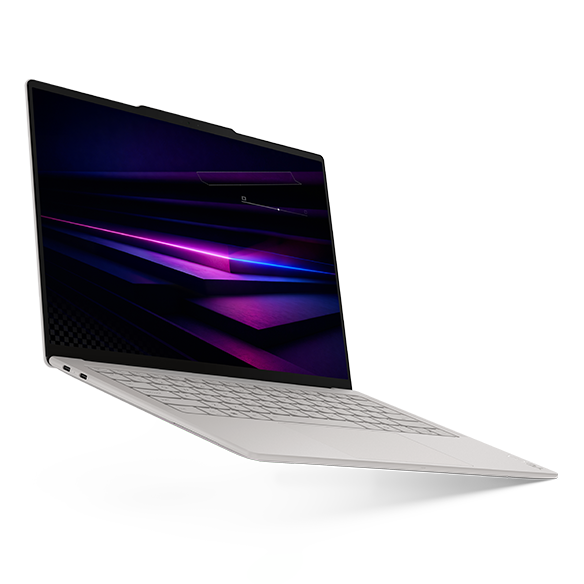
Key facts: 14-inch 2880 × 1800, 120Hz OLED touch; 75Wh; three Thunderbolt 4 ports; manufacturer starting weight 975g. The identified US offer has a Core Ultra 7 355, 32GB memory, 1TB SSD and Windows 11 Home. Official specification.
Advantages
- A reviewed OLED-touch machine weighed 978g, giving the portability argument measured support.
- The checked 32GB/1TB configuration provides capacity for substantial multitasking without using a smaller configuration to make its price attractive.
Trade-offs
- HDMI, USB-A and a headphone socket require another connection route.
- The touchscreen has no active-pen support; this is a clamshell for keyboard-led work.
The Yoga is especially relevant when the laptop travels every day but heavier computation happens at a desk or on university infrastructure. Its appeal is retaining a useful screen format in a low-mass machine. This can matter to a student walking between accommodation, a library and several teaching buildings.
Notebookcheck tested a Core Ultra 7 355/32GB/1TB review configuration running Windows Pro. Its measurements support the carrying claim, while its 10h36m Wi-Fi result shows why a 75Wh specification should not be presented as an endurance victory. The priced US Home machine is a separate purchase configuration. Original review.
Choose the Yoga when Windows compatibility and carrying weight lead the decision. Prefer the Zenbook if repeated connections to classroom equipment would make adapters a daily inconvenience. The relevant 355 processor uses Intel Graphics; results from an Arc B390-equipped Core Ultra X7 machine do not describe this offer.
MacBook Air 13-inch M5: Best for an established macOS research environment
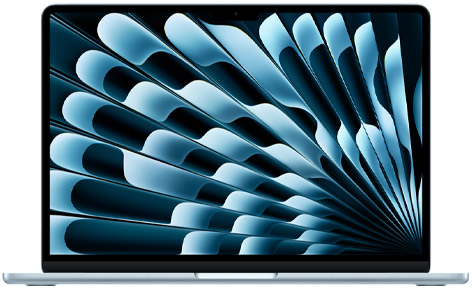
Key facts: 13.6-inch IPS display; fanless cooling; official weight 1.23kg; two Thunderbolt 4 ports, MagSafe and a headphone socket. The matched-capacity offer is a ten-core CPU/ten-core GPU M5 with 32GB/1TB. Apple specifications.
Advantages
- Fanless operation removes cooling-fan noise from quiet reading and writing sessions.
- A separate, verified 24GB/512GB configuration creates a lower-spend route when that capacity fits the project.
Trade-offs
- A required Windows-specific dependency can outweigh the hardware's advantages.
- Memory and internal storage should be chosen before purchase; later expansion is not a practical plan for this model.
The Air is a sensible starting point for a group already working successfully on macOS. That evidence is more useful than choosing an operating system because it is familiar from a phone. Ask a colleague to open the actual project, build its environment and demonstrate any essential hardware interfaces.
The M5 Air has credible original performance evidence: Tom's Hardware reported higher Geekbench 6 CPU scores for it than for the Yoga 355. Notebookcheck also reviewed the entry 16GB/512GB Air with an eight-core GPU. Those sources establish useful comparisons, but neither measures every research application or the exact 32GB/1TB offer. CPU comparison · Air entry review.
Choose the Air when macOS is positively supported and the capacity works. Choose an approved Intel Windows system when an essential program, licensing route or instrument driver requires it. For prolonged local computation, compare a representative sustained task before assuming a quick benchmark settles the purchase.
ASUS Zenbook S14 UX5406AA: Best for direct ports at the checked Windows price
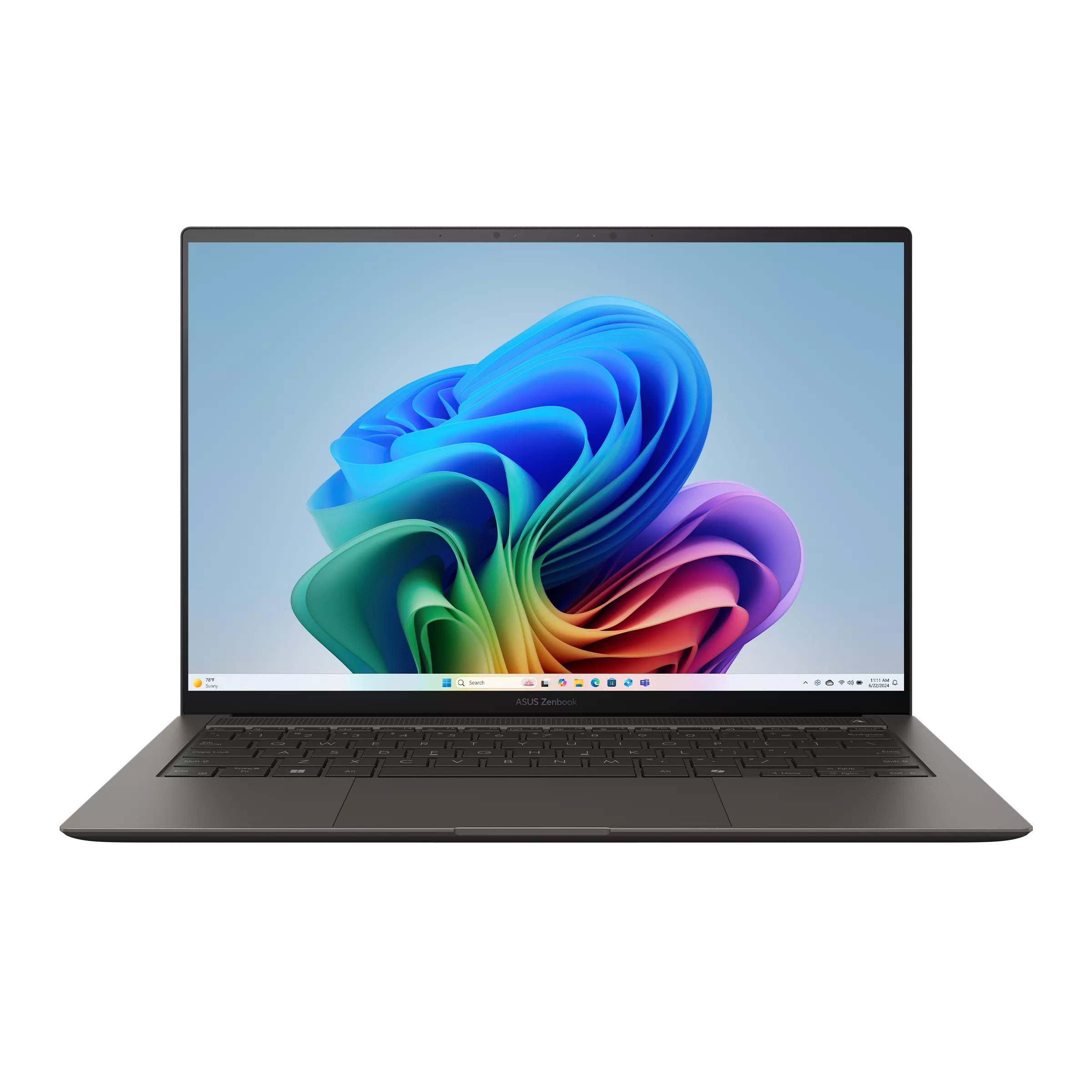
Key facts: 14-inch OLED touchscreen; listed weight 1.20kg; two Thunderbolt 4 ports, HDMI, USB-A and an audio socket. The US UX5406AA-XS79T offer contains a Core Ultra 7 356H, 32GB/1TB and Windows 11 Pro. ASUS specifications · Exact seller offer.
Advantages
- Direct display and USB-A connections can simplify teaching rooms and shared desks.
- Its checked matched-capacity price is $50 below the Lenovo-direct Yoga offer.
Trade-offs
- The reviewed S14 weighed 1,205g, substantially above the Yoga review sample's 978g.
- Published measurements from a Core Ultra 9 386H unit are not tests of the quoted Core Ultra 7 model.
The S14's attraction is a practical balance: carry the connections you need inside the laptop, keep a premium touchscreen, and spend slightly less than on the identified Yoga. It is particularly useful when a student's day includes both private research and presenting material to other people.
At these offers, the Yoga costs $50 more than the S14. Paying that difference buys a lower-weight option; choosing the S14 keeps the saving and its direct connections. If adapters would stay attached to your desk, their absence from the Yoga may be insignificant. If you repeatedly borrow projectors and older accessories, native ports can reduce setup friction.
Notebookcheck's UX5406AA review supplies its own independent basis, including a 16h11m Wi-Fi result for the 386H/32GB/1TB OLED-touch configuration at 150 nits. Keep that processor identification attached to the number. Also retain the AA suffix when shopping; a similarly named older S14 can have different components. Original review.
Choose the S14 for its connections and identified offer. Choose the Yoga when a lighter commuting computer is worth the modest price difference.
ThinkPad X1 Carbon Gen 14: Best when the university package earns its premium
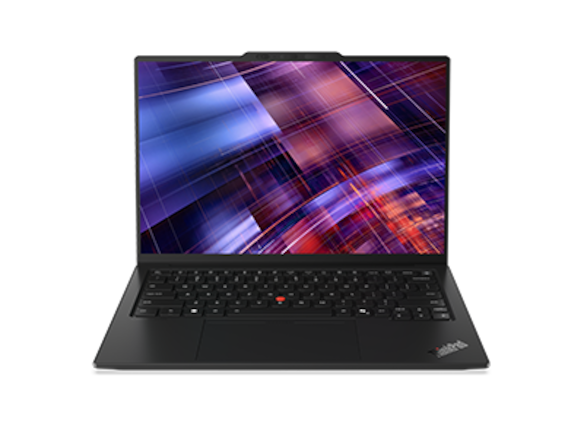
Key facts: 14-inch IPS/OLED choices; three Thunderbolt 4 ports, HDMI, USB-A and an audio socket. The selected 21V7006GUS offer has a Core Ultra 7 365 vPro, 32GB/1TB, Windows Pro and an IPS touchscreen. Lenovo specification.
Advantages
- The connection selection suits varied university equipment.
- A separately reviewed low-power IPS configuration provides strong evidence for long unplugged browsing.
Trade-offs
- The selected $3,579 public offer needs a clear reason to justify it for a self-funded student.
- Family minimum weights cannot be assigned to the quoted IPS-touch machine.
Start this comparison with the university's actual offer, including its repair and support terms. A discount without useful support may be less valuable than a package providing a reliable route through equipment failure. Equally, buying a ThinkPad at retail does not automatically grant a departmental support arrangement.
Panel selection matters. Notebookcheck's 21V70075GE, with a Core Ultra 5 325, 32GB/512GB and IPS touch, weighed 1,139g and ran its 150-nit Wi-Fi test for 23h13m. A separate OLED sample weighed 989g and was non-touch. Neither weight is established for the priced US SKU. IPS review · OLED comparison.
Choose the X1 when an approved configuration and a worthwhile package justify the total. Prefer the less expensive options if you would otherwise be paying primarily for the product name. Its low-power IPS route remains a meaningful alternative even when minimum body weight is not your priority.
Surface Laptop 13.8-inch, 8th Edition: Best for a taller screen with verified Arm support
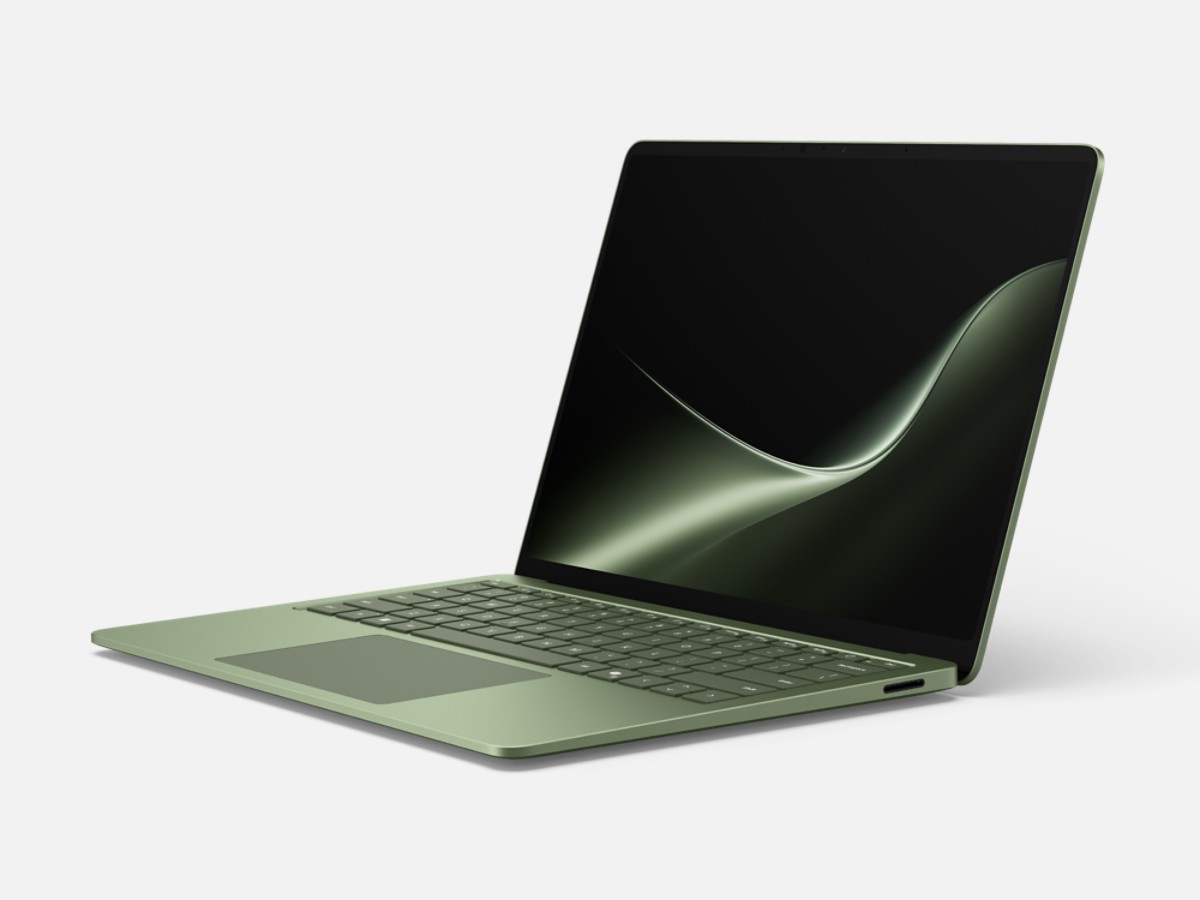
Key facts: 2304 × 1536, 120Hz, 3:2 touchscreen; approximately 1.36kg in the Store specification; two USB4 ports, USB-A, audio and Surface Connect. The quoted configuration uses a twelve-core Snapdragon X2 Elite with 32GB/1TB and Windows Home. Microsoft specifications and offers.
Advantages
- The taller display shape is useful to compare for documents and reference windows.
- USB-A and a headphone socket remain available alongside modern USB-C connections.
Trade-offs
- Research applications, drivers and laboratory interfaces need Windows-on-Arm verification.
- This touchscreen generation has no Surface Pen support and is heavier than the other listed families' relevant light configurations.
The Surface belongs on a shortlist when you prefer its screen and input arrangement, and can document that the required environment works. A large PDF and its accompanying notes make a better shop demonstration than a generic home screen.
RTINGS reviewed a 13.8-inch X2 Plus/16GB/512GB unit and reported over twelve hours of browsing, a comfortable keyboard and a haptic touchpad. This adds original-use evidence, but it is a different processor and capacity from the priced X2 Elite. Original review.
Choose it after confirming the whole research chain, including installation permissions and external devices. Prefer an Intel Windows candidate when necessary support is established there and remains uncertain on Arm. A promotional price is useful only if the purchased machine can complete the work.
What the same memory and storage actually cost
These US offers were checked on 8 November 2026, in USD before sales tax. The main table holds 32GB memory and 1TB storage constant. Processor, operating system, display, warranty and support still differ.
| Exact configuration | Selected purchase route | Checked price |
|---|---|---|
| Yoga Slim 7i Ultra, Ultra 7 355, Windows Home | Lenovo 83QKCTO1WWUS1 | $2,049.99 Official offer |
| Air 13 M5, ten-core CPU/ten-core GPU, Midnight | B&H Z1L8000KL | $1,999.00 Seller offer |
| Zenbook S14, Ultra 7 356H, Windows Pro, Antrim Gray | Best Buy UX5406AA-XS79T, SKU6676699 | $1,999.99 Seller offer |
| X1 Carbon, Ultra 7 365 vPro, IPS touch, Windows Pro | Lenovo US 21V7006GUS | $3,579.00 Official offer |
| Surface Laptop 13.8, X2 Elite twelve-core, Home, Black | Microsoft Store 8mzbmmcjzpmf configuration | $2,099.99 promotional Official offer |
Surface's displayed full price was $2,649.99. Compare the final checkout and included terms before ordering. These are identifiable offers, not an exhaustive lowest-price search.
A separate lower-spend option: B&H listed the Silver Air M5 Z1L0000RV, 24GB/512GB, at $1,499. It saves $500 against the listed 32GB/1TB Air by buying different capacities. Consider it when the project and local storage fit; do not treat 24GB as a universal substitute for 32GB on another platform. Exact lower-capacity offer.
Keep the purchase configuration separate from the reviewed sample
A model-family name is not enough to transfer a weight, performance or battery result to a quotation. This table places each offer beside its evidence. The Notebookcheck reviews and RTINGS' Surface review use different samples and, between publications, different methods.
| Priced configuration | Identified review sample | What the review establishes—and what it does not |
|---|---|---|
| Yoga 83QKCTO1WWUS1: Ultra 7 355, 32GB/1TB, OLED touch, Windows Home | Notebookcheck: Ultra 7 355, 32GB/1TB, OLED touch, Windows Pro | Measured 978g and 10h36m Wi-Fi apply to the reviewed unit; it is not an identical US Home SKU. Yoga review |
| Air Z1L8000KL: ten-core CPU, ten-core GPU, 32GB/1TB | Notebookcheck: M5, eight-core GPU, 16GB/512GB | Its measured 1,230g and 16h11m Wi-Fi at 150 nits inform the family comparison, not the exact higher-capacity offer. Air review |
| S14 UX5406AA-XS79T: Ultra 7 356H, 32GB/1TB | Notebookcheck UX5406AA: Ultra 9 386H, 32GB/1TB, OLED touch | The 1,205g and 16h11m Wi-Fi result at 150 nits belong to the 386H sample; they do not test the quoted processor. S14 review |
| X1 21V7006GUS: Ultra 7 365 vPro, 32GB/1TB, IPS touch | Notebookcheck 21V70075GE: Ultra 5 325, 32GB/512GB, IPS touch | 1,139g and 23h13m Wi-Fi at 150 nits belong to the German review SKU. Neither that mass nor a family minimum is a verified weight for the US offer. X1 IPS review |
| Surface 13.8-inch 8th Edition: X2 Elite twelve-core, 32GB/1TB, Black | RTINGS: X2 Plus, 16GB/512GB, same 13.8-inch generation | Over twelve hours of browsing and input-device observations describe the X2 Plus unit; the price table's X2 Elite remains a different configuration. Surface review |
The longest browsing sample is not the lightest sample. Use these findings to identify the configuration worth investigating, then run a representative project to establish whether it completes your own research session comfortably.
Buy enough memory and storage for the working session
Check the busiest normal session on the existing computer before selecting an upgrade. Keep the reference manager, documents, development tools and dataset open together if that reflects how you work. Identify whether the problem is memory pressure, a full SSD, lengthy computation or an unavailable dependency. Those problems require different solutions.
For the first workload tier, avoid treating the comparison's 32GB/1TB configurations as an entry requirement. For development and moderate analysis, additional memory can be useful when the actual environment needs it; the size of the installed software alone does not describe its working memory demand. For heavy local work, follow the program's hardware guidance and a representative sustained task rather than buying the highest memory option in a convenient ultralight chassis.
Separate active project storage from archives and backups. University storage can reduce local capacity needs only if access, synchronisation and offline availability suit the project. A 512GB configuration is a choice to manage within that capacity, not an assurance that every research dataset will fit.
Four costs to check beyond the purchase price
Connections: List the equipment you actually use, including teaching displays, storage and laboratory accessories. Price the needed adapter or dock before deciding that one laptop is cheaper. Native USB-A does not establish compatibility with a device's driver.
Workspace: Consider a monitor, keyboard and pointing device for long sessions. A portable screen serves travel; a desk display can serve detailed reading. Keep the work you do seated for hours in the budget, rather than spending everything on the lightest computer.
Failure handling: Ask who arranges service, where the computer goes and whether another machine will be available. Compare written terms. Our battery and repair buying guide explains the service questions to resolve before buying.
Data continuity: Decide how project files are backed up and how a replacement machine would regain access. A larger SSD does not provide an independent backup. Check university storage access and offline needs before selecting a smaller configuration.
Use the existing premium graduate-laptop comparison for the detailed published-test table, or the business-travel portability guide when charger weight and packing dimensions dominate your routine.
Run a short acceptance session before keeping the laptop
Use one representative project throughout the return-period check. Open the same dataset, reference library and documents you normally use, then repeat an analysis or build whose output you can verify. Add a video meeting if calls usually remain open while you work. Watch whether the difficulty comes from memory pressure, computation time, storage or an unavailable dependency; upgrading the wrong component will not solve it.
Repeat the session through the university's normal access route, including its VPN, authentication and licence service. Connect the actual external drive, display or laboratory interface when relevant. Finish by reopening the saved output on another approved machine. This checks that a comfortable portable setup also produces files your research group can use.
Frequently asked questions
Which one should a self-funded student investigate first?
For an approved Windows workflow, compare the Yoga's portability with the Zenbook's ports and $50 lower selected price. For supported macOS work, include the Air's 24GB/512GB route before assuming a $2,000 configuration is necessary. Software fit and sufficient capacity should decide which of these comparisons applies.
Is a touchscreen enough for handwritten research notes?
No. Finger touch and supported active-pen input are different capabilities. The Yoga Slim model and this Surface Laptop generation do not provide the pen support a handwriting-led workflow needs. Evaluate a suitable pen-capable form factor separately if handwritten annotation is essential.
Which laptop has the best battery life?
Among the named review examples discussed here, the X1 low-power IPS sample has the longest Notebookcheck Wi-Fi result. It also has a particular processor, screen and weight. Do not combine that endurance with a lighter OLED configuration or attach it to the selected US offer. A review's test duration is useful comparative evidence, not a forecast for every graduate workload.
Should I buy a premium ultraportable before the program starts?
Obtain the program's software and support requirements first. If your current computer meets them, a normal working session can reveal whether a replacement would solve a real problem. When buying, use the return period to test the complete environment, including authentication, licensing, peripherals and your usual workload.
Sources and offer references
Official documentation establishes model and application requirements. Named retailers establish the dated offers. Original reviews supply only the measurements and observations attributed to their identified samples; no testing by this publication is claimed.
- Lenovo: Yoga platform specification, Yoga purchase configuration, X1 platform specification, X1 product page, identified X1 official offer.
- Apple: MacBook Air specifications, 32GB/1TB offer, 24GB/512GB offer.
- ASUS and Microsoft: S14 specification, identified S14 offer, Surface configuration page.
- Original reviews: Yoga, Air, Yoga/Air CPU comparison, S14, X1 IPS, X1 OLED comparison, Surface.
- Software: MATLAB Windows requirements, Windows Arm exclusions, MATLAB Mac requirements, SOLIDWORKS requirements.