For business travelers who present in different offices, the ASUS Zenbook S14 UX5406AA and Lenovo ThinkPad X1 Carbon Gen 14 deserve the first comparison because they combine a light chassis with HDMI, USB-A and wired audio. The Lenovo Yoga Slim 7i Ultra is a stronger fit when low carrying weight matters more and the traveler already has a verified USB-C presentation kit. MacBook Air, Zenbook A14, Framework Laptop 13 and Dell XPS 13 address different operating-system, serviceability and space requirements. The useful question is which machine can join your meeting with the fewest unsupported assumptions.
A laptop can work perfectly at home and still be awkward at a customer site. The room may have an HDMI lead, a USB-A camera connection and a network policy that prevents wireless casting. A charger then occupies another socket. Buying the lightest computer without checking that complete connection sequence can move the inconvenience into an adapter pouch.
This guide compares seven identifiable product families through that meeting-room problem. Product specifications come from manufacturer documentation; the limited battery evidence is attributed to the original review samples. Recommendations are editorial judgments about the documented connections and the stated use case. Documentation was checked on 9 November 2026. Prices, delivery dates and support entitlements should be confirmed on the final country-specific order.
The shortlist at a glance
The sequence groups different solutions rather than assigning an overall performance rank. “Best fit” is conditional on the need in the same row.
| Laptop | Best fit in this selection | Connection advantage | Main condition before ordering |
|---|---|---|---|
| Lenovo Yoga Slim 7i Ultra, Gen 11 / 14IPH11 | Minimum carrying weight with an Intel Windows environment and a prepared adapter kit | Three Thunderbolt 4 ports | No integrated HDMI, USB-A or 3.5mm audio |
| ASUS Zenbook S14 UX5406AA | Changing meeting rooms with conventional presentation equipment | HDMI, USB-A, audio and two Thunderbolt 4 ports | Check the AA configuration; older SA specifications differ |
| Lenovo ThinkPad X1 Carbon Gen 14 | Presenters who also need documented IPS-sample endurance | HDMI, USB-A, audio and three Thunderbolt 4 ports | IPS and OLED configurations have materially different weight and runtime evidence |
| Apple MacBook Air 13-inch M5 | A macOS-approved travel workflow with quiet operation | MagSafe charging leaves both Thunderbolt ports available | HDMI and USB-A require additional hardware |
| ASUS Zenbook A14 UX3407NA | Very light Windows travel after an Arm compatibility check | HDMI, USB-A, audio and two USB4 ports | Validate required applications, security software and device drivers |
| Framework Laptop 13, AMD Ryzen AI 300 | Owners who want to select ports and replace components | Four configurable Expansion Card bays | Card selection and bay positions determine the available connections |
| Dell XPS 13 DX13260 | A compact Windows machine used with a known presentation adapter | Small footprint; Core Ultra variants provide Thunderbolt 4 | Core and Core Ultra versions do not have the same ports or memory limits |
How to read the product cards
Each specifications table describes the named family or variant, rather than combining the cheapest CPU with another configuration’s display or weight. An advertised starting weight is labeled as such. The purchase links open manufacturers’ own selection or product pages; they are not claims that a particular offer is the cheapest available.
The practical pass/fail checks are simple: approved software, enough usable ports while charging, the correct video path, and a workable backup for the presentation. Screen quality and processor speed matter after those requirements are satisfied. A fast machine that cannot run the organization’s endpoint agent or connect to the room is an unsuitable business purchase.
1. Lenovo Yoga Slim 7i Ultra — best for a prepared, low-weight presentation kit
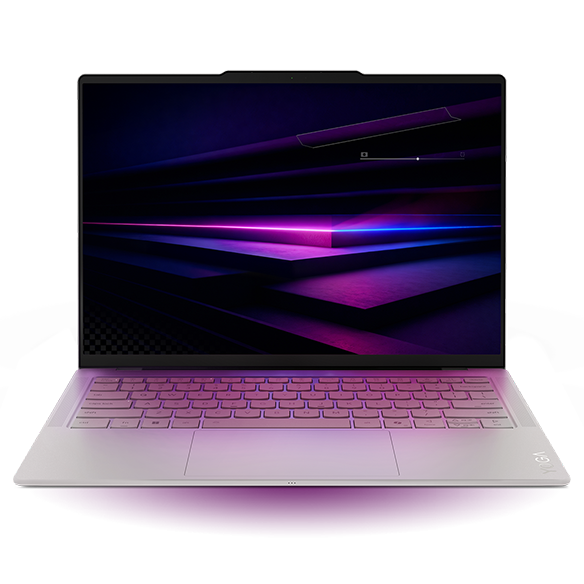
Specifications
| Item | Documented reference |
|---|---|
| Platform | Intel Core Ultra Series 3; choose the exact processor |
| Graphics | Core Ultra 7 355 uses Intel Graphics; X7/X9 options use Arc B390 |
| Memory / storage | 16GB, 32GB or 64GB soldered memory; one M.2 2242 SSD slot |
| Screen | 14-inch 2880 × 1800 OLED touchscreen, 120Hz; no active-pen support |
| Weight / battery | Starting at 975g; 75Wh |
| Connections | Three Thunderbolt 4; no HDMI, USB-A or 3.5mm audio |
Reasons to buy / reasons to consider alternatives
| Reasons to buy | Reasons to consider alternatives |
|---|---|
| A documented sub-kilogram starting point with a 14-inch screen | Standard HDMI leads and USB-A receivers need adapters |
| Three Thunderbolt ports provide options when one is used for power | A wired analog headset also needs an adapter or USB audio interface |
| Intel Windows platform avoids the separate Windows-on-Arm driver question | The OLED review sample is not the endurance leader in the evidence set |
Buy it if / skip it if
| Buy it if | Skip it if |
|---|---|
| You carry the machine between several sites and already own a tested HDMI/USB-A hub | You want to arrive at arbitrary rooms without taking a conversion accessory |
| Your organization approves the selected Windows configuration | A full travel day must be completed with no dependable charging opportunity |
The Yoga’s advantage is concrete: a large-enough presentation workspace at low bare-laptop mass. Three Thunderbolt ports also give it more simultaneous connection choices than a two-port design. That does not make every hub arrangement sensible. If an HDMI adapter is next to a large USB receiver and the power lead, check that the physical plugs fit without blocking each other.
For a consultant who keeps one verified adapter in the bag, the lack of built-in legacy connections can be an acceptable exchange. For someone who borrows accessories at every stop, it creates avoidable dependencies. Neither user should infer graphics performance from the series name: the Core Ultra 7 355 configuration is not the Arc B390 version.
Notebookcheck’s 978g Core Ultra 7 355 review sample achieved 10 hours 36 minutes in its WLAN test. That is useful evidence for that sample, not a promise for video calls or a different processor. Select this machine because its weight and your working connection chain match, rather than because an opening position implies universal superiority. Original review.
2. ASUS Zenbook S14 UX5406AA — best for direct connections in changing rooms
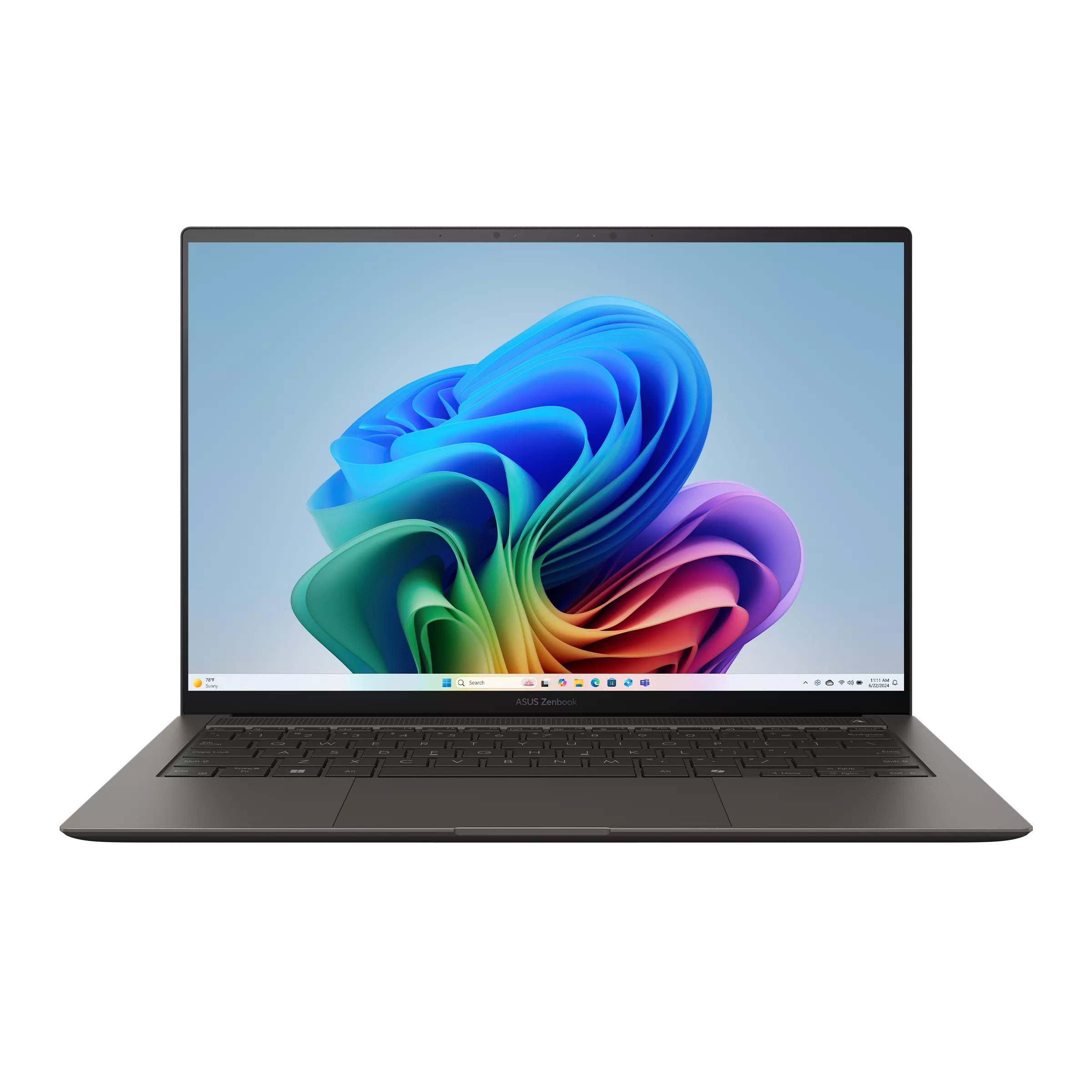
Specifications
| Item | UX5406AA reference |
|---|---|
| CPU / graphics | Core Ultra 7 356H or Ultra 9 386H; Intel Graphics |
| Memory / storage | 32GB onboard; 1TB SSD listed; one M.2 2280 PCIe 4.0 slot |
| Screen | 14-inch 2880 × 1800 OLED touch, 120Hz |
| Weight / battery | 1.20kg; 77Wh |
| Connections | Two Thunderbolt 4, HDMI, USB-A and 3.5mm audio |
Reasons to buy / reasons to consider alternatives
| Reasons to buy | Reasons to consider alternatives |
|---|---|
| Connects conventional display, receiver and headset without a multiport hub | Heavier than the Yoga’s stated starting configuration |
| Leaves Thunderbolt available when the display uses HDMI | Memory is fixed after purchase |
| A practical mix for a presentation followed by a desk session | A high-resolution glossy touch panel will not suit every lighting environment |
Buy it if / skip it if
| Buy it if | Skip it if |
|---|---|
| HDMI screens and USB-A meeting accessories are routine | Every gram matters and your whole workflow is already USB-C |
| You want one machine for client visits and subsequent spreadsheet work | Your workload needs a discrete GPU or RAM upgrades later |
The S14 is the more straightforward recommendation when the room’s connection standard is unknown but conventional. A display cable, presentation receiver and wired headset have their own physical connections. The meaningful benefit is fewer conversions, not a guarantee against faulty room equipment.
Compare the AA version carefully with the older SA column on ASUS’s combined specification page. Processor, graphics and other details can change across those columns. The Ultra 9 386H does not become an Arc B390 machine merely because both belong to the same processor generation.
The original 2026 review tested an Ultra 9 386H configuration and reported 16 hours 11 minutes in the WLAN test. It also identified higher noise at full CPU performance. A connection-friendly machine can still require a quieter power profile during a call; the review should not be summarized as an unconditional premium-performance win. Original review.
3. Lenovo ThinkPad X1 Carbon Gen 14 — best for connecting directly and prioritizing IPS-sample endurance
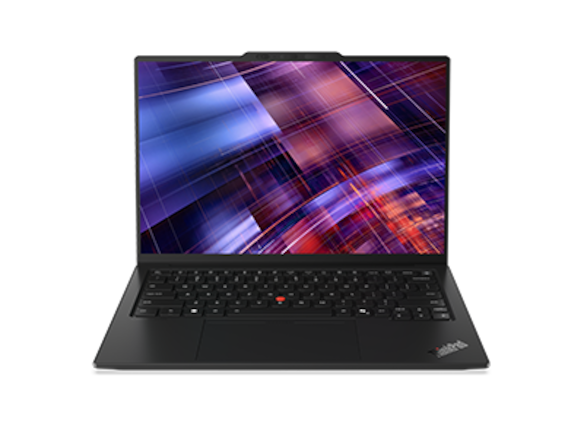
Specifications
| Item | Configuration boundary |
|---|---|
| CPU / graphics | Intel Core Ultra Series 3; graphics depend on processor |
| Memory / storage | Soldered memory options; one M.2 2280 SSD slot |
| Screen | 14-inch IPS touch or OLED options; choose before comparing runtime |
| Weight / battery | Advertised starting weights depend on chassis; 58Wh |
| Connections | Three Thunderbolt 4, HDMI, USB-A and 3.5mm audio |
Reasons to buy / reasons to consider alternatives
| Reasons to buy | Reasons to consider alternatives |
|---|---|
| Direct connections cover common presentation and headset equipment | Family starting weight does not describe the IPS test sample |
| Strong published endurance evidence for one identifiable IPS configuration | A high quote requires justification against alternatives and actual service terms |
| Three Thunderbolt ports offer additional docking flexibility | OLED runtime cannot be represented by the IPS result |
Buy it if / skip it if
| Buy it if | Skip it if |
|---|---|
| You give presentations between long periods without a socket | You expect the lightest OLED version to reproduce the IPS result |
| Your procurement team can specify panel, operating system and support together | You are paying for business support without a written entitlement you can use |
The most useful comparison here is between two configurations inside the family. Notebookcheck’s 21V70075GE, with Core Ultra 5 325, 32GB, 512GB and IPS touch display, weighed 1,139g and lasted 23 hours 13 minutes in its 150-nit WLAN test. The review’s separate OLED discussion shows why the lightest version and the longest runtime must not be merged into one imaginary machine.
For client work, that IPS configuration provides a persuasive combination of direct connections and light-web endurance. The evidence supports putting it ahead of the Yoga when outlet access is the deciding concern. It does not establish the same advantage during constant conferencing, nor prove that every country offers that exact SKU.
Business branding should also trigger questions, not assumptions. Put the required operating-system edition, repair location, response conditions and accidental-damage coverage on the quote. A service advertised elsewhere is not automatically included. Original IPS and OLED review.
4. Apple MacBook Air 13-inch M5 — best for an approved macOS presentation workflow
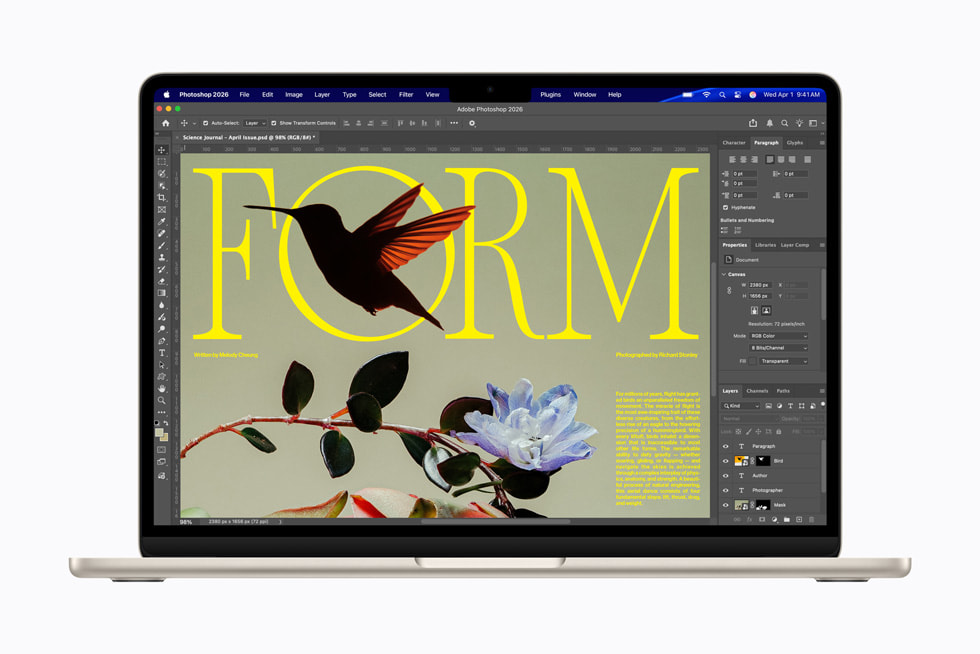
Specifications
| Item | 13-inch M5 reference |
|---|---|
| CPU / graphics | M5, 10-core CPU; 8-core or 10-core GPU configurations |
| Memory / storage | 16GB base, configurable to 24GB or 32GB; 512GB base storage |
| Screen | 13.6-inch 2560 × 1664 IPS, non-touch |
| Weight / cooling | 1.23kg; fanless |
| Connections | Two Thunderbolt 4, MagSafe and 3.5mm audio; no HDMI or USB-A |
Reasons to buy / reasons to consider alternatives
| Reasons to buy | Reasons to consider alternatives |
|---|---|
| Fanless cooling avoids laptop-fan noise during a quiet call | The employer must approve macOS and its application workflow |
| MagSafe can leave both Thunderbolt ports available | Presentation receivers and HDMI screens require conversion hardware |
| Wired audio connection is retained | Memory and storage should be chosen for the ownership period |
Buy it if / skip it if
| Buy it if | Skip it if |
|---|---|
| Your documents, conferencing client and endpoint software work on the chosen macOS version | A required Windows-only tool or managed image is mandatory |
| You prefer a quiet machine and have checked an HDMI adapter | You need extended heavy computation from a fan-cooled workstation |
The Air’s practical distinction is the relationship between charging and accessories. A MagSafe lead does not consume either Thunderbolt port. That can make a display-plus-accessory arrangement simpler than its raw two-port count suggests. It still needs an HDMI conversion path at a conventional projector.
Before an external presentation, open the actual deck with its fonts, embedded media and presenter view on the intended software. Cross-platform file compatibility is an organizational question, not something established by the ability to open the filename. The same applies to signatures, VPN access and controlled document repositories.
The original 16GB/512GB, 8-core-GPU review sample achieved 16 hours 11 minutes in its 150-nit WLAN test. Its fanless construction is a clear acoustic advantage, but should not be used to imply unlimited sustained performance. Original review.
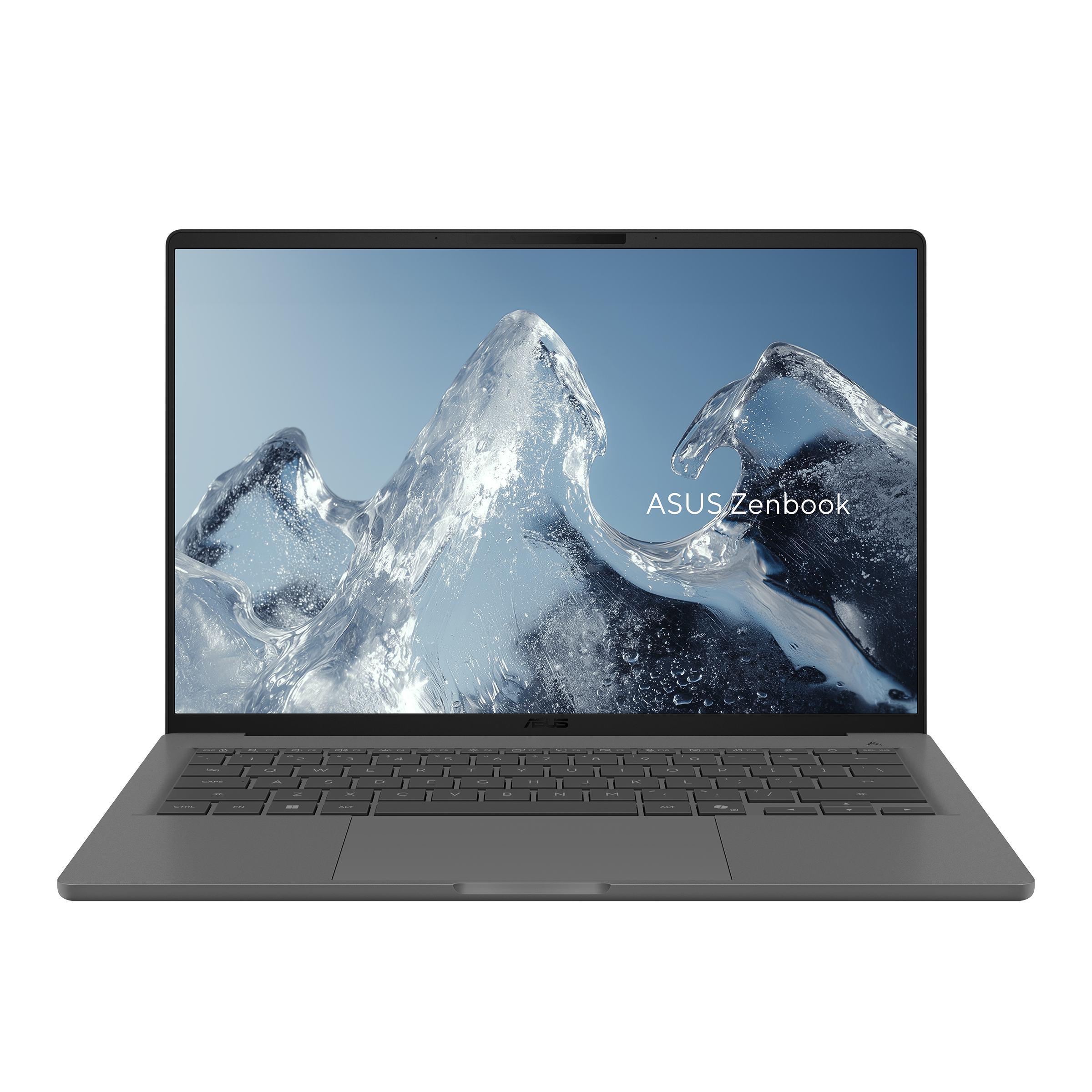
5. ASUS Zenbook A14 UX3407NA — best for low weight and direct ports after an Arm check
Specifications
| Item | UX3407NA reference |
|---|---|
| Platform | Snapdragon X2 Elite X2E88100; Windows on Arm |
| Memory / display | 32GB in the standard NA column; 14-inch 1920 × 1200 OLED, 60Hz, non-touch |
| Weight / battery | 990g; 70Wh |
| Connections | Two USB4, HDMI, USB-A and 3.5mm audio |
| Variant warning | NA-CG, QA and RA columns do not share all these specifications |
Reasons to buy / reasons to consider alternatives
| Reasons to buy | Reasons to consider alternatives |
|---|---|
| Low stated weight without deleting HDMI and USB-A | Driver-dependent accessories require explicit Arm64 support |
| Useful wired-audio option for calls | App emulation does not establish compatibility for every endpoint agent |
| A genuinely different answer to the low-weight connection problem | A matching, unambiguous battery result is not included in this comparison |
Buy it if / skip it if
| Buy it if | Skip it if |
|---|---|
| Your IT team has approved the complete Arm workflow and accessories | Approval is based only on the fact that a familiar application launches |
| You want direct legacy ports in a light machine | A required driver, plug-in or corporate security product is unsupported |
The A14 prevents a misleading conclusion that a near-kilogram laptop must require a hub for everything. Its direct-port mix makes it a serious competitor to the Yoga for a presenter. The difference that must be resolved is platform compatibility rather than a vague preference for one processor brand.
Microsoft distinguishes ordinary application emulation from device-driver compatibility. A USB-A socket can physically accept a security key, conference camera or specialist receiver without proving the driver stack works. Ask the software or hardware vendor about the exact product and Windows release; then verify the complete meeting setup.
This guide leaves the A14 out of the measured-runtime comparison because the available X2 review’s model label does not cleanly match the manufacturer’s UX3407NA identifier. The absence is an evidence limit, not a poor endurance result. Microsoft’s Windows on Arm FAQ.
6. Framework Laptop 13 AMD Ryzen AI 300 — best for choosing the connection layout
Specifications
| Item | AMD Ryzen AI 300 reference |
|---|---|
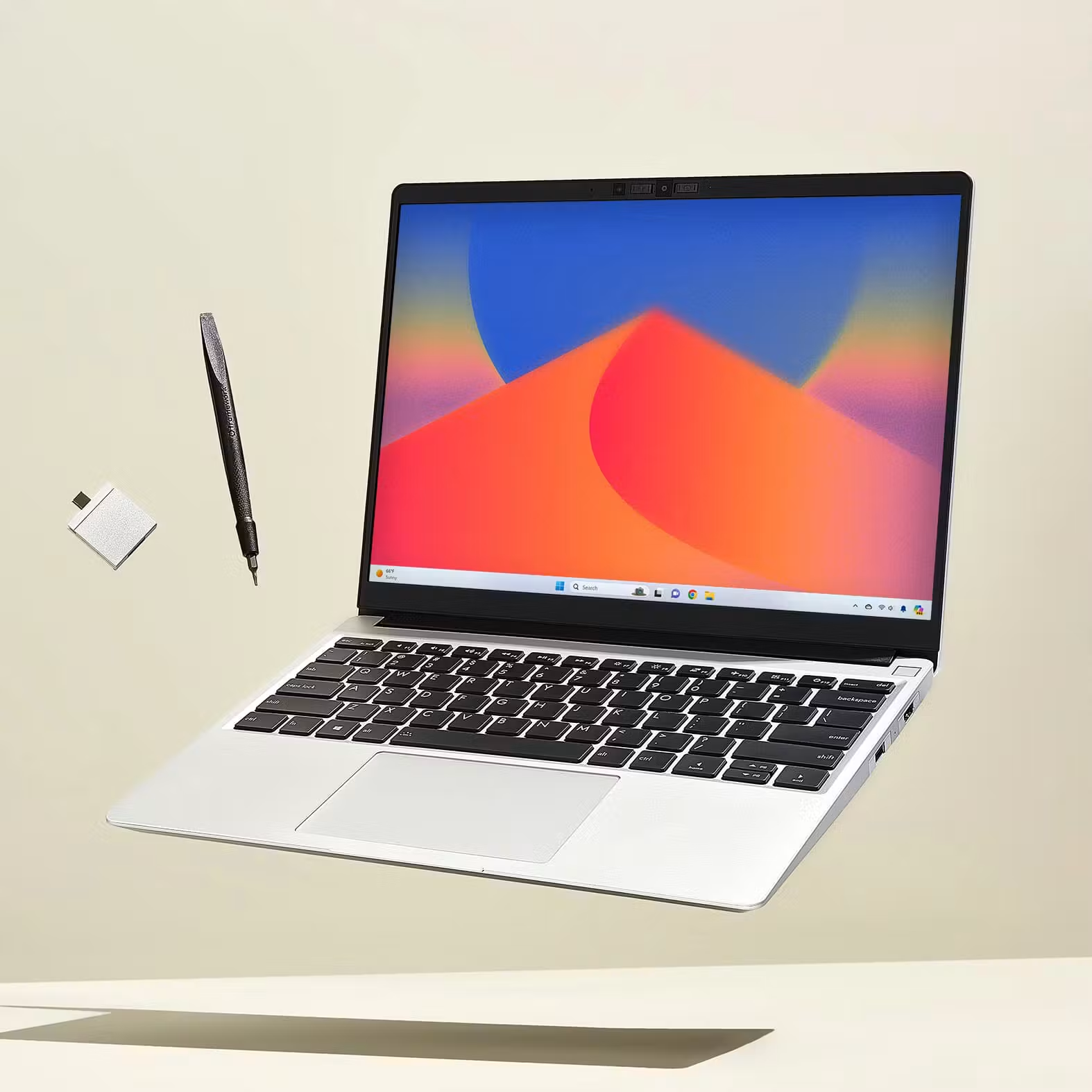
| Form / weight | 13.5-inch 3:2 display; 1.3kg manufacturer reference |
| Connections | Four selectable Expansion Cards plus 3.5mm audio |
| Port placement | Rear two bays support USB4; front two support USB 3.2, with display and power functions documented by Framework |
| Ownership distinction | Replaceable memory and SSD; separately selectable cards |
| Purchase boundary | Prebuilt and DIY packages contain different components |
Reasons to buy / reasons to consider alternatives
| Reasons to buy | Reasons to consider alternatives |
|---|---|
| Select HDMI, USB-A and USB-C connections for the actual itinerary | Configurable does not mean every desired port fits simultaneously |
| Replace a damaged or obsolete card rather than living with one fixed layout | Heavier than the sub-kilogram alternatives |
| Ownership choices suit a technically involved buyer | DIY headline cost is not a complete ready-to-use Windows price |
Buy it if / skip it if
| Buy it if | Skip it if |
|---|---|
| You want control over both connection layout and future component replacement | You want the smallest possible travel kit with no configuration work |
| You can maintain the machine or have someone who can | You assume consumer repairability includes a particular on-site service commitment |
Framework changes the purchasing question from “which ports did the designer keep?” to “which four cards should this trip use?” A sensible presentation arrangement might prioritize HDMI, USB-A and USB-C for power. A wired-network requirement can change that mix again. Draw the complete layout before buying cards, including the connection used for charging.
The rear-versus-front distinction matters if a dock or fast accessory requires USB4. A USB-C shape in a card bay is not sufficient to establish the same capabilities in every position. Keep a photograph of the preferred layout with the travel packing list to avoid leaving an essential card in another bag.
Repairability is a useful ownership characteristic, but it is not a measured failure rate or a promise of same-day parts availability abroad. Travelers who value self-maintenance should also decide where they can obtain replacements and whether the employer permits user repair.
7. Dell XPS 13 DX13260 — best for a small workstation with a verified adapter
Specifications
| Item | DX13260 boundary |
|---|---|
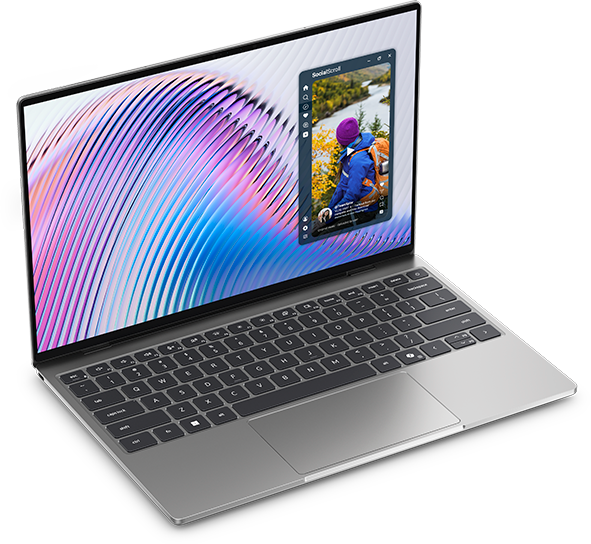
| Screen / footprint | 13.4-inch 2560 × 1600 touch; 296.9 × 200.66mm footprint |
| Core configuration | Core 5 320; two USB-C 10Gbps ports; fixed memory up to 16GB |
| Core Ultra configuration | Different processor/memory options; two Thunderbolt 4 ports |
| Connections missing | HDMI, USB-A and 3.5mm audio |
| Battery | 52Wh |
Reasons to buy / reasons to consider alternatives
| Reasons to buy | Reasons to consider alternatives |
|---|---|
| Compact footprint helps on a narrow meeting table | Two connections make simultaneous power and peripherals worth planning |
| Different configurations serve different budget and memory needs | The cheaper Core version does not inherit Core Ultra Thunderbolt support |
| Identifiable Core 5 battery evidence exists | Its tested 8GB configuration is not a recommendation for demanding multitasking |
Buy it if / skip it if
| Buy it if | Skip it if |
|---|---|
| You have a compact adapter that has passed your presentation rehearsal | Your requirements depend on many direct connections |
| You have checked both port capabilities and fixed-memory capacity | You expect to add RAM after purchase |
Dell’s useful distinction is workspace size. The chassis can fit where a wider computer leaves less room for documents or a mouse. That benefit is independent of whether a traveler should buy Core or Core Ultra.
Be particularly careful with inexpensive listings. The Notebookcheck test used Core 5 320, 8GB and 512GB and recorded 18 hours 26 minutes in the WLAN test. That result cannot validate the performance of a heavier workload, and should not be presented as the runtime of the Core Ultra configuration. Choose the memory capacity for the actual meeting application, browser session and business software running together.
A hub with pass-through charging may help a two-port machine, but verify its display output and delivered power together. Buying a connector count is not equivalent to buying a working end-to-end setup. Original review.
Count the connections that remain while the meeting is running
The following is an editorial port-occupancy calculation, not a hardware test. The assumed simultaneous task uses the laptop charger, an HDMI display, a USB-A presentation receiver and a wired analog headset. Each conversion uses a separate single-function adapter; a suitable multiport hub can change the result.
| Laptop | Connections occupied in that assumed setup | What remains or must change |
|---|---|---|
| Yoga Slim 7i Ultra | Three Thunderbolt ports used for power, HDMI adapter and USB-A adapter | Analog audio needs another path, so replace one adapter with a suitable hub or use supported USB/Bluetooth audio |
| Zenbook S14 AA | One Thunderbolt for power; built-in HDMI, USB-A and audio | One Thunderbolt remains |
| X1 Carbon Gen 14 | One Thunderbolt for power; built-in HDMI, USB-A and audio | Two Thunderbolt remain |
| MacBook Air M5 | MagSafe, one Thunderbolt HDMI adapter, one Thunderbolt USB-A adapter, built-in audio | Both Thunderbolt ports are occupied; another data device requires a hub or a different arrangement |
| Zenbook A14 NA | One USB4 for power; built-in HDMI, USB-A and audio | One USB4 remains |
| Framework 13 AI 300 | USB-C power card, HDMI card and USB-A card; built-in audio | One of four bays remains; place USB4-dependent devices in a supported rear bay |
| XPS 13 DX13260 | Both USB-C-shaped ports occupied by power and HDMI conversion | Receiver and analog audio require a different arrangement, normally a suitable multiport/audio solution |
This explains why three Thunderbolt connectors are helpful without making them equivalent to three full sets of legacy connections. It also shows why counting the Air's MagSafe separately matters. Change the assumption to a USB-C monitor that supplies sufficient power and has compatible downstream ports, and the preferred arrangement can change again.
Build the meeting setup before comparing checkout totals
| Requirement | Direct-port route | Adapter route | Evidence to check |
|---|---|---|---|
| HDMI room display | S14, X1 Carbon, A14; selected Framework card | Yoga, Air, XPS via a suitable video adapter | Supported output resolution, refresh rate and actual presentation software |
| USB-A receiver or camera | S14, X1 Carbon, A14; selected Framework card | USB-C conversion or multiport hub | Driver support, especially on Arm |
| Wired analog headset | Direct audio on S14, X1 Carbon, Air, A14, Framework | USB audio or another compatible conversion on Yoga/XPS | Microphone and output routing inside the call application |
| Power at the same time | Dedicated MagSafe on Air, or a suitable charging port | Compatible pass-through power if the hub is used | Laptop power requirement, charger output and hub limits |
| Wired network | External solution or selected Framework Ethernet card | Supported USB Ethernet device or dock | Required driver and corporate network approval |
Intel documents Thunderbolt 4 as a defined connectivity standard, while Microsoft’s troubleshooting guidance makes clear that a working video path depends on the computer, adapter, cable and display. The table identifies the path to check; it does not certify an arbitrary combination. Intel connectivity explanation · Microsoft USB-C troubleshooting.
Evaluate the final basket rather than ranking incomparable headline prices. Include the selected memory, operating system, presentation adapter, suitable power supply and any required support contract. Existing equipment can change the result: a Yoga owner who already has a validated kit faces a different incremental cost from a first-time buyer assembling everything from scratch.
A bounded US price check
These manufacturer-page observations were checked on 9 November 2026, before sales tax. They are selected purchasable configurations, not matched performance tiers or a market-wide value ranking. The cost of required adapters, Windows edition changes and support belongs in the final comparison.
| Official reference | Identified configuration | Price observed | Purchase interpretation |
|---|---|---|---|
| Dell XPS 13 | Core 5 320, 16GB, 512GB, Windows 11 Home, QHD+ touch | $1,049.99 | Does not inherit the Core Ultra version's Thunderbolt ports |
| Framework prebuilt | Ryzen AI 5 340, 16GB (2 × 8GB), 256GB, Windows 11 Home | From $1,049 | Half the listed Dell/Apple storage; confirm selected cards and final basket |
| Apple retail | Silver 13-inch M5, 10-core CPU/8-core GPU, 16GB, 512GB, MDH74LL/A | $1,299 | A macOS option; availability must be confirmed at checkout |
A quote of the same memory and SSD capacity still does not equalize operating system, screen, repair provisions or sustained performance. No current numerical price is assigned to the other four choices because a similarly identified offer was not established for this table. Missing prices should narrow a value claim rather than be filled with a launch price or an unrelated retailer listing.
The rehearsal that can change the recommendation
Run the real meeting sequence during the return window: connect power, attach the room display, join a call, select the correct camera and microphone, start screen sharing, then disconnect and reconnect the display. Try presenter view and a locally saved copy of the slides. This is a proposed buyer check, not a claim that every machine in this guide has passed it.
A small laptop can look ideal until a hub hangs over the edge of a narrow table or a cable blocks the neighboring connector. Likewise, a direct HDMI port is helpful but does not prove the room’s chosen display input is correct. These are reasons to rehearse the chain rather than to award unsupported reliability scores to brands.
If an employer requires an untested driver, reject the configuration provisionally even if its weight or display is attractive. Once software and connections pass, compare comfort, battery evidence, full kit mass and the written purchase terms.
Questions business presenters ask
Is the lightest laptop automatically the best travel choice?
No. The relevant mass includes the accessories needed to do the job. The Yoga’s low starting weight is valuable with a compact verified kit; an S14 or A14 may simplify a routine HDMI-and-USB-A setup. Weigh both complete kits before deciding whether the difference matters to you.
Does Thunderbolt 4 remove the need for a compatibility check?
It provides a more defined starting point, but the particular dock, screen, cable and laptop still determine the working result. Check the display arrangement you need, not only the badge on the socket.
Which would this guide choose for an unknown client room?
For an approved Intel Windows workflow, start with the S14 and X1 Carbon. Choose the Yoga when carrying weight and a prepared adapter kit take priority. The A14 is a strong direct-port alternative after Arm approval. Choose the Air when macOS is the required or approved environment; consider Framework for configurable ownership and XPS for its compact working footprint.
For a separate comparison focused on packing rather than room connections, see Portable Laptop Guide’s one-bag business-travel laptop guide.
Sources
Manufacturer product documents linked in the cards establish specifications; original Notebookcheck reviews establish only the identified sample measurements. Manufacturer images are credited alongside each photograph. No universal star score or unverified “best deal” is assigned.
- Lenovo: Yoga Slim 7 Ultra 14IPH11 PSREF, updated 28 October 2026; ThinkPad X1 Carbon Gen 14 PSREF, updated 23 October 2026.
- ASUS: Zenbook S14 specifications and Zenbook A14 specifications; named column and suffix matter.
- Apple: MacBook Air technical specifications.
- Dell: XPS 13 DX13260 order page, port manual, memory manual.
- Framework: Laptop 13 specifications and AMD AI 300 package comparison.
- Notebookcheck original samples: Yoga 14IPH11, X1 Carbon Gen 14, S14 2026, MacBook Air 13 M5, XPS 13 Core 5.
- Platform and connections: Windows on Arm FAQ, Microsoft USB-C troubleshooting, Intel Thunderbolt 4 explanation.