Which lightweight laptops are good for graduate students? For a thesis built around reading, references and writing, compare the MacBook Air 13-inch M5 for a quiet macOS workflow, ASUS Zenbook S14 for useful built-in ports, LG gram Pro 16 for a larger reading surface, ThinkPad X1 Carbon Gen 14 for a carefully selected IPS configuration, Lenovo Yoga Slim 7i Ultra for light daily carrying, and ASUS Zenbook A14 when the university supports its Windows Arm environment. The right choice follows the documents and software you actually use, rather than a universal first-place model.
A graduate student can spend a morning annotating journal articles, an afternoon comparing archival scans and an evening rewriting three pages. None of those activities is well described by a processor badge alone. A laptop that opens applications quickly can still be frustrating if its screen forces constant window rearrangement, its keyboard feels uncomfortable, or a citation tool behaves differently from the supervisor's setup. Start with one complete working session and ask what makes it slow, tiring or difficult to repeat.
This guide concentrates on that reading-and-writing session. Students running substantial local analysis should also use our research software and memory comparison, because a text-focused purchase and a computational research purchase can lead to different configurations. Our broader graduate laptop guide provides another starting point for a mixed course load.
Build the shortlist around a real thesis session
Bring together a representative chapter, two PDFs, your reference library and the application used for supervisor comments. If the work normally includes interviews, add a short recording and the transcription tool. If it includes multilingual sources, use a document with the fonts, scripts and input methods you need. This is a repeatable purchasing check, not a demand to recreate an entire research project in a shop.
Open those materials at the text size you normally read. Try a PDF beside a draft and then compare two articles. Look at footnotes and wide tables, rather than only a full-screen promotional photograph. Move the cursor between a comment, a citation and the reference list. The practical question is whether you can keep your place while moving between evidence and argument. More pixels can help, but comfortable scaling and enough physical screen area matter too.
The six machines below represent different answers to that problem. Manufacturer documents establish their hardware. Named independent reviews establish measurements only for the reviewed configurations. Our descriptions of which student may prefer each arrangement are editorial judgments. We have not conducted a new hands-on test or treated the selection as an exhaustive survey of every suitable laptop. The comparison methodology explains why a published starting weight and a measured review unit are kept separate.
Six roles at a glance
| Laptop | Reading-and-writing role | Published hardware reference | Main purchasing decision |
|---|---|---|---|
| Apple MacBook Air 13-inch M5 | Quiet writing in an established Mac workflow | 13.6-inch IPS; 1.23kg | Confirm the department's applications and document exchange |
| ASUS Zenbook S14 UX5406AA | A library computer that also connects to a desk | 14-inch OLED touch; listed 1.20kg | Choose the actual AA processor, OS and display configuration |
| LG gram Pro 16Z90U | Long sessions without an external monitor | 16-inch OLED; global specification 1,199g | Check the larger footprint against bags and library tables |
| ThinkPad X1 Carbon Gen 14 | A selected IPS setup for reading away from power | 14-inch IPS and OLED options; weight varies | Match panel, touchpad and processor to the order |
| Lenovo Yoga Slim 7i Ultra Gen 11 | Carrying a 14-inch Intel workspace between buildings | OLED touch; manufacturer starting weight 975g | Balance low device mass with USB-C-only connections |
| ASUS Zenbook A14 UX3407NA | Light carrying with an approved Arm software stack | 14-inch 1920×1200 OLED non-touch; listed 0.99kg | Verify applications, extensions and peripheral drivers |
These are manufacturer figures, not a common set of our own measurements. The comparison does not turn a family minimum into the promised weight of an individual order.
Apple MacBook Air 13-inch M5 — Best for quiet drafting with supported Mac software
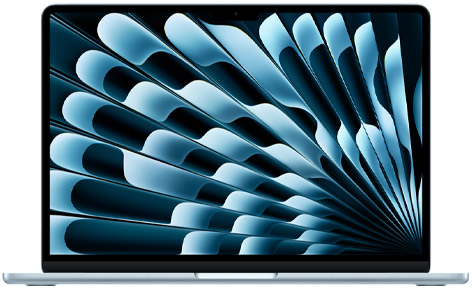
Apple's official specifications identify a 13.6-inch, 2560×1664 IPS display, 1.23kg device weight, MagSafe charging and two Thunderbolt 4 ports. Its fanless design is relevant to a shared reading room: cooling-fan noise is removed from the writing session. That does not make every workload silent or establish the fastest performance under sustained computation.
The Air is worth comparing when the student already writes successfully in the Mac versions of the required applications. A historian using Word, a reference manager and digitized sources has a different requirement from an engineer dependent on a Windows-only laboratory package. Open a real commented chapter and check the department's preferred submission format before making the operating system part of a three-year commitment.
The smaller screen is the main practical choice. It is convenient for moving between desks, but a source and a draft may feel crowded at a comfortable font size. If the laptop is regularly connected to a monitor, that compromise can be sensible. If it is the only screen every evening, compare the larger gram before paying for upgrades that cannot increase physical workspace.
ASUS Zenbook S14 UX5406AA — Best for moving between library and connected desk
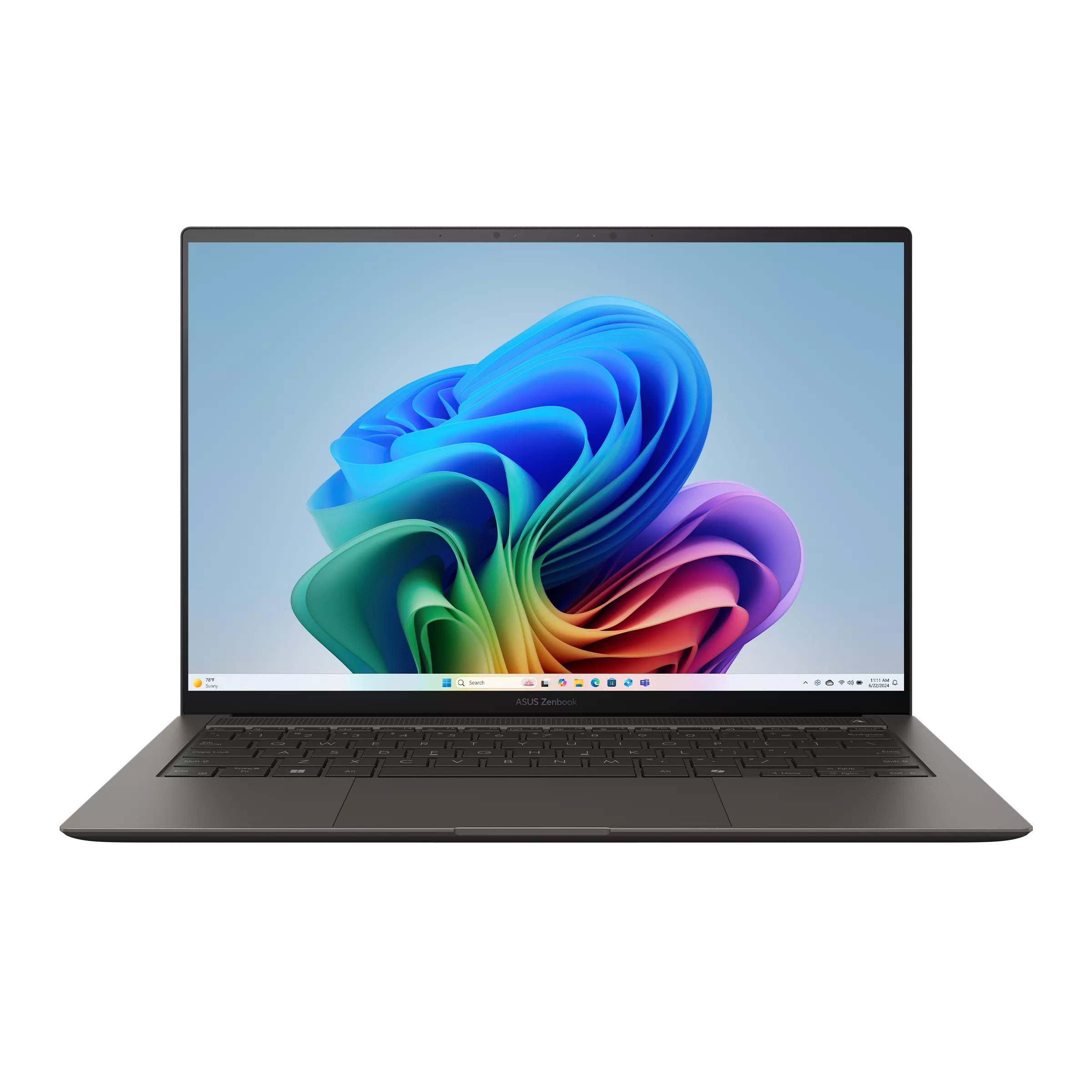
The ASUS AA specification lists a 14-inch OLED touchscreen, a 1.20kg weight, HDMI, USB-A, two Thunderbolt 4 connections and audio. Those connections provide a concrete reason to consider it when one computer serves a library seat, a home monitor and a departmental presentation room.
For a literature review, the useful feature is a working arrangement that survives the move between those locations. A student can read on the built-in display during the day and use a larger monitor for chapter restructuring later. Check the actual monitor cable and resolution instead of assuming that any USB-C socket delivers the same result. An existing USB accessory can also make the built-in Type-A port useful.
The OLED touchscreen is a preference to assess with your own pages. Touch can help navigation, but it does not automatically turn the laptop into a pen-based annotation device. Memory is fixed, so choose capacity for the whole expected ownership period. The UX5406AA identifier matters: specifications and battery findings for an older UX5406SA are not interchangeable with this generation.
LG gram Pro 16Z90U — Best for reading and revision without a separate monitor
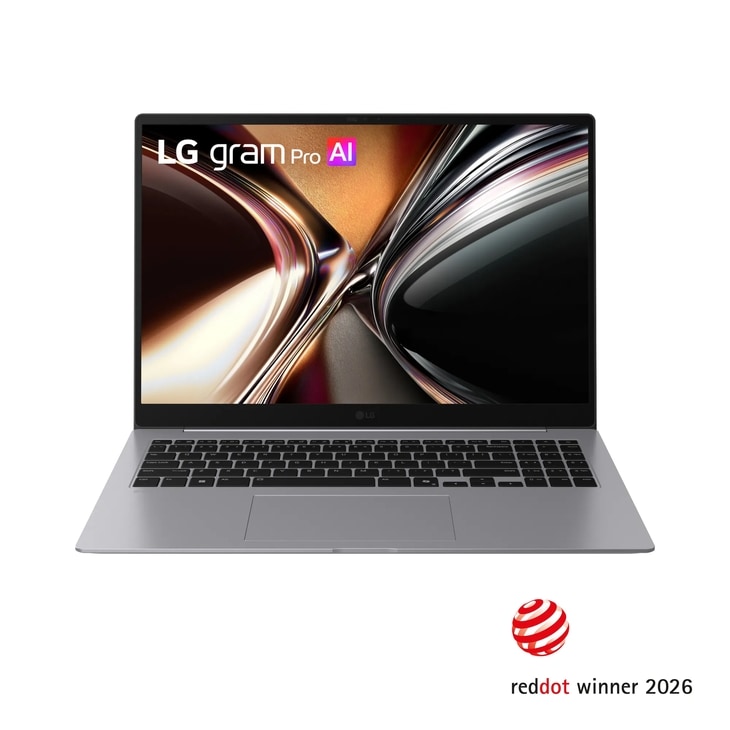
LG's global 16Z90U documentation lists a 16-inch, 2880×1800 OLED display, 1,199g mass and a 357.7×251.6mm body. The larger screen provides the reason to investigate this model. Its published weight alone cannot describe whether it fits a small table or the compartment used for daily travel.
A researcher comparing interview quotations with a coding memo may value physical room for two documents more than the smallest possible enclosure. The same can apply to long tables, detailed illustrations and a supervisor's comments beside the chapter. Try these arrangements at realistic scaling. A larger diagonal does not guarantee a particular amount of usable text when the operating system is configured differently.
The gram offers HDMI, USB-A and Thunderbolt connections for a destination setup. Its global document is still family information; check the selected regional SKU for memory, operating system and other options. Choose it when the built-in screen must do substantial work most days, and choose a more compact machine when a monitor already supplies that space. Neither choice needs to be presented as universally more portable.
ThinkPad X1 Carbon Gen 14 — Best for a deliberately chosen reading configuration
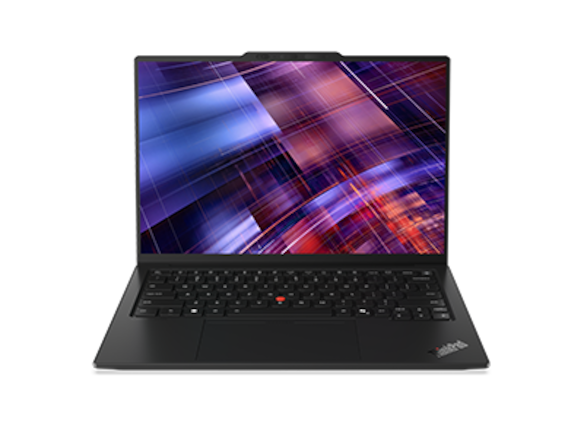
The X1 Carbon PSREF lists multiple panels, including low-power IPS touch and OLED options. It also documents HDMI, USB-A, three Thunderbolt 4 ports and audio. The family name therefore starts a configuration discussion rather than resolving it.
For a day of reading between seminars, an identified independent result is useful. Notebookcheck's IPS review reports 23h13m in its WLAN test for the Core Ultra 5 325, 32GB/512GB, 21V70075GE sample. Its measured 1,139g weight belongs to that same machine. Neither number describes every X1 order.
This makes the IPS route worth investigating when charging opportunities are uncertain and document work dominates. A student who prefers OLED may reach a different decision within the same family. Record the panel and processor on the quote, and compare the final price with other supported machines. Do not combine the lightest advertised configuration with the longest test result into a product that was never measured.
Lenovo Yoga Slim 7i Ultra Gen 11 — Best for carrying a 14-inch Intel workspace
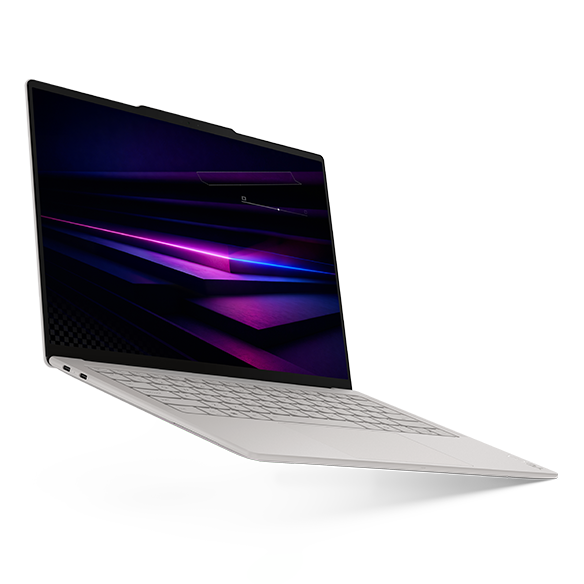
The Yoga's official hardware document lists a starting weight of 975g and a 14-inch, 2880×1800 OLED touchscreen. It has three Thunderbolt 4 ports, with no built-in HDMI, USB-A or analogue headset socket in the documented layout.
Consider it for a student who repeatedly walks between a library, teaching rooms and accommodation while needing an Intel Windows environment. Preserving a 14-inch display at low device mass is a useful proposition for that routine. It is less persuasive if an adapter is required for nearly every session or the laptop usually remains on a desk beside a monitor.
The original Notebookcheck review measured a 978g Core Ultra 7 355, 32GB/1TB unit and reported 10h36m WLAN runtime. That browsing result is evidence about its sample, not a promise for transcription, calls or analysis. Choose it for a documented carrying-and-screen preference, while comparing the same workflow and charging plan used for the other candidates.
ASUS Zenbook A14 UX3407NA — Best for a supported Windows Arm study routine
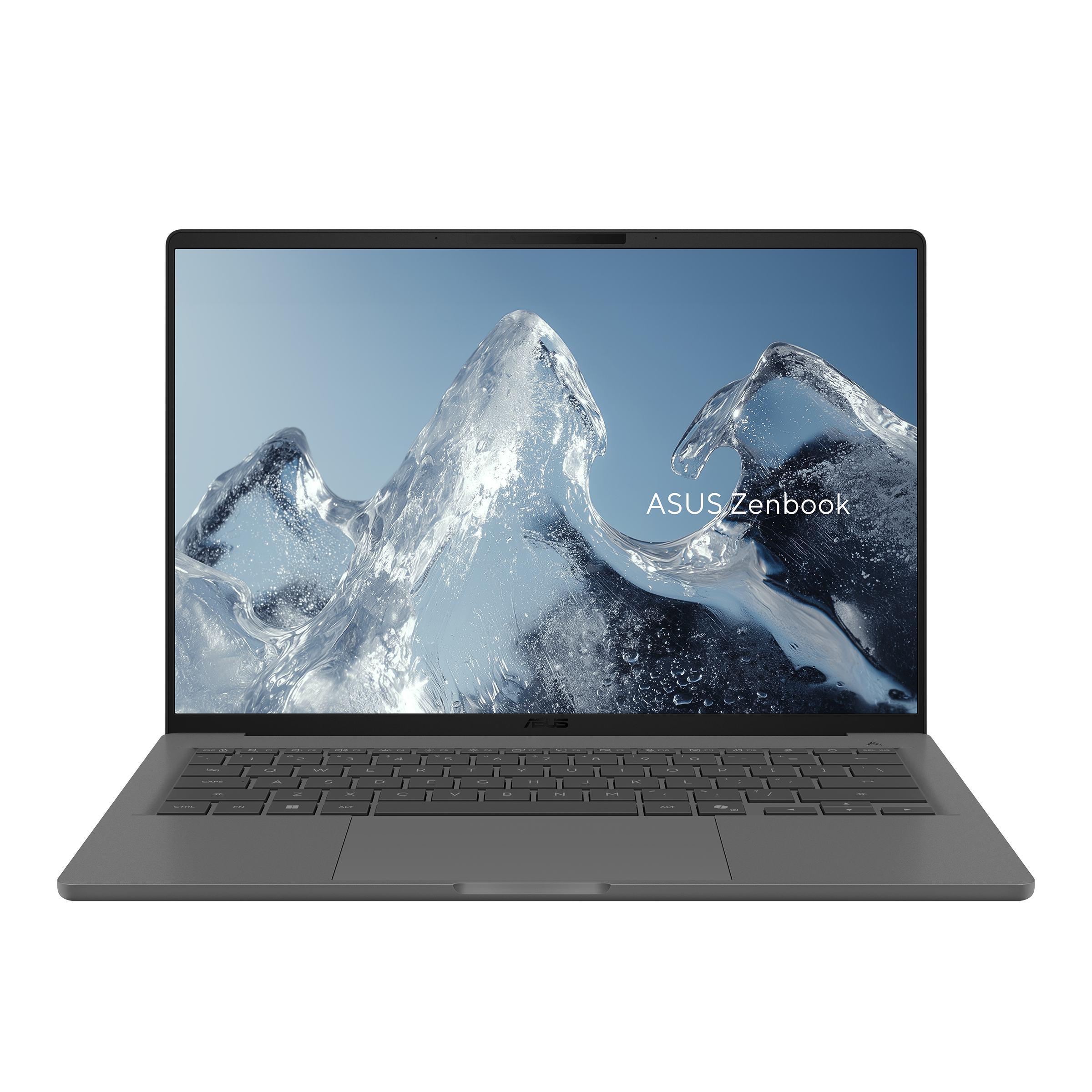
The UX3407NA column of ASUS's specification lists Snapdragon X2 Elite, a 1920×1200 OLED non-touch display and 0.99kg mass. HDMI, USB-A, two USB4 connections and audio make it an alternative for students who want light carrying without relying entirely on USB-C accessories.
An essay-based routine can fit this arrangement, but check the complete workflow rather than only the word processor. Microsoft's Windows Arm guidance describes native versions of common applications and separately explains driver requirements. A course-specific extension, recording device, scanner or university security tool can be decisive even when browser reading works well.
The screen is lower resolution than the OLED panels in several other entries, so use the same PDF-and-draft comparison before deciding. Also account for the actual charger: the NA specification lists a 100W USB-C supply, while older A14 columns describe different arrangements. A family name is not a reliable shortcut for processor generation, adapter or operating-system support.
Keep the reading trail available when the connection disappears
A reference library is useful only when the material needed for the next session can actually be opened. Zotero distinguishes data syncing from attachment-file syncing: seeing a title, note or tag on another computer does not by itself establish that the attached PDF has been synchronized. Before a train journey or a day in an unreliable reading room, open the required articles locally and verify the workflow without the connection you normally rely on.
The relationship between a quotation and its source also deserves attention. Zotero's PDF reader and note documentation explains that annotations added to notes retain links to the PDF page and citation information. For thesis work, that connection can be more useful than collecting another folder of anonymous downloads. Try moving from a note back to the original page, checking a quotation and then returning to the draft. A larger screen helps little if the underlying reading trail is difficult to follow.
Keep a recoverable chapter and a clear arrangement for active research material before changing computers. Moving a collection involves more than copying the visible thesis file: styles, references, custom fonts, project resources and attachments can belong to the working environment. Use the storage, backup and migration guide as further reading for that transition. A modestly specified laptop with a dependable local project can serve a reading session better than a premium model whose required files are still elsewhere.
Three thesis routines that produce different purchases
A literature student working with historical scans may spend more time reading than generating text. Begin with a difficult scan containing small footnotes and uneven contrast. If a 13-inch-class display requires continual zooming, a 16-inch gram or a regular external monitor may improve the session more than a higher processor tier. The important test is legibility at a comfortable distance, not whether the display looks impressive while showing a photograph.
A social-science student combining interviews, coding notes and chapter drafts needs to account for audio and local storage as well. Ask whether transcription happens locally, through an approved university service or on another machine. Match the headphones, microphone and recording device to the actual ports and drivers. Do not assume that a writing-focused laptop recommendation establishes suitability for every qualitative-analysis package. If statistical work becomes substantial, move that requirement into the software-and-memory shortlist.
A mathematics student using LaTeX and university computing may prefer a compact machine because the heaviest calculations happen remotely. Even then, the laptop must handle an offline reading session and any locally installed tools. Make a small self-contained project that compiles successfully before travel, and confirm how to reach the university service from outside campus. Students who also attend conferences can use the flight-day laptop comparison for carrying and connection questions.
Spend the budget where the writing session improves
For ordinary reading and drafting, 16GB can be a reasonable starting point when the real workload fits it; 32GB deserves consideration when a student keeps analysis tools, large documents and many active materials open together. These are planning judgments, not universal memory requirements set by a university. Check a representative session on an existing computer and identify actual pressure before paying for capacity. The 16GB, 32GB and 64GB graduate-work guide separates memory needs from processor marketing.
Storage follows the research material. A mainly text-based thesis and a collection of video interviews place different demands on a drive. Plan for active files, applications, downloaded references and recoverable copies, without counting the same cloud-only material as permanently local. A useful storage-capacity comparison can help define the order. An external drive expands storage, but it does not upgrade fixed RAM or create an independent backup by itself.
Leave room for a comfortable working position. A modest monitor, keyboard or stand may improve hours of revision more than another processor tier. The graduate reading-and-writing accessories guide is further reading for that separate decision. The laptop still needs to work well alone when the library provides only a table and a socket.
Battery planning and daily carrying need a complete bag
Published browsing tests are more informative when they come from one identifiable procedure, but they remain different samples. Notebookcheck's test-method explanation describes its WLAN approach. A reading day with many idle pauses is not the same as repeated video meetings, and maximum display brightness can reduce operating time. Avoid turning a laboratory hour figure into a guarantee for a full teaching day.
Weigh the equipment that actually travels: laptop, charger, cable, adapter and any external drive. The lightest laptop body may not produce the lightest complete setup for a student who needs several accessories. The opposite can also be true if one existing charger supports the required devices. That question deserves an actual equipment list, rather than an assumption that all USB-C chargers are interchangeable.
Frequently asked questions
Is a 13-inch-class screen enough for a thesis?
It can be, especially when a larger monitor handles long desk sessions. Test a source and a draft side by side at your normal font size. If reading becomes a cycle of zooming and moving windows, investigate a larger display or a different desk arrangement before choosing more processing power.
Do graduate students need a touchscreen?
A touchscreen can make scrolling and navigation convenient, but its value depends on habit. It is not proof of pen support or a good handwriting workflow. Students planning extensive handwritten annotation should verify the supported input device and try the actual software, rather than infer that capability from the word touch.
Should I buy 32GB just to keep many papers open?
Decide from a representative session. PDF complexity, browser activity, reference software and other applications all affect the demand. Extra memory is useful when it solves observed pressure, particularly on a fixed-memory laptop. It does not directly improve screen size, keyboard comfort or document organization.
Is macOS acceptable for thesis writing?
Often, but the department's tools and submission process decide. Check the citation manager, templates, comments, specialist packages and any research hardware. A successful document exchange with a supervisor is more useful evidence than a general claim that one operating system is better for all students.
Can a lightweight laptop support a long research stay?
Yes, when the required applications work and the destination setup is planned. Confirm charging, access to research files and a recoverable copy of the thesis. If the laptop becomes the only workstation for weeks, the two-workspace comparison helps reassess screen and connection priorities.
Which choice should I investigate first?
Start with the recurring difficulty: Air for quiet supported Mac work, S14 for desk connections, gram for built-in workspace, a specified X1 IPS for its documented reading endurance, Yoga for low-mass Intel carrying, or A14 for an approved Arm routine. The best purchase is the configuration that makes your real thesis session easier to repeat.
Further reading for your graduate working day
If graduate study also includes seminars, office hours or assessment work, use our graduate teaching-assistant laptop guide. It adds classroom presentation connections, the feedback-file round trip and a practical rehearsal for moving between teaching rooms and the library.
Official sources & verification
Manufacturer documentation checked 10 November 2026. Availability, bundles and specifications vary by region and configuration.
- Apple specifications
Manufacturer documentation, identified purchase offer or original review, as attributed alongside the relevant claim. - ASUS specifications
Manufacturer documentation, identified purchase offer or original review, as attributed alongside the relevant claim. - LG specifications
Manufacturer documentation, identified purchase offer or original review, as attributed alongside the relevant claim. - LG specifications
Manufacturer documentation, identified purchase offer or original review, as attributed alongside the relevant claim. - Lenovo configuration
Manufacturer documentation, identified purchase offer or original review, as attributed alongside the relevant claim. - Lenovo specifications
Manufacturer documentation, identified purchase offer or original review, as attributed alongside the relevant claim. - Notebookcheck review
Manufacturer documentation, identified purchase offer or original review, as attributed alongside the relevant claim. - Lenovo configuration
Manufacturer documentation, identified purchase offer or original review, as attributed alongside the relevant claim. - Lenovo specifications
Manufacturer documentation, identified purchase offer or original review, as attributed alongside the relevant claim. - Notebookcheck review
Manufacturer documentation, identified purchase offer or original review, as attributed alongside the relevant claim. - ASUS Zenbook A14 UX3407NA image source
Source matched to the cited hardware, software guidance or original review sample. - ASUS specifications
Manufacturer documentation, identified purchase offer or original review, as attributed alongside the relevant claim. - support.microsoft.com — cited product or review source
Manufacturer documentation, named sales offer or original review, as identified in this article. - Zotero distinguishes data syncing from attachment-file syncing
Source matched to the cited hardware, software guidance or original review sample. - PDF reader and note documentation
Source matched to the cited hardware, software guidance or original review sample. - publisher's test method
Source matched to the cited hardware, software guidance or original review sample.