A remote worker's most useful laptop is the one that can keep the work moving when the usual setup disappears. That can mean an upgradeable Framework Laptop 13, an appropriately specified ThinkPad X1 Carbon for long unplugged sessions, a directly connected ASUS Zenbook S14, a fanless MacBook Air or an exceptionally light Lenovo Yoga Slim 7i Ultra. None is automatically the most reliable: the available evidence describes hardware choices and recovery routes, rather than comparable failure rates.
This guide approaches lightweight buying through interruptions. What happens when the dock stays at home, the network is unavailable, the storage fills, a repair is needed or the computer must be replaced? Those questions produce different recommendations from simply choosing the smallest chassis or the longest advertised battery figure.
Documentation checked: 9 November 2026. This is an evidence-based buying analysis. Manufacturer documents establish supported configurations and procedures; named independent reviews establish results for their particular samples. The scenarios, priority order and cost examples are editorial tools. They are not reported failures, measured repair times or laboratory findings.
Decide how much interruption your work can tolerate
The first distinction is between a personal preference and a requirement that stops the job. A slightly heavier bag may be inconvenient. An unsupported security agent, a missing recovery credential or a notebook that cannot open the client's application can prevent the work entirely.
| Requirement | Evidence to request before choosing | How it changes the shortlist |
|---|---|---|
| Employer-managed access | Exact operating system, processor architecture and approved-device policy | Can exclude a personally preferred Mac, Arm Windows system or unsupported Linux installation |
| Independent work without a dependable connection | Locally available project files, application licensing and an offline task trial | Makes storage capacity and preparation more important than cloud-only assumptions |
| Several years of changing workloads | Current working memory, expected growth and upgrade documentation | Gives the Framework's replaceable memory a practical role |
| Work during long gaps between charging opportunities | Identified review configuration and task-specific trial | Makes a documented IPS X1 Carbon configuration worth examining |
| Frequent use of unfamiliar desks | Actual display, headset, input-device and network connections | Gives direct HDMI, USB-A and audio a concrete advantage where those are used |
| A short acceptable repair interruption | Written service entitlement and a usable replacement-computer plan | May favor an approved employer-supplied machine over any consumer specification advantage |
Do this before comparing processors. A faster computer that cannot satisfy a required access policy is not a viable substitute for one that can. Equally, do not reject an entire platform because an old application once caused trouble: confirm the current version and its documented requirements.
Six ownership profiles, with a different reason to choose each
| Candidate | What it can contribute to continuity | What the hardware does not prove |
|---|---|---|
| Framework Laptop 13 AMD Ryzen AI 300 Series | Replaceable memory, storage and published component guidance | Immediate access to a particular spare part in every destination |
| ThinkPad X1 Carbon Gen 14 | Direct ports and strong battery evidence for an identified IPS sample | A universal runtime or a guaranteed repair response without the purchased entitlement |
| ASUS Zenbook S14 UX5406AA | Several common peripheral connections without a separate hub | That an attached dock or local network will never fail |
| MacBook Air 13-inch M5 | Fanless macOS platform with a documented backup route | Compatibility with an organization that requires Windows software |
| Lenovo Yoga Slim 7i Ultra Gen 11 | Low starting weight with an Intel Windows environment | The longest unplugged working day or an adapter-free kit |
| ASUS Zenbook A14 UX3407NA | Lightweight Arm Windows alternative with several direct connections | Support for every VPN, device driver or application through emulation |
The Framework here is the 2025 AMD Ryzen AI 300 model, not the separate Laptop 13 Pro. The S14 is the AA generation. The A14 is the X2 Elite NA specification, not a mixture of older QA/RA features. Precise identifiers are essential because repair parts, drivers, displays and port capabilities can change within a familiar product name. 135
Interruption one: the workload grows after purchase
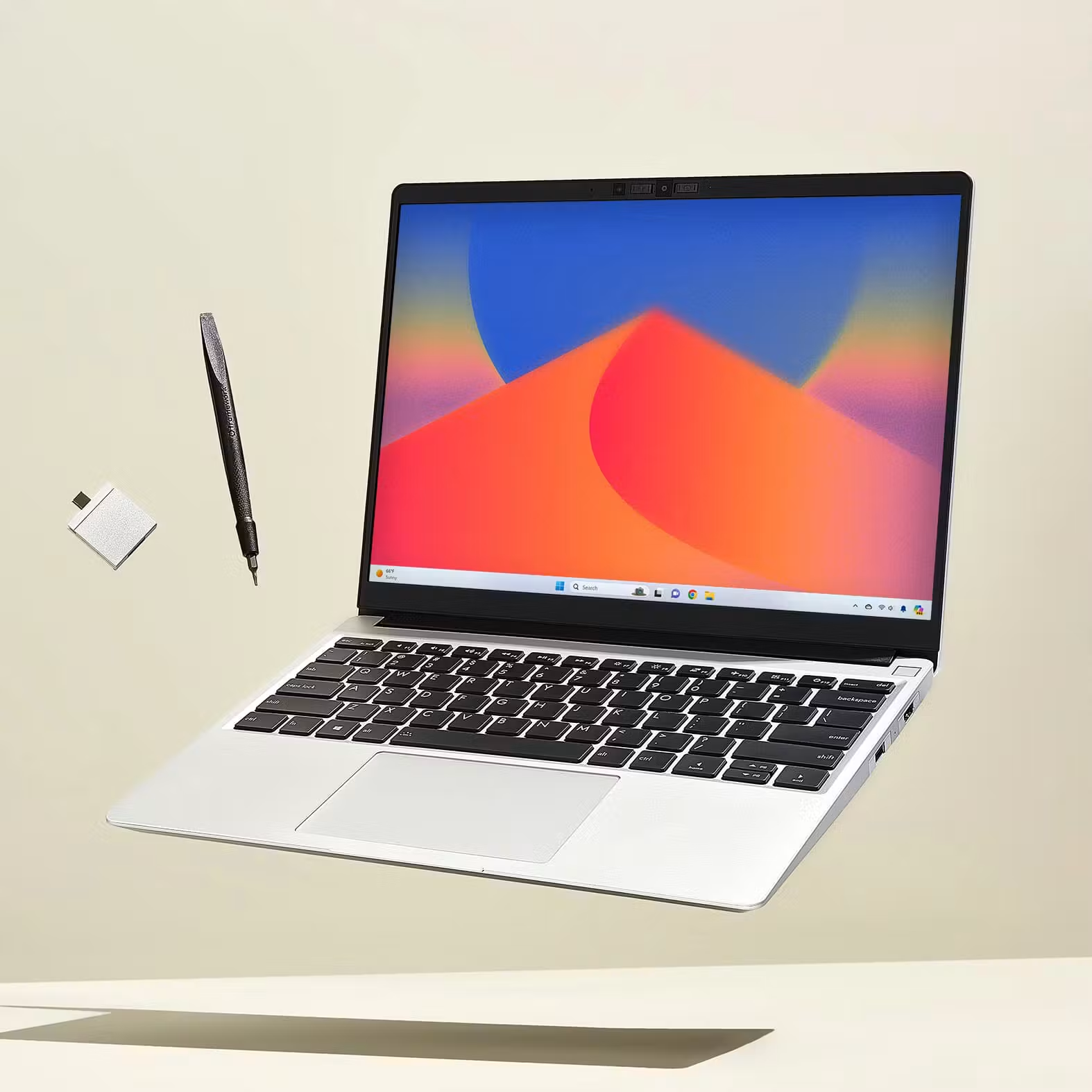
An independent consultant might start with browser tools and later add local development containers. A researcher might receive larger datasets. A designer might begin editing higher-resolution assets. The buying question is whether the workload is already known or likely to change substantially.
The Framework Laptop 13 provides a distinct option because its AMD Ryzen AI 300 version uses two DDR5 SO-DIMM sockets, with validated memory configurations up to 96GB. Its storage is replaceable, and Framework publishes setup and repair guidance. 1 That does not require buying the maximum today. It allows the owner to separate a current requirement from a future upgrade, subject to compatibility, cost and permission to modify the machine.
In contrast, the Yoga's memory is soldered, and the S14 AA's 32GB is onboard. The Air's memory capacity is chosen when ordered. 25 Those designs can still be sensible. A known workload with enough capacity may provide a simpler ownership plan than managing upgrades. The mistake is treating spare storage space as a remedy for insufficient working memory, or assuming a memory upgrade will be possible because the SSD is replaceable.
| Workload evidence | Sensible response | Response that needs stronger justification |
|---|---|---|
| Normal documents and calls fit comfortably in the current machine | Choose sufficient capacity for the measured routine | Paying for maximum memory solely because it appears more professional |
| Memory pressure repeatedly interrupts current work | Obtain a configuration with more usable memory, or plan a supported upgrade | Buying the smallest fixed-memory configuration and hoping storage compensates |
| New local tools are planned but requirements remain uncertain | Examine an upgradeable model or a machine with confirmed headroom | Assuming the platform's AI branding establishes suitability |
| The employer provides a remote workstation | Verify the connection client and local meeting workload | Buying a powerful local GPU that the actual workflow will not use |
The Framework is a strong candidate when future changes and owner maintenance are part of the plan. It is less compelling when the owner wants no involvement in repairs, or the employer supports only a fixed approved-device list. Upgradeability creates an option; it does not remove the need for a service strategy.
Interruption two: the accessory arrangement is incomplete
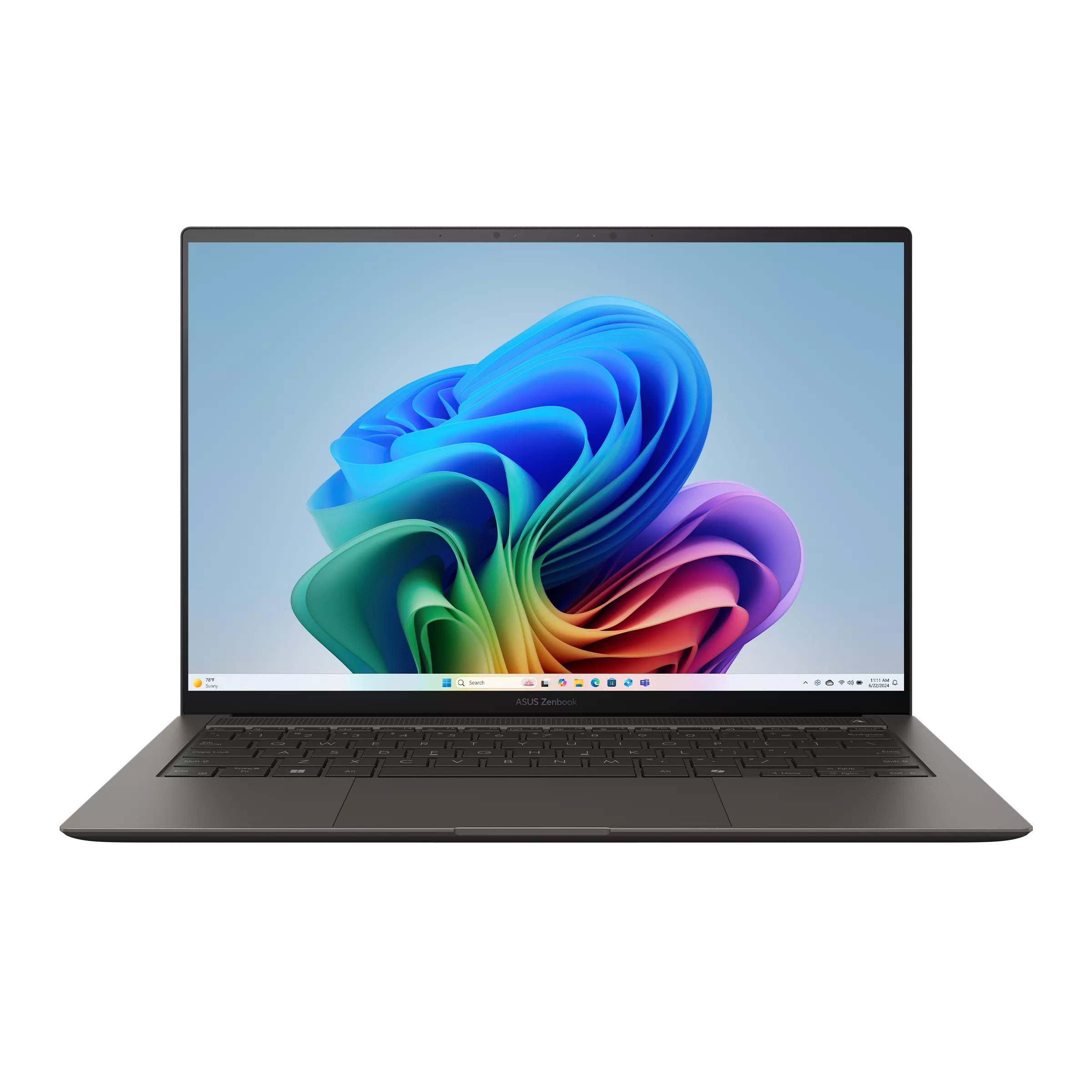
Imagine arriving at a temporary desk with an HDMI display, USB-A keyboard receiver and an analog headset. The S14 AA has connections for all three categories, alongside two Thunderbolt 4 sockets. The X1 Carbon Gen 14 similarly provides HDMI, USB-A and audio. 3 That is a tangible operational advantage when those are the devices being used.
The Yoga, with three Thunderbolt 4 ports, takes a different approach. Its direct connection inventory excludes HDMI, USB-A and analog audio. 5 A tested adapter or compact hub can make the arrangement entirely workable, particularly if the journey is known in advance. The relevant concern is what happens if that one accessory is forgotten, misplaced or incompatible with the room.
Do not turn this into an unsupported failure-rate argument. There is no evidence here that one brand's ports fail less often. The comparison concerns dependency: how many separate items are necessary before work can start, and whether an alternative connection remains available.
| Travel task | A practical primary route | A sensible fallback to evaluate |
|---|---|---|
| Present a slide deck | Known display connection with the intended adapter, if required | A permitted export format or a second available display route |
| Join a confidential call | Supported headset and the correct application input/output selection | A second approved audio device |
| Use a local wired connection | Employer-approved Ethernet adapter, where required | A permitted alternative network route |
| Work at a desk supplying USB-C power | Verified monitor/dock and suitable cable | The laptop's compatible charger |
Microsoft's USB-C guidance distinguishes cable, charging and display-mode compatibility. 8 A connector that fits may still be the wrong cable for a particular display function. Keep the cable supplied or specified for the connection, rather than replacing it with any cable that happens to charge a phone.
The S14 is therefore an appealing continuity choice for a worker whose destinations use mixed equipment. The Yoga can be the better carrying choice when the accessory plan is stable and verified. Neither conclusion requires claiming one machine is universally better.
Interruption four: a long unplugged period replaces the normal desk day
The X1 Carbon's strongest evidence in this context concerns a particular IPS review configuration. Notebookcheck's 21V70075GE, with Core Ultra 5 325, 32GB, 512GB and an IPS display, ran for 23 hours 13 minutes in its 150-nit WLAN test and weighed 1,139g. 12 That gives a buyer a specific configuration to investigate.
The Yoga review offers a contrasting trade-off: a 978g Core Ultra 7 355, 32GB, 1TB OLED sample achieved 10 hours 36 minutes in the cited WLAN test. 13 Neither result estimates a full day of video calls, tethering, large downloads or local processing. The evidence supports a difference in those reviewed samples, rather than an endurance hierarchy covering every machine sold under either name.
This matters for continuity because the typical desk can hide a weak match. A laptop may stay charged every normal day, then face one long sequence of travel and appointments. Buying only for the normal day can leave that exceptional but important day poorly served.
| Your work pattern | More useful priority | Candidate worth examining |
|---|---|---|
| Several opportunities to recharge, frequent carrying | Low mass and a known power arrangement | Yoga Slim 7i Ultra |
| Uncertain access to sockets for a substantial work period | Identified endurance-oriented configuration | IPS X1 Carbon close to the reviewed specification |
| Mostly fixed desk, occasional short journeys | Adequate runtime plus peripheral convenience | S14 or another correctly configured supported platform |
A purchasing trial should reproduce your own sequence: the required applications, usual brightness, call duration and connection type. Record how much reserve remains at the point when charging would next be possible. That is more useful than multiplying a browsing result by an arbitrary percentage and labeling it a realistic working-day estimate.
Interruption five: a replacement machine is needed
Repairability and recoverability answer different questions. Repairability concerns the route back to a functioning computer. Recoverability concerns access to files, credentials, settings and applications, including when the original computer is absent.
Framework's component documentation is useful to an owner planning replacement of a supported part. 7 It does not guarantee that a part will be locally available during a trip. Similarly, an enterprise laptop may be offered with several service choices. The actual service document, not the family reputation, determines what has been purchased.
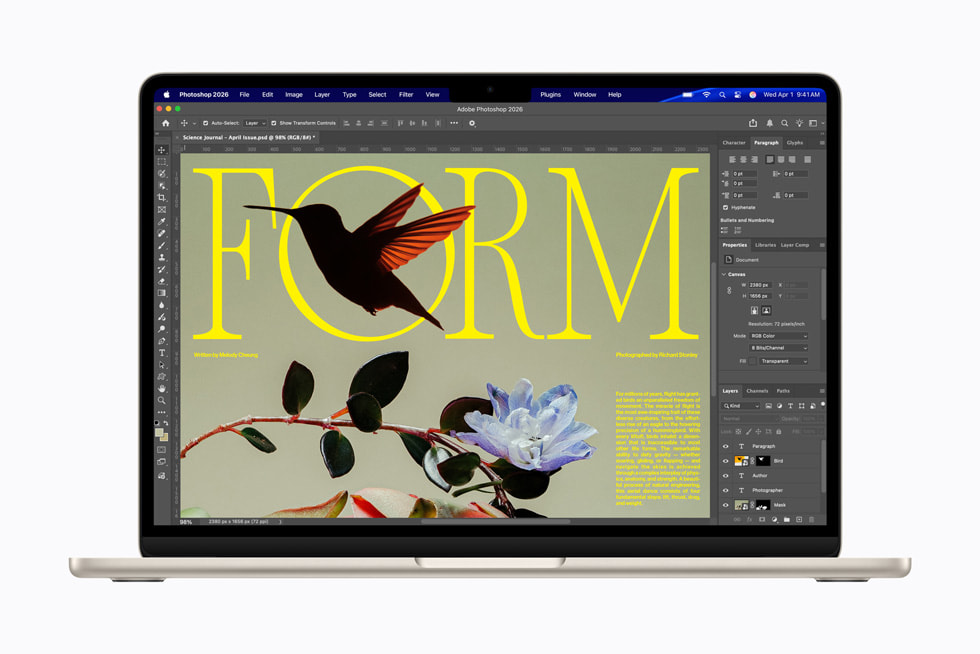
For a Mac-based worker, Apple's Time Machine documentation provides a concrete local backup route. Apple describes backing up to external storage and restoring from a backup. 14 A backup disk kept in the same lost bag is a separate practical vulnerability; the broader plan should account for the risks and policies of the work involved.
For Windows devices using BitLocker, the recovery key needs its own plan. Microsoft's recovery guidance explains the supported places a key may have been saved and the consequences of not finding it. 15 The useful buying step is to confirm who controls recovery access—yourself or the organization—and how to obtain it when the main laptop is unavailable. Do not create insecure copies merely to make them convenient.
| Item to recover | Question to resolve in advance | Why a new laptop alone is insufficient |
|---|---|---|
| Current work | Is there an up-to-date, usable backup permitted by policy? | Replacement hardware does not recreate missing files |
| Device encryption access | Who can provide the required recovery credentials? | A disk may remain inaccessible without them |
| Business applications | Can licenses and installers be transferred or reissued? | Purchasing hardware does not establish software entitlement |
| Managed access | Can IT enroll and authorize the replacement? | A personally bought substitute may not be permitted to connect |
| Peripheral setup | Are essential settings and connection requirements documented? | Recreating the desk can take additional work |
The Air is an attractive choice when macOS is supported and its fanless, portable design matches the job. 2 The ThinkPad can be attractive when it is already part of an organization's approved fleet and the offered support fits the travel pattern. Framework can be attractive when owner maintenance is feasible. These are three different continuity plans, not a reliability league table.
Windows on Arm: check the entire access chain
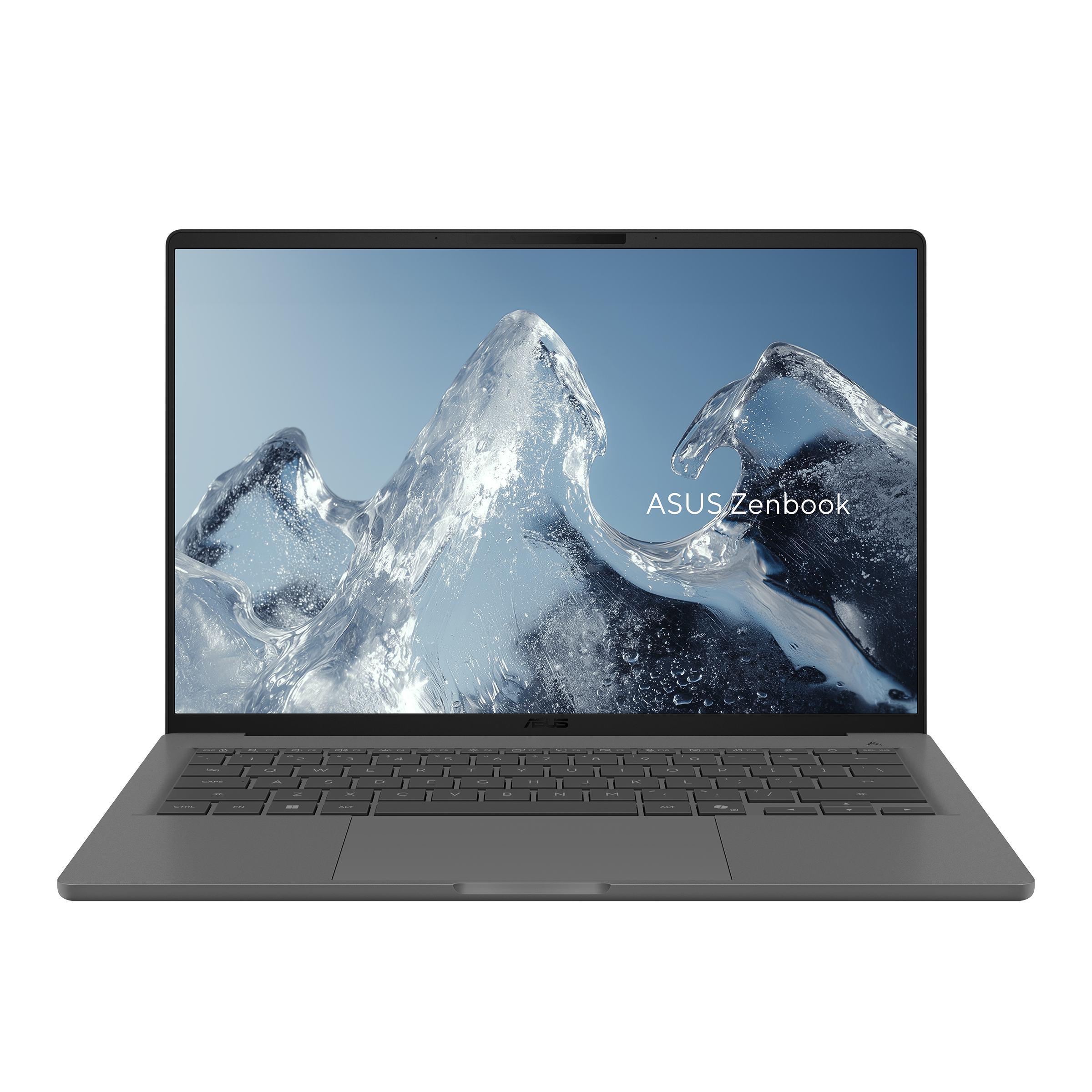
The Zenbook A14 UX3407NA provides a different lightweight route: ASUS identifies an X2 Elite X2E88100 configuration, 32GB memory, a 14-inch 1920 × 1200 non-touch OLED screen and a 990g weight. 6 The distinction that matters for business continuity is Arm Windows rather than Intel or AMD x86 Windows.
Microsoft explains that many Windows applications can run through emulation, while device drivers need appropriate Arm support or built-in support. 16 A web application opening successfully therefore does not establish that an organization's VPN, endpoint software, printer, specialist peripheral or remote-access arrangement is ready.
Apply the same compatibility standard to every platform. A Mac also needs supported business applications and peripherals. An x86 Windows machine still needs the correct OS edition, drivers and management approval. The A14 should be neither rejected through outdated assumptions nor recommended through a vague claim that all Windows software works.
The practical route is a current, written compatibility check followed by a representative trial. If the supported stack passes, it belongs on the shortlist. If one essential component has no supported route, choose another platform even if the A14 would otherwise suit the carrying requirement.
Budget for the complete arrangement, including the fallback
The fair price is the cost of a configuration that can do the required work. Add memory and storage choices, a necessary OS edition, charging hardware, adapters, a permitted backup route and the service entitlement you actually intend to buy. Do not add unrelated extras just to make one competitor appear expensive.
| Cost component | What to enter in a buying worksheet | Comparison rule |
|---|---|---|
| Laptop | Exact model, configuration and seller quote | Use the same date and market |
| Mandatory connections | Only adapters, cables or dock needed for your job | Count what must be bought rather than what is already usable |
| Software and management | Required licenses, edition or enrollment costs | Separate existing entitlements from new spending |
| Backup and recovery | The chosen permitted storage or service arrangement | Compare a usable plan, not a token accessory |
| Repair or replacement provision | Written coverage and any available loaner arrangement | Do not assume every service label promises the same outcome |
An illustrative calculation helps clarify priorities. Suppose a configuration upgrade costs $200, while one avoidable interruption would cost your business $100 per working hour. The upgrade would equal two hours of that hypothetical interruption cost. This arithmetic does not prove the upgrade prevents the event, or that the hours apply to your work. It shows why a cheap purchase and an economical ownership plan can differ.
A self-maintained Framework may reduce the need to buy maximum memory immediately. A direct-port S14 may avoid a required hub. A configured IPS ThinkPad may suit an unusually long unplugged schedule. A Yoga may reduce the burden of frequent carrying. An Air may match an established macOS environment. The worthwhile saving depends on which problem is actually present.
A focused decision before the return period ends
| Trial | Keep the machine when… | Reconsider when… |
|---|---|---|
| Normal workday | Required software, meetings and peripherals behave as expected | An essential function depends on an unsupported workaround |
| Travel setup | The packed accessories connect at the intended destination | A necessary item was omitted from the cost or weight calculation |
| Offline task | Required files and licensed tools are available | Important folders contain only online placeholders |
| Unplugged session | There is sufficient reserve for your realistic charging gap | The workload exhausts the practical reserve |
| Recovery review | Backup, credential and replacement routes are understood | The whole plan assumes the original computer will always be accessible |
Choose the machine with the strongest fit to those checks, rather than a generalized claim that one brand is safest. For a worker maintaining equipment over time, Framework has a clear structural advantage in memory replacement. For mixed destination desks, S14's direct connections are useful. For frequent carrying within a stable USB-C setup, the Yoga's weight proposition is persuasive. For a long unplugged routine, the specifically documented IPS X1 Carbon deserves close attention. For a supported macOS workflow, the Air remains a practical fanless alternative.
For a deeper platform decision, see Portable Laptop Guide's comparison of Windows x86, Arm, macOS and remote-work performance. Settle the supported work environment first; then compare the hardware needed to keep that environment available.
Sources
- Framework Laptop 13 AMD Ryzen AI 300 specifications — the 2025 model, with generation-specific expansion and memory documentation.
- Apple MacBook Air M5 specifications and Apple's M5 introduction — platform, design and memory choices.
- ASUS Zenbook S14 specifications — use the UX5406AA column.
- ThinkPad X1 Carbon Gen 14 PSREF.
- Yoga Slim 7 Ultra 14IPH11 PSREF.
- ASUS Zenbook A14 specifications — use the UX3407NA column, not NA-CG or older generations.
- Framework Laptop 13 downloads and guides and AMD Ryzen AI 300 setup guide.
- Microsoft USB-C troubleshooting.
- Microsoft OneDrive Files On-Demand and offline availability.
- Dell US XPS 13 DX13260 offers — Core 5 320/16GB/512GB/Home/Storm quotation checked 9 November 2026, before tax.
- Framework US AMD prebuilt comparison — base configuration and price checked 9 November 2026.
- Notebookcheck X1 Carbon Gen 14 IPS review.
- Notebookcheck Yoga Slim 7 Ultra 14IPH11 review.
- Apple: back up a Mac with Time Machine.
- Microsoft: find a BitLocker recovery key.
- Microsoft Windows Arm-based PCs FAQ.