A business trip can put a laptop through several different jobs in one day: answering email at the airport, reviewing a proposal on a train, connecting to a client’s meeting-room display and joining a video call from a hotel. The best travel laptop needs to make those transitions easy while keeping the bag light.
The Lenovo Yoga Slim 7i Ultra Aura Edition is our first recommendation for business travelers who prioritize a light bag, a high-quality screen and productive Windows work on the move. It combines a 975g starting weight with a 75Wh battery, a 14-inch 2.8K OLED touchscreen and three Thunderbolt 4 ports. Travelers with different priorities should also consider the MacBook Air for macOS, Surface Laptop for its 3:2 screen and privacy option, or MSI Prestige 13 for minimum chassis weight.
Quick picks
| # | Laptop | Why shortlist it |
|---|---|---|
| 1 | Lenovo Yoga Slim 7i Ultra Aura Edition | Best overall for lightweight mobile productivity |
| 2 | Apple MacBook Air 13-inch (M5) | Best for business travelers who prefer macOS |
| 3 | Microsoft Surface Laptop for Business 13.8-inch, 8th Edition (Intel) | Best for touch, documents and optional screen privacy |
| 4 | Dell Pro 13 Premium PA13250 | Best compact option for Dell-managed businesses |
| 5 | ASUS ExpertBook Ultra B9406CAA | Best premium OLED business alternative |
| 6 | HP EliteBook Ultra G1i | Best suited to video-call-heavy travel |
| 7 | LG gram 14 14Z90U | Best for an IPS screen and familiar accessories |
| 8 | MSI Prestige 13 AI+ A3M | Best for minimizing laptop weight |
| 9 | ASUS Zenbook A14 UX3407NA | Best sub-1kg Windows-on-Arm alternative |
| 10 | Acer TravelMate P6 14 AI TMP614-54 | Best alternative for a light Windows Pro setup |
The order reflects our business-travel priorities, not a laboratory performance league table. A category winner can be the better purchase for its particular user.
Specifications at a glance
Weights are manufacturer-listed starting weights or specified configuration weights, without chargers. They are not measurements from a common test. Battery capacity alone does not determine endurance.
| Model / reference | Weight | CPU reference | Battery | Direct HDMI / USB-A |
|---|---|---|---|---|
| Lenovo Yoga Slim 7i Ultra | From 0.975kg* | Core Ultra 7 355 reference | 75Wh | No / 0 |
| MacBook Air 13 M5 | 1.23kg | Apple M5, 10-core CPU | 53.8Wh | No / 0 |
| Surface Laptop Business 13.8, 8th Intel | 1.35kg** | Intel Core Ultra Series 3 | 54Wh nominal | No / 1 |
| Dell Pro 13 Premium PA13250 | From 1.071kg | Core Ultra 5 236V | 60Wh selected | Yes / 1 |
| ExpertBook Ultra XSP76T | Approx. 1.10kg | Core Ultra X7 358H | 70Wh | Yes / 2 |
| EliteBook Ultra G1i | From 1.19kg | Core Ultra 7 258V example | 64Wh | No / 1 |
| LG gram 14 14Z90U | 1.12kg | Core Ultra 7 355 | 72Wh | Yes / 2 |
| Prestige 13 AI+ A3MG | 0.899kg | Core Ultra 7 355 example | 53.8Wh | Yes / 2 |
| Zenbook A14 UX3407NA-PS77 | 0.99kg | Snapdragon X2 Elite X2E88100 | 70Wh | Yes / 1 |
| TravelMate P6 TMP614-54-76NH | Approx. 0.96kg | Core Ultra 7 256V | 65Wh | Yes / 2 |
* Lenovo lists a starting weight of 975g; actual weight depends on configuration. ** The Surface privacy-screen configuration is 1.36kg. ASUS ExpertBook’s global family minimum of 0.99kg is not the weight of the US configuration shown here. Acer’s figure is converted from its selected SKU’s approximately 2.12lb specification.
How we chose and ranked these laptops
This guide compares published manufacturer specifications and documented configurations. It does not claim hands-on testing, measured keyboard comfort, benchmark victories or comparable real-world battery results. We prioritize carrying weight, battery capacity and charging, screen quality and everyday productivity for travelers working between locations. Software approval, connectivity, security, support and total cost remain essential purchase checks; companies with strict fleet-management requirements may prefer a dedicated enterprise model.
The list covers 13- to 14-inch laptops with a published weight below approximately 1.4kg. Some are current-generation releases and others remain relevant documented alternatives. Windows Home, Windows Pro, Windows on Arm and macOS are identified separately because they can change deployment and application compatibility decisions.
Prices below are US dollars unless another currency is stated. Launch prices are historical reference points, not October checkout offers. Store quotes were checked on 30 October 2026 and can change. A series starting price does not buy every option described. Official specifications and shopping links appear with each entry.
1. Lenovo Yoga Slim 7i Ultra Aura Edition — Best overall for lightweight mobile productivity
The Lenovo Yoga Slim 7i Ultra Aura Edition (14-inch, Gen 11) is our first pick for travelers moving between document work, presentations and video calls. Its strongest argument is the combination of very low weight, substantial battery capacity and a sharp touchscreen in one compact Windows laptop.

| Specification | What to know |
|---|---|
| CPU and graphics | US reference: Intel Core Ultra 7 355 (Series 3), 8 cores / 8 threads, up to 4.7GHz; Intel Graphics; NPU up to 49 TOPS. |
| Memory / storage / OS | US SKU 83QK0000US: 32GB soldered LPDDR5X-7467, 1TB PCIe Gen4 SSD and Windows 11 Pro. Regional configurations vary. |
| Display | 14-inch 2880 × 1800 OLED touch, 120Hz, 16:10; 500-nit typical SDR / 1,100-nit HDR peak; 100% P3 coverage. |
| Weight / dimensions | From 975g; 312.6 × 213.8 × 13.9mm in current PSREF, excluding camera bump from depth. Magnesium-aluminium chassis. |
| Battery / charging | 75Wh; 65W USB-C charging. Rapid Charge Express: up to 3 hours of runtime from 15 minutes of charging under Lenovo’s specified conditions. |
| Connections | 3 × Thunderbolt 4 USB-C with power delivery and display output. Wi-Fi 7 and Bluetooth 5.4. No native HDMI, USB-A or 3.5mm audio. |
| Calls / sign-in | 5MP IR camera, electronic camera shutter, four microphones, four speakers and Windows Hello facial recognition. Firmware TPM 2.0. |
| Official price reference | Lenovo announced an estimated US starting price of $1,499.99 in January 2026. This is not a current quote or the price of the exact 32GB / 1TB SKU. |
Which configuration makes sense for travel?
The documented US 32GB / 1TB configuration is a sensible starting point for substantial browser use, large presentations and multitasking. It combines Windows Pro with a current Intel processor, while the OLED touchscreen suits showing a proposal to a colleague. Check that the employer approves the device and software setup.
Plan for a small USB-C hub if meetings require HDMI or USB-A, and check whether the regional package includes the charger. Lenovo publishes up to 19 hours in MobileMark 30 at 250 nits and 27 hours of local video at 150 nits. These manufacturer maxima are not a promise for continuous online meetings; rapid-charge claims require hibernation or shutdown.
Official shopping link: Check configurations and price at Lenovo
Why the Lenovo Yoga Slim 7i Ultra takes first place
Low carrying weight with a useful 14-inch workspace
At a published starting weight of 975g, the Yoga is lighter than the MacBook Air and Surface reference models in this guide. Its 14-inch format still leaves room for reviewing a proposal or spreadsheet. Count the charger and any hub when comparing complete travel kits. Use our travel-kit weight guide to account for the laptop, charger and adapters together.
A substantial battery in a very light chassis
The 75Wh battery is the largest capacity among the reference configurations listed here. That gives the Yoga a distinctive weight-and-capacity combination for days with limited charging opportunities. The capacity advantage does not establish a measured runtime victory, and the OLED screen and workload influence actual endurance. Our guide to reading laptop battery claims explains how to compare the conditions behind quoted hours.
A high-resolution touchscreen for client-facing work
The 2.8K OLED panel supports touch and up to 120Hz, providing a detailed workspace for slides, diagrams and visual proposals. It offers higher pixel resolution than a 1920 × 1200 WUXGA panel. The glossy surface may reflect bright surroundings, so its suitability depends on where you work.
An Intel Windows configuration with room for multitasking
The US reference pairs a Core Ultra 7 processor with 32GB memory and a 1TB SSD. That is a practical configuration to shortlist for documents, browser tabs and conferencing software. It also keeps the workflow on x86 Windows; IT approval remains necessary for company-managed applications.
Meeting and focus tools that fit changing locations
The camera, microphone array and IR sign-in support a mobile meeting setup. Lenovo’s user guide describes Meeting and Working Smart Modes, plus adjustable input and output noise cancellation. These tools can help configure a hotel-room call or focused work session without promising a measured improvement in every environment.
Flexible USB-C charging and docking
Three Thunderbolt 4 ports support power, displays and data. A compatible USB-C dock can connect the laptop to a desk setup, while the 65W charging specification allows a compact power kit. HDMI, USB-A and wired audio require suitable adapters; bring the connections your meetings actually use. See our USB-C travel charging guide when planning the charger and cables.
Official sources: Official datasheet | Aura features and user guide | Specifications
Main trade-offs: soldered memory, a glossy display, adapter-dependent legacy connections and no built-in cellular option. Organizations requiring specific enterprise management or service contracts should check a dedicated business platform. The Yoga earns our first-place recommendation for light, screen-focused mobile productivity with substantial battery capacity.
2. Apple MacBook Air 13-inch (M5) — Best for business travelers who prefer macOS
The MacBook Air is a strong fit for consultants, founders and mobile professionals whose applications already work well on macOS. Its fanless design avoids fan noise in quiet rooms, while a thin chassis and a compact footprint suit a small travel bag.
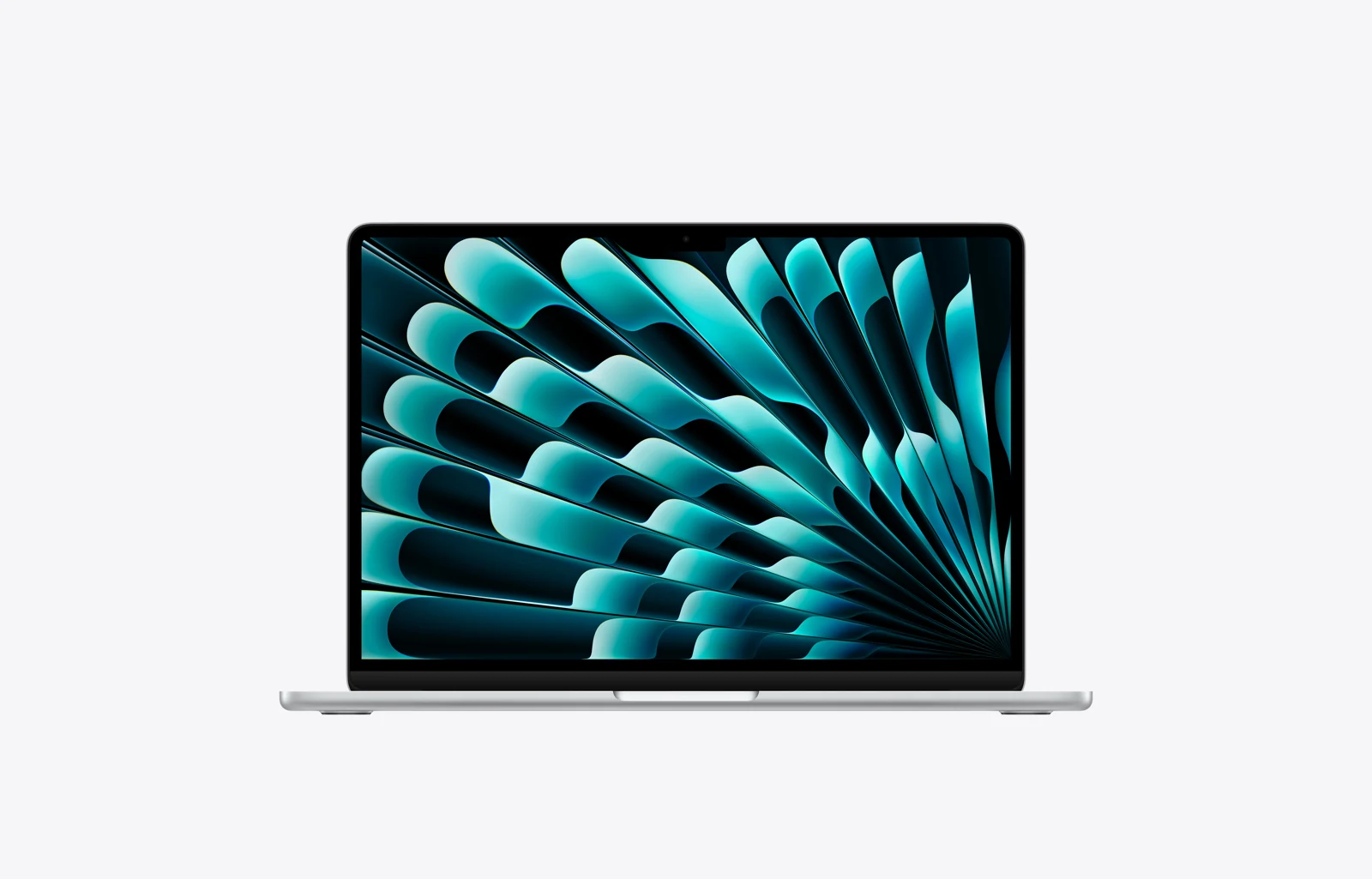
| Specification | What to know |
|---|---|
| Chip / software | Apple M5: 10-core CPU, 8-core GPU in the base model; optional 10-core GPU. macOS. |
| RAM / SSD | Base 16GB / 512GB; configurable to 32GB / 4TB. |
| Screen | 13.6-inch IPS Liquid Retina; 2560 × 1664; 500 nits; P3 color. |
| Travel size | 1.23kg; 304.1 × 215 × 11.3mm. |
| Power | 53.8Wh. US reference package: 40W Dynamic adapter (60W maximum). Fast charge requires a 70W-or-higher USB PD adapter. |
| Ports / wireless | 2 × Thunderbolt 4 / USB4, MagSafe 3, audio; no HDMI or USB-A. Wi-Fi 7 and Bluetooth 6. |
| Meetings / sign-in | 12MP Center Stage camera, three microphones and Touch ID. |
| Official price reference | US launch price from $1,099 for 16GB / 512GB, announced March 2026. Check current configurations. |
Why it works for business travel
MagSafe charging leaves the two Thunderbolt ports available for accessories. Apple also supports two external displays, useful when returning from a trip to a desk setup. The display is suited to document and presentation work, although it does not provide the touchscreen interaction available on Surface.
Apple rates the machine for up to 18 hours of video streaming or 15 hours of wireless web use. These are manufacturer test results, not an estimate for continuous video meetings.
Main trade-off: Choose it if the company supports Macs. Before switching, confirm any Windows-only accounting tools, add-ins, device-management requirements and specialist peripherals. Pack an HDMI or USB-A adapter when those connections are needed.
Official shopping link: Check current MacBook Air configurations at Apple
3. Microsoft Surface Laptop for Business, 13.8-inch — Best for touch, documents and optional screen privacy
The Intel 8th Edition Surface Laptop for Business is appealing when reading documents, navigating spreadsheets and using a touchscreen matter more than achieving the lowest possible weight. Its 3:2 screen gives a different working shape from the 16:10 panels common elsewhere in this list.
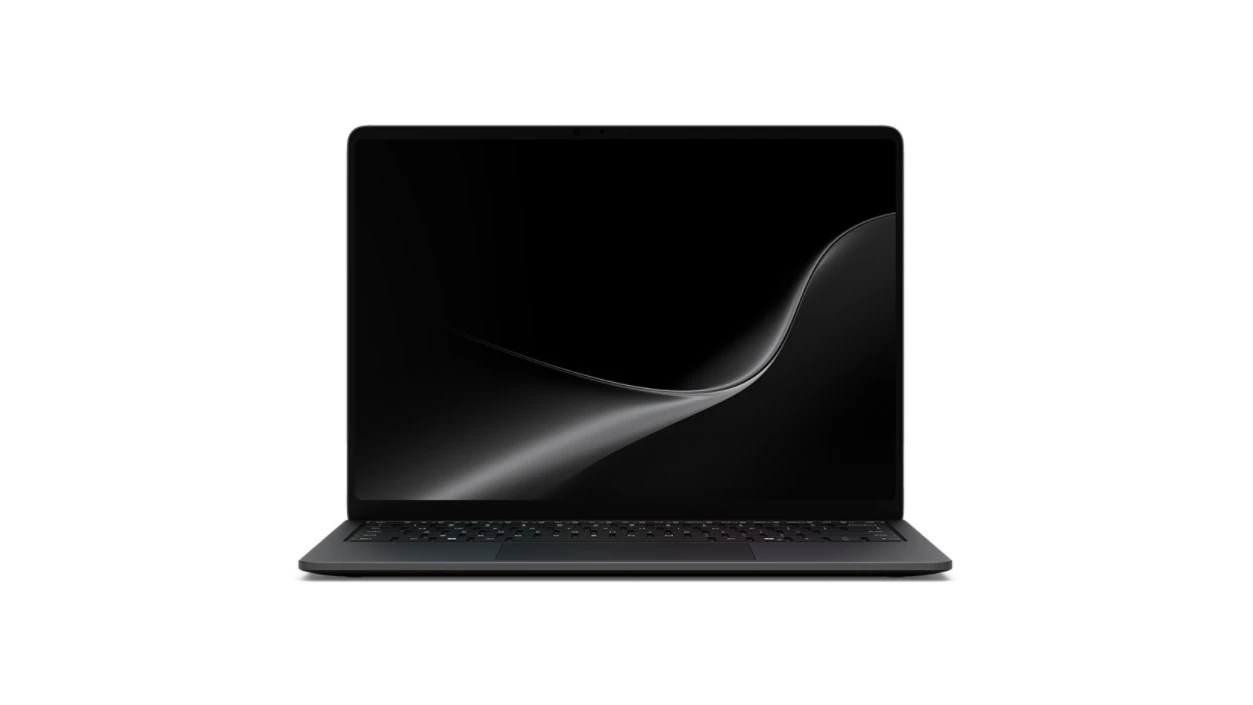
| Specification | What to know |
|---|---|
| Chip / software | Intel Core Ultra Series 3: Ultra 5 335, Ultra 7 366H or Ultra X7 368H. Windows 11 Pro; Intel or Arc graphics depending on CPU. |
| RAM / SSD | 16GB, 32GB or 64GB LPDDR5x; removable 256GB, 512GB or 1TB SSD. |
| Screen | 13.8-inch 2304 × 1536 touchscreen; up to 120Hz; 600-nit typical maximum SDR. Optional integrated privacy screen. |
| Travel size | 1.35kg, or 1.36kg with privacy display; 301 × 220 × 17.5mm. |
| Power | 54Wh nominal. Fast charge requires at least 60W USB-C PD or a 65W Surface supply; some bundles include a lower-power adapter. |
| Ports / wireless | 2 × Thunderbolt 4 / USB4, 1 × USB-A, Surface Connect and audio. No HDMI. Wi-Fi 7. |
| Meetings / security | 1080p camera, Windows Hello, Pluton and Secured-core features. |
| Official price reference | US store family starting price: $2,299.99 when checked on 30 October 2026. Confirm the chosen size, processor and memory before ordering. |
Why it works for business travel
The optional privacy display is relevant to travelers reviewing sensitive material in airports or shared lounges. Touch is useful for navigating a presentation or document with a colleague, but this model does not support Surface Pen. Intel and Windows Pro make the edition clearly identifiable for company procurement.
Microsoft advertises up to 23 hours of local video playback for the 13.8-inch model. This should not be compared directly with another brand’s different battery test.
Main trade-off: It is heavier than the Lenovo Yoga Slim 7i Ultra’s starting configuration. Both need an HDMI adapter, while Surface includes USB-A and offers a taller 3:2 screen with an optional privacy display. Those features may justify the additional weight for some travelers.
Official shopping link: Configure the Intel 8th Edition at Microsoft
4. Dell Pro 13 Premium PA13250 — Best compact option for Dell-managed businesses
The Dell Pro 13 Premium makes sense for organizations that already standardize on Dell devices and support. Its compact 13.3-inch format, direct presentation connections and optional cellular capability give procurement teams a practical business-travel shortlist candidate.
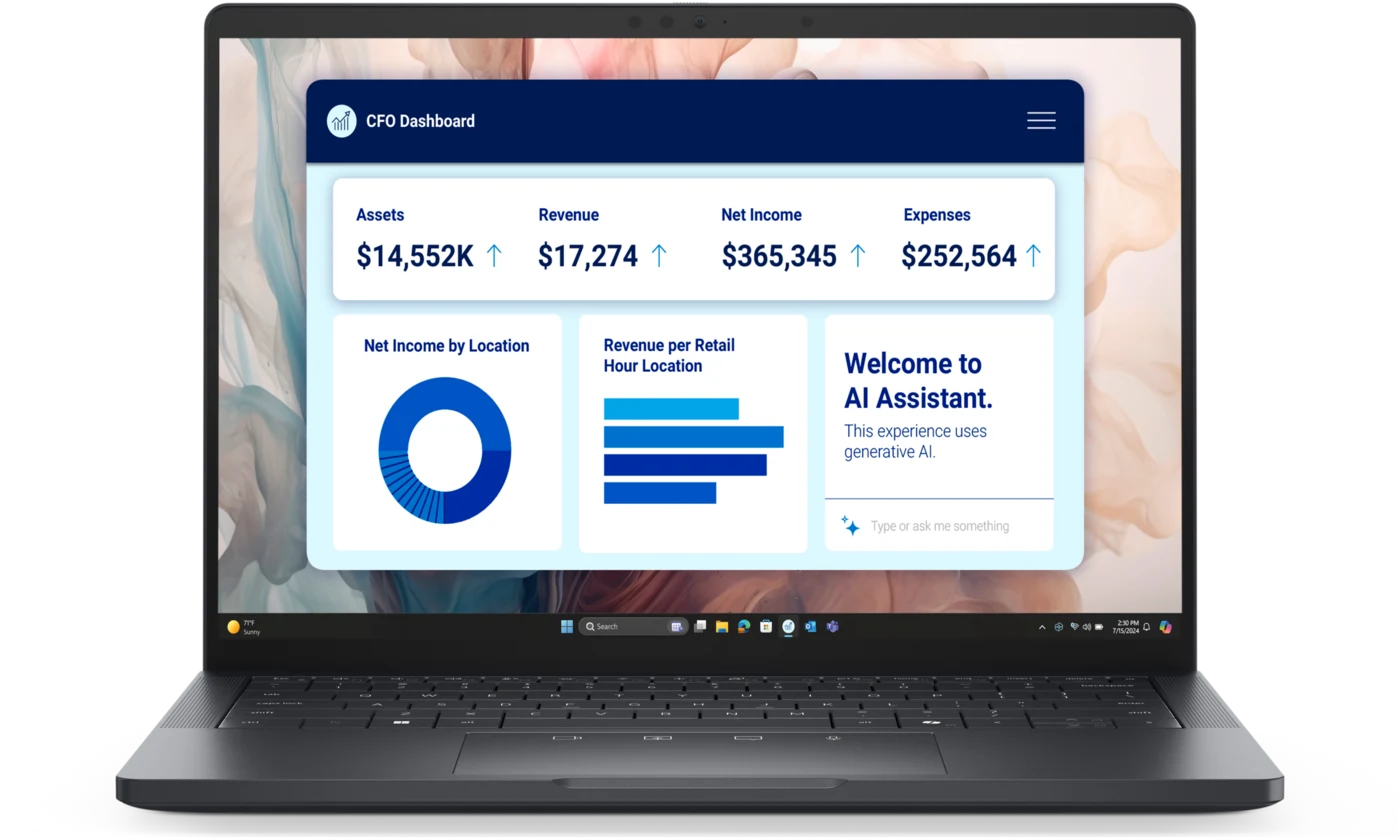
| Specification | What to know |
|---|---|
| Quoted configuration | Core Ultra 5 236V, 8 cores; Intel Arc graphics; Windows 11 Pro; 16GB RAM / 512GB SSD. |
| Screen | 13.3-inch 1920 × 1200 non-touch, 400 nits, anti-glare; other panels are optional. |
| Travel size | Starting at 1.071kg; 296 × 208.9mm; up to 17.95mm high. |
| Power | 60Wh battery and 65W USB-C charger in the quoted configuration. Other configurations can use 40Wh. |
| Ports / wireless | 2 × Thunderbolt 4, 1 × USB-A, HDMI 2.1 and audio. Wi-Fi 7; optional 5G / eSIM. |
| Meetings / security | Camera options support 8MP stills and up to 1440p video; IR variants. TPM 2.0, mechanical camera shutter; optional fingerprint reader. |
| Official price reference | US store: $2,278 for the displayed 16GB / 512GB configuration, checked 30 October 2026. |
Why it works for business travel
Direct HDMI and USB-A can simplify a client presentation without a docking station. The small chassis footprint is also useful on narrow work surfaces. For IT teams, the value lies in a configuration that fits existing deployment and support arrangements, not merely in the processor generation.
For frequent travel, check that the order includes the intended 60Wh battery. A 40Wh configuration changes the capacity carried, so a lower purchase price may represent a different power setup.
Main trade-off: The quoted base configuration does not enable vPro management and does not include cellular broadband or a fingerprint reader. Add the required options before comparing its price with another fully equipped business laptop. Heavy multitaskers should examine 32GB configurations.
Official shopping link: Check the exact configuration at Dell
5. ASUS ExpertBook Ultra B9406CAA — Best premium OLED business alternative
The ExpertBook Ultra deserves consideration when a high-quality touchscreen, broad connectivity and Windows Pro all matter. The US B9406CAA-XSP76T configuration is a useful reference because its price and specification can be separated from the lighter starting weights advertised for the wider family.
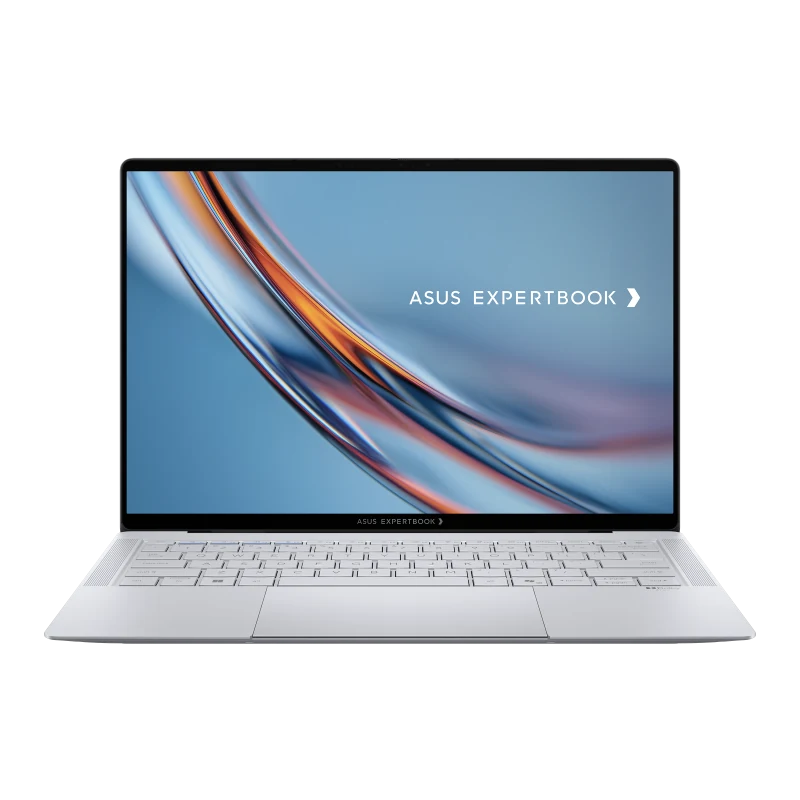
| Specification | What to know |
|---|---|
| Chip / software | Core Ultra X7 358H, 16 cores / 16 threads; Intel Arc B390. Windows 11 Pro. |
| RAM / SSD | 32GB LPDDR5X / 1TB PCIe 4.0 SSD in the US launch configuration. |
| Screen | 14-inch 2880 × 1800 tandem OLED touch; matte treatment; 600-nit SDR / 1,400-nit HDR peak. |
| Travel size | US launch configuration: 2.43lb, approximately 1.10kg. 310.9 × 212.8 × 10.9–16.4mm. |
| Power | 70Wh battery; 90W USB-C charger. |
| Ports / wireless | 2 × Thunderbolt 4, 2 × USB-A, HDMI 2.1 TMDS and audio; Wi-Fi 7. |
| Meetings / security | FHD IR camera with shutter; AI upscaling to 5MP, not a native 5MP sensor. TPM 2.0 and Pluton features. |
| Official price reference | US launch MSRP $3,599.99 for B9406CAA-XSP76T, announced May 2026. Current offers vary. |
Why it works for business travel
The OLED display is the central reason to shortlist this model for showing proposals and visual materials to clients. Matte treatment and a bright SDR specification are relevant to office use; the higher HDR peak is a different measurement. Its HDMI and two USB-A ports offer direct accessory connections that the Lenovo Yoga Slim 7i Ultra provides through adapters.
Its 70Wh battery is smaller than the Lenovo Yoga Slim 7i Ultra’s 75Wh battery, but capacity alone does not establish real-world runtime. Display settings, processor load and the chosen panel still matter.
Main trade-off: The premium launch price makes this a selective purchase. The global “from 0.99kg” claim should not be attached to the US configuration above. Choose it when its display and input features are worth the cost to your workflow.
Official shopping link: Find the specified ExpertBook Ultra configuration
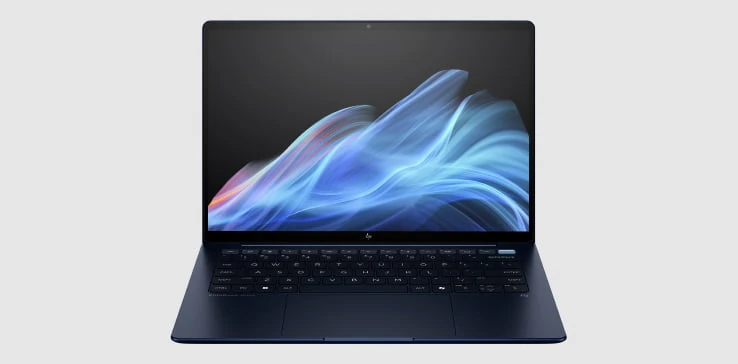
6. HP EliteBook Ultra G1i — Best suited to video-call-heavy business travel
For professionals who spend much of a trip in remote meetings, the EliteBook Ultra G1i offers a relevant set of camera, audio and display features. This is the Intel G1i, not the Snapdragon G1q; the two should not share a specification card.
| Specification | What to know |
|---|---|
| Reference configuration | Regional SKU C64S1PT: Core Ultra 7 258V, 8 cores / 8 threads; Intel Arc; Windows 11 Pro; 32GB RAM / 1TB SSD. |
| Screen | 14-inch 2880 × 1800 OLED, 400 nits; touch on the reference SKU, optional across the family. |
| Travel size | From 1.19kg; approximately 313.7 × 217.25mm; 14.9mm maximum chassis height. |
| Power | 64Wh battery; 65W USB-C adapter. |
| Ports / wireless | 3 × Thunderbolt 4, 1 × USB-A 10Gbps and audio. No HDMI. Wi-Fi 7 and Bluetooth 5.4. |
| Meetings / security | 9MP IR camera, privacy shutter, Poly Camera Pro tools and dual microphones. Fingerprint reader on the reference SKU; vPro optional. |
| Official price reference | Availability and pricing vary by region; request a current G1i configuration and quotation from HP. |
Why it works for business travel
The 9MP camera and Poly tools make it a logical camera-focused candidate, while the OLED panel suits reviewing presentations and visual assets. Those published features are a reason to shortlist it; they do not prove superior call quality to every competitor without testing in the same lighting and conferencing software.
A 64Wh battery and 65W USB-C charging are relevant for working between calls and recharging during a break. Expected runtime still depends on screen brightness and the amount of conferencing in the day.
Main trade-off: An HDMI adapter remains necessary for a direct connection to many projectors or meeting-room displays. Availability and warranty should be confirmed for the destination market; the specification example is a regional SKU, not a verified US checkout package.
Official shopping link: Check EliteBook Ultra G1i availability with HP
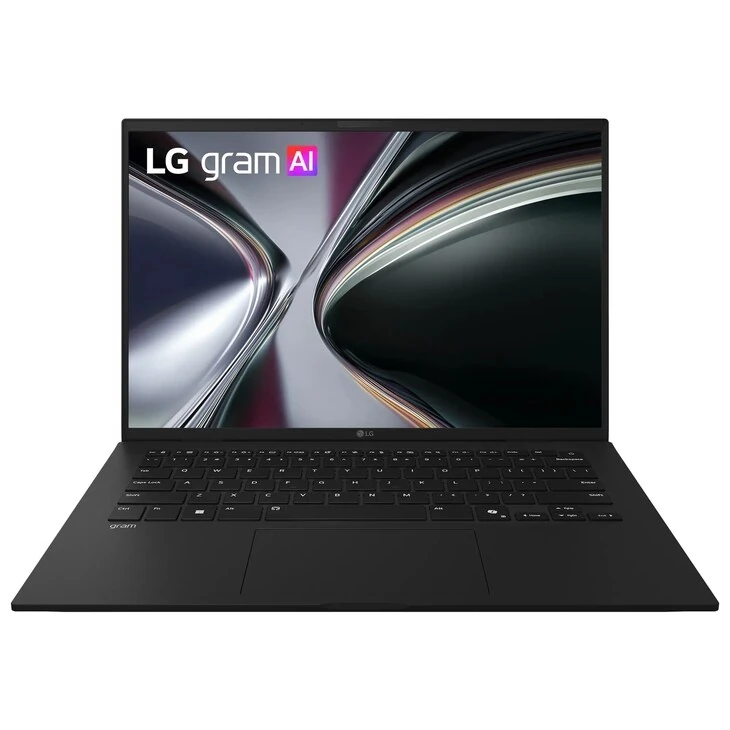
7. LG gram 14 14Z90U — Best for an IPS screen and familiar accessories
The LG gram 14 pairs a light 14-inch design with a sizeable battery and useful ports. Hardware details below follow LG’s 14Z90U family specifications; the US configuration example establishes the listed RAM, storage and Windows edition. Confirm the exact regional SKU before ordering.
| Specification | What to know |
|---|---|
| Family / US example | 14Z90U family: Core Ultra 7 355, 8 cores, Intel Graphics. US AU85U1 listing: Core Ultra 7, 32GB / 512GB, Windows 11 Home. |
| Screen | 14-inch 1920 × 1200 IPS, 16:10, 60Hz, 350 nits, anti-glare. |
| Travel size | 1.12kg / 2.47lb; 312 × 214.3 × 15.7–16.9mm. |
| Power | 72Wh battery; 65W USB-C adapter. |
| Ports / wireless | 2 × Thunderbolt 4 / USB4, 2 × USB-A, HDMI 2.1 and audio. Wi-Fi 6E and Bluetooth 5.4. |
| Meetings / design | FHD IR camera and dual microphones. LG documents seven MIL-STD-810H tests; this is not a rugged-laptop guarantee. |
| Official price reference | The US listing offers notification / retailer options. Confirm current stock and pricing for the exact AU85U1 configuration. |
Why it works for business travel
Its port selection is useful for moving between older accessories and modern USB-C docks. The 72Wh battery is also attractive on paper when long periods away from a socket are a priority. The anti-glare IPS screen emphasizes ordinary document work rather than an OLED viewing experience.
LG advertises up to 36.5 hours of video playback under conditions including 150-nit brightness and wireless disabled. That is not a promise of 36.5 hours of connected office work or evidence that it outlasts every other laptop here.
Main trade-off: The US example runs Windows Home, while LG’s global business line includes Pro configurations. Employers should specify the required edition. The 60Hz WUXGA display is a more modest specification than the higher-resolution panels elsewhere in this guide.
Official shopping link: Check LG gram 14 availability and retailer options
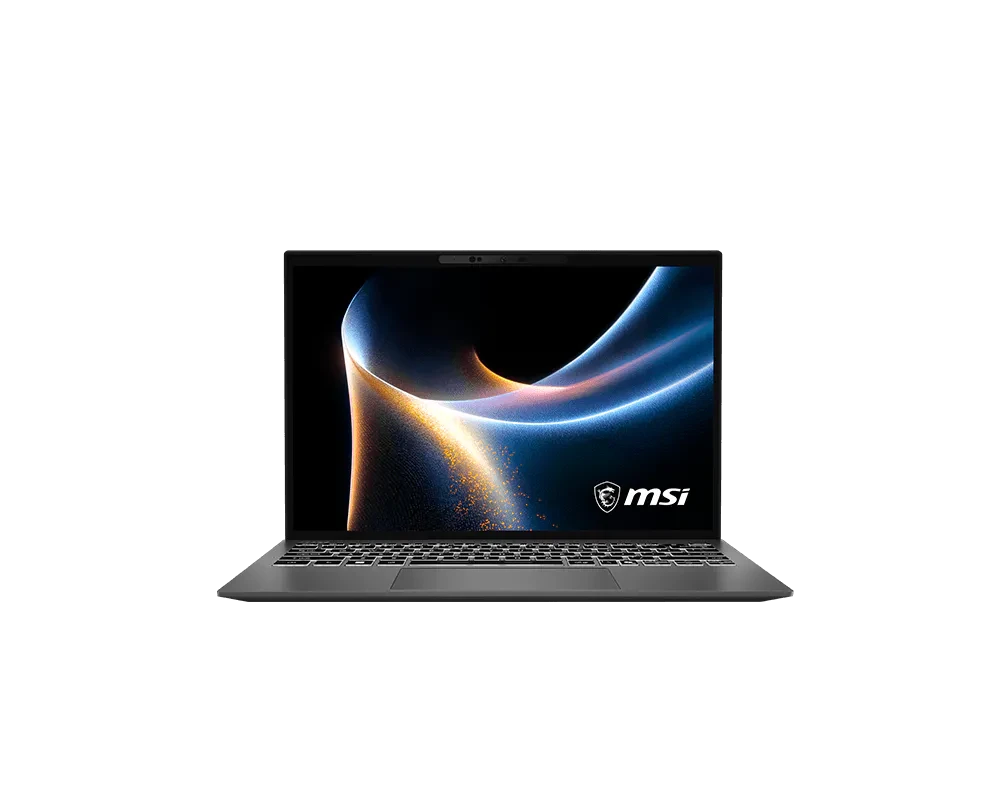
8. MSI Prestige 13 AI+ A3M — Best for minimizing laptop weight
The Prestige 13 AI+ A3M is the lightest published laptop in this shortlist at 899g. It is particularly interesting because that low weight still comes with HDMI, two USB-A ports and a microSD reader, rather than relying entirely on USB-C.
| Specification | What to know |
|---|---|
| Reference configuration | A3MG-018AU: Core Ultra 7 355, 8 cores / 8 threads; Intel Graphics; 32GB RAM / 1TB SSD; Windows 11 Home. |
| Screen | 13.3-inch 2880 × 1800 OLED, 16:10, typical 100% DCI-P3. |
| Travel size | 0.899kg; 299 × 210 × 15.9mm. |
| Power | 53.8Wh battery; supplied 65W adapter. |
| Ports / wireless | 2 × Thunderbolt 4, 2 × USB-A, HDMI 2.1, microSD and audio; Wi-Fi 7 and Bluetooth 6. |
| Meetings / security | FHD IR HDR camera, three-microphone array, fingerprint reader, camera shutter, TPM and Pluton features. |
| Official price reference | Regional example: MSI Malaysia lists A3MG-034MY, 32GB / 1TB, at RM6,499, shown out of stock when checked. This is not a US price or the AU SKU’s price. |
Why it works for business travel
This is a strong candidate for travelers who walk long distances between airports, stations and client offices. The combination of small size and physical connectors can keep the accessory pouch simpler. The smaller screen, however, gives less room for side-by-side documents than a 14-inch alternative.
MSI’s up-to-19-hour claim uses a 16GB / 512GB test machine playing local video at 150 nits with Wi-Fi off. The 32GB / 1TB reference has a different configuration, and connected office work will place different demands on the battery.
Main trade-off: Confirm local stock, Windows Pro requirements and service coverage before choosing it for a company fleet. Minimum weight is its clearest advantage here; it is not a claim of the most complete enterprise support package.
Official shopping link: View Prestige 13 AI+ A3M regional availability
9. ASUS Zenbook A14 UX3407NA-PS77 — Best sub-1kg Windows-on-Arm alternative
The 2026 Zenbook A14 combines a 0.99kg configuration with a 70Wh battery and a useful port selection. It fits travelers whose approved applications work well on Windows on Arm, especially those relying on browser-based services and mainstream productivity tools.

| Specification | What to know |
|---|---|
| Chip / software | Snapdragon X2 Elite X2E88100, 18 cores; Adreno graphics; Windows 11 Home on Arm. |
| RAM / SSD | PS77 configuration: 32GB LPDDR5X / 1TB PCIe 4.0 SSD. |
| Screen | 14-inch 1920 × 1200 OLED, 16:10, 60Hz, non-touch. |
| Travel size | 0.99kg / 2.18lb; 310.7 × 213.9 × 13.4–15.9mm. |
| Power | 70Wh battery; 100W USB-C adapter. |
| Ports / wireless | 2 × USB4 40Gbps USB-C, 1 × USB-A, HDMI 2.1 TMDS and audio; Wi-Fi 7. |
| Meetings / security | FHD IR camera for Windows Hello; Microsoft Pluton; Ceraluminum chassis. |
| Official price reference | US launch MSRP $1,799.99 for UX3407NA-PS77, April 2026. The cheaper 16GB / 512GB launch version is heavier and is not the configuration above. |
Why it works for business travel
A built-in HDMI connection and USB-A port make this more adaptable to unfamiliar rooms than a USB-C-only design. Its low chassis weight is attractive, although the charger must also be counted when comparing complete travel kits. The key buying decision is software compatibility, not the advertised AI TOPS figure.
ASUS’s 33-plus-hour video claim uses a different 16GB / 512GB test configuration with Wi-Fi disconnected. It should not be presented as measured business runtime for PS77.
Main trade-off: Ask IT to verify the exact VPN, endpoint-security agent, specialist applications and peripheral drivers on Arm before purchase. A Windows Pro upgrade may also be needed. Those checks explain why a very light machine can still be a less convenient default than an approved corporate Windows configuration.
Official shopping link: Check the UX3407NA-PS77 configuration and current price
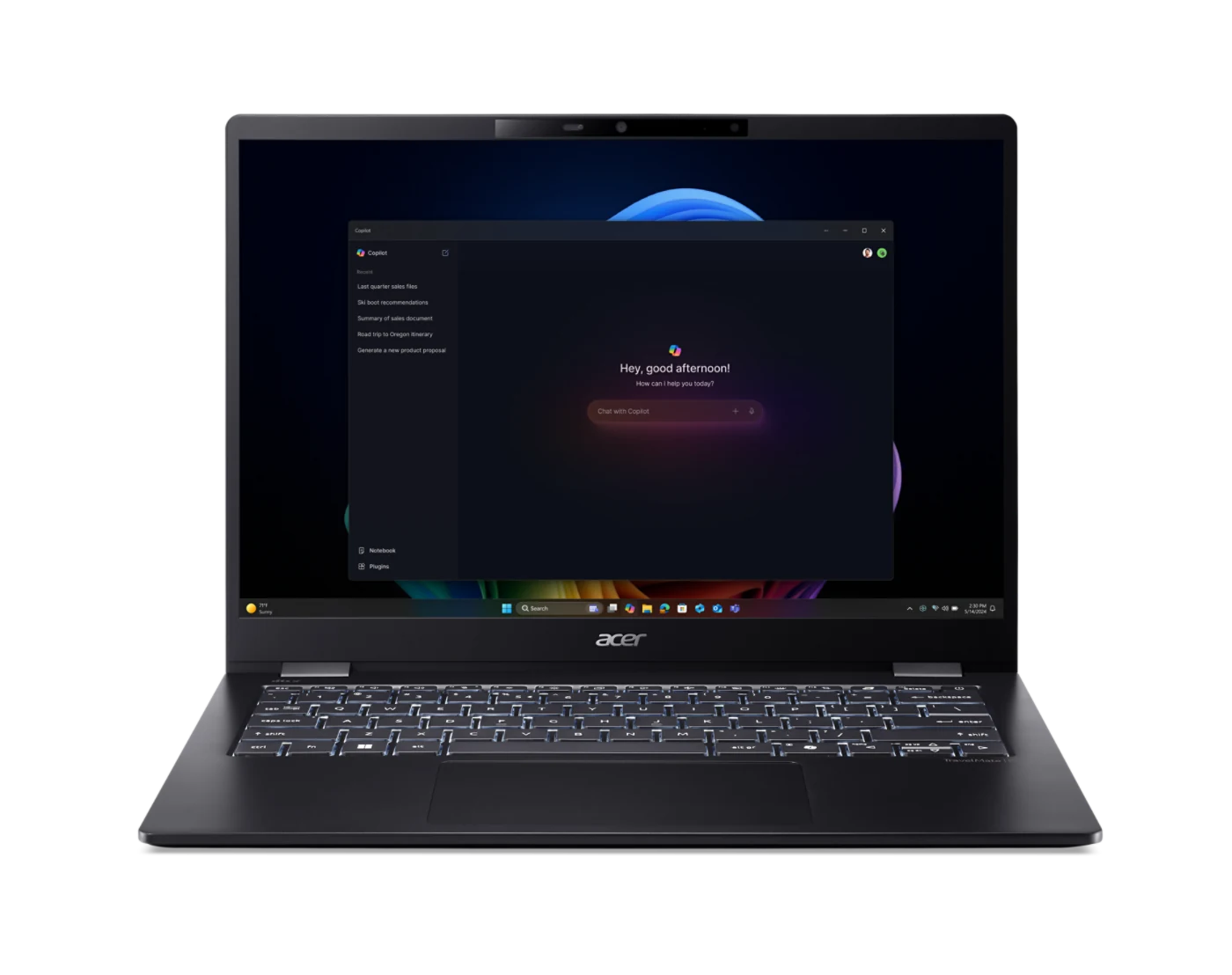
10. Acer TravelMate P6 14 AI TMP614-54 — Best alternative for a light Windows Pro setup
The TravelMate P6 14 AI is worth considering when low weight, a 14-inch workspace and Windows Pro are the central requirements. It uses Intel Series 2 rather than the newest Series 3, which should be reflected in the comparison rather than hidden behind a generic “AI laptop” label.
| Specification | What to know |
|---|---|
| Reference configuration | TMP614-54-76NH / NX.BL9AA.002: Core Ultra 7 256V, 8 cores; Arc 140V; Windows 11 Pro; 16GB RAM / 1TB SSD. |
| Screen | 14-inch 2880 × 1800 IPS, 120Hz, 16:10, non-touch. |
| Travel size | Selected US SKU: approximately 2.12lb / 0.96kg; 12.3 × 8.9 inches; front / rear height 0.63 / 0.66 inches. |
| Power | 65Wh battery; official selected-SKU power rating 100W. |
| Ports / wireless | 2 × USB4 with Thunderbolt 4 support, 2 × USB-A, HDMI and audio; Wi-Fi 7. USB-C Ethernet adapter included in the specified US package. |
| Meetings / security | Series features include QHD IR camera, three microphones, camera shutter and presence-based locking; selected SKU includes fingerprint and TPM. |
| Official price reference | Series North American launch price from $1,499.99 for availability in January 2025. This is not a current quote for the 76NH configuration. |
Why it works for business travel
The combination of a sharp 14-inch screen and a roughly 1kg chassis is useful for reviewing documents and presenting without adding much laptop weight. The native ports and supplied Ethernet adapter also cover more meeting-room situations than a minimal port selection.
Acer’s materials use more than one runtime figure and test basis. We therefore use the documented 65Wh capacity rather than treating an advertised maximum as a cross-brand endurance result.
Main trade-off: The verified US configuration has 16GB of memory. Travelers who maintain many large documents, browser tabs and collaboration apps should compare a 32GB configuration before buying. Check local availability and service terms, particularly when purchasing outside the home market.
Official shopping link: Check the TravelMate P6 configuration at Acer
Head-to-head: which trade-offs matter most?
| Comparison | Prefer Lenovo Yoga Slim 7i Ultra when… | Prefer the alternative when… |
|---|---|---|
| Lenovo Yoga vs MacBook Air | You want x86 Windows, a 14-inch OLED touchscreen and substantial battery capacity. | Your employer supports macOS and a fanless Mac fits your applications and accessories. |
| Lenovo Yoga vs Surface | Lower starting weight and a 75Wh battery matter more for the journey. | A taller 3:2 touchscreen, optional integrated privacy display and native USB-A matter more. |
| Lenovo Yoga vs LG gram 14 | You prioritize lower starting weight, higher display resolution and OLED touch. | You prefer an anti-glare IPS screen, direct HDMI and two USB-A ports. |
| Lenovo Yoga vs MSI Prestige 13 | You want a larger 14-inch touchscreen and 75Wh battery capacity. | The lowest listed chassis weight, native HDMI / USB-A and a microSD slot are higher priorities. |
| Lenovo Yoga vs ExpertBook Ultra | You value its lower published starting weight, 75Wh battery and three Thunderbolt ports. | The matte tandem OLED display and direct HDMI / USB-A connections justify the premium price. |
These are editorial judgments from the documented features, not measured performance victories. Confirm exact configuration, availability and warranty before treating any pair as a final procurement comparison.
What to prioritize before buying
- Match the work software first. Check the employer’s operating-system policy, VPN, security tools and application requirements before choosing Intel Windows, Windows on Arm or macOS.
- Price the complete travel kit. Include the required memory, charger, HDMI or Ethernet adapter, service coverage and any Windows Pro upgrade. Bare-laptop prices and weights can hide those differences.
- Choose the screen for the trip. A 13.3-inch machine can be easier to pack; 14 inches can be more comfortable for side-by-side work. Touch, matte treatment, privacy filters and OLED serve different needs.
- Treat battery hours as test-specific. A video-playback maximum with wireless off does not represent conferencing, a VPN and many active applications. Battery capacity, screen choice and charging flexibility are useful starting points.
- Verify service where you travel. Optional onsite support, international coverage and cellular compatibility should be confirmed for the exact model and countries involved. A brand name alone does not establish those terms.
Frequently asked questions
What is our best overall lightweight laptop for business travel?
For travelers focused on light carrying weight, a quality screen and everyday Windows productivity, our first pick is the Lenovo Yoga Slim 7i Ultra Aura Edition. Its appeal is the combination of 975g starting weight, a 75Wh battery and a 14-inch OLED touchscreen. Dedicated enterprise requirements, a Mac workflow or a strict weight-first priority can lead to another choice.
Which laptop in this list is the lightest?
The MSI Prestige 13 AI+ A3M has the lowest published chassis weight here at 899g. This is a specification comparison, not a measurement of complete travel kits. Chargers, adapters and configuration differences can change the weight carried.
Is 16GB of memory enough for a business laptop?
It can be enough for ordinary document work and a moderate browser workload. We would usually choose 32GB for heavier multitasking or several years of business use when the budget allows, especially where memory cannot be upgraded. This is purchasing guidance rather than a benchmark threshold.
Should a business traveler buy a Windows-on-Arm laptop?
It can be a good fit after the employer approves the required software and drivers. Check exact applications, VPNs, security agents and peripherals before ordering. The Zenbook A14’s low weight is attractive, but software approval should come before a processor or battery claim.
Do I need HDMI and USB-A on the laptop?
They are useful if you frequently present in unfamiliar meeting rooms or use older accessories. USB-C adapters can provide these connections, but that means packing and keeping track of extra equipment. Travelers who always use a known dock may place less value on built-in ports.
Why not rank the longest advertised battery life first?
Manufacturers use different workloads, brightness levels, network settings and configurations. Treating their maximum hours as one shared test would be misleading. A travel purchase should balance expected workload, charging opportunities and the rest of the required features.
Our recommendation
Start with the Lenovo Yoga Slim 7i Ultra Aura Edition if you want a very light Windows laptop combining a substantial battery with a high-resolution touchscreen for frequent trips. Choose the MacBook Air for an approved macOS workflow, Surface for its 3:2 display and privacy option, or MSI Prestige 13 when the lowest laptop weight matters most. Compare the final configuration, required adapters and support package before ordering.
Official sources & verification
Manufacturer documentation checked 30 October 2026. Availability, bundles and specifications vary by region and configuration.
- Lenovo — Lenovo Yoga Slim 7i Ultra
Official manufacturer source for the specified product, configuration, price reference or credited image. Reviewed 30 October 2026. - Apple — MacBook Air 13 M5
Official manufacturer source for the specified product, configuration, price reference or credited image. Reviewed 30 October 2026. - Microsoft — Surface Laptop Business 13.8, 8th Intel
Official manufacturer source for the specified product, configuration, price reference or credited image. Reviewed 30 October 2026. - Dell — Dell Pro 13 Premium PA13250
Official manufacturer source for the specified product, configuration, price reference or credited image. Reviewed 30 October 2026. - ASUS — ExpertBook Ultra XSP76T
Official manufacturer source for the specified product, configuration, price reference or credited image. Reviewed 30 October 2026. - HP — EliteBook Ultra G1i
Official manufacturer source for the specified product, configuration, price reference or credited image. Reviewed 30 October 2026. - LG — LG gram 14 14Z90U
Official manufacturer source for the specified product, configuration, price reference or credited image. Reviewed 30 October 2026. - MSI — Prestige 13 AI+ A3MG
Official manufacturer source for the specified product, configuration, price reference or credited image. Reviewed 30 October 2026. - ASUS — Zenbook A14 UX3407NA-PS77
Official manufacturer source for the specified product, configuration, price reference or credited image. Reviewed 30 October 2026. - Acer — TravelMate P6 TMP614-54-76NH
Official manufacturer source for the specified product, configuration, price reference or credited image. Reviewed 30 October 2026. - Lenovo StoryHub — Yoga announcements at CES 2026
Product announcement and official Yoga Slim 7i Ultra photography. - Lenovo — US configuration
Official manufacturer source for the specified product, configuration, price reference or credited image. Reviewed 30 October 2026. - Lenovo — Check configurations and price at Lenovo
Official manufacturer source for the specified product, configuration, price reference or credited image. Reviewed 30 October 2026. - Lenovo — Official datasheet
Official manufacturer source for the specified product, configuration, price reference or credited image. Reviewed 30 October 2026. - Lenovo — Yoga Slim 7i Ultra Aura Edition 14-inch Gen 11 user guide
Smart Power modes affect attainable performance, power use and fan limits. Settings via Lenovo software or Fn+Q. - Apple — Manufacturer source
Official manufacturer source for the specified product, configuration, price reference or credited image. Reviewed 30 October 2026. - Apple — Official launch and price
Official manufacturer source for the specified product, configuration, price reference or credited image. Reviewed 30 October 2026. - Apple — Check current MacBook Air configurations at Apple
Official manufacturer source for the specified product, configuration, price reference or credited image. Reviewed 30 October 2026. - Microsoft — Manufacturer source
Official manufacturer source for the specified product, configuration, price reference or credited image. Reviewed 30 October 2026. - Dell — Camera details
Official manufacturer source for the specified product, configuration, price reference or credited image. Reviewed 30 October 2026. - Dell — Security options
Official manufacturer source for the specified product, configuration, price reference or credited image. Reviewed 30 October 2026. - ASUS — Manufacturer source
Official manufacturer source for the specified product, configuration, price reference or credited image. Reviewed 30 October 2026. - ASUS — US launch price and configuration
Official manufacturer source for the specified product, configuration, price reference or credited image. Reviewed 30 October 2026. - ASUS — Find the specified ExpertBook Ultra configuration
Official manufacturer source for the specified product, configuration, price reference or credited image. Reviewed 30 October 2026. - HP — Manufacturer source
Official manufacturer source for the specified product, configuration, price reference or credited image. Reviewed 30 October 2026. - LG — Manufacturer source
Official manufacturer source for the specified product, configuration, price reference or credited image. Reviewed 30 October 2026. - MSI — Manufacturer source
Official manufacturer source for the specified product, configuration, price reference or credited image. Reviewed 30 October 2026. - MSI — Exact AU SKU
Official manufacturer source for the specified product, configuration, price reference or credited image. Reviewed 30 October 2026. - MSI — Regional price
Official manufacturer source for the specified product, configuration, price reference or credited image. Reviewed 30 October 2026. - ASUS — Manufacturer source
Official manufacturer source for the specified product, configuration, price reference or credited image. Reviewed 30 October 2026. - ASUS — US launch configurations and prices
Official manufacturer source for the specified product, configuration, price reference or credited image. Reviewed 30 October 2026. - ASUS — Check the UX3407NA-PS77 configuration and current price
Official manufacturer source for the specified product, configuration, price reference or credited image. Reviewed 30 October 2026. - Acer — Series details and launch price
Official manufacturer source for the specified product, configuration, price reference or credited image. Reviewed 30 October 2026.