For business travelers who spend much of a trip carrying a computer, start with the ASUS Zenbook A14 and Lenovo Yoga Slim 7i Ultra when low device mass matters, the Dell XPS 13 when limited working space matters, and an identified ThinkPad X1 Carbon IPS configuration when long browsing sessions away from charging matter. The MacBook Air and Zenbook S14 become stronger choices when a supported Mac workflow or familiar presentation connections matters more than the smallest weight figure.
The useful answer to “Which lightweight laptops would you recommend for business travelers?” begins with the entire flight day. A computer can be light in a showroom and awkward inside the actual bag. A longer battery result can be valuable while waiting for a connection, yet irrelevant if essential software fails after arrival. Choose the platform first, then compare the computer, charger, adapters and tasks that will travel together.
Start with the hours between desks
Write down the work you expect to finish before reaching the destination. There is a meaningful difference between approving a document at the gate, editing a financial model during a connection and preparing the next morning's presentation in accommodation. Those activities create different screen, keyboard and charging demands even when the itinerary contains the same flight.
A useful planning sheet has three columns: work that must happen without a connection, work that can wait for a reliable network, and work that needs destination equipment. Put actual files and applications in those columns. A remote desktop may remove a local computing requirement but introduce a network requirement; that trade belongs in the purchase discussion.
Next, identify how often the computer will leave its sleeve. Repeated short sessions favor an arrangement that is easy to unpack and reconnect. A machine that remains on one desk for hours may justify a larger screen or additional ports. Our main business-traveler laptop guide provides the wider shortlist; this article concentrates on the movement between workspaces.
Six candidates and the reason to compare each
These roles describe this selection rather than an overall ranking. Manufacturer starting weights and measured review weights are separate evidence. The table deliberately identifies which kind is being used, because they can represent different screens and configurations.
| Candidate | Flight-day role | Weight evidence used here | Connection consideration |
|---|---|---|---|
| Apple MacBook Air 13-inch M5 | Quiet work in an established Mac environment | 1,230g, reviewed entry sample | Two Thunderbolt 4 ports; separate MagSafe charging |
| ASUS Zenbook A14 UX3407NA | Low carrying mass with direct presentation ports | 990g, manufacturer specification | HDMI and USB-A alongside USB4 |
| ASUS Zenbook S14 UX5406AA | A portable Intel computer that also serves the destination desk | 1,205g, reviewed sample | HDMI, USB-A and Thunderbolt 4 |
| Dell XPS 13 DX13260 | A compact enclosure for restricted table space | 1,062g, reviewed Core 5 sample | Ports depend on Core versus Core Ultra |
| Lenovo ThinkPad X1 Carbon Gen 14 IPS | Longer browsing sessions between charging opportunities | 1,139g, identified IPS review sample | HDMI, USB-A and Thunderbolt 4 |
| Lenovo Yoga Slim 7i Ultra Aura Edition Gen 11 | A low-mass Intel OLED-touch arrangement | 978g, reviewed Ultra 7 355 sample | Three Thunderbolt 4 ports; pack necessary adapters |
Apple MacBook Air 13-inch M5 — Best for a quiet, already-supported Mac workflow
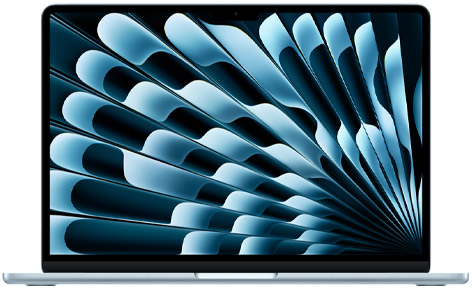
The Air belongs on a travel shortlist when the necessary applications, accounts and peripherals already work on macOS. Its 13.6-inch IPS display, fanless cooling and separate MagSafe charging create an arrangement suited to quiet writing and ordinary document work. The Apple specification page documents the hardware.
Its practical advantage is continuity: opening the same files in the same supported environment after leaving the office. An attractive weight figure should not persuade a Windows-dependent team to change platforms without checking the complete workflow. Confirm installed capacity when ordering, and compare the exact configuration rather than treating every Air as the entry review sample.
ASUS Zenbook A14 UX3407NA — Best for low carrying mass after Windows Arm approval
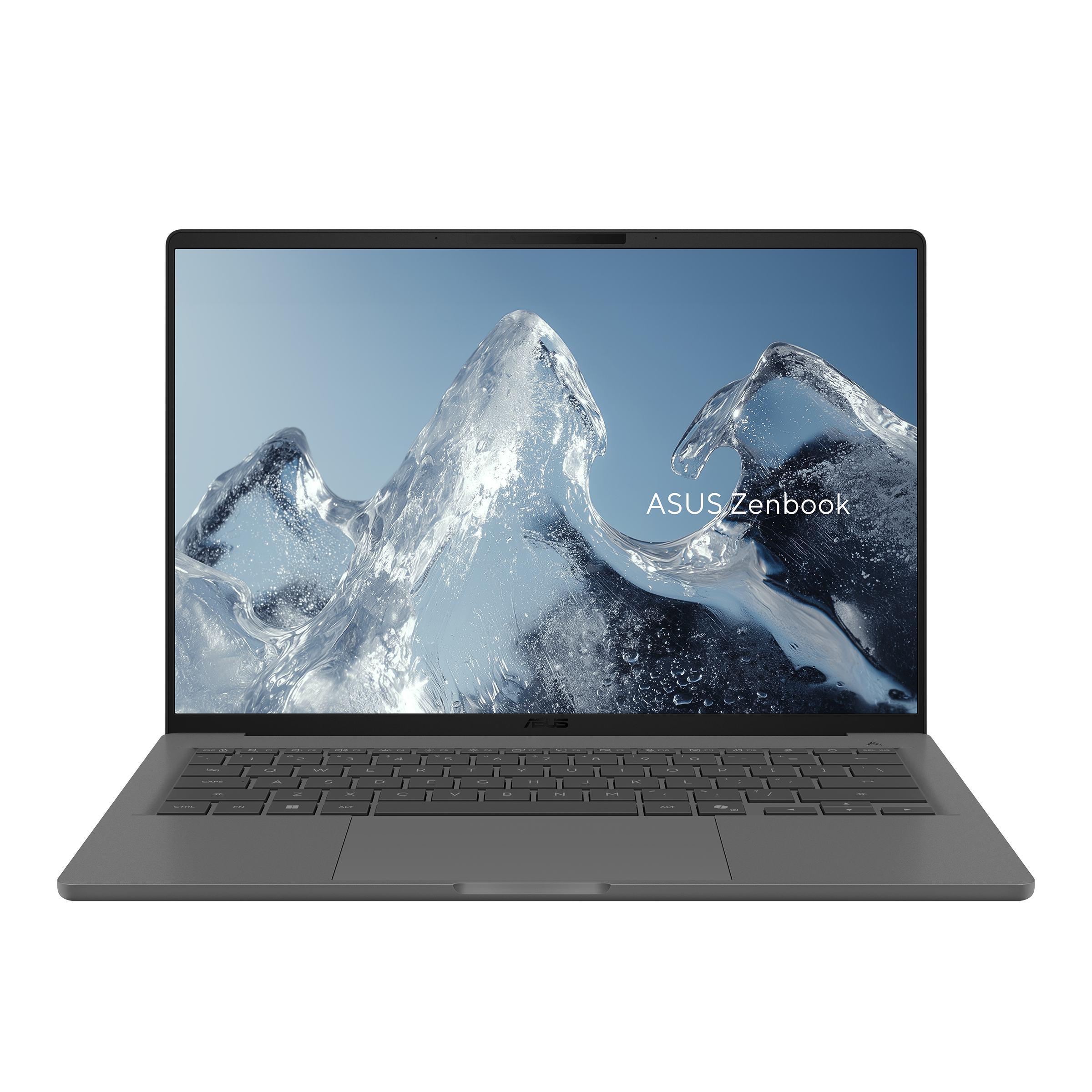
ASUS lists the NA version with Snapdragon X2 Elite, a 14-inch 1920×1200 non-touch OLED display and a 0.99kg weight. HDMI and USB-A reduce dependence on separate connections for familiar equipment. The full suffix matters because the A14 specifications cover several generations and configurations.
For a traveler moving repeatedly between stations, gates and client rooms, that combination is worth comparing. First approve the organization's applications and devices on Windows Arm. A working word processor does not validate a security utility or specialist driver. Settle those dependencies, then decide whether the non-touch display and actual charger suit the journey.
ASUS Zenbook S14 UX5406AA — Best for a destination desk that still has to travel
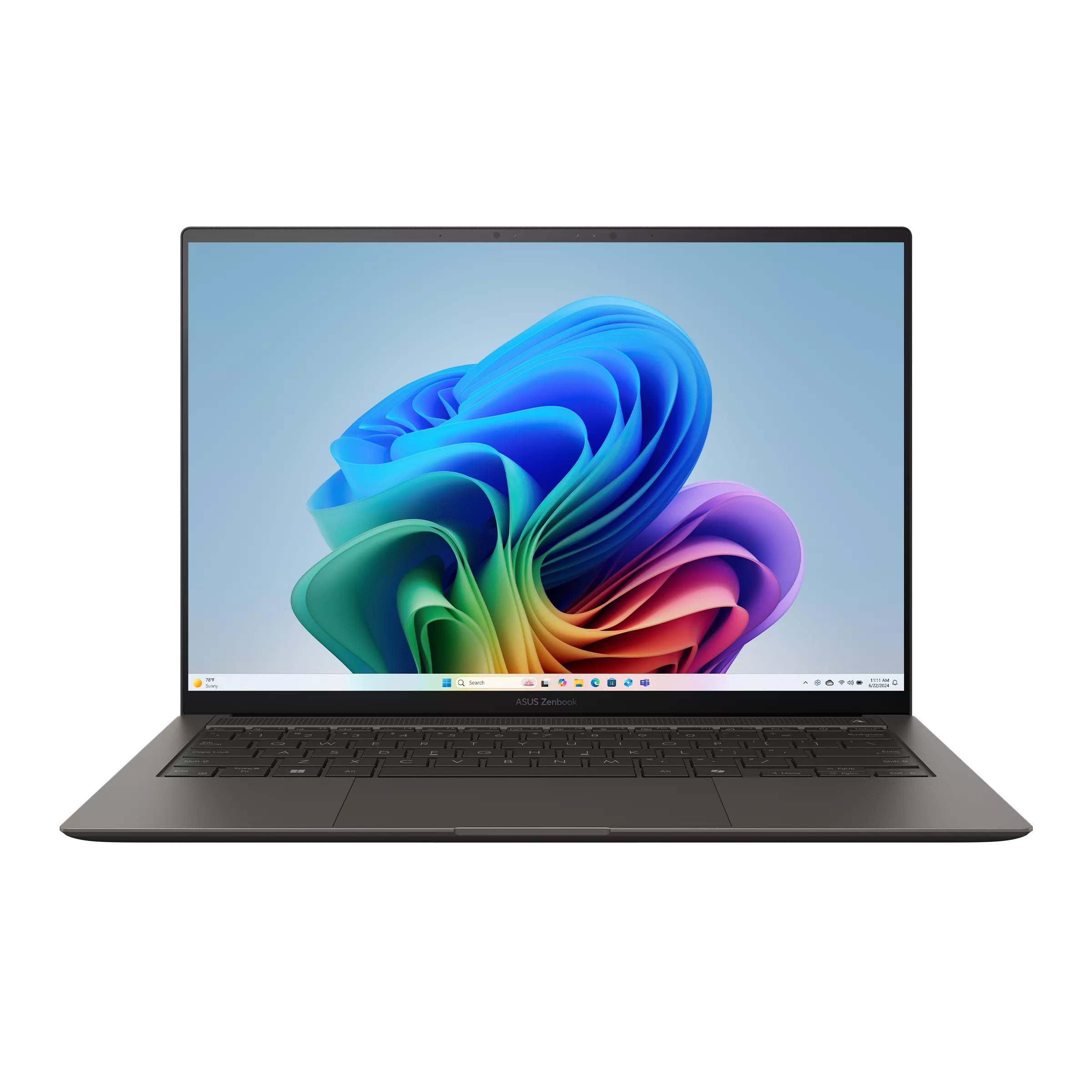
The S14 combines an Intel platform and OLED touchscreen with HDMI, USB-A and two Thunderbolt 4 connections. That makes it interesting when the flight is only the first stage of several days using a monitor and existing accessories. Check the AA column in ASUS's specifications, rather than combining it with an earlier SA model.
Its additional carrying mass needs a purpose. A traveler who regularly uses those connections may value the arrangement more than a smaller numerical weight saving. Settle onboard memory and the processor before ordering. The reviewed Ultra 9 configuration and a retailer's Ultra 7 configuration remain different purchases, even when the enclosure looks the same.
Dell XPS 13 DX13260 — Best for a small working rectangle
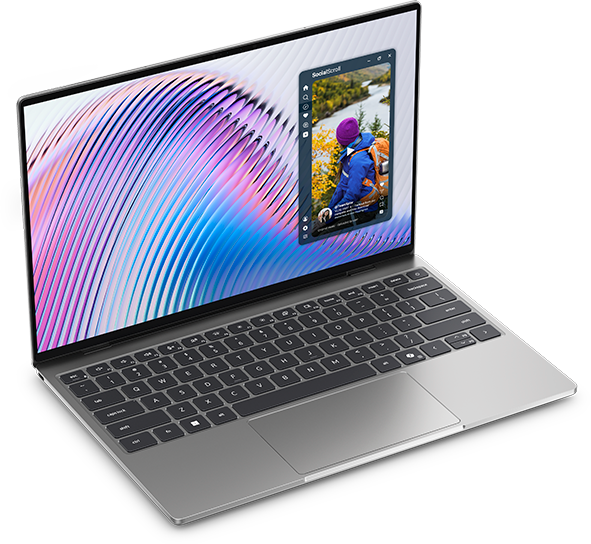
The XPS addresses width and depth as much as weight. Its documented 296.9×200.66mm body gives a concrete reason to investigate it for a narrow bag compartment or crowded temporary workspace. The 13.4-inch display is the corresponding workspace decision: smaller dimensions help only if the screen remains comfortable for the work.
Dell's port documentation distinguishes Core and Core Ultra versions. Do not buy a Thunderbolt accessory based on the family name alone. The original Notebookcheck review used an 8GB Core 5 sample; its measurements do not establish the behavior of every higher-capacity offer.
ThinkPad X1 Carbon Gen 14 IPS — Best for specifying endurance around the actual panel
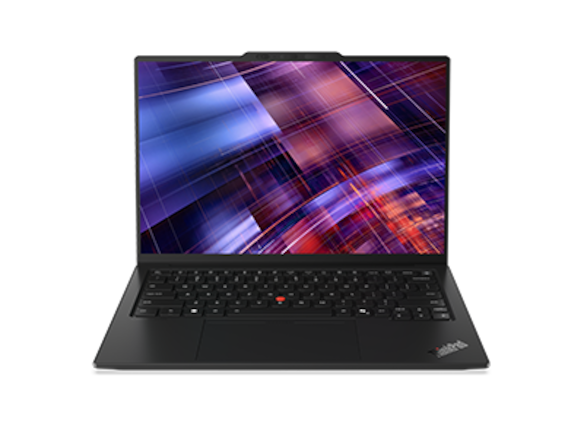
The X1 is useful when a company purchase needs a particular screen, connection set and software arrangement. Its Lenovo specification document describes a family with materially different builds.
The named IPS review sample is relevant to long browsing sessions between sockets. It is not the same configuration as a lighter OLED model. Ask the seller to identify panel, processor and capacity on one quote. Enterprise purchasing can also require a defined service package; a familiar business name should start that discussion rather than replace it.
Lenovo Yoga Slim 7i Ultra Aura Edition Gen 11 — Best for low-mass Intel OLED touch
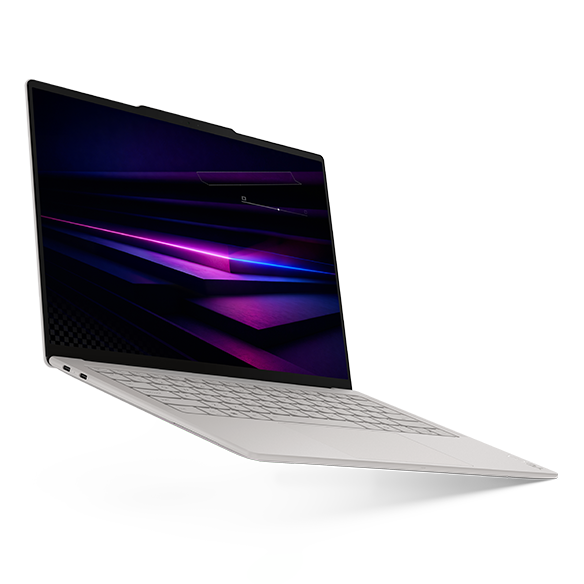
The reviewed Yoga provides a 14-inch OLED touchscreen in a measured 978g device. Its official hardware document lists three Thunderbolt 4 connections, so travel equipment must answer any HDMI, USB-A or analogue-audio requirement.
Consider it when repeated carrying and Intel Windows are central to the trip. The original measured review supports the weight claim for its Ultra 7 355, 32GB/1TB sample. It does not establish a universal winner. Charging opportunities and the packed adapter remain part of choosing this configuration.
Compare the bag that leaves home
A computer-only weight can obscure the decision the traveler actually makes. Use a kitchen scale or luggage scale on the packed items you own, then compare that practical figure with any proposed replacement. Include the sleeve, charging equipment, required display adapter and essential input device. Leave clothing and unrelated items outside both versions of the comparison.
Published review bundles give a useful illustration. The following sums use the original review's laptop and power-supply figures. They are arithmetic, not measurements performed for this article, and cable treatment and regional plugs are not fully standardized.
| Reviewed sample | Device | Reviewed power supply | Calculated subtotal |
|---|---|---|---|
| Air M5 entry | 1,230g | 167g | 1,397g |
| S14 UX5406AA | 1,205g | Not supplied with the German review unit | Not calculated |
| XPS 13 Core 5 | 1,062g | 166g | 1,228g |
| X1 Carbon IPS | 1,139g | 275g | 1,414g |
| Yoga 14IPH11 | 978g | 177g | 1,155g |
The X1 device is lighter than the Air device in these samples, but its reviewed power supply produces the higher subtotal. That reversal is a reminder to compare complete arrangements. A compatible shared charger may change the answer again. The Air review and S14 review identify their own hardware and supplied-equipment circumstances. The travel-kit weight guide develops the packing exercise; it is related editorial guidance, not another laboratory measurement.
Turn a battery result into a workable schedule
Notebookcheck's general WLAN method targets about 150cd/m² and cycles webpages under a balanced-like profile. That provides a clearer basis than mixing unrelated maximum-runtime advertisements. It still does not reproduce continuous conferencing, an organization's background software or the brightness required in every waiting area. Read the publisher's test method before treating the number as a schedule.
For orientation, its identified X1 IPS sample reached 23h13m, the Core 5 XPS sample 18h26m, the Air entry and S14 review samples 16h11m each, and the Yoga sample 10h36m. The X1 review also separates an OLED version from the IPS machine. Hardware and publication dates differ across this group.
A practical plan therefore uses your own representative session. Open the expected files, join a normal call, use comfortable brightness and observe the decline over a meaningful work period. Repeat on another day before relying on the result. That establishes a personal planning range without pretending a single short observation predicts every hour. Our guide to reading laptop battery claims explains how advertised, reviewed and personally observed figures answer different questions.
Three flight-day decisions that lead to different purchases
Consider a sales representative whose computer is carried all morning but used for only short edits before arrival. If supported software and charging are straightforward, a low-mass candidate may remove the most repeated inconvenience. It would be unreasonable to pay mainly for an endurance record that this itinerary seldom uses.
Now consider an analyst with a long connection and several hours of local spreadsheet work. The longer session changes the balance. Display comfort, capacity and measured endurance become more important than the smallest possible chassis. A larger file should be opened during the buying trial rather than inferred from a processor label.
Finally, consider a consultant who flies once and then presents daily for a week. This purchase may resemble the S14 or an appropriate business configuration more than a minimal travel computer. The computer is carried through the airport once but connected at the destination many times. The meetings, ports and hotel-work guide examines that second half of the itinerary.
A worked example: three work windows, one bag
Imagine an account manager with three planned sessions: 35 minutes revising a proposal before departure, 75 minutes working on a longer document during a connection and 50 minutes preparing the next day's discussion after arrival. That is 160 minutes, or two hours and forty minutes, of planned work. It is an illustrative itinerary, not an endurance test of any candidate.
The first session needs fast access to one local file and a usable keyboard. The second needs a screen on which a long document remains comfortable, with enough space for the computer to open properly. The final session may need a display connection or a call. The same person therefore has three requirements that a single laptop-only weight cannot express.
Suppose the current bag contains a computer, its charger, a sleeve, a mouse and two adapters. Put every item on the worksheet before comparing a replacement. If one proposed laptop removes a display adapter but requires a different audio connection, count both changes. If another allows an existing compatible charger to remain in use, verify that arrangement rather than adding its boxed charger automatically.
Then mark which work can be completed offline. The proposal may already be available locally, while the later discussion material may depend on access to an organizational service. An uncharged battery and an unavailable document interrupt work for different reasons. Buying more advertised battery hours solves only one of those possibilities.
On this itinerary, a compact XPS can be worth a trial when the long-document session must fit a restricted surface. An approved A14 or a low-mass Yoga arrangement can be worth comparing when walking and carrying dominate. An identified X1 IPS configuration becomes more relevant if the planned sessions regularly expand and charging remains uncertain. These are different conclusions from the same worksheet, depending on which inconvenience actually recurs.
Finally, repeat the exercise for a typical return journey. Travelers often plan the outward day carefully but return with unfinished work, extra files or a different meeting schedule. A purchase should remain useful on that ordinary second half of the trip, rather than being optimized for one unusually convenient departure.
Trial the exact configuration before relying on it
A useful buying trial uses your document and your working habits. Set the screen to a comfortable brightness, open the applications normally used together and place the computer at the distance you expect to work. Read several pages, edit a table and move between the windows that must remain visible. A display that looks impressive in isolation may still create unnecessary rearrangement for that particular file.
Check the selected memory, storage, screen and operating-system edition against the written order. Similar product names can conceal meaningful changes. Confirm that a quotation for a Core Ultra XPS is not being assessed using the complete behavior of the reviewed Core 5 version, or that an X1's lighter screen choice has not inherited another sample's endurance figure.
Use the same task sequence for both finalists. Record the inconvenience that remains after each trial and the equipment needed to remove it. This produces a personal comparison that another member of the team can understand. The aim is a computer that completes the real travel routine with a manageable bag, not a collection of unrelated specification wins.
Buy capacity for the work that remains local
Memory decisions are most useful when they begin with simultaneous tasks. Record the browser tabs, communication software and local files that must remain open together. Someone using a remote application has a different local requirement from someone preparing large material offline. An employer's minimum configuration can settle part of the decision before any personal preference enters.
Fixed memory makes an unnecessarily small order difficult to correct later, but additional capacity is not automatically useful. Compare two complete configurations and identify the work the more expensive one enables. If the answer is only that the number is larger, investigate further. A written requirement is a stronger reason to spend than a speculative future workload.
For combined travel and working-from-accommodation routines, the battery, calls and recovery guide adds continuity planning. That is especially relevant when the laptop is the only working computer available throughout the assignment.
Price the complete arrangement before choosing the cheaper laptop
Obtain quotes on the same day and record memory, SSD, screen, operating-system edition and included support. A lower device quote can be accompanied by an adapter or service purchase that the other quote already covers. Conversely, a price premium for an unused feature remains a premium even if the model has a prestigious family name.
Use transparent arithmetic. Suppose two illustrative quotes are $180 apart, and the cheaper arrangement needs $35 of additional connection equipment. The remaining upfront difference is $145. That example is not a current product offer or a claim about lifetime cost; it shows which costs belong on the same worksheet.
The working-kit accessories guide helps identify what should be priced. A portable monitor, for example, should answer a recurring document-layout need. Buying one automatically can defeat the reason for selecting a compact flight-day system.
A practical selection and packing rehearsal
Start by removing candidates that cannot run a compulsory application or connect an essential device. Microsoft's Windows Arm guidance is useful for separating application support from driver support. Apply the same seriousness to macOS and Intel Windows: compatibility is a complete-workflow question.
Then narrow the remaining candidates using the most repeated physical inconvenience. Measure the compartment if fit is the problem. Compare the complete packed arrangement if carrying is the problem. Open your own document at the intended viewing distance if screen comfort is the problem. Those observations usually produce a shorter and more defensible shortlist than comparing every specification at once.
Before departing, perform the routine once with the exact equipment. Open the required offline files, confirm access to the accounts you will use, connect the planned display adapter and pack the charger you actually tested. A successful rehearsal should reduce surprises without requiring the bag to contain a spare for every hypothetical event.
Frequently asked questions
Is a computer below one kilogram always the best travel purchase?
No. It can be an excellent fit for repeated carrying, but the purchase still needs sufficient capacity, suitable software and a comfortable screen. Compare it with the accessories that must accompany it. A slightly heavier computer with the right built-in connection may produce a simpler complete arrangement.
Can I use published browsing hours to plan video meetings?
Use them as a starting reference, not a conferencing guarantee. Calls introduce a different workload, and brightness and background software also matter. Run a representative call on the selected configuration and build a planning margin from your observations. Keep review numbers attached to their named samples.
Is a 13-inch screen better for working during travel?
Its smaller enclosure can help in restricted space, but screen size alone does not establish comfort. Open the real document, use the text size you need and check the keyboard position. If the work requires frequent rearrangement of windows, the compact enclosure may be solving the wrong problem.
Should the laptop and phone share one charger?
That can simplify the bag if the charger, cable, power allocation and devices are compatible. Test the complete arrangement under the expected load. A multiport charger's headline power may not describe what each connected device receives simultaneously. Keep a necessary proprietary cable in the comparison.
Which candidate should a Windows-dependent company investigate first?
Begin with its approved configurations and actual deployment requirements. Among those, compare the XPS for physical compactness, S14 for connections, X1 for a carefully specified business build and Yoga for low-mass OLED touch. A14 remains an option when the complete Windows Arm environment is supported.
How should I compare these recommendations with other articles?
Check whether the article identifies the exact model, separates manufacturer facts from measurements and explains the use case. Our methodology describes that distinction for this site. Related Portable Laptop Guide articles expand our editorial analysis; original manufacturer and review links carry the hardware and measurement evidence.
Turn the shortlist into a working trip
Compare what changes between a same-day presentation, a two-night visit and a week away in Best Lightweight Laptops for Business Travel: Three Trips, Five Practical Setups. Its equipment inventories and acceptance actions connect the laptop decision to the trip you need to complete.
Official sources & verification
Manufacturer documentation checked 10 November 2026. Availability, bundles and specifications vary by region and configuration.
- Apple specifications
Manufacturer documentation, identified purchase offer or original review, as attributed alongside the relevant claim. - ASUS Zenbook A14 UX3407NA image source
Source matched to the cited hardware, software guidance or original review sample. - ASUS specifications
Manufacturer documentation, identified purchase offer or original review, as attributed alongside the relevant claim. - ASUS specifications
Manufacturer documentation, identified purchase offer or original review, as attributed alongside the relevant claim. - Dell documentation
Manufacturer documentation, identified purchase offer or original review, as attributed alongside the relevant claim. - port documentation
Source matched to the cited hardware, software guidance or original review sample. - Notebookcheck review
Manufacturer documentation, identified purchase offer or original review, as attributed alongside the relevant claim. - Lenovo configuration
Manufacturer documentation, identified purchase offer or original review, as attributed alongside the relevant claim. - Lenovo specifications
Manufacturer documentation, identified purchase offer or original review, as attributed alongside the relevant claim. - Lenovo configuration
Manufacturer documentation, identified purchase offer or original review, as attributed alongside the relevant claim. - Lenovo specifications
Manufacturer documentation, identified purchase offer or original review, as attributed alongside the relevant claim. - Notebookcheck review
Manufacturer documentation, identified purchase offer or original review, as attributed alongside the relevant claim. - Notebookcheck review
Manufacturer documentation, identified purchase offer or original review, as attributed alongside the relevant claim. - Notebookcheck review
Manufacturer documentation, identified purchase offer or original review, as attributed alongside the relevant claim. - publisher's test method
Source matched to the cited hardware, software guidance or original review sample. - Notebookcheck review
Manufacturer documentation, identified purchase offer or original review, as attributed alongside the relevant claim. - support.microsoft.com — cited product or review source
Manufacturer documentation, named sales offer or original review, as identified in this article.