For business travel and remote work, choose a lightweight laptop around the hours when charging, a dependable connection or a familiar desk will be unavailable. The ThinkPad X1 Carbon's identified IPS configuration deserves attention for long unplugged browsing; the ASUS Zenbook S14 offers useful direct connections; the MacBook Air M5 suits supported Mac workflows; and the Dell Pro 14 Premium, HP EliteBook Ultra G1i and Lenovo Yoga Slim 7i Ultra offer different balances of working environment and carrying load. A good choice also includes a way to rejoin a call and recover current files if the original plan changes.
Finding the best lightweight laptops for business travel and remote work therefore requires more than reading a maximum battery figure. A travelling workday might include document editing, two video meetings, a transfer between locations and a final upload from accommodation. Plan those activities in sequence. Our remote-work laptop guide covers the broader purchase; this article follows the workday, including what happens when power or equipment becomes inconvenient.
Build an energy and continuity map
Write down the longest period between dependable charging opportunities. Use confirmed access rather than the number of sockets visible in a venue photograph. A charger left in another room, a socket needed by somebody else or a short connection between trains can make theoretical access less useful than it appears.
Then place the demanding tasks inside that period. A three-hour reading session differs from three hours of calls with camera, microphone, screen sharing and background applications active. Screen brightness also changes between a controlled desk and a bright public space. The useful battery question concerns this sequence, with the selected display and working settings, rather than the number printed beside an entire product family.
Finally, identify tasks with a deadline. A call beginning at a fixed time needs a simple reconnection route. A report due at the end of the day needs a current accessible copy. The laptop should support both, but the recovery arrangement also involves accounts, files, connectivity and employer policy. Our guide to reading laptop battery claims explains how to keep test results attached to the workloads they measure.
Six laptops to compare for the working day
| Candidate | Useful role | Important configuration choice | Continuity question |
|---|---|---|---|
| Apple MacBook Air 13 M5 | Quiet work and calls in a supported Mac environment | Required memory, storage and GPU option | Can the essential work reopen on an approved replacement Mac? |
| ASUS Zenbook S14 UX5406AA | Windows work with direct monitor and peripheral connections | AA processor, screen and Windows edition | Which connection can be used if the desk dock is unavailable? |
| Dell Pro 14 Premium PA14250 | An employer-defined hardware and recovery arrangement | Full order and service entitlement | Who supplies another working machine if repair takes time? |
| HP EliteBook Ultra G1i | A compact Intel business configuration | Exact capacity, panel and business features | Are the required applications and account access ready for recovery? |
| ThinkPad X1 Carbon Gen 14 | Specifying a panel around long unplugged work | Low-power IPS versus OLED and the corresponding processor | Does the purchased configuration match the endurance evidence? |
| Yoga Slim 7i Ultra Aura Edition Gen 11 | Frequent carrying with an Intel OLED-touch screen | Final memory/storage and charging/accessory kit | Is there a verified alternative charging and display route? |
MacBook Air 13 M5 — Best for a prepared Mac workflow
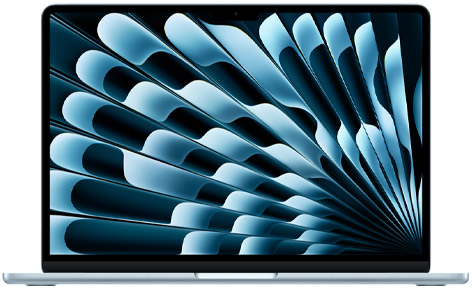
The Air is appealing when macOS already supports the complete workload. Its fanless design and separate MagSafe charging connection create a straightforward arrangement for quiet writing, calls and ordinary document work. Apple's specification page identifies the relevant ports, camera and configuration options; verify the selected model rather than combining features from different generations.
For a remote worker, preparation includes deciding how current files and account access will move to another approved computer. A dependable Mac workflow can make that recovery more straightforward, particularly when the organization already supports the platform. Settle capacity at purchase around the applications used together.
Notebookcheck's entry review provides the identified 16GB/512GB sample used in the battery table below. Its browsing result is useful context, while the actual call schedule should be rehearsed separately.
ASUS Zenbook S14 UX5406AA — Best for a flexible connection plan
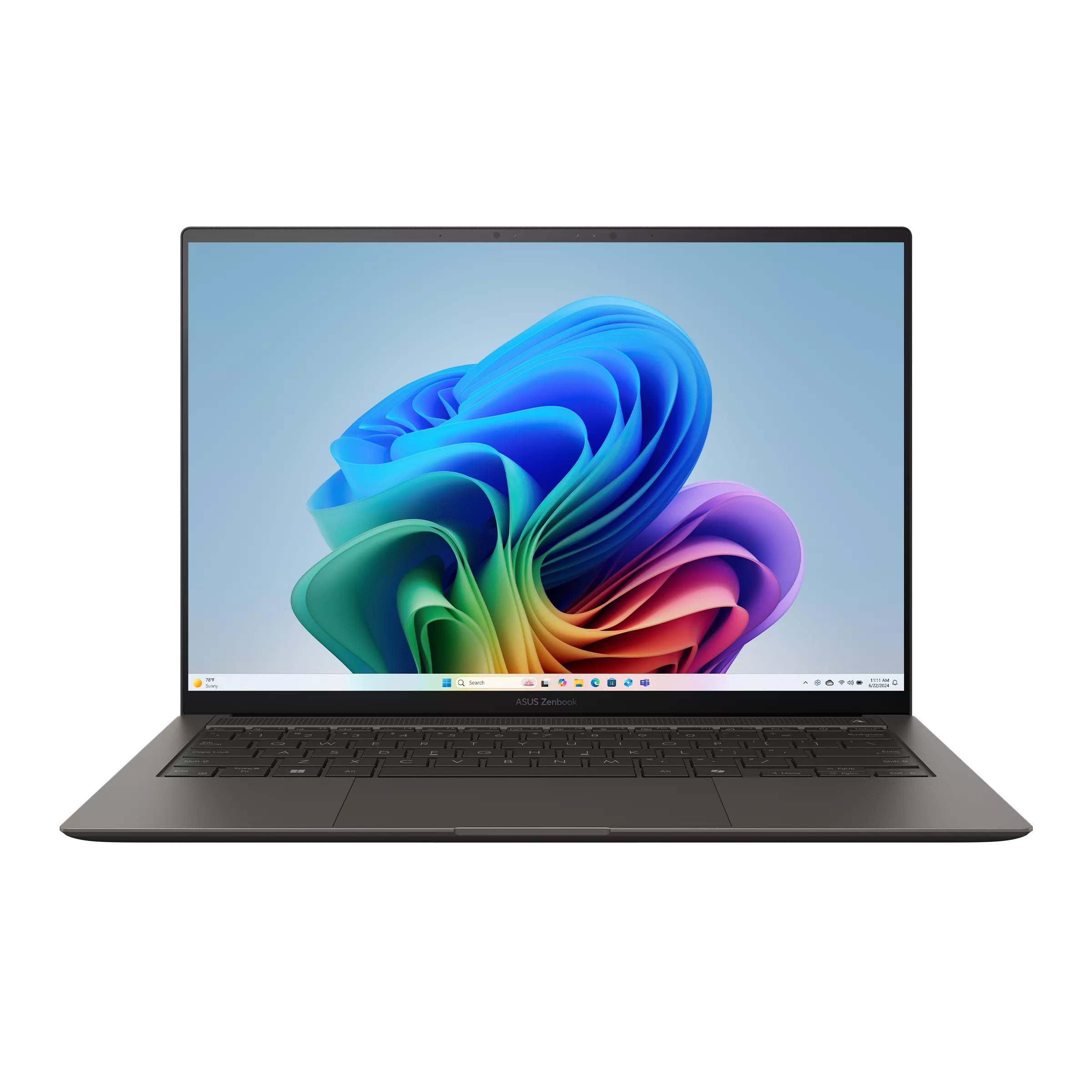
The S14 can suit a worker who changes equipment during the day. HDMI, USB-A, two Thunderbolt 4 ports and audio provide several direct connection routes, as documented in ASUS's AA specifications. That can be convenient when a meeting room and a temporary desk provide different peripherals.
Choose it when those direct routes simplify recurring work. Keep the charger accessible during a longer call rather than selecting a machine on the assumption that every task must run from battery. The built-in screen should also be comfortable for the documents shared in meetings.
The original S14 review used an Ultra 9 configuration with Windows Home. A differently configured retail order needs its own identity in the buying record. This is particularly relevant when the employer requires a particular Windows edition or software image.
Dell Pro 14 Premium PA14250 — Best for a defined company recovery process
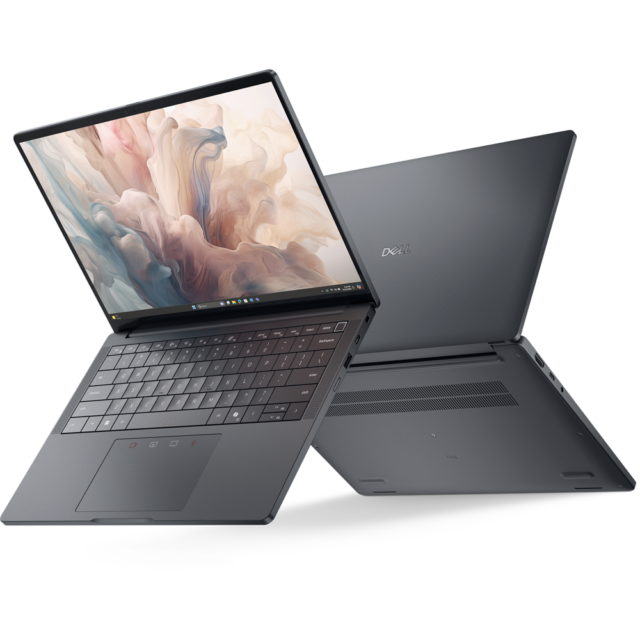
The Dell Pro deserves consideration when the employer can specify the hardware, approved peripherals and support entitlement together. Its role here depends on that complete arrangement. Consult the model port manual when planning the charger, meeting-room connection and optional desk equipment.
A company that can deliver an approved replacement and restore work quickly may provide more practical continuity than an employee improvising after a failure. Establish who authorizes that replacement, where the latest files are held and which account steps are required. A premium product name alone does not complete those decisions.
The independent PA14250 review identifies the sample whose browsing result appears below. For travel abroad, also check the actual entitlement against Dell's international support conditions, including destination and local availability.
HP EliteBook Ultra G1i — Best for a specified Intel business order
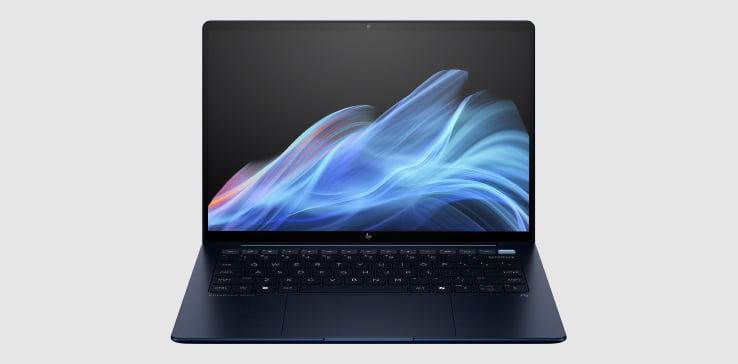
The G1i is another option when an employer defines the working environment. HP's official solution brief provides the starting point for the model's hardware and business features. Choose the actual order around the applications, panel and capacity required for the assignment.
This approach is useful when the laptop must join an existing support process rather than become a separate personal experiment. Before departure, confirm that the approved conferencing application, security software and peripheral combination work together. Keep the recovery contact and order details accessible from another permitted device.
Notebookcheck's B66THAT review used 32GB memory and a 1TB SSD. Its measured result belongs to that configuration; a 512GB purchase listing is a different order. Keep that distinction clear when comparing costs and expected working periods.
ThinkPad X1 Carbon Gen 14 — Best for choosing the panel around unplugged work
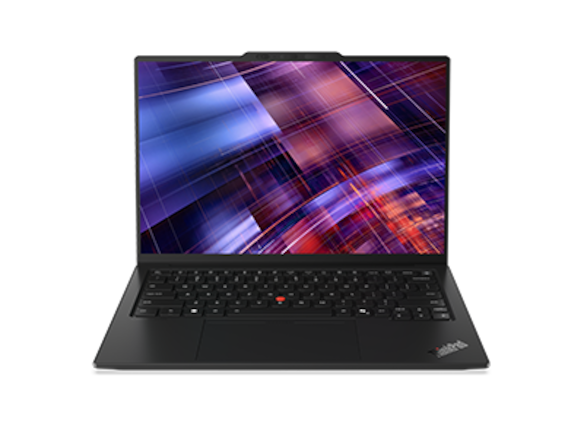
The X1 Carbon is useful for a configuration-led decision. Lenovo documents both low-power IPS and OLED choices in the Gen 14 PSREF. A worker spending hours reading away from a socket has a reason to examine the panel alongside the processor and capacity.
The identified IPS review provides a particularly relevant browsing sample. The same review also discusses a separate OLED version, illustrating why an entire family should not inherit one battery result. Obtain the panel identifier in the quotation and compare the evidence for that arrangement.
For an overseas assignment, check the exact machine and destination through Lenovo's IWS guidance. Pair the hardware choice with a file-recovery and replacement plan so that the long unplugged period is only one part of the decision.
Yoga Slim 7i Ultra Aura Edition Gen 11 — Best for carrying between charging opportunities
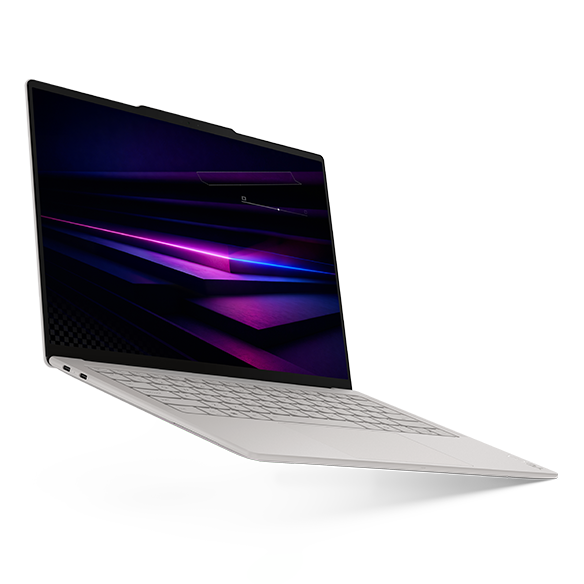
The Yoga is worth comparing when the routine includes repeated walks or transfers with an Intel Windows laptop. The 14IPH11 specification documents a 14-inch OLED touchscreen and three Thunderbolt 4 ports. Select the required capacity and include the intended charger and adapters in the travelling arrangement.
Its attraction is most concrete when reliable charging exists at the main destinations and reducing the carried computer addresses a daily inconvenience. A worker making frequent calls should still rehearse the actual meeting workload. Screen, camera, applications and room brightness can change the operating pattern.
Notebookcheck's Ultra 7 355 review measured the particular 978g configuration used below. Compare its browsing result with the other identified samples, then choose according to the work and the available charging plan.
Use browsing tests as a starting point for a power plan
| Original Notebookcheck sample | Relevant configuration | Published WLAN result |
|---|---|---|
| MacBook Air 13 M5 entry | Eight-core GPU; 16GB/512GB; IPS | 16h11m |
| Zenbook S14 UX5406AA | Ultra 9 386H; 32GB/1TB; OLED touch | 16h11m |
| Dell Pro 14 Premium | Ultra 7 268V; 32GB/1TB; OLED touch | 15h09m |
| EliteBook Ultra G1i B66THAT | Ultra 7 258V; 32GB/1TB; OLED touch | 12h02m |
| X1 Carbon Gen 14 21V70075GE | Ultra 5 325; 32GB/512GB; low-power IPS touch | 23h13m |
| Yoga Slim 7 Ultra 14IPH11 | Ultra 7 355; 32GB/1TB; OLED touch | 10h36m |
The publisher's WLAN procedure uses a controlled browsing workload and approximately 150-nit display brightness. These samples differ in platform, panel, capacity and publication date. The results help investigate an unplugged reading or editing routine; a camera-on conference is a separate workload.
Build a personal plan by recording the battery change during a representative call and ordinary work on the selected configuration. Use comfortable screen brightness and the usual headset, applications and screen sharing. Repeat on another ordinary day before relying on the result for a fixed appointment. The objective is a useful margin for the recurring schedule, rather than the longest possible demonstration.
Keep the charger reachable during the workday. Our USB-C travel-charging guide explains the questions to settle about charger, cable and device compatibility. A socket available during a planned break can be more useful than purchasing additional capacity that the workflow rarely uses.
Keep a small observation record during the first week with the computer. Note the starting charge, meeting duration, screen brightness setting, connected equipment and whether the machine was sharing a screen. Add what happened afterwards: a reading session, an upload or a long period in a bag. This makes the record useful for planning the next similar day. It also helps distinguish a repeatable working pattern from an unusually light or demanding session.
Review that record when the routine changes. A longer assignment, an additional daily meeting or a brighter temporary desk can justify adjusting the charging plan. It may be enough to move a charging break, leave an approved adapter at a regular destination or make the next documents available before leaving. The computer purchase and the working arrangement should be considered together. A carefully chosen machine becomes more useful when the owner knows where its energy is spent and when it will next receive dependable power.
Give the meeting its own connection plan
For an important call, confirm the connection at the place where the meeting will actually happen. A strong signal indicator or an impressive download result does not establish the complete experience. Upload capacity, network stability and other simultaneous traffic matter when sending camera video and sharing a screen.
Microsoft's Teams network guidance lists recommended meeting bandwidth and explains that media adjusts to network conditions. Treat that guidance as a planning reference, then check the employer's actual meeting platform. Audio selection, headset comfort and camera position deserve a rehearsal alongside the network.
Agree an approved fallback before the appointment. That could involve rejoining through a permitted phone or another available connection, depending on organizational policy. Keep the invitation and necessary contact information accessible from that route. Someone presenting should also have a way to send the current document to the meeting organizer if their own screen becomes unavailable.
For a day with repeated customer sessions, see the separate meetings, ports and hotel-work guide. For a week alternating between familiar desks, the two-workspace comparison follows the connection arrangement in more detail.
Prepare the files needed during an interruption
Choose a small working set before departure: the documents required for the next appointments, current reference material and any permitted offline resources. Open the actual files while the intended connection is unavailable. This checks whether the material is present locally rather than represented by a cloud placeholder.
Microsoft's OneDrive Files On-Demand explanation distinguishes online-only files from files kept on the device. Selecting “Always keep on this device” downloads the file for offline use and consumes local space. Plan that space around the working set. For shared documents, confirm how changes will be reconciled when the connection returns.
Also maintain the approved recovery copy. Synchronization and a separate recovery arrangement answer different questions: a change or deletion can propagate through a synchronized folder. Ask which version-history, backup or organizational restore process is available for the material that matters.
Mac users can consult Apple's Time Machine instructions for an external-drive backup and restore arrangement. The useful habit is to confirm a recent backup and understand how one required document would be recovered. Employer-managed systems may use a different approved process. Record it before travel, while the normal support contact and equipment are available.
A short recovery sequence for a disrupted workday
Start with the task that must continue. If the laptop becomes unavailable just before a call, use the agreed meeting fallback and tell the organizer how the document can be shared. Once the appointment is stabilized, work through the equipment issue. This order protects the fixed commitment while allowing a more considered diagnosis afterwards.
For a charging problem, note whether the laptop recognizes the adapter and whether the approved cable and power source are available. Use the steps appropriate to the model and employer's process. Our charging checks before service provide a structured place to begin without assuming that every interruption requires replacing the computer.
If repair is needed, confirm entitlement using the actual device identifier and destination. Service eligibility and local parts availability can affect the available route. Agree with the employer how work continues during that period: replacement authorization, account access, approved software and the current recovery copy all belong in the plan.
The repair-or-replacement guide for mobile work develops that decision. A battery replacement may be relevant to an older machine, while a temporary replacement may be more important to the immediate assignment. Choose the action that addresses both the hardware condition and the work deadline.
Compare continuity costs with hardware costs
Put the necessary working arrangement beside the computer quotation. Include a compatible charger, headset, required connection equipment, recovery storage and the appropriate support. When some equipment can stay at the destination, separate that stationary cost from the bag carried every day.
For example, a remote employee with two scheduled calls may benefit from a verified headset, charging access and a rehearsed phone fallback more than from a higher processor tier. A consultant carrying the computer between several appointments may place more value on a lighter complete kit. A worker maintaining large local projects may need additional storage and a deliberate backup arrangement.
These cases justify different purchases even when each person calls the job “remote work.” Our working-kit guide covers the accessory side, while flight-day choices concentrate on the hours spent moving. Compare the complete arrangement that serves the actual day.
Two schedules that justify different choices
Consider an employee working from accommodation for four days. Charging is dependable at the desk, and two scheduled calls dominate each afternoon. The purchase should first fit the employer's software and account requirements. Screen comfort, the headset arrangement and a stable meeting connection then shape the setup. A configuration with a moderate browsing result can still serve this routine well because the workday includes reliable power. A spare approved connection and accessible meeting invitations may be more valuable than pursuing the longest laboratory runtime.
Now consider a consultant travelling between appointments, reading client material on the train and editing notes in waiting areas. Charging opportunities are less predictable, while the camera is used only briefly. The identified X1 IPS configuration becomes worth investigating for that reading-heavy pattern; the Yoga offers a different carrying balance. The decision should include the charger and adapter actually packed, along with the longest regular gap between sockets.
Both workers need their next documents available locally and a current recovery copy. Neither needs to carry every possible peripheral. Writing down the schedule makes the comparison specific: where calls happen, when power is available, how long the laptop is carried, and which task must continue if the original device becomes unavailable. Those details make a shortlist useful without requiring every traveler to buy the same machine.
Frequently asked questions
How much battery life should I require for a remote-work laptop?
Begin with the longest regular period without dependable charging, then rehearse the actual applications, screen brightness and meetings. Use a margin appropriate to the appointment schedule. Published browsing results are useful for comparing identified samples, while the selected configuration and personal workload determine the practical charging plan.
Does a larger battery result mean better video calls?
The browsing result does not measure the whole call experience. Network quality, microphone and headset behavior, camera position and the conferencing workload also matter. Check those elements together, then observe the battery change during representative meetings on the intended machine.
Can cloud storage replace a backup?
Use the organization's approved file-recovery process. A synchronized folder makes current files convenient across devices, but a mistaken change can also synchronize. Confirm the available version history or backup, and practice recovering one important document before relying on it during travel.
Should every traveler buy an enterprise laptop?
Choose the order that supports the work and recovery arrangement. A personal purchase may be sufficient for supported ordinary applications. An employer-managed assignment can justify specified management, security and service features. Compare those requirements directly instead of inferring them from a family name or price.
What is the most useful final check before departure?
Open the next day's files offline, rehearse the meeting route, confirm the charger and save the support contact where another permitted device can access it. Those checks make the chosen laptop part of a complete working plan, ready for the schedule ahead.
Official sources & verification
Manufacturer documentation checked 10 November 2026. Availability, bundles and specifications vary by region and configuration.
- Apple specifications
Manufacturer documentation, identified purchase offer or original review, as attributed alongside the relevant claim. - Notebookcheck review
Manufacturer documentation, identified purchase offer or original review, as attributed alongside the relevant claim. - ASUS specifications
Manufacturer documentation, identified purchase offer or original review, as attributed alongside the relevant claim. - Notebookcheck review
Manufacturer documentation, identified purchase offer or original review, as attributed alongside the relevant claim. - Dell documentation
Manufacturer documentation, identified purchase offer or original review, as attributed alongside the relevant claim. - PA14250 manual
Source matched to the cited hardware, software guidance or original review sample. - Notebookcheck review
Manufacturer documentation, identified purchase offer or original review, as attributed alongside the relevant claim. - international-travel guidance
Source matched to the cited hardware, software guidance or original review sample. - HP documentation
Manufacturer documentation, identified purchase offer or original review, as attributed alongside the relevant claim. - solution brief
Source matched to the cited hardware, software guidance or original review sample. - Notebookcheck review
Manufacturer documentation, identified purchase offer or original review, as attributed alongside the relevant claim. - Lenovo configuration
Manufacturer documentation, identified purchase offer or original review, as attributed alongside the relevant claim. - Lenovo specifications
Manufacturer documentation, identified purchase offer or original review, as attributed alongside the relevant claim. - Notebookcheck review
Manufacturer documentation, identified purchase offer or original review, as attributed alongside the relevant claim. - Lenovo's IWS guidance
Source matched to the cited hardware, software guidance or original review sample. - Lenovo configuration
Manufacturer documentation, identified purchase offer or original review, as attributed alongside the relevant claim. - Lenovo specifications
Manufacturer documentation, identified purchase offer or original review, as attributed alongside the relevant claim. - Notebookcheck review
Manufacturer documentation, identified purchase offer or original review, as attributed alongside the relevant claim. - publisher's test method
Source matched to the cited hardware, software guidance or original review sample. - Teams network guidance
Source matched to the cited hardware, software guidance or original review sample. - OneDrive Files On-Demand explanation
Source matched to the cited hardware, software guidance or original review sample. - Apple Support: Back up your Mac with Time Machine
Official external-drive backup workflow; backup disk should be dedicated to Time Machine.