For a day of client presentations, begin with the ASUS Zenbook S14 or an approved ThinkPad X1 Carbon configuration because their native connections simplify the equipment plan. For a short trip built around writing and carrying, compare the Lenovo Yoga Slim 7i Ultra with a MacBook Air in a supported Mac environment. For a longer stay, decide how the laptop will work with the destination desk before choosing between a conventional Windows system, the Air and an approved Surface Laptop configuration.
The itinerary changes what deserves attention. A missing display connection can dominate a one-day visit. On a two-night trip, the important question may be whether the required files remain usable without a network. During a week away, a comfortable workstation and a recoverable working set can matter more than reducing the computer's advertised weight. The following itineraries are planning examples, not accounts of trips or product testing performed by this publication.
LightweightTablet Guide's business-travel laptop comparison provides a broader configuration-based shortlist. Here, the comparison follows three journeys from preparation to the finished deliverable. Manufacturer documents establish hardware facts; the packing choices, acceptance actions and conditional recommendations below are editorial analysis.
Trip one: a morning train, a client presentation and a return journey
Imagine taking a morning train, revising a proposal at the destination and presenting it before returning home that evening. The client confirms an HDMI display, and your presentation receiver uses USB-A. You also want the laptop charging while the presentation runs. That is a specific connection problem, rather than a general request for the best business computer.
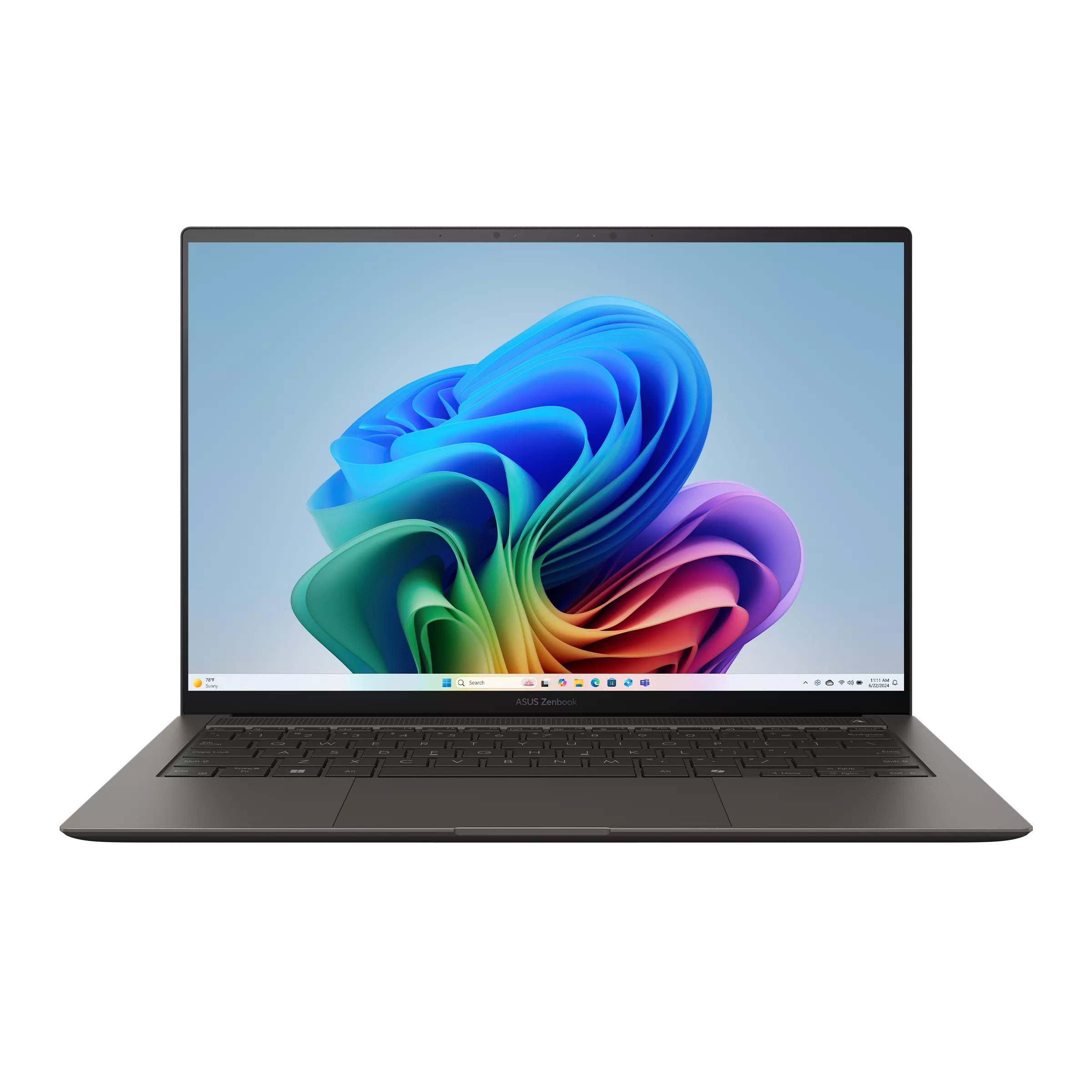
The ASUS Zenbook S14 UX5406AA is the first consumer Windows candidate to investigate for this example. ASUS documents HDMI, USB-A and two Thunderbolt 4 ports for the AA platform. These give the display, receiver and power supply separate routes. Its suitability still depends on the selected configuration and on the actual display accepting the intended output; a port inventory is useful preparation, rather than a rehearsal of the finished meeting. ASUS — Zenbook S14 specifications
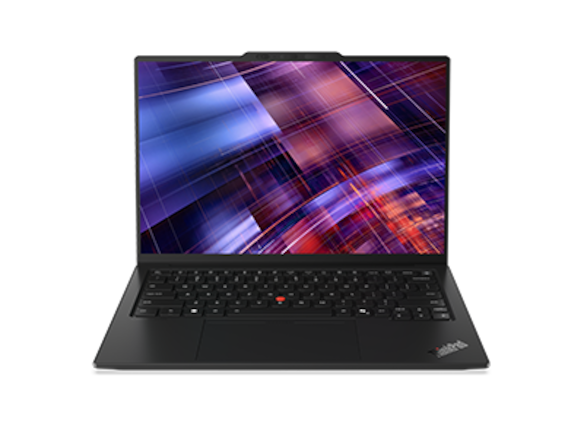
An employer-approved ThinkPad X1 Carbon Gen 14 is the alternative when the purchase must fit a company hardware standard. Its documented HDMI, USB-A and three Thunderbolt 4 connections address the same physical task. Selected business features can also matter to procurement, but those should appear on the order specification. Buying a ThinkPad does not automatically establish the service entitlement, management configuration or cellular equipment your employer requires. Lenovo PSREF — ThinkPad X1 Carbon Gen 14 Aura Edition
The Yoga Slim 7i Ultra remains eligible when a known adapter is already part of the working equipment. Its three Thunderbolt 4 ports can support an appropriate expansion arrangement, while the absence of native HDMI and USB-A makes that arrangement a required purchase decision. For someone using the same tested hub in familiar rooms, this may be manageable. For someone borrowing unfamiliar equipment repeatedly, direct connections may justify choosing the ASUS or ThinkPad instead. Lenovo PSREF — Yoga Slim 7 Ultra 14IPH11
Best presentation setup: select the connection route before the laptop
| Work to complete | Equipment or condition required | Check before departure | Alternative to prepare |
|---|---|---|---|
| Show the saved proposal | A compatible display path at the required resolution | Present the actual file through the selected cable or adapter | An approved exported copy that the host can display |
| Advance slides remotely | A supported receiver and an available connection | Use the receiver while the display and charger are connected | The laptop's own controls, if workable in the room |
| Remain powered during discussion | A suitable charger and cable plus a usable power route | Run the complete connected arrangement together | A planned charging opportunity before the meeting |
| Retain an editable result | The required application, fonts and document components | Save, reopen and hand over a representative file | A separately identified fixed-layout version for viewing |
This table creates a practical purchasing boundary. It does not award a score to the number of sockets. If the employer uses an approved dock, the relevant question becomes whether that dock supports the display and peripherals on the selected machine. Conversely, a laptop with native HDMI can still need another accessory for a particular network or specialist device.
Ask the meeting organizer one useful question early: what connection will actually be available at the presenter's position? A room can contain an HDMI-equipped screen while the accessible connection is somewhere else. Knowing the route lets you prepare the cable length, adapter and power arrangement without guessing from a venue photograph. The goal is an ordinary, repeatable start to the presentation.
Our guide to meeting-room and hotel-work connections develops this part of the trip. Use it alongside the equipment inventory, rather than as another source of laboratory results. Once the complete route works, consider the keyboard, screen and carrying comfort that distinguish the remaining eligible choices.
For this itinerary, the conditional recommendation is straightforward: investigate the S14 when buying a personal Windows work computer around frequent presentations; use the X1 Carbon when a specific company configuration earns its place; retain the Yoga when an approved USB-C accessory arrangement already covers the job. The presentation itself determines whether direct ports are a convenience or a decisive requirement.
One final detail can change the equipment choice: who will control the displayed document? If you are presenting from your own laptop, the screen connection and receiver are central. If the client will open the file on its own computer, a successful handoff may matter more than your laptop's HDMI socket. Agree which arrangement the meeting will use, then prepare that arrangement. Keep an identifiable viewing copy apart from the editable working file when both are needed. This separates two different purchases: equipment for driving a room display and equipment for producing a deliverable someone else will present. A buyer should not pay for one route while the actual appointment depends on the other.
Trip two: two nights away with several periods of work between appointments
A two-night visit creates a different problem. You may edit a document before the first appointment, read reference material during a connection, and prepare the next day's work in accommodation. There is no guarantee that every useful working period coincides with a reliable network or a convenient desk. Begin by deciding which tasks must remain possible using the laptop and the equipment in your bag.
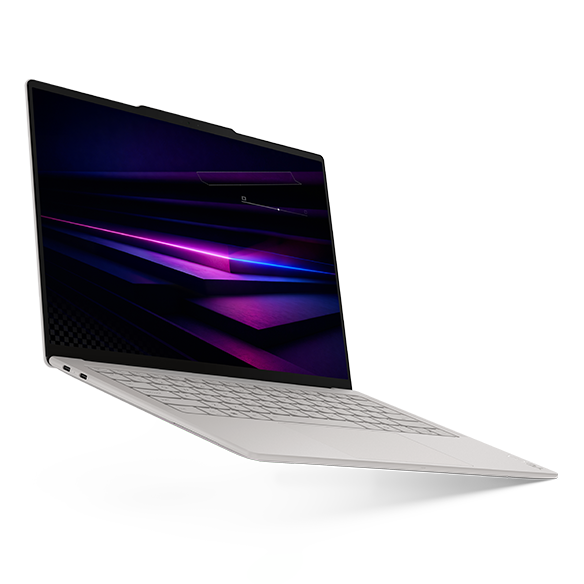
The Yoga Slim 7i Ultra 14IPH11 is worth investigating for an Intel Windows, keyboard-led routine that uses its OLED touchscreen and selected capacity. Lenovo documents a 14-inch 2880 × 1800 panel, a 75Wh battery and a family starting weight of 975g. That starting value is not a measurement of the specific 83QK0001US retail unit. Keep the exact weight unresolved until suitable model-specific information or the actual machine is available. Lenovo PSREF — Yoga Slim 7 Ultra 14IPH11
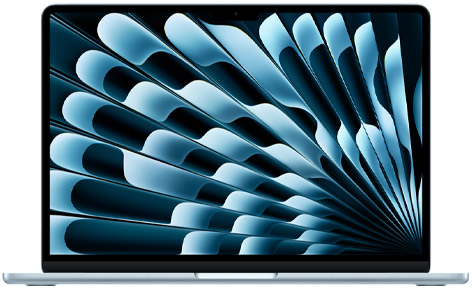
A MacBook Air 13-inch M5 becomes a useful alternative when the organization and required applications already support macOS. Apple's documented design includes a 13.6-inch display, MagSafe charging, two Thunderbolt 4 ports and a headphone connection. Its fanless construction can be attractive for writing in a quiet space. Neither that design nor the laptop's published 1.23kg weight establishes whether it will complete a Windows-dependent client workflow. Apple — MacBook Air technical specifications Apple — MacBook Air with M5
For both machines, compare the work that survives without connectivity. Downloading the main document may be insufficient if it depends on reference files, images, fonts, licensed functions or an approved remote service. Make a short list of the pieces required for the next deliverable. Where a task genuinely needs a network, identify that dependency rather than treating it as an offline capability of the computer.
Best short-trip setup: pack for the work between appointments
| Part of the working set | What to prepare | Useful acceptance action |
|---|---|---|
| Main document | A permitted local copy in the required format | Open it without a network, make an ordinary revision and save it |
| Reference material | The files needed to explain or verify the revision | Open the relevant pages or assets during the same offline session |
| Presentation equipment | The exact required cable, receiver and conversion equipment | Connect the complete set before packing |
| Charging equipment | A compatible supply, cable and destination plug arrangement | Confirm the equipment used for the trip powers the laptop |
| Return handoff | An agreed location and version-identification method | Reopen the saved result and confirm which copy will be shared |
The acceptance action matters more than a promise that a laptop is suitable for productivity. Use an ordinary sample of the files you expect to handle, including a spreadsheet dependency or presentation component if the trip relies on it. Completing that limited sequence provides useful evidence about your setup; it does not establish the machine's behavior under every application or future workload.
Memory should be chosen at this point, alongside the working set. An Air with 16GB and 512GB storage and one with 32GB and 1TB are different capacity purchases. The larger configuration deserves consideration when the actual concurrent applications or local projects need it. Moving between hotels does not, by itself, create a 32GB requirement. Observe the work you already do before paying for an upgrade whose purpose is undefined.
Windows purchasers need the same discipline. The Yoga configuration in the buying record below has 32GB and 1TB, while the S14 offers a comparable stated capacity in the selected configuration. These are useful order details, not proof that the two processors or cooling designs perform identically. A task dominated by local computation may lead to a different class of machine from a task dominated by writing and calls.
Our travel-kit weight guide helps turn the shortlisted computer into a consistent packing boundary. Record the laptop, protection, charger, cable and necessary adapters. Count an item because the trip requires it, and record an unknown component as unknown. A comparison becomes less useful when a required adapter silently disappears from one candidate's equipment list.
For this journey, investigate the Yoga when Intel Windows and its display arrangement fit the work; investigate the Air when a supported Mac workflow and its keyboard-led design fit the same deliverables. Bring the S14 back into the comparison if native presentation connections remove a recurring difficulty during the visit. The meaningful result is a complete, usable short-trip setup, rather than a winner inferred from a family weight headline.
Repeat the packing exercise for the return journey. A charger left beside a hotel bed and a receiver left in the meeting room have different places in the departure routine. Arrange the kit so the items can be checked against the inventory after the last appointment, including any cable borrowed from another part of the bag. This is also a useful way to evaluate protection and access: can you remove the computer for a brief document check without unpacking everything else? Laptop dimensions and the sleeve you intend to use matter here. An advertised screen diagonal alone does not tell you whether the working kit fits the compartment you already carry.
Trip three: a week working from a temporary base
During a week away, the laptop may spend much more time on a desk than on your shoulder. A temporary base can involve long writing sessions, regular calls and repeated use of an external display. Investigate the destination equipment before deciding how small the laptop should be. A compact computer at an equipped desk and the same computer working alone in a bedroom create different experiences.
Ask what is actually supplied: the monitor model and inputs, desk surface, seating, accessible power and permitted network route. A television in the room is not automatically a suitable daily monitor. Establish which parts of the arrangement you can bring or arrange locally, and which remain uncertain. That information gives the screen and port comparison a practical purpose.
For an established Mac environment, the Air's external-display support may be useful at an equipped base. Apple documents two external displays within its specified resolution and refresh limits. Check the complete cable and display route for your intended arrangement; the existence of two Thunderbolt ports does not identify every capability of a chosen dock. Apple — MacBook Air technical specifications Our two-workspace laptop comparison explains how to inventory the equipment at both ends of a journey.
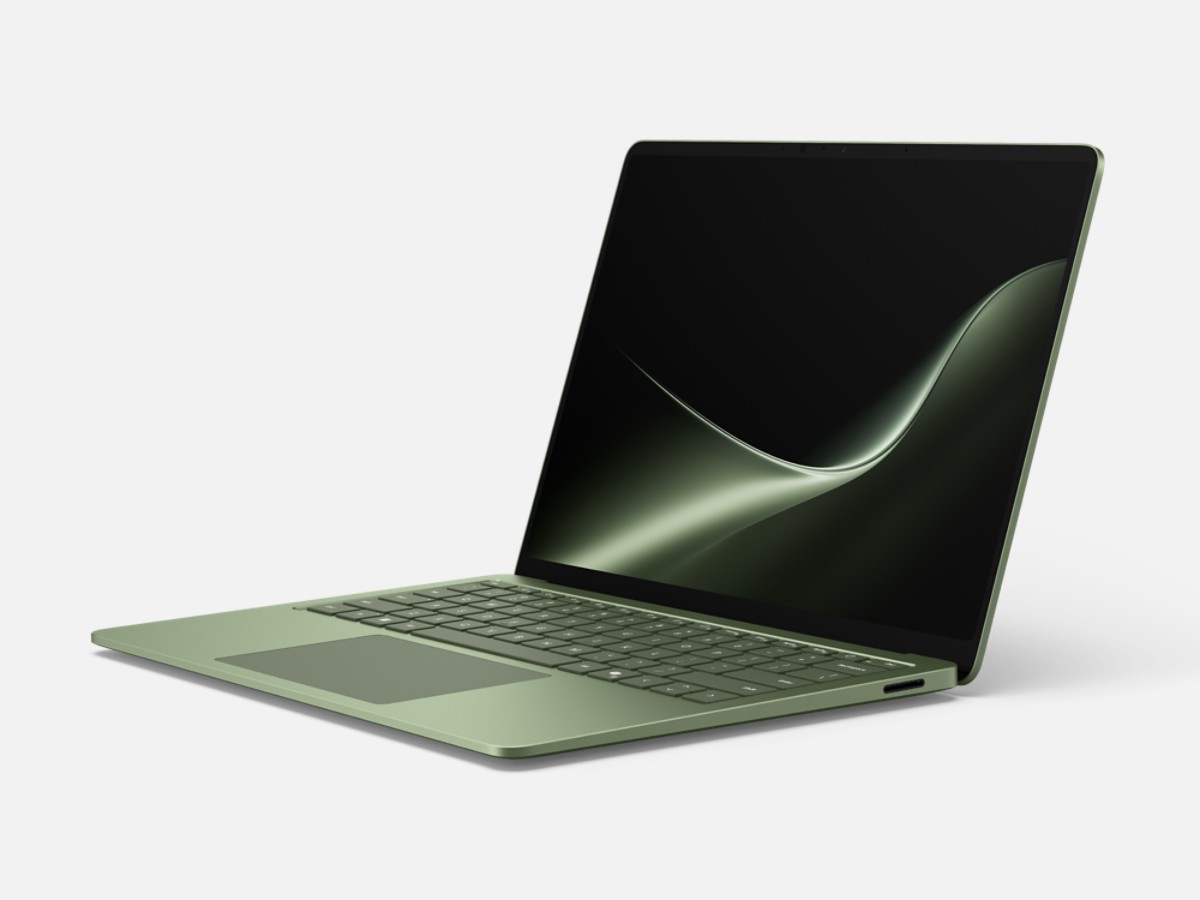
A Surface Laptop 13.8-inch, 8th Edition is another candidate when its Snapdragon X2 configuration and required software have been approved. The selected consumer Store page documents a 3:2 touchscreen format, USB-A, two USB-C/USB4 connections, audio and Surface Connect. A taller display can be worth trying with the documents used during a long workday, but its usefulness should be assessed with those documents rather than translated into an automatic productivity score. Microsoft Store — Surface Laptop 13.8-inch, 8th Edition
The important condition is the whole Windows-on-Arm environment. Check required applications and the devices that depend on drivers, including the employer's remote-access and security arrangements. Microsoft explains relevant compatibility boundaries in its Windows Arm guidance. A familiar application opening successfully is useful, but it does not verify the specialist peripheral needed later in the week. Microsoft — Windows Arm-based PCs FAQ
For a company-managed temporary office, the X1 Carbon remains a relevant conventional Windows option. Its usefulness depends on the approved image, accessories and service package recorded for the exact order. Keep this question distinct from the lowest purchase price: a supported corporate arrangement can be valuable when it resolves a real requirement, while the same expenditure may bring little benefit to an independent buyer doing uncomplicated browser work.
Best temporary-office setup: plan how work continues after an interruption
| Possible interruption | Preparation that addresses it | What to establish beforehand |
|---|---|---|
| The external display is unavailable | A workable laptop-only document layout | Whether the actual screen remains comfortable for the required tasks |
| A conference call becomes difficult | An approved headset and a permitted alternative connection or rescheduling route | The organization's options for continuing the meeting |
| A working file is damaged or lost | A separate recoverable copy with clear version information | How to retrieve the right document through the approved process |
| The laptop needs service | A named support route and a permitted handoff arrangement | Eligibility, destination coverage and the work another device can take over |
This is a continuity plan, not a prediction that any particular laptop will fail. A short rehearsal can reveal whether the plan is usable: retrieve a representative saved document through the approved recovery route, then check that it opens with the information needed to continue editing. Keep the exercise separate from the only working copy of an important file.
International service should also be checked at model level. Lenovo's International Warranty Service depends on eligibility and destination support, and delivery arrangements can vary by country. A globally familiar brand name cannot supply those order-specific answers. Lenovo — International Warranty Service Ask the employer or seller how the actual purchase is supported where the work will take place.
For a week at a base, give preference to the setup that supports sustained ordinary work in that location. An Air can fit an approved Mac desk; a Surface can fit a validated Arm workflow and a preferred touchscreen format; an X1 Carbon can fit a defined company standard. If the work instead involves prolonged heavy local calculations or graphics processing, investigate relevant application testing and a suitable cooling design before making portability the deciding factor.
Distinguish inconvenience you can resolve at the destination from a limitation that follows the computer throughout the week. A missing external keyboard may be easy to arrange at a known office. An unsupported essential application requires a different decision before departure. Make the same distinction when budgeting: equipment that stays at the base changes cost and desk usability, while equipment packed every morning changes the carrying comparison as well. This prevents a stationary monitor from being counted as a travel burden in one setup but ignored in another. It also lets a compact laptop compete fairly when the temporary office already supplies the working surface the traveler needs.
Set a power plan for the hours that really matter
Battery capacity, advertised maximum runtime and a reviewer's browsing result describe different things. This article does not combine them into one endurance ranking. Make a schedule of the periods when charging will be inconvenient, and identify the work needed during those periods. A short document check, a lengthy call and local processing impose different demands on the same computer.
Use normal working brightness and the applications expected on the trip when observing your existing or newly purchased machine. Leave room for uncertain working conditions. The purpose is a personal planning range, not a published laboratory result. The guide to interpreting battery claims distinguishes the evidence behind manufacturer statements and identified reviews.
Charging deserves a separate check. Lenovo's Yoga platform document specifies USB Power Delivery support in the 45–65W range for its Thunderbolt connections. Lenovo PSREF — Yoga Slim 7 Ultra 14IPH11 That does not make every USB-C supply or multiport arrangement equivalent. Verify the manufacturer's requirements for the exact laptop, the chosen cable and the power available when other devices are connected. Test the travel arrangement before relying on it away from the office.
Do the same check with the presentation equipment attached. A single successful charging session does not demonstrate that the charger, hub, display and receiver work together. Once the equipment is selected, the complete assembly becomes the useful object to test and pack. It also becomes a more informative comparison than the weight of an unspecified charger omitted from the calculation.
Keep one purchase record for the setup you chose
Use the following links to identify the configurations discussed here. The table concentrates on matching the order, rather than repeating a price ranking. Retail offers can change; check the current seller, supplied operating system, accessories and service at the destination before purchasing.
| Candidate | Configuration identifier to match | Best reason to inspect this selection | Buying page |
|---|---|---|---|
| Lenovo Yoga Slim 7i Ultra Aura Edition | 83QK0001US; Core Ultra 7 355, 32GB/1TB | Intel Windows, OLED touch and a planned USB-C equipment set; exact weight and Windows edition need confirmation | Check the matched Yoga listing |
| ASUS Zenbook S14 | UX5406AA-XS79T; Core Ultra 7 356H, 32GB/1TB, Windows 11 Pro | A personal Windows purchase centered on native presentation connections | Check the matched S14 listing |
| Lenovo ThinkPad X1 Carbon Gen 14 | 21V7006GUS; Core Ultra 7 365 vPro, 32GB/1TB, Windows 11 Pro, IPS touch | An identified configuration for an approved corporate purchase | Check the X1 model page |
| Apple MacBook Air 13-inch M5 | MDH74LL/A; 10-core CPU/8-core GPU, 16GB/512GB; or Z1L8000KL, 10-core CPU/10-core GPU, 32GB/1TB | Choose capacity around a supported Mac workload | Inspect the 16GB selection · Inspect the 32GB selection |
| Surface Laptop 13.8-inch, 8th Edition | Black, Snapdragon X2 Elite 12-core; 16GB/1TB or 32GB/1TB, Windows 11 Home | An approved Arm workflow with a preferred 3:2 touchscreen format | Select the exact Surface configuration |
Before placing an order, write down the trip that justified the choice and the condition that could change it. Frequent unfamiliar presentations may favor direct ports; a supported Mac workflow may favor the Air; a company standard may determine the ThinkPad configuration. For a Yoga purchase, confirm the selected unit and accessory set rather than treating the family's minimum weight as the answer.
Keep the chosen model code with the equipment inventory and the support information. That small record helps when a charger needs replacing or the next journey involves different destination equipment. It also makes the recommendation easier to revisit: a change in the work or travel pattern can be evaluated against explicit requirements instead of an old overall score.
Editorial context
The trip plans are illustrative editorial analysis based on linked documentation and selected purchase configurations. This is not a report of original comparative testing. The linked LightweightTablet Guide article provides related reading.
Official sources & verification
Manufacturer documentation checked 11 November 2026. Availability, bundles and specifications vary by region and configuration.
- business-travel laptop comparison
Source associated with the linked specification, purchase configuration or related editorial framework. - ASUS specifications
Manufacturer documentation, identified purchase offer or original review, as attributed alongside the relevant claim. - Lenovo specifications
Manufacturer documentation, identified purchase offer or original review, as attributed alongside the relevant claim. - Lenovo specifications
Manufacturer documentation, identified purchase offer or original review, as attributed alongside the relevant claim. - Lenovo configuration
Manufacturer documentation, identified purchase offer or original review, as attributed alongside the relevant claim. - Apple specifications
Manufacturer documentation, identified purchase offer or original review, as attributed alongside the relevant claim. - www.apple.com — cited product or review source
Manufacturer documentation, named sales offer or original review, as identified in this article. - Microsoft Store
Manufacturer documentation, identified purchase offer or original review, as attributed alongside the relevant claim. - support.microsoft.com — cited product or review source
Manufacturer documentation, named sales offer or original review, as identified in this article. - Lenovo configuration
Manufacturer documentation, identified purchase offer or original review, as attributed alongside the relevant claim. - Lenovo's IWS guidance
Source matched to the cited hardware, software guidance or original review sample. - www.bestbuy.com — cited product or review source
Manufacturer documentation, named sales offer or original review, as identified in this article. - Best Buy configuration
Manufacturer documentation, identified purchase offer or original review, as attributed alongside the relevant claim. - Inspect the 16GB selection
Source associated with the linked specification, purchase configuration or related editorial framework. - B&H configuration
Manufacturer documentation, identified purchase offer or original review, as attributed alongside the relevant claim.