作者: ningbo

  • 5 Premium Lightweight Laptops for Graduate Students: Research, Portability and Value

    Laptop comparisons

    By

    Which lightweight laptops are good for graduate students? For a student who needs Windows and carries a laptop across campus every day, the Lenovo Yoga Slim 7i Ultra Aura Edition Gen 11 is our pick for low carry weight with a 14-inch OLED touchscreen. A reviewed Core Ultra 7 355 configuration weighed 978g. That makes its portability advantage tangible, without establishing a lead in every research task.22

    The strongest alternative depends on the work: the MacBook Air 13-inch M5 for a supported macOS environment, ASUS Zenbook S14 UX5406AA for direct connections at a competitive checked price, ThinkPad X1 Carbon Gen 14 for a justified departmental purchase, or Surface Laptop 13.8-inch, 8th Edition for a taller document screen with confirmed Windows Arm compatibility.

    These are five premium options, rather than the minimum equipment a graduate student needs. The matched-capacity offers below are around $2,000 or more. For reading, writing and remote access, a suitable 16GB/512GB machine—or the laptop you already own—may be sufficient.

    The five choices at a glance

    Best fit Laptop Useful distinction Main buying question
    Daily campus commuting with Windows Lenovo Yoga Slim 7i Ultra, 14-inch Gen 11 978g measured OLED-touch review sample Are its USB-C connections sufficient for your routine?
    A supported macOS research workflow Apple MacBook Air 13-inch M5 Fanless design; 1.23kg official weight Do the complete software environment and peripherals support macOS?
    Seminars, presentations and mixed peripherals ASUS Zenbook S14 UX5406AA HDMI and USB-A alongside Thunderbolt 4; 1.20kg listed weight Are direct connections worth carrying roughly 200g more than the Yoga?
    A university-approved business configuration ThinkPad X1 Carbon Gen 14 Broader ports and an IPS/OLED configuration choice What screen, weight and support does the actual quote include?
    Documents and a confirmed Windows Arm workflow Surface Laptop 13.8-inch, 8th Edition 3:2, 120Hz touchscreen; approximately 1.36kg in the Store specification Does the exact software and driver chain work on Arm?

    Weights above distinguish a weighed review sample from manufacturer specifications; they exclude chargers and accessories. The X1 Carbon’s family minimum is not used as the weight of the priced IPS-touch configuration.4, 5, 6, 7, 8, 9, 22

    What do equivalent memory and storage configurations cost?

    The main comparison holds 32GB memory and 1TB storage constant. That makes capacity easier to compare; it does not make processor performance, operating systems, screens or support identical.

    These identified US new-product offers were checked on 8 November 2026. Prices are in USD before sales tax and exclude assumed student discounts, trade-ins, paid support and optional accessories.

    Laptop and exact offer Processor / operating system Seller and identifier Checked price
    Yoga Slim 7i Ultra, 32GB/1TB Core Ultra 7 355 / Windows 11 Home Lenovo US, 83QKCTO1WWUS1 $2,049.99 24
    MacBook Air 13-inch M5, 32GB/1TB, Midnight 10-core CPU, 10-core GPU / macOS B&H, Z1L8000KL $1,999.00 16
    Zenbook S14, 32GB/1TB, Antrim Gray Core Ultra 7 356H / Windows 11 Pro Best Buy, UX5406AA-XS79T, SKU 6676699 $1,999.99 15
    ThinkPad X1 Carbon Gen 14, 32GB/1TB, IPS touchscreen Core Ultra 7 365 vPro / Windows 11 Pro Newegg, sold and shipped by Lenovo, 21V7006GUS $3,579.00 19
    Surface Laptop 13.8-inch, 8th Edition, 32GB/1TB, Black Snapdragon X2 Elite, 12-core / Windows 11 Home Microsoft Store configuration under 8mzbmmcjzpmf $2,099.99 promotional 18

    The Surface page showed a full price of $2,649.99. Seller terms and final checkout totals still matter; these are identified offers, rather than a claim to have found each model’s lowest market price.

    The useful Yoga–Zenbook price difference is $50 at these offers. Using only Best Buy’s $2,249.99 Yoga 83QK0001US listing would produce a $250 gap and miss Lenovo’s lower-priced purchase route. Those are different offer codes, so compare delivery and warranty terms before choosing between them.14, 24

    The Air is $50.99 below the Lenovo-direct Yoga at the matched capacity. B&H also listed a separate 24GB/512GB Air, Z1L0000RV, at $1,499. That is a legitimate lower-spend option when the workload fits; it is not an equal-capacity substitute for the 32GB/1TB machines.17

    The quoted X1 costs $1,529.01 more than the quoted Yoga ($3,579.00 less $2,049.99). Ask the department for the price you would actually pay, the precise panel, the repair procedure and access to a loan device. Put the two net prices alongside those terms. A general reference to business support cannot explain what that gap buys a particular student.

    What published testing actually tells us

    All five model families have published hands-on evidence below. The reviewed configurations differ from the purchase offers, so the table identifies them rather than attaching their results to every unit carrying the same name.

    Model and reviewed configuration Published evidence Practical reading
    Yoga Slim 7 Ultra 14IPH11: Core Ultra 7 355, 32GB/1TB, OLED touch Notebookcheck measured 978g and 10h36m of Wi-Fi browsing Corroborates the low weight; does not establish a battery lead 22
    Air 13-inch M5: 10-core CPU, 8-core GPU, 16GB/512GB Notebookcheck measured 1,230g and 16h11m of Wi-Fi browsing at 150 nits Useful evidence for the fanless design; the priced Air has more memory and a different GPU configuration 25
    X1 Carbon Gen 14 21V70075GE: Core Ultra 5 325, 32GB/512GB, IPS touch Notebookcheck measured 1,139g and 23h13m of Wi-Fi browsing at 150 nits Makes the low-power IPS configuration a serious endurance candidate; this is not the quoted Core Ultra 7 SKU 26
    Zenbook S14 UX5406AA: Core Ultra 9 386H, 32GB/1TB, OLED touch Notebookcheck measured 1,205g and 16h11m of Wi-Fi browsing at 150 nits Adds evidence beyond battery capacity; the US offer uses a Core Ultra 7 356H 28
    Surface Laptop 13.8-inch, 8th Edition: X2 Plus, 16GB/512GB RTINGS reported over 12 hours of web browsing and favourable keyboard/touchpad observations Supports a document-and-meetings role; its X2 Plus result is not a test of the priced X2 Elite 29

    Read across one row before comparing two. Notebookcheck’s Yoga and IPS X1 samples differed by 161g (1,139g less 978g), and their reported browsing times differed by 12h37m. The IPS sample had a different processor, display and storage configuration. Those figures justify looking up its order code. They cannot predict what adding 161g to another laptop will do for a day of data analysis.

    The Yoga also illustrates why one battery number is insufficient. Tom’s Guide reported 16h39m for its Yoga sample versus 15h28m for the Air M5 in continuous Wi-Fi browsing at 150 nits, a different outcome from Notebookcheck’s results. Tom’s Hardware reported higher Geekbench 6 CPU scores for the Air: 4,168/17,067 single/multi-core versus the Yoga’s 2,729/11,555. These results support particular comparisons, not a universal winner.20, 21

    Tom’s Guide, Tom’s Hardware and Windows Central belong to the same publishing group. Identical benchmark numbers reproduced by two of those outlets are not separate laboratory confirmations.

    Lenovo Yoga Slim 7i Ultra — best for a low-weight Windows commute
    Lenovo Yoga Slim 7i Ultra. A premium graduate purchase. Time the walking route between the two campuses. Weigh the full kit you carry on teaching days.
    Lenovo product reference

    For a student moving between the library, seminars and a shared research desk, the Yoga’s strongest case is straightforward: a reviewed laptop below 1kg without reducing the screen to a small format. Lenovo specifies a 14-inch, 2880 × 1800, 120Hz OLED touchscreen, a 75Wh battery and three Thunderbolt 4 ports.4

    The Core Ultra 7 355/32GB/1TB route is the relevant purchase comparison here. It uses Intel Graphics; graphics results from a Core Ultra X7 configuration with Arc B390 cannot be assigned to it. The reviewed 355 configuration is closer to this offer than a higher-tier demonstration machine, although the review does not establish an identical US SKU.4, 22, 24

    A student working mostly with documents, coding tools and manageable local datasets can benefit from the space and capacity without making sustained computation the laptop’s main job. Windows Central’s reviewer also found the keyboard comfortable and discussed its 1.5mm travel—useful experience for a writing-heavy routine, rather than a typing-speed test.23

    The connection plan decides whether the low weight translates into convenience. There is no built-in HDMI, USB-A or 3.5mm socket. A desk dock can make that arrangement simple; repeated visits to projector-equipped classrooms or instrument stations may make the Zenbook or ThinkPad more convenient. Include the adapter and charger in your bag comparison. The touchscreen does not provide pen support.4

    Our judgment: Choose the Yoga first when low carry weight, Windows and a 14-inch OLED touchscreen are the priorities. At the checked Lenovo-direct price, the premium over the Zenbook is modest. Choose another model when direct ports, a preferred IPS panel or independently demonstrated endurance matter more. The evidence supports a portability recommendation, not a claim that the Yoga is the fastest or longest-lasting research laptop.

    MacBook Air 13-inch M5 — best for a supported macOS workflow
    Apple MacBook Air 13 M5. A premium graduate purchase. Rebuild one group document with the Mac toolchain. Verify the revised bibliography on a second device.
    Apple product reference

    The Air makes a strong case when the research group supports macOS. Apple specifies a 13.6-inch IPS display, a fanless design, two Thunderbolt 4 ports, separate MagSafe charging and a headphone socket. It supports two external displays.5, 10

    Fanless cooling is a concrete advantage in a quiet reading room: there is no cooling fan to become audible. Notebookcheck’s entry-configuration review adds measured weight and runtime evidence, while the separate Tom’s Hardware comparison shows the M5 Air ahead of the Yoga 355 in the reported CPU benchmark. Neither result measures the completion time of your own statistical model or compilation task.21, 25

    The quoted 32GB/1TB model avoids giving the Mac an artificial value advantage through a smaller capacity. It is also useful to compare the 24GB/512GB offer when university storage holds the main dataset and the local working set fits. There is no reliable universal rule that makes a particular Mac memory capacity equivalent to a larger Windows capacity.

    Software fit should be positive evidence, rather than brand familiarity. MATLAB has a native Apple-silicon version and published Mac requirements. Check the required release, toolboxes, compilers and interfaces; a supported main application does not guarantee every laboratory dependency.12, 13

    For extended simulations or repeated rendering, compare representative sustained work or use departmental computing. A fast short benchmark and a fanless chassis answer different questions. Also check fixed memory and storage capacity before ordering, since later expansion is not a practical buying strategy for this model.25

    Our judgment: The Air is an attractive first choice for macOS-compatible research, with a competitive checked price and evidence of strong CPU performance. The Yoga remains lighter, while the Zenbook and X1 Carbon provide direct HDMI and USB-A. Choose from those practical differences rather than assuming the operating system makes one model universally superior.

    ASUS Zenbook S14 UX5406AA — best for direct connections at the checked Windows price
    ASUS Zenbook S14 UX5406AA. A premium graduate purchase. Price a known classroom connection in both kits. Check whether the premium includes what you use.
    ASUS product reference

    The S14 is particularly easy to justify for a student who teaches or presents frequently. It combines a high-resolution OLED touchscreen with two Thunderbolt 4 ports, HDMI, USB-A and an audio socket. Those connections can remove an adapter from routine classroom visits.6

    The checked UX5406AA-XS79T has a Core Ultra 7 356H, 32GB/1TB and Windows 11 Pro at $1,999.99. Confirm the AA suffix: older UX5406SA configurations use different processors and batteries.6, 15

    Its lower checked price is relevant, but the difference from Lenovo’s direct Yoga offer is only $50. The more substantial trade is physical: the reviewed S14 weighed 1,205g, against the Yoga review sample’s 978g. That 227g difference excludes their accessories. Direct ports can still make the S14 the simpler setup if you connect several times a week.22, 28

    Published testing gives the ASUS recommendation its own foundation. Notebookcheck’s Core Ultra 9 386H sample achieved 16h11m of Wi-Fi browsing at 150 nits. That is useful evidence that this generation can offer substantial browsing runtime, but it is not a test of the priced 356H unit. The review also identifies its integrated graphics limitation; the presence of a Core Ultra 9 label does not turn it into an Arc B390 configuration.28

    For a student alternating between local analysis, thesis work and presentations, this is a coherent compromise. It keeps the display and desk flexibility associated with a premium ultraportable without making minimum weight the overriding objective.

    Our judgment: Start with the Zenbook when direct ports and the checked Windows price matter most. Pay the Yoga’s modest premium when the carry-weight reduction is more useful. Neither laptop wins this decision merely through its battery capacity or processor tier.

    ThinkPad X1 Carbon Gen 14 — best for a justified departmental package
    ThinkPad X1 Carbon Gen 14. A premium graduate purchase. Ask which configuration qualifies for university care. Compare the written coverage with independent repair.
    Lenovo product reference

    The X1 Carbon deserves a serious comparison on ports and endurance, rather than a token position as an expensive business laptop. Lenovo documents three Thunderbolt 4 ports, USB-A, HDMI and an audio socket, with several screen configurations.7

    Choose the screen before comparing weight. Lenovo’s family starting figures—977g with a trackpad and 998g with a haptic touchpad—are not the weight of every X1 Carbon. The priced 21V7006GUS is an IPS-touch model. A separate Notebookcheck 21V70075GE IPS-touch sample weighed 1,139g; its OLED comparison sample weighed 989g and lacked touch. Those are review configurations, not verified weights for the quoted US unit.7, 26, 27

    The same screen decision materially affects endurance. The reviewed Core Ultra 5/IPS unit reached 23h13m in Notebookcheck’s 150-nit Wi-Fi test, versus roughly 13.5 hours for its OLED comparison at 60Hz. That makes low-power IPS an important option for long unplugged reading sessions. It does not guarantee that the priced Core Ultra 7 unit will reproduce either result.26, 27

    For university purchasing, ask what an approved configuration actually includes: repair handling, operating-system support, warranty, loaner access and the final delivered quote. Confirm those benefits; a retail ThinkPad does not automatically receive a departmental support package.

    The $3,579 selected public offer is difficult to recommend to a self-funded student on memory and storage alone. An institutional quote can change that conclusion, especially if the supported configuration reduces downtime during a long research project.

    Our judgment: Choose the X1 Carbon when a specific IPS configuration, direct connectivity or a valuable departmental package justifies its price. Do not pay for the family minimum weight while ordering a materially different configuration. Its strongest evidence here is the low-power IPS alternative, not an assumed sub-kilogram weight for the quoted machine.

    Surface Laptop 13.8-inch, 8th Edition — best for a taller Windows document screen
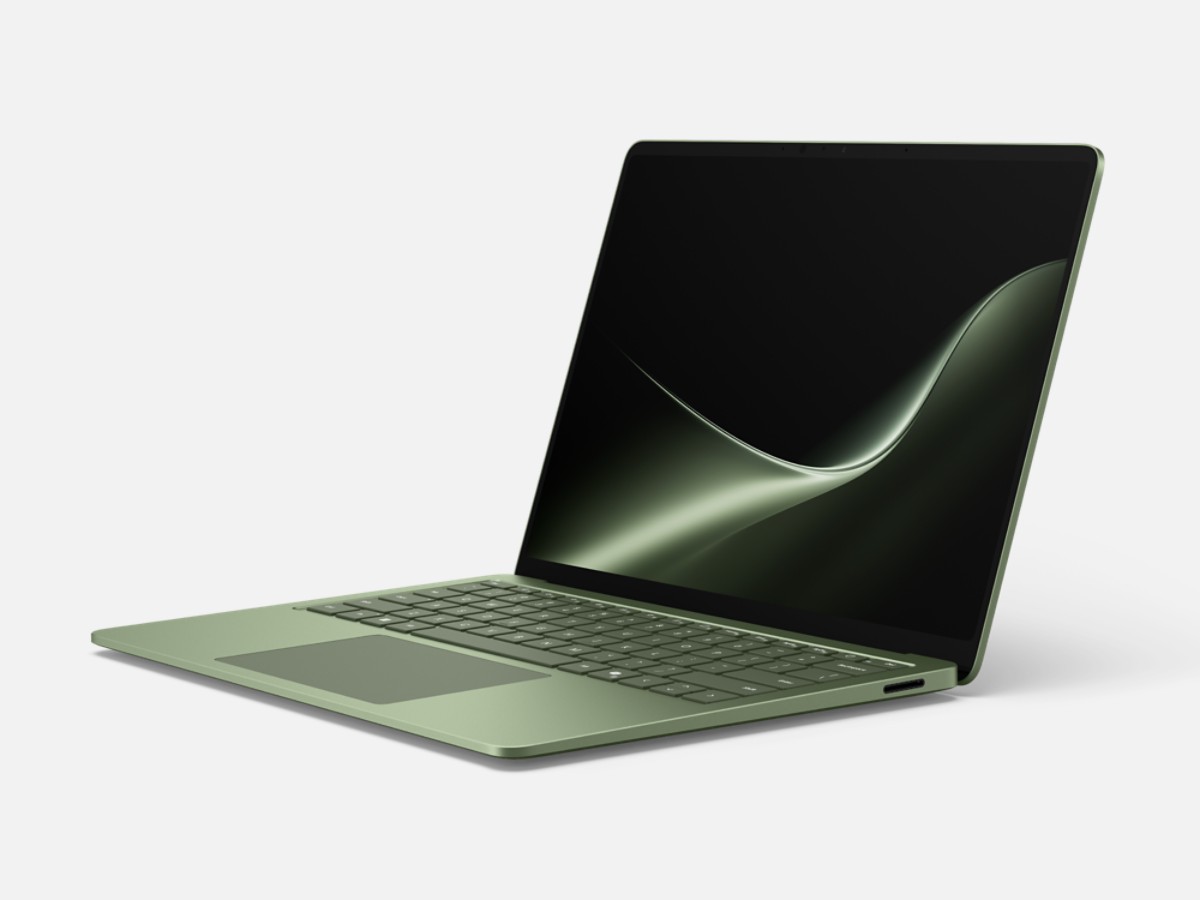
    Official Microsoft Surface Laptop 13.8-inch 8th Edition pictured in Jade
    Official product image: Microsoft. Pictured in Jade; the price comparison uses Black.

    The Surface’s clearest distinction is its 2304 × 1536, 120Hz, 3:2 touchscreen. At the same width, the taller shape gives more vertical document space than 16:10. Whether that suits your reading and reference-manager layout is a useful in-person comparison.8, 9

    Before choosing a screen for journal reading, open the two-column reading sample (PDF) at your usual zoom and check which labels stay legible with your notes alongside.

    The checked offer is the Snapdragon X2 Elite 12-core, 32GB/1TB model. It includes two USB4 ports, USB-A, an audio socket and Surface Connect. Microsoft lists this generation as touch-only, with no Surface Pen support; it is not a handwriting-focused convertible.8, 18

    RTINGS reviewed the same 13.8-inch generation with an X2 Plus, 16GB/512GB configuration. Its public review reports over 12 hours of browsing and favourable input-device observations. That supports the Surface’s role in reading, writing and meetings while leaving the X2 Elite purchase configuration untested in this comparison.29

    Windows Arm compatibility deserves an exact check. MATLAB R2026b lists Snapdragon X-series support through Prism emulation; MathWorks’ linked guidance lists exclusions, including third-party hardware interfaces. Confirm the laboratory’s release and required features. Emulation support for one application is not blanket support for a complete research environment.1, 11

    Our judgment: Consider the Surface when you prefer its screen shape and have verified the software chain. Its promotion puts it close to the Yoga, Air and ASUS offers, but it carries more weight and needs a different compatibility assessment from Intel Windows. Choose it for the document-and-input experience you will use, rather than an assumed Arm battery advantage.

    Buy for the research session you actually run

    Take a project you already understand to the comparison. Set a deadline for one operation, such as producing a figure before a supervision meeting. If the cluster normally runs it, check login and result retrieval on each candidate. If you expect the laptop to run it, compare the time to the same verified figure from the same local inputs.

    Normal workload Sensible starting point What should change the specification?
    PDFs, references, thesis writing, slides, meetings and remote access 16GB/512GB, if the workload fits Local file growth or observed memory pressure
    Coding, data preparation and moderate local analysis alongside documents Compare 32GB/1TB offers A representative dataset, development environment or virtual-machine requirement
    Large simulations, demanding CAD, GPU computation or substantial virtual machines Department-approved workstation or a confirmed remote-compute plan Application requirements, certified graphics and measured sustained performance

    These are buying guidelines, not universal software requirements. Duke’s general recommendation similarly distinguishes 16GB/512GB from its preferred 32GB/1TB configuration.3

    If your dataset and a virtual machine need to run together, start with the graduate memory workload files (ZIP). Then measure the memory used by a typical session with your own data before choosing between 16GB, 32GB and 64GB.

    For literature-led work, a premium laptop is optional. Prioritise comfortable input, readable text, backup and enough budget for an external monitor before buying unused compute capacity. For local analysis, use a representative project to check memory and task time. For lab-based research, confirm server access, instrument interfaces and the supported operating-system edition before prioritising chassis weight.

    SOLIDWORKS, for example, lists x86-64 hardware and certified graphics requirements and excludes Windows Home editions. An Intel processor alone therefore does not establish suitability; an operating-system upgrade alone does not establish graphics suitability either.2

    The final choice

    For a daily commuter needing Windows, the Yoga Slim 7i Ultra earns the portability recommendation through its measured low weight and 14-inch OLED-touch design. The Zenbook S14 is the more convenient starting point for frequent HDMI/USB-A use, while the Air M5 is compelling when macOS supports the complete workflow. The X1 Carbon merits a configuration-specific departmental quote, particularly for low-power IPS; the Surface suits readers who prefer its taller screen and have confirmed Arm support.

    If both candidates finish the project, try packing them for tomorrow. Include the charger and the presentation adapter you would actually take. The candidate that saves weight on the walk and the one that reaches the end of the unpowered seminar can be different machines. Use the longer of your two regular campus days to decide which compromise you will notice.

    Sources and specification references

    Official documentation establishes hardware and software support. Seller prices were checked on 8 November 2026 and may change. Published measurements belong to the named reviewers and configurations; no testing by this site is claimed.

    1. MathWorks: MATLAB system requirements for Windows
    2. SOLIDWORKS: system requirements
    3. Duke University OIT: recommended computer specifications and supported software
    4. Lenovo PSREF: Yoga Slim 7 Ultra 14IPH11 specification reference
    5. Apple: MacBook Air technical specifications
    6. ASUS: Zenbook S14 UX5406 technical specifications
    7. Lenovo PSREF: ThinkPad X1 Carbon Gen 14 Aura Edition specification reference
    8. Microsoft Store: Surface Laptop 13.8-inch, 8th Edition
    9. Microsoft: Surface Laptop family specifications and display information
    10. Apple: introduction of the MacBook Air with M5
    11. MathWorks Support Team: Windows Arm support and capability exclusions
    12. MathWorks: MATLAB R2026b system requirements for Mac
    13. MathWorks: native MATLAB on Apple silicon
    14. Best Buy: Yoga Slim 7i Ultra 83QK0001US, SKU 6671628
    15. Best Buy: ASUS Zenbook S14 UX5406AA-XS79T, SKU 6676699
    16. B&H: MacBook Air M5 32GB/1TB, Z1L8000KL
    17. B&H: MacBook Air M5 24GB/512GB, Z1L0000RV
    18. Microsoft Store: exact Surface Laptop 8th Edition configuration offers
    19. Newegg: ThinkPad X1 Carbon 21V7006GUS, selected Lenovo-sold offer
    20. Tom’s Guide: Core Ultra 7 355 Yoga review and battery comparison
    21. Tom’s Hardware: 2026 Yoga 355 review and CPU comparison
    22. Notebookcheck: Yoga Slim 7 Ultra 14IPH11 review, measured weight and WLAN runtime
    23. Windows Central: Yoga Slim 7i Ultra Gen 11 hands-on review
    24. Lenovo US: Yoga Slim 7i Ultra 83QKCTO1WWUS1, official 32GB/1TB purchase route
    25. Notebookcheck: MacBook Air 13 M5 entry-configuration review
    26. Notebookcheck: ThinkPad X1 Carbon Gen 14 21V70075GE IPS-touch review
    27. Notebookcheck: X1 Carbon Gen 14 OLED and IPS comparison
    28. Notebookcheck: Zenbook S14 UX5406AA Core Ultra 9 review
    29. RTINGS: Surface Laptop 8th Edition 13.8-inch X2 Plus review
  • Top 10 Lightweight Laptops for One-Bag Business Travel: The Complete-Kit Guide

    Laptop comparisons

    By

    A one-bag laptop choice starts with the equipment you must carry: computer, protection, power, connections and the few peripherals your work requires. Count that assembly before deciding which laptop makes the journey lighter.

    For Intel Windows with a 14-inch OLED touchscreen, our first low-weight pick is the Lenovo Yoga Slim 7i Ultra Aura Edition Gen 11. Notebookcheck measured a 978g sample and listed a 177g power supply, or 1,155g for those two components. That is a strong starting point, with additional cables, adapters and protection still to account for. Notebookcheck review

    The Yoga does not automatically produce the lightest finished bag. The XPS 13 fits a smaller compartment; the A14 and S14 can connect directly to HDMI equipment; the gram’s larger screen may let a particular traveler leave a separate display at home. The checklist below makes those differences concrete before the product recommendations.

    The best picks at a glance

    Best for Recommended laptop What earns its place
    Low-weight Intel OLED-touch work Lenovo Yoga Slim 7i Ultra Gen 11 A measured 978g review sample with a 14-inch touchscreen
    A small laptop compartment Dell XPS 13 DX13260 A narrower, shallower chassis than the Yoga
    Very light travel with native HDMI ASUS Zenbook A14 UX3407NA Listed 990g with HDMI and USB-A; Windows Arm compatibility needs approval
    Frequent presentations on Intel Windows ASUS Zenbook S14 UX5406AA OLED touch and direct display/peripheral connections
    Long unplugged reading and office work ThinkPad X1 Carbon Gen 14, low-power IPS Strong configuration-specific endurance evidence
    An established Mac workflow MacBook Air 13-inch M5 Fanless operation and separate MagSafe charging
    More built-in workspace LG gram Pro 16Z90U A 16-inch screen in a listed 1.199kg global configuration
    An existing Dell corporate arrangement Dell Pro 14 Premium PA14250 Business support context and built-in presentation ports
    An HP-approved OLED setup HP EliteBook Ultra G1i Intel business platform with three Thunderbolt ports
    Lower initial spending HP OmniBook 5 14-he000 A named $849.99 promotional 16GB/512GB offer

    These are category recommendations, not positions on a universal performance ladder. All ten are conventional laptops with an integrated keyboard. We compare manufacturer documentation, identified US offers and attributed original reviews. We have not run a common laboratory test of these products.

    Build the complete equipment list first

    Use a scale and fill in an actual mass for every item you pack. Leave an item out only when your itinerary genuinely removes the need for it. A blank entry means unmeasured, rather than zero.

    Weigh the closed, packed bag once with each kit. If the measured difference disagrees with the item-by-item total, empty the adapter pouch. A second charging cable left inside a sleeve can show up on the scale even though it never made the list. Do the same with the bag zipped and your overnight clothing in place. A power brick that fits only beside the laptop may press against the lid or prevent the zip from closing.

    Item to check Include in your total when… What to weigh or confirm
    Laptop Every trip The purchased configuration, not the lightest family specification
    Sleeve or protective case You use one Its fit and mass with the chosen laptop
    Charger, cables and pouch They travel with you The complete set, including detachable mains leads and spare cables
    Travel mouse and receiver You work better with a mouse Both pieces; a USB-A receiver may require a suitable hub
    Portable SSD and its cable Local files, transfers or backups require it The drive and the cable actually used
    International plug adapter The destination socket requires one The appropriate adapter; verify the charger’s input specifications
    HDMI adapter or hub The laptop lacks the connection your display requires The tested adapter plus any display cable you must supply
    USB-A breakout A required receiver or peripheral needs it Count it once if the HDMI hub already provides the needed port
    Headset and any audio adapter Your calls or listening routine require them The actual USB, wireless or analogue arrangement

    Keep the USB receiver and mouse on both sides if both setups need them. The same applies to a shared SSD, headset or HDMI cable. Different sleeves and charging arrangements stay separate. Our travel-kit weight guide explains how to record those items consistently.

    Use the meetings, ports and hotel work guide to check the ports you will need when the charger, display and receiver are all attached.

    A practical HDMI-and-mouse case

    Suppose the room offers an HDMI display and you want to use your travel mouse’s USB-A receiver. Compare the Yoga with the Intel-based S14 for this specific setup:

    Requirement Yoga Slim 7i Ultra Zenbook S14 AA
    HDMI display connection A compatible USB-C hub or adapter is required Connect to its built-in HDMI port
    USB-A mouse receiver Use a suitable USB-A port on the hub Use its built-in USB-A port
    Mouse and receiver Pack and weigh both Pack and weigh the same items
    Power and protection Weigh its complete charging set and sleeve Weigh its complete charging set and sleeve

    A single hub can provide both missing connections on the Yoga; do not count a second USB-A adapter if it serves no purpose. Conversely, a second USB-A device may change the S14’s requirements. Test the combination you will actually use, including simultaneous charging if needed.

    If the same laptop moves between a hotel desk and a client meeting, follow the hotel workspace and meeting-room checks before deciding which adapter to pack.

    There is no numerical winner until those complete sets are weighed. The Yoga’s lower laptop mass can absorb some accessory mass, while the S14 may avoid the separate hub. Built-in ports are already part of the S14’s laptop mass: their convenience is real, but their weight is not magically absent from the comparison. Neither laptop receives a presumed accessory saving.

    A useful 73g break-even calculation

    Notebookcheck lists 978g plus a 177g power supply for the Yoga, and 1,062g plus a 166g power supply for the reviewed XPS. That gives 1,155g versus 1,228g, a 73g difference. Notebookcheck review Notebookcheck review

    Call the additional required equipment for the Yoga Aᵧ, and for the XPS Aₓ. Their totals are 1,155g + Aᵧ and 1,228g + Aₓ. The Yoga remains lighter when Aᵧ − Aₓ < 73g; the totals match at 73g. Equivalently, the Yoga’s weight advantage is 73g + Aₓ − Aᵧ. This is a conditional calculation: it does not assume a hub weighs 73g, or establish matching cables and plugs in the reviewers’ power-supply entries. It also concerns the reviewed XPS with 8GB, not a measured 16GB purchase configuration.

    Suppose your own scale puts the Yoga-only extras at 95g and the XPS-only extras at 35g. The published computer-and-charger totals would become 1,250g and 1,263g respectively. Pack a further 20g item for the Yoga alone and it moves to 1,270g, 7g above the XPS. These example accessory weights are placeholders. Use the adapter, mains plug and cables that will actually go in your bag.

    Lenovo Yoga Slim 7i Ultra: Best for light Intel OLED-touch travel

    Lenovo Yoga Slim 7i Ultra. A one-bag trip. Weigh the laptop inside its packed daily sleeve. Add the charger you would take to the airport.
    Lenovo product reference

    Key facts: 14-inch 2880 × 1800, 120Hz OLED touch; 75Wh; three Thunderbolt 4 ports; manufacturer starting weight 975g. Lenovo specifications

    • Strengths: Particularly low measured laptop mass; a full 14-inch touchscreen work surface.
    • Trade-offs: No built-in HDMI, USB-A or headphone socket; adapters belong in the equipment plan.

    Choose the Yoga for repeated carrying between a shoulder bag and USB-C-equipped desks, especially when a 14-inch touchscreen is useful. Its measured sample provides a concrete starting weight; complete the equipment list above before declaring a finished-kit advantage.

    A traveler using older projectors and USB receivers should also consider the A14 or S14. The Yoga deserves the first portability recommendation for its defined combination of features; native connections can change the winner for another itinerary.

    Dell XPS 13 DX13260: Best for a tight bag compartment

    Official Dell XPS 13 DX13260 image
    Official product photograph: Dell announcement.

    Key facts: 13.4-inch 2560 × 1600 touch LCD; 296.9 × 200.66 × 12.7mm; 52Wh; starting weight 1kg. Dell documentation

    • Strengths: Compact external dimensions; an identified 16GB/512GB option below $1,000.
    • Trade-offs: Less built-in screen area; USB-C capabilities differ by processor configuration.

    The XPS belongs on a small-bag shortlist because packing space is independent of mass. Test its sleeve in the intended compartment with the charger and documents beside it.

    The Core 5 320 version uses USB-C 3.2 10Gbps, while Core Ultra configurations provide Thunderbolt 4. Notebookcheck’s 1,062g review sample had only 8GB/512GB; it does not measure the higher-capacity offers. Prefer the Yoga when the larger OLED touchscreen matters more than footprint; prefer the XPS when compartment dimensions constrain the purchase. Notebookcheck review

    ASUS Zenbook A14 UX3407NA: Best for light travel with direct HDMI

    ASUS Zenbook A14 UX3407NA. A one-bag trip. Try the approved Arm tools before packing light. Connect the destination HDMI screen directly.
    ASUS product reference

    Key facts: Listed 990g; Snapdragon X2 Elite; 70Wh; HDMI, USB-A, two USB4 ports and a headset socket. The US NA specification includes a 1920 × 1200, 60Hz non-touch OLED screen. ASUS specifications

    • Strengths: Presentation connections at a low listed mass; fewer reasons to carry a basic hub.
    • Trade-offs: Windows Arm software and drivers need checking; the cited display is non-touch.

    The A14 can be the more convenient light laptop for someone who presents frequently. Its hardware addresses a specific failure point: arriving with the computer but leaving the required display adapter elsewhere.

    Digital Trends’ identified UX3407NA work-use review found comfortable input devices while noting display reflections and the 60Hz refresh rate. Digital Trends review Choose this model when the complete application and peripheral chain is approved. The Yoga remains the clearer route when Intel compatibility and OLED touch are requirements; the S14 is the direct-port Intel alternative.
    ASUS Zenbook S14 UX5406AA: Best for Intel presentations without a basic hub

    ASUS Zenbook S14 UX5406AA. A one-bag trip. List the leads at this week’s presentation room. Leave the hub only after the rehearsal succeeds.
    ASUS product reference

    Key facts: 14-inch high-resolution OLED touch; listed 1.20kg; 77Wh; two Thunderbolt 4 ports, HDMI, USB-A and audio. ASUS specifications

    • Strengths: Useful direct connections; a checked 32GB/1TB Windows Pro offer at $1,999.99.
    • Trade-offs: More laptop mass than the Yoga; reviewed high-load behaviour depends on the processor and power mode.

    The S14 is the direct-port Intel alternative in the worked case above. It deserves consideration when those connections remove a hub you would otherwise carry.

    Notebookcheck’s AA sample used an Ultra 9 386H, weighed 1,205g and completed 16h11m of Wi-Fi browsing at 150 nits. The priced US UX5406AA-XS79T uses an Ultra 7 356H, so that result is supporting generation evidence rather than a promise for the sale configuration. Notebookcheck review The Yoga is the better starting point for low mass; the S14 is particularly compelling for direct connections.
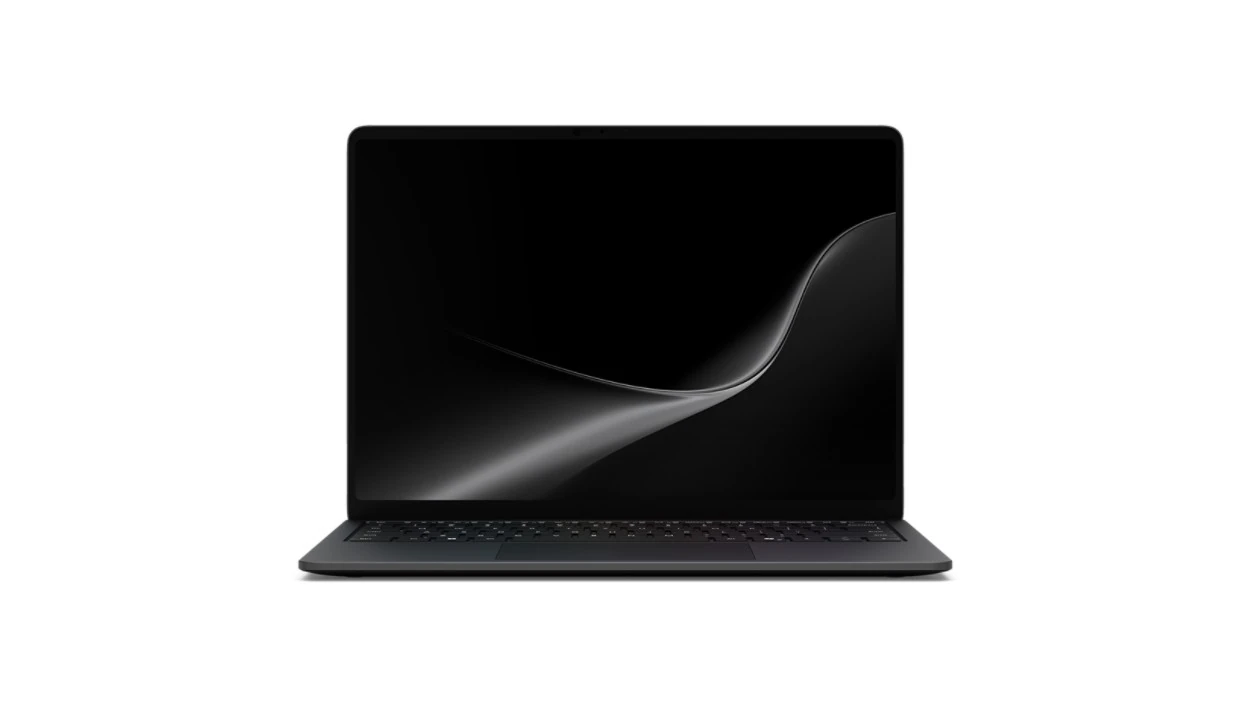
    ThinkPad X1 Carbon Gen 14: Best for an endurance-oriented business configuration

    ThinkPad X1 Carbon Gen 14. A one-bag trip. Choose the screen on the actual order sheet. Match its endurance evidence to the day’s gap.
    Lenovo product reference

    Key facts: 14-inch IPS/OLED choices; 58Wh; three Thunderbolt 4 ports, HDMI, USB-A and audio. Lenovo specifications

    • Strengths: Direct connections; a low-power IPS option with substantial published endurance evidence.
    • Trade-offs: Screen choice changes weight and runtime; the selected public US offer is expensive.

    The X1 is worth examining when a traveler spends long stretches reading and writing away from power. Notebookcheck’s Core Ultra 5 325/32GB/512GB IPS-touch unit weighed 1,139g and achieved 23h13m of Wi-Fi browsing. A separate OLED unit was lighter at 989g, non-touch, and returned roughly 13.5 hours at 60Hz. Notebookcheck review Notebookcheck review
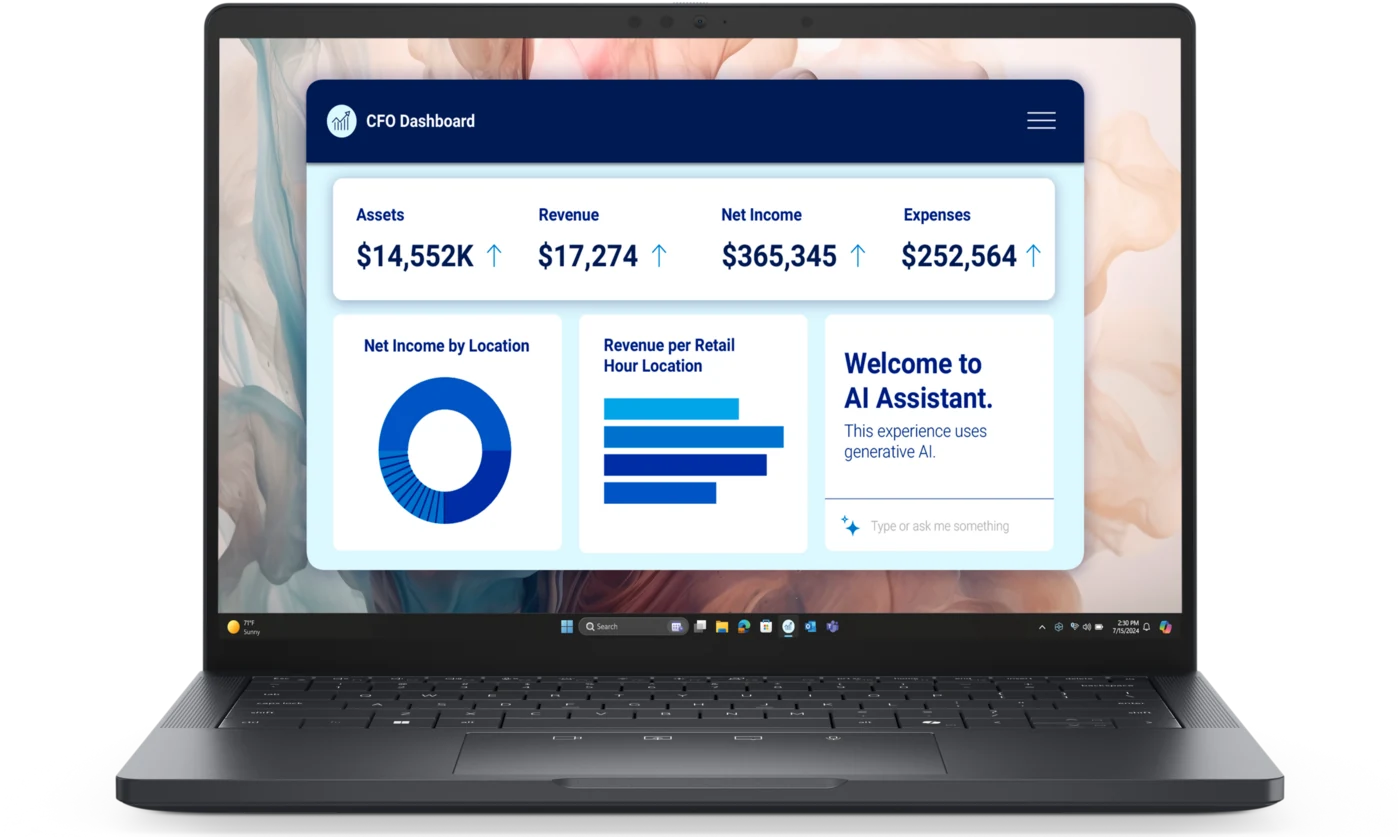
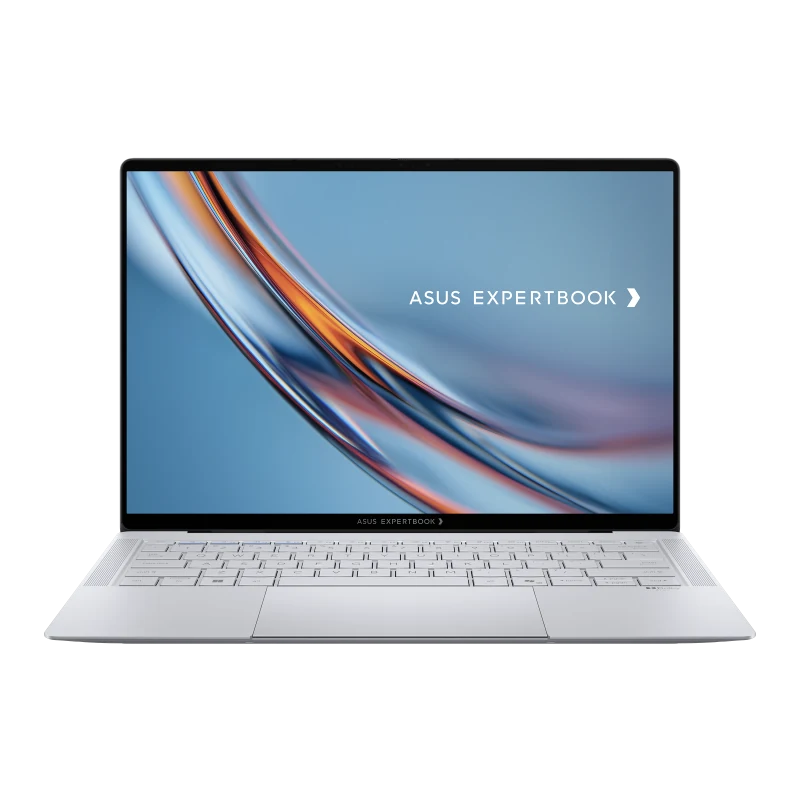
    Those are two different propositions. The $3,579 21V7006GUS quote is an Ultra 7/32GB/1TB IPS-touch configuration, not a verified 989g machine. Lenovo configuration Choose the X1 through an exact order sheet and support package; choose a consumer model if those business capabilities do not justify the additional spending.

    MacBook Air 13-inch M5: Best for a familiar, quiet Mac setup

    Apple MacBook Air 13 M5. A one-bag trip. Pack one Mac charging route for every stop. Try the real meeting files before closing the bag.
    Apple product reference

    Key facts: 1.23kg; 13.6-inch IPS non-touch display; two Thunderbolt 4 ports, MagSafe and a headphone socket; fanless design. Apple specifications

    • Strengths: No cooling-fan noise; charging can leave both Thunderbolt ports available.
    • Trade-offs: More laptop mass than the sub-1kg group; presentation adapters may still be necessary.

    A successful travel setup includes the software environment. If your work, company access and file exchanges already run comfortably on macOS, replacing that environment to save a few hundred grams can introduce an unnecessary disruption.

    Notebookcheck’s entry M5 sample, with an eight-core GPU and 16GB/512GB, recorded 16h11m of Wi-Fi browsing at 150 nits. Notebookcheck review The 32GB/1TB purchase option below differs. Choose the Air for an approved Mac workflow; choose the Yoga for lighter Intel OLED-touch carrying or the S14 for direct HDMI and USB-A.
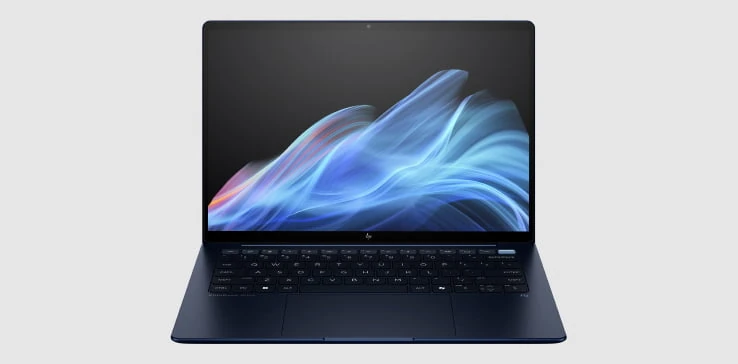
    LG gram Pro 16Z90U: Best for leaving a separate screen at home

    LG gram Pro 16Z90U. A one-bag trip. Fit the large screen in the compartment first. Check whether it replaces a second travel display.
    LG product reference

    Key facts: Global specification of 1.199kg; 16-inch OLED; 77Wh; HDMI, two USB-A ports, two Thunderbolt 4 ports and a numeric keypad. LG specifications

    • Strengths: More physical screen area; broad built-in connectivity.
    • Trade-offs: A larger sleeve and working surface are necessary; a light body does not guarantee preferred keyboard feel.

    The gram is the useful exception to a smaller-is-better packing rule. If its display lets you leave a portable monitor at home, it can simplify the complete equipment list. That is an individual substitution, not a measured total-kit advantage.

    Techgoondu’s first-hand 16-inch OLED review praised its connections but found the keyboard shallow for long typing sessions; it did not run a full battery-discharge test. Techgoondu review Try your actual spreadsheet or document layout before buying. Prefer the XPS when bag dimensions dominate, or the Yoga when a 14-inch screen is sufficient.
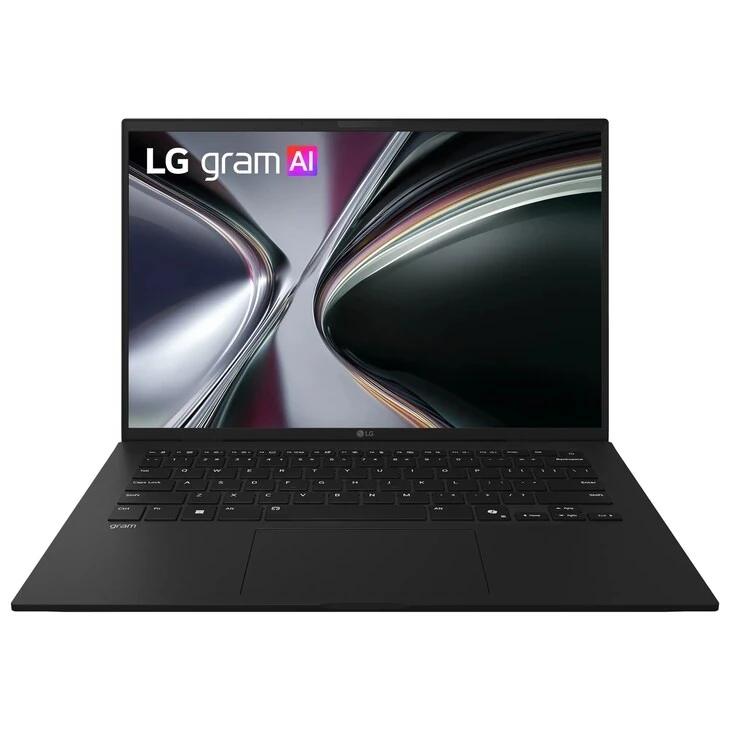
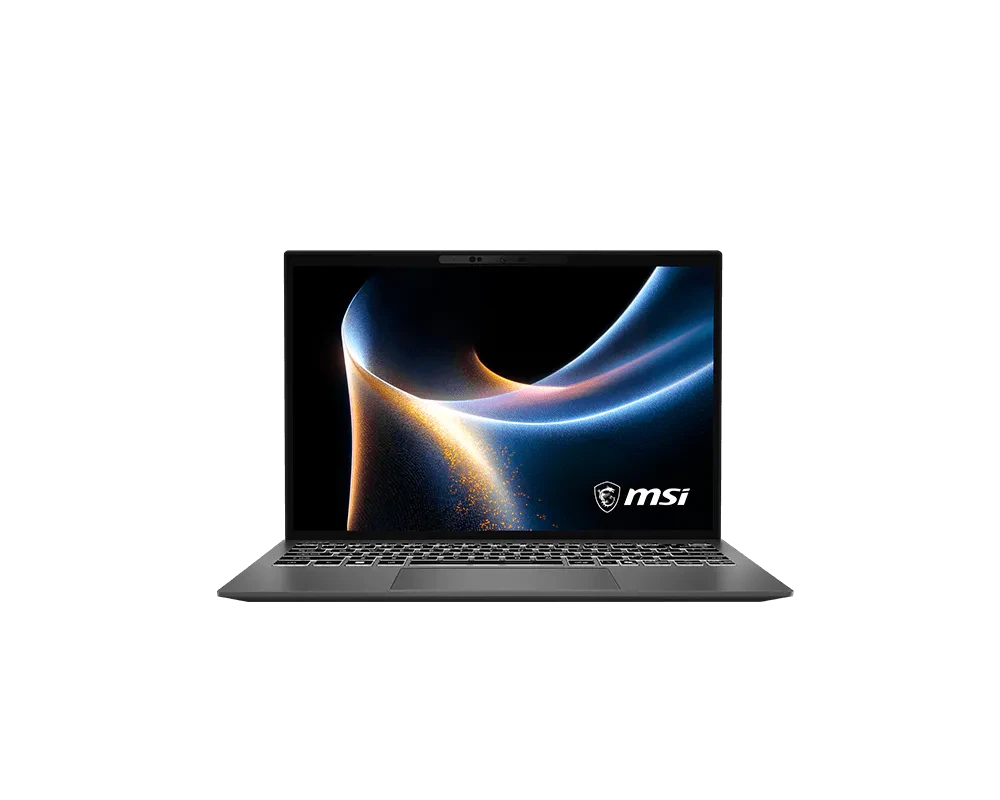
    Dell Pro 14 Premium PA14250: Best for an existing Dell business arrangement

    Dell Pro 14 Premium. A one-bag trip. Name the service location for the destination. Put the repair contact with the travel documents.
    Dell product reference

    Key facts: A 2025 business generation; two Thunderbolt 4 ports, HDMI, USB-A and audio; panel-specific minimum weights. Dell documentation

    • Strengths: Familiar deployment and service routes for an existing Dell fleet; direct meeting-room connections.
    • Trade-offs: The lightest panel weight cannot be attached to every configuration; a current quote must identify the screen.

    The PA14250 remains relevant when it fits an existing Dell purchasing arrangement. For this guide, its immediate practical contribution is direct HDMI and USB-A connectivity.

    Notebookcheck’s Ultra 7 268V/32GB/1TB OLED-touch unit weighed 1,261g and returned 15h09m of Wi-Fi browsing. Notebookcheck review It is distinct from the 266V/16GB/512GB offer with 36-month ProSupport. Obtain written panel confirmation before comparing weight or value. An independent buyer without that procurement context should compare the consumer alternatives first.

    HP EliteBook Ultra G1i: Best for an HP-approved OLED office kit

    HP EliteBook Ultra G1i. A one-bag trip. Try the work camera on the approved HP image. Pack the cable that leaves the microphone usable.
    HP product reference

    Key facts: Intel G1i; 14-inch 2.8K OLED; 64Wh; three Thunderbolt 4 ports, USB-A and audio; no built-in HDMI. HP documentation

    • Strengths: An OLED business option within an approved HP environment; useful USB-C connectivity.
    • Trade-offs: HDMI requires an accessory; manufacturer minima and independently measured samples differ.

    The G1i is an OLED option for an approved HP environment. Its audio socket and USB-A port may fit your existing peripherals, while HDMI still belongs on the adapter checklist.

    Notebookcheck’s B66THAT Ultra 7 258V/32GB/1TB OLED-touch sample weighed 1,180g and achieved 12h02m of Wi-Fi browsing. Notebookcheck review These sample figures do not replace HP’s configuration-specific quotation. Choose the X1 or Dell Pro when native HDMI matters, or the Yoga when lower laptop mass is the first requirement and corporate approval allows it.

    HP OmniBook 5 14-he000: Best for lower spending on an approved office workflow

    HP OmniBook 5 14. A one-bag trip. Compare the quote after required software and cover. Confirm the office workflow on the chosen Arm unit.
    HP product reference

    Key facts: B81P1AV_1 offer: X Plus X1P-42-100, 16GB/512GB, Home, OLED touch, 59Wh, approximately 1.29kg; $849.99 promotional price. HP documentation

    • Strengths: A concrete lower-spend option; USB-A and a headset socket are built in.
    • Trade-offs: Windows Arm approval remains necessary; its USB-C ports are 10Gbps rather than Thunderbolt 4.

    The OmniBook can preserve money for the equipment that actually improves a trip: a suitable sleeve, a needed display adapter or a comfortable headset. It is most relevant for browser, document and meeting workflows that work on the specified platform.

    The original Notebookcheck sample had 16GB/1TB, Pro and a listed 60Wh battery; its 16h56m browsing result cannot be assigned to this touch/Home offer. Notebookcheck review Choose the XPS’s 16GB option for an Intel alternative, or the Yoga when a much lighter OLED-touch machine justifies the higher expenditure.

    Bag fit and working space are different purchases

    Published width multiplied by depth gives approximately 596cm² for the XPS, 676cm² for the Yoga including its camera bump, 654cm² for the Air, and 900cm² for the gram 16. Dell documentation Lenovo specifications · Apple specifications LG specifications These are rounded bounding-rectangle calculations, not measurements of occupied bag volume.

    For a short rail trip with a small compartment, prioritise dimensions. For several evenings of hotel spreadsheet work, a larger built-in display may be more useful. For a walking-heavy conference, weigh the complete assembly. A sleeve should protect the machine without making removal awkward; check access while other belongings remain packed.

    Match the kit to three common trips

    A same-day conference: Put the laptop, its required presentation connection and the power equipment on the scale together. The Yoga is an attractive start when the venue supports USB-C; the A14 or S14 deserves priority when repeated HDMI connections are central to the day. Keep the adapter decision separate from whether the computer can run the company software.

    An overnight trip with a small shoulder bag: Measure the compartment opening and usable depth with your normal belongings inside. The XPS can be easier to pack, but confirm that the smaller screen works for the document session you expect. A marginally lighter computer is little help if you need a second bag to accommodate it.

    Several evenings working from a hotel: Open a representative spreadsheet and video call together. If the gram’s larger display removes the need for a separate monitor, write down exactly which monitor, cable and stand stay home. If you still need that equipment, evaluate the gram as a larger laptop rather than crediting it with an accessory saving that never occurs.

    If a second screen is still on the packing list, this hotel-desk comparison with a portable monitor walks through the extra equipment for that setup.

    Prices worth comparing, with the configuration kept attached

    The following US offers were checked on 8 November 2026, in USD before tax. No trade-in or student discount is assumed.

    Capacity group Named offer Checked price
    16GB/512GB HP B81P1AV_1, X1P-42-100, Home $849.99 promotional HP documentation
    16GB/512GB XPS DX13260, Core 5 320, Storm, Home $999.99 Dell documentation
    32GB/1TB XPS DX13260, Ultra 7 355, Sky, Home $1,799.99 Dell documentation
    32GB/1TB Air 13 M5, ten-core GPU, Silver $1,999 Apple configuration
    32GB/1TB S14 UX5406AA-XS79T, Ultra 7 356H, Pro $1,999.99 Best Buy configuration
    32GB/1TB Yoga 83QKCTO1WWUS1, Ultra 7 355, Home $2,049.99 Lenovo configuration

    Equal memory and storage do not equalise processors, operating systems or screens. The checked Yoga costs $50 more than the S14, making this primarily a weight-and-connection decision. The lower-capacity HP and XPS are separate spending choices. Family starting prices for other candidates are not substituted for unverified exact offers.

    Begin with the applications, then capacity, then the travel kit. For many document workflows, compare 16GB/512GB before assuming 32GB is necessary. Fixed memory makes the initial choice important, but unused capacity does not improve packing. Our research-focused comparison covers larger working sets; the battery-claims guide explains why vendor maximums cannot determine your unplugged schedule.

    What the evidence can and cannot decide

    Published reviews are valuable when the sample is identified. In Notebookcheck’s results, the Yoga’s 10h36m Wi-Fi figure, the X1 IPS unit’s 23h13m and the S14 Ultra 9 sample’s 16h11m support different priorities. They do not reproduce one business itinerary or every retail configuration. A14 work-use observations and LG input-device impressions remain separate from those battery tests.

    For a broader comparison of measured samples, see our business-travel portability comparison. When selecting locally, check the purchased screen, processor and OS edition together. Test company access and presentation equipment during the return period. That practical check can outweigh a small published weight difference.

    Frequently asked questions

    Which laptop would you start with for one-bag business travel?

    Start with the Yoga for very light Intel OLED-touch carrying, then check the accessories your destinations require. Choose the XPS for a tighter compartment, the A14 for approved Arm work with native HDMI, or the X1’s low-power IPS route for long unplugged sessions. The first recommendation changes when a different constraint becomes essential.

    Should I choose the largest battery?

    Use configuration-specific runtime evidence, rather than capacity alone. Screen, processor, power settings and workload all affect consumption. Leave room in the schedule for calls and bright-room use; no browsing result guarantees your own working duration.

    Can I use one charger for the laptop and phone?

    A compatible USB Power Delivery charger may simplify the bag, provided its output and cable meet the laptop’s requirements. Check output while multiple devices are connected, not only the charger label. Weigh the actual charger and cables you intend to carry.

    Is a 16-inch laptop unsuitable for lightweight travel?

    It depends on the bag and work surface. The gram offers a larger display at a relatively low listed mass, but its external dimensions remain larger. If it replaces another screen, compare the whole equipment list; if it does not fit the compartment, a lower weight will not resolve that problem.

    Sources and image credits

    Manufacturer sources establish model options, connections and the identified offers. Original reviews supply the attributed measurements and use observations. Use the written order to identify the selected generation and configuration.

  • Best Premium Lightweight Laptops for Graduate Students: Choose by Software, Memory and Total Cost

    Laptop comparisons

    By

    Start with the work your graduate program requires: which applications must run, which peripherals must connect, and which calculations must finish locally. Only then compare lightweight laptops. A student using a browser to reach a university workstation has a different purchase to make from someone running virtual machines or processing a large dataset on the laptop itself.

    This is an optional premium comparison, not a claim that graduate study requires a roughly $2,000 computer. Keep your current machine if it handles the supported environment reliably. For literature, writing and remote access, a suitable 16GB/512GB laptop can be enough. The right purchase leaves money for the workspace, backup and service arrangements that support the degree.

    First establish software compatibility and where the computation happens

    Ask your program or research group for the actual software releases, operating-system requirements and required interfaces. Confirm remote-computing access, licensing, available capacity and offline needs before relying on a server to do the demanding work.

    For a project built around recorded interviews, the field interview and transcription guide looks at the portable computer from recording through transcription. Use that workflow to identify which steps your laptop must handle away from the lab.

    Workload tier A sensible capacity discussion Where the computation should happen What to verify first
    Literature, writing and remote access Investigate 16GB/512GB before paying for a premium configuration Ordinary document work locally; approved remote jobs elsewhere Reference tools, document exchange and dependable remote access
    Software development A simple project may fit 16GB; compare 32GB/1TB for larger environments Run ordinary development locally; place expensive builds where the group supports them Toolchain, dependencies, containers or virtual machines, and the target architecture
    Moderate data analysis Compare 32GB/1TB against the working dataset and observed memory use Keep manageable analysis local; move larger jobs only when access is confirmed The actual data, libraries, toolboxes and reproducible output
    Local heavy computation Follow application requirements and measured demand; 32GB is not automatically sufficient A department-approved workstation, or a verified remote-compute plan Sustained performance, required GPU, certified drivers and any need to work offline

    These are workload-based buying guidelines, not universal product requirements or rules for every discipline. Our graduate memory comparison develops the capacity question in more detail.

    Software support can eliminate a candidate before its weight matters. MATLAB R2026b supports Snapdragon X-series processors through Prism emulation on Windows, with capabilities excluded in MathWorks’ guidance, including some hardware-interface workflows. Check the required release and features. Native MATLAB is available for Apple silicon under its own requirements. MATLAB Windows requirements · MathWorks Arm limitations · MATLAB Mac requirements.

    SOLIDWORKS lists x86-64 hardware, certified graphics requirements and excludes Windows Home editions. An Intel processor alone does not establish suitability; changing the operating-system edition alone does not resolve graphics requirements. These five ultraportables should not be assumed to replace a program’s required certified workstation. SOLIDWORKS requirements.

    Once that compatibility check is complete, carrying weight, screen preferences, connections and total spending can decide between the eligible models. The Yoga is the first product below because it makes a strong low-weight Intel Windows case with OLED touch; the other recommendations address different priorities.

    The quick picks

    Recommendation Best for What earns the recommendation What could change it
    Lenovo Yoga Slim 7i Ultra Gen 11 Low carrying weight with Intel Windows and OLED touch A measured 978g review unit with a 14-inch touchscreen You regularly need direct HDMI or USB-A
    Apple MacBook Air 13-inch M5 A supported macOS program and quiet work Fanless design; competitive identified purchase routes A required application or peripheral needs another platform
    ASUS Zenbook S14 UX5406AA Presentations and mixed desk equipment HDMI, USB-A and Thunderbolt 4; checked 32GB/1TB offer at $1,999.99 The extra carrying mass matters more than direct ports
    ThinkPad X1 Carbon Gen 14 A valuable university purchasing package Broad connectivity and a low-power IPS option with strong published endurance The final institutional package does not justify its price
    Surface Laptop 13.8-inch, 8th Edition Document work on an approved Arm setup A 3:2 touchscreen and useful physical connections Required software, interfaces or drivers are incompatible

    If you cannot install a required add-in or drive a laboratory instrument, enter that dependency beside the model and ask the department which exact configuration it supports. The price table becomes useful once each remaining candidate can finish the same piece of work.

    Lenovo Yoga Slim 7i Ultra: Best for carrying a 14-inch Intel touchscreen

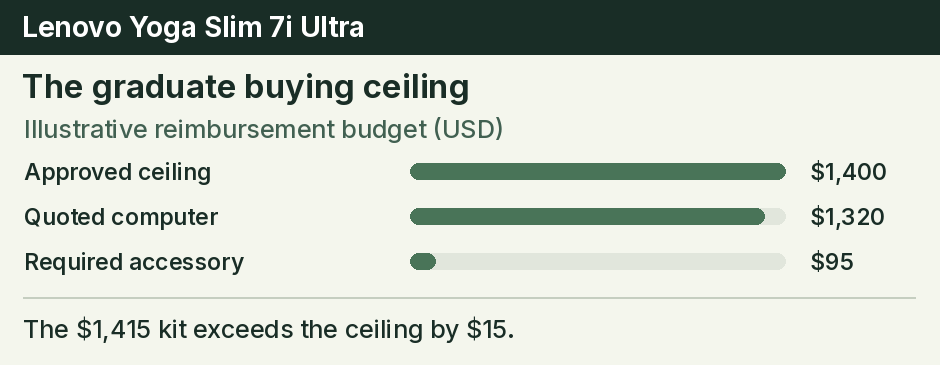
    Lenovo Yoga Slim 7i Ultra. The graduate buying ceiling. Illustrative reimbursement budget. Approved ceiling: 1400 $, Quoted computer: 1320 $, Required accessory: 95 $. The $1,415 kit exceeds the ceiling by $15.
    Lenovo product reference

    Key facts: 14-inch 2880 × 1800, 120Hz OLED touch; 75Wh; three Thunderbolt 4 ports; manufacturer starting weight 975g. The identified US offer has a Core Ultra 7 355, 32GB memory, 1TB SSD and Windows 11 Home. Official specification.

    Advantages

    • A reviewed OLED-touch machine weighed 978g, giving the portability argument measured support.
    • The checked 32GB/1TB configuration provides capacity for substantial multitasking without using a smaller configuration to make its price attractive.

    Trade-offs

    • HDMI, USB-A and a headphone socket require another connection route.
    • The touchscreen has no active-pen support; this is a clamshell for keyboard-led work.

    The Yoga is especially relevant when the laptop travels every day but heavier computation happens at a desk or on university infrastructure. Its appeal is retaining a useful screen format in a low-mass machine. This can matter to a student walking between accommodation, a library and several teaching buildings.

    Notebookcheck tested a Core Ultra 7 355/32GB/1TB review configuration running Windows Pro. Its measurements support the carrying claim, while its 10h36m Wi-Fi result shows why a 75Wh specification should not be presented as an endurance victory. The priced US Home machine is a separate purchase configuration. Original review.

    Choose the Yoga when Windows compatibility and carrying weight lead the decision. Prefer the Zenbook if repeated connections to classroom equipment would make adapters a daily inconvenience. The relevant 355 processor uses Intel Graphics; results from an Arc B390-equipped Core Ultra X7 machine do not describe this offer.

    MacBook Air 13-inch M5: Best for an established macOS research environment

    Apple MacBook Air 13 M5. Graduate-program budget. Budget for the Mac software the group actually uses. Confirm the license follows you off campus.
    Apple product reference

    Key facts: 13.6-inch IPS display; fanless cooling; official weight 1.23kg; two Thunderbolt 4 ports, MagSafe and a headphone socket. The matched-capacity offer is a ten-core CPU/ten-core GPU M5 with 32GB/1TB. Apple specifications.

    Advantages

    • Fanless operation removes cooling-fan noise from quiet reading and writing sessions.
    • A separate, verified 24GB/512GB configuration creates a lower-spend route when that capacity fits the project.

    Trade-offs

    • A required Windows-specific dependency can outweigh the hardware’s advantages.
    • Memory and internal storage should be chosen before purchase; later expansion is not a practical plan for this model.

    The Air is a sensible starting point for a group already working successfully on macOS. That evidence is more useful than choosing an operating system because it is familiar from a phone. Ask a colleague to open the actual project, build its environment and demonstrate any essential hardware interfaces.

    The M5 Air has credible original performance evidence: Tom’s Hardware reported higher Geekbench 6 CPU scores for it than for the Yoga 355. Notebookcheck also reviewed the entry 16GB/512GB Air with an eight-core GPU. Those sources establish useful comparisons, but neither measures every research application or the exact 32GB/1TB offer. CPU comparison · Air entry review.

    Choose the Air when macOS is positively supported and the capacity works. Choose an approved Intel Windows system when an essential program, licensing route or instrument driver requires it. For prolonged local computation, compare a representative sustained task before assuming a quick benchmark settles the purchase.

    ASUS Zenbook S14 UX5406AA: Best for direct ports at the checked Windows price

    ASUS Zenbook S14 UX5406AA. Graduate-program budget. Add a classroom HDMI session to the price trial. Check whether direct ports remove a purchase.
    ASUS product reference

    Key facts: 14-inch OLED touchscreen; listed weight 1.20kg; two Thunderbolt 4 ports, HDMI, USB-A and an audio socket. The US UX5406AA-XS79T offer contains a Core Ultra 7 356H, 32GB/1TB and Windows 11 Pro. ASUS specifications · Exact seller offer.

    Advantages

    • Direct display and USB-A connections can simplify teaching rooms and shared desks.
    • Its checked matched-capacity price is $50 below the Lenovo-direct Yoga offer.

    Trade-offs

    • The reviewed S14 weighed 1,205g, substantially above the Yoga review sample’s 978g.
    • Published measurements from a Core Ultra 9 386H unit are not tests of the quoted Core Ultra 7 model.

    The S14’s attraction is a practical balance: carry the connections you need inside the laptop, keep a premium touchscreen, and spend slightly less than on the identified Yoga. It is particularly useful when a student’s day includes both private research and presenting material to other people.

    At these offers, the Yoga costs $50 more than the S14. Paying that difference buys a lower-weight option; choosing the S14 keeps the saving and its direct connections. If adapters would stay attached to your desk, their absence from the Yoga may be insignificant. If you repeatedly borrow projectors and older accessories, native ports can reduce setup friction.

    Notebookcheck’s UX5406AA review supplies its own independent basis, including a 16h11m Wi-Fi result for the 386H/32GB/1TB OLED-touch configuration at 150 nits. Keep that processor identification attached to the number. Also retain the AA suffix when shopping; a similarly named older S14 can have different components. Original review.

    Choose the S14 for its connections and identified offer. Choose the Yoga when a lighter commuting computer is worth the modest price difference.

    ThinkPad X1 Carbon Gen 14: Best when the university package earns its premium

    ThinkPad X1 Carbon Gen 14. Graduate-program budget. Request the department’s written service terms. Put a price on the remaining uncovered repair.
    Lenovo product reference

    Key facts: 14-inch IPS/OLED choices; three Thunderbolt 4 ports, HDMI, USB-A and an audio socket. The selected 21V7006GUS offer has a Core Ultra 7 365 vPro, 32GB/1TB, Windows Pro and an IPS touchscreen. Lenovo specification.

    Advantages

    • The connection selection suits varied university equipment.
    • A separately reviewed low-power IPS configuration provides strong evidence for long unplugged browsing.

    Trade-offs

    • The selected $3,579 public offer needs a clear reason to justify it for a self-funded student.
    • Family minimum weights cannot be assigned to the quoted IPS-touch machine.

    Ask the university for its price on the precise X1 configuration and for its loan-device policy during repair. At the US prices in the table, the X1 costs $1,579.01 more than the 32GB/1TB Zenbook ($3,579.00 less $1,999.99). A departmental discount or bundled service changes that figure. Ask for both in writing before spending the difference yourself.

    Panel selection matters. Notebookcheck’s 21V70075GE, with a Core Ultra 5 325, 32GB/512GB and IPS touch, weighed 1,139g and ran its 150-nit Wi-Fi test for 23h13m. A separate OLED sample weighed 989g and was non-touch. Neither weight is established for the priced US SKU. IPS review · OLED comparison.

    Choose the X1 when an approved configuration and a worthwhile package justify the total. Prefer the less expensive options if you would otherwise be paying primarily for the product name. Its low-power IPS route remains a meaningful alternative even when minimum body weight is not your priority.

    Surface Laptop 13.8-inch, 8th Edition: Best for a taller screen with verified Arm support

    Surface Laptop 13.8-inch. Graduate-program budget. Open a full sample page at a comfortable scale. Verify the required Arm tools before paying a premium.
    Microsoft product reference

    Key facts: 2304 × 1536, 120Hz, 3:2 touchscreen; approximately 1.36kg in the Store specification; two USB4 ports, USB-A, audio and Surface Connect. The quoted configuration uses a twelve-core Snapdragon X2 Elite with 32GB/1TB and Windows Home. Microsoft specifications and offers.

    Advantages

    • The taller display shape is useful to compare for documents and reference windows.
    • USB-A and a headphone socket remain available alongside modern USB-C connections.

    Trade-offs

    • Research applications, drivers and laboratory interfaces need Windows-on-Arm verification.
    • This touchscreen generation has no Surface Pen support and is heavier than the other listed families’ relevant light configurations.

    The Surface belongs on a shortlist when you prefer its screen and input arrangement, and can document that the required environment works. A large PDF and its accompanying notes make a better shop demonstration than a generic home screen.

    RTINGS reviewed a 13.8-inch X2 Plus/16GB/512GB unit and reported over twelve hours of browsing, a comfortable keyboard and a haptic touchpad. This adds original-use evidence, but it is a different processor and capacity from the priced X2 Elite. Original review.

    Choose it after confirming the whole research chain, including installation permissions and external devices. Prefer an Intel Windows candidate when necessary support is established there and remains uncertain on Arm. A promotional price is useful only if the purchased machine can complete the work.

    What the same memory and storage actually cost

    These US offers were checked on 8 November 2026, in USD before sales tax. The main table holds 32GB memory and 1TB storage constant. Processor, operating system, display, warranty and support still differ.

    If your lab uses Python and you are deciding whether to pay for 32 GB, download the memory exercise (ZIP), run it with the included CSV and then repeat it with your own largest dataset.

    Exact configuration Selected purchase route Checked price
    Yoga Slim 7i Ultra, Ultra 7 355, Windows Home Lenovo 83QKCTO1WWUS1 $2,049.99 Official offer
    Air 13 M5, ten-core CPU/ten-core GPU, Midnight B&H Z1L8000KL $1,999.00 Seller offer
    Zenbook S14, Ultra 7 356H, Windows Pro, Antrim Gray Best Buy UX5406AA-XS79T, SKU6676699 $1,999.99 Seller offer
    X1 Carbon, Ultra 7 365 vPro, IPS touch, Windows Pro Lenovo US 21V7006GUS $3,579.00 Official offer
    Surface Laptop 13.8, X2 Elite twelve-core, Home, Black Microsoft Store 8mzbmmcjzpmf configuration $2,099.99 promotional Official offer

    Surface’s displayed full price was $2,649.99. Compare the final checkout and included terms before ordering. These are identifiable offers, not an exhaustive lowest-price search.

    A separate lower-spend option: B&H listed the Silver Air M5 Z1L0000RV, 24GB/512GB, at $1,499. It saves $500 against the listed 32GB/1TB Air by buying different capacities. Consider it when the project and local storage fit; do not treat 24GB as a universal substitute for 32GB on another platform. Exact lower-capacity offer.

    Keep the purchase configuration separate from the reviewed sample

    A model-family name is not enough to transfer a weight, performance or battery result to a quotation. This table places each offer beside its evidence. The Notebookcheck reviews and RTINGS’ Surface review use different samples and, between publications, different methods.

    Priced configuration Identified review sample What the review establishes—and what it does not
    Yoga 83QKCTO1WWUS1: Ultra 7 355, 32GB/1TB, OLED touch, Windows Home Notebookcheck: Ultra 7 355, 32GB/1TB, OLED touch, Windows Pro Measured 978g and 10h36m Wi-Fi apply to the reviewed unit; it is not an identical US Home SKU. Yoga review
    Air Z1L8000KL: ten-core CPU, ten-core GPU, 32GB/1TB Notebookcheck: M5, eight-core GPU, 16GB/512GB Its measured 1,230g and 16h11m Wi-Fi at 150 nits inform the family comparison, not the exact higher-capacity offer. Air review
    S14 UX5406AA-XS79T: Ultra 7 356H, 32GB/1TB Notebookcheck UX5406AA: Ultra 9 386H, 32GB/1TB, OLED touch The 1,205g and 16h11m Wi-Fi result at 150 nits belong to the 386H sample; they do not test the quoted processor. S14 review
    X1 21V7006GUS: Ultra 7 365 vPro, 32GB/1TB, IPS touch Notebookcheck 21V70075GE: Ultra 5 325, 32GB/512GB, IPS touch 1,139g and 23h13m Wi-Fi at 150 nits belong to the German review SKU. Neither that mass nor a family minimum is a verified weight for the US offer. X1 IPS review
    Surface 13.8-inch 8th Edition: X2 Elite twelve-core, 32GB/1TB, Black RTINGS: X2 Plus, 16GB/512GB, same 13.8-inch generation Over twelve hours of browsing and input-device observations describe the X2 Plus unit; the price table’s X2 Elite remains a different configuration. Surface review

    The longest browsing sample is not the lightest sample. Use these findings to identify the configuration worth investigating, then run a representative project to establish whether it completes your own research session comfortably.

    Buy enough memory and storage for the working session

    Use one busy session from your current laptop. Open the reference library and thesis, start the usual analysis, and note when the delay first occurs. If the software refuses to launch before it loads any data, resolve the dependency first. If it opens a small project quickly but struggles only when the whole dataset and a virtual machine are open together, memory deserves a closer look.

    For the first workload tier, avoid treating the comparison’s 32GB/1TB configurations as an entry requirement. For development and moderate analysis, additional memory can be useful when the actual environment needs it; the size of the installed software alone does not describe its working memory demand. For heavy local work, follow the program’s hardware guidance and a representative sustained task rather than buying the highest memory option in a convenient ultralight chassis.

    Estimate local space at the busiest moment. For example, 140GB of raw files, a second 140GB working copy and a 45GB export occupy 325GB together. Add your measured system and applications, other active projects and any temporary space the export needs. A remote archive helps only when those files can stay there during the job.

    Four costs to check beyond the purchase price

    Connections: List the equipment you actually use, including teaching displays, storage and laboratory accessories. Price the needed adapter or dock before deciding that one laptop is cheaper. Native USB-A does not establish compatibility with a device’s driver.

    Workspace: Consider a monitor, keyboard and pointing device for long sessions. A portable screen serves travel; a desk display can serve detailed reading. Keep the work you do seated for hours in the budget, rather than spending everything on the lightest computer.

    Failure handling: Ask who arranges service, where the computer goes and whether another machine will be available. Compare written terms. Our battery and repair buying guide explains the service questions to resolve before buying.

    Data continuity: Decide how project files are backed up and how a replacement machine would regain access. A larger SSD does not provide an independent backup. Check university storage access and offline needs before selecting a smaller configuration.

    Use the existing premium graduate-laptop comparison for the detailed published-test table, or the business-travel portability guide when charger weight and packing dimensions dominate your routine.

    Run a short acceptance session before keeping the laptop

    Use one representative project throughout the return-period check. Open the same dataset, reference library and documents you normally use, then repeat an analysis or build whose output you can verify. Add a video meeting if calls usually remain open while you work. Watch whether the difficulty comes from memory pressure, computation time, storage or an unavailable dependency; upgrading the wrong component will not solve it.

    Take the generated output to a lab machine and ask a colleague to open it using the normal departmental account. A graph that appears on your screen but points at a file in your home directory has exposed a handoff problem. Correct it and rerun the same small project before applying the result to a semester of work.

    Frequently asked questions

    Which one should a self-funded student investigate first?

    For an approved Windows workflow, compare the Yoga’s portability with the Zenbook’s ports and $50 lower selected price. For supported macOS work, include the Air’s 24GB/512GB route before assuming a $2,000 configuration is necessary. Software fit and sufficient capacity should decide which of these comparisons applies.

    Is a touchscreen enough for handwritten research notes?

    No. Finger touch and supported active-pen input are different capabilities. The Yoga Slim model and this Surface Laptop generation do not provide the pen support a handwriting-led workflow needs. Evaluate a suitable pen-capable form factor separately if handwritten annotation is essential.

    Which laptop has the best battery life?

    Among the named review examples discussed here, the X1 low-power IPS sample has the longest Notebookcheck Wi-Fi result. It also has a particular processor, screen and weight. Do not combine that endurance with a lighter OLED configuration or attach it to the selected US offer. A review’s test duration is useful comparative evidence, not a forecast for every graduate workload.

    Should I buy a premium ultraportable before the program starts?

    Obtain the program’s software and support requirements first. If your current computer meets them, a normal working session can reveal whether a replacement would solve a real problem. When buying, use the return period to test the complete environment, including authentication, licensing, peripherals and your usual workload.

    Sources and offer references

    Official documentation establishes model and application requirements. Named retailers establish the dated offers. Original reviews supply only the measurements and observations attributed to their identified samples; no testing by this publication is claimed.

  • Top 10 Lightweight Laptops for Business Travelers: A Portability Comparison

    Laptop comparisons

    By

    The reviewed 14-inch Yoga Slim 7 Ultra weighed 978 g and its power supply 177 g. The reviewed XPS 13 and its supply totalled 1,228 g. The Yoga therefore starts this comparison just 73 g ahead once those two components are counted. Before choosing either model for a small bag, put the display adapter and protective sleeve you would carry beside each one.

    Our first portability pick is the Lenovo Yoga Slim 7i Ultra Aura Edition, 14-inch Gen 11, for travelers who want an Intel Windows laptop with a 14-inch OLED touchscreen. The strongest evidence is a real review sample: Notebookcheck measured 978g with the touchscreen intact. It is the lightest touchscreen sample in the published measurement table below. Its measured laptop and power supply together total 1,155g.

    Use the mass figures in two passes. First compare the reviewed laptop and its listed supply. Then put the actual venue adapter, sleeve and cable on the scale. A compact laptop can fit the bag you already own while a slightly lighter, wider one requires a new sleeve. Neither fact is captured by a manufacturer’s starting weight.

    Quick choices for the way you travel

    Your main requirement Start with The deciding evidence
    A very light 14-inch Intel OLED touchscreen Lenovo Yoga Slim 7i Ultra 978g measured review sample; 14-inch OLED touch
    Long unplugged work with company management options ThinkPad X1 Carbon Gen 14, low-power IPS configuration 23h 13min Wi-Fi result for a named IPS-touch sample; different OLED results
    Sub-1kg-class carrying with native HDMI and USB-A Zenbook A14 UX3407NA Manufacturer-listed 990g with both connections; requires an approved ARM workflow
    A compact chassis and an entry configuration below $1,000 XPS 13 DX13260 296.9 × 200.66mm footprint; verified $999.99 16GB/512GB offer
    A larger screen without carrying a separate monitor LG gram Pro 16Z90U 16-inch panel and a global specification of 1.199kg
    A familiar, fanless macOS workflow MacBook Air 13-inch M5 Fanless design, MagSafe and a 1.23kg official specification

    This US buying shortlist combines official model documentation, dated configuration offers and original third-party reviews. The product sequence is a reading order, with the lead choice explained above; measured results and role recommendations are shown separately. We prioritize compatible software, carrying weight, useful screen area and required connections before price. Japan-market ultralights such as the FMV Zero sit outside the buying scope, so this is not a worldwide minimum-weight record list.

    Lenovo Yoga Slim 7i Ultra: Best for a measured sub-1kg OLED-touch setup

    Lenovo Yoga Slim 7i Ultra. Comparative portability. Add the Yoga’s charger to the listed starting mass. Weigh the bag after its last required adapter.
    Lenovo product reference

    Hardware: 14-inch 2880 × 1800 120Hz OLED touch; 75Wh; three Thunderbolt 4 ports; manufacturer starting weight 975g. The body is 312.6 × 213.8 × 13.9mm, or 216.2mm deep including the camera bump. Lenovo specifications.

    The Yoga’s main achievement is keeping a useful touchscreen work surface in a genuinely light tested machine. Notebookcheck’s Core Ultra 7 355/32GB/1TB sample weighed 978g and returned 10h 36min in its Wi-Fi test. The review unit ran Windows 11 Pro; the quoted US Home configuration below is a separate offer. Original review.

    For a traveler moving between a backpack, a train and a USB-C-equipped desk, that is a persuasive combination. The case for choosing it is low measured mass with the desired screen, rather than a claim to lead every battery or performance test.

    The practical sacrifice is the absence of HDMI, USB-A and a headphone socket. Count the adapter you need for client equipment. The cited X1 OLED review sample is close in mass but non-touch; the A14 retains more native ports on a different processor platform. Choose through those differences, rather than a few grams.

    Lenovo ThinkPad X1 Carbon Gen 14: Best for enterprise-managed travel

    ThinkPad X1 Carbon Gen 14. Comparative portability. Identify the selected ThinkPad screen and battery. Use published figures for that configuration.
    Lenovo product reference

    Hardware: 14-inch IPS/OLED choices; 58Wh; three Thunderbolt 4 ports, HDMI, USB-A and a headset socket. Family minima are 977g or 998g by touchpad type; screen and other options affect the purchased machine. Lenovo specifications.

    The X1 is a strong alternative when the laptop must fit a company deployment, optional cellular connection or familiar presentation equipment. Eligible configurations offer vPro Enterprise and WWAN, while the native ports can simplify unfamiliar meeting-room setups.

    Its screen choice changes the carrying decision materially. Notebookcheck measured a low-power IPS-touch/Core Ultra 5 sample at 1,139g and 23h 13min of Wi-Fi use. Its separate OLED sample was 989g, non-touch, and lasted approximately 13.5 hours at 150 nits and 60Hz. IPS review · Original OLED comparison.

    The 989g result therefore cannot demonstrate the weight of an OLED-touch configuration. Nor should the IPS runtime be attached to the family minimum. For a day dominated by unplugged work, the named IPS sample is particularly relevant; for low carrying mass, examine the actual OLED configuration and whether touch is required.

    ASUS Zenbook A14 UX3407NA: Best for sub-1kg-class carrying with native HDMI

    ASUS Zenbook A14 UX3407NA. Comparative portability. Prepare the legacy display path on the Arm unit. Confirm the travel VPN completes a real session.
    ASUS product reference

    Hardware: Snapdragon X2 Elite; listed 990g; 70Wh; two USB4 ports, HDMI, USB-A and a headset socket. The US NA specifications include a 14-inch 1920 × 1200 60Hz non-touch OLED option. ASUS specifications · 2026 model announcement.

    The A14 is a particularly useful comparison for travelers who would otherwise put a USB-C hub in their bag. Its native presentation connections are built in at approximately the same carrying class as the Yoga and X1’s light OLED configuration.

    Digital Trends used an identified UX3407NA-QD226WS with X2 Elite, 16GB/512GB and FHD OLED as a work laptop for around two weeks. Its review found comfortable input devices and responsive everyday work, while noting the 60Hz display and visible reflections in difficult lighting. Original review.

    The decisive check is the complete Windows-on-Arm workflow: applications, VPN, security agents and peripheral drivers. If those are approved and touch is unimportant, the A14 can be the more convenient purchase. It should not be penalized over a 15g difference between advertised figures, nor credited with another A14 generation’s screen or runtime.

    Dell XPS 13 DX13260: Best for compact bag dimensions

    Dell XPS 13 DX13260. Room left on a compact desk. Illustrative usable desk width. Desk surface: 600 mm, Computer: 300 mm, Notebook beside computer: 210 mm. 90 mm remains for clearance or a mouse.
    Dell product reference

    Hardware: 13.4-inch 2560 × 1600 touch LCD; 52Wh; 296.9 × 200.66 × 12.7mm; manufacturer starting weight 1kg. Core Ultra configurations provide Thunderbolt 4; the Core 5 version uses USB-C 3.2 10Gbps. Dell configuration page.

    The XPS is the packing-size choice. It is narrower and shallower than the Yoga, which can matter more than a small nominal weight difference in a tight sleeve or crowded bag. Its smaller screen is the corresponding trade-off for longer document sessions.

    There is now useful independent evidence for this exact chassis generation. Notebookcheck tested a Core 5 320/8GB/512GB sample, measured 1,062g and recorded 18h 26min of Wi-Fi use. Those are results for that entry sample, not the 16GB or Core Ultra offers. The 8GB configuration also falls below our recommended starting memory for this guide. Original review.

    For an individual purchase, the verified 16GB/512GB and 32GB/1TB offers give two distinct price comparisons below. Choose the Core Ultra route if Thunderbolt is part of the equipment plan; the model name alone does not settle the port capability.

    ASUS Zenbook S 14 UX5406AA: Best for Intel OLED with built-in presentation ports

    ASUS Zenbook S14 UX5406AA. Comparative portability. Lay the Intel presentation leads on the table. Count the direct connections left while charging.
    ASUS product reference

    Hardware: 14-inch 2880 × 1800 120Hz OLED; listed 1.20kg; 77Wh; two Thunderbolt 4 ports, HDMI, USB-A and a headset socket. The AA generation uses Intel Core Ultra Series 3; it should not inherit the older SA model’s battery or tests. ASUS AA specifications.

    The S 14 is the straightforward alternative when you want an Intel OLED laptop and expect to connect to HDMI displays frequently. Accepting the 1.2kg class can be a sensible exchange for having the right connection already available.

    Notebookcheck’s current AA review used Core Ultra 9 386H, 32GB/1TB and a 2.8K 120Hz OLED touchscreen. The sample weighed 1,205g and achieved 16h 11min in the 150-nit Wi-Fi test. The reviewer also identified higher fan noise under heavy load, so the processor option should follow the actual workload. Original AA review.

    This is stronger evidence than inferring endurance from its 77Wh capacity. It still describes that reviewed configuration, rather than every regional AA SKU. Compare the local processor, screen and included adapter before choosing it over the lighter group.

    LG gram Pro 16Z90U: Best for a physically larger built-in screen

    LG gram Pro 16Z90U. Comparative portability. Test a full-width workbook in the larger chassis. Measure the packed bag against the daily commute.
    LG product reference

    Hardware: The global 16Z90U specification lists 1.199kg, a 16-inch 2.8K OLED panel, 77Wh, a numeric keypad, two Thunderbolt 4 ports, two USB-A ports and HDMI. Its footprint is 357.7 × 251.6mm. Global specifications · US model 16Z90U-K.AUB6U1.

    The gram answers a different question: how much built-in screen can you carry at roughly 1.2kg? For hotel work with documents or spreadsheets, the physical area can be valuable. Check scaling and the actual panel, rather than assuming that a larger diagonal guarantees better viewing comfort.

    Techgoondu’s first-hand 2026 review used a 16-inch Intel OLED unit and described its useful connections, while finding the shallow keyboard less comfortable for extended typing. The reviewer did not run a battery-drain test. Original review.

    The larger chassis also needs a larger sleeve and work surface. Consider whether it can replace a portable monitor in your own routine; that possibility can change the total equipment you carry. Local US and global configurations should remain distinct when ordering.

    Apple MacBook Air 13-inch M5: Best for a fanless macOS workflow

    Apple MacBook Air 13 M5. Comparative portability. Verify Mac document exchange before comparing mass. Include the cable used on the client display.
    Apple product reference

    Hardware: 1.23kg; 304.1 × 215 × 11.3mm; 13.6-inch IPS non-touch display; 53.8Wh; two Thunderbolt 4 ports, MagSafe and a headphone socket. Apple specifications.

    The Air is an especially coherent travel purchase when the work already fits macOS. Fanless operation avoids cooling-fan noise, and MagSafe can leave both Thunderbolt ports available while charging.

    Notebookcheck tested the M5 version with an eight-core GPU and 16GB/512GB, reporting 16h 11min of Wi-Fi use at 150 nits. The $1,999 offer in this guide has a ten-core GPU and 32GB/1TB; it is not the tested configuration. Original review.

    At 1.23kg, it carries more laptop mass than the sub-1kg class but has a thinner body than the Yoga. For an established Mac user, retaining the familiar applications and access workflow may be more useful than chasing a lower weight. Choose Windows when a required tool or company policy calls for it, and count any HDMI adapter needed for client presentations.

    Dell Pro 14 Premium PA14250: Best for an existing Dell business fleet

    Dell Pro 14 Premium. Comparative portability. Find the Dell service location on the itinerary. Check the fleet contract covers that location.
    Dell product reference

    Hardware: Two Thunderbolt 4 ports, HDMI, USB-A and a headset socket. Dell’s manual lists panel-specific minima from 1.141kg to 1.291kg; the 1.141kg figure belongs to battery-saving FHD+, not every FHD configuration. Panel and weight table.

    The PA14250 is a 2025 business generation that remains relevant where an approved deployment and support arrangement already exists. That purchasing context can matter more than the smallest consumer-laptop weight.

    Notebookcheck tested an Ultra 7 268V/32GB/1TB OLED-touch configuration with a 60Wh battery. It weighed 1,261g and produced 15h 09min in the reported Wi-Fi test. That sample is distinct from the 266V/FHD offer listed below. Original review.

    For procurement, use the detailed order sheet. Dell’s offer summary and detailed panel fields are not entirely consistent, so obtain confirmation of the screen and corresponding weight. The native connections and commercial service are the practical reasons to shortlist it; the family minimum should not be used as the weight of the quoted machine.

    HP EliteBook Ultra G1i: Best for an HP-managed OLED configuration

    HP EliteBook Ultra G1i. Comparative portability. Quote the OLED business build with matching cover. Try your approved camera and display setup.
    HP product reference

    Hardware: Intel G1i; 14-inch 2.8K OLED; 64Wh; three Thunderbolt 4 ports, USB-A and a headset socket; no native HDMI. HP lists starting weights of 1.195kg without touch and 1.215kg with touch. Official product brief · Model specifications.

    The EliteBook is useful when the employer wants HP’s business configuration and the user prefers an OLED display. Its 9MP infrared camera is a documented feature, rather than proof of superior video calls.

    Notebookcheck’s B66THAT sample used Ultra 7 258V, 32GB/1TB and a 2.8K 120Hz OLED touchscreen. The reviewer measured 1.18kg and 12h 02min of Wi-Fi use at 150 nits. The measured mass is reported separately from HP’s family minima; it does not replace the manufacturer’s figures for another ordered SKU. Original review.

    Compared with the X1 and Dell Pro, it trades native HDMI for a different USB-C arrangement. Confirm the company’s image, security requirements and service before choosing it. For an independent buyer whose leading requirement is a sub-1kg carrying target, the lighter group is the better starting point.

    HP OmniBook 5 14-he000: Best for the quoted sub-$900 office setup

    HP OmniBook 5 14. Comparative portability. Enter the actual Windows edition in the offer. Check office policy and the final purchase total.
    HP product reference

    Hardware and offer: B81P1AV_1 CTO, Snapdragon X Plus X1P-42-100, 16GB/512GB, Home and a 1920 × 1200 OLED touchscreen. The official page lists 2.84lb, approximately 1.29kg, a 59Wh battery and a promotional $849.99 price. Exact HP configuration.

    The OmniBook is a specific lower-spending option for an approved browser and office workflow. The price comparison below shows what it saves against one identified 16GB/512GB XPS, without treating every OmniBook as a bargain.

    Independent testing supports the family, but it needs careful configuration matching. Notebookcheck’s X1P-42-100 sample had 16GB/1TB, Windows Pro and a listed 60Wh battery. It weighed 1,292g and returned 16h 56min in its Wi-Fi test. That runtime is not assigned to the quoted touch/Home CTO. Original review.

    Its two USB-C ports are 10Gbps rather than Thunderbolt 4; USB-A and a headset socket are included, and HDMI needs an adapter. Verify the ARM applications and required peripherals before treating the lower price as the right purchase.

    Published measurements that change the comparison

    The following values come from original Notebookcheck reviews, not manufacturer minimum weights. Each row keeps the measured unit’s screen and configuration attached to the result. The publication’s Wi-Fi tests are more useful than mixing vendor video-playback claims, but processor, refresh rate, software and sample differences remain relevant. Results are not a common retail-SKU test.

    Reviewed sample Screen and configuration identified by the source Measured laptop mass Reported Wi-Fi browsing
    Yoga 14IPH11 Ultra 7 355; 32GB/1TB; Pro; 14-inch OLED touch 978g 10h 36min
    X1 Carbon OLED supplement Ultra 7 355; OLED non-touch; RAM/SSD not fully specified in the supplement 989g About 13.5h; 150 nits, 60Hz
    X1 Carbon 21V70075GE Ultra 5 325; 32GB/512GB; Pro; low-power IPS touch 1,139g 23h 13min; 150 nits
    XPS 13 DX13260 Core 5 320; 8GB/512GB; Home; 13.4-inch IPS touch 1,062g 18h 26min
    S 14 UX5406AA Ultra 9 386H; 32GB/1TB; 2.8K OLED touch 1,205g 16h 11min; 150 nits
    MacBook Air 13 M5 Eight-core GPU; 16GB/512GB; IPS non-touch 1,230g 16h 11min; 150 nits
    Dell Pro PA14250 Ultra 7 268V; 32GB/1TB; OLED touch; 60Wh 1,261g 15h 09min
    EliteBook Ultra G1i B66THAT Ultra 7 258V; 32GB/1TB; OLED touch; 64Wh 1,180g 12h 02min; 150 nits
    OmniBook 5 14 sample X1P-42-100; 16GB/1TB; Pro; 60Wh; FHD OLED; touch status not established here 1,292g 16h 56min

    The reviewed X1 Carbon samples illustrate the size of the configuration choice: the OLED unit weighed 989g and the IPS unit 1,139g, a difference of 150g. Their reported browsing figures are about 13.5 hours and 23h13m. The two samples also differ in processor and other details, so buying an IPS panel alone cannot guarantee the full time difference.

    A14’s identified Digital Trends work-use review and LG’s first-hand review are linked in their product sections. Their observations are not inserted into this laboratory-results table as if they used the same procedure. In particular, LG’s cited review did not measure a full discharge.

    What actually goes in the bag?

    Laptop and power supply are only the starting point

    The Yoga review reports a 978g laptop and 177g power supply: 1,155g combined. The XPS review reports 1,062g and 166g: 1,228g combined. These are arithmetic totals of those review components; the power-supply entries do not establish an identical cable bundle, and a required hub or receiver still belongs on your own list.

    Using the two review-component totals above, the Yoga begins 73g below the XPS (1,228 minus 1,155). An extra item carried only with the Yoga erases that margin if it weighs more than 73g. Put both complete kits on the scale first: the XPS may also need a display adapter, and neither review total includes your sleeve or headset.

    Packing space is a separate physical advantage

    Using the published external dimensions, the XPS occupies an approximate rectangular footprint of 596cm², against 676cm² for the Yoga including its camera bump. The Air is approximately 654cm² and the gram 16 approximately 900cm². These are rounded width-times-depth calculations, not internal bag-volume measurements.

    A roughly 80cm² difference in footprint sounds concrete, but a sleeve fails at an edge. Measure its usable opening and inside depth with the zipper closed, and compare those with the actual laptop’s two dimensions. A bag wide enough for a 14-inch screen can still foul a corner or camera bump. The 16-inch gram needs its own fit check.

    Price snapshots for configurations you can identify

    The following official US displayed offers were checked on November 8, 2026, in USD before tax. They are dated purchase references, not promised future prices. A review sample and an offer below are connected only where their configuration fields actually match.

    16GB / 512GB office configurations

    Official offer Displayed price CPU / OS Relevant difference
    HP B81P1AV_1 CTO $849.99 promotional Snapdragon X Plus X1P-42-100 / Home 14-inch OLED touch; ARM workflow; one-year hardware warranty
    XPS DX13260, Storm $999.99 Core 5 320 / Home 13.4-inch LCD touch; USB-C 10Gbps, not the Core Ultra Thunderbolt configuration

    The HP saves $150 between these two offers. Match the applications and required equipment before choosing the cheaper route; equal RAM and storage do not make different architectures equivalent.

    32GB / 1TB personal-purchase configurations

    Official offer Displayed price CPU / OS Relevant difference
    XPS DX13260, Sky $1,799.99 Core Ultra 7 355 / Home 13.4-inch LCD touch; two Thunderbolt 4 ports
    Air 13 M5, Silver $1,999 M5 ten-core CPU / ten-core GPU / macOS 13.6-inch IPS; fanless design
    Yoga 83QKCTO1WWUS1 $2,049.99 Core Ultra 7 355 / Home 14-inch OLED touch; three Thunderbolt 4 ports

    The $250 Yoga premium over the cited XPS is a screen-and-equipment decision at the same CPU name and RAM/storage capacities. Pay it when the larger OLED touchscreen benefits the work; retain the saving when the smaller LCD machine fits better. The Air is a different software-platform choice at the same capacities.

    Enterprise configurations

    Official offer Displayed price Identified configuration Service and comparison context
    X1 Carbon 21V7006GUS $3,579 Ultra 7 365 vPro; 32GB/1TB Opal; Pro; low-power 1920 × 1200 IPS touch This is an IPS offer, not the 989g OLED sample; confirm service term
    Dell PA14250 fixed offer $2,819.95 Ultra 7 266V; 16GB/512GB; Pro; 60Wh Listed with 36-month ProSupport; obtain written panel confirmation

    These enterprise offers are not matched in memory, processor or service, so their price gap is not a value ranking. Exact dated US quotes for A14 NA, S 14 AA, EliteBook G1i and gram 16Z90U are not established in this guide; their family starting prices are not substituted.

    Choose the trade-off that fits the trip

    For frequent carrying with a 14-inch OLED touchscreen, start with the Yoga’s documented 978g sample and the current consumer configuration. It gives this preference a real measured example, with clear limits in native connections and endurance.

    For long periods away from an outlet, investigate the X1’s actual low-power IPS configuration. Its 23h 13min review result is more relevant than combining the lightest OLED mass with the longest IPS runtime.

    For repeated HDMI presentations, compare A14, S 14 and an approved enterprise machine. The A14’s processor platform requires a software check; the Intel alternatives carry different mass, price and service arrangements.

    For small-bag travel, the XPS offers the smaller footprint. For hotel-based document work, the gram’s larger screen may be worth its physical size. For an established Mac workflow, the Air can remove more friction than a change of platform made only to save weight.

    Frequently asked questions

    Is the lightest laptop always the most portable purchase?

    No. Add the required charger, cables and adapters, and check whether the screen is sufficient without another display. Bare-laptop mass is a useful fact; the practical decision also depends on the complete setup.

    Should I prioritize OLED touch or longer battery life?

    Choose the feature that changes your work. Touch can help with shared documents and navigation, while long unplugged sessions favor evidence for the precise processor and panel. The Yoga and X1 sample results show why both preferences deserve a separate comparison.

    What memory should a business traveler buy?

    For the office workflows considered here, begin by checking 16GB/512GB configurations. Consider 32GB for heavier multitasking or analytical tools. Several models have soldered or integrated memory, so choose the required capacity before purchase. The XPS 8GB review sample is evidence about a configuration, not our recommended starting purchase.

    Can one USB-C charger simplify the bag?

    Yes, when the adapter’s USB Power Delivery output and cable meet the chosen laptop’s requirements. Confirm simultaneous-use output if other devices share it. Lenovo lists 45–65W USB-PD charging for the Yoga; Apple specifies 70W or higher USB-PD for fast charging the Air. A USB-C connector alone does not establish the charging behavior.

    Sources and image credits

    Manufacturer links document model options and named sales offers. Original reviews document the samples and observations attributed to them. Each photograph links to the manufacturer’s page that supplied it; the Yoga image is served from Lenovo’s product CDN and corresponds to Gen 11.

  • 5 Premium Lightweight Laptops for Graduate Research Between Lab, Campus and Conferences

    Laptop comparisons

    By GAC Motoring · Republished by Portable Laptop Guide

    A graduate project moves through several environments: analysis at a laboratory desk, discussion in a seminar, teaching in another building and a presentation at a conference. The useful travel laptop is the one that keeps that project working through each move. A familiar filename is only the beginning; the data, packages, instrument connections and presentation output must arrive with it.

    Start by identifying what the laptop does locally and what remains on university equipment. Then compare the five premium options below. The Lenovo Yoga Slim 7i Ultra Gen 11 is the first portable Intel Windows platform to consider when the approved workflow fits its connections. MacBook Air M5 makes sense in an established Mac research group; Zenbook S14 favours repeated teaching-room connections; ThinkPad X1 Carbon needs a justified institutional package; Surface Laptop 8th Edition suits a confirmed Windows Arm environment and a preference for its document screen.

    None requires a graduate student to spend around $2,000. Existing equipment or a less expensive 16GB/512GB computer may cover writing, reading and remote analysis. This premium shortlist is for students who can identify a practical benefit beyond meeting those basic needs.

    The best choices for different graduate routines

    Best for Recommended laptop What earns the recommendation What can change it
    A portable Intel Windows project workspace Lenovo Yoga Slim 7i Ultra Gen 11 Low measured mass with a 14-inch OLED touchscreen Approval of the software environment and required connections
    Research trips in a supported Mac environment Apple MacBook Air 13-inch M5 Fanless operation, MagSafe and a compact 13.6-inch screen Required Windows software or instrument drivers
    Teaching and conference presentations ASUS Zenbook S14 UX5406AA Native HDMI and USB-A, plus two Thunderbolt 4 ports A strict preference for minimum laptop mass
    A justified university purchasing package ThinkPad X1 Carbon Gen 14 Screen choice, direct connections and configuration-specific endurance evidence The actual institutional quote and support terms
    Reading-heavy Windows work with an approved Arm setup Surface Laptop 13.8-inch, 8th Edition A taller 3:2 touchscreen and published input-device evidence Application, driver or pen requirements

    A conference talk with a USB-A slide receiver and an HDMI projector puts the Zenbook S14 ahead of the lighter Yoga for someone who regularly walks into unfamiliar rooms without a hub. A student who spends the same trip editing a manuscript on the train may make the opposite choice. Use the part of the week when you have the least control over the equipment to choose a row in the table.

    Lenovo Yoga Slim 7i Ultra: Best for a portable Intel Windows project workspace

    Lenovo Yoga Slim 7i Ultra. A sample conference bag. Illustrative mass by item. Laptop from a sample order: 1000 g, Travel charger and cable: 180 g, Lectern adapter: 45 g. Together these three items weigh 1,225 g.
    Lenovo product reference

    Key specifications: 14-inch 2880 × 1800, 120Hz OLED touch; 75Wh battery; three Thunderbolt 4 ports; manufacturer starting weight 975g. The purchase reference is Core Ultra 7 355, 32GB/1TB and Windows 11 Home. Lenovo specifications

    Advantages

    • The reviewed 978g configuration retains the 14-inch OLED touchscreen.
    • Three Thunderbolt connections offer flexibility at a suitably equipped shared desk.

    Trade-offs

    • HDMI, USB-A and a 3.5mm audio socket require additional equipment.
    • The touchscreen does not support an active pen. Lenovo specifications

    The Yoga is particularly convincing when the university desk already has a compatible USB-C display or dock. In that arrangement, the student carries the light integrated-keyboard computer between rooms and connects the larger workspace at the destination. The advantage comes from repeatedly lifting less hardware while retaining a useful screen for slides, code and references.

    The recommendation has measurable support: Notebookcheck recorded 978g for a Core Ultra 7 355/32GB/1TB sample. Its 10h36m Wi-Fi result also provides a useful limit to the story; low mass does not establish exceptional endurance. The reviewed computer used Windows Pro, whereas the priced US offer uses Home. Notebookcheck review

    For a teaching assistant who encounters HDMI projectors and USB-A presentation receivers several times a week, the Zenbook can be more convenient. A required adapter is manageable, but it should be chosen and tested before leaving campus. Choose the Yoga when an approved Windows project can move between compatible desks with little extra equipment. Choose the Zenbook when direct connections make the teaching and laboratory handoffs simpler.

    MacBook Air 13-inch M5: Best for a research group already working on macOS

    Apple MacBook Air 13 M5. Lab, seminar and conference. Exchange a revision with the lab’s Mac user. Check citations and figures on the returned draft.
    Apple product reference

    Key specifications: 13.6-inch IPS display; fanless cooling; 1.23kg official weight; two Thunderbolt 4 ports, MagSafe charging and a headphone socket. The identified purchase reference has an M5 with a ten-core CPU and ten-core GPU, 32GB memory and 1TB storage. Apple specifications

    Advantages

    • Fanless cooling removes cooling-fan noise from quiet reading and recording spaces.
    • MagSafe allows charging without occupying either Thunderbolt port.

    Trade-offs

    The Air makes the strongest case when the research group can positively confirm its software environment on macOS. That includes more than a familiar word processor: statistical packages, compilers, collaboration tools and peripherals should all be considered. MathWorks supplies native Apple-silicon MATLAB support, but particular releases and dependencies still require checking. MathWorks support

    Its original-review evidence is competitive. Notebookcheck measured 1,230g and 16h11m of Wi-Fi browsing for the entry M5 configuration with an eight-core GPU, 16GB memory and 512GB storage. Those results belong to that unit, rather than the larger-capacity ten-core-GPU purchase reference. Notebookcheck review

    A student who already develops and presents successfully on a Mac has a practical reason to keep that workflow for a conference. Switching platforms immediately before travel introduces work that a small weight saving may never repay. Conversely, a required Windows-only instrument interface can decide the purchase before chassis design becomes relevant. Choose the Air for a working research environment and its fanless design; choose an Intel Windows option when the laboratory requires that platform.

    ASUS Zenbook S14 UX5406AA: Best for moving between classrooms and conference rooms

    ASUS Zenbook S14 UX5406AA. Lab, seminar and conference. Connect the lectern lead and your presenter remote. Keep the working sockets free for the next room.
    ASUS product reference

    Key specifications: 14-inch OLED touchscreen; 1.20kg listed weight; two Thunderbolt 4 ports, HDMI, USB-A and an audio socket. The identified US offer, UX5406AA-XS79T, uses Core Ultra 7 356H, 32GB/1TB and Windows 11 Pro. ASUS specifications, Best Buy configuration

    Advantages

    • Built-in presentation and peripheral connections simplify repeated room changes.
    • The checked 32GB/1TB Windows Pro offer is competitively priced within this group.

    Trade-offs

    • It carries more laptop mass than the reviewed Yoga.
    • Graphics performance depends on the actual processor, rather than the Core Ultra family name.

    For a student teaching on Monday and presenting a paper on Friday, direct connectivity can be the most useful premium feature. The Zenbook has the ports to attach common classroom equipment without first finding a separate hub. Its appeal continues at a shared laboratory desk where a wired headset or older peripheral remains part of the routine.

    The model suffix matters. UX5406AA is the generation compared here; the older SA shares a similar name but different processor and battery specifications. Notebookcheck reviewed an AA with a Core Ultra 9 386H, measured 1,205g and reported 16h11m of Wi-Fi browsing at 150 nits. That is evidence for this generation, with a different processor from the priced 356H offer. Notebookcheck review

    The Yoga’s reviewed mass is 227g lower than that S14 sample. The question is whether carrying less computer or connecting directly saves more effort across the week. At the checked offers, the Yoga costs only $50 more. Select the Zenbook for frequent connections and its specific price; select the Yoga when the lighter daily load matters more.

    ThinkPad X1 Carbon Gen 14: Best when the university can justify the exact package

    ThinkPad X1 Carbon Gen 14. Lab, seminar and conference. Ask the department to identify the quoted panel. Get support cover for that same configuration.
    Lenovo product reference

    Key specifications: 14-inch IPS or OLED configurations; three Thunderbolt 4 ports, HDMI, USB-A and an audio socket. The selected 21V7006GUS offer is Core Ultra 7 365 vPro, 32GB/1TB, Windows Pro and an IPS touchscreen. Lenovo specifications, Lenovo configuration

    Advantages

    • Native connections suit teaching, visiting research offices and shared equipment.
    • Published low-power IPS results give endurance-oriented buyers a concrete configuration to investigate.

    Trade-offs

    • The selected public price requires a stronger purchasing case than memory and storage alone.
    • The lightest family figure does not identify the weight of the priced IPS model.

    The X1 needs a configuration-first decision. Lenovo’s starting figures of 977g or 998g depend on touchpad arrangement and do not describe every screen option. Notebookcheck’s Core Ultra 5 325/32GB/512GB IPS-touch sample, 21V70075GE, weighed 1,139g. Its separate OLED sample weighed 989g and was non-touch. Lenovo specifications, Notebookcheck review, Notebookcheck review

    The IPS sample’s 23h13m Wi-Fi result at 150 nits is the standout endurance evidence in this five-model comparison. It supports investigating that screen and processor combination for long reading days, while leaving the quoted Core Ultra 7 unit unmeasured here. Notebookcheck review

    A departmental package can add value when the written quote connects this exact configuration to support the student will use. That could be an approved system image, defined repair handling or access to a replacement device. The purchasing section below explains the evidence needed to justify the selected $3,579 offer. Choose the X1 for a documented package and a suitable configuration; the retail model name does not establish those services.

    Surface Laptop 13.8-inch, 8th Edition: Best for a taller document workspace

    Surface Laptop 13.8-inch. Lab, seminar and conference. Show a figure and its footnote at reading size. Count what stays visible above the keyboard.
    Microsoft product reference

    Key specifications: 13.8-inch 2304 × 1536, 120Hz, 3:2 touchscreen; approximately 1.36kg in Microsoft’s Store specification; two USB4 ports, USB-A, audio and Surface Connect. The price reference uses Snapdragon X2 Elite, 32GB/1TB and Windows Home. Microsoft Store

    Advantages

    • The taller screen format gives more vertical space at the same screen width.
    • USB-A and a headphone socket are built in alongside USB4.

    Trade-offs

    • Windows Arm needs confirmation for the complete software and driver environment.
    • The screen accepts finger touch but does not support Surface Pen input. Microsoft Store

    The Surface is worth trying with a paper, a reference manager and a normal writing window open together. Screen shape affects working layout, and a student who prefers additional vertical space can reasonably favour it over a lighter 16:10 computer. Its higher listed weight is the price of that particular package, rather than a reason to exclude it automatically.

    RTINGS reviewed a 13.8-inch X2 Plus/16GB/512GB version, reporting more than 12 hours of web browsing and positive keyboard and haptic-touchpad observations. Those findings support a reading-and-meetings role; they do not measure the priced X2 Elite/32GB/1TB configuration. RTINGS review

    For this Surface, divide approval into three checks rather than asking whether Windows software generally runs on Arm.

    Check Evidence to obtain before ordering Academic consequence
    Application and project Run the required release, add-ons and a representative project The main program opening does not prove that the research task completes
    Device driver Confirm support for each required peripheral’s exact driver An application can work while its connected device remains unavailable
    Laboratory interface Complete the actual transfer, acquisition or control workflow with the instrument A USB connector establishes a physical connection, not a working research session

    MATLAB R2026b lists Snapdragon X-series support through Prism emulation. MathWorks’ linked guidance describes unsupported capabilities, including third-party hardware interfaces. The laboratory should therefore test its own toolbox and instrument chain, even when an ordinary MATLAB calculation succeeds. MATLAB Windows requirements, MathWorks Arm support guidance

    Choose the Surface when its document layout and input devices suit the work and Arm compatibility is established. Choose an Intel machine for a required x86 driver environment, or a pen-capable device if handwriting is central to the research routine.

    Keep the research project working at each handoff

    Use a small acceptance check for each move in the weekly routine. The table describes tasks to try with the intended equipment; it is not a claim that this publication performed those tests. Save the working environment alongside the project instructions so a collaborator can reproduce the same steps.

    Academic handoff Carry or arrange A useful acceptance check What this should decide
    Laboratory to campus desk Approved project copy, package versions and access route to central data Reopen the project and regenerate one familiar output The supported platform and necessary local capacity
    Campus desk to teaching room Slide files, presentation connection and any receiver Display slides, notes and audio in the intended arrangement Native ports versus a confirmed adapter setup
    University to conference Permitted offline material, presentation copy and network-access plan Open the travel copy without campus connectivity, then reconnect to required services Offline preparation and the host’s actual display connection
    Trip back to the research group Updated scripts, figures and an identifiable project version Reproduce the revised result on the supported university setup Reliable file handoff and documentation of environment changes

    Suppose a lab instrument creates a file in a proprietary format and a department server converts it to a table. Try opening both files on the travel laptop. Being able to plot the table is enough for a conference Q&A if the lab handles acquisition. It is an incomplete result for the student who must take the same computer back to the instrument and record Monday’s first sample.

    Buy a documented university package

    Consider a concrete purchasing example. The checked Lenovo Yoga 83QKCTO1WWUS1, Core Ultra 7 355, 32GB/1TB and Windows Home, was $2,049.99. The ThinkPad X1 21V7006GUS, Core Ultra 7 365 vPro, 32GB/1TB, Windows Pro and IPS touch, was $3,579 through Lenovo. These US offers were checked on 8 November 2026, before tax: the X1 costs $1,529.01 more. This is a difference between identified offers, with different hardware and operating systems, rather than a price for an assumed support bundle. Yoga configuration, ThinkPad configuration

    Ask the university purchaser to explain what earns that additional spend. The alternatives matter: the checked Zenbook S14 UX5406AA-XS79T supplies 32GB/1TB and Windows Pro at $1,999.99, so Windows Pro by itself does not justify the X1 premium. ASUS purchase reference

    Purchasing question Written evidence to request What could justify additional cost
    Approved software Exact supported configuration, system image and named applications The university undertakes to support the environment used by the project
    Instrument connections Required driver, interface and accessory list for the ordered model The package includes a confirmed way to operate the actual equipment
    Operating-system edition Edition required by the university and included on the quotation The supplied installation meets the project and management requirements
    Management features Confirmation that campus IT uses and supports the quoted vPro configuration An actual managed deployment benefits from that capability
    Service continuity Warranty scope, response arrangements, repair location and loaner eligibility A defined service reduces a specific research interruption

    None of those benefits is assumed to accompany the retail X1 offer. Compare the final institutional quote with purchasing another suitable computer through an approved route. Ask when a replacement could arrive, whether a loaner is guaranteed or merely available, and whether support applies away from campus. A written response is more useful than an undifferentiated business-laptop premium.

    Try the academic work before committing

    Confirm the presentation route

    Ask the host whether the room provides HDMI, USB-C or a separate presentation computer. Rehearse with the exact adapter, receiver and slide file you will carry. Keep a PDF copy available offline when appropriate. A laptop’s port specification answers the physical connection question; checking the actual presentation answers the working one.

    Establish where computation happens

    A laptop used to reach a university server has different needs from one running the full dataset locally. Try the busiest normal session before selecting memory. Sixteen gigabytes and 512GB can cover lighter work; a larger local working set may justify more. The graduate-program and budget guide at Portable Laptop Guide develops that capacity decision; the checks here focus on preserving the working project while moving between locations.

    For a MATLAB project, open the laboratory’s release and model, invoke its required toolboxes and regenerate a known figure. For an R project, restore the specified package environment, run the analysis script and check its output. For Python, create the approved environment, import the required libraries and run a representative notebook or script. These are deployment checks to perform, not blanket compatibility claims about every package on any of the five laptops. Record any compiler, external library or accelerator dependency that the project actually uses.

    Check the operating-system edition and dependencies

    For a statistical application, include any licensed modules, import/export steps and the university licensing route in the rehearsal. For CAD, open a representative assembly, perform a normal edit and inspect the exported drawing. SOLIDWORKS requirements cover x86-64 hardware, graphics support and operating systems, and exclude Windows Home. An Intel processor or an operating-system upgrade alone cannot establish that an ultraportable fits the project. SOLIDWORKS requirements

    Try the screen with real research material

    Open a dense paper and your own slide deck at comfortable scaling. Check reflections in representative lighting and the way the display looks while scrolling. OLED contrast, IPS preference and the Surface’s taller shape are distinct purchasing reasons. A higher resolution only helps when the resulting layout remains readable.

    Arrange recovery before departure

    Separate the original data from the travel copy, follow university policy and confirm that required files are available without a network connection. Ask who handles a repair away from campus and whether a loaner is available. Those are terms to verify, rather than benefits implied by a premium product name.

    Ask a lab partner to play the absent presenter. Give them the permitted travel folder on a second computer and ask them to locate the backup deck, find the slide that uses your newest result and explain the axis units. A chart can survive a PDF export while its legend or units become unreadable. Keep the slide number, figure filename and a legible static copy together wherever the rehearsal breaks down.

    Three conference setups that lead to different choices

    A two-day paper presentation with a USB-C hotel desk. The student mainly reads, rehearses and makes small revisions. Yoga is the low-weight Windows starting point; Air is compelling when the project already works on macOS. Carry the confirmed presentation connection and a recoverable copy of the slides. Buying a heavier computer solely for an occasional connector may be unnecessary when the complete setup is already reliable.

    A teaching week followed by a workshop. The student uses classroom projectors, a USB-A receiver and a wired headset repeatedly. Zenbook S14 offers a coherent direct-connection arrangement. An appropriately quoted X1 is also relevant. Here, fewer separate parts can be worth additional computer weight, particularly when the same connections are needed every day.

    A reading-intensive visit with occasional remote analysis. A student who prefers the Surface’s taller layout can choose it after confirming the VPN, remote tools and required drivers on Arm. If unplugged runtime dominates, investigate the actual low-power IPS X1 configuration supported by the original review. Neither choice needs to be the lightest machine to be the most suitable travel companion.

    When conference travel becomes a regular part of research, this business-travel laptop comparison adds another perspective on carrying a complete kit, choosing presentation connections and checking the software environment before departure.

    Rehearse the complete presentation before travelling

    Put the laptop, charger, adapter and presentation receiver on a desk and deliver the talk using that equipment. Connect to an external display, open presenter view and check that the audience sees the intended slide while your notes stay on your own screen. Advance through the full deck with the receiver. This turns an abstract ports comparison into a working setup you can repeat at the venue.

    Next, disconnect from the network and open the travel copy. Check figures, equations, fonts and embedded video, including audio through the connection you expect to use. Confirm that linked material is available locally when permitted, then export a PDF for situations where the venue provides its own computer. A separate copy on university-approved storage makes that handoff easier without requiring a second laptop.

    Finish by returning to a normal research session: open the reference manager, edit a figure and reconnect to the university service used for analysis. Note which steps needed an adapter, an account prompt or a network connection. Those observations help decide whether the Yoga’s lighter body, the Zenbook’s native ports or an established Mac environment offers the most useful advantage for the next trip.

    For a packing comparison alongside that rehearsal, the one-bag business-travel laptop guide examines the laptop, charger, cables and accessories as one working kit. Use the equipment needed for your own conference routine when comparing the carrying burden.

    Frequently asked questions

    Does graduate school justify buying a $2,000 laptop?

    Only when its capabilities benefit the work or the university requires a particular configuration. Existing equipment or a lower-cost 16GB/512GB model can be adequate for documents, meetings and remote computing. Reserve budget for necessary software, storage and a comfortable desk setup.

    What should decide between two laptops that both run the project?

    Compare the handoffs that occur most often: a classroom connection, a long reading session or a supported return to laboratory equipment. The Yoga can simplify carrying an approved Intel Windows workspace; the ASUS simplifies direct connections. An established Mac environment or a documented departmental package can be more useful than either advantage.

    Should a student trust a manufacturer’s maximum battery claim?

    Use it as a description of the manufacturer’s stated test. Original reviews provide another view, with their own configurations and procedures. During the return period, check your normal research session at your usual brightness; do not plan a critical presentation around an advertised maximum.

    Where should a longer shortlist begin?

    The graduate-student comparison at Portable Laptop Guide expands the capacity and software decision. The graduate-program and budget guide helps connect those choices to a specific course. Its business-travel portability comparison adds ten candidates, while our lightweight business-laptop guide covers other working scenarios. Use the wider list when one of these five does not fit your requirements.

    Sources

  • Top 10 Best Lightweight Laptops for Business Travelers (2026)

    Laptop comparisons

    By

    A business trip can put a laptop through several different jobs in one day: answering email at the airport, reviewing a proposal on a train, connecting to a client’s meeting-room display and joining a video call from a hotel. The best travel laptop needs to make those transitions easy while keeping the bag light.

    The Lenovo Yoga Slim 7i Ultra Aura Edition is our first recommendation for business travelers who prioritize a light bag, a high-quality screen and productive Windows work on the move. It combines a 975g starting weight with a 75Wh battery, a 14-inch 2.8K OLED touchscreen and three Thunderbolt 4 ports. Travelers with different priorities should also consider the MacBook Air for macOS, Surface Laptop for its 3:2 screen and privacy option, or MSI Prestige 13 for minimum chassis weight.

    Quick picks

    Quick picks
    #LaptopWhy shortlist it
    1Lenovo Yoga Slim 7i Ultra Aura EditionBest for a sub-1 kg starting weight with an Intel OLED touchscreen
    2Apple MacBook Air 13-inch (M5)Best for business travelers who prefer macOS
    3Microsoft Surface Laptop for Business 13.8-inch, 8th Edition (Intel)Best for touch, documents and optional screen privacy
    4Dell Pro 13 Premium PA13250Best compact option for Dell-managed businesses
    5ASUS ExpertBook Ultra B9406CAABest premium OLED business alternative
    6HP EliteBook Ultra G1iBest suited to video-call-heavy travel
    7LG gram 14 14Z90UBest for an IPS screen and familiar accessories
    8MSI Prestige 13 AI+ A3MBest for minimizing laptop weight
    9ASUS Zenbook A14 UX3407NABest sub-1kg Windows-on-Arm alternative
    10Acer TravelMate P6 14 AI TMP614-54Best alternative for a light Windows Pro setup

    A traveler who needs both HDMI and USB-A at the client site can narrow this ten-model list before comparing processors. The Dell Pro 13, ExpertBook Ultra, LG gram 14, MSI Prestige 13, Zenbook A14 and Acer TravelMate P6 in the table offer both connections directly. With the Yoga or MacBook Air, price and pack the adapter that supplies them. Then apply the company’s software requirements to the shorter list.

    Specifications at a glance

    Weights are manufacturer-listed starting weights or specified configuration weights, without chargers. They are not measurements from a common test. Battery capacity alone does not determine endurance.

    Look at the charger if these figures decide a close purchase. The listed 899g MSI and the Yoga’s 975g starting figure differ by 76g. If your actual Yoga configuration weighs 975g and its travel power kit is 90g lighter than the MSI’s, the complete Yoga kit comes out 14g lighter before other accessories. That is a break-even example using hypothetical power-kit weights. Weigh the particular retail configurations to see whether the difference exists for your order.

    Specifications at a glance
    Model / referenceWeightCPU referenceBatteryDirect HDMI / USB-A
    Lenovo Yoga Slim 7i UltraFrom 0.975kg*Core Ultra 7 355 reference75WhNo / 0
    MacBook Air 13 M51.23kgApple M5, 10-core CPU53.8WhNo / 0
    Surface Laptop Business 13.8, 8th Intel1.35kg**Intel Core Ultra Series 354Wh nominalNo / 1
    Dell Pro 13 Premium PA13250From 1.071kgCore Ultra 5 236V60Wh selectedYes / 1
    ExpertBook Ultra XSP76TApprox. 1.10kgCore Ultra X7 358H70WhYes / 2
    EliteBook Ultra G1iFrom 1.195kgCore Ultra 7 258V example64WhNo / 1
    LG gram 14 14Z90U1.12kgCore Ultra 7 35572WhYes / 2
    Prestige 13 AI+ A3MG0.899kgCore Ultra 7 355 example53.8WhYes / 2
    Zenbook A14 UX3407NA-PS770.99kgSnapdragon X2 Elite X2E8810070WhYes / 1
    TravelMate P6 TMP614-54-76NHApprox. 0.96kgCore Ultra 7 256V65WhYes / 2

    * Lenovo lists a starting weight of 975g; actual weight depends on configuration. ** The Surface privacy-screen configuration is 1.36kg. ASUS ExpertBook’s global family minimum of 0.99kg is not the weight of the US configuration shown here. Acer’s figure is converted from its selected SKU’s approximately 2.12lb specification.

    How we chose and ranked these laptops

    This guide compares published manufacturer specifications and documented configurations. It does not claim hands-on testing, measured keyboard comfort, benchmark victories or comparable real-world battery results. We prioritize carrying weight, battery capacity and charging, screen quality and everyday productivity for travelers working between locations. Software approval, connectivity, security, support and total cost remain essential purchase checks; companies with strict fleet-management requirements may prefer a dedicated enterprise model.

    The list covers 13- to 14-inch laptops with a published weight below approximately 1.4kg. Some are current-generation releases and others remain relevant documented alternatives. Windows Home, Windows Pro, Windows on Arm and macOS are identified separately because they can change deployment and application compatibility decisions.

    Prices below are US dollars unless another currency is stated. Launch prices are historical reference points, not October checkout offers. Store quotes were checked on 30 October 2026 and can change. A series starting price does not buy every option described. Official specifications and shopping links appear with each entry.

    1. Lenovo Yoga Slim 7i Ultra Aura Edition — Best for a sub-1 kg starting weight with an Intel OLED touchscreen

    The Lenovo Yoga Slim 7i Ultra Aura Edition (14-inch, Gen 11) is our first pick for travelers moving between document work, presentations and video calls. Its strongest argument is the combination of very low weight, substantial battery capacity and a sharp touchscreen in one compact Windows laptop.

    Lenovo Yoga Slim 7i Ultra Aura Edition in the Seashell finish
    Lenovo official product image. Manufacturer source. Colour and configuration may vary by market.
    Published specifications and configuration details · Lenovo PSREF | US configuration | Announced price
    SpecificationWhat to know
    CPU and graphicsUS reference: Intel Core Ultra 7 355 (Series 3), 8 cores / 8 threads, up to 4.7GHz; Intel Graphics; NPU up to 49 TOPS.
    Memory / storage / OSUS SKU 83QK0000US: 32GB soldered LPDDR5X-7467, 1TB PCIe Gen4 SSD and Windows 11 Pro. Regional configurations vary.
    Display14-inch 2880 × 1800 OLED touch, 120Hz, 16:10; 500-nit typical SDR / 1,100-nit HDR peak; 100% P3 coverage.
    Weight / dimensionsFrom 975g; 312.6 × 213.8 × 13.9mm in current PSREF, excluding camera bump from depth. Magnesium-aluminium chassis.
    Battery / charging75Wh; 65W USB-C charging. Rapid Charge Express: up to 3 hours of runtime from 15 minutes of charging under Lenovo’s specified conditions.
    Connections3 × Thunderbolt 4 USB-C with power delivery and display output. Wi-Fi 7 and Bluetooth 5.4. No native HDMI, USB-A or 3.5mm audio.
    Calls / sign-in5MP IR camera, electronic camera shutter, four microphones, four speakers and Windows Hello facial recognition. Firmware TPM 2.0.
    Official price referenceLenovo announced an estimated US starting price of $1,499.99 in January 2026. This is not a current quote or the price of the exact 32GB / 1TB SKU.

    Which configuration makes sense for travel?

    The documented US 32GB / 1TB configuration is a sensible starting point for substantial browser use, large presentations and multitasking. It combines Windows Pro with a current Intel processor, while the OLED touchscreen suits showing a proposal to a colleague. Check that the employer approves the device and software setup.

    Plan for a small USB-C hub if meetings require HDMI or USB-A, and check whether the regional package includes the charger. Lenovo publishes up to 19 hours in MobileMark 30 at 250 nits and 27 hours of local video at 150 nits. These manufacturer maxima are not a promise for continuous online meetings; rapid-charge claims require hibernation or shutdown.

    Official shopping link: Check configurations and price at Lenovo

    Why the Lenovo Yoga Slim 7i Ultra takes first place

    Low carrying weight with a useful 14-inch workspace

    At a published starting weight of 975g, the Yoga is lighter than the MacBook Air and Surface reference models in this guide. Its 14-inch format still leaves room for reviewing a proposal or spreadsheet. Count the charger and any hub when comparing complete travel kits. Use our travel-kit weight guide to account for the laptop, charger and adapters together.

    A substantial battery in a very light chassis

    The 75Wh battery is the largest capacity among the reference configurations listed here. That gives the Yoga a distinctive weight-and-capacity combination for days with limited charging opportunities. The capacity advantage does not establish a measured runtime victory, and the OLED screen and workload influence actual endurance. Our guide to reading laptop battery claims explains how to compare the conditions behind quoted hours.

    A high-resolution touchscreen for client-facing work

    The 2.8K OLED panel supports touch and up to 120Hz, providing a detailed workspace for slides, diagrams and visual proposals. It offers higher pixel resolution than a 1920 × 1200 WUXGA panel. The glossy surface may reflect bright surroundings, so its suitability depends on where you work.

    An Intel Windows configuration with room for multitasking

    The US reference pairs a Core Ultra 7 processor with 32GB memory and a 1TB SSD. That is a practical configuration to shortlist for documents, browser tabs and conferencing software. It also keeps the workflow on x86 Windows; IT approval remains necessary for company-managed applications.

    Meeting and focus tools that fit changing locations

    The camera, microphone array and IR sign-in support a mobile meeting setup. Lenovo’s user guide describes Meeting and Working Smart Modes, plus adjustable input and output noise cancellation. These tools can help configure a hotel-room call or focused work session without promising a measured improvement in every environment.

    Flexible USB-C charging and docking

    Three Thunderbolt 4 ports support power, displays and data. A compatible USB-C dock can connect the laptop to a desk setup, while the 65W charging specification allows a compact power kit. HDMI, USB-A and wired audio require suitable adapters; bring the connections your meetings actually use. See our USB-C travel charging guide when planning the charger and cables.

    Official sources: Official datasheet | Aura features and user guide | Specifications

    Main trade-offs: soldered memory, a glossy display, adapter-dependent legacy connections and no built-in cellular option. Organizations requiring specific enterprise management or service contracts should check a dedicated business platform. The Yoga earns our first-place recommendation for light, screen-focused mobile productivity with substantial battery capacity.

    2. Apple MacBook Air 13-inch (M5) — Best for business travelers who prefer macOS

    The MacBook Air is a strong fit for consultants, founders and mobile professionals whose applications already work well on macOS. Its fanless design avoids fan noise in quiet rooms, while a thin chassis and a compact footprint suit a small travel bag.

    Silver Apple MacBook Air 13-inch with M5, shown open from the front.
    Apple official product image. Manufacturer source. Colour and configuration may vary by market.
    Published specifications and configuration details · Apple specifications | Official launch and price
    SpecificationWhat to know
    Chip / softwareApple M5: 10-core CPU, 8-core GPU in the base model; optional 10-core GPU. macOS.
    RAM / SSDBase 16GB / 512GB; configurable to 32GB / 4TB.
    Screen13.6-inch IPS Liquid Retina; 2560 × 1664; 500 nits; P3 color.
    Travel size1.23kg; 304.1 × 215 × 11.3mm.
    Power53.8Wh. US reference package: 40W Dynamic adapter (60W maximum). Fast charge requires a 70W-or-higher USB PD adapter.
    Ports / wireless2 × Thunderbolt 4 / USB4, MagSafe 3, audio; no HDMI or USB-A. Wi-Fi 7 and Bluetooth 6.
    Meetings / sign-in12MP Center Stage camera, three microphones and Touch ID.
    Official price referenceUS launch price from $1,099 for 16GB / 512GB, announced March 2026. Check current configurations.

    Why it works for business travel

    MagSafe charging leaves the two Thunderbolt ports available for accessories. Apple also supports two external displays, useful when returning from a trip to a desk setup. The display is suited to document and presentation work, although it does not provide the touchscreen interaction available on Surface.

    Apple rates the machine for up to 18 hours of video streaming or 15 hours of wireless web use. These are manufacturer test results, not an estimate for continuous video meetings.

    Main trade-off: Choose it if the company supports Macs. Before switching, confirm any Windows-only accounting tools, add-ins, device-management requirements and specialist peripherals. Pack an HDMI or USB-A adapter when those connections are needed.

    Official shopping link: Check current MacBook Air configurations at Apple

    3. Microsoft Surface Laptop for Business, 13.8-inch — Best for touch, documents and optional screen privacy

    The Intel 8th Edition Surface Laptop for Business is appealing when reading documents, navigating spreadsheets and using a touchscreen matter more than achieving the lowest possible weight. Its 3:2 screen gives a different working shape from the 16:10 panels common elsewhere in this list.

    Microsoft Surface Laptop for Business 13.8-inch Intel 8th Edition in black, open front view
    Microsoft official product image. Manufacturer source. Colour and configuration may vary by market.
    Published specifications and configuration details · Microsoft technical specifications | Store, price and battery conditions
    SpecificationWhat to know
    Chip / softwareIntel Core Ultra Series 3: Ultra 5 335, Ultra 7 366H or Ultra X7 368H. Windows 11 Pro; Intel or Arc graphics depending on CPU.
    RAM / SSD16GB, 32GB or 64GB LPDDR5x; removable 256GB, 512GB or 1TB SSD.
    Screen13.8-inch 2304 × 1536 touchscreen; up to 120Hz; 600-nit typical maximum SDR. Optional integrated privacy screen.
    Travel size1.35kg, or 1.36kg with privacy display; 301 × 220 × 17.5mm.
    Power54Wh nominal. Fast charge requires at least 60W USB-C PD or a 65W Surface supply; some bundles include a lower-power adapter.
    Ports / wireless2 × Thunderbolt 4 / USB4, 1 × USB-A, Surface Connect and audio. No HDMI. Wi-Fi 7.
    Meetings / security1080p camera, Windows Hello, Pluton and Secured-core features.
    Official price referenceUS store family starting price: $2,299.99 when checked on 30 October 2026. Confirm the chosen size, processor and memory before ordering.

    Why it works for business travel

    The optional privacy display is relevant to travelers reviewing sensitive material in airports or shared lounges. Touch is useful for navigating a presentation or document with a colleague, but this model does not support Surface Pen. Intel and Windows Pro make the edition clearly identifiable for company procurement.

    Microsoft advertises up to 23 hours of local video playback for the 13.8-inch model. This should not be compared directly with another brand’s different battery test.

    Main trade-off: It is heavier than the Lenovo Yoga Slim 7i Ultra’s starting configuration. Both need an HDMI adapter, while Surface includes USB-A and offers a taller 3:2 screen with an optional privacy display. Those features may justify the additional weight for some travelers.

    Official shopping link: Configure the Intel 8th Edition at Microsoft

    4. Dell Pro 13 Premium PA13250 — Best compact option for Dell-managed businesses

    The Dell Pro 13 Premium makes sense for organizations that already standardize on Dell devices and support. Its compact 13.3-inch format, direct presentation connections and optional cellular capability give procurement teams a practical business-travel shortlist candidate.

    Dell Pro 13 Premium PA13250 laptop, open with the display and keyboard visible.
    Image: Dell official product image. Manufacturer source. Colour and configuration may vary by market.
    Published specifications and configuration details · Dell configuration and price | Camera details | Security options
    SpecificationWhat to know
    Quoted configurationCore Ultra 5 236V, 8 cores; Intel Arc graphics; Windows 11 Pro; 16GB RAM / 512GB SSD.
    Screen13.3-inch 1920 × 1200 non-touch, 400 nits, anti-glare; other panels are optional.
    Travel sizeStarting at 1.071kg; 296 × 208.9mm; up to 17.95mm high.
    Power60Wh battery and 65W USB-C charger in the quoted configuration. Other configurations can use 40Wh.
    Ports / wireless2 × Thunderbolt 4, 1 × USB-A, HDMI 2.1 and audio. Wi-Fi 7; optional 5G / eSIM.
    Meetings / securityCamera options support 8MP stills and up to 1440p video; IR variants. TPM 2.0, mechanical camera shutter; optional fingerprint reader.
    Official price referenceUS store: $2,278 for the displayed 16GB / 512GB configuration, checked 30 October 2026.

    Why it works for business travel

    Direct HDMI and USB-A can simplify a client presentation without a docking station. The small chassis footprint is also useful on narrow work surfaces. For IT teams, the value lies in a configuration that fits existing deployment and support arrangements, not merely in the processor generation.

    For frequent travel, check that the order includes the intended 60Wh battery. A 40Wh configuration changes the capacity carried, so a lower purchase price may represent a different power setup.

    Main trade-off: The quoted base configuration does not enable vPro management and does not include cellular broadband or a fingerprint reader. Add the required options before comparing its price with another fully equipped business laptop. Heavy multitaskers should examine 32GB configurations.

    Official shopping link: Check the exact configuration at Dell

    5. ASUS ExpertBook Ultra B9406CAA — Best premium OLED business alternative

    The ExpertBook Ultra deserves consideration when a high-quality touchscreen, broad connectivity and Windows Pro all matter. The US B9406CAA-XSP76T configuration is a useful reference because its price and specification can be separated from the lighter starting weights advertised for the wider family.

    ASUS ExpertBook Ultra B9406 in Morn Grey, open to show its screen and keyboard.
    ASUS official product image. Manufacturer source. Colour and configuration may vary by market.
    Published specifications and configuration details · ASUS technical specifications | US launch price and configuration
    SpecificationWhat to know
    Chip / softwareCore Ultra X7 358H, 16 cores / 16 threads; Intel Arc B390. Windows 11 Pro.
    RAM / SSD32GB LPDDR5X / 1TB PCIe 4.0 SSD in the US launch configuration.
    Screen14-inch 2880 × 1800 tandem OLED touch; matte treatment; 600-nit SDR / 1,400-nit HDR peak.
    Travel sizeUS launch configuration: 2.43lb, approximately 1.10kg. 310.9 × 212.8 × 10.9–16.4mm.
    Power70Wh battery; 90W USB-C charger.
    Ports / wireless2 × Thunderbolt 4, 2 × USB-A, HDMI 2.1 TMDS and audio; Wi-Fi 7.
    Meetings / securityFHD IR camera with shutter; AI upscaling to 5MP, not a native 5MP sensor. TPM 2.0 and Pluton features.
    Official price referenceUS launch MSRP $3,599.99 for B9406CAA-XSP76T, announced May 2026. Current offers vary.

    Why it works for business travel

    The OLED display is the central reason to shortlist this model for showing proposals and visual materials to clients. Matte treatment and a bright SDR specification are relevant to office use; the higher HDR peak is a different measurement. Its HDMI and two USB-A ports offer direct accessory connections that the Lenovo Yoga Slim 7i Ultra provides through adapters.

    Its 70Wh battery is smaller than the Lenovo Yoga Slim 7i Ultra’s 75Wh battery, but capacity alone does not establish real-world runtime. Display settings, processor load and the chosen panel still matter.

    Main trade-off: The premium launch price makes this a selective purchase. The global “from 0.99kg” claim should not be attached to the US configuration above. Choose it when its display and input features are worth the cost to your workflow.

    Official shopping link: Find the specified ExpertBook Ultra configuration

    6. HP EliteBook Ultra G1i — Best suited to video-call-heavy business travel

    For professionals who spend much of a trip in remote meetings, the EliteBook Ultra G1i offers a relevant set of camera, audio and display features. This is the Intel G1i, not the Snapdragon G1q; the two should not share a specification card.

    HP EliteBook Ultra G1i open laptop in front view
    HP official product image. Manufacturer source. Colour and configuration may vary by market.
    Published specifications and configuration details · HP model-family QuickSpecs (PDF) | HP series and buying options
    SpecificationWhat to know
    Reference configurationCore Ultra 7 258V with 8 cores, 8 threads and Intel Arc graphics. HP lists Windows 11 Pro, 32GB onboard memory and a 1TB SSD among the family options. Confirm the exact combination before ordering.
    Screen14-inch 2880 × 1800 OLED rated at 400 nits. HP lists touch and non-touch options.
    Travel sizeStarting at 1.195kg. Footprint is approximately 313.7 × 217.25mm with a maximum chassis height of 14.9mm.
    Power64Wh battery; 65W USB-C adapter.
    Ports / wireless3 × Thunderbolt 4, 1 × USB-A 10Gbps and audio. No HDMI. Wi-Fi 7 and Bluetooth 5.4.
    Meetings / security9MP IR camera, privacy shutter, Poly Camera Pro tools and dual microphones. Confirm fingerprint-reader and vPro availability for your configuration.
    Official price referenceAvailability and pricing vary by region; request a current G1i configuration and quotation from HP.

    Why it works for business travel

    The 9MP camera and Poly tools make it a logical camera-focused candidate, while the OLED panel suits reviewing presentations and visual assets. Those published features are a reason to shortlist it; they do not prove superior call quality to every competitor without testing in the same lighting and conferencing software.

    A 64Wh battery and 65W USB-C charging are relevant for working between calls and recharging during a break. Expected runtime still depends on screen brightness and the amount of conferencing in the day.

    Main trade-off: An HDMI adapter remains necessary for a direct connection to many projectors or meeting-room displays. Confirm availability and warranty in the destination market. Use the exact product number to check which of the HP QuickSpecs options are included.

    Official shopping link: Check EliteBook Ultra G1i availability with HP

    7. LG gram 14 14Z90U — Best for an IPS screen and familiar accessories

    The LG gram 14 pairs a light 14-inch design with a sizeable battery and useful ports. Hardware details below follow LG’s 14Z90U family specifications; the US configuration example establishes the listed RAM, storage and Windows edition. Confirm the exact regional SKU before ordering.

    LG gram 14 14Z90U-G.AU85U1 in black, open front view with colorful abstract wallpaper
    LG Electronics official product image. Manufacturer source. Colour and configuration may vary by market.
    Published specifications and configuration details · Global business specifications | US configuration and battery conditions
    SpecificationWhat to know
    Family / US example14Z90U family: Core Ultra 7 355, 8 cores, Intel Graphics. US AU85U1 listing: Core Ultra 7, 32GB / 512GB, Windows 11 Home.
    Screen14-inch 1920 × 1200 IPS, 16:10, 60Hz, 350 nits, anti-glare.
    Travel size1.12kg / 2.47lb; 312 × 214.3 × 15.7–16.9mm.
    Power72Wh battery; 65W USB-C adapter.
    Ports / wireless2 × Thunderbolt 4 / USB4, 2 × USB-A, HDMI 2.1 and audio. Wi-Fi 6E and Bluetooth 5.4.
    Meetings / designFHD IR camera and dual microphones. LG documents seven MIL-STD-810H tests; this is not a rugged-laptop guarantee.
    Official price referenceThe US listing offers notification / retailer options. Confirm current stock and pricing for the exact AU85U1 configuration.

    Why it works for business travel

    Its port selection is useful for moving between older accessories and modern USB-C docks. The 72Wh battery is also attractive on paper when long periods away from a socket are a priority. The anti-glare IPS screen emphasizes ordinary document work rather than an OLED viewing experience.

    LG advertises up to 36.5 hours of video playback under conditions including 150-nit brightness and wireless disabled. That is not a promise of 36.5 hours of connected office work or evidence that it outlasts every other laptop here.

    Main trade-off: The US example runs Windows Home, while LG’s global business line includes Pro configurations. Employers should specify the required edition. The 60Hz WUXGA display is a more modest specification than the higher-resolution panels elsewhere in this guide.

    Official shopping link: Check LG gram 14 availability and retailer options

    8. MSI Prestige 13 AI+ A3M — Best for minimizing laptop weight

    The Prestige 13 AI+ A3M is the lightest published laptop in this shortlist at 899g. It is particularly interesting because that low weight still comes with HDMI, two USB-A ports and a microSD reader, rather than relying entirely on USB-C.

    MSI Prestige 13 AI+ A3M laptop in a front view, showing its open display and keyboard.
    Image: MSI official product image. Manufacturer source. Colour and configuration may vary by market.
    Published specifications and configuration details · Series specifications | Exact AU SKU | Brightstar Malaysia price (034MY)
    SpecificationWhat to know
    Reference configurationA3MG-018AU: Core Ultra 7 355, 8 cores / 8 threads; Intel Graphics; 32GB RAM / 1TB SSD; Windows 11 Home.
    Screen13.3-inch 2880 × 1800 OLED, 16:10, typical 100% DCI-P3.
    Travel size0.899kg; 299 × 210 × 15.9mm.
    Power53.8Wh battery; supplied 65W adapter.
    Ports / wireless2 × Thunderbolt 4, 2 × USB-A, HDMI 2.1, microSD and audio; Wi-Fi 7 and Bluetooth 6.
    Meetings / securityFHD IR HDR camera, three-microphone array, fingerprint reader, camera shutter, TPM and Pluton features.
    Regional retailer priceBrightstar Malaysia listed A3MG-034MY, 32GB / 1TB, for RM6,499 and marked it out of stock on 20 November 2026. Confirm the price and availability of the exact SKU in your market.

    Why it works for business travel

    This is a strong candidate for travelers who walk long distances between airports, stations and client offices. The combination of small size and physical connectors can keep the accessory pouch simpler. The smaller screen, however, gives less room for side-by-side documents than a 14-inch alternative.

    MSI’s up-to-19-hour claim uses a 16GB / 512GB test machine playing local video at 150 nits with Wi-Fi off. The 32GB / 1TB reference has a different configuration, and connected office work will place different demands on the battery.

    Main trade-off: Confirm local stock, Windows Pro requirements and service coverage before choosing it for a company fleet. Minimum weight is its clearest advantage here; it is not a claim of the most complete enterprise support package.

    Official shopping link: View Prestige 13 AI+ A3M regional availability

    9. ASUS Zenbook A14 UX3407NA-PS77 — Best sub-1kg Windows-on-Arm alternative

    The 2026 Zenbook A14 combines a 0.99kg configuration with a 70Wh battery and a useful port selection. It fits travelers whose approved applications work well on Windows on Arm, especially those relying on browser-based services and mainstream productivity tools.

    Grey ASUS Zenbook A14 UX3407NA shown from the rear against the official blue bubble backdrop.
    ASUS official product image. Manufacturer source. Colour and configuration may vary by market.
    Published specifications and configuration details · ASUS specifications | US launch configurations and prices | Battery test conditions
    SpecificationWhat to know
    Chip / softwareSnapdragon X2 Elite X2E88100, 18 cores; Adreno graphics; Windows 11 Home on Arm.
    RAM / SSDPS77 configuration: 32GB LPDDR5X / 1TB PCIe 4.0 SSD.
    Screen14-inch 1920 × 1200 OLED, 16:10, 60Hz, non-touch.
    Travel size0.99kg / 2.18lb; 310.7 × 213.9 × 13.4–15.9mm.
    Power70Wh battery; 100W USB-C adapter.
    Ports / wireless2 × USB4 40Gbps USB-C, 1 × USB-A, HDMI 2.1 TMDS and audio; Wi-Fi 7.
    Meetings / securityFHD IR camera for Windows Hello; Microsoft Pluton; Ceraluminum chassis.
    Official price referenceUS launch MSRP $1,799.99 for UX3407NA-PS77, April 2026. The cheaper 16GB / 512GB launch version is heavier and is not the configuration above.

    Why it works for business travel

    A built-in HDMI connection and USB-A port make this more adaptable to unfamiliar rooms than a USB-C-only design. Its low chassis weight is attractive, although the charger must also be counted when comparing complete travel kits. The key buying decision is software compatibility, not the advertised AI TOPS figure.

    ASUS’s 33-plus-hour video claim uses a different 16GB / 512GB test configuration with Wi-Fi disconnected. It should not be presented as measured business runtime for PS77.

    Main trade-off: Ask IT to verify the exact VPN, endpoint-security agent, specialist applications and peripheral drivers on Arm before purchase. A Windows Pro upgrade may also be needed. Those checks explain why a very light machine can still be a less convenient default than an approved corporate Windows configuration.

    Official shopping link: Check the UX3407NA-PS77 configuration and current price

    10. Acer TravelMate P6 14 AI TMP614-54 — Best alternative for a light Windows Pro setup

    The TravelMate P6 14 AI is worth considering when low weight, a 14-inch workspace and Windows Pro are the central requirements. It uses Intel Series 2 rather than the newest Series 3, which should be reflected in the comparison rather than hidden behind a generic “AI laptop” label.

    Acer TravelMate P6 14 AI TMP614-54 laptop in a front view, with its display and backlit keyboard visible.
    Image: Acer official product image. Manufacturer source. Colour and configuration may vary by market.
    Published specifications and configuration details · Exact US specifications | Series details and launch price
    SpecificationWhat to know
    Reference configurationTMP614-54-76NH / NX.BL9AA.002: Core Ultra 7 256V, 8 cores; Arc 140V; Windows 11 Pro; 16GB RAM / 1TB SSD.
    Screen14-inch 2880 × 1800 IPS, 120Hz, 16:10, non-touch.
    Travel sizeSelected US SKU: approximately 2.12lb / 0.96kg; 12.3 × 8.9 inches; front / rear height 0.63 / 0.66 inches.
    Power65Wh battery; official selected-SKU power rating 100W.
    Ports / wireless2 × USB4 with Thunderbolt 4 support, 2 × USB-A, HDMI and audio; Wi-Fi 7. USB-C Ethernet adapter included in the specified US package.
    Meetings / securitySeries features include QHD IR camera, three microphones, camera shutter and presence-based locking; selected SKU includes fingerprint and TPM.
    Official price referenceSeries North American launch price from $1,499.99 for availability in January 2025. This is not a current quote for the 76NH configuration.

    Why it works for business travel

    The combination of a sharp 14-inch screen and a roughly 1kg chassis is useful for reviewing documents and presenting without adding much laptop weight. The native ports and supplied Ethernet adapter also cover more meeting-room situations than a minimal port selection.

    Acer’s materials use more than one runtime figure and test basis. We therefore use the documented 65Wh capacity rather than treating an advertised maximum as a cross-brand endurance result.

    Main trade-off: The verified US configuration has 16GB of memory. Travelers who maintain many large documents, browser tabs and collaboration apps should compare a 32GB configuration before buying. Check local availability and service terms, particularly when purchasing outside the home market.

    Official shopping link: Check the TravelMate P6 configuration at Acer

    Head-to-head: which trade-offs matter most?

    Head-to-head: which trade-offs matter most?
    ComparisonPrefer Lenovo Yoga Slim 7i Ultra when…Prefer the alternative when…
    Lenovo Yoga vs MacBook AirYou want x86 Windows, a 14-inch OLED touchscreen and substantial battery capacity.Your employer supports macOS and a fanless Mac fits your applications and accessories.
    Lenovo Yoga vs SurfaceLower starting weight and a 75Wh battery matter more for the journey.A taller 3:2 touchscreen, optional integrated privacy display and native USB-A matter more.
    Lenovo Yoga vs LG gram 14You prioritize lower starting weight, higher display resolution and OLED touch.You prefer an anti-glare IPS screen, direct HDMI and two USB-A ports.
    Lenovo Yoga vs MSI Prestige 13You want a larger 14-inch touchscreen and 75Wh battery capacity.The lowest listed chassis weight, native HDMI / USB-A and a microSD slot are higher priorities.
    Lenovo Yoga vs ExpertBook UltraYou value its lower published starting weight, 75Wh battery and three Thunderbolt ports.The matte tandem OLED display and direct HDMI / USB-A connections justify the premium price.

    The same pair of computers can switch places between trips. For a document review in a café, an employer-approved privacy display on the quoted Surface may be worth its extra chassis weight. For a presentation in a room that supplies an HDMI cable and no dock, the Dell Pro 13 has a more immediate advantage. Ask what will be on the table at the next client appointment before ordering either one.

    What to prioritize before buying

    • Match the work software first. Check the employer’s operating-system policy, VPN, security tools and application requirements before choosing Intel Windows, Windows on Arm or macOS.
    • Price the complete travel kit. Include the required memory, charger, HDMI or Ethernet adapter, service coverage and any Windows Pro upgrade. Bare-laptop prices and weights can hide those differences.
    • Choose the screen for the trip. A 13.3-inch machine can be easier to pack; 14 inches can be more comfortable for side-by-side work. Touch, matte treatment, privacy filters and OLED serve different needs.
    • Treat battery hours as test-specific. A video-playback maximum with wireless off does not represent conferencing, a VPN and many active applications. Battery capacity, screen choice and charging flexibility are useful starting points.
    • Verify service where you travel. Optional onsite support, international coverage and cellular compatibility should be confirmed for the exact model and countries involved. A brand name alone does not establish those terms.

    Frequently asked questions

    Which model leads this shortlist for travelers who want an Intel OLED touchscreen?

    For travelers focused on light carrying weight, a quality screen and everyday Windows productivity, our first pick is the Lenovo Yoga Slim 7i Ultra Aura Edition. Its appeal is the combination of 975g starting weight, a 75Wh battery and a 14-inch OLED touchscreen. Dedicated enterprise requirements, a Mac workflow or a strict weight-first priority can lead to another choice.

    Which laptop in this list is the lightest?

    The MSI Prestige 13 AI+ A3M has the lowest published chassis weight here at 899g. This is a specification comparison, not a measurement of complete travel kits. Chargers, adapters and configuration differences can change the weight carried.

    Is 16GB of memory enough for a business laptop?

    It can be enough for ordinary document work and a moderate browser workload. We would usually choose 32GB for heavier multitasking or several years of business use when the budget allows, especially where memory cannot be upgraded. This is purchasing guidance rather than a benchmark threshold.

    Should a business traveler buy a Windows-on-Arm laptop?

    It can be a good fit after the employer approves the required software and drivers. Check exact applications, VPNs, security agents and peripherals before ordering. The Zenbook A14’s low weight is attractive, but software approval should come before a processor or battery claim.

    Do I need HDMI and USB-A on the laptop?

    They are useful if you frequently present in unfamiliar meeting rooms or use older accessories. USB-C adapters can provide these connections, but that means packing and keeping track of extra equipment. Travelers who always use a known dock may place less value on built-in ports.

    Why not rank the longest advertised battery life first?

    Manufacturers use different workloads, brightness levels, network settings and configurations. Treating their maximum hours as one shared test would be misleading. A travel purchase should balance expected workload, charging opportunities and the rest of the required features.

    Is the lighter machine still lighter in your bag?

    The 975 g starting figure for the Yoga Slim and the 899 g listed for the MSI are only 76 g apart. If your adapters and power supplies differ by more than that, weigh the complete kits before paying a premium. For a buyer who needs native HDMI and USB-A, the ports in the table can settle the decision before the scale does.

    Official sources & verification

    Manufacturer documentation checked 30 October 2026. Availability, bundles and specifications vary by region and configuration.

    1. Lenovo — Lenovo Yoga Slim 7i Ultra
      Official manufacturer source for the specified product, configuration, price reference or credited image. Reviewed 30 October 2026.
    2. Apple — MacBook Air 13 M5
      Official manufacturer source for the specified product, configuration, price reference or credited image. Reviewed 30 October 2026.
    3. Microsoft — Surface Laptop Business 13.8, 8th Intel
      Official manufacturer source for the specified product, configuration, price reference or credited image. Reviewed 30 October 2026.
    4. Dell — Dell Pro 13 Premium PA13250
      Official manufacturer source for the specified product, configuration, price reference or credited image. Reviewed 30 October 2026.
    5. ASUS — ExpertBook Ultra XSP76T
      Official manufacturer source for the specified product, configuration, price reference or credited image. Reviewed 30 October 2026.
    6. HP — EliteBook Ultra G1i QuickSpecs (PDF)
      Manufacturer specification by model family, including processor and display options.
    7. LG — LG gram 14 14Z90U
      Official manufacturer source for the specified product, configuration, price reference or credited image. Reviewed 30 October 2026.
    8. MSI — Prestige 13 AI+ A3MG
      Official manufacturer source for the specified product, configuration, price reference or credited image. Reviewed 30 October 2026.
    9. ASUS — Zenbook A14 UX3407NA-PS77
      Official manufacturer source for the specified product, configuration, price reference or credited image. Reviewed 30 October 2026.
    10. Acer — TravelMate P6 TMP614-54-76NH
      Official manufacturer source for the specified product, configuration, price reference or credited image. Reviewed 30 October 2026.
    11. Lenovo StoryHub — Yoga announcements at CES 2026
      Product announcement and official Yoga Slim 7i Ultra photography.
    12. Lenovo — US configuration
      Official manufacturer source for the specified product, configuration, price reference or credited image. Reviewed 30 October 2026.
    13. Lenovo — Check configurations and price at Lenovo
      Official manufacturer source for the specified product, configuration, price reference or credited image. Reviewed 30 October 2026.
    14. Lenovo — Official datasheet
      Official manufacturer source for the specified product, configuration, price reference or credited image. Reviewed 30 October 2026.
    15. Lenovo — Yoga Slim 7i Ultra Aura Edition 14-inch Gen 11 user guide
      Smart Power modes affect attainable performance, power use and fan limits. Settings via Lenovo software or Fn+Q.
    16. Apple — Manufacturer source
      Official manufacturer source for the specified product, configuration, price reference or credited image. Reviewed 30 October 2026.
    17. Apple — Official launch and price
      Official manufacturer source for the specified product, configuration, price reference or credited image. Reviewed 30 October 2026.
    18. Apple — Check current MacBook Air configurations at Apple
      Official manufacturer source for the specified product, configuration, price reference or credited image. Reviewed 30 October 2026.
    19. Microsoft — Manufacturer source
      Official manufacturer source for the specified product, configuration, price reference or credited image. Reviewed 30 October 2026.
    20. Dell — Camera details
      Official manufacturer source for the specified product, configuration, price reference or credited image. Reviewed 30 October 2026.
    21. Dell — Security options
      Official manufacturer source for the specified product, configuration, price reference or credited image. Reviewed 30 October 2026.
    22. ASUS — Manufacturer source
      Official manufacturer source for the specified product, configuration, price reference or credited image. Reviewed 30 October 2026.
    23. ASUS — US launch price and configuration
      Official manufacturer source for the specified product, configuration, price reference or credited image. Reviewed 30 October 2026.
    24. ASUS — Find the specified ExpertBook Ultra configuration
      Official manufacturer source for the specified product, configuration, price reference or credited image. Reviewed 30 October 2026.
    25. HP — Manufacturer source
      Official manufacturer source for the specified product, configuration, price reference or credited image. Reviewed 30 October 2026.
    26. LG — Manufacturer source
      Official manufacturer source for the specified product, configuration, price reference or credited image. Reviewed 30 October 2026.
    27. MSI — Manufacturer source
      Official manufacturer source for the specified product, configuration, price reference or credited image. Reviewed 30 October 2026.
    28. MSI — Exact AU SKU
      Official manufacturer source for the specified product, configuration, price reference or credited image. Reviewed 30 October 2026.
    29. Brightstar Malaysia — MSI A3MG-034MY listing
      Malaysian retailer listing for the exact 32GB / 1TB configuration, price and stock. Checked 20 November 2026.
    30. ASUS — Manufacturer source
      Official manufacturer source for the specified product, configuration, price reference or credited image. Reviewed 30 October 2026.
    31. ASUS — US launch configurations and prices
      Official manufacturer source for the specified product, configuration, price reference or credited image. Reviewed 30 October 2026.
    32. ASUS — Check the UX3407NA-PS77 configuration and current price
      Official manufacturer source for the specified product, configuration, price reference or credited image. Reviewed 30 October 2026.
    33. Acer — Series details and launch price
      Official manufacturer source for the specified product, configuration, price reference or credited image. Reviewed 30 October 2026.
  • The laptop is only part of the weight you carry

    Laptop comparisons

    By

    Compare devices in the configuration that actually completes your work. The Yoga Slim 7i Ultra starts at 975 g with its keyboard attached; the 686 g Surface Pro for Business 12-inch figure excludes a keyboard. Add the accessories your route requires, keep measured and assumed weights separate, and compare software capability before declaring either setup lighter. A small body-weight advantage can disappear when a second device or an extra charger becomes necessary.

    The missing grams in a device-only comparison

    A useful portable-computer comparison begins with a sentence such as: “I need to write reports on trains, present through HDMI twice a week, and join calls from a hotel.” That describes a working system. “I want the lightest device” describes one number, without establishing whether the device can do those jobs. The distinction matters because an attached keyboard, detachable keyboard, pen and display adapter contribute very different things to the finished setup.

    Separate three quantities. Body weight is the published mass of the named device configuration. Working-kit weight adds everything necessary for the planned session. Departure-bag weight adds the bag itself and any accessories carried for the whole journey. These quantities answer different questions: holding a tablet while reading, typing away from an outlet, and walking between terminals. A fair comparison names the quantity before giving the number.

    Next identify which jobs are essential and which are occasional. A university researcher might require desktop analysis software every afternoon but handwrite notes only once a month. A teacher might reverse those priorities. Removing the occasional accessory can reduce weight; removing an essential capability can create a more expensive problem. Our business-travel laptop guide applies this reasoning to mobile office work, while the teacher comparison examines pen-led presentations.

    This article uses published specifications and transparent arithmetic. It does not report a physical weighing exercise, claim that sample accessories were tested, or assign ergonomic scores. The result is a repeatable shopping method that you can finish with your own kitchen scale and actual equipment.

    Five starting points, with their exclusions visible

    The following figures are useful starting inputs, not complete travel weights. The Yoga Slim specification, Yoga 7 convertible specification, MacBook Air specification, Surface business specification and MatePad Air specification identify different physical products. In particular, a tablet-only number cannot silently stand in for a typing setup.

    Device used in this comparisonPublished body baselineWhat that baseline meansWhat to add for your job
    Yoga Slim 7i Ultra Aura Edition, 14-inch Gen 11Starting at 975 gClamshell laptop with integrated keyboardRequired charger, cable, adapters and protection
    MacBook Air, 13-inch M51.23 kgClamshell laptop with integrated keyboardCharging kit and any required display adapter
    Yoga 7i 2-in-1, 14-inch Gen 11, aluminiumStarting at 1.38 kgConvertible with keyboard permanently attachedRequired pen, charging kit and protection
    Surface Pro for Business, 12-inch, 2nd Edition, Wi-Fi686 gDetachable device aloneCompatible keyboard for typing, plus required pen and power
    HUAWEI MatePad Air, current global 12-inch modelApproximately 509 gTablet aloneCompatible keyboard, pen and charging kit as needed

    “Starting at” leaves room for configuration differences; it should survive into the buying spreadsheet. Regional product names also need attention. The Surface row is the second-edition business model, and the MatePad row is the global model linked above. Substituting an older device with a similar name can invalidate the calculation before any accessories are added.

    For a specific example with an official accessory input, Huawei lists its matching Smart Magnetic Keyboard at approximately 308 g. Adding the two published nominal figures gives approximately 817 g before a pen, charger or additional case. That is arithmetic based on specifications, not a measured assembled kit, and says nothing by itself about desktop software equivalence.

    Use the same accessory assumptions before changing them

    First hold accessories constant so that you can see the effect of device weight. Consider an entirely illustrative commuter kit containing a 160 g charger, a 40 g cable, a 70 g adapter and a 180 g sleeve. Those four numbers are hypothetical planning inputs. They are not weights of accessories supplied by Lenovo, Apple, Microsoft or Huawei. Together they add 450 g.

    Illustrative calculationBody inputAssumed additionsCalculated total
    Yoga Slim typing kit975 g starting figure450 g common accessories1,425 g
    MacBook Air typing kit1,230 g450 g common accessories1,680 g
    Yoga 7 convertible kit, pen omitted1,380 g starting figure450 g common accessories1,830 g
    Surface typing-kit scenario686 g tablet450 g common accessories plus an assumed 300 g keyboard1,436 g

    The assumed 300 g Surface keyboard is also hypothetical, not a claim about the real accessory. This table demonstrates why adding a keyboard matters: under these inputs the detachable kit and the light clamshell are very close. It does not establish a real-world winner, because a different keyboard, case or charger changes the totals.

    Only after this controlled comparison should you adjust for actual differences. A convertible may not need the hypothetical adapter if its built-in port matches the destination. A tablet used exclusively for reading may not need any keyboard. A traveler using a desk charger at both ends may carry neither charger nor cable. Record each change explicitly so that a convenience assumption never masquerades as a product specification.

    What adds 450 g to the bag?. Worked commuter example. These are assumed accessory masses. Charger: 160 g. Cable: 40 g. Display adapter: 70 g. Sleeve: 180 g.
    Weigh the four items you actually carry to replace the 450 g example.

    Calculate the accessory budget rather than guessing

    Subtraction provides a practical way to evaluate an uncertain accessory. Using the published body figures, the Surface Wi-Fi device leaves 289 g between its 686 g baseline and the Yoga Slim starting figure of 975 g. If all other carried items were identical, adding more than 289 g of keyboard and additional protection would erase that particular body-weight advantage. This is a break-even threshold, not a recommendation to buy an unusually light or inadequate keyboard.

    The same method works in the other direction. The nominal difference between the 1,380 g aluminium Yoga 7 starting figure and the 975 g Yoga Slim starting figure is 405 g. For a teacher who would otherwise add a separate writing tablet, the convertible’s extra body weight can be justified by replacing a second device. The calculation needs the actual second-device kit, including its cover, cable and any connection accessory.

    A close call on paper is worth one visit to a scale. With the example’s 289 g allowance, a hypothetical 250 g keyboard leaves 39 g for any extra protection. A 300 g keyboard already passes the threshold by 11 g before protection. A buyer with the actual keyboard can settle this small question far more reliably than another set of minimum chassis weights.

    Mark every item once in the bag list. A keyboard cover serving as both keyboard and case gets one line. A charger that powers either candidate belongs in both kit totals. Mark anything borrowed from a colleague as borrowed, since it may be absent at the next meeting.

    A lighter charger must still satisfy the power requirement

    Chargers offer an obvious opportunity to consolidate a bag, but the USB-C connector alone does not establish sufficient output. Microsoft’s USB-C troubleshooting guide explains why the charger, cable and port must work together. Its separate slow-charging explanation also identifies inadequate power as a reason a plugged-in PC can charge slowly or continue discharging. Those are reasons to test a proposed travel charger with the actual workload.

    Apple’s power-adapter guidance similarly distinguishes compatible USB Power Delivery charging from the output recommended for the Mac. A compact charger that replenishes a sleeping computer overnight may be less useful during a short connection between trains. Conversely, carrying a larger adapter solely for occasional fast charging may add weight without solving a problem that occurs on your route.

    For a multi-device charger, record the laptop output while the phone is connected, not only the largest number printed on the box. Check the manufacturer’s port-allocation table and the cable rating. Then try the setup with the laptop, phone and any powered accessories attached. This is a verification procedure, not a claim that a particular unspecified charger splits power in a particular way.

    Finally count all required pieces: wall adapter, detachable mains lead, USB cable and travel plug. The complete bundle belongs on the scale. Leave an adapter at the office only if doing so reflects your normal routine; an emergency or overnight scenario may require a different kit. Our battery-claim guide explains why advertised endurance cannot alone justify leaving power equipment behind.

    Ports change the accessory list, not just the specification table

    The Yoga Slim has three Thunderbolt 4 ports, whereas the Yoga 7 convertible includes HDMI and USB-A alongside Thunderbolt. The MacBook Air provides Thunderbolt and MagSafe charging; the Surface model here provides two USB-C ports with its documented display and data capabilities. Those differences matter when a classroom, client office or hotel desk has a known connector. A built-in matching port can remove a dongle from that route, but it cannot remove the cable needed to reach the screen.

    Build a connection map for each recurring destination: charging, projector or monitor, wired network, removable storage and any specialist USB device. Mark the items available on site. If the meeting room already has a tested USB-C cable, counting a large hub in every kit can exaggerate the practical difference. If the room offers only HDMI, pretending that no adapter is necessary understates it.

    Dock compatibility needs the same care as charging. Microsoft notes in its Surface USB-C support article that not every cable supports every feature. A familiar connector does not prove video capability or guarantee that an old dock exposes all of its ports on a different computer. Test the actual monitor, resolution, cable and peripherals together before removing the fallback adapter from the bag.

    For a home-office Mac setup, Apple’s display-support article is more useful than a generic “dual-monitor compatible” label because limits depend on the Mac generation and display configuration. Keep the home dock out of travel totals when it stays at home, but include any adapter that must move with you.

    Compare carrying, holding and typing as different activities

    A convertible does not become as light in the hand as a detachable tablet when its keyboard is folded back. The keyboard remains part of the device. Conversely, a detachable can leave its keyboard on a desk during a reading session, although that accessory still belongs in the departure-bag total if it traveled with you. Both statements can be true without declaring one form universally superior.

    Consider the available support surface. A conventional laptop combines display and keyboard in a single hinged unit. A detachable adds a stand arrangement and separate keyboard geometry. The most useful test is to reproduce the place where you work: a shallow tray, a lecture bench, a small café table or your lap. Check how far the stand extends and whether your chosen screen angle remains comfortable. Published diagonal screen sizes do not answer that question.

    Typing quality also deserves a task-based test. Bring a paragraph containing numbers, punctuation and the shortcuts you use regularly. Try editing it for several minutes. Evaluate key placement, trackpad gestures and whether the keyboard moves on the intended surface. This establishes your preference without inventing a universal ranking from key-travel figures.

    For handwriting, verify the exact pen and application together. The Yoga Slim product comparison explains why its touchscreen does not make it a pen-enabled convertible. If annotation is essential, solving the requirement with a different form factor can be more efficient than choosing the lightest clamshell and subsequently adding another device.

    An incompatible app can create the largest extra item

    Software can change the physical kit. If a small tablet handles reading but cannot run a required desktop application, the real travel setup may become tablet plus laptop. A nominally heavier computer that handles both jobs could then reduce the bag total. This is especially relevant when a browser version omits an essential feature, an institutional login requires a supported client, or a laboratory peripheral needs a particular driver.

    The Surface in this comparison runs Windows on Arm. Microsoft’s Windows Arm FAQ distinguishes application compatibility from driver compatibility: many apps can run, but hardware and software that depend on drivers require appropriate support. That makes a specific application-and-peripheral check more valuable than either assuming everything works or rejecting the platform categorically.

    For macOS or a tablet operating system, use the same practical standard. Open a representative document, run the required plug-in, export the final format and confirm that the recipient can use it. A successful demonstration of email and web browsing is not proof that a whole research or accounting workflow transfers. Keep licenses and offline access in the test, because a connection-dependent workaround may fail on the exact journey you are buying for.

    Our portable-device comparison uses software requirements as the first decision gate. The tablet, keyboard and stylus guide then explores the setups in which detachable accessories serve the work directly.

    Choose a kit for the route you repeat most often

    For a short office commute, a lightweight clamshell can be the simplest arrangement when both desks already have power and the work is predominantly typed. The important comparison is the computer plus protection, with any occasional meeting-room adapter shown separately. Do not burden this scenario with an overnight charger merely because another traveler would need one.

    For a graduate student moving between seminars and a laboratory, compatibility and working position can outrank the smallest body. List the research software, data interface, library reading and note-taking requirements separately. If handwriting is central, compare a convertible against a laptop-plus-tablet combination. If handwriting is incidental, a clamshell with the right software may avoid the extra device entirely. The graduate-student comparison develops those tradeoffs.

    For a teacher visiting several classrooms, the kit includes presentation connections and a tested fallback for the room that differs from the others. A convertible’s integrated ports and pen workflow may justify its mass. A detachable may suit walking annotation, but the desk typing setup still needs its keyboard. Ask the school to confirm the projector inputs and any wireless presentation restrictions before treating a wireless option as a replacement for cables.

    For an overnight business trip, add the items actually needed away from your desks: charging, travel plug, headset, backup presentation copy and perhaps an adapter. Recalculate the whole bag rather than multiplying the laptop difference into a dramatic claim. The preferred device is the one that completes the repeated route with the fewest necessary compromises, not simply the row with the lowest isolated number.

    Keep the comparison honest when equipment is shared

    A common accounting mistake is to count an accessory against only one candidate even though it would travel with both. If you always carry the same headset, it belongs in both complete-kit totals. If a phone charger is already in the bag, replacing it with a compatible shared charger should be evaluated as a change to the whole charging set, not as an unexplained zero-weight laptop charger.

    The reverse mistake is counting every possible accessory in every scenario. A reader who never types during a particular journey does not need a hypothetical keyboard added to that trip merely to make the tablet look like a laptop. State the task and calculate its kit. Keep a separate scenario for days when typing is necessary. Two honest scenarios are more useful than one supposedly universal total.

    Protection needs the same discipline. A keyboard cover may serve as the intended travel protection for one buyer, while another uses an additional sleeve. Neither choice is inherently the standard configuration. Specify the choice, verify the fit and avoid counting the same cover twice. Include a pen only when the task uses it, then include its storage or charging accessory when that accessory must travel.

    Finally, label uncertainty next to the item rather than hiding it in a final disclaimer. “Keyboard weight awaiting measurement” is clearer than giving a precise total assembled from an unknown input. A small range can be used for planning when its assumptions are explicit, but it should remain a scenario rather than a claimed product measurement. This makes the comparison useful even before every accessory has been purchased.

    Finish the comparison with one real packing rehearsal

    Before committing, assemble the proposed kit on a table and assign every item a purpose. Weigh the complete set, then weigh its components if you want to identify the largest opportunity. Mark which values are measured, which remain manufacturer figures and which are assumptions awaiting confirmation. A photograph of the contents and a saved checklist make later comparisons reproducible.

    Run through one ordinary work session using only the packed equipment. Join the expected call, connect the intended screen, charge the device and open the documents you will need offline. This rehearsal can expose a missing cable more efficiently than a long specification comparison. It also prevents “weight savings” that merely shift an uncounted accessory to another pocket.

    Keep two totals if your routine changes: everyday carry and overnight carry. Prefer the setup that works well for the route you repeat, while making the exceptional route explicit. Review the sheet after changing a case, keyboard or charger. The calculation is only as accurate as its item list, and your own finished kit is more informative than an unqualified claim that laptops or tablets are always lighter.

    Does the kit still fit on a flight?

    The scales settle one question. The open laptop and charger can still compete for room on the seat tray. For that part of the packing rehearsal, see Best Lightweight Laptops for Business Travelers: Flight-Day Choices.

    Common questions

    Is a 686 g Surface necessarily lighter to travel with than a 975 g laptop?

    No. For a walk through the station, weigh the packed bag, including the bag itself. For reading while standing, compare what will actually be in your hands. A keyboard in the bag still matters to your shoulder even after it has disappeared from the handheld weight.

    Can I compare the Huawei tablet-plus-keyboard total with a laptop?

    Yes, as a clearly labelled weight calculation: the linked global tablet and matching keyboard nominally total approximately 817 g. Compare application support, pen requirements, charging and protection separately before treating the two setups as substitutes.

    Should I remove the charger to make the kit lighter?

    Only after checking your actual unplugged workload and access to reliable power. Keep separate everyday and overnight kit totals if the answer differs between those routes. Manufacturer maximum battery claims do not establish your personal reserve.

    Official sources & verification

    Manufacturer documentation checked 23 October 2026. Availability, bundles and specifications vary by region and configuration.

    1. Lenovo PSREF — Yoga Slim 7 Ultra 14IPH11
      Manufacturer specification dated 14 October 2026; weights are starting values and configurations vary.
    2. Lenovo PSREF — Yoga 7 2-in-1 14IPH11
      Manufacturer specification dated 21 October 2026; 1.38 kg is the aluminium starting configuration, and pen bundles vary.
    3. Apple — MacBook Air technical specifications
      Use the 13-inch M5 column, not the separate 15-inch configuration.
    4. Microsoft Learn — Surface Pro for Business, 12-inch, 2nd Edition, Snapdragon
      Wi-Fi weight is the device alone; keyboard, pen and regional charger inclusion must be checked separately.
    5. HUAWEI — MatePad Air global specifications
      Current global 12-inch model; approximately 509 g. Do not merge with older or regional models.
    6. HUAWEI — Smart Magnetic Keyboard compatible with MatePad Air
      Named matching keyboard is approximately 308 g; accessory weights and bundles vary.
    7. Microsoft Support — Fix USB-C problems in Windows
      Cable, charger, port and alternate-mode capabilities must match; connector shape alone does not establish compatibility.
    8. Microsoft Support — PC is charging slowly or discharging while plugged in
      Insufficient charging requirements can cause slow charging or discharge while connected.
    9. Apple Support — Use a power adapter with your Mac
      USB Power Delivery compatibility and recommended adapter output are separate from having a USB-C connector.
    10. Microsoft Support — Troubleshoot problems with USB-C on Surface
      USB-C cables do not universally support every feature; isolate hubs during troubleshooting.
    11. Apple Support — How many displays can be connected to MacBook Air
      M5 supports up to two external displays with the built-in screen, subject to display resolution and refresh rate.
    12. Microsoft Support — Windows Arm-based PCs FAQ
      Windows 11 app emulation and the separate requirement for compatible Arm drivers; do not apply older Windows 10 limitations to current Windows 11.