A one-bag laptop choice starts with the equipment you must carry: computer, protection, power, connections and the few peripherals your work requires. Count that assembly before deciding which laptop makes the journey lighter.
For Intel Windows with a 14-inch OLED touchscreen, our first low-weight pick is the Lenovo Yoga Slim 7i Ultra Aura Edition Gen 11. Notebookcheck measured a 978g sample and listed a 177g power supply, or 1,155g for those two components. That is a strong starting point, with additional cables, adapters and protection still to account for. Notebookcheck review
The Yoga does not automatically produce the lightest finished bag. The XPS 13 fits a smaller compartment; the A14 and S14 can connect directly to HDMI equipment; the gram's larger screen may let a particular traveler leave a separate display at home. The checklist below makes those differences concrete before the product recommendations.
The best picks at a glance
| Best for | Recommended laptop | What earns its place |
|---|---|---|
| Low-weight Intel OLED-touch work | Lenovo Yoga Slim 7i Ultra Gen 11 | A measured 978g review sample with a 14-inch touchscreen |
| A small laptop compartment | Dell XPS 13 DX13260 | A narrower, shallower chassis than the Yoga |
| Very light travel with native HDMI | ASUS Zenbook A14 UX3407NA | Listed 990g with HDMI and USB-A; Windows Arm compatibility needs approval |
| Frequent presentations on Intel Windows | ASUS Zenbook S14 UX5406AA | OLED touch and direct display/peripheral connections |
| Long unplugged reading and office work | ThinkPad X1 Carbon Gen 14, low-power IPS | Strong configuration-specific endurance evidence |
| An established Mac workflow | MacBook Air 13-inch M5 | Fanless operation and separate MagSafe charging |
| More built-in workspace | LG gram Pro 16Z90U | A 16-inch screen in a listed 1.199kg global configuration |
| An existing Dell corporate arrangement | Dell Pro 14 Premium PA14250 | Business support context and built-in presentation ports |
| An HP-approved OLED setup | HP EliteBook Ultra G1i | Intel business platform with three Thunderbolt ports |
| Lower initial spending | HP OmniBook 5 14-he000 | A named $849.99 promotional 16GB/512GB offer |
These are category recommendations, not positions on a universal performance ladder. All ten are conventional laptops with an integrated keyboard. We compare manufacturer documentation, identified US offers and attributed original reviews. We have not run a common laboratory test of these products.
Build the complete equipment list first
Use a scale and fill in an actual mass for every item you pack. Leave an item out only when your itinerary genuinely removes the need for it. A blank entry means unmeasured, rather than zero.
| Item to check | Include in your total when… | What to weigh or confirm |
|---|---|---|
| Laptop | Every trip | The purchased configuration, not the lightest family specification |
| Sleeve or protective case | You use one | Its fit and mass with the chosen laptop |
| Charger, cables and pouch | They travel with you | The complete set, including detachable mains leads and spare cables |
| Travel mouse and receiver | You work better with a mouse | Both pieces; a USB-A receiver may require a suitable hub |
| Portable SSD and its cable | Local files, transfers or backups require it | The drive and the cable actually used |
| International plug adapter | The destination socket requires one | The appropriate adapter; verify the charger's input specifications |
| HDMI adapter or hub | The laptop lacks the connection your display requires | The tested adapter plus any display cable you must supply |
| USB-A breakout | A required receiver or peripheral needs it | Count it once if the HDMI hub already provides the needed port |
| Headset and any audio adapter | Your calls or listening routine require them | The actual USB, wireless or analogue arrangement |
Keep the USB receiver and mouse on both sides if both setups need them. The same applies to a shared SSD, headset or HDMI cable. Different sleeves and charging arrangements stay separate. Our travel-kit weight guide explains how to record those items consistently.
A practical HDMI-and-mouse case
Suppose the room offers an HDMI display and you want to use your travel mouse's USB-A receiver. Compare the Yoga with the Intel-based S14 for this specific setup:
| Requirement | Yoga Slim 7i Ultra | Zenbook S14 AA |
|---|---|---|
| HDMI display connection | A compatible USB-C hub or adapter is required | Connect to its built-in HDMI port |
| USB-A mouse receiver | Use a suitable USB-A port on the hub | Use its built-in USB-A port |
| Mouse and receiver | Pack and weigh both | Pack and weigh the same items |
| Power and protection | Weigh its complete charging set and sleeve | Weigh its complete charging set and sleeve |
A single hub can provide both missing connections on the Yoga; do not count a second USB-A adapter if it serves no purpose. Conversely, a second USB-A device may change the S14's requirements. Test the combination you will actually use, including simultaneous charging if needed.
There is no numerical winner until those complete sets are weighed. The Yoga's lower laptop mass can absorb some accessory mass, while the S14 may avoid the separate hub. Built-in ports are already part of the S14's laptop mass: their convenience is real, but their weight is not magically absent from the comparison. Neither laptop receives a presumed accessory saving.
A useful 73g break-even calculation
Notebookcheck lists 978g plus a 177g power supply for the Yoga, and 1,062g plus a 166g power supply for the reviewed XPS. That gives 1,155g versus 1,228g, a 73g difference. Notebookcheck review Notebookcheck review
Call the additional required equipment for the Yoga Aᵧ, and for the XPS Aₓ. Their totals are 1,155g + Aᵧ and 1,228g + Aₓ. The Yoga remains lighter when Aᵧ − Aₓ < 73g; the totals match at 73g. Equivalently, the Yoga’s weight advantage is 73g + Aₓ − Aᵧ. This is a conditional calculation: it does not assume a hub weighs 73g, or establish matching cables and plugs in the reviewers' power-supply entries. It also concerns the reviewed XPS with 8GB, not a measured 16GB purchase configuration.
The calculation is useful because it gives your own scale a question to answer. Weigh the actual necessary accessories, including any country-specific plug. Items shared by both setups cancel from the comparison; different sleeves, power supplies and adapters do not.
Lenovo Yoga Slim 7i Ultra: Best for light Intel OLED-touch travel
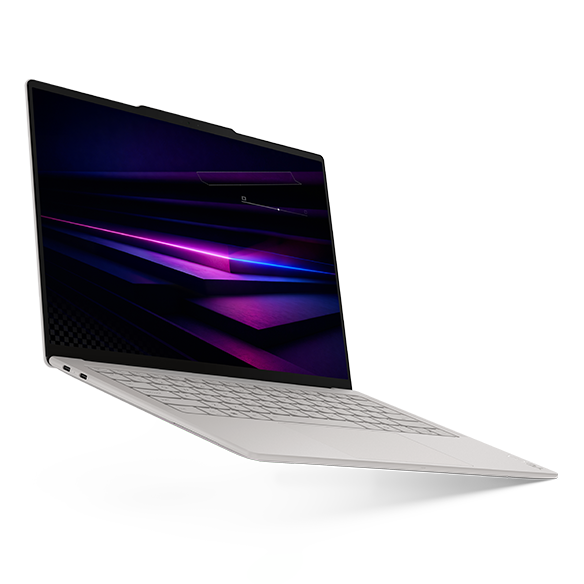
Key facts: 14-inch 2880 × 1800, 120Hz OLED touch; 75Wh; three Thunderbolt 4 ports; manufacturer starting weight 975g. Lenovo specifications
- Strengths: Particularly low measured laptop mass; a full 14-inch touchscreen work surface.
- Trade-offs: No built-in HDMI, USB-A or headphone socket; adapters belong in the equipment plan.
Choose the Yoga for repeated carrying between a shoulder bag and USB-C-equipped desks, especially when a 14-inch touchscreen is useful. Its measured sample provides a concrete starting weight; complete the equipment list above before declaring a finished-kit advantage.
A traveler using older projectors and USB receivers should also consider the A14 or S14. The Yoga deserves the first portability recommendation for its defined combination of features; native connections can change the winner for another itinerary.
Dell XPS 13 DX13260: Best for a tight bag compartment
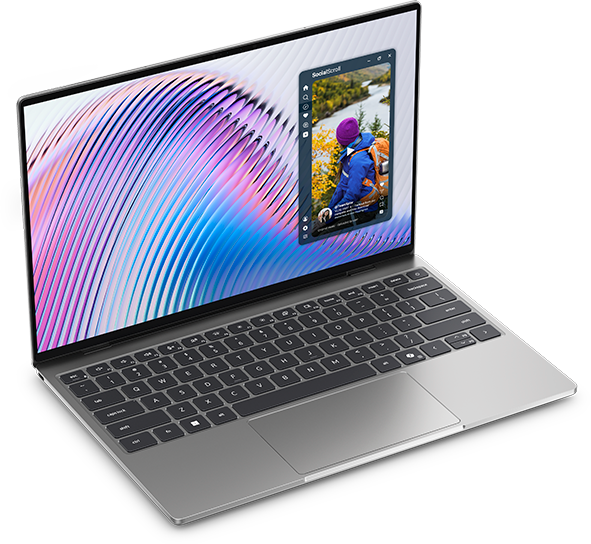
Key facts: 13.4-inch 2560 × 1600 touch LCD; 296.9 × 200.66 × 12.7mm; 52Wh; starting weight 1kg. Dell documentation
- Strengths: Compact external dimensions; an identified 16GB/512GB option below $1,000.
- Trade-offs: Less built-in screen area; USB-C capabilities differ by processor configuration.
The XPS belongs on a small-bag shortlist because packing space is independent of mass. Test its sleeve in the intended compartment with the charger and documents beside it.
The Core 5 320 version uses USB-C 3.2 10Gbps, while Core Ultra configurations provide Thunderbolt 4. Notebookcheck's 1,062g review sample had only 8GB/512GB; it does not measure the higher-capacity offers. Prefer the Yoga when the larger OLED touchscreen matters more than footprint; prefer the XPS when compartment dimensions constrain the purchase. Notebookcheck review
ASUS Zenbook A14 UX3407NA: Best for light travel with direct HDMI
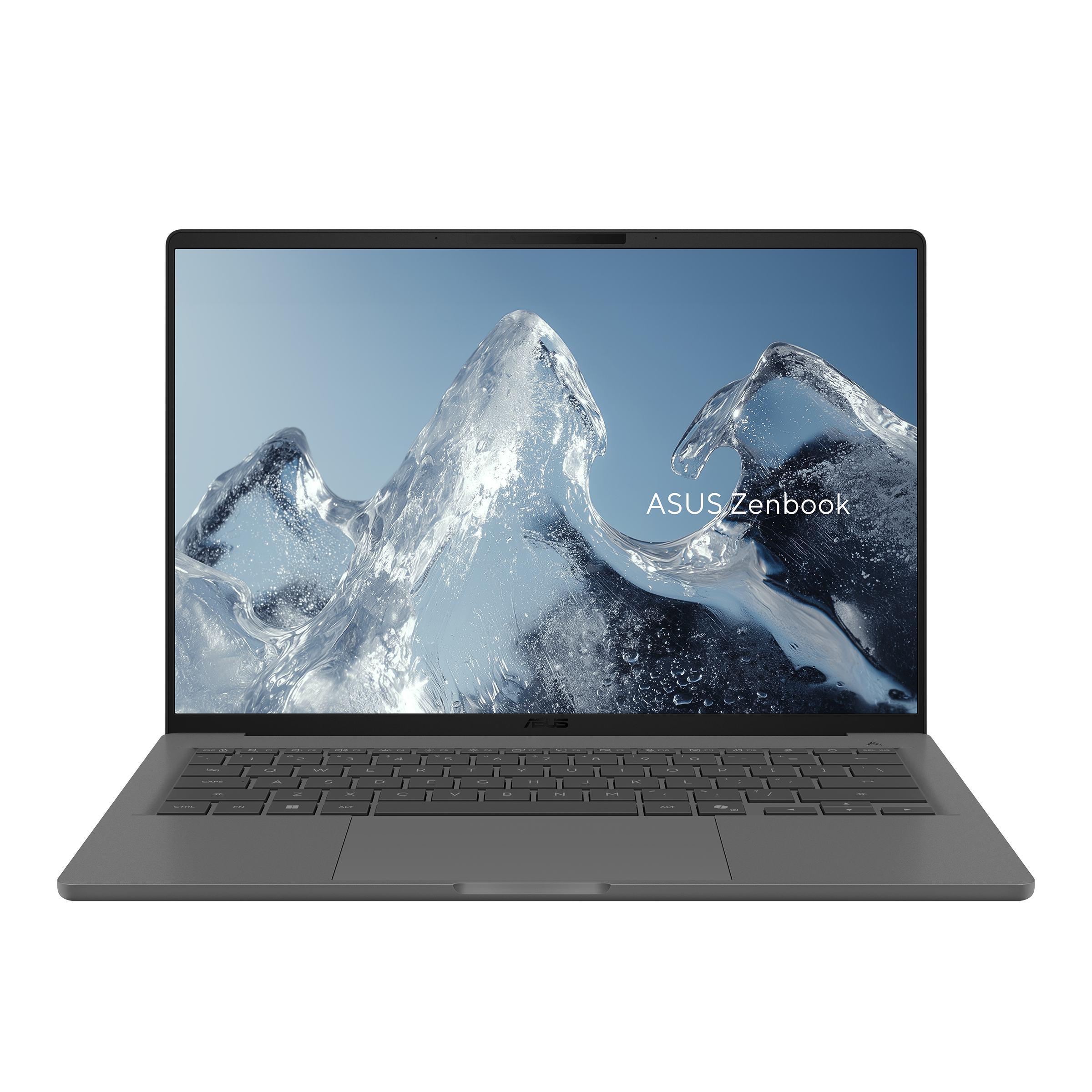
Key facts: Listed 990g; Snapdragon X2 Elite; 70Wh; HDMI, USB-A, two USB4 ports and a headset socket. The US NA specification includes a 1920 × 1200, 60Hz non-touch OLED screen. ASUS specifications
- Strengths: Presentation connections at a low listed mass; fewer reasons to carry a basic hub.
- Trade-offs: Windows Arm software and drivers need checking; the cited display is non-touch.
The A14 can be the more convenient light laptop for someone who presents frequently. Its hardware addresses a specific failure point: arriving with the computer but leaving the required display adapter elsewhere.
Digital Trends' identified UX3407NA work-use review found comfortable input devices while noting display reflections and the 60Hz refresh rate. Digital Trends review Choose this model when the complete application and peripheral chain is approved. The Yoga remains the clearer route when Intel compatibility and OLED touch are requirements; the S14 is the direct-port Intel alternative.
ASUS Zenbook S14 UX5406AA: Best for Intel presentations without a basic hub
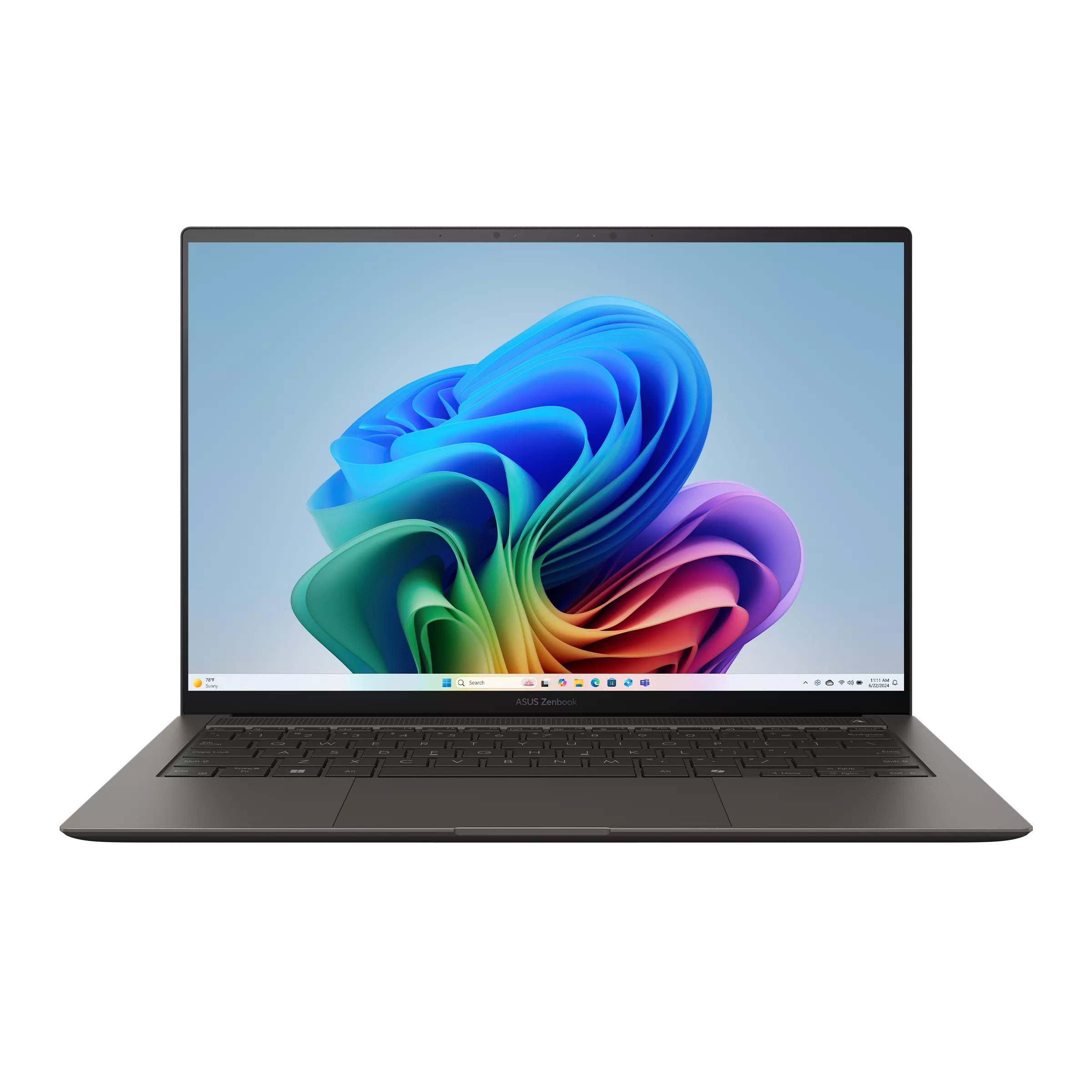
Key facts: 14-inch high-resolution OLED touch; listed 1.20kg; 77Wh; two Thunderbolt 4 ports, HDMI, USB-A and audio. ASUS specifications
- Strengths: Useful direct connections; a checked 32GB/1TB Windows Pro offer at $1,999.99.
- Trade-offs: More laptop mass than the Yoga; reviewed high-load behaviour depends on the processor and power mode.
The S14 is the direct-port Intel alternative in the worked case above. It deserves consideration when those connections remove a hub you would otherwise carry.
Notebookcheck's AA sample used an Ultra 9 386H, weighed 1,205g and completed 16h11m of Wi-Fi browsing at 150 nits. The priced US UX5406AA-XS79T uses an Ultra 7 356H, so that result is supporting generation evidence rather than a promise for the sale configuration. Notebookcheck review The Yoga is the better starting point for low mass; the S14 is particularly compelling for direct connections.
ThinkPad X1 Carbon Gen 14: Best for an endurance-oriented business configuration
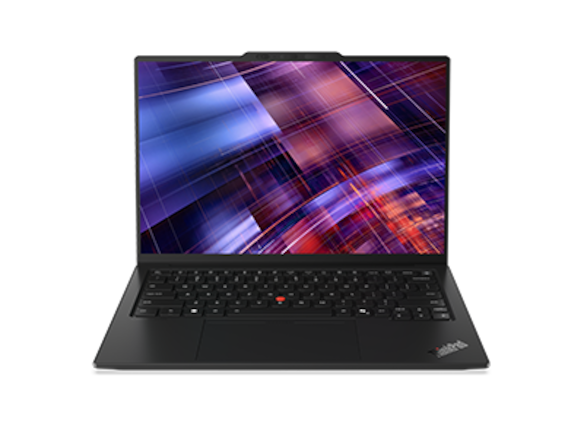
Key facts: 14-inch IPS/OLED choices; 58Wh; three Thunderbolt 4 ports, HDMI, USB-A and audio. Lenovo specifications
- Strengths: Direct connections; a low-power IPS option with substantial published endurance evidence.
- Trade-offs: Screen choice changes weight and runtime; the selected public US offer is expensive.
The X1 is worth examining when a traveler spends long stretches reading and writing away from power. Notebookcheck's Core Ultra 5 325/32GB/512GB IPS-touch unit weighed 1,139g and achieved 23h13m of Wi-Fi browsing. A separate OLED unit was lighter at 989g, non-touch, and returned roughly 13.5 hours at 60Hz. Notebookcheck review Notebookcheck review
Those are two different propositions. The $3,579 21V7006GUS quote is an Ultra 7/32GB/1TB IPS-touch configuration, not a verified 989g machine. Lenovo configuration Choose the X1 through an exact order sheet and support package; choose a consumer model if those business capabilities do not justify the additional spending.
MacBook Air 13-inch M5: Best for a familiar, quiet Mac setup
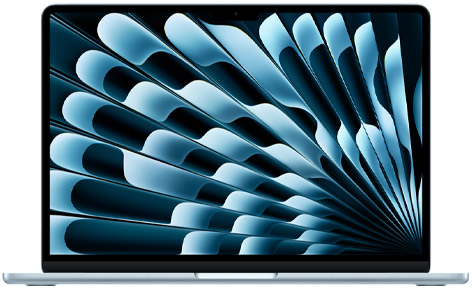
Key facts: 1.23kg; 13.6-inch IPS non-touch display; two Thunderbolt 4 ports, MagSafe and a headphone socket; fanless design. Apple specifications
- Strengths: No cooling-fan noise; charging can leave both Thunderbolt ports available.
- Trade-offs: More laptop mass than the sub-1kg group; presentation adapters may still be necessary.
A successful travel setup includes the software environment. If your work, company access and file exchanges already run comfortably on macOS, replacing that environment to save a few hundred grams can introduce an unnecessary disruption.
Notebookcheck's entry M5 sample, with an eight-core GPU and 16GB/512GB, recorded 16h11m of Wi-Fi browsing at 150 nits. Notebookcheck review The 32GB/1TB purchase option below differs. Choose the Air for an approved Mac workflow; choose the Yoga for lighter Intel OLED-touch carrying or the S14 for direct HDMI and USB-A.
LG gram Pro 16Z90U: Best for leaving a separate screen at home
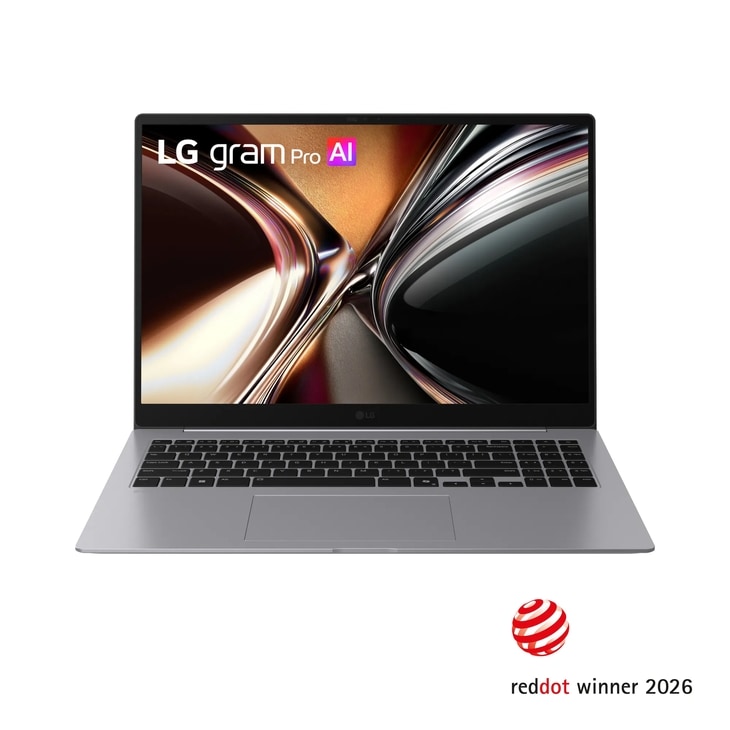
Key facts: Global specification of 1.199kg; 16-inch OLED; 77Wh; HDMI, two USB-A ports, two Thunderbolt 4 ports and a numeric keypad. LG specifications
- Strengths: More physical screen area; broad built-in connectivity.
- Trade-offs: A larger sleeve and working surface are necessary; a light body does not guarantee preferred keyboard feel.
The gram is the useful exception to a smaller-is-better packing rule. If its display lets you leave a portable monitor at home, it can simplify the complete equipment list. That is an individual substitution, not a measured total-kit advantage.
Techgoondu's first-hand 16-inch OLED review praised its connections but found the keyboard shallow for long typing sessions; it did not run a full battery-discharge test. Techgoondu review Try your actual spreadsheet or document layout before buying. Prefer the XPS when bag dimensions dominate, or the Yoga when a 14-inch screen is sufficient.
Dell Pro 14 Premium PA14250: Best for an existing Dell business arrangement
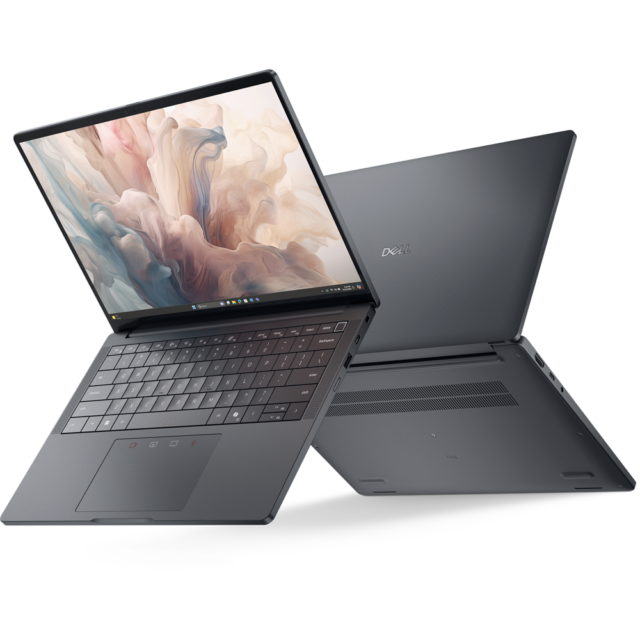
Key facts: A 2025 business generation; two Thunderbolt 4 ports, HDMI, USB-A and audio; panel-specific minimum weights. Dell documentation
- Strengths: Familiar deployment and service routes for an existing Dell fleet; direct meeting-room connections.
- Trade-offs: The lightest panel weight cannot be attached to every configuration; a current quote must identify the screen.
The PA14250 remains relevant when it fits an existing Dell purchasing arrangement. For this guide, its immediate practical contribution is direct HDMI and USB-A connectivity.
Notebookcheck's Ultra 7 268V/32GB/1TB OLED-touch unit weighed 1,261g and returned 15h09m of Wi-Fi browsing. Notebookcheck review It is distinct from the 266V/16GB/512GB offer with 36-month ProSupport. Obtain written panel confirmation before comparing weight or value. An independent buyer without that procurement context should compare the consumer alternatives first.
HP EliteBook Ultra G1i: Best for an HP-approved OLED office kit
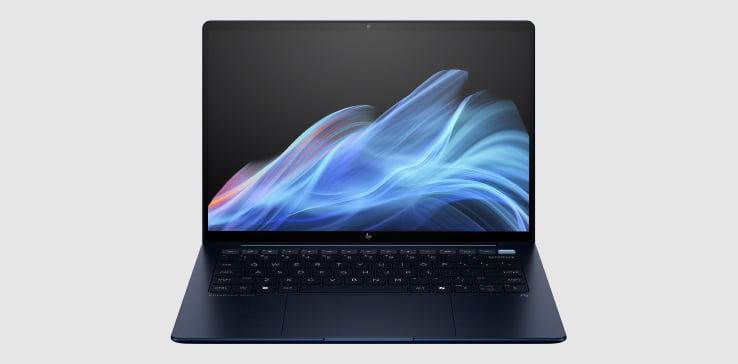
Key facts: Intel G1i; 14-inch 2.8K OLED; 64Wh; three Thunderbolt 4 ports, USB-A and audio; no built-in HDMI. HP documentation
- Strengths: An OLED business option within an approved HP environment; useful USB-C connectivity.
- Trade-offs: HDMI requires an accessory; manufacturer minima and independently measured samples differ.
The G1i is an OLED option for an approved HP environment. Its audio socket and USB-A port may fit your existing peripherals, while HDMI still belongs on the adapter checklist.
Notebookcheck's B66THAT Ultra 7 258V/32GB/1TB OLED-touch sample weighed 1,180g and achieved 12h02m of Wi-Fi browsing. Notebookcheck review These sample figures do not replace HP's configuration-specific quotation. Choose the X1 or Dell Pro when native HDMI matters, or the Yoga when lower laptop mass is the first requirement and corporate approval allows it.
HP OmniBook 5 14-he000: Best for lower spending on an approved office workflow
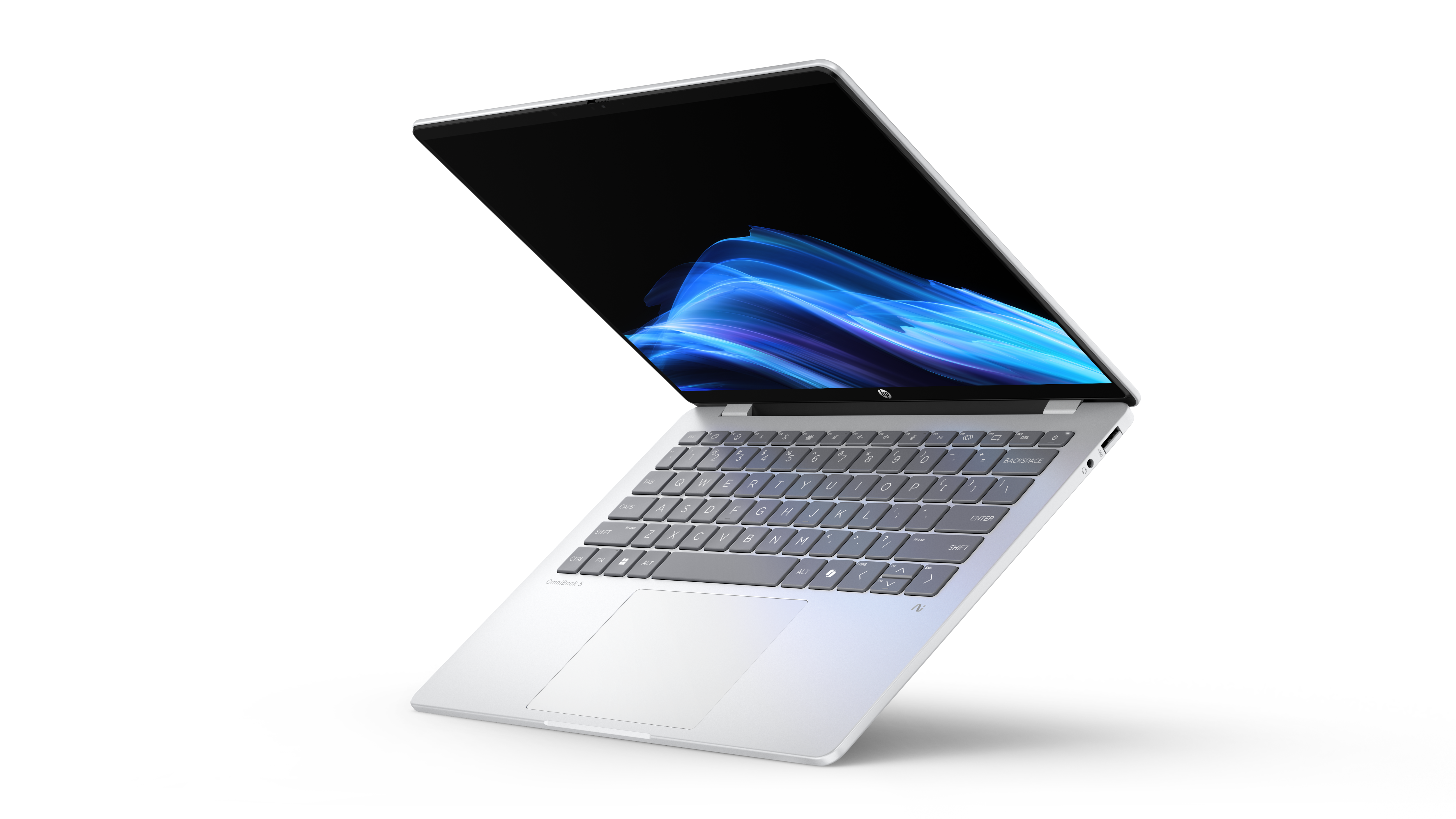
Key facts: B81P1AV_1 offer: X Plus X1P-42-100, 16GB/512GB, Home, OLED touch, 59Wh, approximately 1.29kg; $849.99 promotional price. HP documentation
- Strengths: A concrete lower-spend option; USB-A and a headset socket are built in.
- Trade-offs: Windows Arm approval remains necessary; its USB-C ports are 10Gbps rather than Thunderbolt 4.
The OmniBook can preserve money for the equipment that actually improves a trip: a suitable sleeve, a needed display adapter or a comfortable headset. It is most relevant for browser, document and meeting workflows that work on the specified platform.
The original Notebookcheck sample had 16GB/1TB, Pro and a listed 60Wh battery; its 16h56m browsing result cannot be assigned to this touch/Home offer. Notebookcheck review Choose the XPS's 16GB option for an Intel alternative, or the Yoga when a much lighter OLED-touch machine justifies the higher expenditure.
Bag fit and working space are different purchases
Published width multiplied by depth gives approximately 596cm² for the XPS, 676cm² for the Yoga including its camera bump, 654cm² for the Air, and 900cm² for the gram 16. Dell documentation Lenovo specifications · Apple specifications LG specifications These are rounded bounding-rectangle calculations, not measurements of occupied bag volume.
For a short rail trip with a small compartment, prioritise dimensions. For several evenings of hotel spreadsheet work, a larger built-in display may be more useful. For a walking-heavy conference, weigh the complete assembly. A sleeve should protect the machine without making removal awkward; check access while other belongings remain packed.
Match the kit to three common trips
A same-day conference: Put the laptop, its required presentation connection and the power equipment on the scale together. The Yoga is an attractive start when the venue supports USB-C; the A14 or S14 deserves priority when repeated HDMI connections are central to the day. Keep the adapter decision separate from whether the computer can run the company software.
An overnight trip with a small shoulder bag: Measure the compartment opening and usable depth with your normal belongings inside. The XPS can be easier to pack, but confirm that the smaller screen works for the document session you expect. A marginally lighter computer is little help if you need a second bag to accommodate it.
Several evenings working from a hotel: Open a representative spreadsheet and video call together. If the gram's larger display removes the need for a separate monitor, write down exactly which monitor, cable and stand stay home. If you still need that equipment, evaluate the gram as a larger laptop rather than crediting it with an accessory saving that never occurs.
Prices worth comparing, with the configuration kept attached
The following US offers were checked on 8 November 2026, in USD before tax. No trade-in or student discount is assumed.
| Capacity group | Named offer | Checked price |
|---|---|---|
| 16GB/512GB | HP B81P1AV_1, X1P-42-100, Home | $849.99 promotional HP documentation |
| 16GB/512GB | XPS DX13260, Core 5 320, Storm, Home | $999.99 Dell documentation |
| 32GB/1TB | XPS DX13260, Ultra 7 355, Sky, Home | $1,799.99 Dell documentation |
| 32GB/1TB | Air 13 M5, ten-core GPU, Silver | $1,999 Apple configuration |
| 32GB/1TB | S14 UX5406AA-XS79T, Ultra 7 356H, Pro | $1,999.99 Best Buy configuration |
| 32GB/1TB | Yoga 83QKCTO1WWUS1, Ultra 7 355, Home | $2,049.99 Lenovo configuration |
Equal memory and storage do not equalise processors, operating systems or screens. The checked Yoga costs $50 more than the S14, making this primarily a weight-and-connection decision. The lower-capacity HP and XPS are separate spending choices. Family starting prices for other candidates are not substituted for unverified exact offers.
Begin with the applications, then capacity, then the travel kit. For many document workflows, compare 16GB/512GB before assuming 32GB is necessary. Fixed memory makes the initial choice important, but unused capacity does not improve packing. Our research-focused comparison covers larger working sets; the battery-claims guide explains why vendor maximums cannot determine your unplugged schedule.
What the evidence can and cannot decide
Published reviews are valuable when the sample is identified. In Notebookcheck's results, the Yoga's 10h36m Wi-Fi figure, the X1 IPS unit's 23h13m and the S14 Ultra 9 sample's 16h11m support different priorities. They do not reproduce one business itinerary or every retail configuration. A14 work-use observations and LG input-device impressions remain separate from those battery tests.
For a broader comparison of measured samples, see our business-travel portability comparison. When selecting locally, check the purchased screen, processor and OS edition together. Test company access and presentation equipment during the return period. That practical check can outweigh a small published weight difference.
Frequently asked questions
Which laptop would you start with for one-bag business travel?
Start with the Yoga for very light Intel OLED-touch carrying, then check the accessories your destinations require. Choose the XPS for a tighter compartment, the A14 for approved Arm work with native HDMI, or the X1's low-power IPS route for long unplugged sessions. The first recommendation changes when a different constraint becomes essential.
Should I choose the largest battery?
Use configuration-specific runtime evidence, rather than capacity alone. Screen, processor, power settings and workload all affect consumption. Leave room in the schedule for calls and bright-room use; no browsing result guarantees your own working duration.
Can I use one charger for the laptop and phone?
A compatible USB Power Delivery charger may simplify the bag, provided its output and cable meet the laptop's requirements. Check output while multiple devices are connected, not only the charger label. Weigh the actual charger and cables you intend to carry.
Is a 16-inch laptop unsuitable for lightweight travel?
It depends on the bag and work surface. The gram offers a larger display at a relatively low listed mass, but its external dimensions remain larger. If it replaces another screen, compare the whole equipment list; if it does not fit the compartment, a lower weight will not resolve that problem.
Sources and image credits
Manufacturer sources establish model options, connections and the identified offers. Original reviews supply the attributed measurements and use observations. Official product photographs illustrate the named generation or family; the written configuration determines what is ordered.
- Lenovo: Yoga specifications, Yoga product and image page, X1 specifications, X1 offer and image page.
- ASUS: A14 specifications, S14 specifications, S14 identified US offer.
- Dell: XPS configurations, XPS official image release, Dell Pro panel weights, Dell Pro official image release.
- Apple and LG: Air specifications, Air identified offer, gram global specifications, gram US image and configuration.
- HP: EliteBook brief, EliteBook product photographs, OmniBook identified offer, OmniBook official image release.
- Original measured reviews: Yoga, XPS, X1 IPS, X1 OLED comparison, S14, Air, Dell Pro, EliteBook, OmniBook.
- Original use reviews: A14, Digital Trends, gram, Techgoondu.