Which lightweight laptops are good for graduate students? For a student who needs Windows and carries a laptop across campus every day, the Lenovo Yoga Slim 7i Ultra Aura Edition Gen 11 is our pick for low carry weight with a 14-inch OLED touchscreen. A reviewed Core Ultra 7 355 configuration weighed 978g. That makes its portability advantage tangible, without establishing a lead in every research task.22
The strongest alternative depends on the work: the MacBook Air 13-inch M5 for a supported macOS environment, ASUS Zenbook S14 UX5406AA for direct connections at a competitive checked price, ThinkPad X1 Carbon Gen 14 for a justified departmental purchase, or Surface Laptop 13.8-inch, 8th Edition for a taller document screen with confirmed Windows Arm compatibility.
These are five premium options, rather than the minimum equipment a graduate student needs. The matched-capacity offers below are around $2,000 or more. For reading, writing and remote access, a suitable 16GB/512GB machine—or the laptop you already own—may be sufficient.
The five choices at a glance
| Best fit | Laptop | Useful distinction | Main buying question |
|---|---|---|---|
| Daily campus commuting with Windows | Lenovo Yoga Slim 7i Ultra, 14-inch Gen 11 | 978g measured OLED-touch review sample | Are its USB-C connections sufficient for your routine? |
| A supported macOS research workflow | Apple MacBook Air 13-inch M5 | Fanless design; 1.23kg official weight | Do the complete software environment and peripherals support macOS? |
| Seminars, presentations and mixed peripherals | ASUS Zenbook S14 UX5406AA | HDMI and USB-A alongside Thunderbolt 4; 1.20kg listed weight | Are direct connections worth carrying roughly 200g more than the Yoga? |
| A university-approved business configuration | ThinkPad X1 Carbon Gen 14 | Broader ports and an IPS/OLED configuration choice | What screen, weight and support does the actual quote include? |
| Documents and a confirmed Windows Arm workflow | Surface Laptop 13.8-inch, 8th Edition | 3:2, 120Hz touchscreen; approximately 1.36kg in the Store specification | Does the exact software and driver chain work on Arm? |
Weights above distinguish a weighed review sample from manufacturer specifications; they exclude chargers and accessories. The X1 Carbon's family minimum is not used as the weight of the priced IPS-touch configuration.4, 5, 6, 7, 8, 9, 22
What do equivalent memory and storage configurations cost?
The main comparison holds 32GB memory and 1TB storage constant. That makes capacity easier to compare; it does not make processor performance, operating systems, screens or support identical.
These identified US new-product offers were checked on 8 November 2026. Prices are in USD before sales tax and exclude assumed student discounts, trade-ins, paid support and optional accessories.
| Laptop and exact offer | Processor / operating system | Seller and identifier | Checked price |
|---|---|---|---|
| Yoga Slim 7i Ultra, 32GB/1TB | Core Ultra 7 355 / Windows 11 Home | Lenovo US, 83QKCTO1WWUS1 | $2,049.99 24 |
| MacBook Air 13-inch M5, 32GB/1TB, Midnight | 10-core CPU, 10-core GPU / macOS | B&H, Z1L8000KL | $1,999.00 16 |
| Zenbook S14, 32GB/1TB, Antrim Gray | Core Ultra 7 356H / Windows 11 Pro | Best Buy, UX5406AA-XS79T, SKU 6676699 | $1,999.99 15 |
| ThinkPad X1 Carbon Gen 14, 32GB/1TB, IPS touchscreen | Core Ultra 7 365 vPro / Windows 11 Pro | Newegg, sold and shipped by Lenovo, 21V7006GUS | $3,579.00 19 |
| Surface Laptop 13.8-inch, 8th Edition, 32GB/1TB, Black | Snapdragon X2 Elite, 12-core / Windows 11 Home | Microsoft Store configuration under 8mzbmmcjzpmf | $2,099.99 promotional 18 |
The Surface page showed a full price of $2,649.99. Seller terms and final checkout totals still matter; these are identified offers, rather than a claim to have found each model's lowest market price.
The useful Yoga–Zenbook price difference is $50 at these offers. Using only Best Buy's $2,249.99 Yoga 83QK0001US listing would produce a $250 gap and miss Lenovo's lower-priced purchase route. Those are different offer codes, so compare delivery and warranty terms before choosing between them.14, 24
The Air is $50.99 below the Lenovo-direct Yoga at the matched capacity. B&H also listed a separate 24GB/512GB Air, Z1L0000RV, at $1,499. That is a legitimate lower-spend option when the workload fits; it is not an equal-capacity substitute for the 32GB/1TB machines.17
The X1 Carbon's public quote is substantially higher. Its inclusion makes sense for students who can obtain a better institutional package or use specific business features. The family name alone does not justify the premium.
What published testing actually tells us
All five model families have published hands-on evidence below. The reviewed configurations differ from the purchase offers, so the table identifies them rather than attaching their results to every unit carrying the same name.
| Model and reviewed configuration | Published evidence | Practical reading |
|---|---|---|
| Yoga Slim 7 Ultra 14IPH11: Core Ultra 7 355, 32GB/1TB, OLED touch | Notebookcheck measured 978g and 10h36m of Wi-Fi browsing | Corroborates the low weight; does not establish a battery lead 22 |
| Air 13-inch M5: 10-core CPU, 8-core GPU, 16GB/512GB | Notebookcheck measured 1,230g and 16h11m of Wi-Fi browsing at 150 nits | Useful evidence for the fanless design; the priced Air has more memory and a different GPU configuration 25 |
| X1 Carbon Gen 14 21V70075GE: Core Ultra 5 325, 32GB/512GB, IPS touch | Notebookcheck measured 1,139g and 23h13m of Wi-Fi browsing at 150 nits | Makes the low-power IPS configuration a serious endurance candidate; this is not the quoted Core Ultra 7 SKU 26 |
| Zenbook S14 UX5406AA: Core Ultra 9 386H, 32GB/1TB, OLED touch | Notebookcheck measured 1,205g and 16h11m of Wi-Fi browsing at 150 nits | Adds evidence beyond battery capacity; the US offer uses a Core Ultra 7 356H 28 |
| Surface Laptop 13.8-inch, 8th Edition: X2 Plus, 16GB/512GB | RTINGS reported over 12 hours of web browsing and favourable keyboard/touchpad observations | Supports a document-and-meetings role; its X2 Plus result is not a test of the priced X2 Elite 29 |
Notebookcheck's results are a useful common-laboratory reference, with configuration differences still visible. RTINGS uses a separate method. Neither source reproduces a complete graduate student's day of calls, data analysis and changing brightness.
The Yoga also illustrates why one battery number is insufficient. Tom's Guide reported 16h39m for its Yoga sample versus 15h28m for the Air M5 in continuous Wi-Fi browsing at 150 nits, a different outcome from Notebookcheck's results. Tom's Hardware reported higher Geekbench 6 CPU scores for the Air: 4,168/17,067 single/multi-core versus the Yoga's 2,729/11,555. These results support particular comparisons, not a universal winner.20, 21
Tom's Guide, Tom's Hardware and Windows Central belong to the same publishing group. Identical benchmark numbers reproduced by two of those outlets are not separate laboratory confirmations.
Lenovo Yoga Slim 7i Ultra — best for a low-weight Windows commute
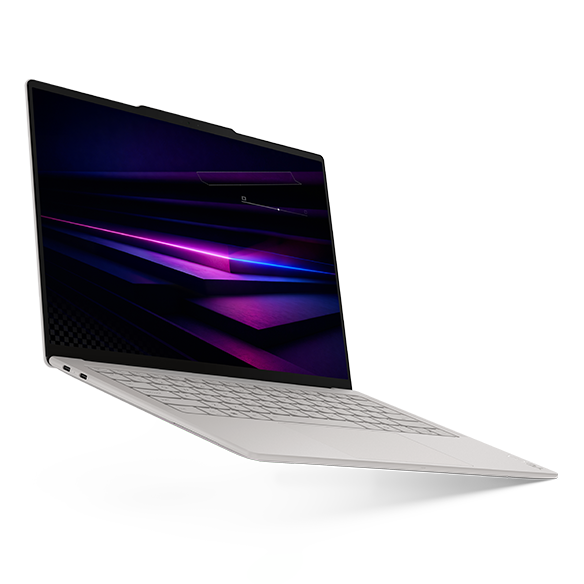
For a student moving between the library, seminars and a shared research desk, the Yoga's strongest case is straightforward: a reviewed laptop below 1kg without reducing the screen to a small format. Lenovo specifies a 14-inch, 2880 × 1800, 120Hz OLED touchscreen, a 75Wh battery and three Thunderbolt 4 ports.4
The Core Ultra 7 355/32GB/1TB route is the relevant purchase comparison here. It uses Intel Graphics; graphics results from a Core Ultra X7 configuration with Arc B390 cannot be assigned to it. The reviewed 355 configuration is closer to this offer than a higher-tier demonstration machine, although the review does not establish an identical US SKU.4, 22, 24
A student working mostly with documents, coding tools and manageable local datasets can benefit from the space and capacity without making sustained computation the laptop's main job. Windows Central's reviewer also found the keyboard comfortable and discussed its 1.5mm travel—useful experience for a writing-heavy routine, rather than a typing-speed test.23
The connection plan decides whether the low weight translates into convenience. There is no built-in HDMI, USB-A or 3.5mm socket. A desk dock can make that arrangement simple; repeated visits to projector-equipped classrooms or instrument stations may make the Zenbook or ThinkPad more convenient. Include the adapter and charger in your bag comparison. The touchscreen does not provide pen support.4
Our judgment: Choose the Yoga first when low carry weight, Windows and a 14-inch OLED touchscreen are the priorities. At the checked Lenovo-direct price, the premium over the Zenbook is modest. Choose another model when direct ports, a preferred IPS panel or independently demonstrated endurance matter more. The evidence supports a portability recommendation, not a claim that the Yoga is the fastest or longest-lasting research laptop.
MacBook Air 13-inch M5 — best for a supported macOS workflow
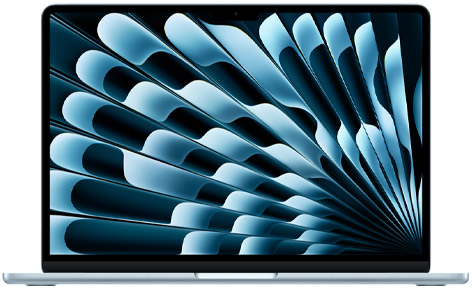
The Air makes a strong case when the research group supports macOS. Apple specifies a 13.6-inch IPS display, a fanless design, two Thunderbolt 4 ports, separate MagSafe charging and a headphone socket. It supports two external displays.5, 10
Fanless cooling is a concrete advantage in a quiet reading room: there is no cooling fan to become audible. Notebookcheck's entry-configuration review adds measured weight and runtime evidence, while the separate Tom's Hardware comparison shows the M5 Air ahead of the Yoga 355 in the reported CPU benchmark. Neither result measures the completion time of your own statistical model or compilation task.21, 25
The quoted 32GB/1TB model avoids giving the Mac an artificial value advantage through a smaller capacity. It is also useful to compare the 24GB/512GB offer when university storage holds the main dataset and the local working set fits. There is no reliable universal rule that makes a particular Mac memory capacity equivalent to a larger Windows capacity.
Software fit should be positive evidence, rather than brand familiarity. MATLAB has a native Apple-silicon version and published Mac requirements. Check the required release, toolboxes, compilers and interfaces; a supported main application does not guarantee every laboratory dependency.12, 13
For extended simulations or repeated rendering, compare representative sustained work or use departmental computing. A fast short benchmark and a fanless chassis answer different questions. Also check fixed memory and storage capacity before ordering, since later expansion is not a practical buying strategy for this model.25
Our judgment: The Air is an attractive first choice for macOS-compatible research, with a competitive checked price and evidence of strong CPU performance. The Yoga remains lighter, while the Zenbook and X1 Carbon provide direct HDMI and USB-A. Choose from those practical differences rather than assuming the operating system makes one model universally superior.
ASUS Zenbook S14 UX5406AA — best for direct connections at the checked Windows price
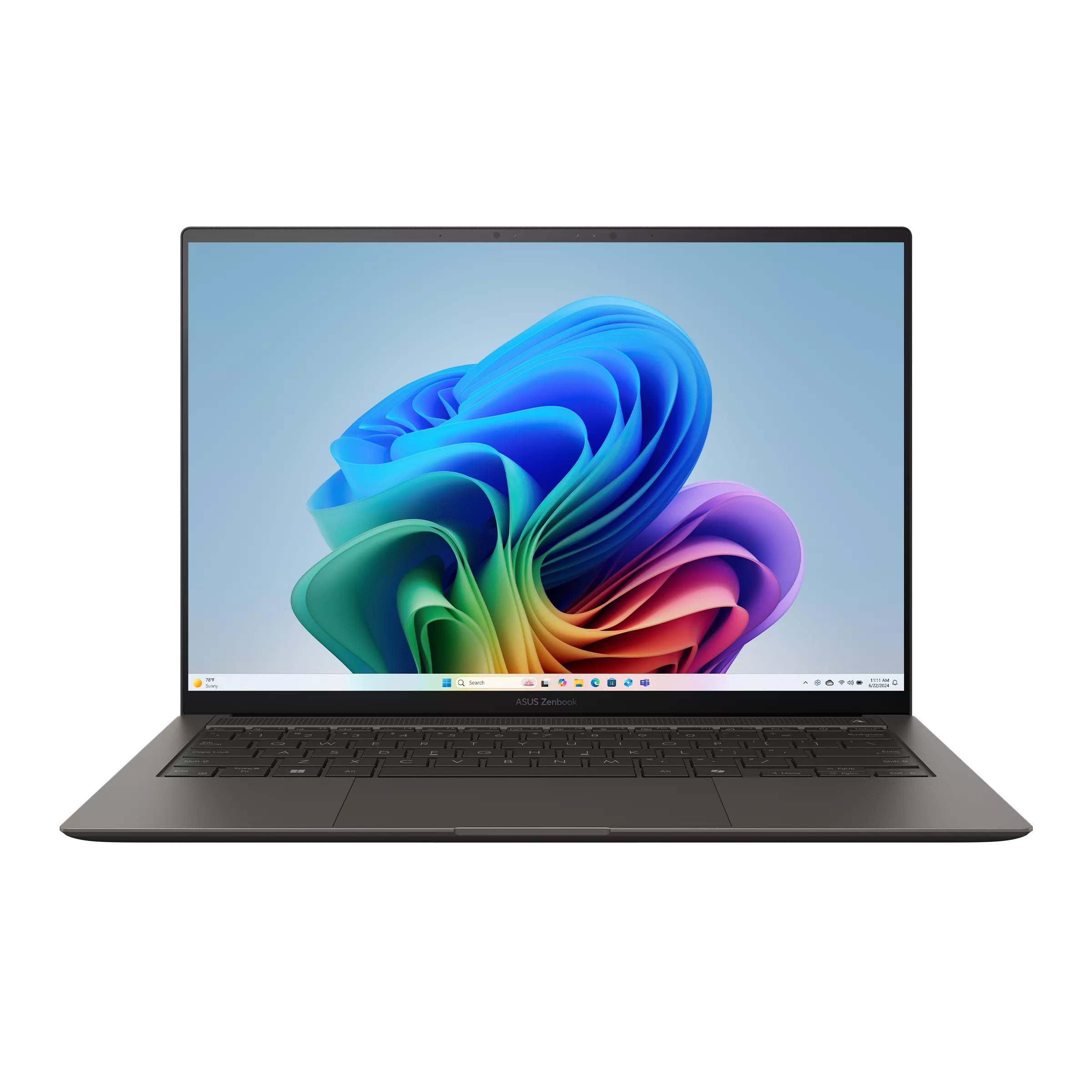
The S14 is particularly easy to justify for a student who teaches or presents frequently. It combines a high-resolution OLED touchscreen with two Thunderbolt 4 ports, HDMI, USB-A and an audio socket. Those connections can remove an adapter from routine classroom visits.6
The checked UX5406AA-XS79T has a Core Ultra 7 356H, 32GB/1TB and Windows 11 Pro at $1,999.99. Confirm the AA suffix: older UX5406SA configurations use different processors and batteries.6, 15
Its lower checked price is relevant, but the difference from Lenovo's direct Yoga offer is only $50. The more substantial trade is physical: the reviewed S14 weighed 1,205g, against the Yoga review sample's 978g. That 227g difference excludes their accessories. Direct ports can still make the S14 the simpler setup if you connect several times a week.22, 28
Published testing gives the ASUS recommendation its own foundation. Notebookcheck's Core Ultra 9 386H sample achieved 16h11m of Wi-Fi browsing at 150 nits. That is useful evidence that this generation can offer substantial browsing runtime, but it is not a test of the priced 356H unit. The review also identifies its integrated graphics limitation; the presence of a Core Ultra 9 label does not turn it into an Arc B390 configuration.28
For a student alternating between local analysis, thesis work and presentations, this is a coherent compromise. It keeps the display and desk flexibility associated with a premium ultraportable without making minimum weight the overriding objective.
Our judgment: Start with the Zenbook when direct ports and the checked Windows price matter most. Pay the Yoga's modest premium when the carry-weight reduction is more useful. Neither laptop wins this decision merely through its battery capacity or processor tier.
ThinkPad X1 Carbon Gen 14 — best for a justified departmental package
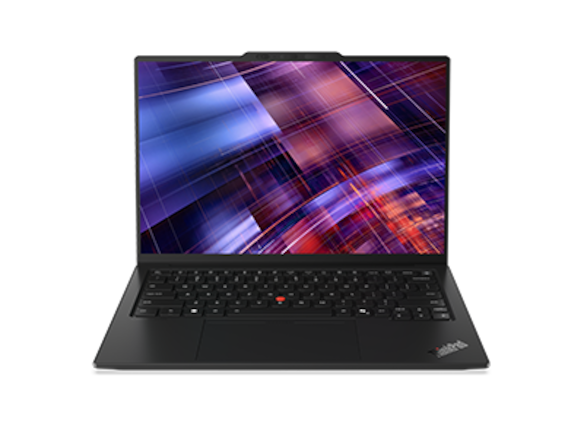
The X1 Carbon deserves a serious comparison on ports and endurance, rather than a token position as an expensive business laptop. Lenovo documents three Thunderbolt 4 ports, USB-A, HDMI and an audio socket, with several screen configurations.7
Choose the screen before comparing weight. Lenovo's family starting figures—977g with a trackpad and 998g with a haptic touchpad—are not the weight of every X1 Carbon. The priced 21V7006GUS is an IPS-touch model. A separate Notebookcheck 21V70075GE IPS-touch sample weighed 1,139g; its OLED comparison sample weighed 989g and lacked touch. Those are review configurations, not verified weights for the quoted US unit.7, 26, 27
The same screen decision materially affects endurance. The reviewed Core Ultra 5/IPS unit reached 23h13m in Notebookcheck's 150-nit Wi-Fi test, versus roughly 13.5 hours for its OLED comparison at 60Hz. That makes low-power IPS an important option for long unplugged reading sessions. It does not guarantee that the priced Core Ultra 7 unit will reproduce either result.26, 27
For university purchasing, ask what an approved configuration actually includes: repair handling, operating-system support, warranty, loaner access and the final delivered quote. Confirm those benefits; a retail ThinkPad does not automatically receive a departmental support package.
The $3,579 selected public offer is difficult to recommend to a self-funded student on memory and storage alone. An institutional quote can change that conclusion, especially if the supported configuration reduces downtime during a long research project.
Our judgment: Choose the X1 Carbon when a specific IPS configuration, direct connectivity or a valuable departmental package justifies its price. Do not pay for the family minimum weight while ordering a materially different configuration. Its strongest evidence here is the low-power IPS alternative, not an assumed sub-kilogram weight for the quoted machine.
Surface Laptop 13.8-inch, 8th Edition — best for a taller Windows document screen
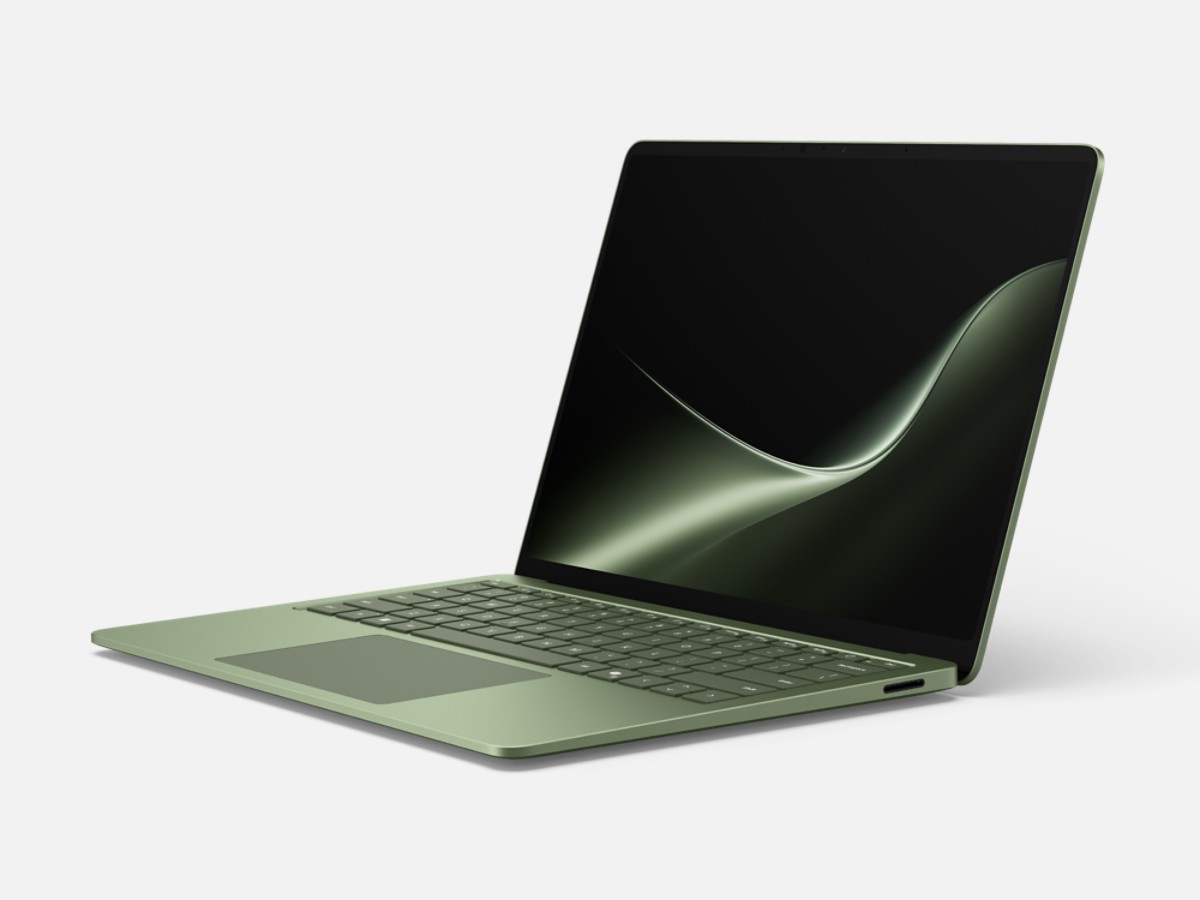
The Surface's clearest distinction is its 2304 × 1536, 120Hz, 3:2 touchscreen. At the same width, the taller shape gives more vertical document space than 16:10. Whether that suits your reading and reference-manager layout is a useful in-person comparison.8, 9
The checked offer is the Snapdragon X2 Elite 12-core, 32GB/1TB model. It includes two USB4 ports, USB-A, an audio socket and Surface Connect. Microsoft lists this generation as touch-only, with no Surface Pen support; it is not a handwriting-focused convertible.8, 18
RTINGS reviewed the same 13.8-inch generation with an X2 Plus, 16GB/512GB configuration. Its public review reports over 12 hours of browsing and favourable input-device observations. That supports the Surface's role in reading, writing and meetings while leaving the X2 Elite purchase configuration untested in this comparison.29
Windows Arm compatibility deserves an exact check. MATLAB R2026b lists Snapdragon X-series support through Prism emulation; MathWorks' linked guidance lists exclusions, including third-party hardware interfaces. Confirm the laboratory's release and required features. Emulation support for one application is not blanket support for a complete research environment.1, 11
Our judgment: Consider the Surface when you prefer its screen shape and have verified the software chain. Its promotion puts it close to the Yoga, Air and ASUS offers, but it carries more weight and needs a different compatibility assessment from Intel Windows. Choose it for the document-and-input experience you will use, rather than an assumed Arm battery advantage.
Buy for the research session you actually run
Before choosing between these five laptops, answer three questions: where does computation happen, which software dependencies are compulsory, and how much memory does the busiest session use?
| Normal workload | Sensible starting point | What should change the specification? |
|---|---|---|
| PDFs, references, thesis writing, slides, meetings and remote access | 16GB/512GB, if the workload fits | Local file growth or observed memory pressure |
| Coding, data preparation and moderate local analysis alongside documents | Compare 32GB/1TB offers | A representative dataset, development environment or virtual-machine requirement |
| Large simulations, demanding CAD, GPU computation or substantial virtual machines | Department-approved workstation or a confirmed remote-compute plan | Application requirements, certified graphics and measured sustained performance |
These are buying guidelines, not universal software requirements. Duke's general recommendation similarly distinguishes 16GB/512GB from its preferred 32GB/1TB configuration.3
For literature-led work, a premium laptop is optional. Prioritise comfortable input, readable text, backup and enough budget for an external monitor before buying unused compute capacity. For local analysis, use a representative project to check memory and task time. For lab-based research, confirm server access, instrument interfaces and the supported operating-system edition before prioritising chassis weight.
SOLIDWORKS, for example, lists x86-64 hardware and certified graphics requirements and excludes Windows Home editions. An Intel processor alone therefore does not establish suitability; an operating-system upgrade alone does not establish graphics suitability either.2
The final choice
For a daily commuter needing Windows, the Yoga Slim 7i Ultra earns the portability recommendation through its measured low weight and 14-inch OLED-touch design. The Zenbook S14 is the more convenient starting point for frequent HDMI/USB-A use, while the Air M5 is compelling when macOS supports the complete workflow. The X1 Carbon merits a configuration-specific departmental quote, particularly for low-power IPS; the Surface suits readers who prefer its taller screen and have confirmed Arm support.
Before paying, compare the exact configuration, necessary adapters, charger and repair terms. During the return period, run your normal research session at your usual brightness. A laptop that handles that session comfortably is a better purchase than a higher-ranked model whose particular advantage you rarely use.
Sources and specification references
Official documentation establishes hardware and software support. Seller prices were checked on 8 November 2026 and may change. Published measurements belong to the named reviewers and configurations; no testing by this site is claimed.
- MathWorks: MATLAB system requirements for Windows
- SOLIDWORKS: system requirements
- Duke University OIT: recommended computer specifications and supported software
- Lenovo PSREF: Yoga Slim 7 Ultra 14IPH11 specification reference
- Apple: MacBook Air technical specifications
- ASUS: Zenbook S14 UX5406 technical specifications
- Lenovo PSREF: ThinkPad X1 Carbon Gen 14 Aura Edition specification reference
- Microsoft Store: Surface Laptop 13.8-inch, 8th Edition
- Microsoft: Surface Laptop family specifications and display information
- Apple: introduction of the MacBook Air with M5
- MathWorks Support Team: Windows Arm support and capability exclusions
- MathWorks: MATLAB R2026b system requirements for Mac
- MathWorks: native MATLAB on Apple silicon
- Best Buy: Yoga Slim 7i Ultra 83QK0001US, SKU 6671628
- Best Buy: ASUS Zenbook S14 UX5406AA-XS79T, SKU 6676699
- B&H: MacBook Air M5 32GB/1TB, Z1L8000KL
- B&H: MacBook Air M5 24GB/512GB, Z1L0000RV
- Microsoft Store: exact Surface Laptop 8th Edition configuration offers
- Newegg: ThinkPad X1 Carbon 21V7006GUS, selected Lenovo-sold offer
- Tom's Guide: Core Ultra 7 355 Yoga review and battery comparison
- Tom's Hardware: 2026 Yoga 355 review and CPU comparison
- Notebookcheck: Yoga Slim 7 Ultra 14IPH11 review, measured weight and WLAN runtime
- Windows Central: Yoga Slim 7i Ultra Gen 11 hands-on review
- Lenovo US: Yoga Slim 7i Ultra 83QKCTO1WWUS1, official 32GB/1TB purchase route
- Notebookcheck: MacBook Air 13 M5 entry-configuration review
- Notebookcheck: ThinkPad X1 Carbon Gen 14 21V70075GE IPS-touch review
- Notebookcheck: X1 Carbon Gen 14 OLED and IPS comparison
- Notebookcheck: Zenbook S14 UX5406AA Core Ultra 9 review
- RTINGS: Surface Laptop 8th Edition 13.8-inch X2 Plus review