A business laptop earns its place when the meeting starts on time, remote colleagues can follow the presentation and the revised file reaches the right people afterward. Before comparing thinness or processor labels, put the purchase through three gates: company approval, room connectivity and the actual meeting workload.
For an approved Intel Windows workflow with USB-C-equipped destinations, the Lenovo Yoga Slim 7i Ultra Aura Edition Gen 11 is our lead choice for a very light 14-inch OLED-touch computer. For repeated HDMI presentations, begin with the Zenbook S14. For long unplugged sessions and documented business options, investigate the X1 Carbon's low-power IPS configuration. For a Mac-supported organization, begin with the Air M5.
This guide compares what those choices change during a client visit. If the main question is what the complete equipment weighs, the one-bag business travel laptop guide examines that separate carrying decision.
The quick picks
| Best for | Laptop | Why it earns a place |
|---|---|---|
| Low-weight Intel OLED-touch travel | Lenovo Yoga Slim 7i Ultra Gen 11 | A 978g measured touchscreen configuration |
| Long unplugged meetings and enterprise options | ThinkPad X1 Carbon Gen 14, low-power IPS | 23h13m in a named review sample's Wi-Fi test |
| Frequent HDMI presentations on Intel Windows | ASUS Zenbook S14 UX5406AA | HDMI, USB-A and Thunderbolt together |
| A compact sleeve and smaller work surface | Dell XPS 13 DX13260 | A 296.9 × 200.66mm chassis footprint |
| Light carrying with native legacy connections | ASUS Zenbook A14 UX3407NA | Listed 990g with HDMI and USB-A; Arm software check required |
| A supported, quiet macOS routine | MacBook Air 13-inch M5 | Fanless design and separate MagSafe charging |
| Large spreadsheets away from the office | LG gram Pro 16Z90U | A 16-inch screen at a listed 1.199kg |
| An established Dell deployment | Dell Pro 14 Premium PA14250 | Business purchase route and native presentation connections |
| An approved HP OLED business configuration | HP EliteBook Ultra G1i | Three Thunderbolt ports, USB-A and business configuration options |
| A lower-priced approved office workflow | HP OmniBook 5 14-he000 | Identified 16GB/512GB OLED-touch offer below $900 |
How these recommendations were selected
This shortlist covers ten documented laptop families available through US or international product channels. It combines manufacturer specifications, identified US offers checked on 8 November 2026, and attributed original reviews. Photographs come from official product or announcement pages. We have not performed the measurements reported here.
The sequence introduces different buying roles. It does not rank ten machines by a hidden scoring formula. We give software approval and the required connections priority, then compare screen, carrying weight, relevant test evidence and purchase cost. Manufacturer minimum weights, weighed review units and quoted retail configurations remain separate.
Lenovo Yoga Slim 7i Ultra Gen 11 — Best for low-weight Intel OLED-touch travel
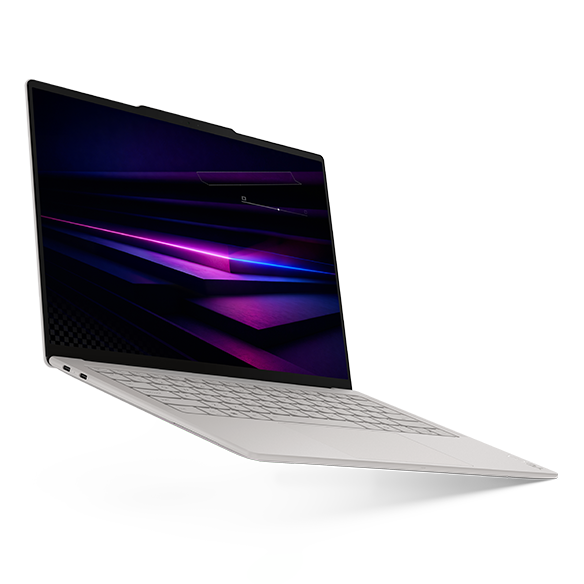
Key facts: 14-inch 2880 × 1800 120Hz OLED touch; 75Wh; three Thunderbolt 4 ports; manufacturer weight from 975g. Lenovo specifications
Advantages
- A reviewed OLED-touch configuration stayed below 1kg.
- Three Thunderbolt connections give flexibility at a USB-C-equipped desk.
Trade-offs
- HDMI, USB-A and wired headphones need the appropriate adapter.
- Published battery evidence does not establish a lead over every rival.
Why choose it: The Yoga fits a consultant who works from an approved Windows environment, presents through known USB-C equipment and returns to a compatible office dock. Its three Thunderbolt ports can accommodate that connection plan without making the screen excessively small. Notebookcheck's measured 978g OLED-touch sample supports its specific advantage when the same computer moves between many appointments.
Notebookcheck's tested 355/32GB/1TB unit ran Windows Pro; Lenovo's $2,049.99 US offer uses Home. The quoted processor uses Intel Graphics, so results from an Arc B390-equipped configuration cannot be substituted. Notebookcheck review Lenovo configuration
Choose another when: Client rooms regularly offer only HDMI, or IT will not accept the quoted Home edition. Compare an approved S14 or X1 configuration before adding conversion and licensing steps to the Yoga purchase.
ThinkPad X1 Carbon Gen 14 — Best for long unplugged meetings and enterprise options
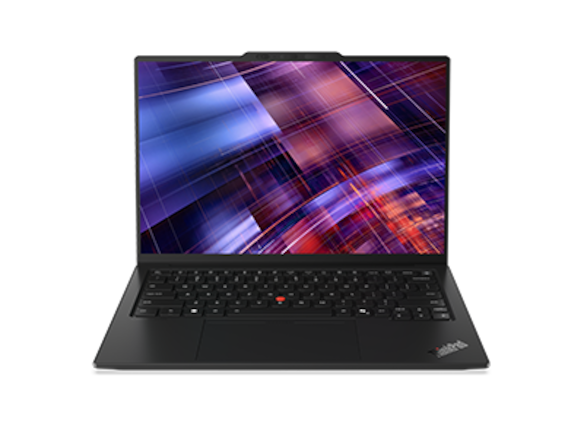
Key facts: 14-inch IPS/OLED choices; 58Wh; three Thunderbolt 4 ports, HDMI, USB-A and headset socket; eligible vPro and cellular configurations. Lenovo specifications
Advantages
- Broad native connections simplify changing meeting rooms.
- A named low-power IPS review configuration demonstrated exceptional browsing endurance.
Trade-offs
- Display choice changes weight and runtime materially.
- A business configuration needs a business case for its price.
Why choose it: Shortlist the X1 when procurement has a defined Windows image, asks for specific management or connectivity options and expects long sessions between charging opportunities. Confirm those options on the order rather than assuming the family name includes them. The low-power IPS route has particularly useful published evidence: Notebookcheck's Core Ultra 5 325/32GB/512GB IPS-touch sample weighed 1,139g and achieved 23h13m in its Wi-Fi test. A video meeting is a different workload. Notebookcheck review
The separately reviewed OLED version weighed 989g, lacked touch and achieved roughly 13.5 hours at 150 nits and 60Hz. Combining that lighter weight with the IPS runtime would describe a machine the review did not test. Notebookcheck review
Choose another when: The employer approves a simpler machine and the extra business options will not be used. Require a specific procurement benefit before accepting the higher quote.
ASUS Zenbook S14 UX5406AA — Best for frequent HDMI presentations on Intel Windows
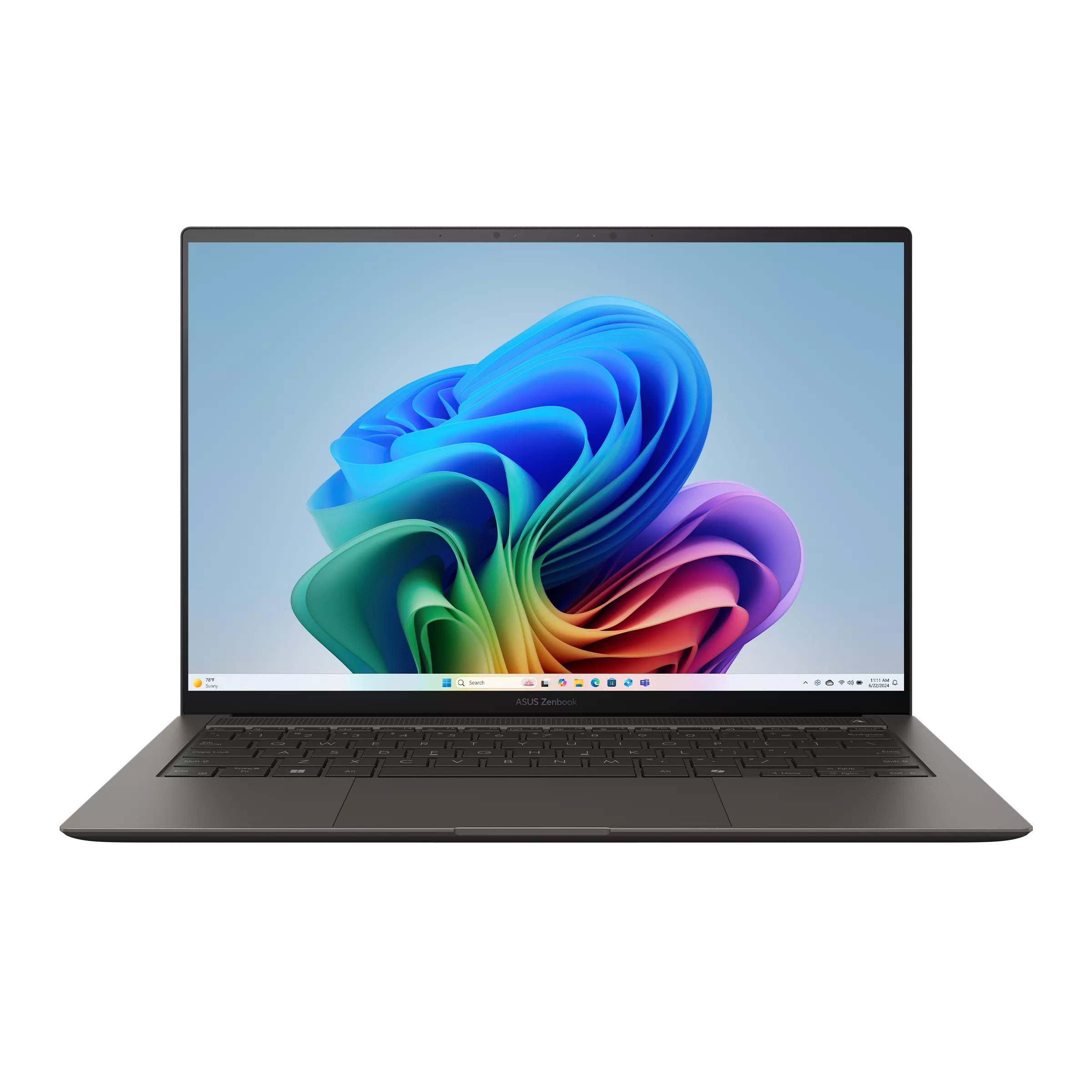
Key facts: 14-inch 2.8K 120Hz OLED; listed 1.20kg; 77Wh; two Thunderbolt 4 ports, HDMI, USB-A and headset socket. ASUS specifications
Advantages
- Presentation and legacy peripheral connections are already built in.
- The identified 32GB/1TB US offer includes Windows Pro.
Trade-offs
- It carries more mass than the measured sub-1kg Yoga.
- The reviewed Core Ultra 9 configuration differs from the priced Core Ultra 7.
Why choose it: The S14 is the practical first call for a trainer alternating between local HDMI projection and a USB-C office desk. USB-A can also accommodate an approved receiver or peripheral already used by the organization. Test presenter view, display scaling and meeting audio on the destination equipment: the sockets establish the connection route, while the rehearsal establishes that the presentation behaves as expected.
The checked $1,999.99 UX5406AA-XS79T offer uses a Core Ultra 7 356H, 32GB/1TB and Pro. Notebookcheck's 1,205g sample used a Core Ultra 9 386H and returned 16h11m of Wi-Fi browsing at 150 nits. That supports this generation's appeal without promising the same result for the sale configuration. Best Buy configuration Notebookcheck review
Choose another when: Presentation rooms already provide compatible USB-C equipment and the repeated carrying reduction is more useful. The Yoga costs $50 more at the checked 32GB/1TB offers, with a different OS edition.
Dell XPS 13 DX13260 — Best for a compact sleeve and smaller work surface
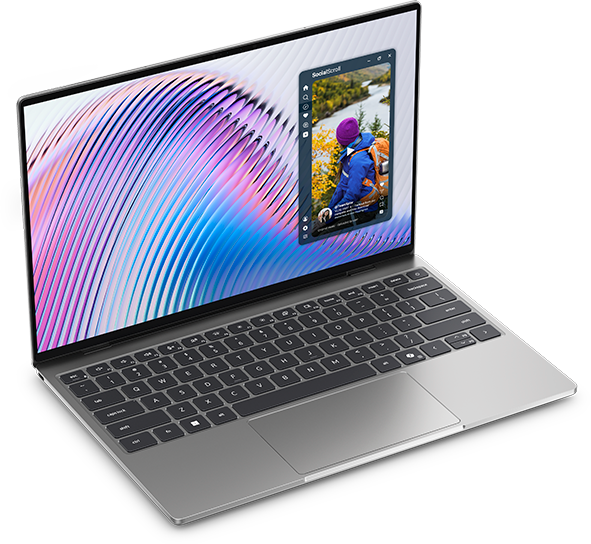
Key facts: 13.4-inch 2560 × 1600 touch LCD; 52Wh; 296.9 × 200.66 × 12.7mm; manufacturer weight from 1kg. Dell documentation
Advantages
- Narrower and shallower than the Yoga's published chassis dimensions.
- Identified configurations give both lower-cost and higher-memory purchase routes.
Trade-offs
- Smaller display area can be restrictive for extended document comparison.
- Core 5 and Core Ultra versions have different USB-C capabilities.
Why choose it: The XPS suits a traveler who finishes short revisions between appointments, then uses a monitor for the main work session. Its compact chassis leaves more physical space for notes in a small meeting area. Specify the processor and connection standard together if the home office depends on a Thunderbolt dock; ordering by the XPS name alone can produce a different connection capability.
Dell lists USB-C 3.2 10Gbps on the Core 5 route and Thunderbolt 4 on Core Ultra configurations. Notebookcheck's measured 1,062g, 18h26m sample had a Core 5 320 and only 8GB/512GB. It does not establish the weight or endurance of the 16GB or 32GB offers. Notebookcheck review
Choose another when: The client session requires hours of showing dense figures directly on the laptop. Compare the 14-inch candidates or gram 16 with the actual presentation file at readable scaling.
ASUS Zenbook A14 UX3407NA — Best for light carrying with native legacy connections
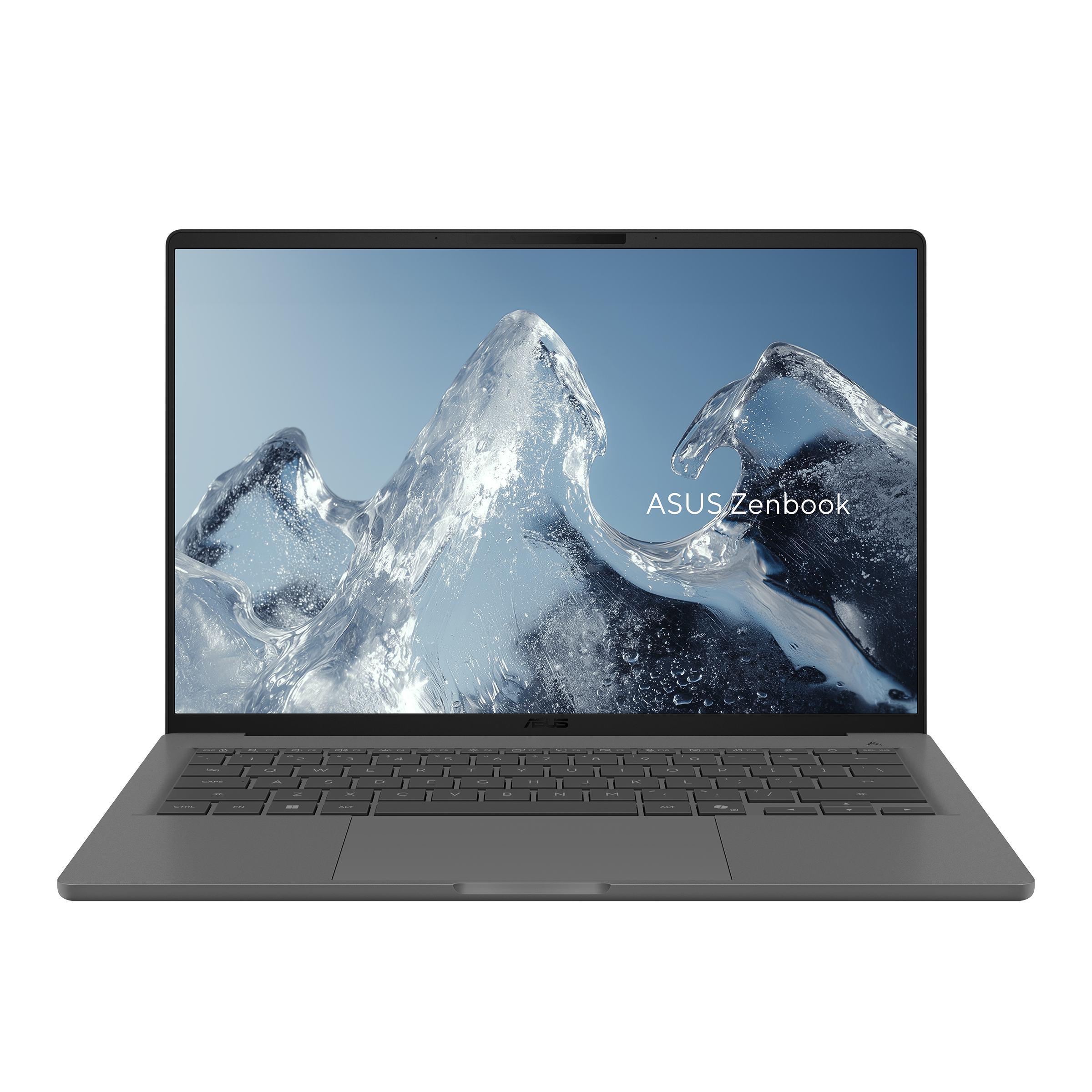
Key facts: Snapdragon X2 Elite; listed 990g; 70Wh; HDMI, USB-A, two USB4 ports and headset socket. The US NA specification includes FHD OLED without touch. ASUS specifications
Advantages
- Native presentation connections in the sub-1kg carrying class.
- A conventional clamshell layout for typing-led office work.
Trade-offs
- Arm approval must include drivers, security software and peripherals.
- The identified FHD OLED option is 60Hz and non-touch.
Why choose it: The A14 merits a place when IT has approved Windows Arm and the traveler needs direct HDMI and USB-A connections. That combination is useful for a small team moving between customer rooms with differing equipment. Verify the endpoint-security agent, VPN and peripheral drivers alongside the productivity suite before procurement commits to the platform.
Digital Trends used an identified NA-QD226WS configuration with 16GB/512GB for approximately two weeks and reported comfortable input devices, while noting the display's refresh rate and reflections. Its work-use observations are separate from the laboratory figures used elsewhere here. Digital Trends review
Choose another when: Any compulsory component remains unapproved. An Intel alternative can be the more direct purchase when it fits the organization's supported environment. Microsoft distinguishes application emulation from driver compatibility in its Windows Arm guidance.
MacBook Air 13-inch M5 — Best for a supported, quiet macOS routine
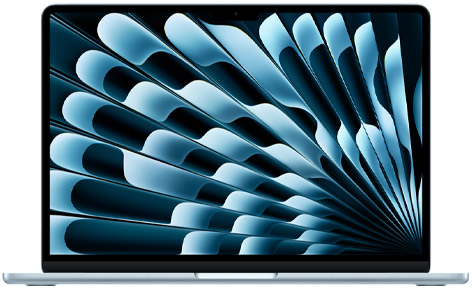
Key facts: 13.6-inch non-touch IPS display; 1.23kg; fanless; two Thunderbolt 4 ports, MagSafe and headset socket. Apple specifications
Advantages
- No cooling fan to become audible during a quiet meeting.
- MagSafe charging can leave both Thunderbolt sockets available.
Trade-offs
- Native HDMI and USB-A are absent.
- macOS must fit company applications and access requirements.
Why choose it: Choose the Air when the employer supports macOS and the document handoff already works across the team. During a hybrid presentation, separate MagSafe charging can keep the two Thunderbolt sockets free for a display connection and another accessory. Confirm the approved display arrangement, conferencing application and shared files together; a successful sign-in is only the beginning of that rehearsal.
Notebookcheck's eight-core-GPU, 16GB/512GB M5 sample reached 16h11m in its 150-nit Wi-Fi test. The $1,999 32GB/1TB offer has a ten-core GPU and is a separate configuration. Its higher capacity should not inherit that exact runtime. Notebookcheck review Apple specifications
Choose another when: The recipient's essential application or the company's access rules require another platform. A familiar Mac interface cannot compensate for a failed customer-file handoff.
LG gram Pro 16Z90U — Best for large spreadsheets away from the office
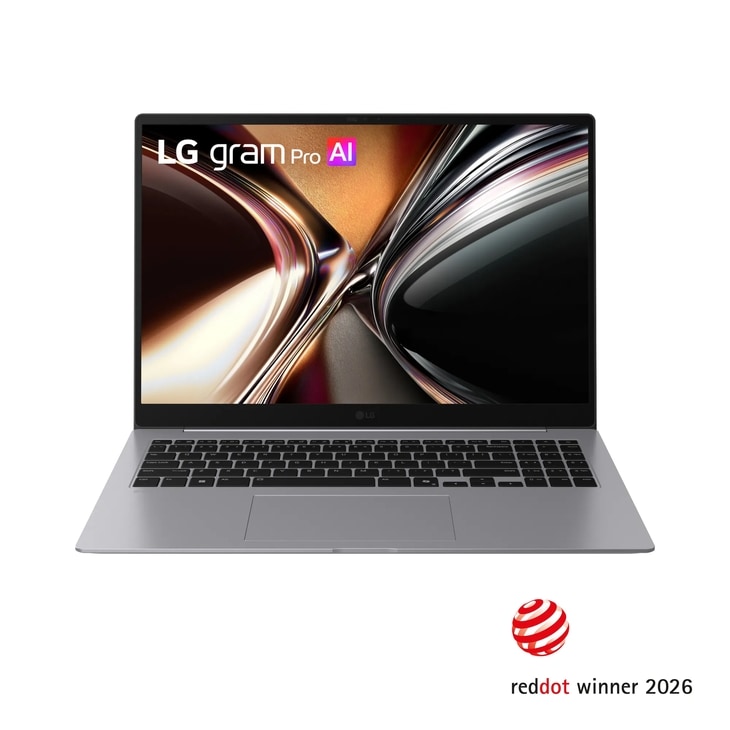
Key facts: Global specification: 16-inch 2.8K OLED, 1.199kg, 77Wh, numeric keypad, HDMI, two USB-A and two Thunderbolt 4 ports. LG specifications
Advantages
- More physical screen area for documents and spreadsheet columns.
- Broad connections and a numeric keypad support desk-like work.
Trade-offs
- The larger footprint needs a suitable bag and work surface.
- The cited first-hand review provides no full battery-drain result.
Why choose it: The gram fits a budget review where two people need to examine figures on the laptop itself. Its larger panel and numeric keypad can suit spreadsheet-led discussions, followed by revisions after the meeting. Bring a representative workbook to the comparison and check whether headings, comments and totals remain readable at your preferred scaling.
Techgoondu's 2026 Intel OLED review described useful connections but found the shallow keyboard less comfortable for lengthy typing. Try a representative spreadsheet and check text scaling before choosing the larger panel. Techgoondu review
Choose another when: Every major meeting uses an external display and the built-in panel mostly handles brief replies. The XPS or Yoga may fit that pattern with less physical computer to accommodate.
Dell Pro 14 Premium PA14250 — Best for an established Dell deployment
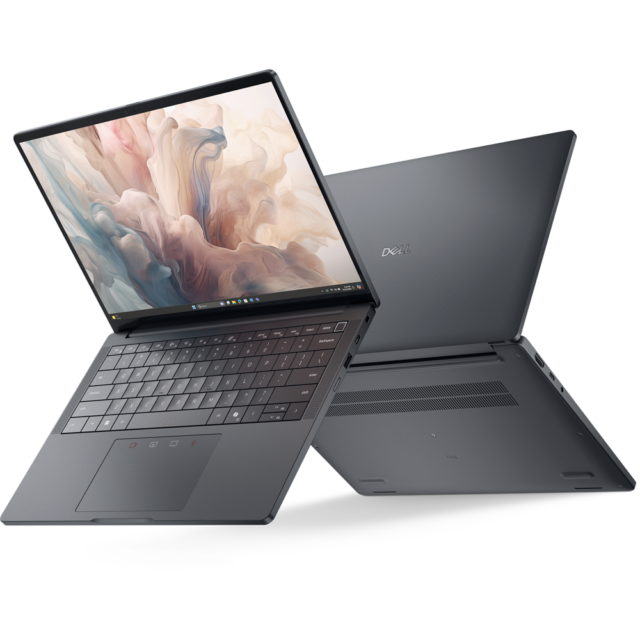
Key facts: 2025 business generation; two Thunderbolt 4 ports, HDMI, USB-A and headset socket; panel-specific weight minima in Dell's manual. Dell documentation
Advantages
- Native connections suit changing client equipment.
- An identified commercial offer includes a stated ProSupport term.
Trade-offs
- The family minimum does not describe every screen configuration.
- The quoted business package differs from the OLED review sample.
Why choose it: The PA14250 belongs on the list when the employer already deploys Dell devices and has an applicable support process. Ask whether the offered configuration joins that process, who handles replacement during travel and whether the service applies at the destinations used. Those are purchase questions for the contract owner, rather than benefits established merely by the Dell Pro name.
The checked PA14250 offer used an Ultra 7 266V, 16GB/512GB, Pro and 60Wh battery, with 36-month ProSupport. Notebookcheck's OLED-touch review instead used a 268V and 32GB/1TB; its measured weight was 1,261g. Confirm the ordered panel in writing because the offer summary and detailed fields require reconciliation. Dell documentation Notebookcheck review
Choose another when: The quoted service does not improve the employee's recovery arrangements. Compare a simpler approved option on the requirements the organization will actually enforce.
HP EliteBook Ultra G1i — Best for an approved HP OLED business configuration
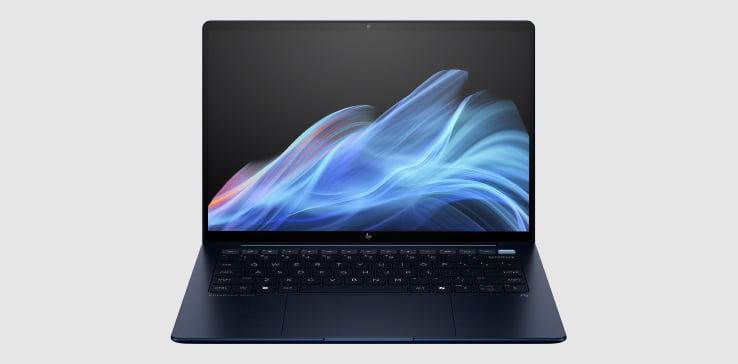
Key facts: Intel G1i; 14-inch 2.8K OLED; 64Wh; three Thunderbolt 4 ports, USB-A and headset socket; documented 9MP infrared camera. HP documentation
Advantages
- Business configuration options alongside an OLED display.
- Three Thunderbolt connections and a native USB-A port.
Trade-offs
- No native HDMI for a projector.
- A current price for the exact desired configuration needs a quote.
Why choose it: Consider the G1i for an HP-managed team whose travel includes many hybrid calls. The camera is a documented feature to assess in the approved meeting application, together with microphone pickup and headset switching. Check how a remote colleague sees the shared material in normal room lighting; the 9MP specification alone cannot establish that experience.
Notebookcheck measured its B66THAT Ultra 7 258V/32GB/1TB touch sample at 1.18kg and reported 12h02m of Wi-Fi browsing at 150 nits. These sample measurements are separate from HP's published starting weights and any new order. Notebookcheck review
Choose another when: The presentation routine repeatedly needs native HDMI. An approved X1 or Dell Pro can offer a more direct display connection; an S14 may also fit if company procurement accepts it.
HP OmniBook 5 14-he000 — Best for a lower-priced approved office workflow
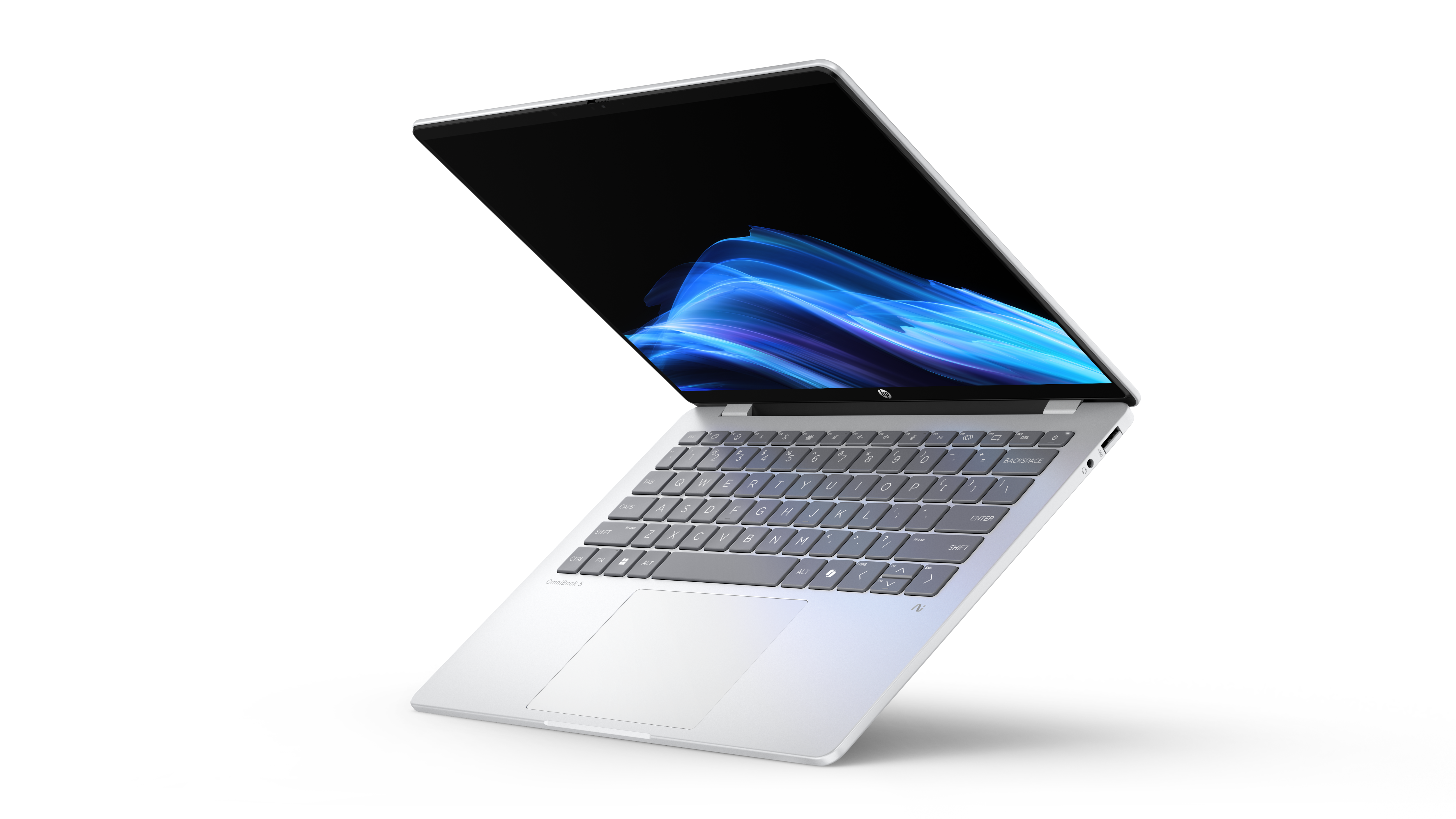
Key facts: B81P1AV_1 CTO: X1P-42-100, 16GB/512GB, Home, FHD OLED touch, 59Wh and approximately 1.29kg; checked promotional price $849.99. HP documentation
Advantages
- A specific lower-spend configuration with an OLED touchscreen.
- USB-A and a headset socket accompany two USB-C ports.
Trade-offs
- USB-C is 10Gbps, and HDMI requires an adapter.
- Windows Arm compatibility must fit the entire office workflow.
Why choose it: The OmniBook is worth considering for a small business with an approved browser-led workflow and a clear ownership plan. Compare the complete sales demonstration or order-entry session with the $999.99 16GB/512GB XPS alternative. Verify offline access where the workflow requires it, rather than assuming the client will provide a reliable connection.
Notebookcheck's related review unit had 16GB/1TB, Windows Pro and a listed 60Wh battery. Its 16h56m Wi-Fi result is useful family evidence, but it is not a test of this Home/touch CTO. Notebookcheck review
Choose another when: IT requires a deployment or driver configuration that this offer does not meet. The $150 saving against the cited XPS is relevant after approval, rather than a reason to waive it.
Compare the procurement route, not just the shelf price
The operating-system edition, deployment process and support contract belong in the comparison alongside the hardware. A consumer model can be suitable after company approval, while a business model still needs the correct order and service terms.
| Purchase route | What the identified offer establishes | What the organization still needs to confirm |
|---|---|---|
| Yoga and XPS consumer Windows offers | The cited US configurations use Windows Home | Approved edition, enrollment route, security software and recovery process |
| Zenbook S14 UX5406AA-XS79T | Windows Pro in the checked 32GB/1TB offer | Acceptance into the company environment; Pro alone is insufficient |
| X1 Carbon 21V7006GUS | Ultra 7 365 vPro, 32GB/1TB, Pro and IPS touch | Required management options, seller service term and the actual panel configuration |
| Dell Pro PA14250 selected offer | Ultra 7 266V, 16GB/512GB, Pro, 60Wh and stated 36-month ProSupport | Panel confirmation, contract coverage and the travel support process |
| EliteBook G1i or gram 16Z90U | Documented model families and regional configuration routes | Exact local SKU, OS edition, service and delivered price |
| MacBook Air M5 | A macOS configuration with chosen memory and storage | Company Mac management, application access and shared-file compatibility |
| OmniBook B81P1AV_1 | Home edition and the named Snapdragon configuration | Both OS-edition approval and the complete Arm software/driver chain |
For example, Microsoft's supported Windows 11 editions for Autopilot include Pro and Enterprise, but not Home. Autopilot also has licensing, networking and configuration requirements. A Pro label therefore addresses one requirement rather than certifying a laptop for a particular company. Microsoft Autopilot requirements
The dated US offers, checked 8 November 2026 before tax, give useful purchase anchors: Yoga 83QKCTO1WWUS1 was $2,049.99 for Ultra 7 355/32GB/1TB/Home; S14 UX5406AA-XS79T was $1,999.99 for Ultra 7 356H/32GB/1TB/Pro; X1 21V7006GUS was $3,579 for the configuration above. The $50 Yoga–S14 difference should be considered after resolving edition and deployment requirements. Lenovo Yoga offer · ASUS offer · ThinkPad offer
Which meeting pattern changes the recommendation?
| Recurring job | Start with | The condition that earns the recommendation |
|---|---|---|
| Present to several unfamiliar HDMI displays | S14; X1 or Dell Pro for an approved business purchase | Native connection plus a successful presentation rehearsal |
| Spend long sessions away from an outlet | X1 low-power IPS configuration | Relevant published endurance evidence, followed by the actual conferencing workload |
| Move between approved USB-C rooms and an office dock | Yoga | Correct edition and dock approval, with its lower measured carrying weight |
| Exchange client files within a Mac-supported team | Air M5 | Successful authentication, document handoff and display setup |
| Review dense figures directly with another person | gram Pro 16 | A representative workbook is readable at the chosen scaling |
| Run an approved browser-based sales workflow | OmniBook or entry XPS | Complete session works, including any required offline access and drivers |
These are acceptance criteria, not measurements of time saved. For ordinary office sessions, 16GB/512GB is a useful starting comparison; heavier concurrent applications can justify 32GB. Required software, rather than job title, should determine the capacity.
For a five-model comparison focused on travel routines, see this lightweight business-travel laptop guide, which weighs a USB-C setup against built-in presentation ports, complete carrying needs and application compatibility.
Rehearse one client session before the return period ends
- Obtain IT acceptance. Record the exact configuration, OS edition, approved security software and enrollment route. Ask who can restore access or arrange a replacement during travel.
- Run the local presentation. Connect the usual display, select presenter view and check scaling with the real deck. Include any receiver or peripheral required by the session.
- Include a remote participant. Share the intended window, change between slides and a working document, and ask the participant to confirm what is visible. Check the approved headset and microphone switching.
- Complete the file handoff. Save the revised document through the authorized route, reopen it with the receiving application and check formatting. Test offline work only where the actual process calls for it.
- Return to the office workflow. Reconnect the desk equipment and confirm the edited files, displays and audio are available as expected. A smooth arrival home is part of a repeatable travel setup.
This rehearsal provides evidence about the purchased configuration and working environment. Keep published browsing results as supporting battery context; a call with screen sharing and different brightness can produce another outcome. No battery figure here guarantees a complete meeting schedule.
What the shortlist leaves open
These ten candidates cover several carrying priorities. They are not a worldwide lightest-laptop record or a workstation comparison. A Japan-market ultralight can be relevant to a local buyer, and a more powerful workstation can be appropriate for sustained specialist work. Neither needs to be forced into this particular office-travel list.
For a closer look at equipment packed for a short trip, read the one-bag business travel laptop guide. The business-travel portability comparison provides additional configuration and carrying evidence. Readers dividing work between campus and business travel can use the graduate laptop comparison and the graduate-program and budget guide to examine software, memory requirements and total cost. Our broader business-travel laptop guide provides another buying perspective.
Frequently asked questions
Which model should I shortlist first?
Start with the Yoga for low-weight Intel Windows with a 14-inch OLED touchscreen. Start with the S14 for repeated HDMI presentations, the X1 IPS configuration for its documented endurance case, or the Air when macOS is already supported. A specific requirement should determine the first call.
Does a larger battery guarantee longer working time?
No. Screen, processor, brightness, workload and software affect consumption. Published review results provide useful evidence for named samples. They cannot turn a 75Wh or 77Wh capacity into a promised working-day duration for every configuration.
Is a touchscreen essential for business travel?
Only if it changes how you work. Finger navigation, handwritten input and a convertible hinge are separate capabilities. The Yoga Slim touchscreen is not an active-pen workstation, and the A14's identified FHD option is non-touch. Choose the interaction actually needed.
Should I replace a supported laptop just to save weight?
Compare the recurring burden against the cost and disruption of changing devices. If the current machine reliably handles the work, a lighter charger or simpler equipment plan may address the trip more economically. Replacement makes more sense when it solves a repeated limitation as well as reducing weight.
Sources
Manufacturer documentation and photographs are linked beside the relevant models. Original reviews support the sample-specific measurements and observations attributed to them. Prices are dated references, and configured offers should be checked again before ordering.
- Lenovo: Yoga specification, Yoga offer and image, Yoga original review, X1 specification, X1 offer and image, X1 IPS review, X1 OLED comparison.
- ASUS: S14 AA specifications and image, S14 identified US offer, S14 original review, A14 NA specifications and image, A14 original work-use review.
- Dell: XPS offers, XPS official image source, XPS original review, PA14250 offer, panel-specific weights, official product image, original OLED review.
- Apple and LG: Air specifications and image, Air offer, Air original review, gram global specifications, gram US model and image, gram original review.
- HP: EliteBook technical brief, EliteBook official imagery, EliteBook original review, OmniBook offer, OmniBook official image announcement, OmniBook original review.
- Compatibility and procurement: Microsoft Windows Arm guidance, Windows Autopilot requirements.