A useful business-travel laptop has to fit both the trip and the work. Company-managed Windows deployment, a personal Mac workflow, frequent client presentations and spreadsheet work in a hotel can lead to different purchases, even at the same budget.
For a managed Windows purchase, compare ThinkPad X1 Carbon, Dell Pro 14 Premium and HP EliteBook Ultra against the employer's requirements and service contract. For a personal purchase compatible with macOS, the 13-inch MacBook Air M5 is a strong starting point. For very light Windows travel, compare Yoga Slim 7i Ultra, Zenbook A14 and XPS 13 before deciding whether display, native ports, platform or price matters most.
The ten choices below are organized by buying role. They are not first-through-tenth performance positions, and a product's placement does not establish that it is better for every business traveler.
Selection scope: why these ten belong in one comparison
The shortlist is limited to conventional 13- to 16-inch laptops with a manufacturer-listed weight below 1.4kg, USB-C charging, external-display support and an available configuration with at least 16GB RAM and 512GB storage. Each has identifiable manufacturer documentation for the generation discussed.
These limits cover five recurring travel needs:
| Buying need | Candidates in this guide | Main deciding questions |
|---|---|---|
| Managed Windows deployment | X1 Carbon, Dell Pro, EliteBook Ultra | Approved management configuration, connections, support and ownership cost |
| Personal macOS productivity | MacBook Air | Software compatibility, silent operation, memory and display setup |
| Very light or premium Windows travel | Yoga, A14, XPS 13, S 14 | Complete-kit weight, processor platform, screen, adapters and matched quotation |
| Large-screen work without a monitor | gram Pro 16 | Usable screen area versus bag and desk space |
| Lower-cost office work | Selected OmniBook CTO; entry XPS configuration | Actual software support and cost at a defined memory/storage level |
A 16-inch gram and an enterprise X1 are included because both can solve a travel problem; they are not treated as interchangeable purchases. Gaming workstations, heavier laptops, detachable tablets and convertible-specific use cases sit outside this article's scope. Comparable models omitted from this finite shortlist should not be read as inferior.
All ten are assessed through the same questions: software, configuration, carrying weight, native connections, employer deployment, price and support. Manufacturer specifications, original review measurements and untested experience claims are kept separate. There is no brand-based score or numerical overall ranking.
The ten choices at a glance
| Buying group | Laptop and version | Market position | Best fit | Manufacturer-listed laptop weight |
|---|---|---|---|---|
| Managed Windows | ThinkPad X1 Carbon Gen 14 Aura Edition | Enterprise flagship | Management options and configuration-specific endurance | Family minima 977g or 998g; reviewed IPS unit about 1.14kg |
| Managed Windows | Dell Pro 14 Premium PA14250 | Premium enterprise | Established Dell deployment and support | From 1.14kg |
| Managed Windows | HP EliteBook Ultra G1i | Premium enterprise | OLED and business meeting hardware | From 1.195kg non-touch |
| Personal macOS | MacBook Air 13-inch M5 | Premium general-purpose | macOS-compatible work and fanless operation | 1.23kg |
| Premium Windows | Yoga Slim 7i Ultra Aura Edition, 14-inch Gen 11 | Premium consumer ultraportable | Sub-1kg Intel and OLED touch | From 975g |
| Premium Windows | Zenbook A14 UX3407NA | Premium Snapdragon ultraportable | Sub-1kg Windows and native presentation ports | 990g |
| Premium Windows | Dell XPS 13 DX13260 | Premium compact consumer laptop | Compact Intel setup and configuration choice | From 1kg |
| Premium Windows | Zenbook S 14 UX5406AA | Premium consumer OLED | OLED plus HDMI and USB-A | 1.20kg |
| Large-screen work | LG gram Pro 16Z90U | Premium large-screen ultraportable | Larger independent working surface | 1.199kg in global specifications |
| Lower-cost configuration | HP OmniBook 5 14-he000 Snapdragon CTO | Mainstream consumer | Approved browser-based and office work | 2.84lb, approximately 1.29kg |
Weights exclude chargers and adapters. Family minima are not guaranteed weights for a quoted or laboratory-tested configuration. Differences of a few grams among the sub-1kg entries do not establish a meaningful carrying advantage by themselves.
Managed Windows business travel
ThinkPad X1 Carbon Gen 14: Best for managed Windows business travel
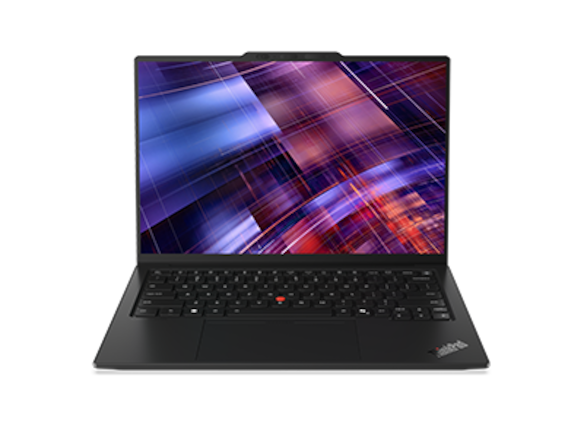
Position and strengths. The X1 Carbon is a relevant enterprise candidate when its configuration meets the employer's management and travel requirements. Lenovo documents three Thunderbolt 4 ports, HDMI, USB-A and a headset jack. Eligible configurations add vPro Enterprise and optional cellular connectivity. Those capabilities answer recurring client-site and IT-deployment requirements.
Trade-offs. Display choice materially changes the purchase. Notebookcheck measured about 1.14kg for an IPS-touch review unit and 989g for an OLED version. The IPS and OLED endurance results also differed substantially. The lightest family figure must not be combined with the IPS unit's battery result.
Configuration and business check. Request the approved processor, display, vPro status, WWAN option and service term in writing. Start with the reviewed low-power IPS/Core Ultra 5 configuration when endurance is the priority; evaluate the OLED configuration when display preference and lighter carrying take priority.
Official specifications · Independent configuration comparison
Dell Pro 14 Premium PA14250: Best for an established Dell fleet
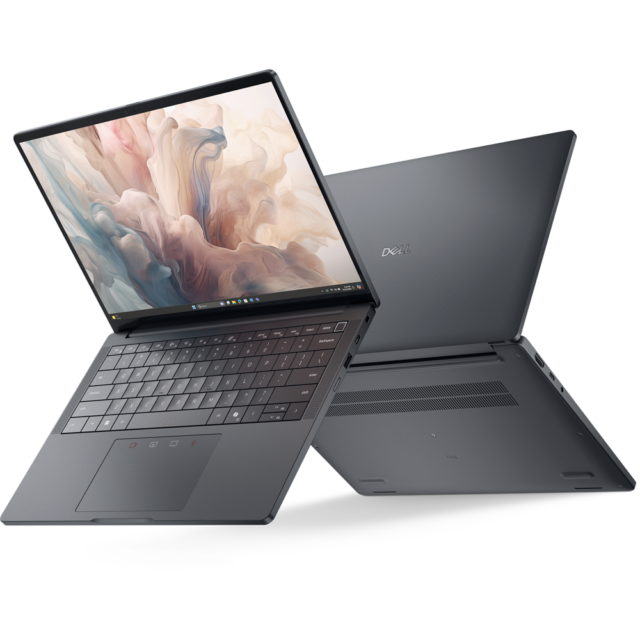
Position and strengths. This model fits an organization already using Dell deployment and support. The official configuration documents two Thunderbolt 4 ports, USB-A, HDMI, a headset connection and an 8MP HDR infrared camera. Eligible vPro configurations provide a defined enterprise purchasing route.
Trade-offs. The minimum weight is 1.14kg, and display quality depends on the selected panel. A premium business family name does not mean every configuration has a high-resolution OLED.
Configuration and business check. The quoted example includes Core Ultra 7 266V, 16GB/512GB and Windows 11 Pro. Dell also lists a 60Wh battery and a three-year ProSupport arrangement for that offer. Confirm service availability at the destinations you visit; do not compare its price with a consumer quote while ignoring the service and deployment differences.
Official configuration and service listing
HP EliteBook Ultra G1i: Best for OLED business meetings
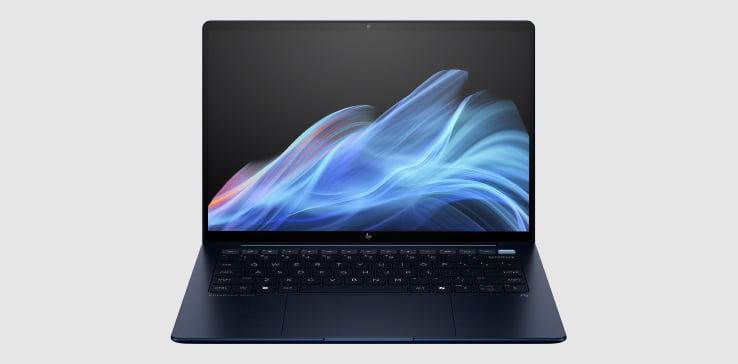
Position and strengths. The Intel G1i combines a 14-inch 2880 × 1800 OLED screen with business-oriented configuration options. HP lists a 9MP infrared camera, three Thunderbolt 4 ports, USB-A and a headset jack. Optional vPro configurations address managed-company requirements.
Trade-offs. It has no built-in HDMI, and touch and non-touch configurations differ in weight. Camera sensor resolution alone cannot establish superior conferencing quality; lighting, processing and the meeting application also affect the result.
Configuration and business check. Specify G1i, not the Snapdragon-based G1q. Request the required memory, operating system, management capability and support package. Obtain an exact-SKU quotation before comparing its value with the other enterprise options.
Personal macOS productivity
MacBook Air 13-inch M5: Best for macOS-compatible personal travel
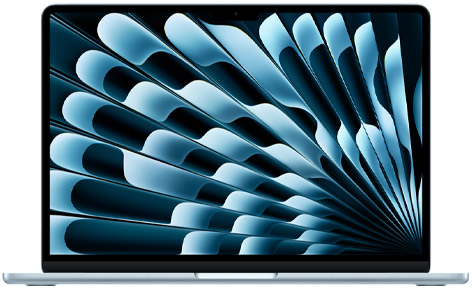
Position and strengths. The Air is a strong personal-purchase starting point when business software and company access tools support macOS. It offers fanless operation, a 13.6-inch IPS display, a 12MP Center Stage camera, two Thunderbolt 4 ports and separate MagSafe charging. Apple supports two external displays alongside the internal screen.
Trade-offs. It weighs 1.23kg and has no touchscreen or built-in HDMI. That can matter to someone who carries a laptop all day or regularly connects to unfamiliar projectors. A macOS preference cannot substitute for checking specialist software.
Configuration and business check. Quote memory and storage at purchase. The 32GB/1TB price example and the independently reviewed 16GB/512GB sample are different configurations; use the battery result for the tested unit only. Obtain employer approval for the actual deployment and security workflow.
Very light and premium Windows travel
Yoga Slim 7i Ultra Gen 11: Best for sub-1kg Intel OLED touch
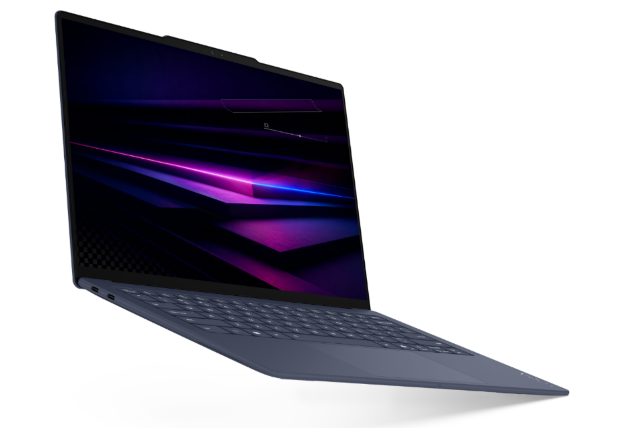
Position and strengths. The Yoga combines a 975g starting figure with a 14-inch 2880 × 1800 120Hz OLED touchscreen, 75Wh battery and three Thunderbolt 4 ports. Its strongest case is that particular feature combination for mobile Windows work. The cited current US configuration has a Core Ultra 7 355, 32GB RAM and 1TB SSD.
Trade-offs. HDMI, USB-A and wired 3.5mm audio require additional equipment. Memory is soldered. The 75Wh capacity does not establish longer endurance than competing systems, and the Core Ultra 7 355 should not inherit graphics claims made for higher X7/X9 configurations.
Configuration and business check. Compare the exact quote with an equivalently equipped XPS, X1 Carbon or Zenbook. Confirm company approval and the necessary dock. Its buying case is low weight with OLED touch. The available test evidence does not establish an endurance lead, so compare a review of the intended configuration when long unplugged use is the priority.
Official specifications · Independent laboratory review
ASUS Zenbook A14 UX3407NA: Best for sub-1kg Snapdragon connectivity
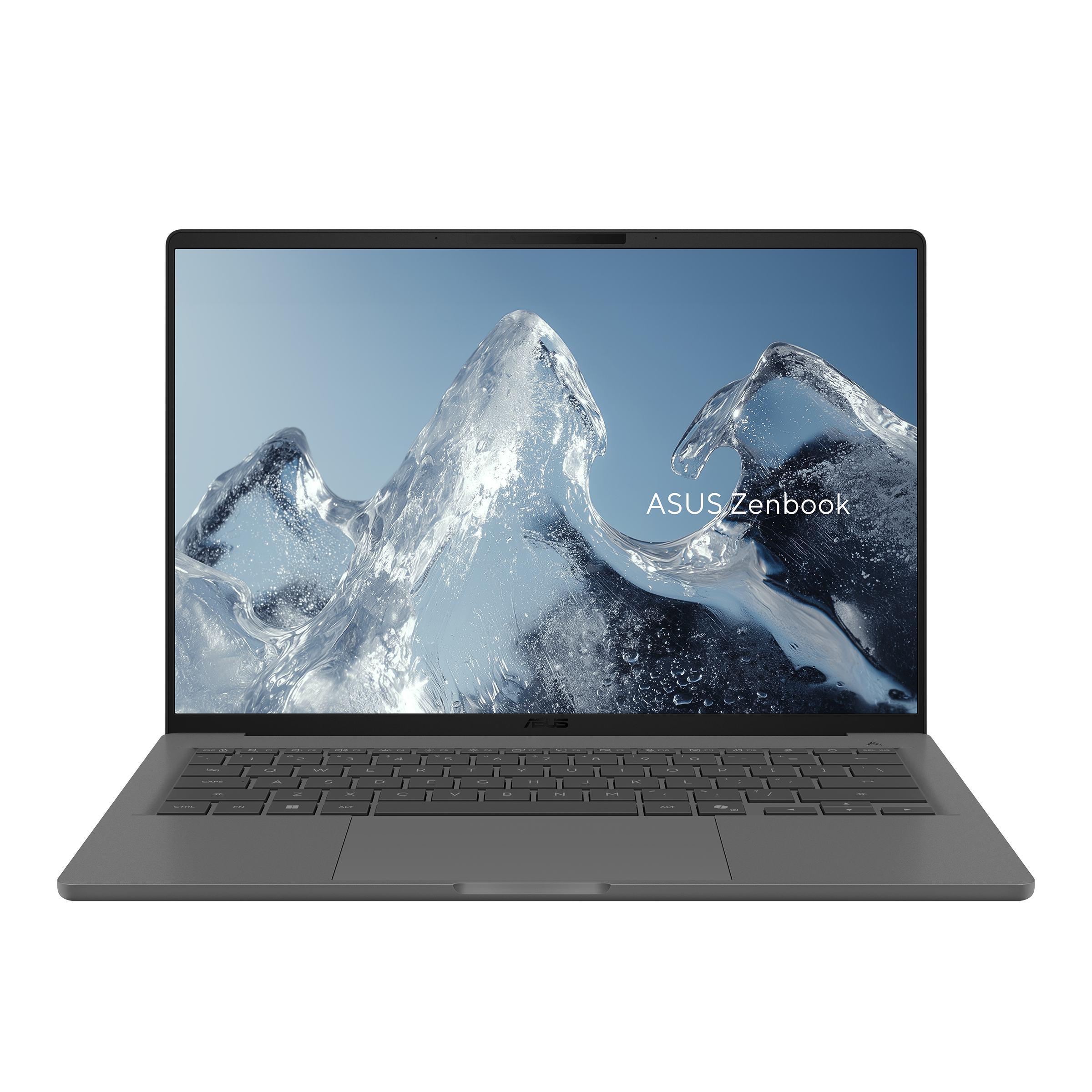
Position and strengths. The 2026 A14 pairs Snapdragon X2 Elite with a 990g chassis, a 70Wh battery, two USB4 connections, HDMI, USB-A and a headset jack. Keeping those native connections while remaining below 1kg gives it a clear travel role.
Trade-offs. Validate the complete Windows-on-Arm workflow, including security agents, VPN software and peripheral drivers. The current official NA specification offers both 1920 × 1200 60Hz and 2880 × 1800 120Hz OLED options. It is inaccurate to assume every A14 has the lower-resolution screen.
Configuration and business check. Identify the exact display, memory, operating system and local SKU. The cited NA screen options are non-touch. A comparison with the Yoga should therefore check touch, software platform, ports and price instead of awarding an automatic resolution or weight victory.
Official NA specifications · Microsoft compatibility guidance
Dell XPS 13 DX13260: Best for a compact Intel setup
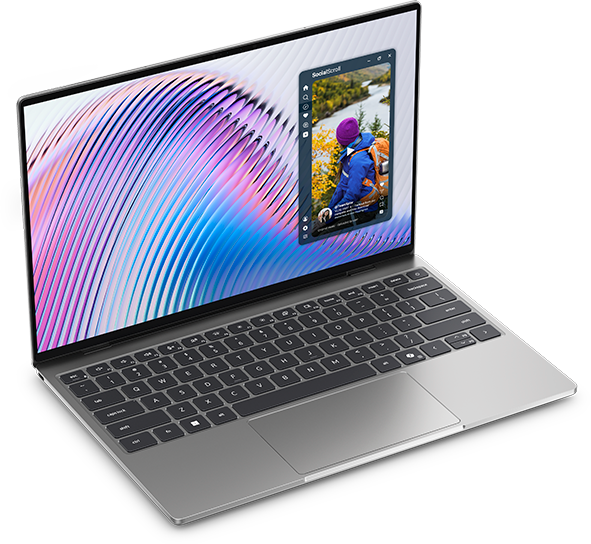
Position and strengths. The current XPS 13 starts at 1kg and uses a compact 13.4-inch format. Dell offers a Core Ultra 7 355/32GB/1TB configuration, making it a useful counterpart to the quoted Yoga. Its touchscreen is 2560 × 1600, with a 52Wh battery and two Thunderbolt 4 connections.
Trade-offs. Native HDMI and USB-A are absent. Its smaller screen can suit tight spaces, while another traveler may prefer a larger display. Neither preference determines performance.
Configuration and business check. Use the DX13260 identifier, not specifications from an older XPS. The observed Sky configuration costs $250 less than the quoted Yoga with the same CPU name, RAM and storage capacity. Decide whether the Yoga's OLED, extra screen size, battery capacity and additional port justify that difference for your work.
Official specifications and configuration prices
ASUS Zenbook S 14 UX5406AA: Best for OLED and presentation ports
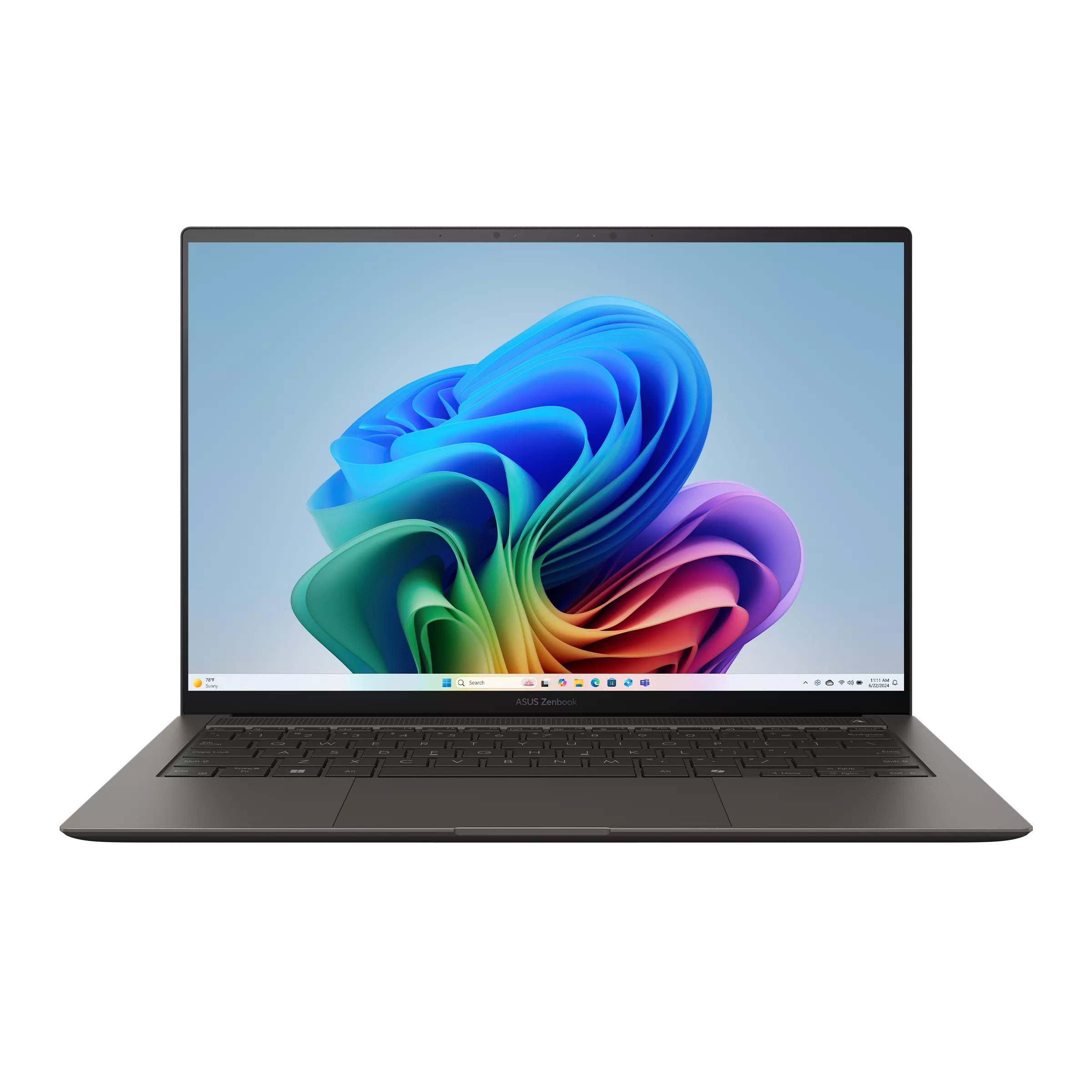
Position and strengths. The S 14 combines a 14-inch 2880 × 1800 120Hz OLED screen with native HDMI, USB-A, two Thunderbolt 4 ports and a headset connection. The AA generation uses Intel Core Ultra Series 3 and a 77Wh battery. It is a direct comparison for buyers balancing screen quality and practical connections.
Trade-offs. Its 1.20kg figure is higher than the sub-1kg group. Carrying fewer adapters may offset part of that difference for some users, but complete-kit weights were not measured here.
Configuration and business check. Separate the newer UX5406AA from the UX5406SA listed on the same family page. Request the actual CPU, screen, operating system, memory and price. A larger battery capacity and OLED label are specification facts, not measured endurance or comfort awards.
Large-screen work away from a desk
LG gram Pro 16Z90U: Best for a large independent workspace
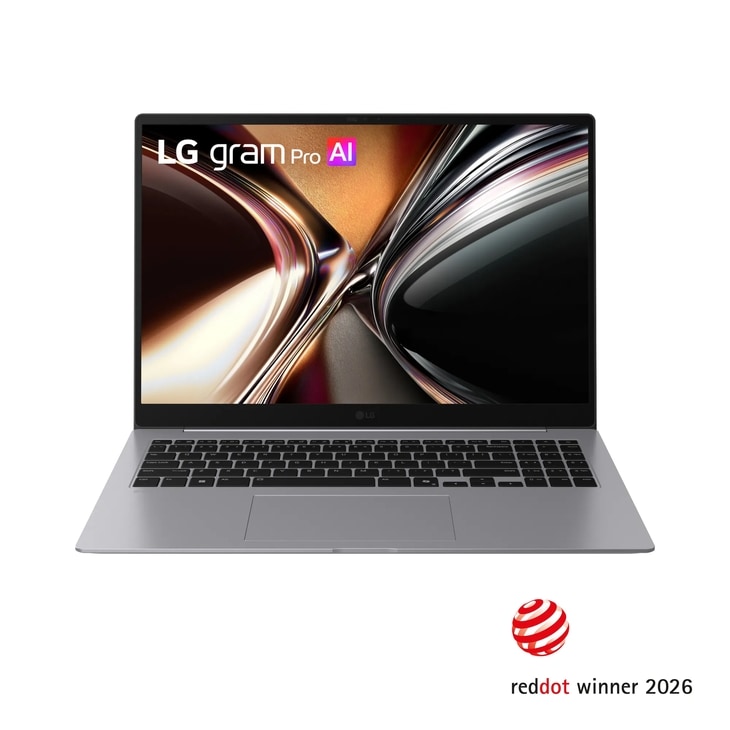
Position and strengths. The gram Pro offers a 16-inch OLED working surface at a global specification weight of 1.199kg. Its numeric keypad, two Thunderbolt 4 ports, two USB-A connections and HDMI suit travelers who work with spreadsheets and documents without an external monitor.
Trade-offs. The larger footprint needs more bag and desk space. High resolution on a smaller laptop cannot recreate that physical display area, but a larger screen also cannot make a chassis fit comfortably on every travel surface.
Configuration and business check. The identified US model uses Core Ultra X7, 32GB/1TB and Windows 11 Home. Do not import RTX graphics or pricing from the older 16Z90TR family. Check local service, the precise OLED option and a current quotation before comparing value.
A lower-cost office configuration
HP OmniBook 5 14-he000: Best for a lower-cost cloud-work configuration
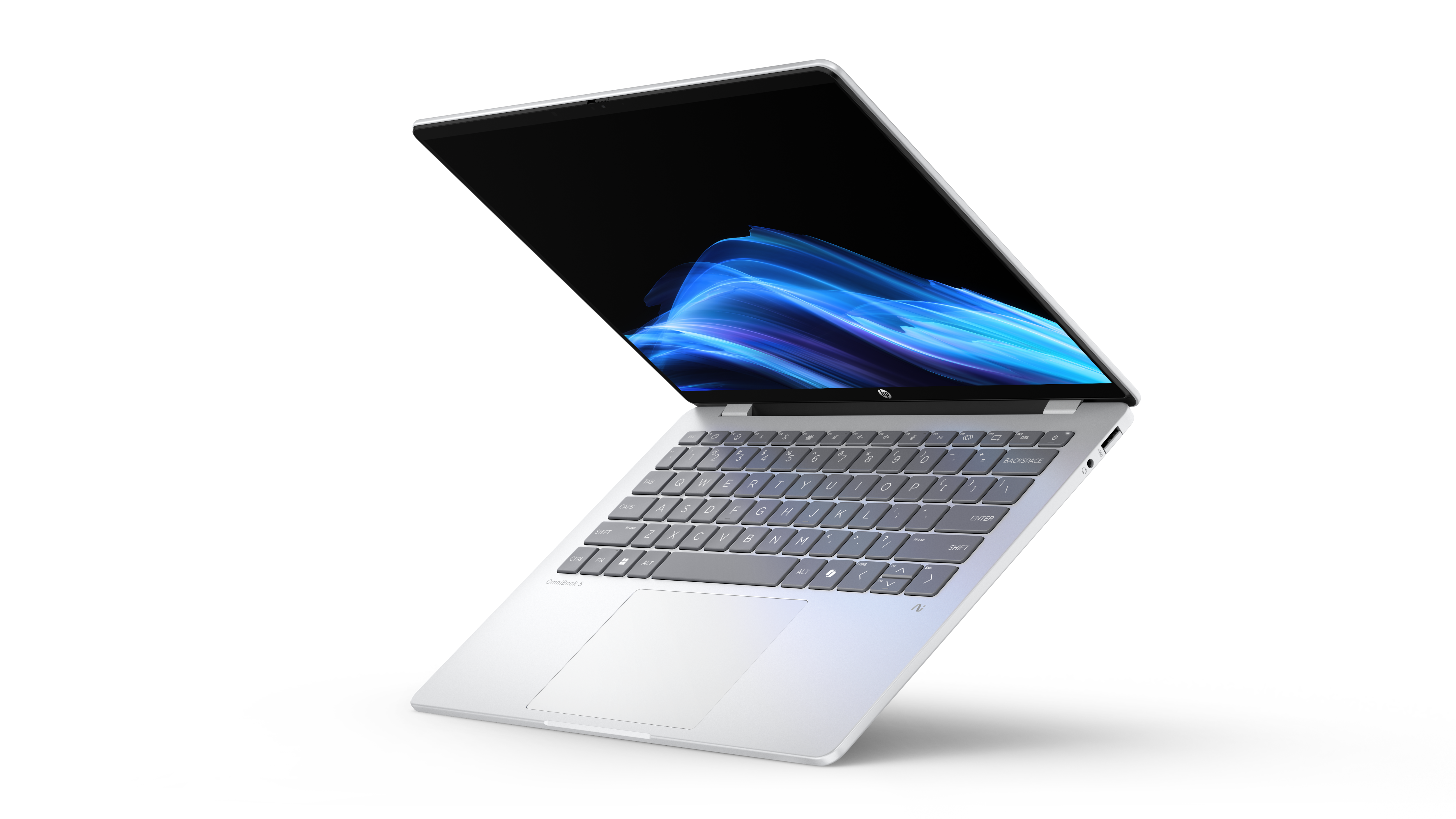
Position and strengths. The selected CTO configuration provides Snapdragon X Plus, 16GB RAM, 512GB storage and a 1920 × 1200 OLED touchscreen at an observed $849.99 US price. It is a plausible lower-cost candidate for verified browser-based business work.
Trade-offs. The current CTO page lists 2.84lb, approximately 1.29kg, rather than the 2.98lb figure in the original launch datasheet. Its USB-C connections are 10Gbps, not Thunderbolt 4; HDMI requires an adapter. ARM compatibility still needs checking.
Configuration and business check. Keep the price tied to this exact 16GB/512GB offer and its one-year limited hardware warranty. The separate 32GB/1TB 14-he0037nr listing displayed $2,199.99; it is included in the higher-memory price group below. The family name is not evidence that every configuration is a bargain.
Current CTO price, weight and specifications · Launch hardware documentation
Hardware differences that change the travel kit
| Model | Screen options relevant here | Battery capacity | Main built-in connections |
|---|---|---|---|
| X1 Carbon Gen 14 | IPS and OLED; configuration-dependent | 58Wh | 3 TB4, HDMI, USB-A, headset |
| MacBook Air 13 M5 | 13.6-inch IPS, non-touch | 53.8Wh | 2 TB4, MagSafe, headset |
| Yoga Slim 7i Ultra | 14-inch 2.8K 120Hz OLED touch | 75Wh | 3 TB4 |
| Zenbook A14 NA | 14-inch FHD 60Hz or 3K 120Hz OLED, non-touch | 70Wh | 2 USB4, HDMI, USB-A, headset |
| XPS 13 DX13260 | 13.4-inch 2560 × 1600 touch LCD | 52Wh | 2 TB4 |
| Zenbook S 14 AA | 14-inch 3K 120Hz OLED | 77Wh | 2 TB4, HDMI, USB-A, headset |
| Dell Pro 14 Premium | Panel-dependent; quoted offer has FHD+ | 60Wh in the cited offer | 2 TB4, HDMI, USB-A, headset |
| EliteBook Ultra G1i | 14-inch 2.8K OLED; touch optional | 64Wh | 3 TB4, USB-A, headset |
| gram Pro 16Z90U | 16-inch 2.8K OLED | 77Wh | 2 TB4, HDMI, 2 USB-A, headset |
| OmniBook 5 selected CTO | 14-inch 1920 × 1200 OLED touch | 59Wh | 2 USB-C 10Gbps, USB-A, headset |
TB4 means Thunderbolt 4. Capacity is stored energy, not an endurance score. Add the charger, cable, display adapter and any headset receiver before deciding which complete setup is lighter.
What the evidence covers
| Buying dimension | Evidence used in this guide | Limit on the recommendation |
|---|---|---|
| Laptop weight | Manufacturer figures for all ten; review measurements for selected samples | No matched weighing of all quoted configurations |
| Ports and memory options | Model-specific manufacturer documentation | Actual dock, cable, peripheral and SKU must still be checked |
| Screen specification | Official size, panel and option listings | No unified ten-screen test of reflections, brightness or comfort |
| Battery endurance | Original laboratory results for three families and four configurations | No complete ten-model comparison under one matched workload |
| CPU and sustained performance | Identified processors and linked configuration reviews | RAM/storage matching does not establish equal speed |
| Keyboard and touchpad | Comments in individual reviews, without a common ten-device trial | No long-session typing or touchpad winner is assigned |
| Fan noise and surface heat | Partial review coverage | No uniform load, ambient conditions and measurement setup across all ten |
| Video meetings | Camera/microphone specifications and available reviews | No common lighting, application, network and call-quality test |
| Complete travel-kit weight | Laptop and accessory requirements identified | Chargers, cables, adapters and receivers were not weighed as one common kit |
This coverage supports hardware and configuration choices. It does not support a single comfort, quietness, meeting-quality or all-day-runtime champion.
What independent testing adds
Published specifications cannot settle keyboard feel, fan behavior, sustained performance or working-day endurance. The following are original Notebookcheck measurements for identified review samples, not tests performed for this article.
| Reviewed sample | Reported Wi-Fi websurfing result | What the evidence supports |
|---|---|---|
| Yoga Slim 7 Ultra, Core Ultra 7 355, 32GB/1TB, OLED | 10h 36min | A documented result for that unit; the measured laptop was 978g |
| X1 Carbon Gen 14, Core Ultra 5 325, low-power IPS touch | 23h 13min | Strong endurance evidence for that IPS configuration; reviewed weight was about 1.14kg |
| X1 Carbon Gen 14, Core Ultra 7 355, OLED | Approximately 13.5 hours | The OLED variant has a different endurance result from the IPS version |
| MacBook Air 13 M5, 8-core GPU, 16GB/512GB | 16h 11min at 150 nits | A measured result for that base configuration, not the priced 32GB/1TB example |
Sources: Yoga review, X1 Carbon review and OLED update, Air M5 review.
These samples differ in panel, processor, refresh rate and operating system. They do not form a matched ten-laptop test. They do show why the Yoga's larger battery cannot establish a blanket endurance lead, and why the X1's minimum family weight and measured IPS endurance describe different configurations.
The cited laboratory results cover three model families, not all ten. For the remaining models, obtain a review of the exact configuration before making a decision driven by noise, heat or battery life.
Compare prices within the right configuration group
The following are official US displayed prices observed on November 8, 2026, in USD before tax. Sale prices, list prices and availability can change. Memory and storage are matched within the first two groups; processors, operating systems, screens and service terms still differ.
16GB / 512GB: mainstream office configurations
| Specific offer | Observed displayed price | Processor / operating system | What still needs checking |
|---|---|---|---|
| OmniBook 5 14-he000 CTO | $849.99 promotional price | Snapdragon X Plus X1P-42-100 / Windows 11 Home | ARM workflow, adapters and one-year hardware warranty |
| XPS 13 DX13260, Storm | $999.99 | Intel Core 5 320 / Windows 11 Home | Actual workload requirements and included support |
The OmniBook example costs $150 less at the same RAM and SSD capacities. That is a price observation, not a processor-performance result. Run the required applications on the chosen platform before deciding that the cheaper machine is better value.
32GB / 1TB: higher-memory personal-use configurations
| Specific offer | Observed displayed price | Processor / operating system | Important configuration difference |
|---|---|---|---|
| XPS 13 DX13260, Sky | $1,799.99 | Core Ultra 7 355 / Windows 11 Home | 13.4-inch LCD; two Thunderbolt 4 ports |
| MacBook Air 13 M5, Silver | $1,999 | M5, 10-core CPU / 10-core GPU / macOS | A different platform; 13.6-inch IPS and fanless cooling |
| Yoga 83QKCTO1WWUS1 | $2,049.99 | Core Ultra 7 355 / Windows 11 Home | 14-inch OLED touch; three Thunderbolt 4 ports |
| OmniBook 5 14-he0037nr | $2,199.99 displayed list price | Snapdragon X Plus / Windows 11 Home | Separate stocked SKU; this is not the cheaper CTO offer above |
The closest quoted platform comparison is Yoga versus XPS: the XPS is $250 less with the same processor name, RAM and SSD capacity. The Yoga adds OLED, a larger display, more battery capacity and another Thunderbolt port. Whether these additions justify the premium depends on the work and travel setup.
The Air and OmniBook rows improve the RAM/storage comparison, but those capacities do not make different architectures equally fast. Service, charger contents and software requirements must also be checked before calculating ownership cost.
Enterprise offers: keep management and service visible
| Specific offer | Observed displayed price | Quoted hardware / operating system | Procurement context |
|---|---|---|---|
| X1 Carbon 21V7006GUS | $3,579 | Ultra 7 365 vPro, 32GB, 1TB Opal SSD, Windows 11 Pro | Request the exact screen and required service term |
| Dell Pro PA14250 offer | $2,819.95 | Ultra 7 266V, 16GB, 512GB, Windows 11 Pro | Cited offer includes a three-year ProSupport arrangement |
These two offers are not memory/storage- or service-matched. Their price difference is not a value ranking. Ask both suppliers for the approved configuration and an equal service period before choosing between them.
Exact current quotations for Zenbook A14 UX3407NA, Zenbook S 14 UX5406AA, EliteBook Ultra G1i and gram Pro 16Z90U remain unverified. Request the named model and screen; do not substitute a neighboring generation's starting price.
Business security and support: apply the same checklist
A business-looking chassis does not establish an approved corporate device. Use these checks for every candidate, including consumer laptops that your employer may allow.
| Purchase question | Evidence to obtain | Why it matters |
|---|---|---|
| Can IT enroll and administer it? | Exact OS edition, deployment method, licensing and approved image | A Windows Home quote is not interchangeable with a Pro deployment quote |
| Is remote platform management required? | Confirmation of the actual vPro configuration or other required platform | A family-level option is not present on every SKU |
| Are authentication and firmware controls sufficient? | Model-specific security documentation and company sign-off | A camera, TPM or marketing security label alone does not settle policy compliance |
| What happens when it fails abroad? | Written country coverage, service level, response terms and accidental-damage scope | A domestic onsite contract is not a promise of identical service worldwide |
| Can it be maintained for the intended lifecycle? | Service manual, replaceable parts, memory limits and warranty duration | Long ownership depends on more than the launch specification |
| What is the complete ownership cost? | Matched hardware, OS, dock, adapters and equal-term service quotes | Lowest advertised laptop price can omit required equipment |
The X1 Carbon, Dell Pro and EliteBook sources document relevant enterprise options. Their presence still needs checking on the ordered machine. The consumer models are not automatically disqualified, but the employer must approve the actual deployment.
Microsoft's Autopilot requirements distinguish supported OS editions, licensing, networking and configuration. Buying Windows Pro alone does not complete deployment. On macOS, obtain approval for the company's Mac management and access workflow.
Which choice follows from your work?
For a managed Windows purchase, build a three-model shortlist: X1 Carbon, Dell Pro and EliteBook Ultra. Prefer the X1 when its documented management or optional cellular configuration meets a concrete requirement, or when the reviewed low-power IPS/Core Ultra 5 setup is the endurance-oriented configuration you intend to buy. Its approximately 1.14kg measured weight belongs to that sample. Prefer Dell when the organization's approved support and deployment route makes its offer more practical; examine the EliteBook when OLED and meeting hardware are priorities, subject to a current quote.
For a personal purchase that works on macOS, start with the Air M5. Fanless operation and the measured base-model battery result make it a coherent candidate. Confirm the intended memory/storage configuration; Windows-only tools or company access requirements can override that choice.
For very light Windows travel, the Yoga offers a useful Intel/OLED-touch combination. The X1's OLED configuration and A14 belong beside it in the sub-1kg discussion; the XPS offers a compact Intel alternative at the lower quoted 32GB/1TB price. Choose among them through software, touch preference, native ports and the complete kit. The Yoga's recommendation rests on carrying weight and display features, not a proven endurance lead.
For OLED with built-in HDMI and USB-A, compare S 14 and A14. For large-screen independent work, the gram Pro 16 offers more physical workspace. For a lower-cost approved office setup, compare the 16GB/512GB OmniBook and XPS offers before paying for a higher-memory configuration.
Frequently asked questions
Should I prioritize OLED or a low-power IPS screen?
Choose the actual configuration for the work. OLED can provide the contrast, refresh rate or touch option you prefer, while an efficient IPS configuration may suit a longer unplugged routine. The X1 review illustrates why screen and processor configuration must stay attached to an endurance result. Compare reflections, scaling and brightness with your own documents.
How should I compare nearly identical starting weights?
Differences of a few grams can fall within configuration or manufacturing variation. Compare the exact screen, components, charger and adapters. The sub-1kg figures in this guide identify a carrying class, not an automatic winner; larger differences become more relevant when the complete configurations are comparable.
Should I buy 32GB of memory?
Buy the capacity required by your applications and expected workload. Consider 32GB for heavier multitasking or local analytical tools, but do not assume every traveler needs it. Many models here have soldered or integrated memory, so settle that choice before ordering.
When is a native HDMI port worth extra laptop weight?
It is useful if you regularly connect to client projectors or displays and want fewer separate adapters. If your work locations already use compatible USB-C monitors or docks, a lighter USB-C-focused laptop may be more convenient. Compare the equipment you will actually carry.
Sources
Specifications, product photographs and configuration prices link to manufacturer pages. Independent measurements identify the reviewed configuration. Images depict the corresponding generation or family; the written quotation determines the ordered hardware and service.
- Lenovo: Yoga platform specifications and X1 Carbon platform specifications.
- Apple: Air M5 specifications and the 32GB/1TB configuration.
- ASUS: A14 UX3407NA options and S 14 UX5406AA specifications.
- Dell: XPS 13 configurations and Pro 14 Premium offer.
- HP: EliteBook Ultra G1i specifications, OmniBook 16GB/512GB CTO and 32GB/1TB stocked SKU.
- LG: gram Pro global specifications and the identified US model.
- Original laboratory reviews: Yoga, X1 Carbon IPS/OLED and MacBook Air M5.
- Deployment and compatibility: Microsoft Autopilot requirements and Windows on Arm guidance.