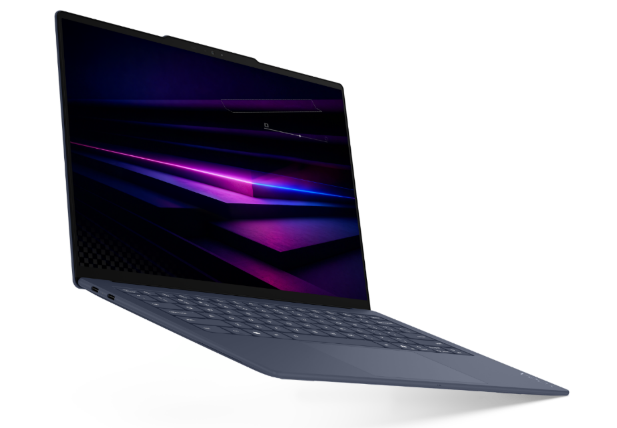
Our view
The Lenovo Yoga Slim 7i Ultra Aura Edition deserves consideration when low carry weight and a conventional Windows workflow are your priorities. Evaluate it for the work you actually do, and verify the configuration before purchase. This is a documentation-based assessment, not a hands-on review.
A laptop for a moving workday
For someone who regularly moves between a home desk, a library and meetings, a portable conventional laptop can be a practical choice. The Yoga Slim 7i Ultra places a built-in keyboard and a 14-inch display in a lightweight design. Lenovo's published weight is a starting figure and may vary by configuration. [1]
Our strongest fit is a typing-led routine: documents, reading, planning, presentations and everyday applications. That is a scenario judgment, not measured evidence that every application runs faster or that the battery lasts a particular working day.
Graduate students should begin with department software requirements. Business users should verify device-management and security policies. A very light laptop is only useful when it supports the tools your work depends on.
The details that can change the decision
- Input style: the display supports touch, but Lenovo lists no pen support. Do not choose this model for a workflow that requires writing directly with a supported pen.
- Connections: check your monitor and peripherals. Legacy display and USB-A accessories may need an appropriate adapter.
- Configuration: choose memory carefully; the official specification lists soldered RAM.
- Heavy workloads: seek workload-specific tests for sustained rendering, simulation or other demanding use.
A different form factor can be the better answer. Our teaching guide explains when a genuine convertible or detachable matters.
Key specifications, in context
| Item | Published specification | How to interpret it |
|---|---|---|
| Weight | Starting at 975g | Device figure, without travel accessories.|
| Battery | 75Wh | Capacity is not a guarantee of working-day runtime.|
| Display | 14-inch 2.8K POLED touch | Touch capability does not imply pen support.|
| Ports | Three Thunderbolt 4 | Match the dock, cable and peripheral requirements.|
| Memory | Soldered | Plan the required configuration before purchase.
Source: Lenovo PSREF. Published specifications may differ by market and configuration. This site has not measured performance, endurance or acoustic behavior.
Choose by the way you use it
Read the business-traveler guide for a packing and software checklist, the graduate-study guide for research planning, or the remote-work guide for a desk-to-travel setup.
Check local pricing, the exact product code, warranty coverage and the accessories included in the offer. We do not display a universal price or stock claim because these vary by country and seller.
View Lenovo's product page ↗Official sources & verification
Manufacturer documentation checked 20 October 2026. Availability, bundles and specifications vary by region and configuration.
- Lenovo PSREF — Yoga Slim 7 Ultra 14IPH11
Manufacturer specification; individual configurations and regional offers vary. - Lenovo StoryHub — Yoga announcements at CES 2026
Product announcement and official Yoga Slim 7i Ultra photography. - Lenovo — Yoga Slim 7i Ultra Aura Edition user guide
Setup, connection and usage documentation. - Lenovo — Yoga Slim 7i Ultra Aura Edition product page
Product identity; check your local store for the exact configuration.