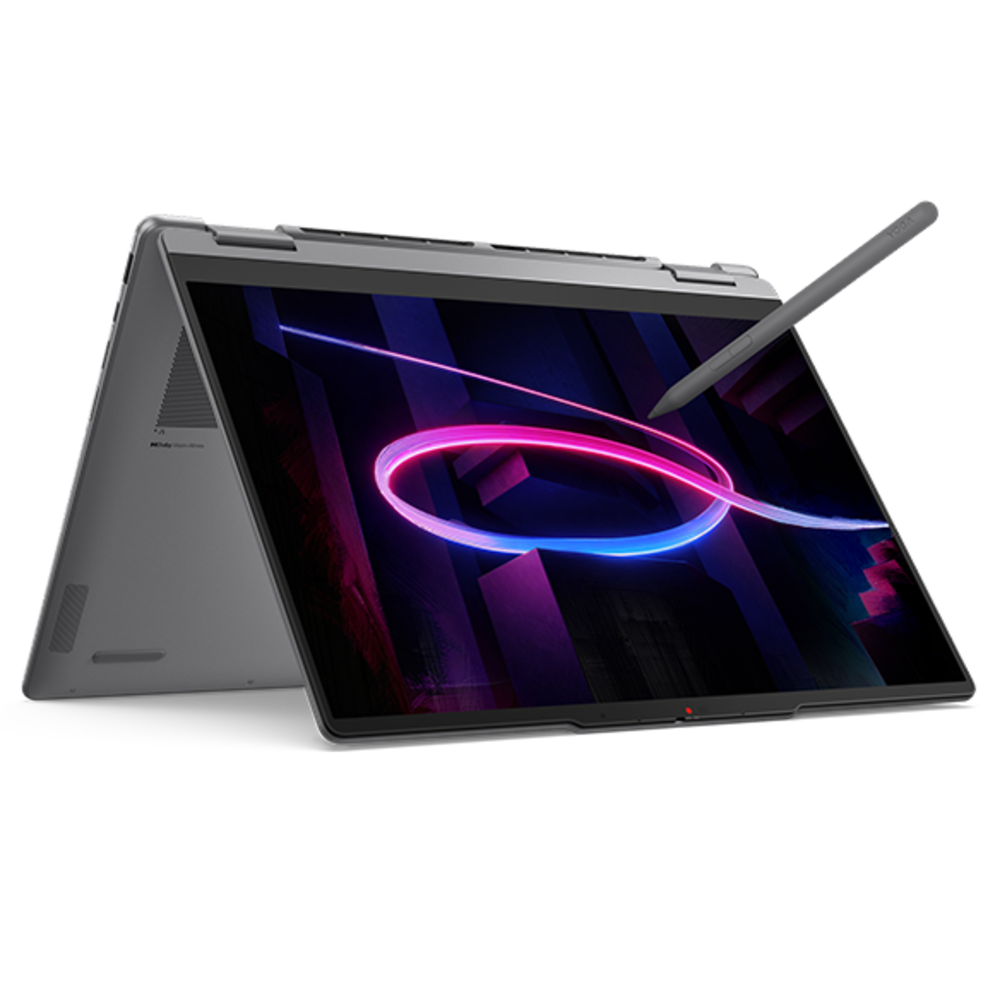
Start with the Lenovo Yoga 7i 2-in-1 Aura Edition 14-inch Gen 11 if you teach a hybrid lesson with a wired classroom display, a USB receiver and a pen. It has onboard HDMI and USB-A plus two Thunderbolt ports for more of the working kit. Confirm the exact audio input and pen. The ThinkPad X1 2-in-1 is a useful alternate when IT can supply a tested room profile and the support that goes with it. Lenovo product specifications · US configuration page.
A hybrid class has two audiences. The visible slide in the room must also reach the remote group in a supported way, and the microphone has to pick up the work at the lectern. Set up the comparison with one student view in the room and another on an approved meeting account outside the podium.
The shortlist at a glance
Start with the class accommodation, the institution’s device and app rules and the equipment available in the assigned rooms. Then include the exact pen, whatever actually powers the system and the equipment that connects it to the display. Verify the student-facing result during a dry run. Screen resolution and weight matter after the lesson can be completed in the real environment.
| US reference | Device mass | Screen | Battery | Best fit in this comparison |
|---|---|---|---|---|
| Yoga 7i 2-in-1 | 1.38 kg aluminium starting; 1.40 kg leather-trim starting | 14-inch touch, WUXGA IPS or OLED options per PSREF | 70 Wh | An Intel convertible with onboard lesson connections |
| ThinkPad X1 2-in-1 Gen 10 | starting weight varies by processor and build | 14-inch touch; panel varies by SKU | 57 Wh | A managed program with a standard AV profile |
| OmniBook Ultra Flip 14 | 1.349 kg starting | 14-inch 2880 × 1800 OLED touch | 64 Wh | A mostly USB-C classroom and close-up drawing work |
| OmniBook X Flip 14 | 1.40 kg at family start | 14-inch touch, panel options vary | 59 Wh | A budget Windows quote for common AV equipment |
| Surface Pro 12 | 686 g tablet body only | 12-inch 2196 × 1464 touch | see Microsoft runtime methodology | An Arm-approved classroom with a detachable pen surface |
Consider US laptop bodies with a reference or starting mass around 1.50 kg or below, then weigh the complete travel or teaching kit separately. For detachable models, measure the tablet alone and again with every accessory needed for the day. This comparison uses the manufacturer’s stated figures where available. Panel, finish and component changes can move the weight. Battery capacity in watt-hours describes stored energy, and runtime depends on the workload and the configuration tested.
For the broader shortlist, compare the same order with the guide to carrying annotations into an export. Keep the preferred candidate’s order code beside the review so any difference in screen or connectors is easy to recognise.
Practice the sequence when the remote participant speaks first
Prepare a five-slide practice deck and a one-minute explanation. Connect the room display, microphone route and USB receiver, then start the meeting under the role the instructor will have. Ask another adult on a test account to confirm what they see and hear. Give the local room its own viewer as well. Click through two slides, draw an annotation, switch to a sample application and return to the deck.
Check which audio device is chosen at each stage, and whether the physical room is listening to its appropriate sound source. A headset jack, USB microphone or school room mixer may each require its own approved setup. Write the actual driver or audio chain into the test instead of assuming a laptop has the right input because it has an audio socket.
Test screen share and room projection independently
On one screen show the lesson, on the other keep the remote roster or the Presenter View controls if allowed. Check what the remote group sees after sharing just the slide or application window. Disconnect the display and verify that the students still see the intended content. When the room cannot provide two different displays, practice with the exact single-screen layout you expect to use.
Microsoft’s Teams documentation explains why network use varies with the media layout. On a limited connection, keep a lower-demand practice version and a reachable static copy of the content. Observe whether the shared image remains understandable with a less demanding combination of camera and sharing settings. Follow the school’s instructions for recording, displaying participant information and sharing files.
The decision changes when your work centers on 1080p Projectors and Separate Classroom Audio. Check which part of the kit can carry over into that routine.
Check the long block with all the pieces attached
In a sample 50-minute class, use five minutes for opening, 30 for a guided presentation, 10 for a written exercise and five for closing. Put the system on the intended charger before the test and verify the battery and connections at the changeover. A cable that is stable while the convertible is open may be positioned awkwardly when the lid folds. Test it with an approved support stand or safe desk position.
Check the smallest item people have to find quickly. Label the port and adapter for the wired microphone, and keep the clicker receiver in the same case after closing. A classmate covering the lesson should be able to identify the connection from one simple diagram. Support staff can help validate the device and USB equipment before a new machine becomes the only option.
Tie the purchase to the supported classroom design
Ask IT to approve the order code, classroom authentication and full set of supported peripherals. Price memory with the simultaneous app load you see in rehearsal. A 16GB option can work for ordinary slides and a call while a higher capacity can provide headroom when you also run larger course files. Include the pen and any support accessories in the quote. A lab with a mandated image may give the best route despite a larger carrying weight.
Test the room and remote audience at the most awkward moment
Take the school’s usual presentation and identify the switch from a slide to another window or input. A simpler trial has the presenter click forward, draw one line and ask a remote participant to read a specific word. Ask someone in the room to confirm they see the same page. For a second trial, reconnect the clicker or change the display route with the same test call active. The result shows whether moving a cable disrupts the whole lesson or only one screen.
Add a walk from the lectern to the drawing position while a colleague listens. Determine where the microphone and laptop will remain and whether the pen reaches the intended surface from the position the hardware allows. With a conventional hinge, avoid a layout where a cable is pulled taut as you fold the laptop. For a detachable, check the microphone placement without assuming the keyboard cover remains connected. Power and input are each part of the stationary test.
A recovered projector image can come back in a different mode. Practice finding the audience view and verifying the shared window using the controls the school deploys. If you have to move a second device to keep track of the remote participants, test a stable reading surface and the return to the Windows desktop. Keep that solution over a display feature you only tested in a vacant room. A single trusted clicker on USB-A can have more classroom value than an extra theoretical port.
When comparing a basic room and a newer one, keep the app, user role and sample lesson constant. Log the time between changing the display and both observers confirming the view. If the Lenovo and ThinkPad finish in the same time, the decision can move to support, weight and pen supply. If a single-cable HP or Surface connection behaves better with the actual cart, factor in the checked replacement adapter and price the complete route over the supported life.
Have the two observers report which audio they heard and which private areas remained separate from the shared image. Practice a handoff if the presentation has to be continued by someone else in the room. It clarifies what your school’s room equipment, rather than an individual laptop, already does well. If a fallback still needs the same hub that just failed the connection trial, test an independently wired option before deciding which machine and accessories to buy.
5 models and the configuration to price
1. Yoga 7i 2-in-1 — Best for an Intel convertible with onboard lesson connections
Configuration and connections. 14-inch Intel Gen 11 (14IPH11), US family; compare Core Ultra 7 355, 32GB and 1TB where offered. HDMI, USB-A, two Thunderbolt 4, microSD and headset audio. Check the specific Yoga Pen in the bundle. Specifications · US buying information.
The Yoga is first to try when you need to attach a clicker and use HDMI plus a charging path. Check the compatible pen and fold angle while the microphone connection is in place. Do a whole tandem rehearsal with one person in the room and another joining remotely.
The attached keyboard folds behind the screen for pen work and returns for preparing a deck. The built-in HDMI and USB-A simplify a common projector-and-clicker kit, with charging left on USB-C. Confirm the pen generation and box contents on the US order. Ask for the supplier’s replacement pen part number if staff share the device across rooms. Model documentation.
2. ThinkPad X1 2-in-1 Gen 10 — Best for a managed program with a standard AV profile
Configuration and connections. US 21NU00KXUS reference; verify the quoted Intel processor, display and memory under that full model code. HDMI, USB-A and Thunderbolt documented. Lenovo Yoga Pen is available with selected builds. Specifications · US buying information.
A school-supported ThinkPad can lower the cost of maintaining the classroom workflow over multiple staff. Verify the selected electronics and support, and match the audio input to the room. Teach a brief mock lesson while someone checks the remote video.
This is the convertible ThinkPad with a built-in wired display route. It is a useful option when a department needs a supported fleet device and values a matched pen and classroom dock. Confirm the university’s procurement and imaging agreement on the exact serialised model. Verify pen entitlement and the keyboard layout on the supplied quote. Model documentation.
3. OmniBook Ultra Flip 14 — Best for a mostly USB-C classroom and close-up drawing work
Configuration and connections. US 14-fh0000 family, compare Core Ultra 7 258V, Intel Arc, 32GB and 1TB where offered. USB-C for the display path, plus a headset jack. Budget the optional HP rechargeable MPP 2.0 pen as needed. Specifications · HP US model information.
The Ultra Flip offers a well-defined pen option and high-resolution display. Budget a supported path for both the projector and clicker when the room expects conventional leads. Try the wired microphone with the hub under the same app load.
A compact convertible with a high-resolution touch display fits someone who prepares diagrams at the screen and can standardize on a USB-C display route. An older projector adds an adapter to the order. Match the HP pen listed for the 14-fh model and check the USB-C-to-HDMI output at the screen or projector. Model documentation.
4. OmniBook X Flip 14 — Best for a budget Windows quote for common AV equipment
Configuration and connections. US Intel 14-fm0000 family; price an exact Core Ultra 5 226V, 16GB and 512GB build if offered. HDMI, USB-A and USB-C on the Intel family. Pen is an order-line check. Specifications · US 14-fm0047nr buying example.
The Intel X Flip can suit a mostly conventional room if the quote includes the usable pen and app-approved configuration. Choose the model after testing the simultaneous audio and display route plus expected memory load.
A wired display path and folding keyboard offer a useful benchmark for classroom value. A budget quote becomes comparable after it includes the correct pen and the required support term. Verify the Intel fm-series product number and included pen. A listing covering the whole X Flip range can also describe different AMD or later variants. Model documentation.
5. Surface Pro 12 — Best for an Arm-approved classroom with a detachable pen surface
Configuration and connections. US Snapdragon X2 Plus, choose 24GB memory and 512GB UFS; add the 12-inch keyboard and compatible Slim Pen. Two USB-C ports. Add the detachable keyboard, pen and display adapter separately as needed. Specifications · US buying information.
Microsoft’s tablet is worth trying for instructors who draw at different stations and mostly rely on supported software. Verify the clicker and microphone interface driver for that device, and price the keyboard, adapter and pen alongside it before comparing the full package.
The genuine advantage is the option to take only the tablet and pen to a flat writing surface. At a desk the keyboard and portable stand arrangement change the space and weight calculations. Confirm the weight and price of the keyboard, pen, stand clearance, adapter and charger together. Validate Windows on Arm with classroom software and hardware. Model documentation.
A practice session you can repeat at school
Try a five-slide hybrid-class trial. Prepare a wired microphone, the room display and two observers using the supported viewing routes. Use the same source materials on each system and ask the same person to check the end result. Start with the charger, network and version of the software you expect to have at the destination. Record what needs permission or an approved alternative before counting any device as eligible. Put the results for Yoga 7i 2-in-1 and ThinkPad X1 2-in-1 Gen 10 beside one another so the acceptance decision follows the actual scenario.
For the second pass, switch to the ink exercise during an approved test call and then test a lower-demand layout. Use an ordinary supported way to recover the work so you can repeat it later without assistance. Note the time spent restoring the accessory or software and the time left to finish the job. The useful benchmark is that the room and remote viewer see the intended slide and hear the same teacher after both changes. Keep a copy of the settings for the configuration that passes, including changes to display scaling, input and power.
Have the shared static lesson and the school’s supported microphone configuration ready during the test. Change only one part of the setup at a time after a problem. A device trial should tell you whether replacing the computer would solve it, or whether a different cable, application setting or room arrangement would do the job. Consider the practical consequence when comparing candidates: a familiar school dock and working audio route can outweigh a higher-resolution built-in screen. Keep the published capability beside your observation so a future purchase can reproduce the working setup.
Price the classroom-ready kit
Use a planning ceiling of $1,650 before tax for this example. If the line for the compatible pen plus the required USB and microphone adapter reserves $180, the laptop has $1,470 of room. Compare the retailer or school quotes using the same storage, included equipment and support assumptions. These amounts illustrate the arithmetic of a purchase decision. The linked US listings and written offers provide the actual pricing and availability.
For every quote, record the exact model code, OS edition, panel, installed memory and size of the SSD. List any equipment your institution or employer supplies separately. For an older generation still offered by a reseller, ask how much time remains on the coverage you are buying and how you would replace a bundled accessory. Use the documented requirements of a five-slide hybrid-class trial to decide which configuration can drop an accessory or start with less local capacity.
Documentation for the actual setup
The Teams network documentation describes the relationship between meeting layout, sharing and bandwidth. Use the actual combination of camera and application sharing for your trial. Compare the receiving person’s experience with the laptop’s local view when deciding where a connection, input or hardware upgrade helps. Microsoft Teams network preparation guidance.
Microsoft’s low-bandwidth guidance suggests adjusting media and avoiding unnecessary full-screen sharing. Confirm which windows and readers work in the approved meeting environment. A live rehearsal with a colleague shows what remains clear to the remote audience when the preferred connection is unavailable. Microsoft’s low-bandwidth Teams guidance.
Microsoft’s Presenter View documentation distinguishes the speaker’s tools from the slide the audience sees and describes how presentations can use annotation. Try a short deck with an observer on both screens. If the room is wired to mirror, rehearse a version you can present from the audience view. Microsoft PowerPoint Presenter View instructions.
Microsoft advises checking support for software and peripherals on an Arm-based Surface. A standard accessory and a specialised device can have different driver needs. Try the classroom or research app with the actual peripheral attached and collect the institution’s device-approval answer before the order. Microsoft Surface Arm peripheral guidance.
For a second comparison of a full working day, see returning Written Feedback as Accessible PDFs. Use the same quote when the equipment requirements overlap.
Frequently asked questions
Can I use the microphone and projector through one hub?
Check the actual hub and each device with room power and a live test meeting. You can keep independent routes when they improve reliability. Ask the room operator which kind of microphone input is appropriate.
Will folding the laptop disconnect the shared view?
The hardware, app, docking and display setup determine behavior. Rehearse the transition while a remote observer is watching and save an easy way to restore the chosen window.
Should I buy a convertible for every hybrid class?
It earns its place if live handwriting or folding saves time in the lessons you actually teach. Run the whole rehearsal with the supported school equipment and compare the effort of a separate pen surface.
Sources
- Lenovo Yoga 7i 2-in-1 Aura Edition specifications
- Yoga 7i 2-in-1 US product and purchase details
- Lenovo ThinkPad X1 2-in-1 Gen 10 Aura Edition specifications
- ThinkPad X1 2-in-1 Gen 10 US product and purchase details
- HP OmniBook Ultra Flip 14-fh0000 specifications
- HP US OmniBook Ultra Flip 14 model information
- HP OmniBook X Flip 14-fm0000 specifications
- HP US 14-fm0047nr buying example
- Microsoft Surface Pro 12-inch (2nd Edition) specifications
- Microsoft Teams network preparation guidance
- Microsoft’s low-bandwidth Teams guidance
- Microsoft PowerPoint Presenter View instructions
- Microsoft Surface Arm peripheral guidance